HubSpot Updates 7/18/2025
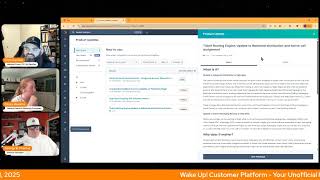
Chris Carolyn, Casey Hawkins, and George B. Thomas walk through HubSpot's latest platform updates. New features include account targeting tools, unsubscribe feedback surveys, help desk coaching, and improved ticket routing to help teams work more efficiently.
Foreign.
Wake Up, Customer Platform. It's time to start the day. Discover all the value you already own. Don't let solutions slip away. Wake up, Customer Platform. The tools are at your hand. No need to sleep on capabilities that can help your business stand. The answer's right before your eyes. You just need to realize. Wake up, Customer Platform and watch your business rise.
Wake up. Wake up.
The platform's waiting for you.
Do wake up. Wake up.
See what your system can do.
Good morning, HubSpot Nation. It is time to Wake Up, Customer Platform with your unofficial HubSpot Updates morning show where we help you discover the platform value you already own.
Chris.
I'm Chris Carolyn, joined by my co hosts Casey Hawkins and George B. Thomas. We are here every weekday morning to make sure you're not sleeping on HubSpot's true capabilities. If you're joining live, drop a hello in the comments and let us know what you're building in HubSpot today. Happy Friday, July 18th. We survived the week, folks.
We did. We did. Friday.
I was up till one working on stuff last night and I was just telling my mom, I was like, yeah, but I can sleep tonight because it's Friday, so nothing actually, like, nothing matters until Monday again, like if I don't finish it by five.
So this, there's this word, it's called balance. And as an entrepreneur, every now and then we let it get a little wonky. Okay, I'll stop. It's not why we're here.
Well, George, I don't know if you know this. Chris forgot this. I did tell Chris this, but he forgot this. I have a vacation next week.
Oh. Oh. I would have been up till 1.
O' clock as well if I. Yeah, yeah, yeah, yeah.
Balance everybody on the other side of the weekend. Okay, beautiful. Love it, love it. Glad I didn't go too hard into preaching there.
Yeah, I was like, I. I know, I know that. I know what's happening. I've been here.
Yeah, Balance looks different for everybody. And Happy Friday to you, LinkedIn user. Sorry I cannot see your name right now, but welcome in. And we've only got a few updates to. To talk about, so balance is already beginning number one.
And I have eight. Can I just. Can I continue on this road this week of how different are things?
Individualized experiences already here.
We're just gonna start only we're gonna. Everybody's pulling their screen up and we're only going with the one with the lowest number.
Yeah, this is why we. AI browser tab. AI browsers. Like, hey, just here's all the updates. Which ones are actually new? Which ones do we need to be talking about?
Right.
I do anticipate I'm fine if we like so two of these Target accounts Home Revamp and Help Desk Coaching tab Like these major updates related to these spaces that we're used to working in. If we can get like like one, two or three of those each day, we'll have some really fun shows. So let's get it started. Target Accounts Home Revamp and Account Sourcing what is it? The new Target Accounts Home help sales and marketing teams implement an effective account based strategy without the complexity and resource intensity that typically comes with it. Teams can now prioritize high value accounts, research them efficiently and coordinate engagement all from one central place.
What? Why does it matter? Key problem solved was I have reading those at one time. First you can find promising accounts faster identifying high fit accounts quickly without manual evaluation or expensive third party tools. Reach IT research in minutes, not hours. Get comprehensive account insights automatically so your team can focus on personalization and outreach and keep your team aligned. Ensure sales and marketing coordinate efforts on the same target accounts.
Nice.
I like it. We've got account research by your prospecting agent, personalized outreach from the sales workspace. So we're talking About Target accounts + sales workspace. Lots of screenshots in here, so come and check it out. Also got account sourcing with Breeze Intelligence. This is the fun part I think like we've seen all this stuff being developed throughout the portal and they're starting to curate it into these just really value packed places, really contextual places.
Sales Pro Sales Enterprise Marketing Pro Marketing Beta.
Yeah, I think that's a typo that we saw last time. So I'm not aware of any marketing beta products that are out, so.
Me neither.
Yeah, so probably a typo there, but we're gonna assume marketing enterprise.
I have, I do a lot of, I do kind of a lot of ABM and I have a client I was just talking to yesterday about abm. They have this target account list. We met with one of their sales leaders and their sales leaders was, was basically wanting to narrow that narrow our existing target account list even smaller because he was like we have a small sales team. We can only reach out to so many people. I think tools like this are going to help sales teams so they could, they can focus on the accounts that there are preexisting relationships with which was the feedback from the sales team from the sales leader. He wanted the sales team to focus on those accounts. Then in the background Marketing and tools like this can help get awareness for other accounts that they might not have pre existing relationships with and kind of build some of that brand awareness. Build some of that. I'm trying to be careful with my words here for Chris specifically.
No, I think that one thing that we've seen that I feel like you're getting at is the balance between such a focus on net new everything and existing relationships, existing expansion. Right. Target accounts had started to bring that in where you could see deals and stuff, but it couldn't see. You couldn't see any of the like the orders and the things that you're working on for that group. So all of a sudden this place which is supposed to give you all the context so that you can develop better relationships, you still have to go elsewhere to find that information. And that's where these, as these faces come together. It's really exciting to see them, you know, find that. That balance.
Yeah. And actually the conversation with the sales leader was triggered because we were showing the buyer intent data in HubSpot in which accounts had buyer intent and he basically said what am I supposed to do with this?
Right. We already know they have buyer intent. We're already engaged with them. Right. So yeah. Very cool to see that progress. Number two today. Unsubscribe feedback survey available on preference pages. Can now trigger an unsubscribe survey on the preference page to collect feedback about why a contact is unsubscribing from all emails and view this feedback for more insights about your marketing email strategy. Turn every unsubscribe into a learning opportunity without adding friction to the unsubscribe process.
Why does it matter Automatically collect feedback when a contact unsubscribes from all email. Giving marketers actionable insights to reduce churn and improve content relevance.
I like this section. How to access this data. There will be several ways to view the unsubscribe survey results including right on the contact record page in the activity timeline and in the custom report builder. That is a good call out omissions. No API support, no customization of the survey questions at this time. Keep that in mind.
I'm surprised this isn't. This doesn't seem like it's being stored as a property. I would have just. And that's. I'm looking at it like a form, so I'm a little surprised by that.
But yeah. And I'm guessing this has to do with how much there's lots of rules and regulations around what unsubscribed experiences like need to be and specifically making sure people can't like trick you in these moments to staying to doing things you don't want to do or didn't intend to do. But also the data behind it needs to be auditable and when you have all this customization it makes it harder for companies like HubSpot to help you comply. So interesting developments there Help Desk Coaching Tab with New Metrics I'm so excited when I see the word coaching like happening in HubSpot. What is it? A new coaching tab in the Help desk built for support team leaders and reps alike. Support leaders can seamlessly coach their teams in a permissioned environment. Support reps will be able to use this new space to access their own performance metrics. The Coaching tab will enable deeper service analytics capabilities through the new metrics One Touch Tickets and SLA Adherence. Users will also be able to review customer agent performance by selecting the name of your customer agent in the ticket owner filter. The Help Desk Coaching tab will enable leaders and reps like to dig deeper into rep centric performance data and collaboratively bring a high quality customer experience.
Why does it matter? In today's fast paced business environment, effective management and coaching of support teams are paramount for delivering exceptional customer customer service and maintaining high levels of employee engagement. Leaders of support teams want to enable their reps to use data to deliver exceptional customer experiences. Leaders require a permissioned space where they can holistically evaluate and compare support rep performance across their teams. Coaching for managers of support organizations is crucial as it directly contributes to the overall effectiveness and and success of the team. Effective coaching equips managers with the ability to lead their teams through these challenges, offering guidance on the best practices and strategies for improvement. This coaching tab enables leaders to equip reps with actionable insights, coach effectively using rep centric performance data and improve employee engagement with customer experience. It enables a coaching culture where managers and reps can collaborate to raise service quality. That was long and I got through it and I didn't really even stumble and I halfway through I was like wow, I'm really nailing this.
You should be prepped yourself.
I want to hear George wax a little poetic on this key piece here.
It enables a coaching culture where managers and reps can collaborate and raise service. Listen, I've been a big advocate for years of having human conversations and been a big advocate of having a growth mindset. And so if you have a growth mindset and you're not afraid to have internal conversations and you're a believer in feedback like Brian Halligan said it one inbound a long time ago. Feedback is the breakfast of champions. Those are the three trifectas. Feedback, growth, mindset and conversations that will take you from where you are to where you need to be as an organization. Chris, is that what you're looking for?
It is, it is. And go ahead.
Casey, am I correct that sales coaching exists? Right? Am I, did I make that up? Did I hallucinate that?
Sales what?
Does sales coaching exist in HubSpot already? Did I hallucinate that? Okay, never mind, never mind. So we're super excited about this.
I get excited that it will like it will show up in customer success. It will show up in the sales workspace. I know at some point the team was at, was working on a sales management, you know, workspace that was doing similar things but to George's point, like even the cultures that have gotten there, you, it's really hard to find technology products that help do that in an easy way. Right. So it's been, you had to put a lot of effort into setting up these one to one conversations that are off the platform and in these like super safe spaces because we weren't sure, you know, I'm clicking into this system, who else is going to see it? And you know, there's still some work to probably get adoption to create that psychological safety. But when we can just pull up HubSpot to enable those conversations instead of having to develop different slide decks and these other things that we've got to develop for these meetings, it just gets us to the the impact conversations like so much faster and so much more consistently. So that is really exciting to see. Last one today. Ticket routing engine update to balance distribution and active call assignment. This one is now live. I think we mentioned it earlier in the week, but we've got an update to balance distribution in the help desk. Current balance distribution model considers all open tickets assigned to target users and assigns to the user with the least amount of open tickets. This evaluation counts all tickets as equal, but not all tickets have the same response expectations. Real time tickets like those from calling or live chat require a higher response rate when compared to email or API based tickets given the higher touch required for high response tickets like calling and messaging. The balance distribution option is being updated to take into account the other similar type of tickets, calling, messaging, email, other that are assigned to the user and distribute based on ticket type. Further, only help desk tickets, that is Tickets that are not associated with an inbox conversation will be considered in the count of open assigned tickets. These changes Bring balance distribution more in line with ticket capacity limits by ticket type to make our definition of assigned open tickets consistent across ticket routing features. Regarding the update to call and messaging routing in Help Desk today, service reps can be working a ticket while on an active phone call and be assigned new messaging tickets from live chat, mobile, SDK, WhatsApp, SMS, and custom channels to answer. Juggling an active call and responding to new messaging tickets is difficult. I'd say we have updated the engine so that it will not assign messaging tickets to a service rep who is actively on a call in the help desk. Once the call is complete, the rep will be eligible to be assigned messaging tickets. Again.
Why does it matter? Orient balance distribution by ticket type, calling, messaging and email other so that tickets which require faster response times are more evenly assigned compared to those with longer response times. Email and other reduce service rep overwhelm by not assigning messaging tickets when a rep is on an active phone call in the help desk.
So it looks like we might be replacing the volume of updates with the volume of descriptive text.
I was, when I opened this one up, I was like, great.
Yeah, that was a journey right there. I'm just going to throw.
That sounds like a good update. It's just basically making sure your distribution of tickets is aligned with the, like, expected response times.
Yeah. Now, the relevance and like the relevance of your team's ability to handle the ticket, it's very complex for lots of organizations and this is where it could be easy to just turn things on because you have access to them in HubSpot and then all of a sudden your customer experience goes down because they thought they were going to be able to reach somebody and nobody's there. So.
We talked earlier in the week, there was an update about setting a different, like, capacity for different team members.
Yeah, I think that's what I thought this was going to be. But then they referenced that ticket capacity limits by ticket type, so you can set them specific to each user based on the ticket type. So all this stuff working together and complex tools for complex human behavioral needs.
It does make my head spread a little bit.
You have any clients using Help Desk yet, George?
I don't right now. I don't. Yeah, we have yet to journey into that world, but most of mine are marketing sales. A little bit of operations here and there, but mostly marketing and sales for my clients.
Lots of opportunity throughout the ecosystem to start leveraging very powerful tools to support the other side of the of the customer journey here.
Yeah, I just said this morning that I think because I come from a marketing background, I often think about marketing and marketing's relationship with sales. But then there's a whole nother handoff between sales and customer support that I often overlook just because that's farther away from like my, my comfort, like my.
My safe space could be because we call the end of that sales journey closed.
Yes.
Yep. Yep. Yeah.
Just going to end the show by getting Chris riled off about silos and.
No, I, I, that was a One of the latest words that I hope to change is maybe if we call that activation or something like that, we could let everybody in the organization know, hey, when they give us money, that's not the end of the journey with this person. Okay.
Beginning.
Yeah, we wonder why our handoffs suck. Like anyways, remember folks, you probably already own the solution you're looking for in HubSpot. And I'm starting to like this. This coaching stuff we're seeing in the platform. Sometimes you just need to wake up to it. Join us Monday morning live at 7:30am Central or catch us anytime on Spotify and Apple Music. Drop your biggest takeaway in the comments and let us know what capabilities you want to wake up to next. Until then, I'm Chris Carolyn.
I'm Casey Hawkins.
And I'm George B. Thomas.
And this has been Wake up, Customer Platform. Now go build something amazing. Have a great weekend everybody.
Wake up, Customer Platform. It's time to start the day. Discover all the value you already own. Don't let solutions slip away. Wake up, Customer Platform. The tools are at your hand. No need to sleep on capabilities that can help your business stand. The answer's right before your eyes. You just need to realize Wake up, Customer Platform. And watch your business rise.
Wake up. Wake up.
The platform's waiting for you.
Wake up. Wake up.
See what your system can do.










