HubSpot Updates!
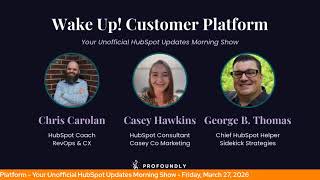
Chris Carroll, Casey Hawkins, and George B. Thomas break down HubSpot's latest features: Credit Memos for finance teams, expanded conditional logic for data quality, enhanced workflow associations that target specific records, custom object associations with Campaigns, and a screenshot tool in the chat widget.
Chapters
slip away. Wake up, Customer Platform. The tools are at your hand. No need to sleep on capabilities that can help your business stand. The answer's right before your eyes. You just need to realize. Wake up, Customer Platform, and watch your business rise. Wake up, wake up. The platform's waiting.
Good morning, HubSpot Nation. It is time to wake up customer platform with your unofficial HubSpot Updates morning show, where we help you discover the platform value you already own. I'm Chris Carroll, joined by my co-hosts Casey Hawkins and George B. Thomas. We're here every weekday morning to make sure you're not sleeping on HubSpot's true capabilities. If you're joining live, drop a hello in the comments and let us know what you're building in HubSpot today. Happy Friday, March 27th, 2026. Casey, George, what are we building today?
I like that you changed this question. This is, it feels better, but, um, thank you. I'm still living in integration land, uh, and then I have a, a, a complicated deal line item custom object situation I'm trying to figure out. And I'm wondering if one of these updates might help me actually.
There's that.
Isn't that fun? Isn't that fun when you're like, I think this might be helpful. Uh, today for me it looks like it might be, uh, email land. And when I say that, email slash code slash workflow, uh, looks like that might be what today is. But also I will say it might be a light HubSpot day for me because I have tried to perfectly engineer my Fridays to not suck. Not that HubSpot sucks, please do not go in that direction. I'm just saying I've tried to map out Fridays where I get a little bit more downtime and time to talk to my team. So you asked me, what am I building in HubSpot? The better question for me today is, what am I building with the humans of my organization? Meaning relationships and conversations.
Yep, we have some alignment there, uh, because I'm gonna be building some knowledge related to HubSpot as the first conversation after this is the figure out how to get the leaders on board with this super granular line items and inventory management plan in a way that makes it clear to them that the burden does not fall in their laps or on their desks, but this is the way we need to handle it and HubSpot's got it under control. So a couple of those conversations happening today. So we're building, building knowledge today. And let me tell you, these updates are going to help for sure. And the first one today, credit memos is live. What's changed now includes creating credit memos directly from invoices, applying credits to contact balances, editing and removing applied credits. Adding custom properties to credit memos, automating with workflows, and analyzing credit memos in custom reports. Pretty much all the things, I think. Ah, what is a credit memo? It's a document a business issues to reduce a customer's amount owed, typically to correct an overage, reflect a return, or apply a discount. It acts as an official record of the adjustment and is applied to an invoice or the customer's outstanding balance.
Awesome. Why, why does it matter? Credit memos are a must-have for finance and operations teams because they're a standard way to correct an invoice after it's issued without rewriting history. With credit memos in HubSpot, merchants can issue adjustments like discounts, returns, write-offs, or billing corrections, keep a clean audit trail, and tie every credit back to the original invoice if they'd like for accurate reporting and reconciliation. This result is fewer manual workarounds, fewer data inconsistencies, and faster, more trustworthy accounts receivable workflow inside of HubSpot.
Very nice, HubSpot.
Yeah. Um, Chris, I told you a story, um, a couple weeks ago about a QuickBooks integration miscalibration where QuickBooks was showing that an invoice had been paid, but, um, it was only partially paid. So HubSpot was still saying it was open, and this is like the solve for that specific instance.
Yeah, it's, um, man, the fact that you can edit and remove— yeah, that's— this is what finance teams need folks to like get serious about a lot. Um, this is why it's different from deals when you think about revenue. Like, it's just— it's not just going in to change the, the amount of property, right? Oh, it's $1,000 difference, we're just going to go in and change that property. Like, nope, we gotta have records of everything that's changing related to finance. And it might feel complex for you still working out of deals, but if you want your finance and accounting team on board, uh, with doing things in HubSpot, which they will be on board when you show them stuff like this, yeah, they gotta have it. So, uh, very awesome to see that, making billing easier out of HubSpot. Number 2, new operators for conditional property logic. We mentioned this one yesterday, worth mentioning again. Big update. What is it? We're expanding the flexibility of conditional property logic. You can now use new operators like is known, any of, not equal to, and is none of.
Why does it matter? Until now, conditional property logic was limited to is equals to checks. This made it challenging to enforce CRM data quality at scale, especially especially for teams managing complex workflows. With this update, you can build smarter, more flexible rules that capture more accurate data and speed up rep workflows. For example, if renewal date is known, require renewal owner. If region is any of UK, Ireland, or France, show EU compliance info. And if customer type is not equal to partner, show billing info.
Very nice. Again, we're seeing it again and it still doesn't have what we think it should have, which is a major update. Like, it should be there. I'm just saying.
Uh, that's what I'm saying. I want to put it all over these updates. Uh, and I think this seals the deal. Like, Monday, uh, when I'm no longer streaming out of StreamYard and we'll have access to things like OBS We're going to start to bring our own like major update tags, uh, into play, uh, because this one, holy cow, uh, create associations between records based on existing associations in public beta. What is it? You can now configure the create association workflow action to operate on the records associated with the enrolled object. When setting up the action, you can choose from the following targeted targeting options: all associated records, up to 100 most recently associated, most recently updated, most recently created, first created, most recently associated, first associated, and associated records with a specific label.
Wow.
This enhancement is available in all workflows where the create Association action is available. For an example use case, assume you'd like to ensure that contacts from escalated tickets are associated to deals. From a ticket-based workflow, you can create associations between the tickets associated contacts to deals using a matching property.
Why does it matter? Previously, the Create Association workflow action could create associations between the enrolled enrolled record and supported object types. With this update, you can now automate association creations based on associations that already exist by allowing workflows to operate on the enrolled object's associated records. This update unlocks far more flexibility, relationship-driven automation. This one's very cool.
Yeah, cool update. But the fact that the association of the association can associate to the associated association is amazing.
Yeah, I am. I was getting a little— wow, I was getting a little lost in— I actually, this is the update that I think will help one of my clients, but I sent it to them and I said, I'm still trying to understand this, but I think it might help.
Yeah, note, read 3 times, spin around twice, and read again. Then anyway, join the beta, ladies and gentlemen. It's powerful.
Call Casey because you said you need help from her.
Thank you.
Uh, you remember our first HubSpot helpline?
Yes, I was. This is, yes. Yes. I don't think it was the first one, but it was the first one that I did something.
Um, it was the first one.
It was the first one.
First one.
That's one. Yeah.
Um, cuz we had calls ready and one of those calls was a, uh, can we associate company records based on contact associations or something like that? Mm-hmm. Um, and so what you did to create properties and create the, the possibility, uh, a workaround workflow basically to do things like this.
Mm-hmm.
Uh, what are you gonna do with workflows like that that exist out in the field now?
I'm gonna clean up the mess that I made working around this. For sure. I'm for sure going to do that.
No lie.
This is one of those moments, folks. If like there's a, a bunch of workarounds that need to be managed now, like if you decide to do this and the— I'm betting in most cases, the reason you want to do that sooner or later is that it will solve this issue. And if you're starting to lean into that, then a lot of other things are going to start working better for you in HubSpot. Um, so take a look, big update there. Uh, associate custom objects with campaigns and additional campaign CRM improvements. What is it? Customers can now associate custom object records to a HubSpot campaign. It says Enterprise only because you need Enterprise to have custom objects. This update only also includes a number of additional enhancements to the campaigns object. The campaigns object is available to view in the data model builder along with all associated CRM objects. Custom association labels can be set between campaigns and custom objects along with all other recently enabled campaign associations like contacts, deals, and tickets. Customers can build segments using the campaign object and filter on campaign properties and associated CRM objects. And campaign properties now support conditional property logic.
Why does it matter? Many upmarket customers are using custom objects to collect important data about prospects and customers. However, marketers had no way to connect and tie these back to their wider marketing efforts through campaigns. Customers can now bring these records directly into campaigns through associations and define relationships through custom labels. This is accompanied by additional improvements to support campaign segments, lists, and conditional campaign properties. These updates make campaigns act like a true CRM object, enabling campaigns to act as the epicenter for all relevant touchpoints and closes off frustrating data dead ends.
This should be—
who is in charge? Who is in charge of the major update button?
Major update! I'm just saying, what is going on today?
Like, we need you on the show. Like, let's have a call. How do we get the major update tag?
Yeah. Yeah. If you're the major update person, we need you. We need to talk.
We need to talk. Or maybe there's like, there's probably like an AI instruction somewhere. It's like, look for these kind of things and put a major update tag on there. Like anything. I mean, campaigns. Wow, this is a— and it's marketing, like it has all the ingredients needed for a major update here. Man, so powerful. Very cool to see these two, like as I was preparing for the show, it's like, oh, these links to these updates are going out in multiple Slack channels immediately.
Yeah.
Right.
Um, so very cool. Uh, time to start— if it wasn't clear already, time to start managing events in HubSpot. Um, yeah. Uh, last on the list today, screen capture button in the chat widget for chat flows. Uh, what is it? Attaching a screenshot to a chat. Has never been easier. With the click of a new button in the chat widget, your visitors on modern desktop and tablet can quickly take and attach a screenshot to their conversation with your agents.
Why does it matter? Support agents can assume that all visitors using chat are able to quickly take a screenshot for use in support asks. By shortening the journey from asking for a screenshot to attaching it to a message, Friction and frustration can be reduced. I like this update a lot. Um, I think when it first came out, I said like, as someone that uses HubSpot support, a decent amount, like I like the idea of being able to do this for HubSpot support. Cause I think about how many screenshots I have that were just for this purpose, which just expediting the, you know, if I don't have to save it to my desktop, that's That's great.
That is great. Oh man, HubSpot's looking pretty great right now. Uh, remember folks, you probably already own the solution that you're looking for in HubSpot. Sometimes you just need to wake up to it. Join us Monday morning live at 7:30 AM Central or catch us anytime on Spotify and Apple Music. Drop your biggest takeaway in the comments and let us know what capabilities you want to wake up to next. Until then, I'm Chris Carroll.
I'm Casey Hawkins.
And I'm George B. Thomas.
And this has been Wake Up Customer Platform. Now go build something amazing. Have a great day, everybody.
Wake up, customer platform, it's time to start the day. Discover all the value you already own. Don't let solutions slip away. Wake up, Customer Platform, the tools are at your hand. No need to sleep on capabilities that can help your business stand. The answer's right before your eyes, you just need to realize. Wake up, Customer Platform, and watch your business rise. Wake up! Wake up, wake up, the platform's waiting for you. Wake up, wake up, see what your system can do.










