HubSpot Updates 9/24/2025
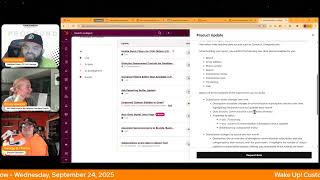
Chris Carolyn, Casey Hawkins, and George B. Thomas break down eight HubSpot updates from September 24, 2025, including mobile quick filters for iOS, granular sandbox controls, and a Universal Theme Editor beta. They discuss practical uses for each feature and how they affect workflows.
Chapters
Foreign. Wake Up, Customer Platform. It's time to start the day. Discover all the value you already own. Don't let solutions slip away way. Wake up, Customer Platform. The tools are at your hand. No need to sleep on capabilities that can help your business stand. The answer's right before your eyes. You just need to realize Wake up, Customer platform and watch your business rise. Wake up. Wake up. The platform's waiting for you. Wake up. Wake up. See what your system can do.
Good morning, HubSpot Nation. It is time to Wake Up Customer Platform with your unofficial HubSpot Updates morning show where we help you discover the platform value you already own.
Chris.
I'm Chris Carolyn, joined by my co hosts Casey Hawkins and George B. Thomas. We are here every weekday morning to make sure you're not sleeping on HubSpot's true capabilities. If you're joining live, drop a hello in the comments and let us know what you're building in HubSpot today. Happy Wednesday, September 24th.
Two more days.
Two more days to the weekend.
Well, Friday's my birthday.
Oh, yeah, Your birthday.
Yeah, but. But then the weekend as well. So we're on the countdown. We're on the countdown for the birthday party.
Is that like a weekend bash kind of thing?
No, no. It'll probably be like a meal in a movie and then everybody be like, all right, see you next year, dad.
Okay, what are we watching? What are we watching?
I literally said I left it up to the family. I just want to eat some popcorn, sit in a dark room for a while, and then, you know, go have a meal. And then whatever we do for the day is what we do.
I like that vibe. Yeah. How you doing, Casey?
Doing well. Missed the show yesterday. Kids were off for Rosh Hashanah, and then we had a Rosh Hashanah dinner at my house last night. And now we're back.
Welcome back. We will dive in. We've got eight updates it looks like today. I always get excited when I see an available beta button. That means definitely haven't seen it yet, but we'll start at the top here. Mobile quick filters for CRM objects. IOS only. What is it? HubSpot mobile users on iOS can now filter CRM object lists using five quick filters that appear at the top of Contacts, Companies, Deals, Leads, Tickets and Custom objects Lists.
Why does it matter? Mobile users previously couldn't narrow down CRM object lists efficiently, significantly hindering productivity when trying to locate specific records on the go. These quick filters allow reps to drill down into the data they need faster and more precisely regardless of location.
Nice.
Let me know when it's available for.
Android or just switch. Chris I'm just not why we're here, not why this doesn't need to be a two hour debate.
Loving my Google Pixel Pro with AI built in everywhere right now.
Nice.
Number two Granular deployment controls for sandbox to production in development so we've got a forward looking statement here, no promises being made, just trying to let you know what's going on. End users for this particular updates when it comes out must enroll in the public beta for new standard sandbox version with improved copy of production metadata and deploy to production. What is it? Granular deployment controls will allow you to select and deploy individual objects subcomponents from your sandbox to production rather than deploying all available changes for an object at once.
Why does it matter? Testing changes in a sandbox environment reduces risk to your production account, but moving everything at once can introduce unwanted changes. Granular deployment gives you precise control over what gets pushed to production, ensuring only tested and approved changes go live. This reduces clutter in your production account and improves deployment efficiency by letting you deploy incrementally as different sub components are ready. This seems very useful.
Very indeed. If sandboxes are your thing, they are continuing to make it better for you. So we appreciate that. I feel like sub components is a new term that we haven't I don't use before. Yeah.
By the way, if sandboxes aren't your thing, maybe you should think about if they should be your thing or if they can be your thing. Anyway, something to think about today.
I think that's fair because as improvements are made more easily to be your thing.
Yeah, which by the way, I'm not saying they should be. I'm saying you should take a moment.
To think about consider or you if.
They should be or not.
Yes, consider the possibilities.
Just like if you're using the cms, you should consider that there's a content staging. Content staging might be great for you as well. Okay, I'm done here.
Yes, indeed. You have options folks. Universal Theme Editor now available in public beta Speaking of cms, what is it? The Theme Editor will now be available directly in the page editor in addition to its existing place in theme settings. This means you will be able to make theme changes while editing existing content or building out new pages. You'll no longer need to switch between different tabs or experiences to style your content. All your settings can be changed from one place.
Why does it matter? Adding a Universal Theme Editor reduces the amount of editors that you need to access in order to create content that meets your needs.
Well, that was simple.
Again, with great power comes great responsibility. People don't. Everyone probably wants access to the theme editor so that they can accidentally change fonts across the whole site. So just be careful. Be careful. Yeah, just maybe Ads Reporting Buffer Update I'm interested to know what those words mean.
I know, right?
What is it? We have updated our reporting to introduce a delay of up to 24 hours before metrics from ad networks are displayed in our system. We've done this to avoid importing inaccurate data and reduce load times. To view the most recent metrics without the delay, click on a particular campaign that will show the latest reporting that the ad networks can provide.
Why does it matter? This should increase the accuracy of our reporting as ad networks do not finalize their data for up to 48 hours and importing this into our system too early may lead to inconsistencies where the data we show is incorrect as ad networks can go back and update information. This should also decrease load times due to the large amounts of data that is being pulled in from different ad networks and will enable us to do future work to improve our reporting user interface. If you want to see the most up to date data from networks, please click on a particular campaign.
Allow us to do future work. Just so nobody's confused. That would be HubSpot, not us. We're just on the show talking about the thing, not actually building the thing.
I am surprised by this update. It makes sense. I'm not say it but I am surprised. Like you don't normally hear of like increases in time for data but it's this is going to be important. This comes up a lot when I have done I've done social ad reporting in the past these data delays, you know people will sometimes reach out to you and ask for today's data and you have to kind of say hello. We actually do not have that accurate data until a day two days later. This is also comes up if you use Google Search console that data is delayed and Google Analytics actually has like a 24 hour delay.
Lots of thoughts here that I'm gonna keep to myself for now. Probably some good friction that's being being added there. Next up, improved contact sidebar in Gmail.
Already made a button on my side. I'm just gonna let everybody know that.
An updated contact sidebar for the HubSpot Gmail Chrome extension that now opens in the Chrome side panel instead of within the Gmail interface. Thank you. The Lord, right?
Why does it matter? Sales teams need quick access to contact information while managing email workflows. Moving the sidebar to the Chrome side panel frees up valuable Gmail interface space while providing a more flexible, resizable view of the contact details without disrupting your email workflow.
All right, HubSpot, knock it off. Just knock it off. Sales teams. How about all teams like I as a marketer, look at the sidebar as a success person, If I'm in my Gmail, I bet I look at the sidebar too. Can we just knock it off with the sales team? I understand we're a CRM, but we are much more than a CRM.
Yeah, I mean stand for the C.
Stands for Before I get customer, the HubSpot inbound evangelist. I'll shut up.
All right. C stands for customer in CRM. Just say customer teams like that's all you have to do.
Oh my gosh.
And then we'll find something else to complain about. But we'll be happy about that thing.
Yeah, I mean. Okay, I'm done.
New Data Model Intro page Powered by Breeze and a nice beautiful screenshot at the top.
Love it.
What is it? The Data model space has a new intro page. This collection of tools helps you configure your data model quickly and confidently, even if you're new to HubSpot or data modeling. The page introduces multiple ways to use AI to get started, quick suggestions and the ability to save a collection of changes to review with your team and apply later. Wow.
Why does it matter? The new intro page guides you with the best practices tailoring to your business simplifies the setup experience and drives deeper adoption of key HubSpot smart CRM configurations like properties, pipelines and association labels. We know that getting started with data modeling can feel intimidating. This update helps you get set up faster and maintain better long term data cleanliness.
Deeper adoption of pipelines and association labels yes please.
I know this is I have a question that is probably a whole nother show so admitting that but every time that I and we've seen this a lot like HubSpot is trying to lower the barrier of entry in their data modeling tools and so they say we know that getting started with data modeling can feel intimidating. This update helps you get set up faster. We saw this also with like the AI supported data modeling tools. Every time I read this though I like my gut is like how much what is good friction so it's just every time I read it something I just want to flag Also that just because it's Easier doesn't. Just because it's easier to do doesn't mean it should take less thought, less care.
Oh, that's a.
That's spicy.
That's a. That's about a two hour show right there.
Yeah, a different show. A different show.
Especially if you bring in AI. Let's not even go there. This is HubSpot updates on to the next Moving on.
All right, moving on, Chris is like.
But I don't want to move on. I want to talk for two hours.
We'll have some time after these two next 1. Associate Social Accounts to Brands what is it? This feature extends HubSpot's brands functionality to HubSpot's social media tools. You can now assign your social media accounts to specific brands, streamlining management and reporting for organizations with multiple brands.
Why does it matter? Many enterprise organizations manage multiple brands within their company. Brands allow these customers to effectively manage and organize their marketing efforts for each distinct brand within a single HubSpot account. Problem solved. This feature addresses the need for large organizations to segment their social media accounts, users, settings and reporting by brand. It enables better organization, targeted configuration and clear reporting across different brands operating within one HubSpot portal. Did I do it?
I think he did it. Who gets it? Customers with the brands add on, we will not be party to this confusion any longer.
For for our listeners not watchers, this update has some lots of other words.
Other words sometimes. So we're doing live transformation of language on air. That's how good we're getting, George.
I mean as, as, as we should, I guess. Because you know, businesses and units should probably be called brands. For any of you that don't know outside or inside of HubSpot. See we found another thing to complain about on a Wednesday. See how that is. And they didn't even solve the first one yet.
And it's still language related.
Yes.
Can we get to common language please? All right, last on the list, Subscriptions Event data in Report Tool is in private beta. And if I didn't see the word marketing communication preferences over on the right here, I'd be curious which subscriptions this is referring to. What is it? You can now use subscriptions event data for individual subscription statuses via the Report Tool to build views easily track and analyze subscriber data over time, include source of opt change status, change date and more.
Why does it matter? Gives marketers access to subscription analytics so they can optimize their email strategy, make data driven decisions about campaigns, measure list growth, understand why people are unsubscribing And. And. Or demonstrate the ROI of marketing efforts to stakeholders.
Nice.
I'm gonna hit again. I'm sorry. Marketers make you do more work. You do it right under. How does it work? Please start calling these communication subscriptions as opposed to commerce subscriptions. Yeah, they're getting a lot of airtime now. So it's not like you can be like, okay, nobody's using that stuff. Lots of people are using subscriptions. And I'm sure it'd be very interested if this were true for that object, which is not the object we're talking about. So again, communication subscriptions.
I mean, I wasn't even sure until we got to the last sentence in the what it is. And even that was not like super clear.
Yeah. The only hint is that the word marketing shows up around it. That's why, like, I don't know if they. I don't think they put commerce subscriptions together either when they usually make updates. But that's the debt, that's the variable. They just have to add that word to help us understand. So.
I refuse to complain about a third thing. I've complained about two things. Two is enough. It's early in the morning.
We're in a great mood today.
Right. Because in the system we see here, like in the. How does it work?
You don't want to complain, George. I will.
It says data sources and you got to select communication subscriptions. So let's call it that everywhere. Anyways, I just want to share a story from yesterday related to the AI topic of using AI to manage. We were talking about data model earlier. This was after like kudos to Deanna yesterday for being able to still execute the admins hug with the same day speaker cancellation. That's the kind of agility it takes to be showing up every day in the ecosystem like we're suggesting. And I got over there for the second half and got to partake in the attempt at networking where it was just me and one other person. But that person shared a story about as an admin, they were able to just work through a custom coded action, like create a custom coded action workflow to handle line items effectively. And they did it with the help of AI only. And in that moment they realized they've unlocked a whole new layer of technical capability that they did not have themselves. And we're seeing those moments happen in a lot of places right now because AI is so available and the knowledge to use it is like you just have to talk to it.
Yep.
So that's where the understanding it's still a conversation to be had. And just because it's coming from AI doesn't mean it's always right. But there's never been an easier time to start to add capabilities like to your skills list and it's going to come through. Just clicking on some of these Breeze buttons and just starting to understand how stuff works, especially creating properties and pipelines. I was doing it this morning, activated the new projects object and say hey, I've been using this other object to represent projects in HubSpot. Can we just make the projects object look like that? Pipelines and properties and everything. That's what Breeze Assistant did for me.
Nice.
Create all that stuff and then proceeded to make records that copied those records. Just click on the assistant button. Try some of these powered by Breeze things out, start to experience it. You'll. You'll be rewarded over time, guaranteed. That's where we'll wrap for today. Remember folks, you probably already own the solution you're looking for in HubSpot. Sometimes you just need to wake up to it. Join us tomorrow morning live at 7:30am Central or catch us anytime on Spotify and Apple Music. Drop your biggest takeaway in the comments and let us know what capabilities you want to wake up to next. Until then, I'm Chris Carolyn.
I'm Casey Hawkins.
And I'm George B. Thomas.
And this has been Wake Up, Customer Platform. Now go build something amazing. Have a great day everybody.
Wake up, Customer Platform. It's time to start the day. Discover all the value you already own. Don't let solutions slip away. Wake up, Customer Platform. The tools are at your hand. No need to sleep on capability that can help your business stand. The answer's right before your eyes. You just need to realize Wake up, Customer Platform. And watch your business rise. Wake up, wake up. The platform's waiting for you. Wake up, wake up. See what your system can do.










