Hubspot Updates....
Chris Carolyn and George B. Thomas walk through HubSpot's latest platform updates from March 2025, including mobile app improvements, new AI tools, payments features, and changes to list creation and permissions. They cover what's actually useful for people running the platform day to day.
Oh my God.
Good morning HubSpot Nation. Welcome to Wake Up Customer Platform, your unofficial HubSpot morning show where we help you discover the platform value you already own. I'm Chris Carolyn, joined by my co host today, George B. Thomas. Casey Hawkins will be back with us next week. Every weekday morning we're here to make sure you're not sleeping on HubSpot's true capabilities. If you're joining live, drop a hello in the comments and let us know what you're building in HubSpot today. George, we're getting a little bit of a late start since we had so much fun with Nico creating images with GPT. So we're just going to dive right in. Let's do it. In development, business card scanner enhancements. I think you mentioned that being everybody's favorite thing.
I know, right?
So here we go. Continuing to make the mobile app better. What is it? Scanning business cards just got easier with the HubSpot mobile app. Update the app to get an upgrade to the business card scanner experience that makes it faster and more intuitive to create contacts from a scan. We've added expanded field support, tap to edit a property, visual confirmation and gallery integration and this is forward looking statement at the top in development but expected See this is how fast I got in development expected April 3rd next week.
Yeah what's interesting to me the gallery integration you can scan business cards directly from your device devices gallery so this is interesting to me but why does it matter? We want to make sure we being HubSpot want to make sure you as the HubSpot users can feel confident capturing the right information quickly when you use the business card scanner. Customers wanted a more intuitive experience that was quick and easy to use. Based on your our HubSpot user feedback, HubSpot's improved the process of capturing contacts from business cards and QR codes Seems.
Straightforward again if you're out there using the mobile app, love to hear from you, learn about your experience. Number two we got payments expanded multi currency support for Commerce Hub Payments. What is it? Meet customers in their currency. With expanded multi currency support in Commerce Hub you can now sell in 130 + global global currencies through HubSpot Payments and Stripe enabling you to charge buyers in their preferred local currency.
Dang gone. Why does that matter? Well, when your customers see pricing in their local currency, they understand exactly what they'll pay. I can't imagine having to be a math wizard for some of those without confusion or surprises they don't need to worry about potential costs associated with fluctuating exchange rates, which builds trust at checkout. This enables your customers to pay in their currency while you get paid in yours. It's a magical world we live in, making it easier to expand globally.
Pretty straightforward. And again, you know, there's AI behind the scenes, like just monitoring all those exchange rates for us now. So that's the only way stuff like this happens so quickly. Beautiful to see. Great job commerce sub team. Keep up the great work. Create new list from index pages.
I love this.
Somehow this is a low impact. Here we go. You can now create a new static list directly from index pages. For example, contacts, companies, deals, tickets and more. And by the way, there's like 16 more objects. Just in case anybody was wondering, why does this all matter? George?
Just keeping you up to date on the object. Yeah. So why does this matter? Previously you could only add records to an existing static list. If you wanted to add records to a new list, the experience was a little bit confusing. Good worded there. HubSpot 1. Identify the records you want to include in a new list from an index page. Navigate to lists and create an empty static list. Navigate back to the table of records. 4. Select the records and add them to the newly created list. Nope, sorry, don't want to do that now. The good thing is you can create a new static list directly from the index page without having to bounce between different areas of HubSpot. Thank you HubSpot. We appreciate this.
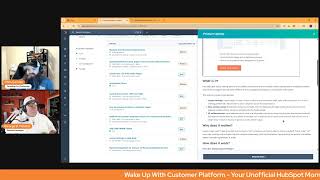
Yeah, and we'll just check out this image real quick. Gotta love our index index page enhancements when they hit and see these other. See these other things we might not know about. Like little check enrichment coverage here. Yeah man. Like when was the last time you actually clicked on this? More dropdown. Add the static list. Love it. It's pretty straightforward doing the work for us. Thank you. CRM team Number four Anniversary Filters Medium Impact. Just kidding. It's been out for a little bit. We've covered it in the past. Keep track of anniversaries from birthdays all the way to renewal dates. Number five custom survey API for NPS and CSAT. Oh, private beta, scheduled for release April 1st. What is it? The Surveys Public API initiative launches new endpoints for creating, retrieving and deleting custom surveys and responses. Initially, it supports only nps, NET Promoter Score and CSAT customer satisfaction question types to ensure a focused, high quality rollout. This release enables partners and developers to build apps using these survey types. And maybe current apps can add surveys to their apps. Now we will see some of that enhancing the HubSpot ecosystem with more feedback driven solutions.
See, this excites me. I'll get into the why it doesn't matter, but this excites me because a. There's a big but in here for rollout. It does this but in the future, you know, somebody's thinking passes. I also love this because then an app creator will come up with like dope ways to make Service Hub even better from a survey standpoint. Anyway, this, this excites me as well. I. I like this. So why does it matter? You can now enhance the their apps with custom surveys supporting NPS and CSAT survey question types, delivering critical customer feedback insights. If you don't have voice of customer in place, what are you doing? By starting with these core survey question types, developers can reliably test, integrate and refine their solutions before future expansions. Oh, by the way, this could be part of event Happily for after an event is over.
I'm just throwing that max.
I'm just saying. Additionally, more apps will be able to provide NPS and CSAT feedback options, letting you seamlessly measure satisfaction and loyalty. This leads to better decision making, service improvements and ultimately higher customer satisfaction. Heck, it might even be part of quote Happily because you want to know how somebody felt about the quote quoting process they went through. Oh my God. There's so many different ways this could be used. I'm excited.
Yeah. Yeah. And I love the, the like preemptive notice. Like calm down. This is where we're starting. We know everybody wants the custom survey stuff, but let's get the shit right like early and then you'll, you'll. We'll get to the cool stuff that you want later. Yeah. All the products apparently, which.
Wow.
I don't know, like wow, I guess. No, okay, hold on.
Yeah, I don't know.
Like I thought this was Service Hub.
Well. Oh, don't even get me started. We don't have time for what you just.
All right, number six, new permission control for customer agent in development. Forward looking statement at the top. What is it? We've introduced a new customer agent edit permission. Users will now need this permission to create or update a customer agent.
Oh, interesting. Why does this matter? Previously, any user in a HubSpot account could create or update a customer agent, increasing the risk of accidental or unauthorized changes. I feel like this is one of those sentences that's in here because it happened.
Yeah.
With new permission you can ensure better control in governments over who can make these updates. Again, I go back to this is a good sign of with great power Comes great responsibility. And not everybody should have the responsibility. So this is good.
Yes, indeed. Keep moving forward. Real time AI powered duplicate checks for contacts and companies. Low impact somehow. What is it? Real time AI powered duplicate checks automatically scans for new duplicate contacts and companies consistently and shows potential matches to merge within the Manage Duplicates tool.
Why does this matter? Currently, the Manage Duplicates tool checks for duplicates every day. This isn't frequent. Wait, this isn't frequent enough for teams that need to ensure that their contacts and companies are accurate, complete and up to date for daily business needs.
Yeah, we got to worry about those enterprises now, George, that are getting bombarded every day with hundreds of, of and thousands of new form fills. So real time. Yeah, like OPS Pro. You need OPS Pro. If you haven't figured out a reason to need OPS yet, maybe it's because they call it ops and not data quality or data management up. But maybe we can get some help with that soon. Who knows?
I'm stuck on that word. By the way.
Number eight, Help Desk Board layout. What is it? The board is a new layout in Help Desk that provides a visual representation of ticket movement across pipeline stages. Tickets on the board are organized into columns with each column corresponding to a specific pipeline stage.
I mean, it looks like a Kanban board to me and it looks like pipeline infrastructure. I'm just saying. So why does it matter? The board offers a visual way. The board offers a visual way Manage tickets. I feel like that could be written.
A little bit better.
Anyway. A visual way to manage your tickets by organizing them into columns that represent pipeline states pages. This visual approach helps teams quickly assess the status of each ticket, identify bottlenecks, and prioritize actions effectively. I'm super curious. Like labels? Yep. Look in the screenshot. Some are turning gray. Listen, you're just starting the line anyway. For managers, the board board provides a comprehensive overview of tickets movement support, more information, decision making and efficient resource allocation. For reps, it highlights tickets that need immediate attention, enabling faster response times. Like I. I like this. I like this a lot.
Yeah. And we'll take a look over here. Yeah, so we've got parity with the index page now. I think that's been available on that page. So a service seat is required to access the board layout in Help Desk, I guess. But hopefully you can still see it in the index page if you're not in Help Desk yet. But if you have service like get into Help Desk, like just do it like. It's a much better experience for teams managing tickets layout settings and Help Desk all the Help Desk love today Introducing layout settings. What is it? New Help Desk layout settings options and usability improvements are available to help support teams navigate smoothly around the workspace and be more efficient as they troubleshoot, respond to and resolve their tickets. This release includes three updates. We have layout settings, we have a new preview panel, we have UI enhancements and I'll read this one.
Yeah.
We've reduced visual noise and information density by removing the view and preview cards for the table and board layouts and added next previous navigation to let users move between their tickets with a single click instead of having to go back out to another page.
Just when you thought you couldn't love HubSpot anymore. All right, stop scrolling because I've got to look at your screen. Why does it matter? Support reps need to feel grounded and focused. Yes sir. In their workspace, and being able to choose a default home base that suits their work style will allow them to navigate more easily, find the information they're looking for quickly, and deliver better customer experiences at scale. We. We should have started with that. Do you want to create better user experiences at scale? Well then get this update. I'm just saying we should have started with that.
Yeah. And come check this out if you got service. All the screenshots are here. And Danielle Urban, if you're watching, I think it's time to get back to building workspaces on LinkedIn number 10. OpenAI integration for custom AI powered workflow actions has been a recurring hit over the past, I want to say couple weeks. In case you didn't know, you can now connect your own open API account through HubSpot through our new Open API integration, allowing you to use your OpenAI project API key to power AI driven workflow actions. This is private beta, so maybe it's back on here because you're letting more people in.
Maybe, maybe. But why does it matter? By connecting your OpenAI account to HubSpot, you gain more flexibility and control over your AI usage, creating more customized AI powered autonomous or automations. Sorry, that was a Freudian slip in my brain. Without relying on HubSpot's built in AI services, this update benefits businesses, developers and cost conscious customers looking to leverage their own open AI account to support things like AI workflow automation, cost management, unified app management, all sorts of the wonderful things that you might be thinking about. Request beta.
Yeah, and if you're not thinking about it, you should be again. AI, Stop avoiding it.
Between this and Ask Breeze and workflows like Game's over.
Yep. And what we're seeing out there. I mentioned it yesterday. I think I'm going to start keep using this framing. Like end of year, everybody's building their own tooling to work with HubSpot. It creates like an open source HubSpot.
Almost like which is crazy to think about.
Exactly. But we're seeing it, we're seeing it every day on LinkedIn. You know, people building their own stuff. It's amazing. Abundant world we live in. And that's where we'll wrap for today. Remember folks, you probably already own the solution you're looking for in HubSpot. And it might be global payments. Sometimes you just need to wake up to it. Join us on Monday morning as Casey, George and I continue exploring what's new in the ecosystem. Drop your biggest takeaway in the comments and let us know what capabilities you want us to wake up to next. Until then, I'm Chris. Carolyn.
And I'm George B. Thomas.
And this has been Wake up with Customer Platform. Now go build something amazing and have a wonderful weekend. Bye, everybody.
Bye.










