HubSpot Updates - Customer Platform #hubspot
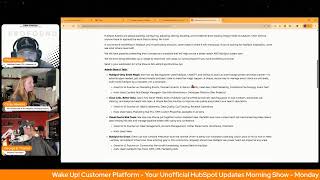
Chris Carolyn, Casey Hawkins, and George B. Thomas break down HubSpot's latest product updates: AI-powered page scoring that uses conversion data, customizable sequence unenrollment triggers, unified landing page creation, and a new Blog Analyze tab with five reports.
Chapters
Foreign. Wake Up Customer Platform it's time to start the day. Discover all the value you already own. Don't let solutions slip. Step away. Wake Up Customer Platform the tools are at your hand. No need to sleep on capabilities that can help your business stand. The answer's right before your eyes. You just need to realize Wake up. Wake Up Customer Platform and watch your business rise. Wake up. Wake up. The platform's waiting for you. Wake up. Wake up. See what your system can do.
Good morning, HubSpot Nation. It is time to Wake Up Customer Platform with your unofficial HubSpot Updates morning show where we help you discover the platform value you already own. Chris I'm Chris Carolyn, joined by my co host Casey Hawkins and George B. Thomas. We are here every weekday morning to make sure you're not sleeping on HubSpot's true capabilities. If you're joining live, drop a hello in the comments and let us know what you're building in HubSpot today. Happy Monday.
Happy Monday on Veterans Day week. Happy Veterans Day to all the vets out there because I won't be able to say that tomorrow. Yeah, but doing good. How are you guys doing?
Doing great. Great. Pop quiz, Casey. Oh, if we gotta audit a HubSpot humans for it all.
Oh, if you know, you know. Go watch the clip on LinkedIn.
George, you give George the quizzes, I get the tutorial. You broke the system.
Your reasoning and excuses after that as that was happening is my favorite part of the clip.
It really is. She's like, but wait.
Oh man. So good. If you don't know, we had a great HubSpot helpline on Friday covering some some Reddit mailbag of new HubSpot owners coming into businesses being asked to audit HubSpot, looking for some advice on where to start and, and we think we had a good conversation about that, so we invite you to check it out and catch us later this week. It's every Friday from 3pm Eastern to 4pm Eastern on LinkedIn Live. You can give us a call at a voicemail number that I have not remembered yet. So look for that post and you'll hear it later this week. Also today we've got some. You're doing like a double dose of scoring today, right, Casey?
Almost triple now with our only update of the day.
That's true.
Yes. I'm doing a webinar with zero bounce actually at 11am talking about about scoring and data cleanliness and the importance of data cleanliness and scoring, basically. And then at 1pm Eastern, these are all in Eastern Times I'm talking to Chris and Riley about the value paths and how to score in a human way.
I like that.
There we go. Yeah. So let's dive into that update that you mentioned. Got a few more on my side.
Yeah, I've got four.
I have one. What happened to me?
I don't know.
I must have uploaded the page.
Yeah, I was shocked when you said one update. I'm like, well, my portal different.
There's a couple hiding in the alt tab too that we're going to touch on that we did not touch on last week. But starting with the scoring one that Casey mentions. Score high impact pages with AI powered insights. What is it? Lead scoring users can now view insights and score their high impact web pages using conversion performance data. Insights can be customized across goal stages and include the specific web pages conversion rate based on the number and percentage of companies that visited the page and confidence level based on impact.
Why does it matter? Webpage visits are one of the strongest engagement signals for measuring lead intent. High impact insights leverage your portal's historical conversion data to show which pages actually drive conversions so that you can score based on proven performance rather than assumptions. This results in more accurate scores and better lead prioritization for your sales team. The lead scoring team actually showed this to me last week and it is pretty cool because you get to actually choose like the goal stages. So these are life cycle stages. But what I like about this is, you know, you can choose opportunities or customers using traditional life cycle stages. Not just like. Because often where I get stuck in things like this are like, it'll say, yeah, everybody visits the homepage. That's like a super important page. And you're like, well, yeah, everyone visits the home page.
It's not really that important other than to get them to page two.
That kind of says we're not doing a great job in our marketing strategy.
Well, I don't know if I'd go that far. But it isn't as important as you think it is. Unless it's not getting people to page two.
Yes.
I was also happy because sometimes AI can be a little bit of a black box. We all know where it says this is the best page. But you're like, but why? When you're able to choose that like goal stage, you have a little more context on the why.
Yeah, here's the thing. If you open up that, Open up that update again because I would like to just say something. If you scroll. Yeah, right there, right, right there, right there. Right, that's. This is great. I love that we have a link to a video tutorial. I am going to run and go watch the video tutorial. I got excited for a second when I saw what I now know is a screenshot of the actual video. I wonder if we could live in a world where the video could actually just live here like HubSpot. Is there a limitation to actually having an embedded video in a product update fly out so I can have one less click or three less clicks or depending on the amount of updates in a day, 17 less clicks because I'm going and watching videos that maybe go with the product updates. Anyway, I'm just wondering, that's all. Curious if it could happen, but I'll go video.
I also love it when there's a step zero related to make sure your data is right. Yeah if you want to trust your scoring stuff. Good call, good call HubSpot and if you're listening, they're suggesting to double check that your deals are associated with companies as primary and not contexts, not contacts. Which is an interesting thought that I will not dive into here.
We only have so much time.
Yes, number two today Customizable sequence unenrollment triggers. What is it you can now customize when contacts are automatically unenrolled from sequences by turning off the default reply and meeting triggers?
I love this.
Why does it matter? Previously, sequences automatically ended when contacts replied to an email or booked a meeting even if you wanted to the outreach to continue. This interrupted communication flows beyond initial prospecting, forcing reps to manually re enroll contacts or use workarounds. Now you have the flexibility to continue sequences even after a contact response.
Can I just say a couple things here? 1. If you want to have less marketing contacts in your database, you find ways to communicate with one to one email. And if you do that, you probably will run into wanting to do one to one email to multiple humans, AKA sequences. And if you're not a sales rep, you're just trying to communicate, not necessarily convert to a meeting or a reply. And so now you can actually build that podcast. Follow up three emails when somebody was on your show as a sequence in a one to one email and they don't get unenrolled because they hit reply and say thanks for having me on your show. Like think out of the box, ladies and gentlemen of these tools past sales and think of how these tools can allow you to keep your marketing contacts down lower. Yes, I said it. HubSpot. I said it.
Yeah. AKA beyond initial prospecting. Yes, actually using HubSpot to manage customer relationships. How about that. Very cool. This has been a long time coming for sure and really excited to see that it's here. Number three, we've got live today, unified landing page creation. High impact. Probably just because most HubSpot accounts use landing pages in some way, but not necessarily this feature. What is it? A unified landing page creation flow combines the manual and AI powered workflows into one seamless experience.
Why does it matter? Today you must select whether you want to create a landing page with AI or without AI before you create it. This leaves too many choices in a disjointed experience, I think.
But now today you don't have to choose.
I think this is about getting more visibility on the AI tools. Because if you selected to like not create with AI, which is like what you're used to seeing, then you miss out on some of the possible opportunities to leverage AI.
Well, that's my only statement is should you really ever have to choose.
Or.
Should always be a this and that versus or that potential.
Right. And if you've seen the email evolution, like the way that the AI generate with AI choices right next to all the other templates, that's basically what's what they're doing over here too. So it's good, it's a good update. And I think you're right, Casey, in terms of like, you gotta work it into the normal workflow a little bit better in some places. And this is how they're doing that. Meanwhile, we have more control over notifications on mobile. As in development, forward looking statement at the front. What is it? They're developing the ability to have more control of notifications on mobile, which will allow users to temporarily mute all notifications, set a notification schedule, or delete all or individual notifications.
Why does it matter? Timely notifications are critical but can get overwhelming if there are too many notifications or they come at inconvenient times. With these enhancements, users will have more control over notifications.
I like that. I like the idea of a notification schedule and I like the idea of being able to delete all or individual notifications with ease on mobile as well.
Slack kind of has that where you can send a notification schedule. So I'm. Yeah, that's what I'm thinking. This might look similar to something potentially like.
Yeah, without that control it just becomes noise very quickly and they just use the phone to silence all notifications. Let's.
Let's be honest at the end of the day, the amount of times I have told HubSpot users during onboarding or training to spend some time in their notifications area of their settings area HubSpot and actually clean that bad boy up to what you do need to hear and see and where you need to hear and see it so that HubSpot doesn't become noise. Because as soon as HubSpot's noise and you start to ignore it, you have lost all reason that monthly bill to have your team in it like yep.
And again like we end up using other systems like the Gmail Folder abyss of HubSpot notifications or just the east on the phone to just be like yeah, you just silence that app giving us this granularity will help a lot.
Yeah.
So the the one I didn't remember from last week or these two were multi language support for case studies. Oh which maybe we might have mentioned in the past, but this is live now. What is it? We've added multi language support for the case studies content type in HubSpot. This update lets you create, manage and edit case studies in multiple languages, all within the same familiar interface you already use. And if you're not sure what we're talking about here, within Content Hub, they have enabled a specific asset type in HubSpot called Case Studies. So that's why they're they're calling it out here. Not exactly CMS Pages or some of the other stuff that we use in HubSpot, but specific content type in HubSpot.
Yeah, you kind of got to wrap your head around it if you're used to like doing case studies in pages or case studies as maybe a blog role type thing.
But.
But it's interesting. It's cool. I like that we now have different languages for sure.
Yeah. Why does this matter? This enhancement makes it easier for global teams to manage localized content and reach a broader audience. With multiple language support, you can publish case studies in your customers preferred languages, improving accessibility, engagement and connection with readers worldwide. Just like existing multi language functionality for blog Pages Knowledge Base Articles, this update streamlines your content operations and helps you deliver a consistent brand experience across regions.
Very cool. And then we've got the Blog Analyze tab. What is it? We're surfacing a new Analyze tab within the Blog tool, allowing users to view and track blog performance directly within the app. This tab introduces five key reports that display engagement metrics, publication data and trends over time, helping users understand how their blog content is performing without leaving HubSpot.
Why does it matter? Previously, users had to navigate between different tools or custom reports to track blog performance. The Analyze tab centralizes key metrics like total views, bounce rate most recent posts and performance and post performance over time all in one place. By embedding analytics directly into the blog app marketers can quickly identify which posts are driving engagement compared to compare performance trends and make faster data driven content decisions. This improves visibility, saves time, and brings performance insights closer to where content is managed and created.
Nice.
Very cool. Also very cool. HubSpot admins show and tell tomorrow on the admins hug 10am Central, 11am Eastern. You were on the last version of this, right Casey?
I was on the last version of this and it's really fun. It's fun to hear from other admins and I'm excited what other admins are doing.
And we actually have a list here of who's going to be on so kudos to James J. Baumgartner, Caroline Prediminan, Lisa Moore and Sarah Medillo. They're going to be hanging out.
Some friends of the show on there.
Yeah, some friends of the show, friends of the pod. However you say it, friends of the pod still needed us, but HubSpot only Event Magic, Clean calls, better data, Visual deal and risk tools. Oh, this will be fun. I look forward to seeing that Deal and risk tools. I think we've highlighted a few times on here something that should be pretty powerful, but the data's got to be right in order to leverage it and then HubSpot for good. That looks very cool.
Yeah, actually Caroline kind of showed me that a couple weeks ago, so I'm excited to see it spotlighted. Spotlight, yeah.
Again, HubSpot enables some pretty amazing value in this world. Remember folks, you probably already own the solution you're looking for in HubSpot. Sometimes you just need to wake up to it. Join us tomorrow morning live at 7:30am Central or catch us anytime on Spotify and Apple Music. Drop your biggest takeaway in the comments and let us know what capabilities you want to wake up to next. Until then, I'm Chris Carolyn.
I'm Casey Hawkins.
And I'm George B. Thomas.
And this has been Wake Up Customer Platform. Now go build something amazing. Have a great day everybody.
Wake Up, Customer Platform. It's time to start the day. Discover all the value you already own. Don't let solutions slip away. Wake Up, Customer Platform. The tools are at your hand. No need to sleep on capabilities that can help your business stand. The answer's right before your eyes. You just need to realize Wake up, Customer Platform and watch your business rise. Wake up. Wake up. The platform's waiting for you. Wake up. See what your system can do.










