HubSpot Updates for 5/14 #HubSpotCRM
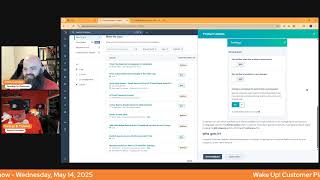
Chris Carolyn and George B. Thomas walk through HubSpot's latest platform updates, including new ticket management features, subscription tracking, AI email template import, and Breeze Copilot improvements.
Good morning HubSpot Nation. It is time to wake up Customer Platform with your unofficial HubSpot Updates morning show where we help you discover the platform value you already own. I'm Chris Carolyn, joined by my co host George B. Thomas. We're here every weekday morning to make sure you're not sleeping on HubSpot's true capabilities. If you're joining live, drop a hello in the comments and let us know what you're building in HubSpot today. Happy May 14th Wednesday and we're wearing orange. George, how you feeling?
Yes, I'm doing good, doing good. Can't believe it's already the 15th.
But hey, 14th, 14th, 14th.
Let's not get nuts. Tomorrow's I can't believe it's the 14th though. It's like where is this year going? I know I say that like every year more and more. Probably it's just a fact of getting old. Or maybe it's a factor of like HubSpot and all the updates and I don't know what it is. Maybe it's AI.
The world is speeding up, that's for sure. There's no signs of slowing down.
Yeah, it feels like it.
And we are thankful that HubSpot is doing their best to keep up and that's why we're here every morning to help you keep up. So let's dive in. Ticket Reopening Management in Help Desk it's private beta. What is it? Ticket Reopening Management is a new workflows powered solution that allows users to control if, when and how tickets reopen based on new replies to closed tickets.
Wow. Where's Casey? Okay, let's. Let's buckle up and settle in for a minute. Why does it matter? Once a support rep closes a ticket, their customer may reach back out for a number of reasons to say thank you, to ask follow up questions, or to raise a completely new issue. Historically, there has been no way to prevent that closed ticket from reopening or to auto generate a new ticket. Whether the end user reached back out within five minutes, two days or even six months, that original ticket gets reopened, causing issues for reporting SLAs and overall rep efficiency and organization. Not anymore. Ticket Reopening Management Workflow or. Yeah, workflows give support teams an automated solution that allows them to proactively manage their processes for new replies and close tickets and makes it easier for reps to respond, prioritize and stay organized. Often the support team's process is to allow customers to reopen support tickets within a certain window of time. After the ticket was closed, example three days. If the customer responds any later than that, a new ticket should be created. This update makes that process possible. I need a nap after that. Bad boy.
Yeah. Thank you team. This seems like an important update. More control over this process of opening and, and, and closing tickets and keeping them closed and just keeping organized. Who gets it? Service enterprise.
So nice.
Probably the ones that need like that have the volume enough.
Yeah.
To actually like develop this into automation and, and want to be hands off. So Makes sense. But yeah interesting to see like on, on the user side of this we, we take a lot of this for granted. I think as we work with other companies that you know, where tickets, of course they work like this but also we don't really care how it works on the other side just as long as we're getting support. So really this, you know, making it easier for reps to respond and stay organized is what we appreciate on the customer side of things. Track subscription type changes in the audit log. This will be the marketing subscription we're talking about. Yeah, what is it? The centralized audit log now displays all user actions related to subscription types in your account, including creation, editing and archiving. You can track changes to names, descriptions, brand, if applicable, and primary language settings for any subscription type. Again, this is not E commerce hub subscriptions. This is the marketing subscriptions.
Yeah, this is when they click on the manage my email preferences because I want to unsubscribe from all of your stuff or subscribe. That's what we're talking about. Why does this matter? Which I have something to say by the way about that after I say this. But why does it matter? This enhancement provides better visibility into all modifications made to your subscription types, improving accountability and helping you maintain accurate records of count changes. By the way, later today I want you to run over to settings and then marketing and then email and then subscription types and I want you to just put on your user hat and read the title and description of your subscription type and ask yourself, does this sound like something that we're segmenting in an internal fashion or presenting in an external voice? Because your subscription types should be external. It should be teasing them to why they don't want to unsubscribe. It should be informing them of the things that they're getting. And you should by no means have a test 1, 2, 3, subscription or an internal updates subscription that the external humans could.
Anyway, give me an example of one you commonly see and then immediately change into something better.
Yeah, people will be like marketing information. This is how we send marketing information. What. How about marketing information might be like, you might name that something different because they don't care if it's information, but like keeping up with something and then the description might be something again, dependent upon your business and what you do and what you teach and how. Like, there's so many variables, but hey, hit me up. We can talk about yours specifically, but literally it would be like how we let the world know or how you can keep up with articles resources like. Like what's in it? There you go. What's in it for them? Each of your subscription types should give them the what's in it for them? And again, tease them into wanting to stay. Because if I manage preferences and I see something that teases me, maybe I don't unsubscribe from all. Maybe when I just seconds ago were mad because you keep spamming the crap out of me. Nope, still going to unsubscribe if you're spamming. But if I'm just trying to do an inbox cleaning and I see a couple that I like, like, oh, I still want to stay part of their webinars and events. I just don't need like that whatever XYZ thing is that I don't need at that point in time. It's your last line of defense anyway.
It's a good example. Don't take their subscriptions for granted. And also like you, like you said at the end, don't take their unsubscribes like, as if you don't. If you can't stop them up, they've clicked the button there, they're just gonna do it.
So, yeah, last line of defense, ladies and gentlemen.
Yep. Upcoming sunset email revenue chart and closed deals associated with legacy Shopify integration. On May 15, we're removing the ability to view revenue data on emails from from the legacy Shopify integration, including viewing the revenue chart and closed deals recipient filter with the email recipients tab.
Why does this matter? As part of supporting the deprecation of the legacy Shopify integration, we want to remove any email charts and reports that were displaying data from synced deals, as these features will no longer be supported. By the way, the 15th tomorrow, ladies and gentlemen, once the legacy integration is fully depreciated on May 15 tomorrow.
Did I say tomorrow? I mentioned it yesterday and I'm mentioning it every day. This is. If you don't migrate, your Shopify will no longer be connected to your HubSpot now.
Ouch.
Okay, this is not one of those sunsets where you get to keep using it and you just don't get to call support anymore. It's cut like they can't send this email because no data is going to be coming over. If you want help with that, give me a call. Please. Don't wait for it to just happen upon you and then your revenue management system just blows up. It's scary to think about. There's thousands of installs. But yeah, hopefully, hopefully it goes well for most people.
I need a sound effect that is like whoopsie.
Like, I mean, the scary. The, the screaming one I think is appropriate.
Yeah, yeah, that's appropriate. That's appropriate. Don't be that guy that's sitting there or gal in your organization. You go to open up your revenue dashboard and you're like, I wonder.
Exactly. It doesn't have to be you. It will be you tomorrow. If you do not make this change or at least look at doing it, don't be surprised by it. Please. AI Email Template Import yeah, this is intriguing.
I'm. I'm. It's. Yeah, I'm very interested by the title.
What is it? AI Email Template Import eliminates the need to manually rebuild email templates when bringing external designs into HubSpot. Simply paste HTML from your existing templates like from Mailchimp, Klaviyo, Canva, Figma, or other platforms into our new AI template import tool. The AI instantly converts your design into a fully editable drag and drop template within HubSpot's email editor. No coding required.
Before I do my part, I'm requesting this beta. Hey, that. Why does it matter? Tired of manually rebuilding email templates every time you want to use an external design in HubSpot? Yes. Whether you're migrating from platforms like Mailchimp or Klaviyo, or using designs from tools like Figma or Canva, recreating templates in the HubSpot email editor takes time. This manual process can delay campaigns and lead to frustrating inconsistencies. The new AI Email Template Import tool allows you to skip the rebuild entirely. Just upload or paste your existing templates HTML and let AI recreate it within HubSpot's within HubSpot in seconds. Man, this might be my favorite. We're not even through all of them, but yeah.
So I want to know how this works really badly. So I'm going to go through it. Navigate to Marketing Email. Click Create Email. Select your email type regular or automated under the Create a new design tile. Here select Upload your HTML file. Note.HTML uploaded under all templates will be created as a new email in your portal Email HTML uploaded under Saved Templates will be created as a new saved template in your account. And here we are. Our usual Upload Import experience. Click Upload to select an HTML file of an email design on your desktop. Alternate. Alternatively, click Paste the HTML to paste into your email design. Name your email. Click Generate Design. A preview of your recreated template will appear. Click Generate again to retry the regenerate the generation or click Create Design to navigate into the email editor where you can modify your template further. Note to use this generative AI feature in your HubSpot account, you must turn on your AI settings.
God.
Check out this Knowledge Base article. This is awesome.
Yeah, this is legit.
New world, New world we're in here.
It really is.
Let's see what else this new world has for us. A New Breeze co Pilot Summer 2025 Update Private beta.
Should I just hit the button right now? Like just saying here it is so.
I mean I hate being right all the time. George it's hard. It's hard work. What is it? Coming this summer a smarter, more powerful Breeze Copilot. We're rebuilding Copilot from the ground up with the latest AI tech, including all the companies that HubSpot has purchased, giving you deeper, more intelligent conversations, better planning and reasoning, and richer context from your HubSpot data. This update brings several enhancements to Copilot. Ask detailed multi part questions, get more accurate nuanced answers. Rely on deeper understanding of your page and portal data. Clearly that's going to mean all of your CRM data, not just some of the objects we hope enjoy faster, more reliable performance and higher quality responses. What can we expect in Private Beta? George.
I'm sitting here like what did as you read that by the way, I was like what did our HubSpot just become a rag? Anyway, what to expect in private beta as we roll out and we not me and Chris, but HubSpot because otherwise you wouldn't be getting this. But as HubSpot rolls out the upgraded Breeze Copilot, some current features won't be available just yet. What you can do in the private beta New web search snap New web search chat GPT like text generation, company contact deal ticket and engagement summaries CRM object search creation and updates HubSpot how to oh and other help questions what it's not included for now Text refinement in content editor tools Image generation Report generation Ooh, image generation for now. Okay, interesting. Advanced Breeze intelligence insights for company prospecting plus other minor functionality not listed Here. If. If you.
For highlighting that part.
Yeah. If you depend on these advanced features, we recommend waiting for the public beta or full release. How does it work? Ready to try this improve breeze copilot? Yes, I am. Request the beta. Already did. To get early access. Once you're in, you can chat with the upgraded Copilot right from your main navigation. Just like before. You'll now what you'll now you're using. Nope, nope, that's not right. We'll see this one again using the new version. When you see the Copilot animation in each response. Did I say I hit that button yet?
Yeah. If you depend on these advanced features, go to those places in HubSpot to do that thing and then still request this beta. Yeah, yeah, don't. Yeah, don't let that hold you back. I mean, web search. Was object creation a thing before?
I don't know if it was or not. I've never tried to use Copilot to create an object.
Yeah, it's a get in there. Give it a try, folks. Man, Back to the real world. Drafts in Help Desk. Yeah, what is it? Drafts automatically save unsent messages, allowing users to leave and return to a ticket or find it in the new drafts view without losing progress. What is changing? Users will retain draft messages in the channel in which they were composed. Users can retrieve a draft in the Composer or via the Drafts folder in Help Desk. Drafts will be saved per user and not shared across team members and are saved across multiple devices.
Nice. Why does this matter? Multitasking is a central part of the support reps role. Reps frequently start writing messages and need to pivot to another task before they can send them. Without drafts, they neither have to copy and paste text elsewhere or risk losing their progress. Drafts ensure reps never lose in progress work, allowing them to pick up right where they left off. Man, this is such a good quality of life update. It improves efficiency, reduces frustration and meets support teams expectations for table stakes messaging features. Nice.
I love it when they highlight how far behind they've been on certain things. Always keeping it real. But yeah, that's. That's how we expect email email drafting to work. So good to see it. But also I'm always thinking about like, you know, this. This acceptance that this is the situation that we're putting people in is exactly why AI is coming to save the day in a lot of cases because this just puts the rep in a bad place. Like it's hard to be successful when you got to be context switching all the time.
Yes, so Context beta. Yeah. Join it. Get it.
Add Knowledge base articles and feedback surveys to your campaign. What is it? You can now add service hub asset types to your campaigns. Second, Knowledge Base articles and feedback surveys.
Did. Did we not just. Did. Did I not just say this a couple weeks ago? Like now that we've got sales in there, can we get service in there too? Omg. Okay.
Indeed. Apparently campaigns can run the breadth of the customer life cycle, George.
Go figure. So did you already read the like, what it is? Was it that short? Was it like.
Yeah, it was that short.
Okay, so why does this matter? Managing omni channel B2B campaigns means going beyond clicks to connect every customer touchpoint, including education and feedback. Voice of customer, ladies and gentlemen. I'm just saying by integrating knowledge based articles and feedback surveys, you can create more comprehensive campaigns that reflect the full customer journey. This empowers you, your team and cross functional teams to measure how helpful content and real time feedback influence engagement, satisfaction and outcomes, ultimately driving smarter, more effective campaigns. God, I can't wait to see the stats around knowledge articles and up sales and cross sales of current customers anyway.
Yeah, especially when we're getting help from knowledge base agent.
Yep.
To build that stuff. What else? I know you did a great campaigns episode or two on the Hub Heroes.
Podcast and now they did this to me. But yes, yes, we did. Yeah.
Is there anything else on here that we're missing?
It's hard to tell on the screenshot because some of these things are not open on the screenshot because it does show like more stuff.
Right. I think the key is we've got marketing. All the marketing stuff, all the content stuff. CRM stuff sale.
Yeah.
The fact that they made a section for this.
Something else coming.
When are we going to see like objects and there's all the. All the attachments.
Yeah. Something else.
Yeah. Automation, sales library. So files and documents and just everything. Pretty close to everything at this point. So take advantage.
So rethink your idea of what an inbound campaign is saying or how you would use that tool to measure. Especially since you.
The way you've always wanted to. So just remember how you always wanted to before and then get over some of the workarounds that you've been doing and come back into the tool. Like just come in and checkout campaigns like if you haven't been in there in a while and you will be blown away.
The new beta goals thing, this added to it. The fact that you can look at campaigns against each other like, oh, anyway, if it's not. It's not. If it's not a foundational part of how you're reporting your success in HubSpot, you probably need to rethink everything. I'm just saying.
Exactly. And ask Claude or GPT and they can help you rethink everything. Publish App Reviews with AI generated Titles this one made me chuckle last time. Still makes me chuckle in the HubSpot Marketplace HubSpot App Marketplace customers can now generate app review titles using AI to speed up the process of leaving a review.
Oh, I guess I do have to read this. But why does it matter? Reviews play an important role in helping potential users pick the best app for their work, acting as a form of social proof, if you will. Pretty sure social proof means it ties to humans. But anyway, previously app reviews lacked meaningful titles. So much to unpack there. Now app reviews can use AI to generate a more impactful title to aid peer app user to quickly scan and get value when evaluating an app. I'm. I'm done. I'm not even going to say anything else about it. I think people know by the sarcastic nature of my voice that I'm not in love with this or the potential, even my own laziness historically of just trying to slap something in there to get a box to go away way. But okay, I did talk. I didn't shut up.
Well, I'm gonna keep going like so let's, let's just confirm how it works. George when an app user opens the review flow in the app Marketplace, they will now see new inline text title will be auto generated. Once the required content fields are complete, the review title is auto generated. As additional fields are completed and or updated, the auto generated title continues to update for improved accuracy.
So it's based on what I'm saying is how it's getting the title.
Customers can either use that AI generated review title or they can delete and write their own. All I'm gonna say is if this is necessary to get the review, maybe they shouldn't be leaving the review.
Well, and I guess my question is this though too because I'm trying to play devil's advocate in my own brain based on what you just read, not all of us are wordsmiths. And I will say that the title is maybe the most important piece. And so if there is a little bit of like AI algorithmic juju running in the background to like take what this human is written that sucks and turn it into a highly engaging clickable title. Okay, maybe, maybe, I don't know. Now I'm battling it's fair.
I mean, it's just we know the process behind this, right? Like this is because you were asked by somebody to go leave a review is why you think it's difficult. If you just are excited to leave the review, you don't have a problem filling stuff out. Like you just don't, then the title might not sound the best, but the rest of the like, it's just the antithesis to what what a review should be Manage Workflows Metrics in Workflow Settings what is it now? When reviewing and publishing a workflow, customers can enable metrics. They'll also receive guidance on whether metrics is recommended for that specific workflow and see the number of workflows in their portal. Currently using metrics, we're introducing a limit of 20 workflows per portal that can have metrics enabled at the same time. Customers can easily turn metrics off for one workflow and on for another via each workflow's settings.
Interesting. So I wonder how many people will actually flip flop to look at stuff and turn off anyway? Why does this matter? With workflows, metrics, customers, you, the people watching or listening this can see conversion and performance data to help them understand or to help you understand. See? Can I just break for a second.










