HUbSpot Updates for 9/12/2025 #marketing
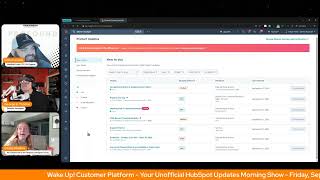
Chris Carolyn, Casey Hawkins, and George B. Thomas break down HubSpot's latest updates: pipeline cloning beta, a redesigned CRM timeline, macros for support, and the Universal Theme Editor beta. They cover who benefits from each feature and how they affect your workflows.
Chapters
Foreign.
Wake Up Customer Platform. It's time to start the day. Discover all the value you already own. Don't let solutions slip away. Wake up Customer Platform. The tools are at your hand. No need to sleep on capabilities that can help your business stand. The answer's right before your eyes. You just need to realize Wake up Customer Platform and watch your business rise. Wake up. Wake up. The platform's waiting for you. You wake up. Wake up. See what your system can do.
Good morning HubSpot Nation. It is time to Wake Up Customer Platform with your unofficial HubSpot Updates morning show where we help you discover the platform value you already own. I'm Chris Carolyn, joined by my co hosts Casey Hawkins and George B. Thomas. We're here every weekday morning to make sure you're not sleeping on HubSpot street capabilities. If you're joining live, drop a hello in the comments and let us know what you're building in HubSpot today. Happy Friday, September 12th.
Happy Friday. We made it.
Yes, we did.
We did. Definitely one of those slow roll mornings for me though. So happy to be with you two to actually wake up on this Friday Friday morning.
Nice.
And excited for before we dive in, what else we got going on today? Casey and I will be doing our part two and Casey, I'm going to refer to this one as like a speed run. We're going to try and speed run through the rest of these updates. 100 updates supposedly low impact which usually often aren't. We'll be doing that around noon or noon 30 today Central before I was.
Like wait.
Before we jump on the helpline on the profoundly page, the HubSpot helpline with the three of us and Rob as Kyle slips back into his his parental leave and so an exciting day and we hope you can join us if you got any questions about updates. That's the kind of stuff that we want to talk about on the show.
So.
Looking forward to that and we will dive into these updates today. Navigation Editing Global Content Editor okay, this one's live already. What is it? Access advanced menus and navigation settings directly within the Global Content Editor. With this update, you no longer need to leave and go to settings to make changes to the menus you use on your website.
Why does it matter? This streamlines the process of creating headers and footers while reducing context switching, making your website build experience more efficient.
I'm just saying thank you Jesus. Like my God, the amount of time I've spent building websites and had to go in and out and back and forth. This is Beautiful.
Yes.
A convenient modal. That's an understatement.
Yeah, without a doubt.
This is very exciting to see. You know, you'd be surprised how many people even in going to settings like the ease of managing the navigation like in HubSpot compared to other places. It's just. Yeah, yeah. Now they make it even easier.
Greatly appreciate I upload this one for sure.
Indeed. Pipeline cloning, which is in private beta. What is it? Admin users can now clone existing pipelines across any CRM object that supports multiple pipelines, including deals, tickets, leads, custom objects, services and more. This saves time, reduces setup errors and helps teams scale their processes more efficiently.
Why does it matter? Previously, admins had to manually recreate pipelines from scratch even when only slight variations were needed. This was time consuming and error prone, especially for growing teams or partners managing multiple brands, regions or business units. With pipeline cloning you can create pipelines faster, maintain consistency across teams and reduce manual configuration and setup efforts.
And another how can we make their life easier Update which I absolutely love, especially when you're doing brands, which by the way, brands is business units. So multiple brands, regions or business. Anyway, I. I won't go there. It's Friday. We're in a good mood. We're gonna continue to stay in a good mood. But I. I love this. This is a good one.
Yeah. One point of clarity because I actually had a client ask about this when clone. What they mean by cloning is like you clone the stages, the settings, the rules and stuff like that. I had a client recently want to clone all of the deals in a pipeline. Is not.
Why.
Anyway, we can talk about that offline.
But yes, no, this is the pipeline itself, not the content of said pipeline.
I had a client reach out to me two weeks ago and they were like, we would like to clone this pipeline. And I said, amazing, there's a new beta I got you. And then. That is not what they meant.
Words.
Words matter.
It's not hard to do via. Well, not hard. It's possible via workflow.
That is what I did.
Was that a renewal use case?
Essentially it is a co startup and they have a pipeline for investors and they wanted to track each year's set of investors or each. I guess like seed. Is that what it's called? I know words separately so that when you know, the last round was complete and they wanted to re. Reach out to the people from the last round for the new round.
Nice renewals.
Yeah.
So yeah, almost, but different. Yeah, maybe they rhyme.
Meeting prep in breeze Assistant. What is it with meeting prep, Breeze Assistant ensures users are ready. Ensures users are ready for any meeting by providing useful summaries of companies, contacts and deals, and hopefully some of the other objects too. Suggesting talking points and agendas and raising possible questions and concerns from meeting attendees.
Why does it matter? Getting ready for any meeting requires pulling together context from many sources inside and outside of your CRM. With bri's assistant, reps are armed with all the resources they need to confidently enter a meeting knowing they have not missed any key details.
Powered by Breeze. Yeah, buddy. Had to get one in there since that's updates.
Yeah, it's gonna be rare. Yeah, only one.
Yeah, only one.
So.
So here's what's fun. I want to try something real quick. So wake up with customer platform. I think I know about that show. If I hit prepare in my portal for that, I'll come back to you and let you know what it actually says later on in the show to see if it. Oh, actually it's doing it right now. Okay.
Interesting.
Yeah, it works pretty. Pretty well.
Objective and format, recent engagements, attendees, CRM contacts, recommended actions. There's words with all of these, by the way. Interesting. It spit out a pretty. It even gave me the join link, by the way. Yeah, in the. In the thing, which was quite amazing.
Okay, what I'm. What I'm most excited about for updates like this, and there's like a little bit of like a category of updates like this recently, is I think it is going to enable teams to like lean on HubSpot and integrate their data with HubSpot because it helps them. So there's so many of these updates that are really powerful if you have data in there, but that's not actually that important to the rep. One of my favorite agents, or I guess maybe agents I'm most excited about is a better phrasing is it's this marketing agent which is the sales marketing feedback. Um, because as a marketer I know that we have a hard time getting feedback from sales teams. Um, whatever is what it is.
I was wondering if this is gonna turn into a three hour podcast episode.
But that tool kind of automates that process so that sales reps don't have to give marketing feedback. Like it just happens. But that only works if the sales team are putting data in HubSpot and the sales team doesn't really care about sending marketing feedback. Obviously they would be doing it if they cared. But what they do care about is meeting preps, automating some of those processes that they're doing.
So they trust it.
If they trust it.
Yeah, that's a biggie right there.
CRM Record Timeline updates. This has been really fun to watch personally. The little tweaks here and there where they're cleaning up the UI in lots of places. What is it? We're rolling out an updated CRM Record Activity Timeline that combines a modern new look with powerful new filtering capabilities to help you find what matters fast. Visual redesign. We have a threaded timeline layout. We've refreshed the timeline with a modern threaded layout where activities are visually connected. This makes it easier to follow the flow of engagements and understand the sequence of events at a glance. Threaded comments. You can now reply directly to comments left on the timeline activities, making it easier to follow discussions and track context. Enhanced visual signals. A new icon system helps you quickly identify key activity types so you can scan your timeline faster without needing to read each entry. Got new filtering features. The sticky header for easy access assigned to filter options. Filter by engagement, priorities, properties. Yeah, and smarter filtering for users or teams across tabs, which this one I'm going to. I'm going to read this description. You can now filter by user or team across all tabs, like calls, meetings and notes, not just the activity tab. When applied, you'll also see activity types that are not filterable by user or team while still filtering out unnecessary information.
Very cool.
Yeah.
This matters because the activity timeline is one of the most frequently used surfaces in the CRM. And now it's faster, clearer and more powerful. You can see the full story at a glance. The threaded layout helps you follow conversations and engagement sequences with less cognitive load. You can scan smarter, not harder. Icons and visual hierarchy make it easier to spot key moments without digging. Get to what matters faster. New filtering options let you zoom in on specific types of activity properties or ownership, so you can spend less time searching and more time acting and support better team workflows. Whether you're reviewing handoffs, triaging tasks, or cleaning up old activities, these updates give you the context and control you need to work efficiently.
And the cool thing is it goes out to all hubs and all tiers. So this is. This is a beautiful thing for everybody.
Yeah, and as Casey is reading, like, I feel like I kind of skipped over filtering by properties.
I was wondering why you kind of gave up halfway through on some of the important.
Saving my energy for the speedrun later.
Like I don't want to use all my words first thing in the morning.
There were a lot of words on this one too, man.
Filtering by engagement properties. That has got to be powerful.
I also think the icons are like very simple but effective because I find new users or even existing users have a hard time with the timeline. It's, it can, it can be overwhelming.
It just molds together or melts together almost at some level, depending on how much data you're looking at on that timeline.
Yeah. And it's such a superpower if used correctly.
Yes.
Yeah. And one of those spaces. I'm sorry, one of those surfaces. That was great when it was just a marketing platform, but as the team start to use it kind of like the right sidebar that you, you turn into like a scroll forever situation. Not fun to teach that. Like when you say, oh yeah, just, just log the emails. They'll be right in here. And then. Okay, we'll go. Let's try to find it. Clicking in. Oh, can we see the thread? Can we not? That's been really like, nice to see as you deliver this to clients because it's, it's manageable now. So. And those are the things, like I have to imagine that at some point they were as they realized Breeze was having a hard time reading through all these records. Like, oh, okay Breeze, how can we, how can we make these records better? So thank you for that. Support macros in Private Beta for Service Help Desk what is it? Macros are a type of reply driven automation that allow support reps to take multiple steps of the support process with a single click. When responding to a ticket, reps can simultaneously send a message to the customer and perform follow up actions like updating the ticket status, changing the owner, adding tags, updating the ticket priority, and more. This combines what previously required multiple separate clicks and steps into one streamlined workflow, dramatically reducing the time needed to handle each ticket.
Why does this matter? Speed is critical for support teams and the vast majority of customers saying they're more loyal to brands with faster response times. And with support reps handling increasing ticket volumes and increasing customer expectations, it's more important than ever that they have the right tools to help them move quickly and to handle customer issues. From troubleshooting, responding, updating, closing, completing follow up tasks. Every click counts. And with macro support, teams can automate away the manual work and focus on solving for their customer.
Nice hit that beta.
It's.
It's a. Like today Friday feels like a let's make their life easier day.
Yeah. And I'm just like, I'm salivating at the possibilities of this across the platform, like and oh, but who gets it? Service enterprise.
That makes sense.
Yeah. This is one of those things. Like kind of as you start to combine like human in the loop and the workflow automation availability from like agentic stuff, you start to combine and just put it in the right places for the human to click and and start the thing. Oh man, it's it's gonna be fun to see all this stuff come together. It is fun to see it all coming together.
Some of the screenshots helped me conceptualize this. So if you're interested in this, check out the screenshots here.
Yeah.
Yep. Extension Contact Lists API it's going away is an upcoming sunset now probably extended to April 30, 2026, which will be a high impact when it happens. We have extended the timeline to migrate from the Contacts List API to the V3 list API from September 30, 2025 to April 30, 2026. Geez out 8 months 7 months April 30, 2026 all endpoints for real this time from the Contact Lists API will be Deprecated and return a 404 error response message.
Why does it matter? We're sunsetting the Contact List API to focus our development efforts on the improved V3 list API, which offers a richer and more comprehensive experience that's closely aligned with the HubSpot List app experience.
Is it weird that I see 2026 and start twitching?
That's uncomfortable.
It's weird that I see with the HubSpot Lists app experience and start twitching.
Because it's segments anyway. Oh boy oh boy.
A Good good on HubSpot. Probably listening to some people that were not having this sunset at this moment. Usually that's by their extending sunsets and maybe let's let the segments things settle a little bit before we start just.
Doing a minute world changing things or five or seven.
Universal Theme Editor now available in public beta Website management getting easier today. What is it? The Theme Editor will now be available directly in the Page editor in addition to its existing place in theme settings. This means you will be able to make theme changes while editing existing content or building out new pages. You'll no longer need to switch between different tabs or experiences to style your content. All your settings can be changed from one place.
This matters because adding a universal Theme editor reduces the amount of editors that you need to access in order to create content that meets your needs.
Nice. Very nice.
Last tabs open I'm liking this world.
Yeah because I that's one thing I don't need is just one more tab open.
That's like one of My highest performing comments of the year. I run out of excuses to have 42 tabs open. Yeah. In our browser. But this whole, I guess we're calling it Surfaces now. But this whole like single pane of glass, like a single space where you can just do your job and not have to open everything else up to get it done. They're really working hard. Like across all the hubs we're seeing updates every day like you don't have to go here anymore, you don't have to go there anymore. You just open it up and it's right where you work. Powerful stuff.
Those are my emotional support.
What's that?
Those are my emotional support tabs though. So.
I think the key is like one of the frustrating things right now across moving tabs is like when you, when you bring this guy and to play and you gotta find that the tab. Right. That he was on and like sometimes most of the time he's looking at the page. Right. So having that happening across tabs is like another thing that you don't want to have to keep track of necessarily because that context matters a lot. So life getting easier today in HubSpot. You got any content going on today, George?
There's this call in show at 3pm Eastern. I have that going on later today.
Yeah, there it is. How about, how about this week? You still. Is it a week of catch up or you just roll right back into the content over.
What do you mean this week? Well, I don't know if anybody's noticed but I have released a new video every single day this week. I still have to record today's and get it to the editor but I am on a mission to do a video a day, five days a week for the foreseeable future. So that has been happening. But as far as shows, just the 3pm show today.
Yeah. I gotta figure out, I missed the morning walk today so now I gotta figure out how to, how to get that video done. But I was 4 for 4 this week in that endeavor. That's the message to anybody. Like if you don't want to dig into the details of the loop marketing, you know, playbook that you're hearing about and, but you want to get started also because you know SEO is, is not what it used to be like. A video a day will keep somebody away. I don't know who but.
Well that fell apart real quick. But good try.
Just get out there like hit, hit the button, put your face out there, put your thoughts out there and you will be rewarded in ways you probably haven't thought of yet. So good to see that from. From me, George. Setting a good example as always.
Trying to my friend. Trying to.
Yeah. You both have been good about the video a day I have only thought about it. Still in the thinking phase.
Meanwhile you're still showing up. You had a great session with with Joshua Oaks and Trisha Miriam yesterday trying to wade through all these new AI tools. Any main takeaways from you guys there?
One of the takeaways I have is that and this isn't like a revolutionary thing for anyone probably but you know, as independent consultants like all of us don't get don't have someone paying for our learning, the three of us and so that's something really important. Yeah. And to prioritize even though you don't necessarily get paid for it I guess is what I'm trying to say.
Yes. How to prioritize the keeping up. And that's where we'll wrap for today. Remember folks, you probably already own the solution you're looking for in HubSpot. Sometimes you just need to wake up to it. Join us Monday morning live at 7:30am Central or catch us anytime on Spotify and Apple Music. Drop your biggest takeaway in the comments and let us know what capabilities you want to wake up to next. Until then, I'm Chris Carolyn.
I'm Casey Hawkins.
And I'm George B. Thomas.
And this has been Wake up, Customer Platform. Now go build something amazing. Have a great day everybody.
Wake up, Customer Platform. It's time to start the day. Discover all the value you already own. Don't let solutions slip away. Wake up, Customer Platform. The tools are at your hand. No need to sleep on Prep abilities that can help your business stand. The answer's right before your eyes. You just need to realize Wake up, customer platform. And watch your business rise. Wake up, wake up. The platform's waiting for you. Wake up, wake up. See what your system can do.










