HubSpot Updates for 9/25/2025
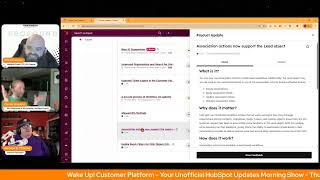
Chris Carolyn, Casey Hawkins, and George B. Thomas cover HubSpot's latest updates: Gmail inbox changes affecting email visibility, new subscription event data in reporting, AI tools for blog content creation, improved workflow search and UI, ticket exports matching portal properties, 2FA admin controls, lead object association actions, and iOS quick filters for CRM lists.
Chapters
Foreign. Wake Up, Customer Platform. It's time to start the day. Discover all the value you already own. Don't let solutions slip away. Wake Up, Customer Platform. The tools are at your hand. No need to sleep on capabilities that can help your business stand. The answer's right before your eyes. You just need to realize Wake Up, Customer Platform and watch your business rise. Wake up. Wake up. The platform's waiting for you. Wake up. Wake up. See what your system can do.
Good morning, HubSpot Nation. It is time to Wake Up, Customer Platform with your unofficial HubSpot Updates morning show where we help you discover the platform value you already own. Chris I'm Chris Carolyn, joined by my co hosts Casey Hawkins and George B. Thomas. We are here every weekday morning to make sure you're not sleeping on HubSpot's true capabilities. If you're joining live, drop a hello in the comments and let us know what you're building in HubSpot today. Happy Thursday, September 25th.
Happy Thursday. How are you guys doing?
Good. Happy birthday, Eve. George it is.
It is one more day and we'll be there. I'll officially be old as dirt.
Indeed. Are we celebrating with you tomorrow morning or are you taking the day?
No, no, I'll be here. I'll be here. I thought about taking the day off, but then I realized there were still humans that needed help and so I am celebrating the weekend. So Saturday and Sunday, I'm gonna purposely try to make it a very chill day. A movie and a meal on Saturday and then who knows, on Sunday we'll see who knows. Yeah.
Very exciting.
Of humans that need help. Yes, sir.
I tried to give this segue.
I was doing my best and I've got a special PSA today. Thanks to Stephanie Biochi for resharing this post. I'm about to go into that relates to email and I think is highly, highly relevant to our audience.
Here we go. Here we go. Chris is talking about email.
Let me check my calendar to see if I have like an extra 30 minutes this morning. I'm ooey.
So thanks to Lauren Meyer for letting us know Gmail's done it again. More new updates to make the inbox experience better for recipients, much to the chagrin of some senders. The promotions tab is getting ranked by relevance. Post purchase Mail is getting its own swim lane with a dedicated purchase tab and managed subscriptions makes pruning senders you no longer want to hear from. Effortless. Why does this change matter given all the new features they've been rolling out recently? Because it means delivery. And all this focus on deliverability does not equal visibility. Even if you send at the preference perfect time for your subscribers. In this new reality, two people can open at the same time and see different stacks. If you're not in the regular rotation, you're headed to the promotions basement or shuffled to page two, send time optimization be damned.
Wow.
Wow.
Deliverability doesn't equal visibility. I need a freaking T shirt yesterday as that hashtag be human right under that. Right under that. Be human. Add value that. That is a good way to start the show, Chris.
Yes. Thankfully we have an amazing platform.
Oh, do we?
That does a lot of other things besides email.
Yeah, true.
Oh, I. George, yesterday I riled Chris up because I told him a friend of mine, I was at a party this past weekend and a friend said, hey Casey, I'm using HubSpot for my emails. Is there anything else I can do with it?
Oh my God. The amount of humans that I have onboarded that bought HubSpot as an email machine and then once started to communicate with me realized, oh crap, like it's gotta be within the hundreds to be honest with you. Like, yeah, so many people do that. It's not a constant contact, ladies and gentlemen. Just saying.
Not in the way that it used to be at least. But if you want constant contact with your audience like Loop Marketing is telling you to do.
Yeah.
HubSpot can help you do that. You just need to get. You see all these other things in this marketing section that besides email, like just spend any amount of energy over doing some of those things.
Yeah. I basically said to her, I was like, I mean you could. She's. Her job is marketing. And I was like, yeah, I mean you could do your entire job in.
HubSpot, basically, let's be honest, all day, every day, not. Not exit the platform. Especially with some of these updates that we're going to talk.
There you go, George. Thank good.
And we'll get this first email focused one out of the way.
Some of them. Hang on before you go. Some of them are powered by Breeze. Okay, that's out of the way for the show. No more of that. Yep.
All right. All PSAs and intros out of the way Subscriptions event data in the report tool. You might be asking what kind of subscriptions? Communication subscriptions. What is it? You can now use subscriptions event data for individual subscription statuses via the report tool to build views, easily track and analyze subscriber data over time. It includes source of opt change, status change date and more.
Well, it'd be nice, but we can't hear Casey. She's gonna tell it.
I can't do it. I can't do it. Why does it matter? Gives marketers across Gives marketers access to subscription analytics so that they can optimize their email strategy, make data driven decisions about campaigns, measure list growth, understand why people are unsubscribing and or demonstrate the ROI of marketing efforts to stakeholders.
Moving on, make sure you hit that beta. If you haven't just saying.
Next up Blog Research Agent yeah, In public Beta.
Yeah.
What is it? The Blog Research Agent is an AI powered content engine designed to research topics, identify sources and write high quality SEO optimized blog posts. This agent enables content marketing teams to produce significantly more longtail content at scale.
That's what the world needs.
When you activate the Blog Research Agent, you get smart topic recommendations based on AI powered research titles, subtitles, bodies, imagery and SEO keywords for new blog posts. Easy customization and scheduling via Breeze Studio analysis of existing blog posts to get recommendations that fill potential content gaps.
Why does it matter? Creating high quality blog content consistently can be time consuming, especially during the early stages of research and topic identification. The Blog Research Agent helps provide a significant head for content marketers by suggesting relevant SEO informed blog topics tailored to your brand and content goals, reducing the manual efforts needed to brainstorm and validate blog ideas. Keeping the entire workflow from ideation to draft creation within HubSpot's content hub, giving writers a strong starting point so they can focus on refining and publishing faster. This makes content production smoother, quicker and more aligned with strategic goals. All without leaving HubSpot.
So if I were going to add a couple of things to this description for any might be listening, SEO Optimized is good. We should still continue to focus on that AEO or GEO depending on which camp you live in. Generative Engine Optimization and Answer or AI Engine Optimization would be great in this description as well. As well as if it helps with that featured snippets, FAQ sections, different things like that. And then also can I just say that it'd be nice if in the description and in the tool it said reader Optimized. Optimized for the human. Can we throw that in there too? Okay, I'll. I'll stop. I'll stop.
Buys for value. Oh man. And I think there's a key word missing. The Blog Research Agent helps provide a significant head start for content marketers, does not replace them and does not do everything without human review still being important.
Can I say it, Chris Am I loud? Human powered, AI assisted.
Yes. AI partnered. Why don't we switch into that?
Yeah, I wrote an article about that. AI assistant versus AI partner.
Indeed. However, we can get people to think about it's collaborative effort, folks. Yeah. Speaking of the blog, our next one is Blog AI Suggestions. Click that beta in public beta. What is it? Streamline your blog writing workflow with the new Blog AI Suggestions tab. A centralized space for Breeze agents and breeze features for blog.
Why does it matter? Writing a new blog? Writing new blog content is hard, especially when you're stuck staring at a blank page. With the new Blog AI suggestion tab, you can see all the suggested topics proposed by your breeze agents. For blogs, you can kick off new agent runs to generate more ideas right when you need them. Our first agent for blog is Blog Research Agent with more coming soon. So this is almost like the AI homepage for blog.
Kind of. That's what I'm thinking. But it's like, but it's serving up seems to be when the beta gets turned on. Serving up like, hey, here's what you might want to write about.
Yeah.
Which is interesting because then my immediate brain goes to like, well what if you have a portal with brands and like how does it know which blogs to suggest per brand? And has HubSpot thought about that? Because I immediately go, I don't have brands but I'm actually running like three different websites out of my portal to when. Which I'm like, well if I get the best out of this, do I actually need to remove two out of my portal so that I can just focus on one? Like should eat. There's some things that you need to think about with all of these kind of new AI tools and looking at the context and how much context you actually have in a portal versus multi portal strategies versus brands and how they're going to play this out in the future. Just saying just things to think about.
Yeah, hopefully there's a lot. They've been doing a great job I think of adding places for custom instructions. So hopefully that's a spot we can add some nuance direction to AI. But hopefully the next one I think would be really powerful would be the blog historical optimization agent. Not just finding gaps to create more, but how do we make the old content better and more up to date? Improved organization and search for data variables in workflows. What is it? The first version of this beta was an enhanced search experience. We've now expanded the changes to include a newly organized data panel that makes it easier to find and use all the data from your CRM and workflows.
Why does it matter? Adding data variables to your workflow actions is essential for crafting tailored automated experiences. But with so much property and workflow run data available, locating exactly what you need can be time consuming. Also, current categorization arrangements like dropdown menus make popular options like associated record data hard to find. This might cause you to think the workflow tools can't support your use case. In the newly organized data panel, your range of options are clearly presented up front, helping you discover all that's available. The new data organization helps you navigate to different types of variables while reducing clutter and overload. We've also dramatically improved the search experience instead. Instead of manually navigating through individual categories, you can quickly find any data variable from all your sources with one powerful unified search. This update makes it easier than ever to build precise, personalized workflows that drive real results.
That drive real results.
Make a small bet that we're going to see some feedback about this update on LinkedIn nuts.
Yeah, I don't. I do not disagree, Chris.
I think there's another one we're gonna get feedback on LinkedIn on too.
Yeah, that's probably why the next one's coming up.
I. I hope most people don't get a sniff of this for about two weeks because I would love the LinkedIn debacle to happen right about when I'm on vacation and can just maybe ignore everything that's gonna happen. I'm just.
You know, we humans, when we get used to that manual navigation.
Yeah.
Really attached to it.
I find the manual navigation really hard to use. I. I'll say it. So I'm. When I read this, like, title, I was like, great. Like, yeah, I don't, I don't deny it. Yeah, I don't deny it. Like, oh, yeah, it'll take some getting used to, obviously. Like anything. But the old navigation was not good.
Yeah, well, it's getting worse. That's like the complexity, the system's growing and you just add like, it forces everybody to search before scroll. George.
Yeah, brother. You know that that's a fact. Can I just throw this out there, too? My brain is gone here this morning. If you've been using HubSpot for any length in time, can I please say and HubSpot Academy. I hope you're listening and I hope you're ready for this. Dare I say that 2026 is going to be the year that you might want to hop back into HubSpot Academy and start learning Again, because you have a whole brand new platform that is nothing like you've been using for the past 10 years. And HubSpot Academy might be the place you need to go to actually educate. And of course this podcast to educate yourself on. Like the way that you actually do things that you're not used to seeing in your portal. Like, let's be honest, everything has changed.
Indeed. Indeed. Including updated ticket export in the customer portal. What is it? We've updated ticket export functionality in the customer portal. Previously, exports always included a default set of ticket properties, regardless of what customers had configured to display. With this update, when portal clients export tickets, the export will now reflect the exact customized properties that were set up by your team.
Why does it matter? This change eliminates the confusion caused by a mismatch between what clients saw in the portal and what they received received in an exported file. Now, exports are consistent with the configured ticket view, ensuring clients export exactly what they see in their portal.
Nice.
There's alignment there now. Yeah, I'll just say that. Next on the list, a private Preview of workflow UI updates. What is it? You HubSpot customer.
That's right.
You are invited to take part in an exclusive beta for workflows app visual updates. Workflows are getting a new modern look along with quality of life improvements.
People love when the workflow tool is updated.
Yeah.
Oh man. We got a little book here for you. Read to Casey.
Hang on, let me, let me buckle in. We're going to be.
Maybe George can take out of it. I don't know.
It's like George, did you have a 9 o'? Clock?
Man, I hope I don't have a 12 o' clock after this one. My goodness. Casey, go to like card size and content changes and I'll take you from there.
Okay. Why does it matter? The new experience will be immediately identifiable by a new grid like dotted background it in the new experience. Yeah. In the new experience, you can expect to encounter changes such as drag and drop functionality. Before to rearrange actions in your workflow, you'd have to choose the move icon in the footer of an action card. While it got the job done, it was a bit clunky and frustrating to access. With this beta, we bring you the brand new ability to drag and drop actions into different positions within your workflow. As this beta progresses, you can expect new ways to drag and drop, for example, dragging actions from the action panel into the canvas.
Okay, I'm actually kind of excited about that. Card size and content changes. Until now, all workflow actions have been the same size. This means it can be difficult to understand an entire process in a single view. Oh, stop it, HubSpot, you are getting me excited this morning. On the other end of the spectrum, it can be difficult to quickly review the details of your workflow steps without a lot of clicks. We're working on bringing you the ability to collapse trigger and action cards.
Ooh.
Anyway, this will allow you to review the entirety of your workflow at a high level in a single screen. As the beta progress progresses, you'll be. You'll also be able to expand cards and access even more details in context. Okay, I'm excited about this.
I am.
But can I say something? HubSpot workflow team, if a human adds a suppression list to a workflow, can you find a way to show that front and center either at the top of their workflow triggers or whatever? The fact that you have to go into settings in a panel to see that there's a suppression list. Especially when humans clone everything and then they forget that there was a suppression list on the cloned version of a thing that shouldn't have a suppression list. Like, can we visually find a way to add suppression list note or warning? Very visually. Anyway, you're working on it. I love what you're doing, but think about that. Okay, I'm done here.
And if you in Workflows team, if you don't want to overcome an initial fear reaction, just add the word canvas in between workflow and UI updates and that fear will immediately turn into excitement.
Yeah, yeah.
Glad this is happening and you can see it coming for a while. It's in marketing, it's in marketing campaigns. It's in the journey tool. Like exciting that it's finally making its way to this part of HubSpot.
Yeah.
Allowed2FA methods is our next update. What is it? Allowed2FA methods enables admins to configure which two factor authentication methods users in the organization can log in with. When the setting is turned on, admins can restrict which methods are allowed SMS2FA or authenticator apps like Google Authenticator, Authy and Duo. When the setting is off, which is the default mode, all two FA methods offered through HubSpot are allowed. Note that the HubSpot mobile app will be a default method that will always be enabled.
Why does it matter? To meet the needs of customers organizational security policies, this feature allows admins to set which two factor authentication are allowed for users to access their account.
You know, when I woke up this morning, I thought to myself, man, I Hope that there's a two factor authentication update in my HubSpot portal. No, I'm just kidding.
I'm kidding.
I did not. But I'm glad it's here. There are people.
I can see where people would be asking for this. Yes.
Oh, without a doubt. Funny.
But it's just like, hey guys, the sign in experience, it's getting clunky and there's all these new things showing up. So that's. If that's you and you don't know, that's because of all these new two FA methods that are automatically available as soon as HubSpot makes them available. Now you have control over that experience. Next on the list. Association actions now support the lead object.
Oh.
What is it? You can now use association actions in lead based workflows. Additionally, the lead object may now be used as the associated record in any of the association actions. Actions affected include create associations, apply association labels, update association labels, and remove association labels.
Why does it matter? Last year we introduced workflow actions that let users automate how they manage associations across contacts, companies, deals, tickets and custom objects. Since then, the top customer request has been to extend that same functionality to the lead object. With this update, we're delivering that. We're delivering on that feedback giving teams the ability to seamlessly include leads in their automated processes to reduce manual work and ensure data consistency across the entire CRM.
Nice.
There's gonna be a lot of love for that one.
Yeah.
Orders next, please.
Chris says great job, but keep going, keep going.
Let me do that with the thing that actually represents revenue. Last on the list.
Careful, careful, careful. But not.
Not wished. Wished for revenue anyways.
Oh, okay.
The unofficial HubSpot updates morning show.
My goodness.
Mobile quick filters for CRM objects. IOS only. You mentioned this yesterday. What is it? HubSpot mobile users on iOS can now filter CRM object lists using five quick filters that appear at the top of contacts, companies, deals, leads, tickets and custom object lists.
Why does it matter? Mobile users previously couldn't narrow down CRM object lists efficiently, significantly hindering productivity when trying to locate specific records on the go. These quick filters help reps using iOS to drill down into the data they need faster and more precisely regardless of location, but not regardless of device type.
Oh, man.
I actually have iOS. I don't care. It's Chris that.
Yeah, isn't that funny?
Yeah, that's a whole wrap for today.
Yeah, I figured that's. That was the wrapping part right there.
Remember, you probably already own the solution you're looking for in HubSpot. Sometimes you just need to wake up to it. Join us tomorrow Morning Live at 7:30am Central and help us celebrate one George B. Thomas's birthday. Or catch us anytime on Spotify and Apple Music. Drop your biggest takeaway in the comments and let us know what capabilities you want to wake up to next. Until then, I'm Chris. Carolyn.
I'm Casey Hawkins.
And I'm George B. Thomas.
And this has been Wake Up Customer Platform. Now go build something amazing. Have a great day everybody.
Wake Up Customer Platform it's time to start the day. Discover all the value you already own. Don't let solutions slip away. Wake Up Customer Platform. The tools are at your hand. No need to sleep on capabilities that can help your business stand the answers right before your eyes. You just need to realize Wake Up Customer Platform and watch your business rise. Wake up. Wake up. The platform's waiting for you. Wake up. Wake up. Wake up. See what your system can do.










