HubSpot Updates For Monday 4/14
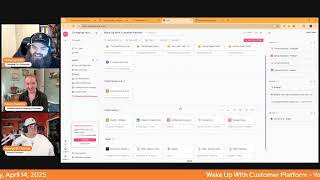
Chris Carolyn, Casey Hawkins, and George B. Thomas break down HubSpot's latest product updates and features. They cover new integrations and how AI is changing the platform, with practical tips for getting more out of HubSpot.
Good morning, HubSpot Nation. Welcome to Wake up with Customer Platform, your unofficial HubSpot morning updates show where we help you discover the platform value you already own. I'm Chris Carolyn, joined by my co hosts Casey Hawkins and George B. Thomas. We're here every weekday morning to make sure you're not sleeping on HubSpot's true capabilities. If you're joining live, drop a hello in the comments and let us know what you're building in HubSpot today. Happy Monday, April 14, 2025. Fresh off of 280 updates. Felt like that on our show actually, but it wasn't that much. But heavy spring spotlight last week. How are you folks doing today?
I am, I'm doing well. Yeah, the 200 I was just telling. Actually it was Madeline I was talking to and I was like, yeah, HubSpot kept saying 200 and we had 38. But I was glad to get George's email over the weekend because he, he helped clarify for me that it was over. It was recent. 200 recent updates.
A time frame. Yeah, a time frame. But yeah, it's. I'm doing good. It's Monday. I'm feeling very blessed looking at the screen right now. Yeah.
Yes. And what we're talking about at the top, our latest updates, your greatest results. See what's new across Breeze agents, marketing Hub enterprise workspaces and more at HubSpot. Oh, it's supposed to open separately. I just got myself in trouble. See, look at this icon. It's supposed to mean new tab. Oh dear. Okay, we'll survive. Just go over here and rely on my photographic memory. I do want to open this up in a new tab. There is something to the beginning of.
The feed and take a screenshot.
So it looks like we're going over 200 now. We got that. I, I first saw that number from all of the posts that the individual hubspotters are making. Great job by the team, I think this year with like, you know, more coordinated approach. Lots of people posting various update things and they all had like 280 plus updates in their posts. And then when I came over to this page, I saw these 281 results here. So on Friday, Friday afternoon, because it's my birthday and probably for no other reason, but everybody else is welcome to join. I'm gonna be rolling through each of the updates and we'll see how long, we'll see how long it takes. Um, but dang, that's going to be a fun Friday. Friday afternoon.
I knew it was your birthday. Week. I was wondering when actually your birthday was, but I, I, I thought I wouldn't ask you publicly.
It is, it is on Friday and my wife is in Columbia and all of my friends are on LinkedIn.
So there you go.
I'm gonna be spending, spending my day there after the packed morning schedule.
I feel that though, Chris, because I was just telling my sister about how when I was on vacation I kept up with the morning show because I was like, what are my friends doing right?
Indeed. And good morning to you as well, LinkedIn user. Thank you for joining. All right, easily Remix Blog posts after publishing. Scheduled for release tomorrow. What is it? After publishing a blog post, you'll now see a pop up inviting you to remix your content into formats suited for social media posts, ads and more. Continue into HubSpot's content remix tool where Breeze will assist you in crafting diversified assets from your post.
Why does it matter? With our integrated blog post remix feature, you can now effortlessly transform your published blog post into a variety of engaging content types, saving you valuable time and resources.
Nice. Join the right things at the right time. Do more.
Yep, this is probably how they get most people into Remix in the first place. Everybody's used to just pressing publish on the blog and, you know, letting it, letting it go. No more, no more excuses, folks. Diversify your content. Updated content Remix homepage and Manage screens. Medium impact product update access is limited. Okay, I wonder if we just have it over here. Look at it real quick. Remix. Open it up over here. Probably more templates. Yeah, there's lots more modules on here. At least since last time I was here. Getting closer and closer. I'm running out of excuses not to come in here and do Introducing Academy profiles I see on LinkedIn.
Yeah, this is cute. Is that the word you use for it?
That's what I keep saying. I think Chris is making fun of me.
Oh, I actually didn't know that. That's, that's, that's chemistry right there.
Sharing your brain.
Yeah. What? What is it? HubSpot Academy is excited to announce a new profile that will house all of your achievements, certifications and badges you earn on Academy. You can now easily locate and share your accomplishments with your teammates all in one place. That is a question that I have. Is it still locked down to our our HubSpot portal? If we can only share it with our teammates, maybe.
Why does it matter? This new profile provides provides a centralized location for all your Academy achievements, making it easier than ever to track your progress and showcase your expertise. You can also share Your profile with teammates to inspire them and encourage their own learning journeys.
Yeah, I didn't see a way for it to be external. Although I will say the thing to remember is when it says your teammates, if you're a person working at like an individual organization, maybe not that exciting if you're a partner or a partner employee or you're helping people in multiple portals, this actually is kind of a cool thing because that means all the humans in all the portals that you are part of see who you are and what you can do and maybe serendipitously or you make it part of your process to talk about the academy and bump into your profile and show the things that you have to then inspire those people to Ed. Anyway. Yeah, I think you get what I'm saying.
I love it, like set the tone exactly. So much easier than. Than what we had. Only like with my team and then scrolling through like all the circles and then having to remember what those circles meant.
Oh yeah.
I remember when I first started freelancing, I like built my whole like profile out. I was, you know, getting, getting ready. But yeah, then you can't really share it with anyone. It's.
Yeah. And it's going to be interesting to see there was some cool stuff like this that they were starting to do in connect.com, which is being sunset in June. So I expect it's going to be interesting to see some of those cool things like come over into your community and apparently Academy. So good to see some of this lives on here. Maybe we can get an updated screenshot with Content Hub here instead of CMS Hub.
Oh, man.
Got.
Do either of you know if there's a way to transfer your certifications? I don't. I didn't.
There is.
Okay.
Yeah, yeah, yeah. It's like you. There's even a knowledge article like if you Google and I'm not trying to be that guy, but if you Google like how to transfer my HubSpot Academy certifications, like it literally takes you to a knowledge article and there's a way that you can pretty much do it. Very easy. It used to be more difficult in the past, but now it's pretty simple.
Yeah. Or you could go over to Hub Helper Harry or George. George's help.
Yeah.
Helper Clone.
Yeah.
All the options now get you taken care of. Maybe wherever you want to Copilot. Let's not get crazy.
Yeah.
I did take a screenshot, Chris, of your screen at the very beginning.
All right, what do we got?
Inbound call transfer updates.
Oh, yeah. Inbound calls. That's right. Private beta. What is it? Users can now transfer inbound calls from a calling channel to an individual HubSpot provided number. Wow.
Why does it matter? There are situations where a rep can't successfully resolve a conversation on their own or need to collaborate with a colleague in a different department or team. This update allows users to easily transfer any inbound call to an individual not assigned to the same workspace.
This is, it's so interesting to like, I wonder if it was like, maybe there won't be calls at some point, maybe there won't be phones and we're never going to address that part of the need. And then finally, at the same time, we're going the AI route. We're like coming back down to like all the, like, in person office needs and a lot of the needs of the industrial manufacturing space, if I'm being honest. So it's cool to see, but it's just such an interesting, you know, dynamic. Like, so do you guys have any. Have anybody using calling yet?
I don't. I also forget that calling exists.
I mean, I get shocked every now and then if I'm being completely honest, where all of a sudden HubSpot will tell me that I have a voicemail because somebody did call Sidekick Strategies and I'm like, oh, well, I should probably listen to that voicemail and see who I can help. That didn't fill out the form on the website instead, and it's a pitch. And then you're like, oh, 85% of the time it. It. The voicemail is a pitch. And so, but still, it's. It's interesting that there are a handful of humans that still reach out that way when you give them the ability, which again, if I think about this, like, we've got to give everybody the ability to communicate in a way that they like to communicate best, no matter what it is.
I guarantee if you're using, if you have systems like this at your place of business and you have HubSpot as a CRM, this is very likely to be infinitely easier to manage and use than whatever system you have in place right now.
All right, and then do you know the last one?
Help me out.
You went to type it. So then I was like, oh, he knows. AI powered AV testing for landing pages.
Ah, yes, AB testing and landing pages. And apparently there's a dash this time.
Maybe it's dash powered. Sorry.
It's okay. Apparently they're AB testing that dash. Feeling good today, folks. What is it? Optimize your landing pages. Faster with greater confidence using our new AI Assisted Another part of the A B testing Assisted versus Powered AI Assisted A B testing feature. When creating page variants, you can now leverage AI to generate alternative content suggestions and implement recommendations with a single click.
Why does it matter? This enhancement makes AB testing more accessible and effective, eliminating the guesswork of what elements to test. Let AI help you discover the best performing versions of your landing page while maintaining complete creative control.
Sounds so good. Yet I wonder how many people are actually going to lean in and use it.
Unlock the power of Big data Indeed, that's the right message. Like if you've got big data, then A and B testing might help you.
And I think part of it is like the reason people won't use it is there is this like underlying fear of AI taking jobs, taking your value, which I tried to remind myself like AI is enhancing my capabilities. Like it's not because I when I first read this I also was like, I don't know, I I kind of AB test landing pages. Thanks so much AI. But we've read this a few times now, so I've been able to come down to earth a little bit and realize that like this is going to make my A B test better. Also, how many times have I wanted to a B test something but like, you know, only so much time in a day haven't quite gotten there. So also helping me like get there in my day.
Yeah, that's a good point. So much of AI is stuff that wasn't going to get done anyways no matter how hard we try. So some excellent points. Good. Good to hear that we're our message is sinking in. Casey.
The show is really just how.
Yeah. All right, so those are the five for today. Instead of jumping into LinkedIn or Reddit, I want to hear from you two. Oh gosh, what is the word on the street after Spring Spotlight.
I think I've heard a lot of excitement. I do think to your point, like the HubSpot employees kind of driving some excitement is helpful in like the narrative on LinkedIn. At least, at least showing like some excitement for me, the ones I've been most excited to try out. And like I I think probably on the show even started making asana tasks to like follow up on. Are the Research Intent and the AI Smart list. Those are the two like immediate impact from me and my clients.
So I have seen several posts around the conversation of calls, call transcripts. I've seen the word fathom thrown out multiple things. So I think it's very interesting. My Word on the street would be just the idea of. And you say it in the intro or maybe the outro of the show, like functionality that you're looking for might be in the software that you already own and you just don't know it. And. And so maybe changes afoot as far as what a tech stack looks like in 2026, 2027 moving forward, could we get to a world where it's less and not more in a world that for forever has always been I need more to do what I need to do anyway.
Yeah. More and more complexity every year. There's a reason that like 15,000 apps on the Martech map and it doesn't really have all the customer data. Like it's missing like a lot of the ERP stuff. Like so much of the customer data stack. It's still. And it's crazy like how many niche apps there are for individual industries. And it's good to see HubSpot. You know, things like something that caught my attention was like this zapier update of just being able like at starter, all hubs and tears. Right. Which is. This is like an admittance and saying, hey, not everybody can afford to or wants to upgrade. So the 800amonth, you know, marketing hub just to get integrations. Not integrations, automation and workflows. So a lot of people start with zapier or zapier. Sorry. And this is indicative, I think of. Of just being open and understanding. Like if we're not connected to absolutely everything right now so that AI can. Can find its way, people are going to fall behind like both the users of the platforms and the platforms themselves. So what else. What else are you guys seeing out there? I saw one today from. I think it was about smart properties.
Yeah, Smart properties is another really big one. Yeah.
And it changes. There's a different way of creating properties that was noted. Let's see if I've got it here in my saved posts. Maybe not, but it was basically like a drop down in the property index screen that allowed you to create a property from right there. I don't have it here.
Yeah, I haven't played with that one yet either. But I think there's a lot of power in that. And hopefully if you train people to use smart properties, I would think that likely to have fewer duplicate properties too. I know HubSpot's already started flagging if it seems like you're creating a duplicate property. Um, but I would imagine that that gets better in time.
Yeah. And I think it's only available for Company okay. Company page. And why look for it on LinkedIn when I've just got it in HubSpot right here. Quickly add new properties within your company index page via the Add column action, followed by the Create new property button at the bottom of that context menu and add a prompt. So are we like one for one with, with Excel now just being able to add a column to create a new property, it's getting easier and easier to show people like, nope, let's pretend your Excel sheets like right, right here in the index page.
Yeah. And I think as you get as it aligns with Excel better then like I the process of doing that, like I would like I read that and I was like, why wouldn't you just go to Settings and add a property there? But that's because I'm used to doing it that way. If you're more used to Excel, then that first bullet is a smoother process.
Yeah, I mean now that I'm thinking through it, most of the time we get surprised that people don't go over to the Edit Properties or Edit View buttons and it's because they said how do I add a column is often how they show up with that one. Which I wasn't putting the pieces together until just now.
Imagine a world where all of a sudden HubSpot can get to the point where they're building what I'll call the front end of HubSpot in a way where most users don't even need to go to the settings area. Like that changes. Admins lives forever. We have that point.
By the end of the year. It's, it's coming. I mean that's the overall message, I think from Spring Spotlight. Like just this layer of AI throughout every single tool. You can't, can't avoid it. And I'm sure if you try to like it's gonna, going to, it might get in the way for you if you keep those buttons off in the settings. They're building the product to support to be assisted by AI. Right. So definitely keep that in mind and let yourself, let yourself dabble, let yourself try these new, new tools. How do you guys help clients? Like think about 280 updates? I was asking Willem on Friday and he shared that he, he gave me a news analogy. It's like even if you're so focused. He asked me if I followed the news and I said not really, but if something catastrophic happened, I would, I would hear about it. I would know somehow, some way. And that's how he thinks about presenting updates or helping People understand what's new and what's available to them. Like that matters to their business. But I'd love to hear how you guys help with that.
So for me, it usually comes down to I'll see an update and I'll think of a human and so I'll share that update. I'm not trying, to be honest. I'm not trying to keep anybody up to date with as many updates that come up. I find that something in my gut tells me there's a special one that sometimes I'll create a piece of content and launch out to the world because I want to be an amplifier of. This is breaking news. This is something that you should be paying attention to. To be honest with you, I have so many clients who are just trying to use what they have and build what they're building. And sometimes you gotta watch for distraction. And I might be preaching to the choir right now, by the way. Like, sometimes these updates can be distraction versus direction. You gotta be very. I'm trying. I try to be very careful of that. Yeah, that's where my brain goes with that.
I agree with you, George. Like often after one of our update shows, I'll email a human and say, hey, there's this update that I saw this morning that I think you specifically would be interested in. And after the AI or after the AI Spotlight, the spring spotlight just so happened to also be AI focused. I sent a couple of those that end in the. Because there were so many updates, I often was like, hey, here are a few things that you might be interested in. But I'm not sending. I didn't send anyone a list of all 38 that we went over on Thursday. I sent maybe five.
Yeah, yeah.
I wonder, to. To wrap the show, George, like would. Would your helper clone be available for comment on these updates?
Here's the thing. We have been actively feeding it updates and we started with January 1st of this year and have been actively feeding it all of the updates. We are closely approaching some of the latest ones that have been dropped. But yes, you can go to the Helper clone and you can pretty much ask it anything you want to around HubSpot or anything new. And if it doesn't know quite yet, it sure will in the future because it is a massive focus inside of our organization to make this thing. I mean, listen, we use it internally. I'm just going to be completely honest, has gotten to the point where my one brain, any one brain, cannot remember all the things as quickly as you need to be able to get to it. And when you have a system that you don't even have to really Google or something to get you started on your journey. Yeah.
Anyway, I mean, I agree. I mean on Friday I posted about the formatting features and I know we covered it. Like I kind of remember after I started playing with it, covering it, but I totally forgot about it because like you said, one brain cannot handle the volume.
It's nuts. I mean, in a good way and in a bad way. It's just nuts. Yeah.
Highlight the admin hug on Mondays.
That was a good, good idea.
It's a marketing one, so I thought you were.
It's a good one though. Like I'm. I'm very much hoping to be able to go had to, had to make it not busy that block just in case somebody needed to schedule me so marketing events is what's going on there. View Details My buddy Namrata is going to be joining to talk about the marketing events object in how to manage marketing events in inside of HubSpot. We recently saw an updated card from them about registrants and did a series with Max going, you know, last year and the event happily and how they've been trying to help people, you know, solve for marketing events in HubSpot. Justin from from Simple Events so many ways people have been trying to tackle this and this has always been super interesting to me over the last couple years how this has been another spot. There's quotes of cash and B2B order portals and integrations with ERPs on one side. And then there's marketing events and events management has really never been handled well in SAS either. So in both places it's just go find the spreadsheets and it's just so indicative of the kind of work that goes into actually maintaining these systems that never work together. So it's really good to see HubSpot moving in this direction. And it's been a gap like in the data model for sure. So we're officially moving on from just uploading your leads lists and managing events.
I think. Event Manager I agree event management has been. I've built some like crazy workarounds to try to capture that. And it's crazy because like I work mostly B2B SaaS companies and like events tend to be a very big part of the budget, a very big driver of sales. But it's been historically really hard to report on that inside of HubSpot at least.
Yep. So looking forward to that tomorrow. It's crazy to think that it's a revelation for most companies. When you say, like, what if we manage our events data right next to the deal and revenue data, like, all this ROI that you say you can't see all of a sudden gets real easy to put in front of people. So, yeah, looking forward to seeing that. Good, good call out, Casey. And anything else you're looking forward to this week, George?
I'm just looking forward to seeing what comes next with HubSpot, what we can do with our humans and where. It's funny that you're talking about events and roi, because I'm excited that we're about to hop on the Hub Heroes podcast and record an episode on the campaigns tool and all that you can do with it now and what people might be needing to think about. So we'll see how that episode goes. But I'm excited for the potential of what that episode might bring.
I can't wait to listen. I think I'm under using the campaign stool, so I can't. Whenever I'm under using a tool. Hup. Here is. Is usually the key to getting me.
To go for it.
To go for it. Yeah.
Love it. Love it.
There you go. Well, that's where we'll wrap for today. Remember, folks, you probably already own the solution you're looking for in HubSpot. Maybe it's marketing events. Sometimes you just need to wake up to it. Join us tomorrow morning as we continue exploring what's new in the ecosystem. Drop your biggest takeaway in the comments and let us know what capabilities you want to wake up to next. Until then, I'm Chris. Carolyn.
I'm Casey Hawkins.
And I'm George B. Thomas.
And this has been Wake up, Customer platform. Now go build something amazing. Have a great day, everybody.










