HubSpot Updates for Tuesday 10/28/2025
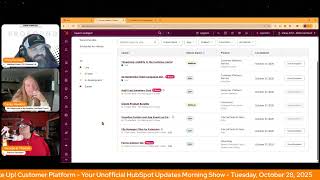
Short morning-show style HubSpot product update video (Wake Up Customer Platform) dated Oct 28, 2025. Hosts Chris Carolin, Casey Hawkins, and George B. Thomas present multiple HubSpot feature updates — including customer portal message timestamps, AI-detected ticket language property, audit log AI summary cards (private beta), product bundles (private beta for Commerce Professional/Enterprise), custom/app event visualization on contact/company records (private beta), file manager filtering by extension, and Forms Analyze tab reporting — interspersed with informal host banter and community announcements.
Chapters
Foreign.
Wake Up Customer Platform. It's time to start the day. Discover all the value you already own. Don't let solutions slip away way. Wake up Customer Platform. The tools are at your hand. No need to sleep on capabilities that can help your business stand. The answer's right before your eyes. You just need to realize Wake up Customer Platform and watch your business rise. Wake up. Wake up. The platform's waiting for you. Wake up. Wake up. See what your system can do.
Good morning HubSpot Nation. It is time to Wake Up Customer Platform with your unofficial HubSpot updates morning show where we help you discover the platform value you already own.
Chris.
I'm Chris Carolyn, joined by my co host Casey Hawkins and George B. Thomas. We're here every weekday morning to make sure you're not sleeping on HubSpot's shoe capabilities. If you're joining live, drop a hello in the comments and let us know what you're building in HubSpot today. Happy Tuesday, October 28, 2025. Casey was building a trampoline. What does that even mean? Oh wait, yesterday.
It'S one of the kids birthdays. So I bought a trampoline. It's an. I thought it was like a one person trampoline, which it is, but it is bigger than I expected to which when my husband got home and I built the frame, he was like, this is so big. And I was like, yeah, it's bigger than I thought. And he was like, what did you think eight feet looked like? And I was like, I don't know.
Yeah. So as somebody who has put trampolines together. Well I'll just stop right there because I need a beat button. It is real.
We did put it like together at least three times because we kept putting it together wrong. And at some point I was like, these are kind of dangerous. Like I shouldn't, I shouldn't be allowed to do this. We, there should have to be a professional here.
See Chris, it's interesting that you went with the trampoline story because Casey, you had me at cupcakes in the. I was like, yes, that sounds great this morning.
You know what else sounds great?
Oh, there we go, heading right into it.
How about timestamp visibility in the customer portal? What is it? We added HubSpot added timestamps to messages in the customer portal, giving clients full visibility into the exact time messages were sent or received.
Nice.
I'm going to assume this means the clients that you as a HubSpot customer are giving access to in your portal. This is an increasingly common Request from customers who rely on the portal to collaborate on tickets and need accurate timing for every message exchange. Until now, the portal only displayed message dates which wasn't detailed enough. Imagine that for teams tracking response speed or conversation timing or using any other app that would give you that information.
So when did you do it, George? Oh, I don't know. Sometime yesterday? Sorry, Casey, go ahead.
Why does it matter? For clients using Customer Portal for ticket visibility or progress timing matters. Customers have shared feedback on wanting to see exactly when a message was sent or received. This helps with providing conversation context when multiple messages are exchanged within a single day. Adding timestamps improves transparency and collaboration between customers and their clients in the portal. This update provides a real time reflection of conversations.
All kidding aside, thank you for the progress Customer Portal team. Leave it at that. AI Generated Ticket language detection is now live at a timestamp. Visibility also is live.
By the way, I have this one in my portal.
Interesting, but for this one we've got AI Generated Ticket language detection. This change introduces a new AI generated ticket property, which is language. The value for this property will be automatically generated based on the language of the customer messages in any conversations associated with with the ticket.
Why does it matter? Support teams, especially those in multinational organizations that serve a diverse customer base, need to be able to route and triage tickets based on criteria like language. With this change, support teams will be able to more easily take language into account when processing new tickets, ensuring the ticket gets to the right agent as quickly as possible. The language property can also be used in reports to help support teams glean additional insights.
Oh, glean. Nice. You know, I. I officially realized I'll know when I've made it when we open up one of these product updates and it says automagically.
I almost went there. I think you did almost go there.
So I heard the. I heard the thought. Yep.
Oh, mission accomplished. In case you're curious, this feature uses an internally hosted LLM to automatically detect language of incoming messages. Also only available at the enterprise level, which makes sense.
The value may change over time if the language changes. That's. I actually was thinking about that. I was wondering if multiple languages are used as a big. As a big Facebook Marketplace person, sometimes the language changes in the course of the conversation.
That's very true. Also, as a human dealing with humans that speak other languages, that can happen. Number three today. Audit Log Summary Card Private Beta. What is it? Super admins can now generate a summary of the audit log that highlights recent noteworthy events and patterns in user activity.
Sorry, I Was on the next one. Why does it matter?
Almost there.
Parsing audit logs manually to identify important events and security related insight Take significant time. The AI powered summary provides an at a glance overview of recent activity, helping you identify, troubleshoot and respond to issues faster.
I love that this is like it. They know immediately. Hey super admins, we did something for you. We know historically this may have taken a ton of time. Like this is. I like this.
Yes, for sure. Again, looks like this one is available at the enterprise customer platform level, which should mean any enterprise hub.
I would think should yes.
So yeah, request that beta for sure. These cards, these breeze cards, these. These AI powered summary cards all over the place. They're getting so good. Yeah, really enjoying them. You got your soundboard ready, George?
I do. I'm not sure which button to push. Like I. I think I'm supposed to push this button. Then part of me wants to push this button. I'm confused.
That's why I was already skipping ahead.
Create product bundles what is it? In private beta you can now create reusable product bundles bundles directly from the product library. This enables you to group commonly sold items like implementation services and licenses into a single repeatable configuration. Bundles are inserted into the line item editor with one click and behave like standard line items after insertion.
Why does it matter? Quoting is time consuming and error prone. When reps manually add the same items over and over Bundles. Eliminate that repetitive work by letting you define once. Reuse everywhere. This reduces quote creation over time, avoids mistakes like forgetting installation or shipping and gives revops more control over pricing and consistency. That is really cool.
It is cool, but I want to go over two things. How does it work? Create a bundle from the product library Using the new Create a bundle button. Add products from your catalog via side panel. That means you will have had to been using this and have actual products to do what we're talking about. Configure bundle items with default quantities and discounts. Save as active or inactive. Insert bundles in the line editor across all commerce tools and deals. Edit line items after insertion to adjust quantities, price and discounts. Bundles appear in the same index as products and are visually marked for easy discovery. Who gets it? Commerce Professional and Commerce Enterprise.
If you know, you know not accepting requests at this time so you will be placed on a wait list. This is a popular one for sure, but yeah, you will need a Commerce Hub seat to add these to a quote I think is the key. Make them without the seats, but definitely adding them and using them in the everyday tasks. I'd Say one thing missing from here is says this reduces quote creation time, avoids mistakes and gives reps more control. Also makes it a lot easier to sell more stuff.
Oh yeah, sell more stuff all right.
When you got people bundling stuff and not forgetting about add ons and and upgrades. Very cool. Exciting updates indeed. Number five here. Visualize custom and app events on contact and company records in private beta. What is it? You can now add a middle panel card to a contact and company record to easily visualize custom and app event occurrences over a selected time frame.
Why does it matter? Previously, understanding how a contact or company interacted with your product or content often required using multiple tools or manual work. Now you can easily see custom event or app event visuals with a middle panel card on contact and company records. The new visuals help your team spot trends, quickly contextualize customer behavior and take more informed next actions.
Wow. This is very cool. Yeah, I think the key and it is looks like it's an enterprise level is the time window. Yeah. So we'll have to dig into this some more.
There are two knowledge articles at the not very bottom, but if you want to learn more about customizing records or learn more about creating custom events, two of which would go hand in hand for this product update that is in beta that you should probably run over and request if it makes sense to you.
Yeah, I think the custom event piece is the part I was just clarifying. These are based on custom events.
And app events and app events. All the events. Did I click that button just to be sure?
There you go.
File manager. Filter by extension. What is it? File extension filtering lets you quickly filter your files using common extensions such as PNG, jpg and PDFs.
That's it. Why does it matter? Finding the right file at the right time is crucial to your workflow. With file extension filtering, you'll spend less time searching and more time using your files. This is really nice. Previously you could like search by whether it was like a video or a document, but not by the specific file type. So I'm happy to see this.
Yeah, it keeps getting. Keeps getting deeper. Keeps getting better.
Yeah. Digital asset management inside of HubSpot.
What a damn good idea.
And if you knew how much Asset manager.
Just so everybody knows. I wasn't swearing. I was just using the acronym the thing that Chris was talking about. So everybody just.
Exactly.
And if you've ever seen damn pricing. Yeah, you should run over here. Like HubSpot's doing it. It might probably already pay for it.
Heart attack is what it might. Anyway. Sorry, sorry. We'll stop. We're done. We're done.
Yeah, that one was a stretch.
I think.
We'Ll have to go to the FCC on that one. Maybe. Last for today Forms Analyze Tab what is it? We're servicing a new set of forms reports directly in the Forms Analyze tab. These reports give you more flexibility than ever before generated, generate AI powered insights and recommendations, and can be saved to your own custom dashboards. You'll also be able to edit and save reports on the Analyze tab, or even replace the Analyze tab with a custom dashboard tailored to your needs.
Why does it matter? It's important to have all your reports in one place, giving you the ability to monitor performance without leaving the app. AI Powered insights help you recognize trends instantly and help you quickly answer common performance questions without building custom reports from scratch. You can add forms reports to your marketing dashboards to fully understand what's working and what's not. I I find a lot of people get confused by reporting in HubSpot and probably reporting like broadly curious your take, I guess. Especially George. I know you do a lot of like training on the software and tools. Do you tell people to start with like a built report and then customize it from there or do you generally teach people to customize?
So the narrative that I run is curate, collect, create. Those are the three steps when I talk about HubSpot reporting because one if you are a ninja and know where all of your Analyze tabs are, you can curate the reports that people need to see into one place. To make it easy, I talk about collect because you have a complete report library. So you curate first, then collect out of the library and then and only then will you probably need to move into Create. And when I talk about create, I talk about how most times this is probably where a custom property is standing alone by itself or intersects with another HubSpot property so that you're getting that custom visualization for your organization versus you've tried to get everything that HubSpot already creates through the Curate and Collect phases of your reporting setup.
Thank you.
I might have said that a few times.
Just a few times. Professional trainer.
Just a couple.
Yeah. I'm curious if that one popped back up today because of the announcement yesterday where company records can now have form show all the form submissions. So I'm wondering if that generates some reports a little bit easier that might have relied on the custom report builder and maybe that's a new report that comes out of the box related to companies and form fills specifically. So I'm Going to guess that's why that's back on our list today. What else we got going on today? We've got admin hug in a few hours at 11am Eastern. Marketing Hub team showing up to tell us about updates. Post inbound. George and I getting together a little bit later today at 4:00pm Eastern, 3:00pm Central. Yeah. For some value first humans activity. I'm excited for that one, my friend.
Yeah, I'm, I'm excited to see where it goes. It's going to be an interesting conversation probably to say the least.
Yes, indeed. And we had a fun one yesterday. We're making progress, Casey. I think when it comes to lead scoring and scoring without. Did you know, George, that there is a bunch of scoring you can do related to social activity, interaction, stuff like that. Nice. So this loop marketing world that everybody's talking about, HubSpot's enabling you to do the stuff that like maybe not everything is happening on your website anymore because pro tip, it's not. New tools showing up everywhere to help you measure and attribute and do all the things you love to do off of your website and places you don't own.
So when you, when you say things like that, you should probably have a box of tissues that you can hand out to folks because it's, it's a sad moment for many out there.
I know. I'm here like my number one tone is challenge your coach when I'm writing stuff up with Claude. So sorry, no kid gloves here. Time to embrace all the value you're paying for. Like you already own these solutions. You're looking for an HubSpot. We're here trying to help you wake up to them. Join us tomorrow morning live at 7:30am Central or catch us anytime on Spotify and Apple Music. Drop your biggest takeaway in the comments and let us know what capabilities you want to wake up to next. Until then, I'm Chris Carolin.
I'm Casey Hawkins.
And I'm George B. Thomas.
And this has been Wake up, Customer Platform. Now go build something amazing. Have a great day everybody.
Wake up, Customer Platform. It's time to start the day. Discover all the value you already own. Don't let solutions slip away. Wake up, Customer Platform. The tools are at your hand. No need to sleep on capabilities that can help your business stand. The answer's right before your eyes. You just need to realize Wake up, Customer Platform. And watch your business rise. Wake up. Wake up. Wake up. The platform's waiting for you. Wake up. Wake up. See what your system can do.










