HubSpot Updates #HubSpot
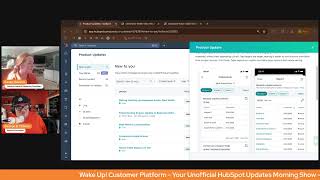
Casey Hawkins and George B. Thomas walk through HubSpot's latest platform updates across marketing, help desk, sales workspace, and mobile apps. The hosts break down new features in an informal morning show format designed to help users get the most out of the platform.
Wake up, Customer Platform. It's time to start the day. Discover all the value you already own. Don't let solutions slip away way. Wake up, Customer Platform. The tools are at your hand. No need to sleep on capabilities that can help your business stand. The answer's right before your eyes. You just need to realize Wake up, Customer platform and watch your business rise. Wake up. Wake up. The platform's waiting for you. Wake up. Wake up. See what your system can do.
Good morning, HubSpot Nation. It's time to Wake Up Customer Platform with your unofficial HubSpot Updates morning show where we help you discover the platform value you already own.
Casey.
I'm Casey Hawkins, joined by my more dependable co host George Thomas and we're here every weekday morning to make sure you're not sleeping on HubSpot's true capabilities. If you're joining live, drop a hello in the comments and let us know what you're building in HubSpot today. If you are a regular watcher, you may notice that our friend and colleague Chris Carolyn is not with us today. He is out of the office at the AI Summit. Is that what it's called?
Yeah, I think the AI Summit. He's probably in some hotel conference room with crappy wi fi and echoey sounds. He left us to do it.
Yeah. I think it's probably because he forgot to pack orange and he didn't want to have to come on the show today and embarrass that.
He embarrass himself because he forgot to pack orange. That is a good theory. That is a really. By the way, great job on orange today.
Thank you. Thank you. Three weeks in a row. A three peat some people may call it. But thank you all for tuning in. George and I, we have five updates to cover today. I love when there's five because I do that top five post and so that makes it very easy. But ready to dive in, George?
Yeah, let's. Let's start with the first one. It is literally making hashtag management easier. New hashtag bank in the Social Editor. I love that we have some graphics up here, but you might be wondering what the heck is it? HubSpot is introducing a hashtag bank in the Social Composer that helps marketers. Hopefully that's you if you're watching this or you know a marketer and you can let them know. Helps marketers save and use repeated hashtags for the future. Helps filter through hashtags and quickly add or remove them. Auto detects and pre selects hashtags already in the post. And new, which is why I think we're seeing this for the second time. Saves capitalizations of hashtags as well. I wonder how many pieces of like feedback they got on that of like my caps are gone anyway. Casey why does it matter?
This one matters because marketers often struggle with managing hashtags efficiently, either retyping them manually or sifting through long lists. This new hashtag bank drastically improves post creation workflows by enabling real time filtering, seamless switching between selection and management, and smarter text handling that saves time and reduces errors. With hashtags, you can use your favorite hashtags repeatedly and HubSpot will remember this for you. Have you tried this out, George?
I have. I bumped into this during a social media training for a client that we're doing like a three month get down and dirty with HubSpot real quick type sessions each week. And it's pretty slick. Like, I gotta be honest with you, it's not something that I woke up one morning and said, you know, I wish I had. But now that I have it, I'm like, this is actually a pretty cool feature.
So little known maybe not fact about me. So my husband and I lived on a sailboat for a year. While we were on the sailboat I was pretty active on Instagram documenting the whole experience. Look up Luna sales on Instagram to see. To see the. See the photos. I had a small following of mostly my friends, but I had a bank that like a note in my phone saved of like the hashtags that I would always use.
Yeah.
So I. And now obviously I post a lot on LinkedIn. I don't have a bank if I'm being honest.
Now you can though.
But I can and I should is because I'm really inconsistent with my hashtags on LinkedIn.
I try to be good at it just because.
But you know, so I'm excited to see this. I think it brings a lot of value. So excited to see this. And the capitalization thing is actually pretty cool and nice.
I like that it is because sometimes you want to use those capitals because you want to scream your hashtags at the humans on the other side of the screen. All right, let's move on to the next one. Dang. Gone. Ticket routing engine Update to balance distribution and active call assignments. Casey, why couldn't Chris be here today for this? What is it? Oh my. This is a book. Okay. Update to balance distribution in help desk. The current balance distribution model considers all open tickets assigned to target users and assigns to the user with the least amount of open tickets this evolution counts all tickets as equal, but not all tickets have the same response expectations. Facts Real time tickets like those from calling or live chat require a higher response rate when compared to email or API based tickets. That's a thing. Okay, I believe you Given the higher touch required for higher response tickets like calling or messaging, the balance distribution option is being updated to take into account the other similar type of tickets calling, messaging, email slash other that are assigned to the user and distribute based on ticket type. Further, only help desk tickets example tickets that are not associated with an inbox conversation will be considered in the count of open assigned tickets. One would think I'm done here, but I'm not. There's another these changes bring balance distribution more in line with ticket capacity limits by ticket type, calling messaging email slash other to make our definition of assigned open tickets consistent across ticket routing features. One again would think I'm done, but I'm not Update the call and message routing in Help Desk Today Service reps can be working a ticket while on active phone call and be assigned new message messaging tickets, live chat mobile, SDK, WhatsApp, SMS custom channels to answer juggling Juggling an active call and responding to new messaging tickets is difficult. We have updated that's HubSpot by the way. The we there HubSpot has updated the engine so that it will not assign messaging tickets to a service rep who is actively on a call. Well thank you HubSpot. That makes a lot of sense in Help desk. Once the call is complete, the rep will be eligible to be assigned messaging tickets again. Holy crap Casey, why does it matter?
Orient based distribution by ticket type calling, messaging and email other so that tickets which require faster response times are more evenly assigned compared to those with longer response times. Email slash other Reduce service rep overwhelm by not assigning messaging apps when a rep is on an active phone call in the help desk. This was certainly a not fool.
I mean let's be honest, I carry the weight of that one on my back. I was like of all days for Chris to like you know, not have packed orange and be in a crafty environment to. I mean I'm sure he just wanted to read all of that. You know, to be honest with you.
Chris said to George, he said I'm in a bad spot. I think what I think what Chris meant is he opened this update and said oh not for me today ladies and gentlemen.
That's what he said. But you know, here's the thing. Like there's a lot of good stuff in there. Because, like, I guess sometimes it's easier or sometimes it's more difficult to put yourself in somebody's shoes. I can't imagine a world where it would ever make sense to be on a call and be trying to message somebody. Like, my brain would shortwire and I'd be like telling one thing, the person that I met to chat and like chatting the person the thing I meant to say. And like. So like, that's cool, but dang gone.
Great update. Very wordy.
That was the only one. Oh, thank you, Jesus.
Oh, look, there you go.
Deal metrics customization. What is it? The deals index page now offers a customizable data. Well, that's it. I'm done here. Kasey. Why does it matter?
Instead of fixed metrics, you can tailor it to display the information most relevant to your business, enabling faster, more informed decision making. We've seen this.
Yes, yes.
But if you're, if you're watching, not listening, I'm showing the screenshot here. You can now edit the metrics that are here. Maybe these aren't relevant to you. This has been very common. Like, I don't know, maybe they're using a field that, you know, doesn't make sense to your business. I have one client that doesn't really use. This is gonna sound bad. They don't really use the amount on the day. On the deal records they report based on ARR or mrr. The actual deal amount is less important to them. So I think this is a great update for them specifically.
Interesting. So by the way, if you, if you historically woke up in the morning and you are immediately mad because you had to look at total deal amount, weighted deal amount, open deal amount, closed deal amount, new deal amount, or average deal age, you can wake up happy tomorrow because you could have customized it today. Just saying. Just saying.
So check that out.
Check it out. All right. Wow.
Another light one.
I don't. I don't even know what these words mean when I read them, but customized guided actions. Okay, what is it? That's why we do the next part, by the way, so we can understand what in the world that's supposed to be about. Admins, that's you, Casey, me, and many of the people watching or listening this. Admins can now customize guided actions by toggling them on or off, adjusting trigger time frames and modifying suggested actions.
This one matters because every sales team has unique processes and requirements. With customized guided actions, admins can ensure recommendations match their team specific workflows, making the sales workspace more Relevant and personalized for how your team actually sells.
Oh, those guided actions.
Yeah, I didn't. I. I also run this update and similar to you, George said to myself, what are. I know all those words. What do they mean? Together.
Yeah. So first of all, if you're watching this or listening to this, put in the comment below or send up smoke signals to Chris. Everybody email Chris because he's not here today. I can do that. The answer of, like, do you use guided actions? Yes or no? Just. Just, you know what, make him really confused. Just email him and be like, yes and that's it. Or no. And he'll be like, guess what? No. What? And then you can be like, guided actions. And he'll be like, what are those? Well, maybe not. He'll probably know what those are and he'll probably have related them to order somehow. Anyway, I digress.
Well, this is. This is specific to the sales workspace. So sorry, Chris, you don't have guided actions. You can't customize your guided actions for your orders quite yet. Guided actions are showing up in more spaces in HubSpot. So worth noting for sure that this is in the sales workspace at this point, but I'd like this. So you can pretty much go into your settings and like enable or disable. Yeah, those are how words work. I'm thinking they're all turned on by default, but if any of these are more or less relevant to your team, check them out.
Yeah, guided actions, check them out. What do we got next?
Last one.
Oh, wow. See, we're efficient when Chris isn't here.
I think Chris is the yapper. You know, I've been saying this.
We can say that because he's not here, so he'll have to, like, watch this back. All right, I'm sorry, I'm sorry. I'm actually thinking how long I'm going to play this game out before I really tell people the real deal. Holyfield. Maybe towards the end after this last update. Native table reports on iOS. What is it now? Table reports on iOS are fully native. I don't know what they were before, but now they're fully native. This means that the display of information on the dashboard is improved without text appearing cut off. Oh yeah, that would have been terrible experience. Tap Targets are larger. Nice as they should be on mobile, making it easier to sort columns and follow links to open records. And finally, table Reports on mobile. Now follow your device's dark mode settings. Something we've all wanted, by the way, before I pass this over to you, Casey, HubSpot when are we going to get an iPad version? Oh, that's all I wanted to say. Casey. Why does it matter?
Thought there was no more.
Just what are we going to get an iPad version that works? Right. For people who are on the road doing sales and don't want to necessarily go to a browser and say, give me the web version, but want, like, an iPad anyway? It's the little things. Why does it matter? Kasey?
Tables are a great report visualization style to convey a lot of detailed information in a small space. Building custom table reports on web allows for a high degree of customization which can be later viewed on mobile, allowing managers and reps to stay on top of their data on their devices. I say this all the time. I think the mobile app just keeps getting better. And so if the mobile apps seems like it could be helpful for you, check it out. Mostly at this time, being built for, like, sales reps, it seems. Is that fair? Am I oversimplifying it? I'm oversimplifying.
Used to say that, but now with all the social stuff in there, like, it does really feel like they're trying to make the app be for a lot of humans. But historically I would have called it like, yeah, it's definitely an app where sales reps could, like, get the most out of it, but it's. It's dramatically changing over time. So we'll see where it goes. We'll see, we'll see. Any. Check it out. Hey, here's. Here's the deal. By the way, if you're watching this, you're like, is George lying? If you're listening this, you have no clue if I'm lying or not. But by the way, Chris has been here the entire time. Ladies and gentlemen, if you know how the interwebs works, Casey doesn't have access to his account to be able to stream these. I have access to his account to be able to stream these. He has just been a silent producer. So when you do email him, like I told you earlier in the show, a yes or a no, he will know exactly why you're emailing. Also, we'll see how much trouble we get in.
He also wore orange.
He wants to prove that here shortly, probably. But with that said, Casey, there he is. Okay, so he came on screen. Now we can. Maybe he wants to say a few words just so we can hear how crappy his connection is. Maybe not that bad, but it's probably bad. Thank you both so much. Well, Casey, you want to wrap us up for today?
Yeah, that's where we'll wrap. Remember folks, you probably already own the solution you're looking for in HubSpot. Sometimes you just have to wake up to it. Join us tomorrow morning live at 8:30am Eastern.
Yes.
Or catch us anytime on Spotify and Apple Music. Drop your biggest takeaway in the comments and let us know what capabilities you want to wake up to next. Until next time. I'm Casey Hawkins.
And I'm George B. Thomas and this.
Has been Wake Up Customer Platform. Now go build something amazing and dance. Have a great day and dance.
Wake Up Customer Platform it's time to start the day Discover all the value you already own. Don't let solutions slip away. Wake Up Customer Platform the tools are at your hand. No need to sleep on capabilities that can can help your business stand. The answer's right before your eyes. You just need to realize Wake up Customer Platform and watch your business rise. Wake up, wake up. The platform's waiting for you. Wake up. Wake up. See what your system can do.










