HubSpot Updates #hubspot
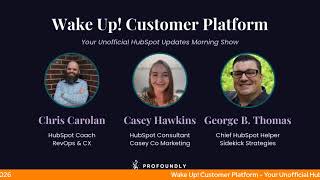
Chris Carolan and George B. Thomas walk through HubSpot's latest updates, including a customizable sidebar for Customer Success, an AI Assistant Builder, custom report views, and expanded permissions for AI connectors. Test Mode for Payment Links is being sunset.
Chapters
Foreign. Wake Up Customer Platform. It's time to start the day. Discover all the value you already own. Don't let solutions slip away. Wake up, Customer Platform. The tools are at your hand. No need to sleep on capabilities that can help your business stand. The answer's right before your eyes. You just need to realize Wake up Customer Platform and watch your business rise. Wake up. Wake up. The platform's waiting for you. Do wake up. Wake up. See what your system can do.
Good morning, HubSpot Nation. It is time to Wake Up Customer Platform with your number one unofficial HubSpot updates morning show where you help you discover the platform value you already own. I'm Chris Carolyn, joined by my co host George B. Thomas. We're here every weekday morning to make sure you're not sleeping on HubSpot's true capabilities. If you're joining live, drop a hello in the comments and let us know what you're building in HubSpot today. Happy Tuesday, January 20th, George.
Happy Tuesday. Doing good. How are you doing, buddy?
I'm doing good. Good. Enjoyed. Enjoyed the long weekend. I hope. I hope you did as well.
Oh yes, definitely had some time to go spend with the wife and go do some fun stuff, but also had time to get my butt kicked by my AI assistant and set up some fun HubSpot stuff as well. Since we're on the HubSpot podcast around and in something that I'm building, we'll keep that top secret. Plus we don't have time for it because we've got updates to talk about today.
Yes, we do. And I'll just say I was able to disconnect for a moment on Friday night. Got to enjoy the new avatar.
Nice. Did you like it?
I did, I did, yeah.
Yeah.
Very cool. Updates today. We've got six of them plus a couple others that might be hiding behind the scenes. We'll start with customizable extended sidebar for Customer Success workspace in public beta. What is it? Users see a persistent customizable sidebar with comprehensive customer context and actions directly in the customer success workspace. Before you start, George. Yeah. I asked specifically for this last year and I am so excited.
Nice to see it. Love it. Love when that happens. When you say something, then all of a sudden it changes. In HubSpot, it's an amazing journey. So why does this matter for you, this customizable extended sidebar for customer Success workspaces? Well, customer success professionals often lose efficiency by switching to the record pages to access customer context. They also find that the default side panel is not relevant enough to be helpful and they need to be able to customize it. The Benefit this feature lets users view and act on critical and specific customer information in one place, reducing workflow disruption and saving time. Hallelujah. Nice.
Oh man. Because I want to know and hopefully others do too. I I'm going to go through how does it work here? Accessing the sidebar from the Customer Services or Revenue tabs in the CS Workspace by the way, if you haven't been in the CS workspace, you can see Customer Services and Revenue all in the same place like no other place in HubSpot that can do that for you. Okay, once you're there, click the object name in the table to open the Extended Preview sidebar on the right. Sidebar usually displays or the sidebar displays multiple tabs with configurable cards about health, score activities, deals, tickets, et cetera. Admins can add, remove, reorder and rename cards and tabs within the sidebar using the Layout Editor. These changes only affect the CS workspace's extended sidebar and can be reset to default if needed. The default experience HubSpot can add or update default cards for users. Users see a consistent set of context cards and tabs unless customized. Wow. There's been a lot of moments where you didn't customize the sidebar card the way you needed because it would affect other things and other places in the portal. This is awesome. I can't wait to check it out. Gotta share the use case that I mentioned last year when I was talking to the Commerce Hub team because I was showing them CS workspace like the ability to build something like a quote or deals with line items. Right Whatever that is. And be able to go through on the left side to see customers and services and then revenue like and keep that sidebar up should be so so powerful. And if we see it there, it might not be too long before we other places as well. Maybe this CRM index page.
That would be nice.
Number two Today Back to our our AI friends. We weren't gone for too long. Agent Run Notification System what is it? Automated Agent Run Notifications Keep your team informed about agent activity without requiring constant manual checking. When agents complete automated runs, encounter failures, or require tool approvals, relevant team members receive timely updates directly in their inbox.
Yeah, they do. Why does this matter? This feature transforms how teams monitor and manage their automated agents. Eliminates manual status checking. Team members no longer need to repeatedly check agent dashboards to see if automated runs have completed or require their attention. It accelerates response times when agents need tools, a tools approval or encounter issues. Notifications ensure the right people humans can take action immediately rather than discovering problem problems hours later. Yeah, that always stinks. Supports flexible team structures Whether agents are managed by individual owners or collaborative teams, the notification system adapts to your team's workflow by allowing specific users and entire teams to receive updates and last but not least, maintains user control. Users can customize their notification preferences at the account level, ensuring they stay informed about what matters without notification overload. Very nice.
I like it. We definitely want to know what's going on with our agents if we're setting them up. Very cool. Number three Prompt Based Assistant Builder okay, say more. What is it? The Prompt Based Assistant Builder is an in product setup support that helps you easily write strong structured instructions when creating a custom assistant. Instead of facing an intimidating blank prompt field, now you can describe your goals in plain language. Maybe natural language is some as a way people would say it too and get robust instructions at the press of a button. The enhancer then rewrites your goals into a well structured prompt that follows HubSpot's best practices for clarity, tone and behavior.
There's an interesting part in their HubSpot's best practices. Very interesting. Why does this matter? Formally, customers had to complete the Assistant Builder from scratch, writing their own instructions, setting up inputs and selecting tools from a recommended list. This was a time consuming process and often customers did not know how to get started with a blank slate. Anyway, with prompt based assistant building, the customer's prompt is processed by our machine learning solution and the Assistant builder template is automatically populated with instructions, inputs and tools. That customer should review the results however, to ensure that the assistant is set up in the way that they intended. So it's a start button, not an easy button. Chris is what I'm hearing and everybody should pay attention to and I have so many other thoughts but so limited time with the updates that we have.
Yeah, this is awesome. I think it's really important that HubSpot does stuff like this because often if you try to bring in habits that you might have picked up from from GPT or Claude and you try to give breeze the same instructions, doesn't always work the same. So good to see we are getting some direction there, but please double check that output. Yes Number four Today Custom Views on Reports List and Dashboards List what is it? New custom views on the Reports list page help you quickly find and access reports using personalized filters and pinned tabs.
Nice. Why does it matter? As your report library grows. Finding specific reports becomes challenging, leading to wasted time and inconsistent naming conventions. With custom views, you can organize reports and dashboards more efficiently, filter and retrieve relevant reports and dashboards faster, and improve collaboration and reporting adoption across your team.
If you haven't figured it out by now, the CRM Index page experience making its way all over the HubSpot portal right now. We saw users the Users list last week get that update as well Take advantage of Sunset of Test Mode for Payment Links uh oh, what is it? Removing Test Mode for Payment Links Due to changes in our payment processing integration, effective March 3, 2026, the option to open link in test mode will no longer be available.
Why does that matter? I'm going to read these two short sentences and say that there's probably more reason than this, but why does it matter? You can still preview the checkout experience with the Payment Links editor. However, you'll no longer be able to test actual transactions using payment links in test mode. I'm not sure that's really why it matters, but okay, it's going away folks. Bye bye Sunset. Hasta la vista. Bye bye.
Wow. Yeah, more like a why it matters of why we need to tell you this, but not actually. Yeah, hopefully they're going to come up with a new way to test in the future because that is an important part of payment links. Yes, Number six Today Sync single sign on also known as SSO settings to sandbox and developer accounts. What is it? Easier security setup for your sandbox and developer accounts when setting up single sign on on your production account or creating a new sandbox or developer test account, your SSO settings will sync between accounts.
Why does it matter? Elevates the security of your non production accounts without additional administrative overhead in configuration. That's it. That's the only reason that matters.
Makes sense 1 Login to roll them all. Always appreciated. Now the one that I mentioned in my post today I was looking forward to talking about. I'm not seeing it. Here it is Customer Agent Tried try.
Searching that bad boy or do you have also just because do you have the new user level permissions if you type in new. Which I have the update if we want to show it but yeah you don't have that one either. So the assigned customer agent third party SMS Slack Instagram Is that the one you want to talk about?
Yep and I will pull it up okay here because it's really really powerful. I'll just head over to the production side of the world so assign customer agent the third party SMS Slack Instagram telegram line, WhatsApp. You can build your own channel integration with the custom channels API or click here to discover which marketplace apps offer this out of the box, with more integrations on the way.
Why does it matter? To provide truly Omnichannel, customer service, companies need to be able to connect with their customers on their preferred channels, whether those preferred channels be popular or niche. Historically, those channels were limited to the ones that HubSpot directly maintains, like live chat, email, WhatsApp. Now customers have even more choices over the communication channels they can offer to their own customers. Nice.
I'd say more often than not, those channels were limited to the ones that the humans could manage themselves. And I love how they put emphasis on the word truly. Omnichannel has been one of those things that, you know, it would be nice. It'd be nice if we could pull that off. We're hearing everybody say, but unless you're like Enterprise Fortune 500 with teams for every channel. Right. You're either not touching every channel and you're listening to, you know, voices like Marcus Sheridan say, like, get good. Like pick one channel, get really, really good at it, and then maybe think about your second channel. Or you're, you're, you're doing, you're trying. Yeah. And you're just putting the same stuff out to every channel and it's not doing the things that, that you want it to do. Now, again, it's not just plug and play. You still need to understand how all these different channels work. But now you can set up Customer Agent to be there for you. And this is an example of that AI native mindset we're trying to help you get into because, well, Omni Channel was kind of pie in the sky. Something you hear about, never experience yourself. It's possible. What's possible now with tools like this.
Yep.
And this relates, like you mentioned on your recent podcast episode of Hub Heroes, like, one of the most powerful updates to Customer Agent has been the expressions. Right. And if you get that right, custom instructions, tone, voice, all that stuff, then I think we're going to see a lot of value coming from Customer Agent as it can show up that way in all these different channels.
Yeah. I literally have. There's a weekend coming up where some people are not going to be in my home. And I have a block on my calendar on a Saturday. Don't judge me. That says spend quality time with Customer Agent. That is literally what the title of my calendar invite is. Because there's been so many updates lately and there's so many things that I want to try to do from an organizational system but also external website communication on Sidekick strategies because we've got the clone on GBT and I'm like let's use Customer agent on Sidekick strategies and let's see how powerful we can make it be for that that site.
Well, to help you with that journey, me and Zach Hushen who do the Value First Revenue show on Wednesdays. We're starting back up tomorrow. He's been going hard on on customer agent stuff. He did a hug, a local hug last month. It's been building out. It's Willy Wonka like use case. It's really cool. We're going to be going over it tomorrow on the show. And you know, even that, that nuance Value First Revenue, we're talking about customer agent. Like customer agent now. Like can apply to every stage of the journey. Yeah, right. And, and should apply because that's what customers, they're across the whole whole journey. They're not just asking for for help. Desk stuff.
Go figure.
So very cool. Thank God for dog shows. Am I right George?
Are you right or are you right?
Last on the list today. New user level permissions requirement for AI connectors on the HubSpot Marketplace what is it? AI connectors are defined as apps that primarily connect HubSpot directly to general purpose generative AI assistants or agents. Due to the importance of user level permissions to customer data security and privacy in AI systems, we require all new AI connectors on the marketplace to support user level permissions via the HubSpot developer platform.
Yeah, why does this matter? When HubSpot designed and built its own connector, such as the HubSpot connector for ChatGPT, we built them to enforce user level access from the beginning of the. Learn more in this blog post there's a link that you should maybe click on if this is for you. This model ensures that any action token by an AI assistant or agent on a user's behalf is strictly limited to that specific user's existing permissions. With HubSpot preventing unauthorized data access and maintaining compliance to maintain high quality and trust of the HubSpot marketplace. The same user level access guardrails implemented in our own connectors will also apply to third party AI connectors. HubSpot's always thinking about keeping us safe.
I think they are. They are. So if you want to connect in, you got to do the work. Now remember folks, you probably already own the solution you're looking for in HubSpot. Sometimes you just need to wake up to it. Join us tomorrow morning live at 7:30am Central or catch us anytime on Spotify, Apple Music, and the Profoundly HubSpot Updates blog. Drop your biggest takeaway in the comments and let us know what capabilities you want to wake up to next. Until then, I'm Chris Carolan.
And I'm George V. Thomas.
And this has been Wake Up Customer Platform. Now go build something amazing. Have a great day everybody.
Wake up, Customer Platform it's time to start the day. Discover all the value you already own. Don't let solutions slip away. Wake up, Customer Platform. The tools are at your hand. No need to sleep on capabilities that can help your business stand. The answer's right before your eyes. You just need to realize Wake up Customer Platform and watch your business rise. Wake up. Wake up. The platform waiting for you. Wake up. Wake up. See what your system can do.










