HUbSpot updates... What are those?
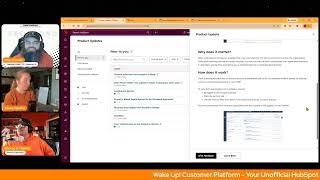
Chris Carolyn, Casey Hawkins, and George B. Thomas walk through HubSpot's latest updates. New features include a Chrome extension with calling, AI-powered routing explanations, property-based quote approvals, and subtasks in private beta.
Chapters
Foreign.
Wake Up, Customer Platform it's time to start the day. Discover all the value you already own. Don't let solutions slip slip away. Wake up, Customer Platform the tools are at your hand. No need to sleep on capabilities that can help your business stand. The answer's right before your eyes. You just need to realize Wake up, Customer Platform and watch your business rise. Wake up. Wake up. The platform's waiting for you. Wake up. Wake up. See what your system can do.
Good morning, HubSpot Nation. It is time to Wake Up Customer Platform with your number one unofficial HubSpot updates morning show where we help you discover the platform value you already own. I'm Chris Carolyn, joined by my co host Casey Hawkins and George B. Thomas. We're here every weekday morning to make sure you're not sleeping on HubSpot's true capabilities. If you're joining live, drop a hello in the comments and let us know what you're building in HubSpot today. Happy Wednesday, January 21st. How we doing?
Happy Wednesday. We all made. We all wore orange.
We did it.
An accomplishment.
We're all winning. We're winning today.
I'm proud of us.
Chris, how are you doing?
I'm doing good. Really excited today to get back together with our friends Rob Jones and Kyle Jepsen.
Yeah.
We are. The HubSpot helpline is back.
We are.
And new day, new time. I guess we'll have to update our theme song, but we might hear it one more song today. One more time today. But yeah. Join us LinkedIn Live in a little over a couple hours for the HubSpot helpline and get some help with HubSpot. Mm. In the meantime, let's talk about some updates. You can use this Chrome extension that now supports calling if you want to call into the show. This is a public beta. What is it? HubSpot calling users can now manage their calling connection through the HubSpot Chrome extension. This removes the need to keep a separate browser window open.
Why does it matter? Previously, users needed to keep a separate calling window open to receive inbound calls or make outbound calls using the dialer. This update removes the friction by maintaining the call connection seamlessly in the background through the Chrome extension.
You're definitely going to want to go to this update. There is an install or update your Chrome extension. They do have a link to the Chrome web Store, but this is. This is very interesting. There's a little bit of configuring that needs to happen. Who gets it? HubSpot calling is available for first party calling. Users on HubSpot Sales Hub Starter Professional and Enterprise or Service Hub Starter Professional and Enterprise. Support for third party calling apps is coming soon, which is nice, but definitely check out the how does it work? And I hope you're updating your Chrome extension. I hope you're not installing your Chrome extension anyway. Just. Just me. Just me.
Yeah. And yeah, let me not. I'm not gonna click on that right now, but there's some other cool stuff going on there. And then in the screenshot we see Enable Breeze as well. So that extension getting more and more valuable. And again, we're trying to cut down the number of windows, the number of screens, the number of clicks people are having to do to get their work done. So good to see that.
Yep.
Yep. Number two, Sales power dialer.
It's a phone kind of day.
Deals, they know it's the call.
I know, right?
Sorry.
Whoopsie.
Sales Sales Power dialer now supports deals, companies and leads in public beta. And please note, tasks are coming soon.
Nice. Why does it matter? Because you want to dial faster. That's. I don't. There's not even a why does it matter Section. But like, yeah, you should know because you want to make more calls. Said everybody.
Always.
I don't know, I never really used HubSpot calling, so all of the calling updates are always interesting to me. But also like, I just always feel like I'm missing this like context piece. As a, as a human who uses HubSpot in a different way, I will.
Tell you it is nice to have like a HubSpot phone number versus needing to have your personal phone number or cell phone number like on your website and stuff like that. And the calling features are dope. Like, I do love some of the things that you can do now. Do I use the speed dialer or power dialers they call it? No, no.
Will I use that language?
Yeah, I might use the Chrome extension, to be honest with you, just because. But yeah, you're not missing a ton. But it is nice to have some of those things at your fingertips if needed.
Yeah. And I think all we're really talking about here is just from these other index pages of deals, companies and leads, you can get to power dialer functionality from there instead of only from the contacts page, which in my opinion makes sense to do it from the context if we're trying to dial other humans. But, you know, whatever works for your process.
If we were an infomercial, it'd sound a little bit something like this. But wait, there's more. Now you can Even call people from your leads object. Anyway, that's what it. That's. That's what it would sound like.
Get it today on sales hub enterprise.
Four easy payments of 9.99. Nope, that's not the.
Yeah, we're not going to talk about pricing on the show. Oh, number three, today, assignment details. What is it? AI powered routing explanations help you understand exactly why a conversation or ticket was assigned to a specific team member. When you open the routing details, you'll see a clear explanation of which routing rule fired who is eligible at that moment, and how HubSpot made the final assignment presented in simple human friendly language. It turns routing from a black box into something transparent and easy to troubleshoot.
Casey, can you give me a second before you read the. Why does it matter?
I know what it's going to be. I know what it's going to be.
Hey, well, we'll see because I'm kind of weird. Hey, HubSpot, can we do that to round robin meetings so that we understand like why in the world it looks like somebody got skipped when they didn't get skipped? It's because they had like a hidden block for a dentist appointment or just. Can we get. Okay. Why does it matter?
Casey.
I thought you were gonna get. I was wrong. I. I thought the human friendly language. I thought you were gonna like that. Nah, nah.
There's other black boxes in HubSpot is what I'm saying.
Yes. Why does this matter? When assignments don't land where you expect, it slows teams down and increases escalations. Support managers often need to know which routing rule matched was the agent available? Did the capacity or skills filtering change the outcome? Why was one agent chosen over another? Instead of digging through settings or recreating scenarios, you now get an immediate and accurate explanation of what happened. This makes it easier to diagnose misrouted tickets and conversations. Train new team members on how routing decisions are made. Adjust routing rules with confidence and understand real routing behavior during busy periods.
You know, it's funny because at some point it's going to be like, why did you route to this one? And then all of a sudden you'll get. Because they say please. Like that's, you know, that's. That's what you're gonna get. One of these days they're nice to me, like, yep.
Anyway.
So I wrote things to them.
Yeah.
Anyway.
Oh, man. Understanding historical context, always good. Yeah. I anticipate we get visibility over stuff like that. Hopefully other areas that include routing. We will get it there too. Number four, today, property Based quote approvals for standard approvals.
That's the one I don't have in my.
Okay, what is it? We're expanding the capabilities of standard approvals by giving admins more flexibility in how they set up approval rules. Instead of requiring every quote to go through approval, admins can now use quote properties or properties from associated objects like line items and deals to configure a targeted quote approval workflow. This means they'll only be prompted to review quotes that meet the specific rule they've set. A few examples of what can be supported here, quotes requiring approval above a 30% discount, quotes requiring approval where E sign is enabled, and quotes requiring approval where a specific line item is over a 20% discount.
Why does. Why does it matter? Today, standard approvals require admins to review every quote, which becomes increasingly inefficient as volume grows. By allowing admins to define a criteria for which quote quotes to review, they can focus quotes that need attention. This reduces unnecessary workload and creates a more scalable, streamlined approval process.
Very nice.
This is a big update.
Yeah, it's very nice.
Comes with Commerce, Hub, Professional and Enterprise.
Yeah.
Number five business days support workflow delays. Oh, private beta. What is it? We've updated the delay action in workflows to include an option to exclude weekends. When this option is enabled, delays count only Monday through Friday. For example, if a contact enters a one day delay on a Friday with weekends excluded, the next action will run on the following Monday.
Oh my God. Becky, no, sorry. I'll talk after Casey goes. Oh my God.
Why does this matter? This update makes workflow timing more aligned with normal business operations. With it, you can stop sending emails on weekends when your team won't be available to respond. Ensure follow ups happen on work dates, improving conversation and engagement rates. Avoiding confusing timing logic where calendar days push actions into unexpected gaps like weekend dates. This update will help your team maintain professional predictable communication cadences and reduce manual workarounds people previously used to approximate business day timing.
Oh my God. So literally yesterday I was in workflows and I was trying. So the scenario is we want to give them a notice one day before their appointment. And so that part's easy. Like, okay, one day before. But there was a scenario of like. However, like, if it's Saturday or Sunday, we just want it to go out Monday. And I'm like, oh, okay. Or maybe it was if it's Saturday and Sunday. Any. Anyway, this fixes the entire mental spaghetti. Like, this is good. This is actually good. Like, really good. Like, this will save People sleep anyway.
And since this is day one of seeing this beta, product managers, maybe you could open this beta up to new customers at this time. Can't click the button just yet.
Please can you bring my screen up? Do we have time?
Sure. That.
So this is how I've been solving for this historically. So I have a three day delay and then immediately after the three day delay, I have a second delay action to delay until the day of the week. And then I choose Monday, Tuesday, Wednesday, Thursday, Friday. Sometimes depending on the workflow, maybe I'll just choose Tuesday, Wednesday, Thursday if I don't want it to go out Monday or Friday also. And then a lot of times I still add custom times to make sure that it's not going out at like midnight or something. One thing I've always found kind of confusing is there was a setting at some point.
It's gone.
Oh, it's gone. Okay.
I looked for it like only run workflow or like weekdays. That button. Yeah, I looked for it yesterday and was like, now dad nubbit, as the old guy in HubSpot, I know that there was a jar of peanut butter right on this shelf right here and the peanut butter was gone. That I was like, where's the button?
Like, why?
I mean, yeah, I don't know.
But. But what's always been confusing about that to me is like, okay, if I set this delay to three days and this workflow is only set up to go out Monday, Tuesday or weekdays. I don't need to name them.
Yep.
And will that go out at like midnight on Monday? Because that's when the weekday starts.
Right?
Right. Yeah.
So that's why I've always done this because I just like, I just don't understand it. So I just would rather do this where I do understand it.
Yeah. So I'm excited about the new beta once it gets unlocked because, like, it just fixes a real, a real world problem for a lot of folks who don't do things on the weekend, but maybe their customers do.
Anyway.
The one thing I'm just wanting to be aware of is still like, will this go out at midnight?
Right.
So just make sure you're like, well.
You do still have the, you do still have in workflow settings, the only send during these times.
Okay.
So you can still fix that where it's like only send from 9am to 5pm but there isn't like the old school, like, and only send on weekdays. Like that.
Yeah.
At least that I could find. Somebody's going to call in.
I like to use contacts time zone also but that's just me.
Those are all my nice. Very nice.
Yeah. And seeing words like business days and starting to think about how the user area setting up availability times, like starting to connect that to when the business is operating as opposed to just calling it weekends or weekdays. I like where they're going here. So that is good stuff. Number six today. Subtasks in private beta. What is it? Subtasks allow you to break down tasks into smaller, more manageable steps within HubSpot.
Why? Yes they do.
Why does it matter? Complex tasks often involve multiple steps to complete. Previously you had to create separate tasks for each step, which didn't align with how you actually approach your work. Subtasks let you organize your work in HubSpot exactly as you think about it, making it easier to track progress on multi step tasks, delegate specific tasks specific steps to team members, ensure all parts of of complex tasks are completed.
Now my question, is this only in projects or is this across the board? I want to request this beta yesterday not because I'm doing anything with it, but because I want to know. I'm literally thinking of this workflow that we built that we have this one A1B. There's this waterfall effect of you don't do two until one's done. But if one could actually have some subtests and it's not in projects but just in general. I'll shut up Anyway, this could be very interesting moving forward in HubSpot.
Well, let's. Let's see how it works, George.
Let's do that.
How does it work? Creating subtasks whenever this beta opens? Because it's another one you can't. Can't click on yet.
Do they just automatically enter us maybe?
No, it's not accepting this would say in it or pending or. Yeah, so creating subtasks. You can add subtasks when creating or editing a task in several locations. The GANTT view in projects, deals and services. If this is the first time you're hearing the words GANTT view inside of HubSpot, please check out yesterday's admin hug that was all about flexible CRM views. Repeat. I think I said it at the end of last year on the HubSpot helpline that I think this was the base update of 2025. Check out the admin hug team's doing great things and they showed it all yesterday. Outside of the GANTT view, when you're on a project record and preview, you can create subtasks in the customer success workspace. So also News to some tasks. Not just for the sales team anymore, but be careful because they see the task anyways. To create a task, navigate to Gantt View Create Task. Look for the Subtask section in the Task form. Alternatively, in Gantt View, hover next to an existing task and click Create Task Sub option. And they're getting fancy with this ui. I love it. In the Project Preview, click Create Tasks. Click Create Task in the Tasks card. Add subtasks in the form within the project record. Go to the Task card. By the way, if you haven't seen this task card yet, so good. Click Create Task or edit an existing task. Add subtasks in the form in the Customer Success Workspace. Yes, HubSpot has a customer Success workspace. Navigate to the Gantt view inside of the workspace. Come on folks. Follow the steps above to create subtasks about subtasks. Subtasks have the same properties and permissions as regular tasks. You can create up to 30 subtasks per parent task.
Wow.
Careful. Be careful folks.
Wow.
Just saying. Subtasks are not yet available when creating tasks from the top highlight card of Project Preview or other CRM record pages. Looks like everybody in Starter and above will get this when it when it opens.
I like this. Who gets it layout better, by the way. I'm just going to throw that out.
There it is. It is much nicer. Yeah. And another tidbit from yesterday's hug is Tasks becoming an object.
Oh God, yes.
Please point in 2026.
Please say that's so.
Yeah, on the roadmap, George. We heard it yesterday.
You mean custom task properties? Oh my God.
Exactly. They. They didn't leave anything out as far as like getting its own settings page. Own view.
Like I might need a ministration. Oh my God. I might.
We gotta make sure our graduation music is ready. Yeah, for that day.
For that day we'll definitely play the graduation march. My good. I'm searching for it right after this show'.
They did not share a timeline, so we probably have some time to get that ready. Last on the list today. Form submissions on the company record. What is it? Company records now display form submissions from all associated contacts on the activity timeline.
Why does it matter? When evaluating a company's engagement, you need visibility into all the touch points across the organization. Instead of checking individual contact records, you can now view all form submissions from associated contacts in one place. Saving time and giving you a complete picture of company level interests.
I mean, I'm excited about this, but doesn't this feel like something that should have already been here. Like, yeah, three years ago.
I mentioned it when Kyle got back from his paternity leave. I mentioned this as, like, one of the big, bigger updates from when he was gone. But that. Exactly. I mean, but exactly like you said, George, it's the kind of update that, like, is really good, but, like, is kind of like, oh, why wasn't. Why didn't this already exist?
I mean, not to be that guy. I'm sorry.
I love you.
I love you. Yes, it is, it is.
And. But you won't see it unless your contacts are actually associated to that company record. So again, make sure your stuff is associated.
Yeah, yeah, remember. No, hang on, hang on, hang on. And if you're not using associations in your rows of your views, by the way, like, that's a whole game changer too, because now you can literally see, like, associations in the index view rows, which is like, I just have met a lot of people lately that haven't been doing that. So I've been talking about it and they're like, oh, my God, this is a game changer. I'm like, yeah, it's a direct link. Like, it's a hot link to the thing that you need to get to next. They're like, this is amazing. Anyway, sorry, go ahead, Chris.
And we need, like a new segment, like sidebar for marketing. Specifically, like, marketing. If you're having trouble getting your sales team to, you know, associate things and make sure that's right, you could probably use something like this to be like, hey, wouldn't it be nice if you could see all the form submissions when you're on this company record? Well, to do that, you just have to. All you have to do is associate the contacts. Cool. All right, more adoption. Let's go. Remember, folks, you probably already own the solution you're looking for in HubSpot. Sometimes you just need to wake up to it. Join us tomorrow Morning live at 7:30am Central, or catch us anytime on Spotify, Apple Music, and the Profoundly HubSpot Updates blog. Drop your biggest takeaway in the comments and let us know what capabilities you want to wake up to next. Until then, I'm Chris Garland.
Ohkins. I'm Casey Hawkins.
And I'm George V. Thomas.
And this has been Wake Up, Customer Platform. Now go build something amazing. Have a great day, everybody.
Wake up, Customer Platform. It's time to start the day. Discover all the value you already own. Don't let solutions slip away. Wake Up, Customer Platform. The tools are at your hand. No need to sleep on capabilities that can help your business business stand. The answer's right before your eyes. You just need to realize. Wake up, customer platform. And watch your business rise. Wake up. Wake up. The platform's waiting for you. Wake up. Up. Wake up. See what your system can do?










