#HubSpot Updates - What great things will we talk about today?
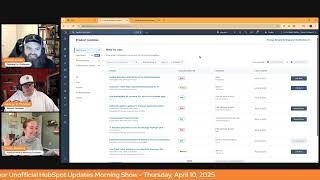
Chris Carolyn, Casey Hawkins, and George B. Thomas walk through new HubSpot features across sales, service, marketing, and developer tools. The hosts cover AI-powered enhancements and platform updates in an informal morning briefing format.
Good morning, HubSpot Nation. Welcome to Wake up with Customer platform. Your unofficial HubSpot morning updates show where we help you discover the platform value you already own. I'm Chris Carolyn, joined by my co hosts Casey Hawkins and George B. Thomas. We're here every weekday morning to make sure you're not sleeping on HubSpot's true capabilities. If you're joining live, drop a hello in the comments and let us know what you're building in HubSpot today. Oh, how we doing? Team?
Team updates 13 today. That's better than yesterday.
Indeed. A 33% decrease. So that's like.
And I only wrecked my car at 55 miles an hour instead of 75. Like, I'm not even sure if that's like. But. But I'm doing good here today.
Well, we're starting off with high impact guided execution of activities in the sales workspace.
It's good. Wait, what?
What is it? We red redesigned the experience for completing sales activities in the sales workspace, guiding sales reps to execute on their tasks more effectively by surfacing only the relevant context needed in a streamlined view.
Why does it matter? Sales reps currently spend excessive time navigating between different parts of the CRM to complete their daily activities. This enhanced task experience improves the existing task completion workflow by consolidating all necessary information in one focus view. The redesigned interface reduces clicks and context switching, helping reps build pipeline or close deals more efficiently.
Officially got that beta this morning.
Nice, Nice.
How does it work? It works by letting go of control. So will your teams and admins and sales managers be able to do that?
I was, I was just. When we were reading this one, I was like, this seems like the type of update. There's two types of updates. One that like people that have been using HubSpot for a while are excited about. And then there's other ones like this where like I think for new users this is going to be really helpful.
Yeah. So when we talk about admins and people management and communicating with your teams, you all got to get real good at talking about control versus trust of AI and all this stuff because at the end of the day this is going to be hugely valuable for the teams that decide, you know, and then it comes back to the data underneath, like making sure that's good so it's actually guiding the right actions. Whole new world Sales Pro sales Enterprise Number 2 Automatic Ticket Topic Identification Powered by AI.
Sounds familiar.
It does. See if we can find anything new with this new functionality. The ticket property category will be automatically populated with the help of AI.
They just love to make me read this one. Why does it matter? Analyzing ticket topic is an essential is an essential for support leaders for a number of different reasons. Understand topic and problem trends ad hoc in order to identify potential major org wide issues such as outages or bugs Understand frequently mentioned topics, topics with long time to close or topics with a less than average feedback score in order to plan rep training or coaching on respective topics. Understand topic gaps in knowledge based articles and identify which additional knowledge base articles could reduce future support ticket volume. Right now leaders need to rely on their reps manually filling out the category property on the ticket object. With the new automatic ticket topic identification powered by AI, managers will have access to a more complete and more accurate picture of topic trends in support tickets.
There's somebody inside of HubSpot saying we want to hear Casey say that again. What.
What can we do get it right this time? Get it right.
Let's add an emoji right before the word after in order to I wish.
We had like recorded it the first time and we this is just.
Yeah, here you go.
Curious to see anybody out there using this. Do you have a bunch of, you know, customized categories and is it working well for that? This also might be able to show you if it has if it's having trouble. Maybe your categories aren't as cleanly defined as they need to be. Thank you for the help here AI and Help Desk team.
I still am very excited about this update despite saying this many times.
Yes App Marketplace Q1 Roundup this is.
A first.
95 new, 95 plus new and 60 plus updated apps. Now I know I've actually heard from more people that listen to this show than they do watch it. So I I'm going to do my best to not read everything on the list, but at least read the names.
Let me make some calls.
Yeah, what is it? 95 plus new apps including Google Chat, which allows you to get notifications and collaborate on customer tickets and messages, have joined the HubSpot App Marketplace. Additionally, 60 plus apps were recently updated with new features including Facebook Messenger, Fathom, AI, NoteTaker, G2 Google Meet, Hey Gen Microsoft Teams one flow, one signal, open phone power, My Analytics, Sales Message, Shopify, Xero and Zoom and more.
Why does this matter? The HubSpot App Marketplace now has more than 1800 apps. New apps and app feature improvements are are added every day to give you more opportunities to extend the power of HubSpot and grow your business. I think maybe, you know, maybe there's like a quarterly check in on like the apps that you're using and whether or not they're in HubSpot. It gives me LinkedIn live activity. Me just searching apps.
It's a part of the audit plan. Should be a part of the audit plan of any, any admin. Some kind of regular check in of apps. So this is actually, I think the second quarter they've done it. It happened once in Q4 when I was doing the show, but yeah, making it easy to come over, get a link to the marketplace, just see the latest HubSpot apps and stay, stay informed. This one's interesting. I don't know if there's a separate update for that, but Gemini, like, this is where there's so much stuff going on. Like Gemini extension for workspace. Saw a post yesterday about HubSpot winning Google partner of the Year.
Dang.
And they were presenting on this and I was like, wow, I haven't seen that in any updates. And, and that's good to know about.
So well and so interesting because my mind immediately goes to like the LinkedIn post with Dharmesh and like, anyway, yeah.
The one where he gave props to the team.
Yep.
And I was like, I don't even know like HubSpot was in that competition. But obviously there's a lot of Google apps, you know, with HubSpot, so it does make sense. At the end of the day.
Stay.
Updated on your apps. Here we go.
This one's stressing me out already.
Yeah, I saw a video of this. And global navigation updates to find your destination faster in case we didn't have enough enough fun last year.
HubSpot. I can't take it.
Global Nav. What is it? It's private beta that you got about a week to test. As the HubSpot product continues to grow, our global navigation needs to continue to scale and improve to provide a great user experience. This iteration of the global navigation information architecture addresses customer feedback about the need for dedicated sales and service space, especially now that we have a clear distinction between the features both hubs offer. Do we now? Also with this set of changes, we're bringing our product experience closer to the way we market and sell it, thus matching expect man full transparency here, folks. Thus matching expectations buyers have when they become users during their evaluation. Unboxing experience. Sorry, I can't get through this one easily. As a result of these changes, we're seeing a significant decrease in bounce rates after users click on a primary navigation menu item indicating they're finding what they're looking for with more confidence and reaching their final destination faster.
Why does this matter? The global navigation structure now features dedicated spaces for sales and service, making it easier to find everything related to those use cases, period.
Pretty straightforward, George. Yeah.
Straightforward. And I signed up for it immediately, to be honest.
Braver than I am, George.
Give it, give it to me. Give it to me. Like, if you're, if you're, if you're paying attention to the bounce rate of 200,000 plus users and seeing that people are having an issue and then good for you. What a marketer. What a great product. Like, good for you. Like, add it, add it in. Put it in for me. Because the amount of times that I've had to tell people just to bookmark their ish so that they don't have to even think about it moving forward lately has been so. So just do it, please do it like.
And as you do it, if you're interested in orders and don't see it on the nav, let the people know.
I knew you're gonna slip orders. So here's the thing.
Of course I am. It's not in the new one.
You know why I love like these things, these nav updates? The amount of new HubSpot users that I teach. This simple one thing right here. The fact that you can email, call or log a note from global search.
Yep.
If they weren't testing, if they weren't changing, I couldn't teach that. And you know how dramatically faster somebody can talk to five, 10 or 20 people if they know they don't have to click into a main nav and click into a record object and then click, click into a record and out of a record and in a record and out of a record. When they can just go to the global search and they can start typing the names and log, type the name, log, type the log. Call, type the name, call type the. Give it to me. I'll take it all. I'll take all the change.
I am using the global search more since the nav changed and based on this, I will continue to use the global search more.
Right. The global search team is happy right now. They're like, yeah, change all the navigation.
Yeah, make Casey so confused. Make her so confused.
No, no, no, not in that way. Yeah, no, it's not dissimilar from like every website conversation we have where it's like, well, stats show 90% of the users are going to use the search bar. But let's put six months worth of effort into figuring out our navigation.
Yeah, yeah.
So I don't. I have empathy for the position that team is in, having to figure out the best way to do this. It does look like a step in the right direction for sure.
Again, new users, very helpful for crotchety old users who liked the top bar the top now.
Yeah, that was a. Yeah. Moving on in multiple ways so that we can get the AI generated ticket sentiment instead of nav on top or on the side. What is it? This change introduces three new AI generated ticket properties. Oh, I like that. To capture a customer's sentiment throughout their support interaction. The value for these properties will be automatically generated using AI based. Based. Using AI based on the incoming customer messages in any conversations associated with the ticket.
Why does it matter? This change gives support agents quick visibility into how customers are feeling about a given support interaction, making it easier for them to adjust their approach as needed in order to boost customer sentiment. These properties can also be used in custom views and workflows, enabling support teams to factor customer sentiment into their triage and prioritization process. Additionally, admins can leverage these properties in reports to assess sentiment trends over time and identify areas for improvement.
George, I need you to read this line for me.
The feature used as an internally hosted LLM to automatically detect sentiment of incoming messages. Okay.
HubSpot is using an internally hosted LLM.
Yeah.
To support its product. Right. If you didn't know already, it's not just relying on GPT or all the other, you know, connections.
No, no. There's a whole set of humans that we don't even know that work at HubSpot that have been doing stuff under the hood. I'll say. Here's where my brain went though. I immediately was like, how do I get all of my communication moving forward? Go through tickets so that I can have that. And so then I was like, no, no, no, no, no, that's the wrong thought. But. But here's what I'll say. HubSpot, can you get something like this and properties like this just based on the track and log emails that I can select the list of current customers. It looks at the emails we're tracking and logging and gives me some AI generated sentiment in a property so I can view property history over time and see when I'm jacking it up or when I'm doing good. Can we get that feature, please?
Oh, I think. I think we're on the way because this is also super awesome. A note on backfilling sentiment data for historic tickets. If your beta request is approved, the sentiment property will be backfilled for Historic tickets from the last year.
Okay, okay, wait a second. If your beta request is approved.
Yeah, this one here.
No, no, no, I. I know. I don't know if I've ever like, seen a lot of that terminology. It's like, join the beta now. This one's like, we might let you in. We'll see.
Yeah.
Take this little test. I don't know if there's a test. I'm just. I'm just making stuff up. Right. But like, but it's interesting from a marketing perspective. You make me want to click that button even more. What do you mean if I'm improved?
Indeed, man. Backfilling data along with AI creating properties. I'm here for that.
Now here's the only thing on some of these properties in the future that AI might generate or create, I would hopefully have the ability to modify if needed. It's the only thing I'll say as people are, if we're moving into this world, yes, give it to me. But if I see something different as a human, let me adjust it.
Indeed. Auto save properties on the record page highlight card in development, scheduled for release in four days. They move fat. They move fast over there. I guess I should say there's a forward looking statement here.
Yeah, you should.
What is it? Editing properties on the highlight card on the left sidebar of the record page is now faster, easier and more intuitive. Instead of clicking Save after each edit, HubSpot will save your property edits as they are made.
Oh, this is. This literally happened to me last night where I made an edit in this card like three times. It's the little things in life, why does it matter? Property autosave will reduce the number of clicks required to enter data in the CRM, making data entry faster and saving you time. Additionally, property autosaves will decrease the risk of data entry errors and data loss when users me forget to hit save before moving on to the next task. In the CRM, users work will be saved as they go.
Wait, sorry. Go ahead, go ahead.
I guess, I guess there's more modules that have not received the auto update. I like save properties.
I like this like global update. I know it's being rolled out module by module, but I like the global change.
The only thing I must say, I can't wait until HubSpot Auto saves everything. How do we delight our customers? Click less. What? Make them click less. What do you mean? Just make them click less. That's how we delight our customer. Oh my gosh, I feel like I'm on fire today. I Don't even know what's going on right now.
That's. That's why in September there will be no clicks. Just be talking to your. Your AI assisted CRM.
Hey, good morning, HubSpot. How are you doing? I'm doing fine, George. How are you doing? Oh, my gosh.
No, by then you'll have it be yourself. Your clone somehow will be involved.
Oh, please let there be an integral. Well, there is a link, but. But please let it integrate even deeper in the future of what I'm using.
Oh, man. Anyway, so it can help with things like improved AI powered gibberish detection. Nailed it for form submission. That was a gotta gibberish.
I feel like half of Chris's job on this show is just keeping George and I like.
It's. It's hurting cats.
I do my best. I do my best. I. I feel Liz's pain at this point.
It's like, should we have Georgia on the show? I have to become an official cat herder.
But sure, I like cats though, so it's all good. AI powered gibberish detection now identifies incoming form submissions with gibberish data across all text fields, not just first name, last name and message properties. This ensures a more comprehensive spam filtering process.
Why does it matter? Spam form submissions are a major frustration for marketers. One common type of spam is meaningless junk data entered into form fields, which clutters CRM data and creates unnecessary overhead for marketing teams. With this update, our AI powered gibberish detection helps keep your CRM clean by identifying and filtering out gibberish across all text fields in form submissions. Note detecting gibberish detection. Detecting gibberish detection for sensitive data fields is not included in this update. That makes sense.
I hope it's coming soon, but no more in your field is what I hear, which is beautiful.
Yeah, I guess you're winning the battle on required fields, marketers, but it'll be interesting. It must be looking at the system as it does that because there's lots of, you know, especially as we go into the ERP integration space and order IDs and all the way that companies like ID their stuff with letters and numbers. Be interested to see if that's smooth. Smooth deal.
You know what I love? I love that the amount of ways that we're finding people are applying AI in ways that you might not have ever thought that they would apply AI like, anyway.
I mean, it's all the things we suck at at the end of the day. But join us tomorrow for let's build AI skills with George and Nico for this show. I'm getting better at this thing.
Yeah, you are. You are.
New Card Ticket Priority on the Help Desk Summary Tab Expected out of beta 4-28- Medium impact what is it? It's a big picture, that's what it is.
I know. I like jumped when I On your.
Help Desk Summary tab, you can now review your most important tickets through the new Tickets by Priority Card.
Why does it matter? A support organization has to deal with a large number of tickets every day. In order to make sure teams work on the most important and time sensitive tickets, support leaders need to keep a close eye on priority of a ticket. The Help Desk Summary tab enables leaders to monitor operational health every day. We with the new Tickets by Priority Card on the Help Desk Summary tab, leaders will be able to keep a closer eye on tickets with high urgency, enabling leaders to gain deeper insights into their team's performance and efficiently manage workload distribution.
What are the key benefits, George.
Key benefits Instant clarity with a fire emoji. If you're listening. An immediate and clear graphical representation of ticket priorities. Spot trends, identify bottlenecks and make informed decisions with ease. Enhanced focus with a little like magnifying glass emoji. If you're listening, quickly identify critical tickets that need urgent attention. Prioritize resources more effectively and ensure no high priority ticket. This is left behind. No, it says left unattended. But anyway. Streamlined efficiency with a little stopwatch thingy emoji. Reduced time spent on manual sorting and analysis. Thank you Jesus. Our intuitive visual card empowers you to enhance response times and improve overall service quality. That's the key benefits, Chris.
Yes, and hopefully key benefit overall is that you use this data to try and create less tickets.
Wait, we're supposed to use data remove.
The the things that are making all the tickets come in instead of just enjoying the fact that you can look at all your tickets data. How does it work? Head over to the help desk. Check it out. Users with a paid Service Pro seat or paid Service Enterprise seat. That's who gets it. Very cool. This was the one that I was like, oh wow George. What could it be? Content Sync.
It'S not what you think it is.
Okay. In development Medium impact looking statement, I.
Had a disappointing.
I. I too wanted this to be something else. But I'm happy for my developer friends. I looked ahead. I cheated. Sorry. Go ahead, Chris.
I'm also disappointed, as I say as a developer. As a developer, you can now copy your production website into your CMS sandbox environment without worrying about test changes affecting your live site. This is actually a huge deal for our developer friends with HubSpot's One Way Sandbox sync. Designed specifically for content data. You can seamlessly transfer your pages, blog posts, themes, templates and other content assets from production to your CMS developer Sandbox for peace of mind during content updates and testing.
Why does it matter? This is. This is a big update. We're very excited about it. Content Sync provides a secure development environment that's crucial for enterprise clients who frequently update and manage web content. You'll save time by eliminating the need to manually recreate content structures while keeping your production environment completely protected from environmental changes. With this feature, you can test content data integrations and configurations in a safe space, simulate real world conditions before making changes live, maintain compliance with gdpr, CCPA and ADA regulations, and focus on development rather than manual content handling. Yay for developers.
Yeah, this is huge for developers. I have multiple developer friends. I want to be like hey, did you know almost immediately after the show is the thing that's hitting my brain that I'm not going to ask anybody to put in the chat pane. Although I wish I could ask you to put in the chat pane. But if you do you then you've said something that I don't want you to say. But I'm super curious of how many are you even paying attention to being ADA compliant and ADA regulations? Don't put it in the chat pane. I swear to God there's a lawyer somewhere that'll watch the show and look at all the people that.
But hey, true story. We've already been, you know, monitored by lawyers before with our, with our content George so also Content Enterprise. Note that, but I remember a conversation in Sprocketeer last year where somebody was, you know, pride themselves in their web administration and website developer skills and were quite upset that you had to make all your tests and updates in the production environment.
That person, if you're watching, wait, we have an update for you.
Yeah, but also in order to sync two ways, we gotta sync one way first. So I could definitely see this growing into a push back the other way, which I know a ton of people would love for any kind of HubSpot sandbox that could push into production CRM, CMS or otherwise. Revision History for Case Studies My favorite.
Tool in HubSpot for years, for years.
Casey's been saying you know the best tool you got to watch yesterday and then you'll get the joke.
With Revision History in the case studies editor, you can now view past Versions of case study articles, compare changes and restore earlier drafts whenever you need to. Just like another. Just like other CMS pages. That's very cool.
Why does it matter? Revision History makes it simple to track and manage updates to your case study articles, giving you more flexibility and control over your content.
Just another reason to use it. Yeah, we'll add to the ultimate case studies HubSpot case studies guide when we create it. I'm just saying.
Yeah. And another thing that'll maybe alleviate some perceived risk about auto updating these case studies based on CRM data.
I love revision history when that came out.
Yeah, that's a, that's a big deal. And like if you're out there consulting on HubSpot, we got to integrate with other systems like that ability to see your vision history like is often not available in most other systems and people like that can be like the first request. Can we just be able to easily see who changed it last time? Right. And it's like yeah, yeah we can.
The fact that it's in some places that you wouldn't expect it to be and when you. The visceral response when you show somebody like oh yeah, you just go here and they see that like left side hand column and the dates and times. Ah, okay, thanks.
It's, it's, it's fun to watch for sure. Something that might be involved in updating those case studies. Service Hub Journey.
See what you did there.
Analytics.
Nailing it today.
I'm on fire. So happens when you make it. When you make your bed. George, what is it? The HubSpot Journey analytics report Builder is launching for Service Hub Enterprise customers. Service Hub Enterprise customers can leverage the Journey Analytics Builder for a number of different use cases. For example, which knowledge base articles led to tickets opened by customers? How good are self service resources such as chatbots and the customer agent in handling tickets by themselves and how often do they need to hand over to a human? And last but certainly not least, how much revenue was created after a ticket was closed?
Why does it matter? Service Hub Journey analytics will enable leaders to understand the journey of customer interactions. With self service resources and support teams, you will be able to measure and optimize effectiveness of customer response and engagement and streamline support processes by identifying bottlenecks and inefficiencies.
Nice, nice, nice.
All of the Journey analytics coming to an enterprise HubSpot near you. Multi language support available for double opt in emails. Gotta gotta love our double opt ins. What is it? Marketers and admins can set up their double opt in experience in multiple languages if desired.
Why does it matter? For marketers serving a global audience, set up your double opt in confirmation email and pages in multiple languages to ensure contacts receive them in their preferred language, enhancing user experience and engagement.
Chris, do you do double opt in?
I do not do any kind of opt in, double opt in.
Do I? Some of my clients do. Okay, I. It's, you know, it works. It's. To say this in front of Chris. Chris is gonna attack me. Look, it's very good. And if you do a double opt in, your email engagement rates are so much higher, your email list is so much smaller.
Makes sense to me. Like let's. Let's build lists that actually engage with us. How about that?
Right? Right.
Oh man.
Pros only pros. Actually no pros. No. Or cons only pros.
You just go through LinkedIn that you don't have to worry about any kind of opt ins at all.
Oh God.
New sidebar in the marketing email editor. Speaking of marketing email, high release impact. It is live. Has it been live since March 20th?
Probably January 9th?
Yeah, we've got. Okay, what is it? Starting January 9th, we will be rolling out a refreshed side navigation of the marketing email editor.
Does it matter? The sidebar in the marketing email editor has been refreshed to improve the accessibility and usability of certain tools and features as well as introducing a new email content trees.
Yeah, yeah. I love this thing by the way. The new mobile desktop functionality and like being able to easily hide or change imagery based on what you're doing is amazing. The only thing I would say to the team and I don't know if there's anything that we can do about this is if I have created an email that has mobile and desktop imagery, as soon as somebody hits reply, they see all of the imagery.
I didn't know that.
That's no bueno.
I don't know if there's a way to fix that or not. It's not a big thing for me. But I did have a client that was like, this email is awesome. And then like it was a day later. How come when they replied everything shows up? I'm like, ah. But I don't know, let me find out. Like I didn't talk to him like that by the way. I was like, I don't know, let me find out. Like it was normal. But.
George talks to all of his clients as if.
No, no, I do not. They would probably fire me on the spot. But. But again, team, if you watch this or if somebody passes this to you if there's a way to change it. Where? If they reply that like, I don't know. I don't know how you do that. I'm not that smart. Maybe you are. Or AI is. Maybe. I don't know. I don't know.
I think that's it. That's where we'll wrap for today, folks. Remember, you probably already own the solution you're looking for in HubSpot. And honestly, it's probably AI related at some point or at this point. Sometimes you just need to wake up to it. Join us tomorrow morning as we continue exploring what's new in the ecosystem and maybe do a little recap of of Spring Spotlight if they, if they tell us what even is going on in that VIP event in New York. Drop your biggest takeaway in the comments and let us know what capabilities you want to wake up to next. Until then, I'm Chris. Carolyn.
I'm Casey Hawkins.
And I'm George B. Thomas.
And this has been Wake up with customer Platform. Now go build something amazing. Have a great day, everybody.
Do it.










