HubSpot's AI Powered Content Assistant | Admin HUG | July 18, 2023
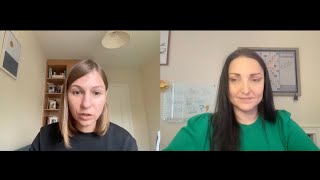
Deanna Kiloff and Arina Nika demo HubSpot's Content Assistant, showing how to enable it and use it across blog posts, landing pages, emails, and social media. The tool works in multiple languages but is text-only and shares prompts with OpenAI for generation.
Chapters
If you're just joining us for the first time, I'm Deanna kiloff. I'm your HubSpot Advocate Admin and your host for today when I'm not helping keep the hug operational alongside Kyle Jepsen. I am also a HubSpot Solutions partner for Stratsmark, where I offer fractional HubSpot and strategy services. If you have any issues and you need any. Have any questions answered, if I don't know how to do it myself, I have a great network of people, most of them on this call right now that I can share that with. So that's enough about me Today's hug is HubSpot's AI powered content assistant with Arina Nika. She's a product marketing manager for content assistant at HubSpot. Irina is going to help us unlock the full potential of content creation with HubSpot's new AI powered content assistant. So, Irina, I'm going to let you go ahead and take it away.
First of all, thank you so much, Jenna, for inviting me. I am beyond excited to be speaking with all of you today. I. I'm really excited to share things about Content Assistant and generally about our AI tools and just get to answer your questions and hopefully get the chance to get some feedback from you as well. So I'm going to go ahead and share my screen and kind of really jump into things. Before that, I actually just want to do a very short AI history lesson from HubSpot point of view. We've had at HubSpot AI into our platform for quite a while. Can't hear me. Does anyone else have this problem?
I hear you. Okay, Keena, try refreshing the screen. It'll log you right back in.
Cool, cool. So, yeah, we've been experimenting with AI at HubSpot for quite a while and we've had AI features that were on our platform, things around like imports and exports and things like that. But as of this year, we've definitely doubled down more on AI features and we've launched quite a few products that can help you support your work as a marketer, as a salesperson, as a service person. And I want to share a couple of them with you today. Now, I just want to give you like an overview first. So we have Chat Spot, for example. I don't know how many of you have already tested it out, but Chat Spot is an AI powered assistant that can work as an individual app. So you can, you can use it as it is and do, for example, things like content writing, keyword research for your SEO campaigns look into things around, you know, learning about your competitors and industry stuff. Or you can connect it to your HubSpot account if you wish to do so, and you can use it to basically do the things that you would do in HubSpot by doing like things like click, click, click to other company to add a task to create a report and things like that. But instead of going click, click through HubSpot like we did in the old days, hopefully we're going to say that in, in the next couple of years with Chat Spot, you can just use natural language. Chat Spot is going to understand what your intention is, translate that into code, and then give you that information from, from HubSpot. So that is one, that is one of the tools that we've launched this year and I'm just gonna stop sharing this one and share again. The other one, which I don't know if you got the chance to like test it out, is called Campaign Assistant. And it's another free tool that basically allows you to create, for example, landing page, content marketing email content or even like content for your Google Ads just by using like a simple prompt like you tell Campaign Assistant what your campaign you want it to be about. Great idea. At the end, I'm actually going to type the link here and Content Assistant is going to help you kind of give that content in a format that it's perfect for whatever your use case is, but like landing page ad or marketing email. And now the star of the show from my, my, my humble perspective, Content Assistant. It's been the project that I've been working on as a product marketer for the past few months, starting in March. And I'm really excited to give you a tour of it. But because I've heard that there are quite a few admins in this group today, I thought I would start, start by sharing like some, some admin stuff around Content Assistant. Now if you want to have Content assistant in your HubSpot portal, whether that's like marketing, sales service, etc. You want to make sure that it is turned on from your Settings account. So if you go to Settings and you scroll down to the left side, you'll see like a new button in the menu there. Content Assistant. And you want to make sure that it's turned on. If it's not turned on, then you will not. You or like anybody else who's using your, your HubSpot account will not be able to use Content Assistant. You want to give people like the option to have it turned on or not. And you want to make sure that it's turned on if you, if you want to use it yourself. Now I want to show you a little bit of how it works in real life. Now, Content Assistant is a tool that is powered by OpenAI's Generate, basically ChatGPT. I'm getting a bit distracted by the question. I think I'm going to close the questions because I'm like, should I answer this now? No, I'm going to answer, keep an.
Eye on them and if it's something that's immediately relevant, I'll let you know. But the question was, can be restricted to super admins only to turn it on?
No. So you can only. It's like a black and white thing. You turn it on, everybody has access to it or it's off and nobody has access to it. That's, that's how, that's how it is right now. I don't know if we're going to have other like multiple options in the future. Not, not in the near future as, as far as I'm, I'm aware of. Cool. Well, I'm gonna like, go ahead and I answer the rest of the questions towards, towards the end. I love that you already have questions, so keep those coming. If there's something like really burning, then you just stop me for a second and I'll answer that.
Okay.
But I want to give you like a little tour of Content Assistant and how it works. And I'm going to start with marketing because that's where we've got a lot of features. And this is a general description. Content Assistant is doing pretty much what the name suggests. It's an assistant for content writing. So you're going to find it in a lot of the places where you might be writing content quite a lot like blog, web pages, landing pages, emails, and now even in CTAs and in social post. So lots of other places where you normally have to put a lot of time and effort to create content. Now you can just kick things off and do that first draft using AI. So that kind of helps. What do that heavy lifting for you to get you started, get your creative juices flowing and I want to show you how it works for the blog. I really, really love this feature. It was one of the first that we launched and I feel like it's such a great tool for getting started with things. To get started with Content Assistant, you just go to the body section of the content and you type the backslash and you have a few options here. Generate a paragraph and outline just General blog ideas or at the end, generate a conclusion. So if you just want to start a blog post, you can start with generate ideas and say things like, you know, I want to write the blog post about best Sci Fi books to read this summer. And Content Assistant, it's going to come up with around five ideas just based on like that super simple. I tried to put like the simplest prompt but also kind of like specific enough to give it to give me some interesting ideas. But if I'm not happy with any of these ideas in most parts of the tool, Condescent gives you the option to generate more ideas so you can kind of really evaluate what you have out there and it saves the option so you can like go back and forth and pick the one that you feel is the best for your, for your project. And I really like the first one. Discover the top five Must read Sci Fi's. Okay, so I'm just going to use this one. Maybe I put it as my blog title. And then I'm going to use again the Content Assistant backslash. And this time I'm going to go and take this article to the next step and generate an outline based on my title. And again Content Assistant will have that option to generate a second outline if I'm not happy with the first version. So I can like read through and see what's, what's, what's given me. Let's see here. The power of Imagination. Explore Futuristic Dystopia. Time travel Seems like a really nice outline. Has some suggestions here of potential authors to explore. And from this moment on, if I want, I can just get one idea. Let's say this would be like the title of my introduction and this would be like the theme of my introduction. Just highlight this text and you can see here this little lightning bolt. This is a Content Assistant. I can open it and it gives me a new set of options. Instead of just creating content, now I'm able to use Content Assistant to edit the content that I have. I can rewrite this, I can expand it, summarize it, or change the tone to make it sound closer to my brand or my personal style. And in this case I'm just going to click on expand and I'm going to let Content Assistant create a more created a little went quite creative on this one. I wasn't expecting that many paragraphs. So just for my own sake, I'm just going to reselect this and say, you know what, like summarize this a little bit, like make it a little easier to digest. Okay, now this is a paragraph I can work with. And again like, you know, this is AI generated content. So personally I love these tools, but I also really trust like my own judgment and this is my advice and take it, you know, as, as housewives in general, like point of view. Take this as a first draft and like really add your own personal like voice and maybe your own opinions or your own like research to really make it your own and like make it, make it stand out. But as you can see in terms of like actual like use cases, the way content system is built, at least in the, in the marketing section, it's really adapted to the way you would work when you are creating a blog post. So you can create, you know, you can work on like editing this paragraph quite easily. You know, you're your own kind of content buddy and editor at the same time. And if I really want to close off this blog post, I can click again on backslash and then I can ask to generate the conclusion. I don't even have to give that much information to Content Assistant at this point because it already understands the basics of what my page is about, what I've been trying to write about. And second, that I want a conclusion to this post. I'm just going to be very brief. I could like the reason why this is not just a write a conclusion button is because like, sometimes you don't want to be as lazy as I was in this example, but you want to maybe say something like write a conclusion and highlight this specific thing. Because you know, a conclusion doesn't always have to be just a summary of what you've written. Like probably it is at this point, but it can also be like a look forward into the future. Right. I've been writing about this, this is the next step or something like that. So you can give Content Assistant a few more details about what your conclusion would like to be and it will take that into consideration and it understands your page's content. So it's really great tool to get that first draft out the door. Cool. And this is Content Assistant for, for blog posts. It works very similar for landing pages. I can it also it's available in, in all of the languages that HubSpot is available. So Japanese, Portuguese, German, Spanish and French. Don't think I missed anything. And it works in the similar same way in terms of like actual buttons, if you want to call them like that, commands as for the blog. So if you're now in landing pages, you can click backslash, but instead of like saying as for the blog Post, generate an outline or generate it's a conclusion, right? It has commands that are specific to how you would work when creating a landing page, such as generating a heading, a paragraph or a subsection. And it works the same way as with the blog post. So if you click generate a heading, you can just type in like a short description of what your, your landing page wanted about and then Content Assistant is going to give you a solution to that. If you already have some content that you want to to use Content Assistant maybe to improve, you have some sort of a draft for your landing page. Again, you can use the same functionality as for the blog post and you will use the lightning bolt after you highlight the text to rewrite, expand, summarize or change the tone of your, of your text. Gonna show you another feature that we very recently launched was Content Assistant for social. Now if you go into, if you have a Marketing Pro or above account, then you probably have this or you're using this social feature as well. This page probably looks very familiar to you if you've used social posts before or what's new is that we now have this little lightning bolt here Content Assistant that can help you generate a blog post. So let's say want to write a Instagram post about this? Sci Fi Books to read this summer. One of the things that I really like about Content Assistant in the social post section is that it really understands that you're writing this for a social post. So as you can see, like the content really is very different from a blog post. You've got emojis, you've got the text. In this case being for Instagram, it's a little bit more content like dense, but it is like structured. Like visually it's, it's divided very similar how you would normally write a social post and it comes out with like the very popular hashtags for the topic that you've chosen. Summer reading, escape reality books, worms unite, Sci Fi books and so on. I really love this because I think getting like the right hashtags, it's a little bit of a chore sometimes another day. If you're, if you're not like the most passionate person about like social, it might be a chore. Butters. It's a great hobby. I, I, I like having a little bit of help in that. So that is great to have and you can do the same as with, as I've mentioned before, instead of like saying that you want to a link an Instagram post, you can say you can one like a short Twitter post And Content Assistant is going to understand and adjust the output to your request. Cool. And that is Content Assistant for social. One other place where I want to show you how it works is in marketing emails. I've got a lot of feedback when we first launched this content system for marketing emails in March where you could just highlight the text and use Content Assistant to rewrite, summarize, et cetera. That people would have found it very useful if you'd have it to generate content as well at the end of June. I don't know if you noticed, but now you can also generate content for marketing emails. And just using the backslash as for the blog post, you can use it to generate a paragraph. So huge time saver here. And just to give you like an example of how it would work, I want to write a little paragraph about. Why succulents are a great desk plant. Now only two bucks. And you can see it gives you quite a. It really takes that information that I've given like that request, you know that. That talk of write something about the succulents that are a great desk plant. And you know, it really develops that content and like that idea, low maintenance plan that all bring a touch of nature to your workspace. So really, really creative stuff. It might be a little bit too long for what I'm looking for, so I'm just gonna. Oh, the other way. Wanted to summarize it. Let me summarize it. I got too excited about succulent, which are my favorite this plants by the way. This whole demo is around things that I'm currently passionate about, plants and sci fi books. If you have other prompts that I should use for my next demo, please add them as a suggestion to the chat. I don't want to bore people with these topics, but I just want to show you it really takes a very. It can be a really helpful tool when you have a succinct idea of what you want to write about. Get into Content Assistant, get that first draft out the door and then you're pretty much promoted to editor level because that's kind of like what your job needs to be at this point. And of course coming out with like this idea of like selling plants because you have to be like the. The place where all the ideas kind of come from. Cool. So you can create content in emails, you can create landing pages, you can create social posts, you can create and blog very similar website pages. I want to show you very quickly how you can do similarly. In CTAs so you can create A CTA based on like this, this functionality is, or this demo kind of shows, you know the, when you're halfway through the, the creation of your cta. Like I've already kind of selected my template and my idea for the cta. Now I'm like at the content level. So I can use Content Assistant here very similarly to how I would use it in the blog or any other part. Just type in the backslash and generate a heading. Let's say I want to write heading about a UX webinar that's happening in September with limited spots. Something like that, Right? Then you can come out with, I can take like the whole thing and work with it. Or I could just take the, the first sentence and use it as, as my, the heading of my, my, my cta. I can take an existing content, basic content that I have maybe from a blog post, just paste it into my CTA and ask Content Assistant, for example, to summarize it. Right. Or expand on that idea. Change the tone to make it more friendly. Awesome tips for engaging in live webinars. And that is so far where Content Assistant lives in marketing. Now you can use it as well in sales. If you are using the HubSpot Chrome extension and Gmail, you can connect your gmail to your HubSpot account and once you like start a new message, then you can get content assistance to help you write an email. And if you give me just one second, I'm gonna stop sharing so I can open my Gmail for a second because I want to show you how it works, but not my entire Gmail.
While you do that, I'm going to remind everybody to go ahead and go over to the Q and A tab and vote. Any questions that you're interested in finding more about, I see a ton of great ones in there that I will work out with Ardena so that you get those questions answered. But I don't want to stop her because she's on a roll and she's sharing really great pieces of the system. So I'm going to let her keep going and then we'll get all of those questions in at that.
Yeah, since you mentioned that there are a lot of questions, I will show you how it works now for CLS email and very quickly show you a couple of things for Service Hub. So I think maybe like maximum like 5 to 10 minutes and then let's leave the rest of the space for questions so we get a bit of time to chat.
I love it.
Perfect. So as I mentioned, you're like I'm now connected to my HubSpot account from my Gmail. I click compose and I've got like my new message here and I've got this like new button that says write an email for me. And once I open it it gives me Content Assistant so I can use it to write an introduction email, cold outreach email or a follow up email. And I'm going to use it. Try to do a cold outreach email. And I'm selling, let's say I'm selling HubSpot TRM. Who are you selling to? Jane Do C Mo. What do you want to communicate in this email? I want to introduce Jane to HelpBot CRM. Best in class, helps millions of businesses grow. And I'm going to attach a one page presentation and I'm gonna choose like the type of tone. Wanna be professional and helpful obviously as a, as a salesperson and kind of feel optimistic because can you even like do any kind of sales or send the cold outreach email if you're not a little bit optimistic? What I wanted to see Content Assistant do basically in this example is I wanted to acknowledge the product that I'm trying to send, the fact that I'm sending it to Jane, whoever specified and the fact that I put a presentation in my email. I've given it hints of what I wanted to include in in my email and funny enough it listened to my suggestions. So dear Jane, right, Like the name of the person that I've Suggested, it's introducing HubSpot CRM as I mentioned, I understand that you're busy so I've included a one page presentation. So exactly what I like the suggestion that I wanted to include in my, in my email and it kind of understood that it's a one presentation, it's an overview of HubSpot how it can help you. And then it took the prompt that I've given a bit to the next level and says HubSpot CRM is designed to drive growth for business sparkle features. So really kind of like understands I give the idea of HubSpot CRM and built a short presentation just from that. So again this is not supposed to be like the final email that you actually send out, but some sort of a draft that, that can, that can really help you get started. And instead of like you having to like write everything from scratch and you're looking for like templates online, you got this like first, first version and it just edited it and you can go from there and now I'm going to stop sharing for a second so I can go Back to my other tab.
Waylon says that that his team runs on optimism and Red Bull.
That's how I got into college. Very much. I empathize very much with that. See, you can only see the three.
Cups of coffee on my desk.
I do. I empathize with that. Guys, see my screen? All good. Now I'm back into Content Assistant. That's very cool. Okay, so last, last, last bit, I want to show you that you can even have Content Assistant in a couple of places to help you as a customer support rep as well. Got it. By the way, we've added like a number of pop ups so you can see that you now have Content Assistant. Content Assistant wasn't available to everybody that was using HubSpot until end of June. And we just wanted to make sure that you know it's there, how you can use it very briefly and that you have to go to Settings and activate it there. I know there have been quite a few pop ups, so if you've had a little bit of trouble with these, just know that. First of all, sorry about that. Second of all, we're super aware and the product team is working on it, they might have already rolled out like this change so that the pop ups like appear a lot more rarely or at all in your account. So if you haven't had, if you haven't started seeing any changes in that, rest assured it's happening like in this week or the next. Like it's that close. But yeah, I just wanted to acknowledge that it's just so awesome.
They put it everywhere so that you remember to turn it on and use it. It's a good reminder.
Yeah, it's great. Yeah, well, you have to like see it, you know, to, to, to be able to, to use it. And I think it's such a. We got great feedback from people who really used it. So wanted to make everybody aware of it. We just want to. I feel like now everybody's aware we can reduce the pop ups and we are cool. Well, back to our sheep. So Content Assistant, couple of places where you can find it as a service professional. One of them is when you're writing knowledge based articles, you can use Content Assistant the same way as you would use for blog posts. You have a draft and you select the draft that you have and you have the editing options. You don't have the Content Assistant if you type backslash. And this is actually something that we've done purposefully because knowledge based articles like really require like a lot of like very specific knowledge to the product or the service, the company in general. So it's not something that it can be kind of generated from scratch. Like at least a draft has to come from like a product expert. So it didn't feel like it would be such a useful tool. What it really is useful is really helping you take your content or your ideas for a knowledge based article to like a draft like really quickly to a polished version so we can publish it and, and help more more customers with that information or potential customers. Yep. And then last bit and then we going to two questions. You can now have conversation Content Assistant in Conversations. So let's see, you've got I guess an example from a wired email that I got. Let's say I want to, let's pretend this is a customer conversation. So I want to thank you Wired for this great chat. Whatever message I want to send to my customer I can have like a little bit of a, of a draft for it and then I can use Content Assistant to let's say expand or shorten or do whatever I want with with that information as I would in. The blog or every other page. I can also use it to draft a message. And sure enough, very soon you'll be able to see more features coming to the conversation inbox. We just want to make sure that people who write a lot of content, whether they're a marketer in marketing, in sales or service, are supported by Content Assistant and other similar features to get things out the door faster, be more productive, be more efficient and just to enjoy, enjoy work a lot more. Stop feeling stuck. And with that I'm wrapping up my my bit, my my bit of a rant and would love to just give the floor to you and share some of the questions and hopefully I can, I can answer them.
We've got a lot of great questions so I'm the most up vote. So if you're in there and you have more questions, definitely check those out. I'm going to start at the top because there is one with 11 questions, 11 up votes. So what is the difference between Content Assistant and Chat Spot can both generate blogs, emails and draft into my HubSpot account. However, Chat Spot has additional features like adding CRM objects, research, etc. Can we expect to see these in app?
Yeah, well that is a fantastic question and I can tell you that they're very similar in at least the sense that they're powered pretty much by the same technology, but the way that they're built right now, they're pretty different. So Content Assistant is this Content Generating or rewriting capability that you can find within HubSpot. You don't have to go out of the typical tools that you use like marketing emails or blog post or social or whatever like, and it's in, it's embedded in these tools that you already know and, and are very familiar with. Chat Spot, on the other hand kind of lives like its own little separate life. It's a different like window. Now if I can, I'm gonna stop sharing my screen for a second and share it again just to go back into Chat Spot. So Chat Spot looks like this. I feel like I could explain it in a ton of words, but this image is more than self explanatory. So compared to content system that is embedded in features, this one is like a chat that is enhanced with HubSpot capabilities. Right. You can do stuff with it inside the HubSpot platform. You can also use it as a standalone tool. So you can use it to do things like for content writing. And remember there was a part of the question that can use it to write blog posts and stuff. You can use it to write a blog post. You can use it to draft emails as well. There's another really cool thing that Chat Spot really launched I think was like last week, if not beginning of this week, understanding your writing style. So this is pretty new. You can put a blog sample of up to 5000 words like from your own blog. So Chat Spot really understands how you are writing things. And you can paste an example of an email so the next time you are using it to write content here, whether it's a blog post or an email, it really writes it not only based on the prompts that you put in, what is the type of content you want to write, but also looking at your personal style. They cannot write social posts from what I know, but given the pace at which Chatbot has been innovating, I'm, I wouldn't be surprised if I don't see it coming very soon. Does that answer the question?
I think so. I think that that's, I mean the, the caveat to all of that is both are changing so frequently that it, you say that now but you know, in, in a week it could be completely different. So definitely keep checking the tools out. I, I, I, I have loved watching them evolve and just kind of trying to stretch the limits of them. So definitely recommend that.
Yeah, I couldn't have said it better and you know, not gonna spoil any surprise, but you know, Inbound is just around the corner and we typically have some nice product Launches or product announcements around inbound. So I would keep keep an eye out on the event and like look at our product spotlight and stuff. I'm sure they're gonna be AI related announcements there as well though. I can't really share more than that. But yes. Let's see.
Content. Does Content Assistant work in Outlook too? So you showed us Gmail does. So does it work in Outlook as well?
No, no, not yet. It works in the HubSpot iOS app though and it's going to be working in the Android app as well sometime in Q4. Probably hope I've got my timelines right.
But yeah, my workaround for that is to create an email, a draft email, and then work within HubSpot and then pull it into my email. So for now at least that's something that gives you something. Let's see. Does Content Assistant support only text creation or also images?
That is a great question. Only text create Content Assistant only text creation. So far chat spots used to like do. Let me see. Can you see my image generator? Okay, so Chat Spot still has the image generator. Let's see what is like. Okay, I'm gonna try. Let's see our how a website administrator looks like from chat spots perspective. There we go. Well, very fit. Loving the AI technology. Yeah. So it does have this feature and you can be a lot more creative than I was with with my image suggestion. You can say what kind of style you would like or you like that image to be in and so on. It can be like a cartoon or just like kind of like digital art. So let's see.
We've got a very admin question. Any AI plan to leverage Ops, Hub and data cleanliness.
Wow, that is a fantastic question. And I am, I wish I was more prepared to like answer it, but I have no information about that.
That's fine. Yeah, we can take that back to the team.
Yeah, let's get that. Take that back to the team.
You got it. Let's see. I am curious how it learns specific business in order to generate relevant copy. How do you feed it? So you kind of showed us Chat Spot. So how is Content Assistant getting. It's getting its information.
That's a, that's a very good question as well. Well, the Content Assistant is actually not like tailored to your specific business at the moment. So what it gives out is generic text. Right? Like or a generic text in the sense that generic based on the input that you've suggested. And then you can adjust it more to your tone of voice by changing the tone you make it more friendly, make it more professional, educational, etc. So that's kind of like the only way you can adjust the tone to sound more like you. But that's also one of the reasons why I keep mentioning throughout the demo, like, take this as a big help and heavy lift, but like, not as like the final draft, like, helps Content Assistant is there to get your creative juices flowing, but it's not there to like completely mimic your style and whatnot. Like, it needs a little bit of polishing to boost up. Yes.
It's not a replacement. For sure.
For sure.
Let's see. You showed us the social media composer. Let's see. Let me go ahead. And just to make sure, we can use it for email templates as well, which are then connected to a sequence or can. They can be utilized in sequences too. You can use the chat, the Content Assistant in sequences.
Yeah, I was, I was thinking about that because I haven't personally used it in asking about like the sales sequences in particular. Right. So no, that's, that's a great piece of like, feedback and like just generally a question take back to team. But what I can tell you now is like, you can use the, the sales email generator just in Gmail, so you can't use it back in Content Assistant, like where you would create your template. Sorry, back in HubSpot where you would create your template, what you could do. Well, it's a bit of a workaround and you know, it's not like household suggestions. Make my. What I would personally do. And maybe what I personally done first, creating sequences is like I create the email in Gmail and then I open sequences and create templates like paste my Content Assistant generated email there and like edit my template there, save it and. Yeah. Would it be helpful to have it there in templates and not have to like, work around. Definitely.
I made a note for you.
Yeah, exactly.
Oh, good. Let's see.
Yeah, I feel like, as a general comment from like, my side is we're still in public beta, so Content Assistant is not. It does not in any shape or form, like have the label final product. Like, as we're speaking, like, literally, there are teams in HubSpot that are working away at new features. Are they improving the things that we see now? So maybe adding Content Assistant to other places where you have text editors where it's not there yet, or completely new features that we don't have available yet. So lots of stuff are in the works. Yeah. And as Diana mentioned earlier, keep an eye out on changes for like certain places of the product that you're interested in because we're probably going to add some AI stuff there for sure.
I did put the survey in the chat, if you all wouldn't mind, go ahead and fill that out. So if there's any questions that you have that we haven't gotten to yet or just something that you're thinking of and you don't want to ask the public group, go ahead and share those. I will share those with the HubSpot team so that they can answer the questions. If Edina cannot or if she has the answer, she will definitely share those with us. So definitely fill that survey out and just let us know. Hey, in general, how are you enjoying the hug? I love to know that information. I take it to heart. So if you could share that with me, that would be great.
Let's see.
Can we transfer the results from Chat Spot, like the image we just created directly to HubSpot? You showed the copy over there. Since you've already got it open, there's that copy message.
Yeah, there's only this button for now.
Perfect. Let's see. How do we communicate to the product team to recommend potential features on the roadmap? I just answered that, so I'm going to go ahead and close that off. Will there be any HubSpot Academy training coming soon?
Yes.
Awesome. Take that back to the team too.
Lots of like. Well, I think we have at least a couple of like long form content in Academy and also we have some like shorter like bite size content around AI, so yeah, definitely.
Let's see. ChatGPT is using prompts to perfect the way it works, as is HubSpot AI using chat. Does it send back any details to ChatGPT?
That's a very good question and I'm actually going to put a link in the comments. Just give me one second. We have a little page here that's just around like content assistant FAQs that has some stuff around these type of questions. Like, you know, does Content Assistant have access to my data? Is it SOC 2 compliant? And things like that.
When you turn on Content Assistant as well, there is a notation down there with a bunch of different links that you can get out to. So if you guys are looking for it, and while Adena is looking for the link she's specifically referencing, it's in your portal also. So you always have access to it.
Yeah, the TLDR is. The question was if Content Assistant sends data to OpenAI. That was the question, correct? Yes. So HubSpot does share the prompts with OpenAI. That's kind of like a requirement to enable us to use this tool. And I'm going to read from this page right now is that when you use Content Assistant, your prompts, generated content and user metrics will also be logged and stored by HubSpot for product improvements. So just for that, that, that type of, of of usage. That makes sense.
Makes sense. Yeah. Perfect. Let's see how do you check or would you suggest to cross reference information that it's accurate? So yeah, arena already, already touched on that. Make sure you're proofreading, make sure you're going through the content. This is just a starting point. It's not the end all, be all. You're not replacing your copywriters, you're not replacing your editors, not replacing your marketers. It's just to help, help you be more efficient, more effective and be able to scale faster. So I'm gonna go ahead and answer that one for you.
And you know, it's. That mean that's, it's something that is like very transparently talk about, right? That generative AI tools sometimes like tend to hallucinate what I call like yeah, they're never going to say I don't know, I don't know how to answer your question. They're going to say something about it. So it's easy to assess like how right it is about stuff. Like what are the best sci fi books? If you are an avid sci fi reader, I think that is the approach to like have for any type of content. Like you wouldn't write a medical suggestion like article if you're not a medical expert. Right. Like that's, that's, that is like my personal philosophy around like content and accuracy. Like you are the authority at the end of the day, that is the technology is just a tool to like help you get from a, to. To be a little bit faster, like more productive, like make your life a little bit easier. But it's not there to replace your expertise or be a bigger expert than you are. So yeah, I would say always check.
Let's see, there were a couple questions when you talked about the service hub portion integration, you talked about the inbox, but there was some questions on it. Working with chat bots specifically, is there any, do you have any idea of if we're looking at any integration into the chat creating chatbots?
I, I love that question and I wish I was able to give a more a better answer. I just don't have that information right now.
Nope, we're giving, we're we're feedback givers so we're going to give you all kinds, all of the things we want to know and learn about and then you can take it back to the team and say, hey, this is, this is what the admins want.
So I like, I love this conversation, so. Love what? Waylon Hope I'm, I'm not butchering your name. Like when AI is wrong, it tends to be wrong confidently. So make sure to read your copy very carefully. Could not have said it better, so. Absolutely.
Okay, I'm going to give you guys one more reminder on the survey. Again, any of that feedback that you're sharing, please, please, please, please put it in there. Like I said, I share this information back with the HubSpot team so that they can assess like what we're, what we're thinking about. Maybe we're coming up with these ideas that they just haven't thought about yet or they're on the roadmap and they're just not done and ready for public beta. So go ahead and put those on that form. I'm going to try to wrap this up real quick in a minute. If you are really interested in AI, I have seen tons of events out there. There's all kinds of groups you can join specifically for HubSpot AI. Take a look at those. And then again, look, look at what's going to be coming out around inbound. I hear chatter that there's all kinds of awesome things coming out, so keep an eye out. If I see anything, I'll share it with you. Adina, is what is LinkedIn the best way for people to get a hold of you or email? What is your preferred method of communication?
I was about to say, like, feel free to connect with me on LinkedIn. Ask any questions, like any burning questions there.
Yes.
Thank you for sharing that.
Yeah.
And like +1 to everything you've said. You know where we're working really hard and making these products like even more exciting, adding like new features and everything that you've asked today, all your feedback, please fill in the survey. It's really important to us. We read it, we take into consideration. So please, please share your opinions there.
Absolutely. And I will make sure any of the questions that we said I was going to share, they are already on a document ready for the team. I appreciate you guys for coming. I know that we do these every week and it's a lot, but thank you for joining the admin hug and I will share as much information out as I can, so definitely connect with me as well. And I will see you all next week. Have a good one. Thanks, Adina.
Thank you so much, everybody. Have a great week.
Bye, guys.










