#HubSpotTipsAndTricks LIVE! | Q2 2022
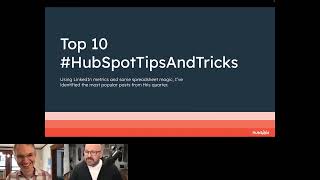
Kyle and Mark from HubSpot Academy walk through new features across Sales, Service, Marketing, CMS, and Operations hubs. The live session includes Q&A and real user tips on how the updates improve workflows.
Okay, we are now recording. So for anyone who's here, if you want the recording, I'll be circulating that afterward somehow. And if you know anyone who missed it, I'd love for you to share this. This is our first ever HubSpot tips and tricks live. Kind of a crazy idea I had like a a week and a half ago and Mark was like the only person I knew who was crazy enough to do an event with me on such short notice. And we made it happen. And you're all here. I'm so excited, so happy to have you all here. Thank you so much. I intend to start doing this quarterly. I suspect the next one will be in October. I would love your input on how I can make this more valuable to you, more engaging, more fun. Mark and I have kind of made something up that we hope is good and we are eager to make it even better when we're back in October. So, yeah, let's kick it off. I'm going to figure out how to share my screen here. And Mark, will you let me know when you can see this?
Yeah, we are good. Thumbs up. We can see your screen right now, Kyle.
Perfect. All right, so you are now all invisible to me. Mark is on the chat. Please, if you have questions. If I mention something, I like to go fast, but I also love to slow down and answer questions. So if you want to hear more about something as I go, let Mark know and he will. He'll pull the brakes on me. But if you want to just meet us real quick. I'm Kyle. I'm going to go out on a limb and assume everybody here knows who I am. I can't usually make that claim. I'm not quite that famous. But since you're here, I'm guessing you know me and if you don't, you will by the end. Mark is. Is. Is newer to HubSpot Academy. He and I met. Just how long you been here now, Mark? Months.
About a month. Yeah, just about a month.
Yeah. So we had just a casual getting to know each other zoom chat and we bonded over dinosaurs because I my very favorite dinosaur pop up book from childhood here at my desk. And Mark has actually been on a dinosaur dig in Montana, which is why we're talking about Montana a little earlier. So we bonded over dinosaurs. There's actually a third person I would really love to have as a speaker here and it's all of you. If any of these tips and tricks have filtered their way into your workflow, if something I've shared with you or an update HubSpot is added regardless of whether you heard about it from me, has has made an impact for you. I would love to hear how you're using it, what a difference it's made. If you had any, have any feedback, I'm happy to send your unfiltered feedback to our product team. HubSpot is all about making our products better for our customers and I would love for this event to become a time where we all come together. I can answer your questions about how to use the product, you can tell me what you love, what you hate and I can take that all back to the team. So again, Mark is on the chat. We would love for you to weigh in on your thoughts and feelings on all these things and if you have a use, if you, if you have like an awesome story of how one of these product updates has impacted you and made your life better, we can even let you get on camera and tell us about in real time. We'd love to bring you up on stage with us. Just want this to be as interactive and personal as possible. But since Mark and I bonded over dinosaurs, let's start with the dinosaur theme. Question for you all. Put it in the chat. Which part of HubSpot do you think got the most updates this quarter? So over the course of April, May and June, I posted 58 LinkedIn videos all but maybe one or two of them were brand new features that had hit HubSpot. We've been going at an incredible rate, but I'd love to know your thoughts. Where do you think most of this is happening? Where is most of our development going?
All right, the chat is populating. I'm throwing that question in the chat right now. Got some votes for cms, some ops. Jeannie thinks ops got some service votes here. Service Hub, Marketing Hub from Eric. Thank you, Eric. Thanks for participating. Oh, Trixie wants to know what the name of the dinosaurs are. What are the names of those? Source.
So the big one is Tyrannosaurus Rex and it's actually, it's pretty hotly. I'm not convinced T Rex had feathers. I know, I know. That's unpopular. Most dinosaurs probably did. But I don't think the science is in on that one. We've got an Ankylosaurus hiding behind it. Then these little ones in the front. We've got a Velociraptor way up front. Don't believe what you see in the movies. They were actually the size of geese. But still scary, right? I'm scared of geese. Imagine if they had fangs My goodness. The one just behind it is a Pachycephalosaurus. That's the headbutting kind. And then that one behind us is an Orno. It might be an Ornithomyus. Some sort of. Anyway, this picture originally had names on them and I replaced them with HubSpot's Hubs. I'm impressed. I remembered four out of five. But yeah, just so you know, this question is actually a trick question. I don't know if that helps. Any last guesses before I reveal the answer? Where. Where we've been putting things? I'm. I'm seeing sales and. And service, I guess, in. In LinkedIn Live.
Yeah, a lot of votes here for.
All right. Well, what would a presentation be without a chart? I made this chart myself. I'm very proud of it. So updates by product. CMS and Ops Hub are actually down at the bottom. Two updates, but big updates, right? Cms. We released a free version of the CMS Hub that counts as a pretty big update. Stepping up from there, marketing had 10. That's quite a bit higher than CMS and Ops Hub. Next comes sales and service. I've grouped them together, sales and service. This kind of bottom stripey bit is there are lots of features that these two hubs share in common. Things like Playbooks for instance. And so an update to one of those is an update to both. But sales did get a couple additional. It nosed above service here. But there is one category that is bigger than all of these by far, and that is just straight up platform updates. Updates to the core parts of HubSpot that are available in all hubs. We have really been pushing hard to add value in places that affect all of our customers. Regardless of which hubs you're using, you are getting value from these updates. Even if we break this down into subcategories, just this general miscellaneous platform updates thing is still the biggest category. The way I actually think we should represent this visually is platform. It cuts across all the way and it lifts all of the hubs up. And honestly, we can make academy reporting integrations. All of these are relevant to all the hubs. We can make that whole 27 column go all the way across. But my slide was not big enough. Anyway. The kind of the promise of HubSpot is that we are a platform and all of the systems work together and are connected. And that connected tissue, that core, that heart of HubSpot is where we've been getting a lot of these updates. Here's a list of what I've tagged as platform Updates. Love to hear anybody especially excited about any of these. You can see how like post import report right Importing relevant to every hub enforcing unique property values Also GDPR deletes Any GDPR fans out there? Any of these really standing out to people.
We've seen some workflows in the sandboxes in the chat. Jen's a huge fan of those workflows and sandboxes for sure.
Yeah yeah. So that's cool. We have some power users here. If you're into sandboxes and custom objects. Those are platform features but they're enterprise only and so I never know exactly how many people are using them but they are pretty sweet. I really like them. A lot of action. Oh go ahead.
I was saying lots of action in the chat. People are blowing up. People are loving the custom objects in the main nav. That's Kristen. Imports have really improved from Karina. Lots of great workflows in the sandboxes is coming up quite a bit which is really awesome.
I'm going to pass that on to the team. They will be delighted to know so many people are getting used out of that. I found that really exciting too. Then in the other miscellaneous Platform academy of course shout out to the Rev Ops certification. I and others worked really hard on that for a long time. We were so excited to get it out to you this quarter. Reporting I want to know from you guys often a lot of things are happening in reporting. I would say my videos about reporting are my lowest performing videos. I don't know if that's because I'm personally very bad at reporting and I don't really understand how to demo it effectively or if you guys just don't really care about reporting. But then integrations. Microsoft Exchange is one a lot of people have been waiting for a long time. We now have that email integration. Things are happening with payments, but again only for those of you in the U.S. sorry about that. We'll get there eventually. Then workflows now have action logs and enrollment history. These are very admin focused features that are going to help you troubleshoot things. Those are these platform updates that hopefully are benefiting all of you in some way or another. To get into the hub specific stuff. This is how I'm thinking about sales and service Hub. This middle column. These are the sorts of things that cross into both hubs, Playbooks and Call and coaching. Moving down from Enterprise to pro. Such an exciting change. I was so happy to tell you all about that. Seemed like you were all pretty happy to hear about it. I Hope all you pro users, whether you're in sales or services, are taking advantage of Playbooks and call coaching. We made an update to deals and tickets that it's just. We'll look at that a little bit more in depth in a minute. Then in Sales Hub and in Service Hub individually Sales Hub we got lots of updates to quotes, a little bit to tasks and to the mobile app fractional line items. It never occurred to me that you might want a line item with a fractional quantity, but it makes so much sense if you're like selling things at an hourly rate or something. Someone might want one and a half hours and you can now do that. And then in Service Hub inbound calling is huge. If you are in Canada, UK or United States, you can now take calls coming into HubSpot and then some other minor updates, some of which got a lot ofLove on LinkedIn. So Marketing Hub, our oldest, longest, strongest serving hub. This is where HubSpot got its start. Still growing and changing so much, right? 10 updates all to itself and these are pretty cool things. I know a lot of you have been very excited about the changes to the campaigns tool that's been getting a lot of love from the product teams. This new social media full screen editor. Lots of cool stuff here. Then CMS Hub and Operations Hub. Again cms. We've only got two updates here but man are they big updates. Free CMS tools There is now just legitimately a free HubSpot CMS. If you know someone who's starting a website, send them that direction because it is free. Then the CRM Object property field. I did a demo of this. It's way beyond my technical can, but you can pull in this CRM object data. Now you can pull in property level data to put into the stuff you build in the Design Manager and then Operations Hub custom mode for data quality is super cool. Manual data sync so that's the list. I have prepared a top 10 but I would love to hear just a little bit in chat. What is just doing it for you? Which of these is so exciting or is there any general thoughts you have about the rate of development at HubSpot? Is it helpful? Is it overwhelming? What are you all feeling right now?
Awesome. But let's check over. We'll see what's happening on LinkedIn Live. Getting a lot of a lot of love here for the free updates. Obviously you're getting a lot of love for those frat line items and the quotes. Actually a lot of people are talking on that. And then Sandboxes again, sandboxes and associations are two big things we're seeing in the chat over here, Kyle.
Yeah, that's awesome. And in LinkedIn Live, hearing love for Playbooks. Adam sand, man, shout out to you. I don't remember if it was this quarter or if it was previously. I just shared an update about how you could commit connect Playbooks to, to required properties and like update them with workflows and he went and built it in real life. It was this thing I sort of theorized about and he popped up online with like an 11 minute video a little while later. And I watched every second. I've watched every second of it multiple times. It's like the best thumbs up video I've ever seen in my life. And it's just astonishing what people can accomplish. I love that so much.
Awesome. Really, really good insight.
Oh, go ahead, go ahead.
There was a really good.
I'm just saying Eric loves paint.
Well, you're getting, you're getting a lot of love. People are actually saying one of the love most are your videos, which is like, you know, like proof in the pudding as to why we're here. This is wonderful. So lots of love for Kyle and yes, thank you. Somebody earlier that if Kyle went on tour, they would buy a ticket and I assume they meant they'd buy a ticket and the tour T shirt as well with your face and the dates on the back. A pretty interesting insight. You know, we wanted, you know, you had said, kyle, we want to hear from people. We want to hear real honest feedback. Somebody here had said it's really helpful. All of the updates are helpful, but sometimes it gets overwhelming because you're trying to, they're trying to work on a workaround and then the update comes up and it solves the problem already. Yeah, we're on the right track. We're really listening to people, to our partners, we're listening to our users and developing the things that they truly need. Sorry for the overwhelm and the workaround. I'm glad we're able to deliver what you want there. This is wonderful.
I will say so often we will hear from our users that there is some janky workaround they're doing to do something that seems like it should be fairly straightforward. Then we release the feature that makes it straightforward. But then the hardest part of all is undoing all the janky workarounds and migrating to the actual feature. That is, that is really tough. Adam. So I mentioned Adam and his awesome workflow stuff. He's volunteered to come on. Adam. Are you in the Bevy or you're just in LinkedIn Live? If we could get. I think you have to be in the, in the actual event here for me to, to bring you on stage, but if you can, if you can find your way into the event and, and let Mark know you're here, I would, I would, would absolutely bring you on stage to talk about that because that was huge. Eric too, same invitation. If you can get yourself into Bevy, come on over.
Cool. Kyle, while we're waiting for that someone, perhaps we answer this question. Somebody's asking the new what are sandboxes? Can you give us that? What are, what are the benefit of having developed.
Sorry about that. Yeah. So in the, in the enterprise versions of HubSpot, doesn't matter which hub you have. If you have an enterprise here, you have access to sandboxes, which is basically like a whole other HubSpot account that mimics your HubSpot account. You can transfer your data and things into the sandbox and then you can test stuff out. If you want to set something up in HubSpot and you're worried it's going to break things, you can build a sandbox, you can go try it out, see what the effects are. Then when you've got it configured appropriately, you can bring it over into your live account and start actually using it. We launched sandboxes at Inbound last year and it came with lots of ways to like, you could check boxes about the data and things, the assets inside your account that you wanted to copy into your sandbox environment to test out. But workflows wasn't one of them until recently. Now the workflows you have, you can transfer between HubSpot, you're like live and sandbox accounts, which just makes it a lot easier so you don't have to recreate them manually a piece at a time. So that's what sandboxes are. Again, it's an enterprise feature. But if you are, if you are a sophisticated, complicated company, if you're doing especially really advanced things with, with workflows and things, it can be a lifesaver to have a place you can test that out on data and see what will happen before you actually set it live. So awesome.
And Tiffany in the chat right now is literally saying, quote, we couldn't live without sandboxes when we're helping a customer set up new processes when they are already using HubSpot is a huge insight. Thank you, Tiffany, for sharing that as well. Another question did pop up. Kyle, you got time for a Quick question here.
Let's do it. Yeah. Yeah.
Is there any tips? This is from Brandon. Brandon wants to know, is there any tips on how to update custom objects in a workflow without having to do one field at a time?
Interesting. For that one, Brandon, like, honestly, legitimately, and for all of you. You are my best friends. You showed up to my event. If you want to reach out to me on LinkedIn, direct message me. I'll send you my HubSpot meeting link and we can set up a time. I would love to see what your custom objects look like, what you've got set up, what you're trying to accomplish with workflows. I suspect there is not like an easy one size fits all single sentence I can share right here that'll make all your problems go away. But hopefully working together, we could. We could come up with something elegant. But yeah, that goes for all of you. Like, seriously, you showed up for me at this event. I made up. I am happy to help you with whatever HubSpot things you're doing. I'm going to keep charging forward with the top 10 here, but I. For those of you on LinkedIn Live, I shared the events HubSpot.com URL so you can join us in the actual platform. And that way, if you want to come on stage with us, you are. You're welcome to.
But real quick, Kyle, before we jump in, I want to let you know Adam is in the bevy now. Adam was able to join.
You made it. Okay.
Adam made it. You didn't Confetti and the marching band, but they were here. Adam is here now.
Nice.
Eric is here. Adam and Eric.
Adam. All right, I'm gonna let Adam go first. Just going alphabetically here. Adam, I believe you now have the ability to turn on your camera and your microphone. Let us know in the chat if that is actually not true. There he is. All the way from somewhere in Canada, I think.
Yes.
All right.
I'm in Indianapolis right now, traveling. I spoke. Spoke on stage at a conference earlier.
So nice. On stage at another one. Two in a day.
Doing a day. That's a new record. Yeah, I really wanted to. I really wanted, like everybody to kind of hear about how awesome the tips and tricks are when you actually get excited about it and then you immediately try and dive in and make it because your tips and tricks, like, yeah, sometimes be overwhelming. So many. But the thing is that there's only so many you can actually think of a use case for. And for us, we specialized in, like helping construction companies like roofing and solar companies kind of more specifically. And I looked at that and I just thought, you're right. Like, there's so many times you have this exit criteria that you want to make to move a deal, but sometimes there's a lot, like, what are you gonna have them do? Fill out 45 properties. And when you do it like that, like if you had like five properties, it's just gonna be the property, not like, you know, so it's gonna be like, is there solar panels on the roof or not? You know what I mean? It's not, it's not gonna help you, like actually who's maybe lower level and give them the higher level data that's needed for the next person in the buyer's journey, like the next employee. So in this case it was a salesperson. And they're like, add, you know, they hear no 17 times. It runs off their water or back like a duck or whatever. Like they say, you know, they don't. They hear no, and it doesn't hurt their feelings. Production managers, they're more like, they're more focused on the details. If they make a mistake, they're gonna like cry about it because they feel so bad to let someone down. So they're usually like kind of dealing poorly run production departments or poorly run poor sales guys putting in poor job files into production. And so they're like, you know, they're, they're always dealing with the trauma. So when a sales guy walks in is like, I got a deal, I got a deal. A production manager's first inclination from all that trauma is great. What pile of dog crap are you bringing me? Where's the landmine hidden in this sale Where I'm going to screw up? And so Playbooks would be the right answer for that. But the problem was, how do you force them to fill out the playbook? And their validation property was really good. And so you said, like, have an answer. If the answers are, then that would check off a box. A property that's like hidden somewhere and only managers or executives or developers have access to it. And so we made the Playbook like an interview from the production manager. So that way the production manager doesn't have to like go through his head and go, well, what about this? Are they redoing the flashing on the skylight? What are we doing for delivery? Can we get access? What are safety concerns? Like all those questions, we turn that into a really nice playbook that answers those questions, that asks those questions in a really natural language way. And, and then put a Bunch of answers in there. So like one was like, are all the contacts associated to the deal and do they have association labels? Right? And it was like yes, no or have fun guessing who's who. Those are like the right. And it was obvious that no wouldn't check off the validation property that one little checkbox yet. Have fun guessing who's who is kind of like the smart ass answer that of course would not let it go forward. And so there's like 32 questions in that. And we have, we like the only people who are upset about this are like, you know, therapists who no longer have to deal with the trauma that production managers go through, constantly failing to meet customer expectations because they're not worried about all these landmines. And so yeah, it's like a 32 question long playbook with like right answer, wrong answer and like maybe like a smart ass joke or a trick question and it forces them. So it's like is the property known or is the correct answer checked off? And that made it so that now clean job files are going from sales into production. And it totally changed like our service offering because now rather than creating these like, well, if they use the playbook, it'll work. Or if they fill the properties when they move the deal stage from, you know, stage four to five, it should work now. It's like guaranteed, you know what I mean? And so our value as a partner and the amount of money that we're able to charge because that takes time. And now we've added it to like our kind of like our service tickets that we offer people to build and clients are sending in like the word the make me a playbook with validation property ticket. It's like our most requested ongoing, ongoing like retainer agreements. I love it. And I just keep doing what you're doing and I just, I really want everybody to kind of see that your tips and tricks, if you actually like think how does this apply to me? It can change. It changed our business, right? Because it upped our value. So our dollars went up and it's transformed our clients, businesses because now they're saving money. They're not making mistakes, they're getting better customer success. Which is the whole point of like the unified code base and trying to get like. That's why we sell all the hubs, because that way everything is in there. So the sales, sales deal to production ticket is perfect now because that's the end of the sales deal journey and it goes into the ticket. That's those playbook properties end up yeah, Yeah. I love it, man. Thank you so much for letting me share it because.
Yeah, thank you for hopping on. I'm seeing some questions here around playbooks and some of the details of this. So playbooks is a tool. It's inside of sales hub or service hub, and your teammates use them. They can be on, like, a contact record or a company record or deal record or whatever record, and pull open this Playbook, and it's like an interactive list of questions. And you go through the questions, just like Adam was saying. It's like an interview, and you mark the answers. And if you have an enterprise version of HubSpot, then you can connect those answers into properties. So now sales reps, who are notoriously bad at filling in properties are filling in properties without feeling like they're filling in properties. And that all goes. And that's sort of the magic extra step is that you have a is this deal qualified or is this project ready checkbox, yes or no, that nobody can access except executives and admins and things and. And a workflow that checks all those properties. And once 100% of those 36, 40, 500 properties, whatever, are filled in with the appropriate answers, now that checkbox is in place, and until that checkbox is checked, the deal or ticket or whatever cannot move into the next stage. Right. If you try to drag it over and that's not in HubSpot, say, and shove it back over, you can't click.
It because it's, like, grayed out for all the other users. I never would have found that. And that was funny because you. You had said that that was like, some kind of, like, hacky workaround that someone else found.
Yeah.
And the hacky workaround has become a core part of what we offer.
Yeah. And that's so awesome. And it was this weird thing. Just, like, one week, I talked to two different HubSpot users at two different companies, and they both had discovered this thing, and they were both so excited to tell me. Like, did you know you can have a checkbox that only a workflow can fill in? Like, no, I don't know what that means. And then I made a video about it, and now Adam has run with it. So this is what I love about the HubSpot ecosystem. We're all here to help each other. I do not have a monopoly on the tips and tricks of how to use HubSpot. Well, if you have something you're doing that's cool, reach out, let me know. I'd love to share it with the world. So thanks. Adam, thank you. I'm gonna.
How do I kick. Kick myself?
I'm gonna try to remove you from the stage.
Adam, we'll give you a comment.
There we go. I did it. Hopefully you didn't fall down the stairs or anything, Adam. And then Eric is in here somewhere. Right? Eric Elliott, presenter mode on. Okay, Eric, you should be able to hop on now.
Jumping in here. And just so we're checking in here. The chat is loving, loving Adam's tip on that. We've got. Trixie is doing the same thing, is also using this to rate their SQL. So lot. A lot of val. A lot of value made through that for sure. And we got. Eric's live here. Hey, Eric.
Eric, how are you?
What's going on, Kyle?
How are you guys? I hopefully you guys had a really good week of rest. Yeah, you know, I want to dovetail on what Adam said and I'll be pretty brief with. It was. I remember, like where I was in Greenville at the time when I was traveling and I saw you get on so excited about the Playbooks and how it had come to the sales pro version. It is a game changer. It is a complete game changer now. I mean, what we had before was we didn't have a way to kind of keep our processes in line. No one was asking the same questions. And a lot of what we learned from you on the tips and tricks, you've helped us to minimize our tech stack, which is the most important thing, being able to have like, you know, just different features on all these other platforms. But like you said before, HubSpot does what it does very well. And a lot of what I could do, I just brought everything from those other platforms right to HubSpot. So, man, you helped us minimize our tech stack and you helped us to be able to get our processes in line that actually our team's excited. And so, man, HubSpot tips and tricks. I watch it every day.
Every day. Thanks, man. And yeah, I'm so glad to hear that Playbooks it first came out, I think it was like, I don't know, 2018 or something. And it was this cool new thing. It was this way to do exactly what Eric just described, where you're going to give a set process, even set questions to ask in a particular order with possible answers, and your reps are going to be able to ask these questions in a consistent way. But it went straight to sales and service Hub Enterprise. And I remember I was at, I think it was the New York City hug and Ari Haas raised His hand is like, why is it an enterprise that is a pro feature? And I was like, you know, I am an educator and if I could, I would give you all these features for free. But I had to make money somehow. And honestly, I'll tell you all transparently, since we're all among friends here. We were in an era where sales enterprise was not awesome and we just needed to stuff some cool features in it to make it worth the money. Now Fast forward to 2022. Sales enterprise is awesome. Like, it is such an incredible package that it can now share its bounty and wealth with the lower tiers we're able to pull. We pulled playbooks and some, some call transcription and coaching features down this quarter. The previous quarter we pulled down quote based workflows. All that enterprise goodness is trickling down into the pro tier and I just can't get enough of it.
Awesome.
Thank you for what you're doing. We appreciate you.
Yeah.
Real quick before you jump, Eric, the chat is blowing up over here. People want to know, what camera are you using? You have a, a perfect camera. Literally. They're coming up. One is like, where can I get a Kyle T shirt? That is coming up. Two is just love for all these tips and tricks. And then the third is like, what.
Camera are you using?
That's. It was what camera are you using, Eric?
Oh my gosh. It's, it's, it's a, it's a DSLR that we use with. It's a DSLR 4K DSLR camera.
Yeah.
Thank you.
All right, Excellent.
All right. All right. Without further ado, although if anyone else wants to share a story at any point, you are welcome to. Mark is here monitoring for that. But I'm going to go back to sharing. I'm going to share some the top 10. We've heard about a couple of these, but looking at the metrics LinkedIn gives me on my videos and putting them in a spreadsheet and doing some things I sort of made up and didn't really understand. I came up with a list of what I think are my audiences. Your favorite tips and tricks from this quarter. And so I just want to go through those real quick to make sure all of you know about them and didn't miss them because these are huge. So in 10th place, CRM index pages got refreshed. They got this kind of new look and feel. Some stylistic changes. There's no new functionality here yet, but under the covers, this change has made these tables faster and easier to maintain for our technical teams. And we've got some big things planned here. I've seen some mockups and working prototypes of some of the stuff our product teams want to do with these pages and allow you to do on these pages. And it's nuts. I don't know. None of these ships have sailed. We don't know which ones we're doing or in what order or what timeline. But watch this space. You're going to see cool things happening and I fully expect there are going to be some tips and tricks videos where I'm literally jumping up and down because I'm so excited with what we're doing with these index pages. We've laid the groundwork to make them more flexible. You did get, I think, some slight feature updates. You can now resize the columns and I think the search bar moved to a different spot. But there's a lot more coming next. Custom objects are in the main nav. Several of you mentioned that you love this. One thing I really love about this change is how flexible it is. Under this Contacts menu, if you have just one custom object defined, you're just going to see it right there in that menu. You're not going to have to go to a sub menu if you have between 2 and 10. That's what my screenshot is showing here. In my account I have four custom objects defined. You're going to see them in this little pop out menu. If you have 11 or more, which I don't know if anyone here has. If you have 11 or more, I would love to hear about it. I don't think we have very many HubSpot customers in this category, but you're going to see the first 10 objects displayed alphabetically by their plural name. And if you want to see some of the other ones, you're going to have to do the old way of clicking down into them. But we do have a more scalable plan in the future that will be coming later. If you're in that boat of people who have a dozen custom objects. One thing I think is super cool about this, you should all know about Here I am in HubSpot and there's this Sprocket button up here. I don't know how much you guys use the Sprocket bucket button. For me, it takes me to my dashboard, which I think is the default. The default is to take you to dashboards. But you can customize what this button does, where it goes per user, right? So if I just go to my. I think it's in my profile and preferences. If I go to this General tab. Whoa, I did not mean to zoom in down here. Default homepage. So what do you want to see when you log in? What do you want to see when you click that Sprocket button? This has been here for a long time, but it's tucked away. Nobody knows it's here. You can make it go pretty much anywhere in HubSpot. If you want to default to your tasks or whatever, you can. But with custom objects being in the nav now, it's also here. So if there's a custom object, your cars or your pets or whatever your custom object is, if that's where you live and die, if that's where you want to be all the time, you can set that to your default here. Then when you log into HubSpot, that's where you're going to land. When you hit that Sprocket button, that's where you're going to land. So if you are in the 11 + category and there is one custom object that alphabetically is down the list and it doesn't appear in the main navigation, but you love it, set it to your Sprocket button and it'll change your life, I guess. So. I'm really excited about that. I want everybody to know about the customizable Sprocket that's been there a long time. I feel like it's an underutilized feature and I just love that more options have been added there. So that is ninth place, eighth place. You can now add assets to a campaign from campaigns. And honestly, this, this video was a collaboration between me and Max Cohen. If you love Max Cohen, drop that in the chat. He is the TikTok HubSpot guy. He's, he's, he's more entertained. I'm the straight man. I don't know why you all hang out with me. He's way more fun. But I, he and I did a collaboration video on this one where he pretended he was about to tell you about it and I pretended like I was interrupting and already made a video about it. So maybe you all, maybe this ranks so highly just because Max is awesome and you were all excited to see him. But it is a pretty cool feature that you can now, if we, if we go to campaigns and if you're working on. This is the one I use in all my demos. You guys sometimes give me grief that I clearly just typed nonsense in here. But if you're adding assets, you can now. Forms we'll get to. You can add forms now. That's new. But like, I, you know, there's this Create Social post for all of these, right? If you want to create a new thing, if you're adding an email to your campaign and it doesn't currently exist, you can just click this button and go create it. It'll come right up and you can build it now. And when you're in this process, it'll get associated with that campaign automatically. I have no idea how that works, but it's super cool. This is a cool feature. Again, I don't know if you guys love campaigns or if you love Max Cohen. I love both. And so we'll keep being friends. Format data Custom mode so this is an Ops Hub update, Operations Hub update from this quarter. This one I just love. When I first heard about it, I was like, did we actually need this? We're getting rid of UI elements. How is that helpful? But man, is it helpful. And it's so fun. I don't know how many of you have Operations Hub, Professional or above, but if you do, you have this data formatting action that's been around since opshub launched a couple of years ago. But format data. You choose a property. I'm going to pull in a first name and I'm going to fix the capitalization or whatever you're going to do. Custom mode changes this into. Basically, it's like Excel spreadsheet field, where you can just type your formulas in. And we added a couple of new formulas. There's three big deals here. First, we added a couple new formulas. Concatenate, where you can just shove values together and. And Join, where you can shove values together, but with a separator in between. I'll show you that in just a second. 2. You can pull in multiple properties into a single action. It used to be if you want to do things with multiple properties, you need multiple actions, no more. And you can put multiple formulas in a single action. So it used to be if you wanted to do multiple steps of formatting a data, you had to just keep copy pasting into new things. No more. Right? So if we want to just join together. First name. Wait, no. First we need a separator. Join, we give a separator. We're going to put spaces in between the values we are joining. And then we're going to do first name and we'll do last name. This is now going to give us. We're going to take these two properties, we're going to put them together into a single property with a space in between. Cool. Simple enough, but now let's make sure the capitalization is right. How about capitalize and then we'll just put this inside the capitalize. And now not only are we going to join them together into a single property with a space in between, but we're going to capitalize them. We can do as many layers as we want. We can just keep adding stuff here and you're going to get your data formatted exactly the way you want it. Then when you save and continue it automatically, if you have this checkbox checked, gives you the ability to copy that into a property somewhere else. If you need to create a new contact property to store it in, you can totally do this. This is such a smooth, slick, easy flow and you can do basically anything you need to. I am a big fan of this. I love the new features that keep coming out for Operations Hub and I. I could talk about them all day long, but we'll call that good for now.
In sixth place, Quick question from Holly on this. Holly and a few others want to know, can you use this, can you use this to calculate all deals value for one company record? Oh, interesting use.
So if I'm understanding you correctly, you want a, for example, a property on a company that looks at all the associated deals and sums together their values and puts that on the company. I don't think this would be the right tool for that. You know what, we're all here, we're live demoing stuff. Let's go live demo some calculated properties. Because I suspect you can probably do this with a calculated property. And forgive me for not knowing off the top of my head what tiers calculated properties are in. I think there are few in professional and a whole lot more in enterprise or something like that. Somebody here knows the answer to that question, I'm sure. But if let's, let's do we want a company property and we'll just put it in company information, whatever and testing stuff. Hopefully that name is not taken. So if we do a calculation, let's see, what can we do? We want sum of deal. Yeah, we're going to do a sum calculated property. We're looking at associated deals. If you are using association labels you can take that into account. I haven't created any custom ones here. We'll just look at all associated deals and we want amount and we're just going to sum that together. And so this would appear on the company and it would be summed up and that would give you what you want. So you don't need Operations Hub, you just need to calculate property. The people selling operations that will not be happy. I told you that. But don't buy operations up. Just get yourself a calculated property. So that's how I would go about that. I love this stuff, guys. Seriously reach out to me on LinkedIn. I just. They stump the jump here. I don't know everything, but I love figuring stuff out in helps. I think it's so fun. 6th place free CRM tool or CMS tools. We talked about this a little bit. If you know someone who's just launching a company or just launching their company website, they they need a website with a few pages and a blog. This is the place to go. It's free. They can make up to 25 pages. They can have one blog with up to 100 posts. For people who are just getting started, this is a great place to start. I highly recommend it today actually. Dharmesh, one of our co founders, posted this on Product Hunt. So if you want to take a look and if you want to give it an upvote, we would love to get it trending. Can I find a chat here? Okay. Yeah, you're going to get a weird vertigo feeling here. Just a minute. There you go. That is now in the chat. So give the free CMS Tools some love. We would love for the whole world to know about this and not be paying to build their websites. Especially for companies that are just getting started, we want to make that as easy and free as possible. Inbound calling so for my friends in the United States, the UK and Canada, you can now receive calls inside of HubSpot. It's super easy to set up. You can secure phone numbers right inside of HubSpot. This is just. If you. Since I'm already on the settings page, I'll just show you. There's this calling section down here and you can just click this. Get a HubSpot number button and then you just get a HubSpot number. Right. So like I'm not going to do the whole thing here, but where's Massachusetts? How about 857? Yep. So we could generate a number and we would get it and we can get this number and then people can just call you. And it works similar. If you've ever made an outbound call from HubSpot and you've done the system where it like calls your phone and then connects you. That's basically how this works. It'll ring your cell phone, you'll connect it to one of your numbers, but it can be recorded, it can be transcribed, it'll definitely be reported on. It'll all be in the CRM, which is just fantastic. Dharmesh is here. Okay. On LinkedIn Live. That is a big moment for me. I'm drawing quite a crowd here. Fourth place. We've got forms and campaigns. I teased this a little earlier. You guys loved this one. I'll be transparent. I've never been a marketer. I've never done that job. But what I gather is that you all kind of live and die inside of campaigns and there are certain parts of the campaigns tool that have just not been working for you and this is one of them. But now you can add forms to your campaigns and the crowd went wild. Seems like a thing a lot of you have been waiting for a long time. I'm so happy we were able to give it to you. I've got to say, the team working on campaigns is nowhere near done. They've got this huge long term vision. They've got a lot of good stuff coming. Stay tuned and hold on and buckle up because they're coming. Full screen social media editor. Super fun. Again. I've never been a marketer. I've never been a social media marketer and I don't have enough social accounts connected to my my account to be able to demo for this for you live. But it's so cool. It's this full screen experience and you can compose one post and it will show you what it'll look like across all the platforms. You've got connected Twitter and Facebook and wherever else and you can make one basic post with one basic set of visuals that'll go across all of them and then you can edit and touch up each of them to make sure they look just right and then publish them. And it's just so fantastic. I was really grateful to the social team, the team that builds these tools. They had to teach me how to post to social media so that I could demo this and they had to give me access to their demo account. But they were so patient with me and we put together a video that I felt really good about and it seemed like you all liked it too. Then second place, we have talked about this, but it warrants saying again. Sales and service Hub Pro got some. They took some features down from enterprise. Playbooks are now there. So what Adam was talking about with Playbooks connected to properties and that sort of thing, that's still enterprise. But if you want to do what Eric's talking about and you just want to give your service reps or your sales reps a script and give them questions and possible answers and just make it really easy for them to collect this data that will all then get stored on the contact timeline instead of the or the company timeline or the deal timeline instead of in the properties. This is just such a great way to enact a consistent sales process or service process or whatever. And then call transcription and coaching. Seems like you were all a little less excited about that. But it's so cool that you can get your calls recorded and transcribed. You can search the transcripts and you can leave notes and you can give pointers. You can see what percentage of time your person talks versus the customer they're talking to. And you can start helping people make real progress based on real data and how to better interact with your customers and serve them and meet their needs. I think that's very exciting. And then this is probably skewed. We should probably not be surprised that my most popular post this quarter was the one about the new certification I helped build. But the Revenue Operations certification is awesome, you guys. And if you haven't taken it, you totally should. If you have taken it, I would love to for you to, to weigh in on the, in the chat, just what you thought of it. What, what was most impactful for you. I've got to tell you, I did a lesson in this course where I taught the basics of accounting, which is the hardest thing I've ever done at HubSpot Academy. But I'm super proud of it. I. I took, I took a couple of different online courses on accounting. I read stuff about accounting. I met with some accountants here at HubSpot. I did everything I could to learn, like what is the most important things a person like me who knows nothing about accounting can know. To be able to communicate with executives and speak in the language of financials and turn my big visions and things into priorities they will actually care about. I'm really pleased with how it came out. I encourage you all to check it out and let me know. And then this is, you're seeing Mary Barber here. She now owns Operations. As far as HubSpot Academy is concerned, she got hired when this project was already in flight and she just took it on. She owned. If you watch it, you'll see she's roughly half the videos, maybe slightly more than half the videos. And she is just a gem. She is so fantastic. And so I would highly recommend that you all watch this. Not just to get to know Revenue Operations, but get to know Mary because she's an exciting new addition to the Academy team. So that's the top 10. I have four that didn't make this list I think you should know about, but I'm gonna pause. How we all doing? How we all feeling?
Kyle, the chat is blowing up. Lots of love for Mary. Insane love for the rev Ops, of course. I got some really great comments I need to read to you here because these are awesome. Tiffany, our entire diamond HubSpot partner agency thought this was the most important video in the series because so many don't understand it. The accounting video. So great job there. Lots of love. Lots of love for Mary. Lots of love for that cert. It's just blowing up. The chat here on Bevy for sure.
That's awesome.
I also want to note here. Yeah, people, Kim hsa. They're setting up their first sales playbook today based on your tips and tricks. So the playbooks are amazing. There's a few other folks in here that are literally like, we're starting it today. We're doing it now. So not only are the tips and tricks on LinkedIn helping people, but this is helping people tremendously.
That's why we're here. I figure if I give you 58 videos in the course of a quarter, you're just eventually going to drown in videos and not learn anything. But if I can give you just, like, the most important things you should have gotten out of those 58 videos, hopefully that's more actionable for you. If you are jumping into Playbooks for the first time today, you get stuck. If you have questions, I would love to connect with you, understand how you're trying to use them, maybe give you some pointers. I am just so excited for everyone to start using Playbooks.
Awesome. We got 10 minutes left. Kyle. I know we're both youngest children in our family. We'll talk until somebody interrupts us. 10 minutes left. People are saying, you're killing it. You're slaying it. They're loving it. Please, more. Kyle. We're ordering shirts as we speak. The tour is going to start. Kyle, 10 minutes left.
What do you got? All right, so here are four that my spreadsheet did not say were very popular videos, but I think should have been popular videos because I'm so excited about them. One is you can now rearrange the buttons on the CRM. So I didn't even understand what that meant when I first saw this update come through. But here, let me just show you real quick on a. On a contact. Sorry, I can't use my mouse. So you have these activity buttons where you can, like, make a phone call or you can Send an email or whatever the case may be. And they have always been kind of in a default order and you would always see all of them. Now if you click this, there's this reorder activities button and you can decide you're going to see up to five and you can decide what order they should go in and right. If you want to, if you log a lot of calls after the fact or if you log a lot of meetings, you can put these in whatever order you want. Maybe making a task is your most important thing and then you save it and now it's there done in the order. Put your most important one to the left or to the right, wherever you think it should go. Or if you just super want to focus. Right, we're going to put email right here. We spend a lot of time emailing. We spend a lot of time making phone calls. But that's all we're going to do. We're going to keep the rest of these empty. Now, no distracting buttons. Here are just the. Well, okay, if I could just use it properly. Here are just the ones that you use. You don't need buttons. You don't look at. This is available to everyone. It's still in a beta. We're collecting feedback. I would love for you to go in and edit your buttons and then when this pops up, click the one that matches your emotions the most and then give us a little feedback. You know, love this so much. By the way, this is Kyle. I don't want to skew the data too much, but there you go. So that is rearrangeable CRM buttons, deal and ticket card updates. This is a little one. I had no idea this was coming and I think this is so impactful. But like a lot of good updates, if you don't like it, you can turn it off. So look at, look at my deals here. This one, the lab. You see the last and next activity date on all your open deals, not your closed deals because that doesn't matter anymore. But for your open deals, you're going to see. Last time I did something with this one, it was an email four months ago. I have nothing scheduled in the future that is suspect, right? This is a deal that is not getting any love. If there's nothing planned for the future and it's been months since you talked about to these people, maybe it's time to move it to close last, right? And if you don't like it, right, if it makes them too big, if you have a ton of deals and they're Taking up too much space. If you go to board actions, edit cards, you can just turn it off, right? We want that to go away. Now you have more space. We, we have this inactive cards thing, right? You can say if cards haven't been updated in three weeks or whatever, we're going to turn them gray. You can do that. You can use both. You can, you can. We have tried to make this adjustable in so many ways to just make it match the way you need the board to work, right? So if you need lots of space, you can make them tiny. If you don't have very many deals and you want to be able to see lots of things, you can make them bigger. You just. You do you and you make this help you prioritize your work in the way you need to.
A lot of love in the chat for this. A lot of love. People are saying they're using it. They're loving it. This is amazing. It's helped their sales 100%. Unreal.
Awesome. I'm so glad to hear it. We have a new quote theme. Because we're low on time, I won't show this to you live, but it came with two templates. One that is just a normal straight up quote and one that's more like a proposal. Lots of room for text and images and it is gorgeous. It is so beautiful. In addition to looking great, the line item module in this theme supports custom line item properties. If you created custom line item properties in your products, you have properties that are not the standard ones. You can now add those to the table of line items that appears on this quote and send that onto your customer. I think that's super exciting. The ability to customize quote templates just came out the previous quarter. It's fairly new. I was so excited that they're now creating this, giving this new theme. It's available to you. So you can make quotes that are not just customized to meet your needs, but really look fantastic. I think this is really exciting and I hope. I don't know for sure, but I hope this is an indication of the direction we're moving in with the amount of flexibility you're going to get. Honestly, if you combine sales Hub with CMS Hub, I forget what tiers you need, but you can create an entire quote or proposal template from scratch and make it look however the heck you want. But this like you don't need CMS Hub. If you just have sales Hub and you're doing quotes now, your quotes can be beautiful and I think that's fantastic. And then Last, I think is commenting mode, which I am obsessed with and I hope someday this is in every single part of the product in Marketing Hub right now. But if we just go to. How about forms? Yeah, leave you after forms, you can tell. Not a marketer. Have a little trouble finding my way around. If we look at this form here, new form looks good. We'll edit it. Commenting mode is so fun. You turn it on and you get this orange thing and then you can comment on specific parts, right? Like let's change what this button says or let's change what this says. It's not just like the form fields. If we come over to options and we're trying to decide what form and error message language, we can have a conversation about this. What campaign do we want? Anywhere you want to comment, you can put a comment. I just think that's going to be so great for everyone. You can now collaborate as you add your comments. They'll all be compiled here together. You can see the threads, you can respond to them, or you'll get a little comment icon you can click on to engage with them. There's this is in forms, campaigns and workflows. Right now, like I said, I am rooting for this to be in every part of HubSpot. Give it that really collaborative feel. Work with your team. Take advantage of the collaboration opportunities that are there.
Awesome.
Those are my favorites.
Quick questions, if you want to check LinkedIn live, there's a few quick questions. We got five minutes left, but there's a few questions here in the chat. We want to make sure we get to Holly. Holly, thank you for your participation. Holly is like blowing up the chat, blowing up the questions. What Holly wants to know is can you use Playbooks with campaigns so we can have a list for the marketing team or they've done all that was needed for the campaign. Kind of like a to do list. So can you use a Playbook? I love marketing similarly to the sales.
So right now Playbooks live on. I love this suggestion. The answer, I think is no. I'll just preface with that. The Playbooks right now live on CRM records. So if you're looking at a contact or a company or a deal or a ticket or whatever, maybe custom objects. I don't know that one for sure. You can have a playbook and it pops up and it guides you through. The idea is that it's going to guide you through your interactions with a particular person or entity. On the marketing side in campaigns last year, sometime I think maybe a little longer ago, Than that, we introduced marketing tasks, which currently is completely separate from sales tasks. But there is a way to create these to do lists and check things off in order that would be worth exploring. My offer of connecting and exploring things stands. But in this case I don't think I'm probably the best person because as I said, I've never been a marketer. I've never done much with Marketing Hub. But if you want to reach out to me, I'm happy to connect you with one of my colleagues on HubSpot Academy or someone from the product team who could help you navigate the best way to do this. I know they're always looking for feedback and I would love to figure out a thing that works for you. But Playbooks is not going to be, I think the tool that that'll work best in this situation.
And for those of you that know Kyle, you see him online, that offer is as genuine as it comes. He will always get you the answer, get you to the right person. I was a kid. I was at a Grateful Dead concert. I got lost in a parking lot. I saw a bumper sticker. It said strangers are just friends. We haven't met yet. And that Kyle does that for you. He makes all of us. We become friends through the HubSpot ecosystem. So reach out to Kyle to get those answers and get the right people.
Okay, we have like two minutes left. Luckily, I only have one slide here. I would be remiss if I didn't call out. You should. If you want to know what HubSpot's working on, go to HubSpot.com new we have our roadmaps published there and we just updated them a couple weeks ago. So that is the most up to date place to see specific things that are coming up. But as for what's coming up for HubSpot tips and tricks in the next quarter, I can't think of a way to capture it more appropriately than to bring back our dinosaur theme. A little Jurassic park here. There are big things coming. Q3 is always a very interesting quarter. The pattern I have noticed as a hubspotter is that we launch a lot of big stuff at our inbound event, which is in September and it's hybrid this year. You should totally come either in person or online. Either way it's going to be fantastic. We'll be announcing a lot of big stuff because of that. You will probably see like you have gotten accustomed to seeing me every single day saying here's something new that might slow down a little bit in Q3. Our big things we are polishing and getting stage worthy ready for inbound. I will still have plenty of things to announce invariably in Q3. I'm surprised when a couple of things come out a little early or it turns out we don't have enough time on the inbound stage to talk about Product X. So we're going to announce that here. I want you to know you're going to see maybe a slight slowdown in my velocity, the number of videos. I don't suspect there will be 58. But toward the end of the quarter as we get closer to inbound, you're going to see big exciting things coming and I'm going to be right there with you, I promise. I'm going to explain them all to you, help you see the value. And like I said in October, we're going to do this live event again and we can recap everything that's happened, get hopefully some more people on stage with us who have, who have used them and answer any questions you've got. So that is the end of my prepared remarks. 1, 59 and 30 seconds. We nailed the timing. Mark, thank you so much for helping navigate the chat here. And that's, that's our show. Thank you all so much for being here. I am flattered and honored. I see some red dots here next to Q and A. So Nick, if you're still around sending emails to multiple email addresses for a single contact. I saw your question on LinkedIn Live. I've not answered it because I don't know the answer. I'll have to investigate that when I get back to you. Connect with me and we can talk about it more. I don't want to guess and be wrong. Looks like that is it and we're right at time. Thank you all for being here. This has been a blast. Thanks Mark, for helping me make this happen. I think we're going to do it again. I think it's a thing. We've made a thing.
This is awesome. Every people are sending hard.










