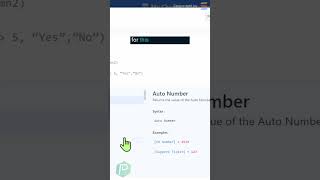
This is a YouTube video titled "Inside SmartSuite: Organize Your Association 🎥 Part 1" containing a tutorial-style presentation from October 17, 2023. The speaker explains how to use formula fields within SmartSuite to calculate sums based on subitem information, specifically demonstrating how to sum and subtract membership dues owed and paid within a membership management template.
Did you know you can calculate based on subitem information inside of SmartSuite? First, you want to go into a record that has some kind of subitem field set up. For example, inside this membership management template, I've got this sub items area where I'm tracking membership history and I'm tracking the amounts owed and paid at each interval of time. Scrolling over to the right, you can see I've got an owed and paid column. And wouldn't it be cool to be able to kind of add all these together? To do the magic that we need to do, we're going to go down here and select a four formula field. We're going to go under the advanced area, which is what we're going to need for this type of formula, and we're going to type in the following formula. What we're doing here is summing up the values of all dues paid and subtracting it by the sum of all dues owed. This little dot here is what's allowing us to do the magic of looking inside that membership history field and summing up the inner contents. We need to click that period and we'll see new fields appear up at the top that are just the ones that are tucked inside this particular subitem. If I click use add that final parenthesis. There we go. I need to remove all of the spaces and carriage returns between here and then click Save and we have a formula field that shows us the difference between those columns.