Let's Talk #HubSpot Updates 5/23/25
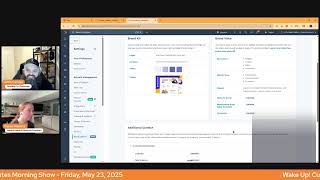
This is a YouTube video titled "Let's Talk #HubSpot Updates 5/23/25" featuring a morning show format where hosts Chris Carolyn, Casey Hawkins, and George B. Thomas discuss the latest updates and features in the HubSpot platform. The conversation covers AI-powered data model recommendations, journey automation cloning, mobile list access, email digests for research intent, journey analytics, brand voice customization for customer agents, and other HubSpot tools and improvements. The discussion is casual and informative, aimed at helping users maximize their use of HubSpot's capabilities. The video was created in May 2025.
Foreign.
Wake Up, Customer Platform. It's time to start the day. Discover all the value you already own. Don't let solutions slip away. Wake up, Customer Platform. The tools are at your hand. No need to sleep on capabilities that can help your business stand. The answer's right before your eyes. You just need to realize. Wake up, Customer Platform. And watch your business rise. Wake up. Wake up. The platform's waiting for you. Wake up. Wake up. See what your system can do.
Good morning, HubSpot Nation. It is time to Wake Up Customer Platform with your unofficial HubSpot updates morning show where we help you discover the platform value you already own. Chris. I'm Chris Carolyn, joined by my co hosts Casey Hawkins and George B. Thomas. We are here every weekday morning to make sure you're not sleeping on HubSpot's true capabilities. If you're joining live, drop a hello in the comments and let us know what you're building in HubSpot today, May 23, 2025. Happy Friday.
Happy Friday, kids.
Happy Friday.
Any big plans for the holiday weekend?
Chill. Is that a big plan?
It is.
I mean, I didn't have any plans till the last show. Now I probably have. I was gonna chill, but now I guess I have to go check out AI.
I told my husband I don't want to wake up to an alarm. Just one day. Just one day this weekend.
That's fair. Rest and reset. Good plan. So we'll. I guess we'll help you. Hopefully we don't do any more triggers like we. We have with George on the. On the last show and none of these.
I know. I didn't. I tried to catch the AI morning show. I didn't do it today. Based on. Based on George. I'm like, I guess I need to go rewatch after the show.
Yeah. Well, do you have Google Workspace, Kasey?
I do.
Oh yeah. You want to check it out? In the meantime, we'll run through these HubSpot updates. This one we hit on yesterday. AI powered data model recommendations. What is it? We're developing AI powered data model recommendations to simplify HubSpot setup and deepen usage. We will utilize information that we have about your business to generate a tailored set of easily applied configurations.
Why does it matter? Manually configuring HubSpot can be time consuming and overwhelming, especially for new admins. AI powered templates will allow us to meet the needs of HubSpot's broad customer base and build upon the industry specific templates released last year. The personalized content will allow you to get your HubSpot account up and running quickly and efficiently.
And yesterday we actually played this video. So you can watch that episode or you can come into this update card. It's a very good video from, from Maggie telling you exactly how it works. So if you're having trouble with your data model or if you have messy data or you just want somebody to come clean it up, start there and you might be able to get some answers. Number two, clone a journey in journey automation. That sounds very exciting. What is it? In journey Automation, the new marketing automation tool, you can now clone an entire journey.
Why does this matter? We've heard that marketing journeys often share the same structure, but they usually differ in assets or a few specific details. Right now, creating each journey from scratch, stage by stage is both time consuming and repetitive. That's why we're introducing cloning, a powerful way to accelerate your automation building. Instead of rebuilding similar strategies from the ground up, you can now create one journey and clone it. Whether you're tailoring campaigns for different products, business units, or customer segments, cloning gives you a head start so you can focus more on strategies and less on setup.
I mean, I'm a big fan of the cloning tool across the entire platform. So the fact that it's coming to this tool as well is a good thing. Like, literally, that's one of the things that I teach to people is like anywhere you see the clone word, like, lean into that to like speed up your work process.
In HubSpot, I say all the time, my like, number one HubSpot hack is clone. I clone everything I like.
Yeah. The day that they came out where you could clone an entire campaign, I think I passed out for like 15 minutes and then came back to and did some work.
And I would imagine something like this should mirror that clonability of campaigns. This is the part like, again, like, once you have everybody using HubSpot and the businesses using HubSpot to execute their business strategy. Right. The hard part of serving multiple audiences is you need to iterate a lot on all the content, the different parts of the journey. So if you're wondering why you might want to clone an entire journey, it gets a lot easier to serve all those different audiences. I'm sure there's some pairing with AI where you could start creating some content with content agent or social agent and just say, hey, we're picking this audience with this product in this region. And now, however many journeys you want to make, gonna be here than ever. But the first step is understanding that you need to create different Journeys for different audience segments, different experiences. A lot of times it's similar journeys like they're saying there but.
And actually I unboxed the journey automation tool a few weeks ago and one of the things that one of the pain points I had unboxing it was like it's not as easy at this point to use as the workflows tool. So as they add more functionality I think I'll. And I knew that unboxing it, I was like, this is going to only get better. But right now for me at least the workflow tool is still easier. So a good step in that. In that journey, if you will.
Yeah, I usually say that about all HubSpot tools of like it's gonna get better than this. And then I remember we still have projects in HubSpot too though. So I'm just, I'm just. Hi. I didn't mean to throw shade. Sorry HubSpot. Sorry, my bad. It's Friday.
It's okay. I'm gonna save the day with project management and HubSpot really soon. There you go.
Chris single handedly is he's gonna save us all.
I mean you got all the tools, they're not called projects but.
Right.
There's a lot you can do, especially with Claude at your side. Lists on mobile what is it is a big picture.
First of all, it is that's huge.
Marketers can now access their lists directly from the HubSpot mobile app, which is available for iOS and Android devices. This feature allows you to check your lists anytime, anywhere. Managing lists is crucial for marketers as it enables them to reach out directly to contacts, send automated communications and perform other functions. Let's take a closer look at this feature.
Do you want me to go through how it works or why it's important?
I'll hit how it works and then we can get to the why. Mobile users can access the list feature from the home navigation and the marketing experience Home the first version of Lists lets you view all your lists, static and active search lists, filter and sort lists, add your saved views and inside your lists search for the information you're looking for with the local search and consult the list's information and filters that filters that compose the list.
I think we have an extra how does it work in here team.
But anyway, yeah, I'm gonna skip that part. Yeah.
So notably it seems like editing list is not.
Yes, just right. So definitely just a reference point. So I'm sure it has its uses. But if you see something wrong, you have to leave the mobile app and and manage probably.
So this is important because lists are essential for many marketing actions and activities. For instance, if you are about to send an email and need to identify members of a specific group, or if you are at an event and want to work with a particular list of leads, having organized lists can be useful. Organizing and consulting your audience into lists is extremely handy, especially when you are on the go. So handy.
So so am I the only one? Okay, maybe, maybe. I. I don't know. I don't know. I don't know. I don't know. My brain's broken today. It's okay. So I used to always just kind of think of the mobile app as like a sales tool, like an app for salespeople that are on the go. But as I've been watching over the last couple weeks, months, does anybody else feel like they're just trying to make the mobile app be for anybody who might be in HubSpot? And if that's the case, then what does that tell you in which the world they think that we live in or are going to be living in that we would need our mobile phone as marketers to be doing things in other places than maybe being stuck in our offices because the world is changing? I don't know. Anyway.
That'S absolutely right. I think another big change for marketers has been the ability to manage and post social engage via social through the HubSpot app. So yeah, I'd say any user and that makes sense if we go to voice activated CRM world which will be at in a few months your mobile device going to be very powerful. So stay tuned. Email Digests for Research Intent what is it in market accounts right in your reps inboxes. You can now set up weekly and monthly email digests for Research Intent as part of the Research Intent public beta. These digests will notify you of high fit companies that are researching topics relevant to your business.
Why does it matter? Email Digest for Research Intent will power three new use cases. One get notified of new researchers. Two get notified of searching of surging researchers and three get notified of top researchers. So I think the email digest will show you those like three categories.
I think they finally figured out how to message intent data in a way that I will appreciate like prior to HubSpot. I think even when they were I don't know if this is separate from buy buyer intent or buying intent. But either way like the only intent that you can get from not knowing the person and what they're doing like is research like they're doing Some kind of research. It might not be to buy, but they're coming and taking a look, right? As something that relates to you. So I love that word in front of this word now it seems immensely more valuable.
So can I share where my brain's going, please? Right now it's really cool that you can go into HubSpot and you can use Copilot to summarize a contact, summarize a company. When I hear this, I almost wonder if there's a world where we're going into like, Summarize is cool, but can I get deep research? Right? So think about the show that we were just on where we talked about Google deep research and chat GPT deep research and you got, you know, anthropics. Claude, Deep research. Like imagine a world where you could actually set up a weekly or monthly cadence of deep research on these seven companies and 14 humans to have something delivered to you via your CRM.
Like, and I would imagine some people have already figured that out with like some of the Breeze actions, some of the GPT and anthropic actions and workflows, smart properties as well. Yeah, probably can get you there. So definitely when you see Breeze Copilot being rebuilt this summer, it's on top of all that tool set. So just, man, it's exciting to think about always having the context you need to bring value to your work and to those people around you and all of the dysfunction that gets created because we're not talking to each other. Data's in silos, nobody's aligned. It's gonna, it's gonna be gone. Right? And I think when we say the phrase, when I say the phrase like perfect information in our, in our pocket thanks to AI, it doesn't just mean like going out to Google and searching and like learning how to do stuff. It's internally all of the struggles that we've had to understand what's happening at any given time with our teams and with the market that we're trying to serve. Just right there like showing up in our inboxes. All right. Striking while the iron is hot indeed.
Yeah, yeah, yeah, yeah.
Who gets it? Breeze Intelligence 10,000 credits pack. I imagine that is one of the higher levels. I'm not exactly sure on all the, all the stages, but remember that. That probably going to be adjusted somewhat in, in the coming weeks actually as. As customer agent gets released from Service Hub and they start to add in credits elsewhere in. In the portal Service hub. Journey analytics. What is it? The HubSpot Journey analytics report Builder is launching For Service Hub Enterprise customers. Service Hub Enterprise customers can leverage the Journey analytics builder for a number of different use cases. For example, how good are self service resources such as chatbots and the customer agent in handling tickets by themselves and how often do they need to hand over to a human which knowledge base articles led to tickets opened by customers and of course how much revenue was created after a ticket was closed.
This matters because Service Hub Journey analytics will enable leaders to understand how the journey of customer interactions with self service resources and support teams. You will be able to measure and optimize effectiveness of customer responses and engagement and streamline support processes by identifying bottlenecks and inefficiencies. Wow, we got a lot of information in here.
I'm surprised that the customer journey has a lot of stuff in it. So if you want that kind of information, especially revenue after a ticket was closed, this this perfect world of attribution because we know all the dots and we can connect all the dots. We're almost there. Including these five Payments Payment failed initiated Refund failed initiated succeeded. This is where we get you start to hear about commerce and the ability to, you know, create e commerce experiences in HubSpot. Exciting to think about.
I'm just glad to see more focus on like customer.
Yeah.
Portions customer touch points and I think I've made that. I think it was on a call yesterday talking about journey automation and it's like trying to describe the difference between journey automation and workflows is really. Workflows is almost entirely about internal process and supporting the journey from internal and Journey analytics is very much from the customer or journey automation. Sorry, is very much from the customer journey perspective based on lifecycle stages and your plan for them. Bulk archive now available for properties used in assets that don't prevent archiving. What is it you'll now be able to bulk archive properties that are used in assets that don't prevent archiving. For example, if there are a set of properties that are used only in index page views, you can bulk archive them rather than individually archiving each property.
This matters because the ability to quickly and safely clean up properties helps you maintain a clean data model. This is like very nice, but it's written in a confusing way.
Yeah. So basically folks, we have properties that can be archived. Now I see. I can't even explain it. Like we have properties and they are used in assets. There are assets that prevent archiving and there are assets that do not prevent archiving. Any that are used in assets that prevent archiving cannot be bulk archived there the Other one can be well done. I think we got there struggling through what felt like double negatives. We'll move on. You get the idea. Just again, the usability of the software oftentimes is just easier than explain it. You'll see this new, this new experience as you go to archive things and they're also making it much easier to go handle the things that are stopping your. Your property from being archived. So.
Great.
Bring your brand voice to your customer agent. What is it? You can now configure your customer agent to use your existing brand voice and HubSpot. With this update, your AI powered customer agent will mirror the tone, style and personality of your brand, ensuring every customer interaction feels consistent and on brand. If you have given HubSpot your brand voice.
Why does it matter? Your brand voice shapes how customers experience and connect with your business. Previously, your customer agent's personality was set independently, which could lead to inconsistencies between support interactions and the rest of your AI generated content. With the new Brand Voice option, your customer agent can now adopt the same voice you use across marketing, sales and service content in HubSpot, creating a more unified, trustworthy and seamless experience for your customers. Can we jump over there?
Do we have time to brand voice? Sure.
I've got to jump, but you guys can.
All right, we'll jump over. Enjoy your Friday, George.
Thanks.
So we go here to Brand Voice, which is now in Brand Identity.
I think this whole new section, like, is nice. I guess is really part of what I wanted to like show is that there's this new brand Identity section. It includes your brand kit. Now the brand kit was like in two places, which was. Was confusing. And then now you also have Brand Voice as well.
Yes. So hit it. Hit this Brand Identity beta in the settings. I feel like it was. I thought it was in, in one of these menus somewhere.
Well, they keep moving. Thank you.
Around Brand Identity in Settings. Click on it. Just click on it and take a look. If you've set up your brand kit, you should see it here.
I like the replacement rules terms.
Yeah, these are very powerful. Like you can get. I watched somebody, you know, start up the customer agent yesterday and it's like, yeah, the customer agent can do great things. A lot of people are using it. It's one of the Most successful tools HubSpot has launched in a long time from a usage perspective and success perspective. It needs a lot of context. It needs you to fill this stuff out. It needs your brand voice. It needs your knowledge base. It needs even the publicly Trusted websites that answer common questions. Yesterday I was watching somebody who's in healthcare, right. The government websites you can give to the COVID the, the customer agent, give it the context it needs and it will be successful with answering questions with your customers.
Yeah. I mean, Chris, you know I use ChatGPT. You have encouraged me to try Claude. One of my, One of the reasons I'm having trouble like making this switch is ChatGPT has all my context already, like, which is kind of crazy that like I. I accidentally made a choice years ago and now I'm like, well, that's my AI of choice. It's. What am I to do now?
Yeah, start over. It's getting easier and easier to start to mix and match.
Yeah.
And, and bring all that stuff. That was a lot of what I talked to this team about, like, if I gotta retype everything out, if I gotta do a bunch of copy pasting and I've got all these projects set up in Claude, like, you gotta make it easier for me to just upload stuff, right.
Yeah. And that's why those integrations, like the MCP is nice because it pushes back to HubSpot, but the integrations with Claude, with ChatGPT inside of HubSpot are also really nice because I think that's been one of, like, one of my issues with Copilot is like, I'm just, like, it would be easier for me to just go into ChatGPT where I already have the context and have ChatGPT do it rather than. So.
Yep.
Use their brand voice. That's all.
Yes. And if you don't know what your brand voice is, grab whatever email or call or PDF document you have, which you do, you have them and start feeding it into like, as you build customer agent, you can add files, right. So it can figure that stuff out for you if you ask for help.
That's a good point. I'm actually like scared to ask my brand voice. I feel like I think my brand voice is something different than it probably is.
It's a. It's a great exercise to do, that's for sure. That's where we'll wrap for today. Remember folks, you probably already own the solution you're looking for in HubSpot. Sometimes you just need to wake up to it. Join us on Tuesday morning. We will be observing the Memorial Day holiday on Monday, but we'll be back on Tuesday as we continue exploring what's new in HubSpot. Drop your biggest takeaway in the comments and let us know what capabilities you want to wake up to next. Until then, I'm Chris. Carolyn.
I'm Casey Hawkins. And George.
And we had George B. Thomas here. This has been Wake up, customer platform. Now go build something amazing. Have a.
Wake up, customer platform. It's time to start the day. Discover all the value you already own. Don't let solutions slip away. Wake up, customer platform. The tools are at your hand. No need to sleep on capabilities that can help your business stand the answers right before your eyes. You just need to realize. Wake up, customer platform. And watch your business rise. Wake up, Wake up. The platform's waiting for you. Wake up. Wake, Wake up. See what your system can do?










