Master Sales Objections with a Wiki (+ FREE Template)
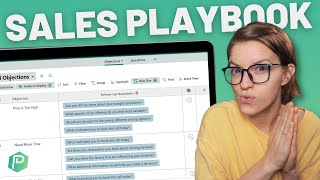
Learn how to build a sales objections tracker in SmartSuite to document customer pushback, categorize it by type, and link it to follow-up questions. The system helps your team handle objections consistently and trains new reps faster.
In this video, I want to talk about how we can document our knowledge of selling, or maybe our lack of knowledge by recording a sales objections wiki. And it looks something like what you see on the screen here. Essentially what we want to capture is when we are trying to make the sale, what kind of resistance comes up and how can we overcome that resistance, those objections? Before we go into the fancy gadgetry of this template though, let's get on the same page as to why this stuff even matters. Foreign we are solving at least one pain. That pain is the pain of indecision, of being on the fence. I like that metaphor of sitting on the fence when it comes to sales, because we can all picture what it feels like to have your butt sitting on the top of a fence. Not very comfortable. And when you're in a sales environment of any kind, you are sitting on that fence, you're evaluating a sale and that's hurting your butt every second second you as the buyer are sitting there. At the minimum, when we are in a sales situation, we are trying to solve that pain and get somebody off of the fence either to buy or not to buy. And not being caught in that moment of indecision and oh, should I, should I not? No one likes that feeling. It hurts just like sitting with your butt on a fence. Now, beyond just the pain of sitting on the fence, sales also solves a second pain. This is the more obvious one. This is the pain of, of whatever it is you actually sell. If you are selling something, people give money for it because it is worth something to them, because you are solving some kind of pain. For example, in process driven foundations where we help people systemize their business, they have the pain of feeling like their business is running on their memory. We can relieve that pain by teaching them our framework. We are solving that pain through our offer. If our offer is the right fit for the person, that is the second pain we can solve with sales. But in order to solve either of these pains, the pains of indecision, or the pain that our actual offer is built to solve, we need to figure out why someone is in that pain. So to review, sales solves at least the pain of sitting on the fence and ideally also the pain that your offer or service can provide if your offer is the right fit. But in order to solve either of these pains, we need to first understand what brings somebody to the fence to be in this state of indecision and whether our offer is the right fit for them. Both of these things require us to use diagnostic questions Kind of like a doctor. We need to appraise the symptoms and get to the root cause for both of these pains our potential customer is facing. To do that, we need to have a deep understanding of the person we're talking to as well as our offer and what we can actually reasonably do. Both of these pieces of knowledge can be something we can systemize if we document our knowledge now, in case solving these two pains by itself doesn't feel daunting enough, we have one complicating layer to add to this as well. Navigating these scenarios and asking these questions is something that we need to do, but we also need to do it consistently. We don't want to have a prospect come into our orbit and say, hey, I think your offer is too expensive. And one person on your team say, well, you should take out a second mortgage. And another person on your team say, say, oh, I think our offers are too expensive too. Thank you for letting me know. Bye. We don't want that kind of inconsistency of experience. We want to make sure everybody who is speaking to our potential customers have the same values, have the same understanding of what our offers are, and have an aligned way of getting people off the fence that feels good to our ethics and also to the overall brand we're trying to build. For all of these things. For understanding these two pains and for standardizing how we tackle them, we, we can benefit from documentation. I know the channel called ProcessDriven Shocker that I suggest documentation can help us, but it can. All we need to do is record the common objections, the resistances we face in solving both of these pains, and then start recording standard ways of responding and interpreting to these objections. These kinds of responses not only can be tactical, you can think about the best way to overcome an objection, but they can also be ethical. They can say, hey, we don't suggest people take out a second mortgage, or we don't want people to do this or that or the other. This is signs that someone's not a right fit and you should encourage them not to buy from us. Whatever your desired reaction is for these scenarios, you can document them in this sales playbook of sorts and ensure that everybody that comes onto your team, whether they're on the sales team or the support team or the CEO, have a shared understanding of, of how your brand is going to interact with the public when they're facing these two pains. Now, thanks to our sponsor today, SmartSuite, we've actually gone ahead and built out a sales objections database inside a smartsuite solution. So I'm going to show you around that and if you'd like to follow along as I show you this tour, go ahead and use our link in the description below to sign up for your free SmartSuite account. Everything I'm going to show you today can be built out on the free plan of SmartSuite and you can get started and have this built up in probably I would say 20 to 30 minutes if you follow along with this video. So go ahead, use that link below to follow along and let's dive into SmartSuite where I'll show you what this sales objections tracker looks like. All right, here we are inside of SmartSuite and we've got our Sales Objections tracker tracking whatever. This is a spot where we are going to track the obstacles that are in the way of someone either making a decision or making decision to solve their core pain. All of this is stored within a solution in SmartSuite called our sales Objections to Tracking Solution. This is something anyone can create if they're following along by going inside the home area with SmartSuite, again using our affiliate link and then clicking Create from Scratch. But once we create this overall solution called Sales Objections Tracking, we need to add two apps. Apps in SmartSuite are just like spreadsheets or databases. They allow us to organize certain types of information and in general we want one database, one app per type of information. In this case, what we're trying to tackle is the human interaction around a sales conversation and the two common elements that we might be pulling out of our toolbox for these kinds of engagements are understanding of common objections, what people might say to us, and responses AKA questions things we might say in response. These two pieces at a very basic scale make up a conversation and that's what we have as our two apps and inside of SmartSuite. To create these apps inside your own account, just click the little plus when you actually have your SmartSuite account set up and give it a name like name and you can create the exact fields I'm showing you here on the screen. I've already got mine set up though, so I'm going to go ahead and delete this app I just created and go under Objections to show you around inside the objections area. We have these kinds of rows in our spreadsheet called records in SmartSuite for each objection. Pretty self explanatory. I've got three common objections right here. Price is too high. I need more time. Not the right fit. If you've ever been in a Sales environment. You've probably heard these objections. They're very, very common. Inside each of these objections, though, I have some fields set up. These are fields to help me categorize and organize my interpretation of these objections. So right here you see the objection. The same thing we saw at the overview level. Next to the objection title, we have category. This is our way of essentially prioritizing objections. If we hear this objection, is this a big deal, or is this just something that should prompt us to ask more questions? That's what this category field is. It's a single select field that allows us to choose one of two categories of objections. If, for example, we have an objection that says something like, you know, I don't believe you know enough about this topic to help me, well, maybe that's something that is so fundamental of an objection that we want to treat that as a root cause, essentially an objection so severe that we are like, you know, you're probably right. We're going to just call this a day. And let's get you off the fence by making it clear that this probably isn't a fit if we don't have that kind of rapport already. To create this field inside your own SmartSuite, all you need to do is click the plus button on any relevant field or the big old plus at the bottom and just add a single select field called category. The two values I have are root cause and symptoms. Below Objections and category, we have general interpretation. And this is an area where we can kind of put some positioning thoughts around this particular objection. How do we as an organization want to view this objection? For example, price is too high. There are going to be some organizations out there that want to view this as a limiting belief on behalf of the person who's saying it. They just don't believe that they're worth it. And if that is your position as a company, this could be a great place to put that in mind for others. We might view prices too high as more of a perspective issue. Maybe we know our prices are below market rate, below the average. And so if we hear this kind of response, we really want to check in on what this other person's frame of reference is. Maybe they're very new in business. Maybe they are comparing us to someone who's not exactly a competitor. Maybe education is the response that we want to have as a default for these kinds of situations. Whatever kinds of interpretation or guiding thoughts you want to have around a particular objection based on what you've seen worked and what you've seen to be true in your audience and your marketplace. You can store that here. Crafting these observations and understanding how your audience and your avatars work inside your marketplace is something that's going to take a while for you to gather. Unless you happen to have been around the business for five years, you probably won't know this information. But if you record this information, all of a sudden you've made it a lot more accessible for new hires and people who maybe just haven't been around as long as you to understand how they can navigate these scenarios in a way that's in alignment with your overall brand. So that's why we want to write these things down. Below the general interpretation area, I have a follow up questions area and this to me is the gold. A lot of the times when we have any kind of objection, any kind of challenge, the best thing we can do is to shut up and and listen. And this is weird for me to say when I'm in a YouTube video and I'm like talking to no one, but is a great general philosophy and to shut up and listen. The best thing we can do is to have good questions, deep questions, and that's what we have as the next field. These questions are connecting this objections overall area right here. Let me go back for a second. I'm going to click save. See all these objections. These questions you see are are actually housed over in our Questions app. They're two separate areas with two separate fields and I'm connecting them together in the linked record field you see here. So you can see how these are all linked together. If I click on them, they actually open up more information where I can guide folks into how specifically to ask this question, what to listen for in the answer, why are we asking this question and so on. Before we go on to this final history section, I want to pop over to the question side of this equation and show you what that looks like over there. Over here in questions, it's a similar layout, right? It's an app, it's a database. In this case, I've chosen to make the view a little different. I've chosen to make it a card view as opposed to a spreadsheet view. This is just a style preference. I just think it looks prettier and that's why I have things the way they are. I've also chosen to have a found this helpful field visible on this view and I'll show you what that looks like in a moment. But I just want to explain why this looks a bit different. Let's Go inside one of the questions and I'll show you the details so it can all piece together. Inside this questions area I have the question as the main field of the record. The main title. Below that I have another text field very similar to what we saw in the objections area. Except here I'm telling people why are we asking this question? What's the intent? We're not trying at this point to give people a script. You can do that if you want to. If you find certain quotes or phrases work well, sure, but that's not the intention behind this field. This is just to help people understand the purpose of the question so they know what to listen for effectively. Below why we ask this explanation field I have the link to objections. This is the opposite side of the same relationship I showed you previously. Let me show you this on the other side let me go to prices too high. You'll see how there's the follow up questions. Well if we go back we see the price is too high. They like connect together two way link. That is how we're connecting objections to questions in both directions. Got it. Cool. The last thing we have here is a found this helpful voting field. This is one that I just think would be really fun if you had a team of people who are using the sales playbook. If you find that certain questions really resonate with your audience or with a certain avatar or with a certain offer where this question comes up a lot. This is a little voting field where you can give it a click and it will vote add you as a voter towards the kind of value of this particular piece. Piece. You'll notice just by me checking this it shows one as the found this helpful. As more people vote on these those numbers would increase until we could eventually see which questions are most helpful most of the time and which questions aren't as helpful or aren't used as often. By having this opportunity for interaction, we can more easily tailor our new hire training to make sure we're emphasizing how to navigate the more common questions and maybe de emphasize or reevaluate questions that our team hasn't found helpful or haven't used as much. That's our questions area and if you cannot see how this would directly connect and add value to your work in marketing or customer support. I mean come on. I know we have this video about a sales objections database, but really all this is is a customer knowledge database and every single person who interacts with customers on your team could benefit from deeper questions and understanding of customers pains when it comes to Figuring out these questions. Sometimes folks who aren't as sales oriented like myself or find it a little bit challenging to know what to say when someone tells you your price is too high. Do you just say okay, take it for free like I talked about in this video up here? Or do you ask good questions? And if so, what questions do you ask if you find this question asking, you know, inquisition a little bit scary? One thing I will say about this questions area is that research can be really helpful. For example, if you search YouTube right now you're going to see so many videos about sales objections and people are going to list off common objections you'll face and how to resolve them. And I don't know about you, but there's no chance in hell that I'm going to go through watching a bunch of YouTube videos when I'm in the middle of a sales call. And if I watch all the videos, there's no chance I'm going to just remember all of those clever lines. So that's where you can use this objections tracking area to record things as you learn them. Watch a few YouTube videos, uncover a great objection or a great question and then add it to this list so you don't forget it and the rest of your team is made aware of this great question you discovered thanks to some YouTube video you watched. This area is as much a note taking area as it is an ongoing resource for your team. And the same goes for the objections area. Capture things as they happen in calls and you'll have a much stronger understanding of what actually happens versus if you just write out a bunch of objections based on thinking about it. So that is our sales objections tracking playbook or wiki inside of SmartSuite. We've built it out very simply using just a few fields. And the power of this is that what we've built here can be shared with our entire team. We can share this with all members inside a SmartSuite. We can share this publicly using a shared view. We can share this with whoever needs to see it. Once we have this information recorded as we do that, we have the ability to have conversations with our team as well as email conversations with our team talking about these different objections and sending them to one another to say, hey, have you considered using this objection as a main call to action in a marketing campaign? We can do that stuff by having this all recorded in one shared place as opposed to just floating around in our heads. There was a line my husband said the other day of the shortest pencil beats the longest memory. Every Time. And in this case we don't have to have a pencil, we can just type it into a system. But I think that's a great line to remember here. This kind of documentation of your customer base is going to be more powerful than you just relying on you knowing what your customer needs and hopefully everybody else does too. Once you have this sales objections tracker set up and shared with your team, you can expand this with so many other things, such as having a solution guide where you record extra training information like your sales philosophy or the key metrics that you want to track around your sales objection. All of this kind of stuff. This document is what's housed in our overall solution guide. Your second potential expansion for this area would be connecting this to your CRM, particularly if your CRM and prospect tracking is done in SmartSuite as well. For example, here you can see I have created a linked record field just like the ones that we use to connect questions and objections. To connect this objection here to active opportunities inside my SmartSuite based CRM. My CRM tracks who I'm selling to and I can then say, hey, for this particular lead of, of Ramjack, of ramjack, what objections came up for them in the sales process? And by connecting these in the future, I could say, hmm, you know, when people have the objection of prices too high, we tend to win them. But when people have the objection of not the right fit, wow, we, we don't tend to do as well on those ones. Maybe that's a sign that we should disqualify somebody earlier in or do more education about this or adjust our marketing or blah, blah, blah, blah. Insert insights here. This kind of data could allow us to make better insights as to what is and isn't working in our sales pipeline, in our sales conversations by having things tracked together. Those are just two little examples of how you could take this template and expand it a bit further. But everything I've showed you here today, just to repeat, is available for you for free. If you just set up your SmartSuite account so you can find the link to sign up for SmartSuite in the link below. To build out what I've showed you here on the screen, I would say in about 20 to 30 minutes. It took me 10, but you know, I was clicking pretty fast. As you're getting into SmartSuite, if you want to push things a little further and would like to work with us here at ProcessDriven to maybe build up your SmartSuite skills more quickly than what you can do just on YouTube. Be sure to check out our link in the description below, where you can also join us for our how to smartsuite mini course where we'll teach you how to use smartsuite in less than one day. Get you through all those basic learning curves. So all the stuff I showed here on the screen will feel super easy peasy. Now, if you don't have any objections, I do want to suggest that if you enjoyed this video, be sure to like and subscribe. And make sure to check out this video next, where I talk about how you can actually take the stuff you built inside of SmartSuite and build some reporting dashboards. They can build on what we've talked about here, like I alluded to earlier, or even report on other things in SmartSuite using their powerful dashboard. You can check out that video right here. But otherwise, thanks so much for watching and enjoy the process.










