More #HubSpot Updates 4/15
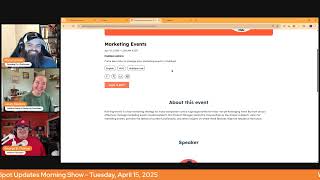
Chris Carolyn, Casey Hawkins, and George B. Thomas cover HubSpot's latest updates: customizable deal insights, an improved deal sidebar, mobile dashboard filtering, and changes to global navigation. They share practical tips for using these new features.
Good morning, HubSpot Nation. Welcome to Wake up with Customer Platform, your unofficial HubSpot updates morning show where we help you discover the platform value you already own. I'm Chris Carolyn, joined by my co hosts Casey Hawkins and George B. Thomas. We're here every weekday morning to make sure you're not sleeping on HubSpot's true capabilities. If you're joining live, drop a hello in the comments and let us know what you're building in HubSpot today. How are we doing on this fine Tuesday, April 15, tax day.
I have been bragging because I paid my taxes from my phone like a Gen Z or this weekend I didn't have to do the millennial thing and do an ask on my laptop. It was close. There were a few moments where I thought I wasn't going to make it, but I'm young, everyone.
Wow. On the other side of things, I pulled out my stroller and my cane and I wrote a paper check and went to the post office yesterday to pay my taxes. So there's that.
But you did not the paper check for real.
I did. Yes, I did.
Yeah. Okay. Yeah.
I say. I said I got my cane in my walker out. I'm gonna go old school. They want my money. Snail mail it is.
They're gonna have to work for it.
The many layers of George V. Thomas. Yes, sir. All right, only five updates today, but one of them is kind of a big one. So maybe, maybe we hit that one last. But we'll start here with number one. Deal Insights Customization is in private beta. What is it? Users can now customize Deal Insights to reflect the metrics that are most important to them and their business.
Why does it matter? Currently, the data well on the Deals index page provides a set of fixed metrics. While these give you a quick overview, we understand your business's needs are unique. With this new feature, the data well can be tailored to show the metrics that you are most that are most important to your business. This allows you to see the data you need right when you need it, allowing you to make faster and more informed decisions.
And it's easy. You click a gear and you change what you want to see. That's how it works.
Yep. So instead of going over to click Hide Insights because it's not relevant anymore, you can go to the gear that's now right. Right next to it. So easy. Habit shift. A lot of value if you can make this, this data relevant. And that's going to be looking at it.
Yeah. That's the top data that we're talking about, right?
Yep.
Yeah.
Yeah. The cool thing is there are some creative ways out there that people are using pipelines. Like because you think, well, why is this important? And if a pipeline's a pipeline and it's only about money, then like these might be the default metrics that you need to see that you're looking for. But if you've done something unique or creative in the way that you're actually selling, then this becomes a. A nice thing.
Ooh. And maybe this customization and this customizability is what was needed to implement it in other object views.
Oh, maybe.
Right. Because we've got pipelines in lots of places, folks, and most of the time we should be using the other objects to do a lot of the creative stuff we might be using in deals.
So if it wasn't HubSpot. Just heard you and now it's an idea that they might implement because it would be really great in other places.
Yep. So if you agree with that sentiment. Voted up, I guess in the ether. I'm requesting this beta for sure. Get you back on the. The soundboard activity. There we go.
There was.
I just.
I just was late. My wife, actually, if I'm being honest, my. My wife dusted my office over the weekend and all my control knobs, I hit the button, but it was turned down from dusting anyway.
There we go.
Not why we're here.
Full transparency, folks, is what we offer.
We do.
And in that vein, I'd love to save this next one for the last, if that's okay with you guys. Yeah, you're the boss, so we'll stick on deals. Enhanced Deals sidebar experience. Saw a couple posts about this yesterday. What is it? The new deals sidebar provides sales representatives with critical deal context in a two column layout within the sales workspace, helping them progress deals more efficiently.
Why does it matter? Sales reps can access essential deal information without excessively scrolling or navigating away from the workspace. Admins can customize the sidebar layout to display the most relevant information for their teams, ensuring the right context is available. With increased visibility into deal risks, next steps and guided actions, reps spend less time searching for information and more time effectively working their deals.
I immediately thought of a human that I need to email after this show. Oh, we.
It's always interesting to see how the the UI like can follow on or maybe lags a little bit to the functionality that gets created. Right. Because one thing that's super exciting about getting help from AI with all these insights is things like deal risks starting to really be trustworthy and be meaningful. But how do you present that in a contextual way? In the usual places where we're working on deals, finding these new ways of having all these cards that come in and giving us all these new tabs and all these really configurability of these single views. It's no easy task and kudos to the team for making this work the way they are. It's really just so much information in context in one place. We're almost there to this world of literally one page. I never have to click away from that page. So very cool. Property control in record merges. Just kidding. That's been around for a little bit. I remember you being pretty excited about this.
I was like man, my update. This is my update. It opened for me. I'll tell you guys why. It matters either way. It has been around for a while. I wonder. It says it's scheduled for release soon, so I wonder if it's leaving beta. That's probably what the update is for if you haven't checked it out. I did a live about it a couple weeks ago. DM me. I can send you the link or comment here. I don't know, just tag me in some way. But it's cool because you can now pick which fields get copied from merges. Previously it was always like the most recent field, which was really frustrating in some situations because at some point it would take the most recent original source which was not the original source. Now you can choose actually, but in the update actually original source defaults to the oldest, which is better, which is my preference. But yeah, either way it's nice to have the information you want.
Indeed. Owner and Team Filtering on Mobile Dashboards I don't believe we've seen this one before.
Sound familiar?
What is it? Dashboards and reports in the HubSpot mobile app can now be dynamically filtered by owners or teams.
Why does it matter? Users can now filter dashboards and reports on mobile by owners and teams. This is useful for example, if a sales manager has a dashboard monitoring all their reps activity and needs to focus on just a particular rep or a handful of reps. Now they can explore this data in a more focused way on mobile without needing to laboriously create multiple copies of dashboards per rep. I like where in the why does it matter? It says this is useful.
Indeed. If we want our mobile apps to be useful, we gotta remove any kind of irrelevant data or swipe work or click work that needs to happen to actually get to the spot. I need to. As a. As a rep. Mm.
You can do this on desktop, but adding this on mobile is basically the update.
Yeah, and even a plus AI report button down here. Oh, man, what a world. Available on both Android and iOS.
Let's go.
Always good. All right. Why is this the hottest topic whenever it gets brought up? Global navigation updates to find your destination faster. Scheduled for release, expected April 16, that is tomorrow. What is it? The global navigation structure now features dedicated spaces for sales and service, making it easier to find everything related to those use cases.
Why does this matter? As the HubSpot product continues to grow, our global navigation needs to continue to scale and improve to provide a great user experience. This iteration of the Global Navigation Information architecture addresses customer feedback about the need for dedicated sales and service spaces, especially now that we have a clear distinction between the features both Hubs offer. Also, with this set of changes, we're bringing our product experience closer to the way we market and sell it, thus matching expectations buyers have when they become users during their evolution and unboxing experience. As a result of these changes, we expect to see a 5.6% decrease in bounce rates after clicking on a primary navigation menu item, indicating users are finding what they're looking for with more confidence and reaching their final destinations faster.
Go ahead.
Quick question. Totally unrelated, but do you guys remember hearing the word unboxing? Like, was unboxing a thing in HubSpot land for you, George? Like, anytime before, you know, the last couple years.
It is. It is recent.
I'm taking 100 credit for that, folks. The unboxing episodes pro tip for anybody creating content there, that's the fastest way to get any connection with any of the product managers, like, on the HubSpot team. They love that stuff.
I'm unboxing Journey Automation on Thursday. I'm doing it.
There you go. There you go. So it's not just me or seeing this word, like, more, but. Yeah. How do you. The navigation's changing again, George. How do you. How do you help people through that. That frustration? Well, I mean, be honest.
Listen, it's changes. Change is inevitable. Like, where. Where you've just got to kind of embrace the fact that it's going to happen at some point. The fun part is, you know, I feel like it's better. So I. I can't complain. I mean, I look at it and what's crazy is I've actually had a couple people who are new clients, who have new portals, who they didn't even have the option to, like, go into It. It was. It. And so the. The thing that I would want to complain, if I was going to complain about is how confusing it was to me to go into my portal or other portals and see one thing and go into these other new portals and see another and be like, oh, my God, where's templates?
Where's.
And. And so, like, for us who are in many portals, it's a little bit maybe more crazy than somebody who just lives in an individual portal. Can you imagine, by the way, just you got a job and you got one portal. I can't even imagine.
I've never. I've never lived like that.
Yeah. Since 2012, I've never lived life like that. I've been in multiple portals. But, yeah. So, like, I try to put my hat on for them. It's probably not that bad or big of deal after, like, the first week.
Yeah. So speaking of templates, in that. In that library folder that we had down here, pop quiz, Casey, where is templates now?
Oh, it was in the. Yeah, it was in the folder. It was in the library folder. It would be in the sales, which is sales to funnel.
It is. Wrong answer.
The search bar. The search bar. You search templates.
Okay, that's fair. Let's do templates.
Actually, I can tell you where it.
Is, which is what I usually do if I can't find it.
All right, let me click on that. And now that shows us highlighted in the CRM area. Yeah, I think there's lots of stuff. We kind of were hinting at it yesterday or last week, like meetings, for example. That's where it's.
It's.
Ultimately, people need to be able to customize this thing. Right. And I think we're getting there. There's just so much design consideration required before they just give us, like, again, we don't want to be like the platforms of old where just everybody can do whatever they want and then they ask us for help and we've got to go, like, do like a full week discovery just to understand, like, how the portal's built and what they're naming things and where things are. Right. Because the challenge is like, templates. Okay. Here. I think it's fair that we can use email templates throughout the full life cycle. Right. So for me, it doesn't make sense to be in sales or in service or.
Right, fair.
Same thing could be said for meetings. Right. Yet there's a large emphasis on meetings for sales and prospecting. So we see that, you know, in the sales area. So I think that was A fair, fair guess.
Thank you. Thank you, Chris.
That's where one would think it would be, because if. If you've historically used HubSpot. But I am so happy, so happy to see that snippets and templates are in a bucket called CRM. Because for years, Chris, like you were saying, I have been preaching that snippets and templates could be marketing, it could be sales, it could be service. Anybody can use templates and snippets. And so why put an extra hurdle like we have historically of, like, making them just sales tools? Like, and. And by the way, like, it continues to kind of go along those different lines of, like, you're finding some things in different places, which is why your brain has a little bit of disconnect to this new navigation. But I think again, first week or so, it'll start to make sense. You'll be rocking it out.
And that's definitely like. And I think this came up in the spotlight originally and I think I said, like, for new users, this is great. For me, this is an adjustment, like George was saying. And. Yeah. So defending all of the HubSpot pros that are losing stuff. I know in other times when the navigation has changed, I've done trainings pretty quickly after the navigation changes, and I'm hired as someone who is skilled in HubSpot, and then I'm suddenly like, it used to be here. Please wait.
But thanks, Casey, for telling us, giving us an easy way to figure out where stuff is. It was not that long ago where you could not search all the apps in HubSpot in this way. Another one I'm interested in finding is files. Basically, everything that was in that library folder that nobody liked has now been dispersed through the rest of the menu.
It's content. It's content.
It's content.
That it is. 10 points for. For George. What else was in that. That library folder that.
I mean, it used to be meetings. What?
Meetings Templates.
Files. Yeah.
Worth noting. Like, these categories are not specific to, like, the hubs necessarily. Like.
No.
Right.
Which is how I would have expected. I don't disagree with, like, templates are not just a sales tool, however.
Yeah, that's the challenge. Like CRM. There's no CRM hub.
Yeah, I. I've been preaching hashtag no hubs for years. Hashtag no hubs. Like, you gotta free people's minds to be fluid in the system with all the tools, no matter what seat they're sitting in.
Yeah.
I mean, the meetings tool, I use it all the time for like person myself.
Yeah.
Not sales focused always. So yeah.
And so we also see in the CRM section, playbooks template snippets. So those were in that library. We see the workspaces move into like. So there's no longer a workspaces section. And so we see those move into their respective spots which again we see the service bell here and now. I think at some point we'll probably see some differentiation between help desk and customer success. Two very different functions that live under Service Hub right now. Analytics and reporting got whittled down a lot too. Right. So we see, see here feedback surveys, I think were those in automation? Yeah, those are an automation. Right. So and that's the interesting one. Automation is just workflows now.
Sequence is no longer its cousin in that nav bar.
Yep. So we got our sequences in sales.
Yep.
Do we think is coming for that automation one? Like why would they have a navigation just for one thing?
Well if journeys is here, that was the only thing I was going to say it might be over there. So yeah, it'll be interesting to see if other things get added because we still got our data management one primarily intact. Like this might have been the most intentional thing.
Integrations are back I think. Is that what state of integrations is that? The integrations. The list of integrations.
I believe it's go to private apps or I guess it takes us to the import screen right now what I.
Wanted it to be. That's fine, that's fine, everything's fine.
Which then you see there's to the far right. Migrate your data sign up. Migrate. So that might be what they're leaning into there.
Yeah, I'll get a specialist. Oh yeah, they're doing, they offer migrations now directly from HubSpot and we got our app sync. Or we could just do old fashioned importing which is often the best first step when you're, when you're thinking about integrations. What other changes can we find here? And you know, of course order's not here, cart's not here yet. Hopefully they show up soon. You know I wasn't gonna let.
They almost made it an episode.
Yeah, no. Right. So I do expect what's interesting if you go to the dev or the API docs, orders and carts exist under commerce in the commerce section but not 100% associated with the Commerce Hub team yet. So hopefully that gets resolved soon because. And this is where people, you know, both in the ecosystem and some hubspotters underestimate the impact of the confusion and the extra clicks and things like that. I was talking to somebody yesterday and they had to install a custom object to support orders because custom objects show up on this menu and orders do not. Right. It sounds crazy, but, like, in order to get to orders right now, you need your team to understand this flow here, which makes not a lot of sense. Right. And that's an extra. Every little piece of training exercise, like, just adds up and users can get frustrated, you know, real quick. So probably, like, to Casey's point, we just need to get better at. Oh, never mind. Not in here again. So lots of reasons. Lots of reasons why we, you know, are, I'll say, productively critical when we need to be in terms of, you know, supporting our users and what they are talking about as their challenges. So excited for the event today. The hug we mentioned yesterday. Marketing events again, George, why. Why is this not called marketing events?
I mean, could it be a sales event? It's in marketing. It's in marketing now called marketing events. I don't know. I didn't.
Well, it could be redundant if it said marketing events. It's under marketing.
True.
Maybe that's it. Maybe that's it. Marketing forms, marketing CTAs.
That would be crazy.
That would get. That would get crazy.
Yeah.
I'm gonna drive Chris nuts.
All right.
Other hugs happening this week too. If you. If you are looking for more, you know, specific resources, this. This events page in HubSpot. There's a lot of HubSpot trainings mixed in. Mixed in. So just come over here and click the hug filter and it'll get down to the user groups. A lot more user groups active now. It's really good to see, or we're getting back to that. You can see most of them are recaps of Spring Spotlight. So a lot of people working together to go over these 280 updates that were just announced. I do want to get to this one comment and then we'll wrap. Looks like an update request would be great if you could scan LinkedIn QR code to register new contacts for sales via the HubSpot app. Scanning business cards functionality is very advanced with the automatic mapping, but nowadays we see more digital business cards being used, specifically the LinkedIn profile QR code to share and connect with new content, new contacts.
I believe part of the problem here is that HubSpot looks at contacts as email addresses, not as, like LinkedIn URLs. And so if you scanned a LinkedIn profile, use the URL, it would potentially create a bunch of duplicates. Because if it wouldn't be able to match that URL and you aren't able to just get the email address from LinkedIn. That would be a privacy concern if you were.
That's a great point. Yeah. I think that's when we talk about how AI is going to help like sync and manage duplication. So I'm sure apps like, you know, Hubbleed or even the, you know, Sales Navigator integration probably help here to bring in profile information and then match it with a human that's already in your database or not. And now that we have things like the choose data during merge, I'm sure there's a path that some have figured out. But again, that's probably why it's not like a slam dunk ad to the app because we also don't want to make it too easy for our SalesPeople to add five of the same contact to our HubSpot portal. Yeah.
And just yesterday I posted about how I think it's very funny ChatGPT will guess URLs. It guessed my LinkedIn URL. And I almost posted this because it was Casey Hawk. LinkedIn Casey Hawk. I, like, almost like copied and pasted it and then I clicked it and I was like, wait a minute, that is not my LinkedIn URL.
Yeah.
So even like, yeah, there. If you were even deduping Based on like LinkedIn profiles, it is likely that AI would merge me with a LinkedIn profile that is not mine.
Yeah. And that sounds like there's a layer of marketing fundamentals like underneath here that if you can get back to them, like AI will be a lot better for you. Like maybe all of the cute like LinkedIn URL, you know, names that we see out there that have. Some have made into great personal brands. And in those cases you don't need to worry about it because AI won't be confused. But you know your name plus all of these random numbers and letters after.
It'S like emojis around your name. Chris, is that what you're referring to?
I know some people, yeah, something like.
That that has a different filtering mechanism. And if anybody's interested, my understanding of that was to help, you know, highlight when AI or when automation was, was coming your way in the, in the dms. And that's true, that's been very effective in understanding is there a human manually typing this or, or not? Because by now they probably would have gotten rid of, you know, the gears around my name. So.
And to make it slightly harder for your friends to tag you on LinkedIn.
Yeah, yeah, yeah.
Yeah. No better place to wrap for today. Remember folks, you probably already own the solution you're looking for in HubSpot. You might just have to like, find your way through the navigation and maybe check out this global now global search to find it. And sometimes you just need to wake up to it. Tomorrow morning, we'll continue exploring what's new in the ecosystem and in HubSpot. Maybe we'll have some hot takes after the marketing events. Admins hug. Drop your biggest takeaway in the comment from today's show and let us know what capabilities you want to wake up to next. Until then, I'm Chris Carolyn.
I'm Casey Hawkins.
And I'm George B. Thomas.
And this has been Wake Up Customer platform. Now go build something amazing. Have a great day, everybody.










