More HubSpot Updates 4/22
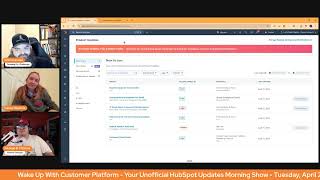
Chris Carolyn, Casey Hawkins, and George B. Thomas break down HubSpot's latest updates: new permissions for custom events, automated inactive user deactivation, Commerce Hub improvements, workflow enhancements, and AI lookalike lists.
Good morning, HubSpot Nation. Welcome to Wake up with Customer Platform, your unofficial HubSpot morning show, where we help you discover the platform value you already own. I'm Chris Carolyn, joined by my co hosts Casey Hawkins and George B. Thomas. We are here every weekday morning to make sure you're not sleeping on HubSpot's true capabilities. If you're joining live, drop a hello in the comments and let us know what you're building in HubSpot today. Happy April 22, 2025. It's time for 13 updates, folks. How are you feeling today?
I'm good. I know you know this, Chris. 13 is Taylor Swift's lucky number. So I'm feeling good about 13.
I did not know that, actually.
Wild. That's wild to me.
Doing less than already, Casey. Thank you. All right, George.
I'm doing all right.
Yeah. All right.
I. I don't know if I needed that bit of information in my brain, but that immediately made me wonder if Kelsey is like the 13th boyfriend or something. But anyway, nevertheless, I digress.
That's a good question. That's a good question. We should look that up.
Full circle over to Permissions for Custom Events medium.
My dad said I sounded like the serious one yesterday. It really got in my head. I needed to.
That's funny.
Okay. You gotta loosen it up, apparently. All right. Gotta listen to that target audience, that's for sure. What is it? Admins can now control view, Control view, edit, create and delete permissions for custom events?
Why does it matter? Until now, any user had access to view, create, edit, and delete custom events. Custom events capture data, which often drives critical business marketing and business practices. And admins need to ensure that these events cannot be modified or deleted. Now, admins can prevent users from making undesired changes to. To their event setup.
Well, one thing rings true whenever HubSpot starts to pay attention to permission levels. It means something is important in the system and they're going to be building and working on it in the future.
So this is available at enterprise level, including smart CRM. Enterprise. George. I don't know if you knew about that enterprise, but. Real quick, George.
Yeah.
The difference between custom events and marketing events that are custom.
You're. You're. You're asking me that?
I think some people out there might. Might need some help with this one. The word events. Yeah, confusing thing.
Oh, so marketing events is like your podcast, Your event you put on. Custom events is something that you can actually do. Like you can. How do I say this in the simplest form? Like Telling it click on a button is a thing. Right. So that's very simplified because we don't have forever. But yes, they are different.
Yep. An event in in time during a process because it gets real fun. When you want to create custom events that relate to your trade show, that is also an event like somebody converting verbally at a table. I've seen some people start to get that. But basically this allows for so many of these interactions and engagements that we've had trouble tracking. When you've got your process nailed down and your campaigns nailed down, you know exactly which engagements you're looking for. You can create that that tracking in in HubSpot now through custom events. So super cool. And they've come, man, they've come so far so fast with that ability. Number two, Automated inactive user deactivation. Medium impact. What is it? An automation that removes inactive users, ie users who have not logged in to HubSpot in over 90 days on a monthly basis.
Why does it matter? Manually managing inactive users can be time consuming and inefficient. However, inactive user accounts pose a significant security risk because they are more likely to be hacked, which can result in account data getting stolen. This feature automates the deactivation of inactive users, reducing the risks of unauthorized access and strengthening your account security. This means you can minimize security risks, save time and effort, and improve user management. With automated inactive user deactivation, you can focus on growing your business while we take care of keeping your HubSpot account secure. That really did feel like an ad, Chris.
Yeah, and I guess this is why somebody thought you were so serious. Because we force you to read this part of every update.
Actually, as you said, my dad said he was like you. You like seem to like be reading something or something you could very yes sir.
Oh, George, I'm not gonna ever click this this Join beta button. I Do we need this safety net or is this just a stepping stone for. For AI just doing it behind the scenes?
I don't know. Again, when this one first came out I was torn. I'm still torn. I mean, I guess it depends on the set of humans or the super admin. It may make sense in some cases, but again, this is not one. I'm rushing out to the theater to like be there on opening day.
Yeah.
Lauren Ryan, she previous Salesforce HubSpot integration consultant, now HubSpot employee. She also put made a post yesterday about this that be careful with this one if you're using the Salesforce integration because if there's a problem with syncing Inactive users basically between HubSpot and Salesforce. So it can cause errors.
Yeah. So if you're out there looking forward to this or joining this beta, please let us know. Feels like there's a large amount of risk here and for not much reward.
George, do you have the opposite?
We can see and we can see.
Do you have a sound that's like the opposite of joining the beta immediately? I don't know what that is.
I mean it would be the opposite.
Of.
In my mind.
There we go.
That's fair.
Commerce Hub Product updates on Overview what is it easier than ever to stay up to date on the latest Commerce Hub releases. Now when you visit Commerce Hub Commerce Overview, you'll see an announcements section on the page that includes all Commerce Hub related product updates.
Why does it matter? Commerce Hub product updates are now accessible directly from Commerce Overview. So you never miss a new feature.
Yeah, so this is interesting to me. My brain goes two different directions. One, yeah, it's a little icon up there with a 12 on it. One, has commerce hub decided that they're releasing updates so fast that that you need to go and see them as soon as you like use Commerce Hub? Two, do they really think that a lot of people are using the Commerce Hub Overview page or is this an effort that when people do start with Commerce Hub they immediately see the updates and the red dots and immediately begin to learn like there are so many reasons why I want to ask why. But then I also go, well, shoot. Will other and by the way, it makes Commerce Hub almost feel like it's its own tool inside of HubSpot when you do something like this. But then it makes me wonder, will other hubs eventually have like their own overview area and announcements per. I don't know. This is cool and confusing all at the same time.
I was like immediately excited and then also like my brain just kind of like shift it around.
Well, I'll say I appreciate the team's effort to continue trying to make Commerce Hub visible without a doubt. Although this does require you knowing that Commerce Hub exists review page. Right. And you want to go over here and you don't get confused because quotes and products are over here and you've never heard of Commerce Hub before. Yeah, and they just like kind of. They just bypass betas most of the time. So that is helpful. But to your point, George, about treating it differently, I could see this as a low risk way to try this out in platform and then bring it to other Overview pages, other hubs.
I'm curious if that's what's happening.
Because that thing, I just noticed this thing also like super cool, I think.
I mean I don't use. I know the marketing homepage is fairly new. I click past it most times, if I'm being honest. But I could see. Yeah, they're building those new home pages. I could see it in more home pages.
Yeah. Expanded automation issue management medium impact. What is it? You can now effectively manage and troubleshoot any issues that arise across all automation tools in workflows, forms, pipelines and more.
Why does it matter? A key piece of automation management is easy, effective troubleshooting. With expanded automation, issue detection and management, you now have a quick way to review all issues that may arise in any hubs of HubSpot's automation tools, not just in workflows. This means your automation, regardless of where it's built, is easier to monitor and troubleshooting is faster.
Yeah, I said this last time, I'll say it again. I love this because you shouldn't just be doing automation in workflows. I mean there is a reason why it would be attached to forms, there is a reason why it would be attached to pipelines. And so just bringing this closer together and more integrated. Maybe not the right word, but you know what I'm saying. I like this.
Yeah, for sure.
And I feel like there's a. I mean managing automations is. Can be its own job within HubSpot. It's a big task. So.
Yeah, yeah. Especially when you have 4,200 out of 4,200 workflows created, as the screenshot suggests here. That's a beefy portal.
Just saying. Just, just saying.
Let's call chemistry folks. Property history exports now only include records who have historically had a value for that property. What is it? Oh, you gotta do more than that. I'm already a little confused. What is it?
No, it's not.
Property history exports will not only contain the records that have a value for the property you are exporting.
That'S. That's helpful. Why does it matter?
What is pretty much the title? Okay, I digress.
Why does it matter? Exporting a property's history gives you insights into how your CRM data is changed over. Previously, these exports included a row for every record of the property object type. This meant that even if you only. If only 10 of your 200,000 contacts had a value for the property phone number, your export would include 20,000 200,000 records rows. By filtering this export down to only deliver the records that have a value for that property at one point in time will make this export type much quicker. Okay.
Okay, thanks.
All right, Shifting where we solve the problem from the spreadsheet to the. To the portal. I guess that could be a good thing. Good update, because I feel like you'd want to know that you only have 10 fields of 200,000 filled in.
You can find that in the settings.
I mean, as I talk through it like that makes sense to push us towards using careful data management.
Right click if you're going anywhere, please.
Yeah, I'm not. I'm not gonna.
I'm gunshine now.
See where you are, Chris.
Something, something. I don't know.
One small misstep.
There's some song lyric there. I'm trying to remember.
A new workflow creation experience. Again, high impact. And we might be talking about this every day. 14th. What is it? Let's see if we can find any Easter eggs. What is it? The Create Workflow process now starts directly in the Workflow Builder, with the ability to browse all available workflow triggers up front. We've been over this a couple times. I'd like to spare you today, Kasey.
I was gonna say, they really wrote a book in there, didn't they?
Check out this video. Go check out the video. Or just go into workflows, start a workflow and see a different experience.
I said this yesterday, but it is nice. Actually, just last night I was working on a workflow and to be honest, I wasn't sure which object I needed to get the trigger and achieve the outcome I was looking for. And that portal I wasn't opted in. So I went and opted into this work to this beta because I was like, this is the exact time where this would be a really nice feature.
Indeed. Check it out, folks. Simplified video limit management. What is it? When you upload videos to your HubSpot account, advanced features are now turned off by default and are automatically enabling only when you insert them into content. This prevents unnecessary usage of advanced features, eliminates manual toggling, and streamlines your video management. Hallelujah.
Why does it matter? Previously, when you uploaded a video to HubSpot, advanced features were automatically enabled, causing you to quickly hit your video limit even if the video wasn't embedded in web content. This required manually toggling of advanced features to stay within limits. Now, your newly uploaded videos will have advanced features off by default, saving you the hassle of manually managing video limits. So make sure you turn those on if you need them, I guess.
Well, that's the thing. It automatically comes on when you need it to come on.
So Never mind.
Why would you upload a video if it's not gonna be in an email or on a website page to HubSpot?
Well, you might be planning to, but then you don't get around to it.
You know, maybe you're trying to use HubSpot as a, as a light digital asset management platform. I remember we ran into this issue. I think the key is like, so if you use it on like social, it's not the same as using it on a content page. And the analytics are different.
There you go. I. I also, my brain, after asking a question went to, well, if I upload a video because I want to put it on a dashboard.
Right.
Fairly one. So there, there are some reasons. Okay.
Okay. Yeah. And what used to happen is we. You would be at the limit of 50 and you'd have to toggle one off like just to get the next one in. And it was. Yeah, not cool.
Which if you don't know. One of the updates we covered, I think a couple weeks ago was that the limits have been raised, so that helps as well. So this and that make it awesome.
Raised to 250 and 500 now, is it? Or 200 and 500, something like that.
150.
Property information.
Go ahead.
In filters. What is it? I like property updates. We're introducing property insights in filters to provide customers with helpful context. This will help them select the right properties to create accurate filters.
Oh, I actually think I really like this update. Why does it matter? When creating filters to build lists, views or trigger workflows, it can be challenging to determine which properties to use. Property insights will provide valuable context to help understand these properties. By displaying fields and property types in where and how often they are used. These insights will help ensure you select the right property, saving time and reducing downstream errors. I love this update.
I love the screenshot. Let me tell you as much as I love us displaying orders, maybe not have a test property here.
Test.
Ignore.
Yeah. Hopefully the info tells me to ignore this, but for some reason I'm guessing.
It does not scroll down. Chris, do we have another screenshot? Like. Ah, there we go.
This is.
Yeah.
Wow, that's nice. Just in that little icon. That's beautiful. So I. Yeah, this is a. This is a good update date.
Last order was closed. I like it.
Yeah. You know what else you shouldn't ignore that video limits we were talking about, Chris? Actually HubSpot or Content Hub Professionals 150. Content Hub Enterprises 500.
There we go.
I looked it up.
That's close. Thank you. George, that's an amazing update, if I'm being honest.
This update. Wait, the video? Wait.
Both of them, actually. But we're talking about property information right now.
This is another good reason to use descriptions on your properties, which I'm mostly saying for myself.
Oh yeah.
It's there for a reason, ladies and gentlemen. It's not just there to look pretty.
Used in seven places. View property set. Man, I love everything about this pop up.
You know what? Be grateful, don't ask for more. Casey, it's great. It's a great update.
So, arguably low impact. I'd say a little bit higher. AI lookalike lists. Private beta, medium impact. What is it? Let breeze AI do the work for you and quickly find more customers who look and behave like your best customers.
Why does it matter? Your best customers hold the key to finding your next ones. With AI powered lookalike lists, you can automatically discover contacts who share traits and behaviors with your most engaged or highest converting customers. Whether you're building a campaign, syncing audiences to ads, or passing leads to sales, you're starting with contacts who are more likely to engage, convert and stick around so your team can work smarter, not harder. Has anyone used this yet? I have a question.
I have not.
I have, I haven't either, but I'm wondering if they tell you what, like the, what they're using, like, what are those commonalities?
Yeah. I don't, I don't.
Well, let's see how it works. Use your connected data to quickly generate a new audience that mirrors your top contacts. Here's how to get started. Go to lists. Click look alikes. Choose your seed list. This should be a list of your best customers or most engaged contacts. Think high ltv, repeat buyers or power users. Select your end list target size. A smaller size gives you a closer match. Larger list, widen your reach. Exclude contacts you don't want in the new list, like current customers or non marketing contacts. Choose whether to include your seed list members in the final lookalike list. You'll get the full lookalike reach you requested, plus your original contacts if you include them. That's it. In just a few clicks and a few minutes, you'll have a fresh AI built list of high potential contacts ready to engage. I bet they are. I bet they are so ready.
This is fundamental.
Send them a bunch of emails, they're ready.
I know I'm gonna. I know I'm gonna get roasted by a bunch of marketers if I say this, but like, oh, I'm ready. Like, like, I understand Lookalike audiences for ads because you're trying to target people that you don't know. And so you're using people that you know to get to people that you don't know.
But, like, famously.
But, but, but like, this is in our database. Like, so do. So do we have large enough databases? And I know the answer is yes, for some humans out there, that there are people in there that they don't know, because somehow they. I. I don't know, man. My.
So I, I made a post about this, like a year ago. Probably a HubSpot wishlist item for something similar to this. I had requested it in terms of, like, lead scoring. So one thing I was thinking about was, like, me creating lead score. I'm just, I'm guessing at what the commonalities are. Wouldn't it be so much nicer if I was able to, like, look at my customers and see what the commonalities are between them and then say, okay, now I want to find the people that look like them, and those should be the people I should start reaching out to. And that's why I asked if we could see the filters. Because I think this is more powerful if I know what they're seeing in common with this list. Because then not only can I see that in my current database, but to your point, George, then maybe I'm using that in my ad. Maybe I'm using that in my, like, even my copy sometimes to call out like, oh, that, that's. I don't know. It's more interesting if I can know what they're using.
Yeah, it's also more interesting and more powerful if you have marketing enterprise. So there's that.
Yeah, yeah. And we see a similarity score here if we can get that little info, like icon right next to that. But also, I think, to George's point, I'll just say it out loud. We haven't seen a lot of responsible use of tools like this. So what are the chances? Especially if you got marketing enterprise, you probably have Zoom Info enterprise or some other garbage like that that is bringing in data that is not there, Big boy, not cleansed and not vetted. And now we're using AI to further that foundation of not cleansed, not vetted data and suggesting that they are ready to engage.
Can I, Can I ask a question? Do I live under a rock? I know what marketing enterprise is, but what's marketing plus enterprise, Marketing hub plus content hub?
You do live under a rock.
Oh, I do. Okay.
I just let Chris handle that stuff.
Wow.
I don't think I had seen Inbound last year. You're busy. You had like 10, 10, 10 talks you were doing so wow.
No it wasn't 10.
Chris and I just on the floor. We can pay attention to this details. George on the stage.
Yeah, I'm looking for things I'm looking for things about marketing to get upset about too. So that was an easy one.
What? What do you mean Chris?
Like oh this is how you're going to wreck Content hub. Got it. Add it to the marketing plus. I I kid because I care folks. Research Intent Speaking of of yeah, what is it? Know who's ready to buy now even before they hit your website. With research intent you can identify and engage high fit companies that are researching topics relevant to what your business sells. On 200,000 plus websites starting not Today.
Starting Spotlight day, you can now do the following. Engage accounts early in their buying journey. You can identify accounts that are researching topics. Engage with those accounts by manually or automatically adding them to outreach or campaign based list or workflows. Engage customers who are shopping around by identifying customers who are researching topics associated with cross sell or competitive offerings. Engage those customers by manually or automatically adding them to retention or expansion based list and workflows and consolidate to one CRM native intent solution. With buyer intent you can now have one place to incorporate first party visitor date based data and third party research based intent signals into your sales and marketing motions. This unlocks exciting benefits like automated adding of new fully enriched high intent companies to your smart CRM, seamless integration with existing workflows and list and much more. Did you get all your anger out?
I love this for the people you already know, the people you already have relationships with like customers learning more and more about their journey after they are a customer to help them engage with you in new ways that creates value on both sides I think is a highly valuable activity and that's the kind of intent data that is much more sustainable in my opinion that can actually add value throughout the platform. So now you actually have a fully baked like information set around your customers that it makes sense now to build lookalike lists based on right versus paying attention to the you know the purchasing team that is just checking your website to make sure you're a real company and has they are actually not in a buying journey at all. They are doing it for for countless other reasons. So just be careful the more you use intent data learn can be very powerful when used, you know in the right ways. All right, so we've got five on page two. Even though it was 13, there's only three new ones.
Oh, I bet there was two new ones on the first page.
This means we gotta go back. New data sources in workflows. That is always exciting. What is it? Data sources in workflows are getting an upgrade. You can now use data sources that are sets of multiple associated records and also data sources of records from the CRM based on property logic, not associations.
We recently made certain actions more flexible for use cases for use across workflow types. For example, the set marketing contact status action. A limitation of the update was that only one associated contact would be targeted at a time. With this update, you can now add a data source of all associated contacts. So you can update marketing contact statuses in bulk from any type of workflow. For example, when a new company is added to the CRM, set all of its associated contacts as marketing so that they can be included in your nurture campaigns. The other new data source option is the ability to use data from any CRM record regardless of association. Using property logic, you can do this by searching for any record that has a matching property value to one of the enrolled records or by searching for a record with a specific property value. This means that if you have records in the CRM that aren't connected by an association but share a unique identifier, you can find and use the data from those records in your workflow. For example, in a contact workflow, add a data source to look up a company record whose company domain name matches the enrolled contact's email domain property. This will allow you to use data from both the contact and the company they work for, even if no association between the two exists.
Dang. Gone.
This is very cool. I actually saw. I worked on this last night. That was a lot of reading. But I. I'll let you guys have a minute. But it's very cool.
Resonation. George, why do you say Dagon?
Well, I mean just the level of flexibility that was unlocked.
Yes.
Like that's. That's huge.
What came to mind is I feel like we need a different name for this product upgrade. Like maybe look up capabilities.
One I.
Don'T know but this is super powerful.
One limitation I found immediately is it's like matching properties. So like they said the domain to domain. One thing I was like. And you can say is equal to. So. So there's. There's some. A little bit of flexibility in there. It didn't. I was really excited to see this in the work use case I was working on last night and it didn't quite fit my exact use case, but it's close and it made me hopeful that more options like this will come.
Yeah, I've noticed an uptick in association functionality as I build out workflows for creating new records. So very exciting to see those capabilities. Two other Oldies but goodies Journey Automation we'll touch on what is it? Journey Automation is a new automation tool built specifically for marketers. It enables marketers to map out, automate and optimize an end to end marketing experience for their customers. From new contact to lead to evangelist, all within the same view. You get a builder, you get analytics, you get drafts, you get Journey Governance. This one's a big deal locked away in marketing enterprise. Rightfully so in my opinion. A lot of stuff you need to have right as a foundation in order for something as sophisticated as this to work the way you want it to.
I'm doing an ongoing series with my friend Trisha unboxing this we it may be indefinite on Thursdays so it's a big update so we're we're going to take our time playing with it.
Updated Calling Remote As a reminder, we have remotes in HubSpot. What is it? The Calling remote is a fast and easy way for users to make calls anywhere in the CRM. With this update, users can now take notes, set call outcomes and call types directly in the remote. Seen this one a few times now gets get it at starter level. So if phones are a thing for your business, check it out. Gonna go back to this. Just a little refresh here. Oh well speaking of increased video limits, we've got that.
That's not what you thought would happen, is it Chris?
Well, look at what we're going to talk about tomorrow, ladies and gentlemen.
Yeah, I think we've seen all these, so they're all older.
Check these out guys, if you're watching.
And later today, Admin Hug Frame AI Acquisition Excited to see that. Excited to hear more. All these acquisitions.
That are just going to keep coming.
I feel like we had that conversation before.
Yeah, happy to admit I was wrong on that. On that front. I guess businesses are just gonna keep businessing until AI says they can't anymore, which is why they're gonna acquire AI based businesses on the way. So check that one out at 11 Eastern 10 Central and we'll wrap there today. Remember folks, you probably already own the solution you're looking for in HubSpot and it could be Commerce Hub. Sometimes you just need to wake up to it. Join us tomorrow morning as we continue exploring what's new in the HubSpot ecosystem. Drop your biggest takeaway in the comments and let us know what capabilities you want us to wake up to next. Until then, I'm Chris. Carolyn.
I'm Casey Hawkins.
And I'm George B. Thomas.
And this has been Wake up with Customer Platform. Now go build something amazing. Have a great day, everybody.










