Morning HubSpot Updates That Might Change Your Life
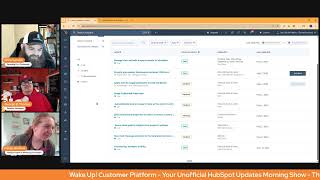
This is a YouTube video titled "Morning HubSpot Updates That Might Change Your Life" created in May 2025. It features a conversational morning show format with three hosts: Chris Carolyn, Casey Hawkins, and George B. Thomas. The discussion covers recent updates and features in the HubSpot platform, including workflow permissions, Shopify app enhancements, email logging, stage calculated properties, and data quality insights. The hosts share insights, practical implications, and personal anecdotes related to HubSpot's evolving capabilities, aiming to help users better leverage the platform.
Just say twice.
I figured I'd start it out.
Good morning, HubSpot Nation. It's time to wake up Customer platform with your unofficial HubSpot Updates morning show where we help you discover the platform value you already own. I'm Chris Carolyn, joined by my co hosts Casey Hawkins and George B. Thomas. We are here every weekday morning to make sure you're not sleeping on HubSpot's true capabilities. If you're joining live, drop a hello in the comments and let us know what you're building in HubSpot today. Happy Thursday, May 8th. How we doing?
Good. Good day.
Yeah, yeah, Thursday. It's Friday eve.
Yeah. I was just talking to a client before this and like we're almost halfway through May. I like referred to a date next week and I was like, yeah, next week, May 14th. And I was like, oh my gosh, that is mid May.
Indeed. Okay, indeed. Almost halfway through the year too. So I think it's gonna be pretty, you know, low key today looking at this list, but we'll see if we've got any surprises.
Sleepers.
First of all, we're going to manage view and edit property access in workflows. What is it? Customers can now manage view and edit access in workflows. This ensures that every team member can edit workflows according to the permissions granted for each property.
Why does it matter? Today we offer customers the ability to assign a given permission level, no access view, only view and edit to their team members for properties in HubSpot. Properties can then be used in HubSpot or in workflows, triggers and actions. Ensuring properties used in workflows can be viewed and or edited by team members with the authorized level of access to the properties is crucial. The enforcement of field level permissions in workflows will help you ensure data security and avoid unexpected data manipulation. I got lost somewhere in there, but we made it out.
You know nothing about this but where my brain went for some reason this morning when we started reading this, can you imagine a world because we have the user object. Can you imagine a world where you could do a user workflow where like it's an onboarding workflow and it just automatically sets permissions and like things for you based on like whatever you set as they're kind of coming into the system or like. Or imagine if a user did something that was like tweet like 5 yard penalty and all of a sudden a workflow would fire and just shut their stuff down anyway, I wonder if we'll ever get to stuff like that. Inside of the portal.
I think we are. A couple of weeks ago, Willem and I talked about what onboarding is going to look like when you just connect the systems and the sales rep or whoever just starts talking to HubSpot. And this as you bring that up, HubSpot's gonna be like, what is it you do here? And then based on that, set up the permissions. Yeah, End of year better.
Anything's better than logging into a new portal and being like sales marketing. Like do you kind of know it? Like it'd be great if you could log into the portal and be like, oh, ish, you're George B. Thomas. We know who you are. We don't need to give you any pop ups and we're going to turn all that stuff off. That would be great.
Anyway, sometimes it would be. Number two. You know what, go back because I still don't fully understand.
I am confused. I thought this was. I thought this was the update we saw, like a coming soon update. But this doesn't seem.
So let's go through just real quick because I know how does it work for non Super Admin users who are granted no access to a property, their access to this property is restricted in workflows. So when a user attempts to create a workflows trigger and or action that references a property they don't have access to, they will not be able to select the property and instead will be prompted with a message as shown below. This is actually using other object properties and adding a permission layer.
Yeah, you have these God, demigod and human properties. And you sir are allowed to use the human properties but you're not allowed to use the God properties. Those are for us Super Admin humans. Like it's almost like that vibe.
Yeah.
I have actually used this as a workaround to edit a property before that I didn't have access to.
So there you go.
Right now is like what?
Yeah, loophole has been closed. Okay. So yeah, I'd say there's some digging in here, but only available at the enterprise level. That in mind. Number two. Shopify App Update E Commerce Customer CRM card. What is it? The Shopify Data Sync app for HubSpot has been updated with a new Shopify CRM card that provides a comprehensive, unified view of your E Commerce customers. You can now see total orders, average order value, product views and sales trends directly under the overview tab in the middle column of a contact record in HubSpot.
They changed the format but everything's fine. Why does it matter? You'll save time by viewing customer purchase data without switching between systems or building manual reports. The visual sales graph helps you spot buying patterns instantly, while AI powered insights highlight key takeaways about each customer's behavior.
Nice.
I have seen this in action and even if you don't have Shopify, just kind of drink it in as what we should be able to see for all of our customers on these records as far as something bought somewhere else or managed in a different system and we're bringing it into HubSpot. This quote to cash like revenue visibility for the whole life cycle is what this is signaling. These orders happen to be done in Shopify, but when we think about the orders object and other ways that revenue is being generated, possibly outside of HubSpot, it's getting easier than ever to bring that into HubSpot because the sales team and all the customer facing teams want this kind of visibility when they're handling customer stuff.
Are you trying to say ERP without saying erp? Is that. Is that what you're trying to do?
I'm just wondering something like that. Erp. E Commerce Accounting. However you process orders that don't go through your sales team.
I usually process my order at like Burger King sometimes.
There you go. We'll get some of that in here too. Yeah, there we go. You know, it wouldn't be hard because almost every customized CRM card that we look at, the examples I show are some kind of food ordering, you know, process. Right? Just to show how powerful this sounds.
Hungry?
Apply Activity Logging Defaults to External Emails Medium Impact Private Beta right now. What is it? This update extends the default logging rules to all one to one emails that get logged to a record. User will now see the same set of associations when logging emails from the contact record or with their connected email.
Why does it matter? In 2024 we made it possible for admins to set up default logging rules for emails logged on a record page. This was a great start, but led to immediate confusion about why the rules weren't applying to emails logged from external sources. With this update, users will get consistent logging experience for all one to one emails.
Okay, all right, let's hope that clarifies things. I'm always surprised at how many users are still not using the email extensions when they use email outside of HubSpot.
Yeah, crazy, crazy. Which here's the other thing too is I'm always fascinated by how much people actually care about tracker log. When I'm like it's one of the number one reasons I use a CRM is so I don't have to remember I want it to track in log but some people get all sorts of like I.
So it's going to track everything. George.
Yeah. Oh my God. Like who cares? I mean the other day next to your iPhone and then all of a sudden you saw ant ads like who cares anyway?
And maybe we shouldn't be sending those emails that we don't want other other people to be seeing.
Yeah, maybe that should come from your hotpants89gmail.com instead of your business. I'm just saying.
Oh, Stage calculated properties. Those are three really powerful words together. Medium impact. Oh man. They give us nothing here. What is it? Introducing stage calculated properties for the service object. Similar to what we already have for deals, tickets and leads.
Why does it matter? This will help you better understand how the service object is progressing, showing the amount of time the service object spends in each of your stages. They can also be used in views, list workflows and reports. I get it.
Wow, this is right on time. I need this for a project. We are about to build some properties or the service object and also apologies team for the initial judgment. Thank you for keeping this very clear and simple. We do not need more information than that, I don't think.
Right.
If you aren't familiar, if you're watching and not familiar, there are properties that show automatically in deals, contacts, tickets, I guess how long people are in each stage. They just show up so that you can tell like okay, a deal has been in proposal for 20 days. Maybe we should poke them or something.
Time in stage entry exit.
That's literally the engine that runs the little cards that are dark gray right now in your portal that you're wondering why are my cards dark gray? It's because you haven't reached out soon. Anyway, check, check your cards.
And a few months ago they started calculating the currently in stage, which was just, just a week too late for me.
Yep. So maybe a little forced services on the end here would have been cool.
Oh yeah. Yeah, that would've been nice.
Automatically format property data at the point of entry.
I feel like we've seen this one.
Like 17, we have an important one now. You can now automatically format your data as it enters the CRM, ensuring that your data is clean, formatted and valid. This formatting will apply when users edit properties manually or import into properties. This can help you, for example, automatically remove letters from postal code or automatically remove special characters from city, but not put spaces in between.
I was like, maybe when I saw this come up, I was like, what if they Changed again. Finally.
Yeah.
Why does it matter? Maintaining data quality in the CRM will be faster and easier now that your CRM will prevent invalid data from entering and clean it on your behalf as it enters. Instead of forcing users and admins to correct validation issues and errors in HubSpot and errors, HubSpot will now automatically correct those issues.
Anything new here? I don't see anything new.
I like when they put the Update as of May 7th.
Yeah, I do think if this is one of like who's not turning this on? Or maybe this. This is a not even a beta. It's just live. So it's just live. It's just there.
You should do an unboxing of this.
Like we'd love to know how this new to you page works.
Who's the PM?
Reach out.
We have questions.
IOS conditional properties on deals, tickets and custom objects. IOS usually means mobile.
Yeah.
What is it? Admins want to ensure that the right information is collected when records are created. So some businesses have complex data collection logic. Conditional properties help simplify record creation for the end user by showing properties only when they're needed. IOS users will now see conditional properties that their portal admins have configured on deals, tickets and custom objects.
Why does it matter? Admins can set conditional logic for properties which are triggered when users set certain values during record creation or when manually updating properties values for existing records. These customizations will now be reflected on mobile.
Interesting. So it's been there just in general, but now you're. Well, let's just, let's be real clear on mobile. IOS so not probably Android get. Or maybe Android has already had it. I don't know. It's usually not that route. It usually is iOS first and Android historically. But this is cool.
Yeah. Step in the right direction again. Probably one of those little things that may have gotten away of adoption previously. If you have different team members using mobile and some using desktop. Yeah, we don't want different experiences between those users. Especially when we've done the work to set up conditional properties. Yeah, this actually came up on the. On the admin hug on Tuesday. Visibility not confusing our team.
So I have a question, I have a question before I go. Are you the type of person that right now would plug this phone in because it's at 62% or would you let it continue to drain a little bit more?
I have gotten in the really good habit of just plugging my phone in at the end of every day.
Oh, there you go.
And then I never have to worry.
About this guy at 62 is making me a little bit anxious. I'm just saying.
Okay, so. So George, you. Is your phone on the charger at all times?
It's sitting over there on the charger right now.
Yeah, yeah, yeah. My, my father in law is like that 62%. No, that won't work.
Yeah, that doesn't work. When my, my kids will get down to 10 and 5% and I'm like, like, what are you doing?
Anyway, I will, I will. My husband, I drive him nuts. He's always like, why is your phone dying?
Yeah.
Yep. Definitely no mechanisms that I usually use during the day to charge. So if it misses the night before, it's gonna get low.
Oh man.
George is about to leave the show. He's like, I didn't know I was.
Deep breath. Search Access Data Quality Insights from Property Settings what is it? You'll now be able to access Data Quality Insights from the Data Quality Command Center. In Property Settings, you can view a list of property issues, including duplicates, unused or those missing data completely so that you can troubleshoot problems. You can understand whether there are data quality issues for a specific property in context of the property editing experience so you can set up the right validations or logic. You can visualize property data sources when editing a property, giving you insight into how the property is being used so that you can tweak your property setup.
Why does it matter? You'll be able to make more informed in context decisions about how to set up and maintain your property data model. Set up formatting rules for properties like name or email in context. Monitor sources of property updates to inform decisions about property permissioning and validation. Set up monitoring for property anomalies right after creating a property. I like this update.
Yeah, I'm about to lose my mind on this screenshot, but Yeah, I like. Yep, 149 properties have no data.
Why are they there? Speaking of the work it required to set up conditional properties, this is one of those things that'll help when you get those super complex requests like, oh, it'd be nice if we could see this. And then if we click this thing, then this happens, but we don't see it unless that happens. Then you can say, well, if people start using that property, I'm happy to set up. Oh, nobody's using it, so maybe we need to figure out a different way. Very cool to have this contextual experience when doing this, these extra layers of property setup. So this is the kind of stuff I said in the beginning when people were worried about, I think mouse travel like having instead of the sidebar and like you have to go all the way across the screen and there's a bunch of empty space. Having this full page allows for this experience of just designing more into the content, the property creation experience. Because we can't do this in a sidebar, folks can tell you that. So very cool taking advantage of that Real Estate New Card Message analytics in the Help Desk Summary tab maybe some of these PMs are just starting to game the system so that we can talk about it every day, right? What is it? You can now monitor operational health of your help desk by reviewing message analytics right in your Help Desk Summary tab. These new analytics are designed to empower leaders of support teams with actionable data driving better decision making and enhancing our overall support operations.
Why does it matter? Ticket complexity varies ticket by ticket. The number of messages sent by customer and support reps is an indication of how complex a ticket is. Understanding key message analytics of today's messages is a key information for is key information for leaders of support teams to monitor the health of their teams and I NFI where they can set where they can step in to help out Step in to help out.
Pretty straightforward users with a paid Service Hub Pro seat and or paid Service Hub Enterprise seat. So hopefully the leaders have those seats. They might not always have those seats. Also came up on the Tuesday hug with Andy Petrie. Yep, great when we can see stuff like that for sure. Lastly for today, introducing Academy Profiles. After world certification week, HubSpot Academy is excited to announce a new profile that will house all of your achievements, certifications and badges you earn on Academy. You can now easily locate and share your accomplishments with your teammates all in one place.
The way I have your screen up Chris teammates is like kind of blurry and so I thought it said roommates. I was like what a weird, weird choice of but why does this matter? This new profile provides a centralized location for all of your Academy achievements, making it easier than ever to track your progress and showcase your expertise. You can also share your profile with your teammates to inspire them and encourage their own learning journeys. This replaces connect.com right or whatever it was.
We did see things like this. We have seen things like this on connect.com and as they wind that as they sunset that I do expect more things like this to show up in Academy and community and other places that it makes sense. One request.
One only one.
The product usage. We've got CMS Hub and Content Hub and no Commerce Hub and we just like maybe align there on the major hubs available in hubspots.
Yeah, the other thing too, I was super confused. Like, you see how it says product manager joined May 2023 for Joe Daly here. Mine says joined May 2022. And I was like, man, I joined HubSpot Academy in 2013, brother. But it's actually pulling the company details from LinkedIn saying that we started Sidekick Strategies in 2022. And I'm like, that has nothing to do with my educational journey. Can that date be the length in which I've been watching your videos? Anyway, just my thoughts.
Either way, more visibility is nice. Moving away from the long string of 50.
Oh God.
Little circles that we have to click into and hover over to see how our team's doing and what we need to be updating on our own. So I do love the visibility and the step in the right direction for sure.
Don't get me wrong, I love HubSpot Academy. Everybody on the planet, well, the HubSpot ecosystem knows that. But we can always wish for some things.
Doesn't mean we're bad commerce Hub. We have an adoption problem, folks.
It's.
We never show it anyway.
Why either? Because it is super powerful.
All right, I need to take a minute to share what's happening tomorrow and what's happening today. A couple hours will be. We'll be with. I'll be with Lucila Ball. Let's build a super admin. We'll be talking about maybe a little bit of control and enablement challenges that admins are going through right now. As AI shows up on the scene. What can we be doing to keep control of the situation, but also let AI and our users, you know, be empowered to do the things and use the power of the system that's put in front of us. And we're going to be putting that power on display. Tomorrow, let's build AI skills with me, Nico and George. We've got the product manager. Oh, let's go. HubSpot MCP joining us so that we can move through with the guidance of the product manager, unboxing that beautiful tool that we're already seeing videos on LinkedIn about. And if this stuff doesn't blow your mind, folks, I don't know, like what? Just, just let it in, let it in. Very powerful things happening. Also tomorrow, unboxing the video, the AI powered video marketing platform that we talked about earlier this week. Also with a couple of product managers joining us who are kind of have some co responsibilities towards making the video experience overall. So that's going to be a blast. And then the next episode of the Road to Inbound, where me and some other Inbound correspondents will be showing up every week. This week we'll start touching on, I think, some of this agenda that's already been shared. Going through some of the talks and yeah, just keeping you informed on the way. On the way to Inbound. So an exciting Friday coming up. Any. Any last words from. From George or Casey?
I'm just wondering if it's a viable excuse to call off for a sick day based on the. I want to watch Chris's videos tomorrow. I wonder if my clients would get pissed or not. Hey, I'm falling off six sort of psych.
I just invite him in. Invite them in. Like, let's all just take a day to enjoy some HubSpot education.
So what today?
What's my favorite one today?
Yeah.
Oh, I gotta go stage calculated properties because that has an immediate impact on more than one client project I'm working on right now. So bring on that services object love.
I'm gonna go data quality on property settings.
Yeah, I'll do the Shopify app update because all these Shopify things we talk about make me want to just start a Shopify store and I'm wondering how long I'll be able to hold out before I actually do it.
Let's see. Although I did see. I did see an email in my inbox earlier this week. Somebody built a CMS theme to do E commerce in HubSpot without any other e commerce platforms.
Oh, please do share in Slack after the show.
Yes, I plan to. So remember folks, you probably already own the solution you're looking for in HubSpot. Sometimes you just need to wake up to it. Join us tomorrow morning as we continue exploring what's new in HubSpot. Drop your biggest takeaway in the comments and let us know what capabilities you want to wake up to next. Until then, I'm Chris. Carolyn.
I'm Casey Hawkins.
And I'm George B. Thomas.
And this has been Wake up customer platform. Now go build something amazing. Have a great day, everybody.










