NetSuite and Dynamics Integration Deep Dive | HubSpot Admin HUG | March 3, 2023
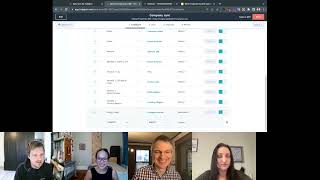
Winnie Heen and Franz Leis, HubSpot product managers, walk through how to sync data between HubSpot and NetSuite or Dynamics. They cover advanced filtering, sales order automation, and embedding HubSpot insights directly into your ERP system.
But we're live. Welcome everybody to this session on NetSuite and Dynamics. Super excited to have this deep dive into another couple strategic integrations. Franz, Winnie, who's talking first? I'll just hand it over to you, Winnie, and let you introduce yourself and take us away.
Sounds great. Thanks, Kyle. Hi everyone, I'm Winnie Heen. I'm the product Manager for the NetSuite and Dynamics integration and today I'm joined by Franz Leith. Franz, would you like to introduce yourself?
I am Franz Leis, speaking to you today out of Belgium Ghent, where there is also a HubSpot office. And I'm the product manager for the DataSync framework. And how the DataSync framework relates to NetSuite in Dynamics is something Winnie will kick us off with.
Yeah, thanks for that, Frans. So I'm sure the reason why you're all here today is because you either have NetSuite in Dynamics or NetSuite or Dynamics and you needed to integrate with HubSpot because it's never any good when your data is sitting siloed in its own system. Do you want them to communicate with each other? Do you get the full power and value out of HubSpot and Dynamics or NetSuite? And so what we're hopefully going to cover Today is how HubSpot has built our integration, where we're going with our future of it, and then helping you to understand which teams in HubSpot build for it so you know what to look out for when features get released. So digging into that's going to be both me, myself and Franz and I guess just high level to get started. The way you can think about NetSuite and dynamics is that they are data sync integrations. So if you've ever been in our marketplace and you've seen one of the hundred plus integrations that are built by HubSpot, they are usually data sync integrations. And that's exactly what Franz's team manages. Netsuite and Dynamics actually has an additional team that builds on top of it, and that's the team that I run because they are deemed strategic integrations. What that means is that HubSpot is doubly invested in these integrations. We want them to be natively built, natively supported by HubSpot support team as well. And so they have extra resources that are dedicated to them. The beauty of that is that when Franz's team releases stuff for datasync, netsuite and Dynamics gets it soon after because we are a strategic integration and we're able to go A little bit deeper into the platform. More so than datasync, which is our generic sync framework. Super powerful, super scalable, but sometimes you need a little bit of extra power to jump into the nuances of NetSuite, which is pretty special, and then jump into the nuances of Dynamics as well. That's where my team comes in. But right now I think it'd be really helpful for us to just go head over to Franz so he can talk about the core DataSync engine, because that's really the foundation of how our integrations work. Then I'll jump into some of the specifics of the features that my team develops for netsuite and Dynamics, and then if we have time, we'll go over the future roadmap and then any questions that you all have, Frans, I'm going to hand it over to you.
Awesome. Awesome. Am I sharing screen now?
No. Yes. Yes.
Oh, there's a. Okay, so I'll. I'll keep in mind that there's a. An awkward four second delay. We'll do it. So, yeah, we're. We're set out to cover both NetSuite and Dynamics, which is. Which is weird, right? Because those two platforms couldn't be more different from one another. Also, One customer using NetSuite will be using it differently from the next customer using NetSuite, and one customer using HubSpot will be using HubSpot differently from the other. So how the heck do you cover integrations with those platforms in one single session? Well, we can, thanks to the DataSync framework. Because the DataSync framework, which was launched two years ago, powers over 112 apps. Lost count. And here's what the Dynamics sync looks like. Here's what the netsuite sync looks like. It's the exact same framework. So it comes with the exact same logic, the exact same setup, screens, the exact same sync. Dynamics, pardon the pun. Also, it comes with the same limitations. I'll be open and addressing some of the limitations of our data sync in this session. So what's important to know though is that I'll be demoing mostly like with these things that I've got turned on. Microsoft Dynamics. I've got it turned on. Really. If you're more interested in netsuite, just replace Matlib Dynamics with netsuite. It's the same demo. You can actually do the same demo for any of these. 110 apps. 112 apps. It's literally the same framework. I think that makes it easier. We want to make it simple, that simple to Just integrate external data into HubSpot. With HubSpot, just to enable the front office, the USB of Data Sync is that we offer a two way sync. I'll be sharing like a demo. And so you, if you've never seen it, cool. If you have seen Data Sync, if you have tried setting up Data Sync in the past, I'm actually super stoked to be able to get demo it again. Because what's happened over the last two years is that we've evolved, we've, we've gone, we've like done away with a couple of limitations. Kyle's sometimes like announced it, but I'm pretty sure that a lot of changes have been just happening under the hood and you've likely been hit with some of these limitations. Maybe if you set up a sync, if you tried to set up a sync a year ago and you've realized oh this, this doesn't sync or I can't filter on this, and then you probably abandoned setting up that sync. Well, that's why it's so helpful to be able to demo it again. So I'll demo it, but I'll also pay particular attention to the stuff that we've improved on over the last two years because they're subtle but I think they're important to know. I'm here looking at the sync overview which shows me the health of my sinks. You can see which account I've got connected. So we've already basically launched the ability to add multiple accounts. You could connect multiple accounts. If you want to connect like a sandbox to your HubSpot production account, you can, you can actually run Data Sync in a sandbox account as well and connect it to your Sandbox Dynamics or Sandbox netsuite there as well. But if sometimes it could be helpful to just connect to your sandbox as I'm doing in my production account. If you want to see how that runs. This is actually different from some other integrations, right, where you're just limited, you can only connect to one account. So if you want to connect like another account, you can just have another screen like this and run your, run your syncs. Another thing that's, that's been happening over the last two years ever since we've launched Data Sync is like we've launched lots more objects. We launched Data Sync with just contacts. That was crazy. We just had a compact sync. We did not even sync accounts or companies as they're called in HubSpot. In the meantime we have companies, deals, invoices, which is a one way Sync notes. Yep, that's Activity Sync products. So we have a sync of the product library. I could quickly glance over to my NetSuite sync where we see these same ish objects come back. Netsuite has a bunch of different types of products. Activity sync for NetSuite is coming up relatively soon. We're hoping to get that out this quarter or maybe beginning of the next because stuff is happening in netsuite as well on the timeline that you want to push into. So launched a bunch of new objects and that's really what our focus is going to be this year. A bunch of these connectors already out there. We know they are popular. We want to continue deepening out these things, give them more objects because even an app like Pipedrive, I know this is about NetSuite and Dynamics, but even an app like Pipedrive we've also equipped with a couple like extra, extra objects. You can always check out the marketplaces listing right. To figure out what we exactly do. So if you're in doubt, what does Dynamics, what do we support for Dynamics? Sure enough you can see these exact objects listed on the marketplace here. But as you will look for these like sort of longer tail niche data sync apps, we don't always have all the necessary objects yet. Right. So here's freshdesk. We just have the compact object. You can definitely rest assured that my mission is deepening out these sinks, bringing more objects into these things to make them more interesting. So that's really what's coming up. Getting back to these sinks here we what exactly is happening here? Listening for changes. What does that mean? Well it's basically listening for changes on properties happening, property changes happening on either side. I can actually still finish my finish setting up my company Sync. This is what all things look like regardless of objects. They always follow these four steps. And I've basically set up very flexible liberal settings here. I've asked for a two way sync. So. So any Dynamics account can just go into HubSpot. Any HubSpot company can just go into Dynamics. Are there filters? Yep, we'll see those in the limits tab here you can see the properties as they will sync back and forth. You do require operations of starter if you want to change these field mappings. You can see that the field mappings, you can add new field mappings here. One very big thing that we launched last year, this was the most complex field mapping that we've ever had to handle. And it just looks like a very simple field mapping. It's the company owner. We launched that it's actually a very tricky sync within a sync because we actually have to know who's a user in HubSpot, who is a user in Dynamics, and actually sync those two databases at the same time of this sync running. So we match on the email address attached to those records. And owners are important. They're for account ownership, for contact ownership, for lead ownership, for deal ownership. We've actually learned that like invoices also have owners like owners come back on all these objects. So we're happy that we can finally also cover these. People like had set up the craziest workarounds to make these, to make these work. And if you don't like the fact that we really map the owner to the actual owner, you can just remap it. You can grab a HubSpot user field here. Like maybe it's an SDR. You want to map those, you can just map those and it will magically work. Owner is a very impressive field mapping. The field mapping that we don't yet have. Exactly. But we're so close. I've seen it, I've seen my engine, I've just spoke to my engineer who's been working on this for the past years. Drop down sync. It's so close. I can tell it's so close. So the ability to select a drop down here and a drop down on the other and for it, just as long as the underlying values match that it will sync. That is so close. It's coming up for NetSuite and Dynamics, I can assure you. So right now it will only sync from a dropdown into a text field. So you can bring over the information. It's just that if you want the information to directly map with one another, you may have to set up a workaround where the text value kicks off workflow to actually set the drop down. That is hopefully something of the past. Real soon limit. We've launched advanced filtering. So obviously this is not what a typical setup should look like. You don't want to like yolo sync everything to all over the place. You want to apply some, some, some limits here. In fact, we launched advanced filtering in the, if you've, if you've seen data Sync when we just launched it, I like, I'm ashamed to say, like we only offered you one filter. It was, it was like, it's almost ridiculous thinking back of it. Now we have the ability to construct an advanced filter so you can basically grab properties from the account itself or the associations that we grab from those, from those accounts and, and construct your own Filter and sort of group those filters. It can go one level deep. I always suggest to never overthink these filters. If there's literally a boolean, like a checkbox, say sync with HubSpot that you have created in Dynamics, have the sync point to that. By all means. It makes it much easier to control your sync. And yesterday, Kyle, you don't know this yet because the prop notification hasn't gone out yet because I screwed up. But you'll know about this tomorrow is we are now advanced filtering also on the outbounds. On the outbound side, I call this outbound. It's like whatever you have in HubSpot, you want to sync it out out to your other app. This used to be like only filtering on lists. And you know this guy, we. And we only have lists for accounts and complex. Right. So that's why we were pointing towards lists. But we've done away with that limitation. So you can literally basically construct your sync filter criteria on the sync setup itself. And what does that unlock? It unlocks not just the ability to limit contact and company syncs in a more easier way without you having to actually set up a list separately. We also have now unlocked the ability to basically set up limits for any of these objects. Like we didn't have filters for a deal sync. So in a deal sync this used to be grayed out. Nope. Out of luck. You can't filter HubSpot, you can't filter HubSpot deals. You're just going to get all the deals synced into Dynamics in case you wanted it. So now you actually get that same filter sidebar for all of our syncs. So that launched yesterday. Actually, my company sync hasn't been fired up yet. Let me just. Next. Next we'll associate these records. The review pane. Really important to read everything very carefully. I read it. What happens when you save and sync? Well, we do two things. An initial sync and that could take a while. Initials. In my case it doesn't because my. My sandbox is super small. But the initial sync can take a while because it does a historical sync. Right. It's not going to just like sync from this point onwards in time though it will look at what do we have in HubSpot, what do we have in Dynamics, what are the sync rules that I need to execute on? So it's going to first catch up with that and then it's going to pass into the continual sync we've just launched. Well, a month ago we also started sending out notifications because in my case I immediately got the notification, but in other cases it may take up to a few hours. If this is taking a while, you'll just get notified through the HubSpot notification network as soon as you make these changes. Sync Health, you can basically get a good detailed report on what's happening. We're about to include the record IDs because we were not showing these. Although we know what the record IDs are, we're going to include these both hubspots as well as Dynamics. In this case. We have some room to include some more. Some more data here give you the ability to also export these. You got the record IDs in that export there in case you want to do some. You probably don't want to export this list, but the list of failing records. So you got a bunch of records that are failing to sync and you don't really know why. You probably want to do some maybe offline massaging in a spreadsheet to fix that data and then you can like re import it using our pretty awesome import wizard. So yeah, that's DataSync in a nutshell. We've done a lot of work also under the hood to make sure that Data Sync really plays nicely with the HubSpot framework. And it's in the details, right when you think like if you check out the property histories, we will make sure that these things come through that you know that which app it was that sort of modified it. We have this data Quality Dashboard in which I'm not sure if you've ever covered this in a hug event, but where you can see like the health of your properties, your records. You can also like monitor the overall health of your data sync apps. So I have a ridiculous amount of data sync apps connected to my account, but if you have these different connections to sort of monitor, there is this one dashboard that you can keep close eye on to see what records are failing. What things do I have to sort of keep a look on? So that's now also been integrated in the Data Quality Dashboard. That's a very accelerated demo of the Beta sync part of the netsuite and the Dynamics integration. Again, I really just show you dynamics, but NetSuite integration is pretty identical. It's the same filters, sort of different field mappings and we can cover during questions, probably some details on NetSuite, but that's not all that NetSuite and Dynamics have in offer. So I just showed you the data Sync portion of it, but Winnie's team built awesome functionality on top of it and it Sort of sits here under Feature Discovery, but I'm not going to still Winnie's thunder. That's up for Winnie to tell. Are you ready to take stage, Winnie?
I am indeed. I think I need. I don't see the. Oh, here we go. Share screen option.
Yeah, it's a little tricky While you're managing that Franz, let me just ask you some of the questions that have come in while you were talking so we don't have to loop back to them later.
Oh, there's a Q A tap.
There is, yeah. You want to just look through these and answer that.
I can do it. I just started on top. Should there be an order to the synchronization? That's a super cool question and the short answer is no, but you are right. Like for example, the nodes need contacts. Yes, they do. So what happens is if, if you set up a sync just the notes, if the contacts happen to already exist without you even setting up that contact sync, here's a magical thing that will happen. We will infer and we will actually run a contact sync in the background so we will actually be able to associate those records. Even though you haven't explicitly set up a contact sync, if the contact doesn't exist, which is possible because basically your notes live in dynamics and the contacts live in dynamics and you haven't moved those contacts into dynamics yet and you just turn on your node sync, well, that's where the failing to sync category will just like it will populate and it will list a bunch of errors and you're like, what do I need to do? Well, the simple solution is if then you turn on your contact sync, all those failing to sync errors will just magically resolve. As it repairs, it finds its associations. There is no strict order, but if you don't want to see that failing to sync error list buildup, you can always start off with. I think it's best to often start off with companies, contacts, deals to follow that hierarchy. But the sync is super forgiving. In which order you choose. So long winded answer how to set up the deal stage property? Well, actually deal stages, we've given it its dedicated section inside of a deal sync. I can quickly show. It's actually no biggie. Let me just actually show it in the netsuite sync. So in a deal sync under the Limit tab, as you can see, I've not looked at my. I've been making some changes in my deal steps. So basically it's going to read out which pipelines you have and then it forces you to really map those deal stages into the netsuite statuses. So if you have multiple pipelines, because other, I think Dynamics you can set up multiple pipelines. Netsuite just has the one single pipeline. You literally map those up. We have this auto map which is going to read some of the words, try to figure out what is equal, but you have to indeed map these on top of field mapping. So that's how deal stages map. How far back is historical sync? There is no limit in time. So it's a good question, but it's actually very, it's also very abstract to think about this. When we do two way sync, like how back should we go? We can't like arbitrarily go back 90 days. It's when we think about. I know where this is coming from. Like the Mailchimp sync, it's only sync back activity for like 90 days. But that's not how we sort of approach sync. We just fetch what is available. And typically APIs don't really limit the availability of the object that we fetch in time, they're just there. If you don't want all of it, you can limit it. How do you think limits leads to leads and contacts from Dynamics to contacts in HubSpot, that is the. I'll just obviously show my. Show my dynamic sync. So HubSpot only has the one object, contact object which is sort of like broken up within its lifecycle stage property. Because within the lifecycle stage property we separate the leads from the paying customers and the evangelists and the custom lifecycles and whatchamacallits. Dynamics makes a very clear separation of you've got a leads bucket and you've got a contact bucket bucket. Typically contacts are the people that you've actually engaged with that you have some sort of contact with. Whereas leads, they could, they could often be anything. It's often like a very sort of like unstable database in Dynamics. So when you set up a lead sync we do ask that you specify and this is depending on which direction you take. But let's, let's imagine I am taking a two way sync approach here, not within this tab, but within the limit tab. Now all leads can sink into HubSpot but as they sync into HubSpot we do ask that you appoint a specific lifecycle stage in case they didn't exist yet. We do want to make sure that we know that okay, this is an actual Dynamics lead. Is it? The reason why we ask that question is in a two way sync, we're also going to sync contacts back into Dynamics and as we sync them back into Dynamics, well surely we can sync all HubSpot contacts back to the leads bucket because we would also be thinking like paying customers back into Dynamics as leads, which they aren't. They should be common contacts. So we ask that you basically create within these sync rules two different buckets of syncs. So we. This is actually a required filter. I can. You should definitely add other filters on top. But this is a required filter. So in my case I'm asking that subscribers and leads can sync over anything else, anything upwards from that that's going to become part of my contact sync. So sure enough, if I exit out of this in my contact sync, you'll see that under the limit tab it's pointing towards all of these other thingies here. And I literally cannot select these ones anymore because they've been flicked on in my other sync. Hopefully that explains that you set a date from which you would like to sync to take place. Yep. So advanced filter filter on those properties like a create date property. Is there a quote synchronization? There isn't, but Winnie will speak to sales order sync which is similar. So maybe we should park that question for now. How does a sync manage historical data in both systems where the customer name may differ slightly? So we have different matching sort of mechanisms for contacts we match on email, like even if your name is spelled differently, the the email is what we use to match for companies. We match on the company name case insensitive but we match on the company name. So if the company name is different, we do treat it as a different company and so we will caused that company to be to be created and Bill said it would be great for our Salesforce Sync. I'm not sure what would be great for the Salesforce sync, but yeah, I went through the questions Franz, one more.
Question that I answered but did not answer which was how does this affect API limits? The data sync? Does it towards HubSpot's API limits? Does it eat towards Dynamics API limits?
Well, we're definitely hitting Dynamics API as well as NetSuite's API. You are not hitting HubSpot's API data sync if you consider it like a separate architecture that does data queries it. Whatever we do on the HubSpot side is for free. Like you're never going to run into limits on that front. But we are obviously this piece of software that's knocking on Dynamics's door and knocking on NetSuite's door. So if you're having those API limits there it's pretty data intensive, especially the initial sync. Once the initial sync is over, the continual sync that really only listens to deltas. So if your data is changing with like hundreds of thousands of records per day, then it's going to continue to be very data intensive. But typically it isn't just the deltas, just the records that have changed. We can fetch those with like simple list calls and then it's relatively light, lightweight. So when we do hit rate limits, which I haven't yet seen with Dynamics. Dynamics pretty, it's pretty flexible. Netsuite could have some rate limits. We are informed of that. Right. So there's a metric that appears and we will in a sane fashion try to repeat those calls like retry as soon as we can.
All right, I think there was just two more questions, I think on company domain and company names. Franz, I'll let you tackle that one and then I'll take over for additional features from Daryl.
Can company domain be used as a second. We actually, and I recorded this entire loom for you, Winnie, on this, but I'm forgetting what we actually match on because this is where we have 110 apps and the matching systems are slightly different. Slightly different, I do believe both for NetSuite and Dynamics, we're not, we're not able to like match on domain and the simple reason being that we cannot over. Like in the default company schema, like property schema, there is no such thing as a domain. Hey Franz, you're lying. There's a web address. Yes, but that's not a domain, right? Web address isn't the exact same as domain, or at least it's not the same way as how HubSpot would treat a domain. It's only a limited amount of apps that really do some clear validation of a domain which ends@the.com or.co.uk or whatever. So we're not matching on those, we're only matching on name. Right now we are toying with the idea of making that a little bit more flexible because we've noticed that sometimes our matching could be a little bit too strict. Maybe you do want just like two records that actually have it in my sync here. So imagine you have two records, like you have a Disney, right? And you have two Disney's in your one app. And sure, if you actually dig down, maybe one is Disney North America, the other is Disney Disney South America or like west coast, whatever. If they carry the same name, maybe you do want to bring them over. And we're trying it with the idea of like making that a little bit more flexible there. So it's. This is, this is work in progress, like to make sure. What we actually want to avoid is that if you have duplicates on the one hand that we're going to create twice the mess in HubSpot or vice versa. So these matching systems are there to mostly protect you until the moment that we've realized here actually we're locking away information and our matching mechanisms are actually preventing data to move over. So that's where we're trying to put some improvements out in this year as well.
Yeah, I guess Franz, for me, reading between the lines from Darrow and other customers I've talked to for Dynamics and NetSuite, it's kind of the idea of they might have a specific way that they deduplicate their contacts and so the one size fits all maybe is not the right approach for them. So like opening that up would be great, but also maybe still being able to control how you filter that back down. So I'm just going to. So that's part of my role with Franz, is that I advocate for NetSuite and Dynamics customers and I go, franz, what do you think about this? Can we, can we continue pushing maybe a little bit more upmarket and a little bit more enterprise with some of our features, so keep them coming and send them my way.
Like matching on Domain definitely makes sense. And the thing that we currently just don't have is, and this is where me and Winnie will play some ping pong. We actually cannot safely assume that there is inside of Netflix in Dynamics, this field called Domain that we can safely match on. But I'm sure that Winnie's team can actually build stuff inside of Dynamics in NetSuite for our framework to actually safely hook into to actually have another matching algorithm other than just main. So we work well together. We can make these things even more perfect.
I took a note and took a note from. You have mentioned that to me in the past. So. Yes, cool. Well, I guess let me go into some of the specific features that we built on top of this because that's the other half of my role is like cool things that we do to NetSuite and dynamics, pestering funds all the time with updates that we want for NetSuite and Dynamics in the data sync engine, then I think we'll be able to answer some of the questions that we have remaining in the chat. Oh, okay. This is what it looks like when I'm sharing my screen, huh?
Yeah. Yeah. You're still here. Don't worry.
Okay, thanks Kyle. Thanks.
Because the webinar is in a, is in a browser, unless you have like two different monitors, we will all just be invisible and silently watching. I'll do my best to, to to audibly tell you when something interesting happens in the chat.
Lovely, lovely. All right, well, diving into the features that my team does as the Strategic Integrations team sync is what Franz's team covers. Mine is like everything else, if it's not something that syncs from one object to another object, that's me. Some interesting ones here I'm going to just go quickly into an example is workflows, deal based workflows to create orders or sales orders in Dynamics or netsuite. That's not Franz's team because it's not taking deal to opportunity data and syncing it back and forth. It's taking deal data and then transforming it and sending it into say the orders object in Dynamics. Any data transformation, any features and lists reporting embeds into the other framework or into the other system. That's everything that my team does whenever we release new features. Right now it comes out in the feature discovery and in your integration you'll see a little green tab that says new features. That's how you would find that going into here for feature discovery. The first one that I'd like to go into is the HubSpot embed. If you've ever been a part of our Salesforce integration, you'll know that we have something called the Visual Force window which is embedding HubSpot insights from say like marketing your BDR teams directly into Salesforce. While we have the same exact thing for Dynamics and netsuite. I'm going to go ahead and demo that for Dynamics. Right now we're inside of Dynamics, we're on a contact record and this contact is syncing through data sync back into HubSpot. And so you'll see that this is probably what Dynamics looks like on the regular, but you have an extra tab here that lets you look at all of the insights from HubSpot directly from within Dynamics. So you can filter the timeline for all of this stuff, same as if you were inside of HubSpot. So we could limit that a little bit more. My, my record doesn't have a lot of data, but the things that you'd be able to see here that are interesting are like marketing email sent emails, like sales emails opened. Sorry, like sales emails sent meetings booked calls, booked calls, logged. All of that stuff that could be really interesting here you also have and this Is different from Salesforce in the sense that when there's more than five records you can keep scrolling forever and see the whole timeline. So all of the historical data for that, for that contact. But at a quick glance you see all the high level stuff here. Other really cool things that are added is you can see all of the associated company records and links out to HubSpot, all the associated deals, you know what's been happening with the contact as well as tickets on the Dynamics view. If you go in HubSpot properties, you actually now get to see all of the properties that you would within HubSpot. So a fun one might be like marketing, let's see this not here, but under perhaps contact info web analytics somewhere here. Let's say over here. If you want to see like all the marketing emails that this person has ever clicked or been delivered, how engaged they are, how all of that data pulls into your embed as well, then if you just hover over any of these, you'll see the property history. There's nothing on this one but you see all of the different changes. So being able to see how this contact has changed over time within HubSpot, all of that is available within the embed. Then for workflows you also have the ability to look for workflows and then enroll that contact directly into the workflow from your embedded. Really, really cool stuff. This is available in Dynamics on the contact record. It's also available in Dynamics on the account record and also available in Dynamics on the opportunity record. You get HubSpot everywhere over in Dynamics. This is what's already live and has been out since the end of last year. What's coming soon for this integration is we're going into discovery and exploration our around bringing additional sales hub tools from HubSpot into the embed. So that's things like sequences, templates, meetings. We're like looking into all of it. Nothing definite just yet, but looking into bringing more HubSpot power into Dynamics and NetSuite and I don't have an example of this right now for NetSuite, but it basically looks exactly the same. Another tab that you can click inside of NetSuite to see this. Cool. One thing I do want to cover because that comes up a lot with dynamics and HubSpot use cases in particular is you use HubSpot for marketing. You use dynamics for HubSpot for marketing and lead generation Dynamics for working your deals as your CRM. And so something that comes up quite a bit is the ability to maybe create more leads inside of Dynamics because it's a different data model. What Franz covered with the core data Sync is syncing HubSpot contact to a Dynamics lead or a HubSpot contact to a Dynamics contact. Something we're exploring and if you're interested, let me know because we're going to probably enter a private beta on this soon. Is the ability to take a HubSpot workflow and then create a lead inside of Dynamics because then you can run your business process off of that, merge it into the contact that you want eventually when you're ready. But creating a lead inside of Dynamics and then getting this view with this HubSpot embed on that lead so you can get all of the lead intelligence for qualifying further. That is in development now, but we're looking for more feedback to see how it works with the data sync engine. If anyone's interested in that, do let me know because I would love to chat. That's Dynamics and the embed. Any questions here, Kyle? Because if not, I'm going to move to orders, sales order creation and talking about like quoting and invoicing.
I think go ahead and keep going. We'll circle back to the questions at the end because I suspect some of these you might get to.
Okay, all right, sounds good. So the other thing I wanted to show is the other feature that we have is automating your sales process in terms of handing off to accounting and finance teams. My team is the ERP team, so enterprise resource planning team. That's exactly what NetSuite is. Dynamics has that as well, probably through business central and FN finance and operations. But the ability to create sales orders in your feature that we have inside of HubSpot. So how does that work? Well, inside of HubSpot, we have two ways of doing it. Say you have a. Let's say, let's say you have a deal. So let's kind of go through what this would would look like. In HubSpot you have your sales reps working deals in your pipelines. Things are doing great, they're moving along, moving along, moving along. And then maybe when your deal makes it to a contract sense stage or closed one stage, you're like, great, we're done with the sales work inside of HubSpot. Now we want that to connect over into NetSuite so we can kick off the warehouse processes, fulfillment, payment, all of that. Well, you can do that in two ways. Inside of HubSpot. Now you can automate it, which is through workflows. We should all probably be super familiar with that one you can create a deal based workflow and when the deal hits whatever stage, whatever filter criteria that works for you, it will allow you to unlock this action called Create a sales order. So we have it for NetSuite, we have this for Dynamics. If you click into gives you the option of setting up how you want your sales order to be created in the other system that's already set up over here. So if we go down, you'll see that you can pick the account in that suite, you can pick the subsidiary if there is one, and then you can tell them who you want to be associated to the sales order. We have the option of contacts, account companies, and then it will actually pull in the line items from the deal in HubSpot and send them over to the sales order in NetSuite or Dynamics. And then if you have any extra fields that you want to bring over as well, you have the ability to add fields. So this will search netsuite and pull in all of the fields that they have. Once you've picked one, you can go ahead and pick which property from the deal you want to automatically map and put into here as well. And then you can go ahead and save and then turn on the workflow. And so I can for example, manually enroll a workflow, a deal into the workflow and then run. And what will happen next is that it will create the sales order over in netsuite, it'll say pending approval. And so your finance team can go in and take a look at that and then approve or reject the sales order. And then that will show up again on the HubSpot side. Let's see if we have an example of that. I have, I guess not yet. Let me find one of my deals that have enrolled. Deals, deals, deals. Let's go over here. What will happen is once it's been sent over, this one errored out. Sorry that I can't show it to you live. But when it does send over, you'll see a little CRM card over here that says the name of it, I think the id. And it even gives you a link to view the sales order over in netsuite. That would probably appear over here under the approved sales orders list. You'll see something new that got created from HubSpot. All right, so that's the automatic flow. The other option is you also have the manual flow. If you don't want to automate everything because there's a lot of maybe editing and changes that people do on the fly. You also have the option to pull over the sales orders directly here, move along and it will give you all the fields that you want to add and then it will pull in the line items from the deal into here for the sales order as well. And then it will create and then you'll see it again in that, in that CRM card cancel creation. Okay, cool. Quick things to recap for the sales order flow are. One limitation right now that we're hearing for customers is that they want pricing from HubSpot to pass over into NetSuite or Dynamics. Right now we don't pass over pricing. We take the quantity, we take the align item, we send it to netsuite and we create the sales order. But then we let netsuite do the pricing. This is because from the research that we had done, we know that ERP is a little bit more complex, more complicated for pricing and so HubSpot couldn't quite match that functionality. So we were letting ERPs take over for the pricing. But in kind of recent research we've learned that some customers don't do pricing in NetSuite and they don't do pricing in HubSpot. They actually have their own separate system or an Excel Doc or something where they figure out the pricing and so when they put it into HubSpot, that's actually the correct pricing and they want to just kind of send the carbon copy of that over into NetSuite. So that's an update that we're looking at doing now for sales orders. Other ones that have come up is maybe needing to automate other parts of the process, maybe from the invoice level, from the quote level. And so that's something we're exploring. So if sales orders isn't the right fit for you in terms of ERP automation, I would also love to chat because we're looking at what are the other ways people need to customize this flow since every ERP setup is a little bit different. Cool. I think that's it for current features from netsuite and Dynamics.
Great. Thank you so much. Thank you. If you want to maybe stop sharing so you can see the questions yourself, there are quite a number of questions and we do have a survey. I haven't grabbed it. Deanna, do you have the survey link? She'll drop that in the chat. If you all want to give feedback on this session, we'd really appreciate it. Also, if you are interested in the alpha feature, Winnie teased mention that in that survey and I'll do my best to connect you to her. So Winnie, we have one question here. Just in the general chat and then in the Q and A, we've got a lot, but I want to make sure this one doesn't get lost. What happens if an organization has different business units? Can these also be mapped to NetSuite? Anything involving business units is way over my head.
Oh, I kind of thought that subsidiaries were NetSuite's version of business units. If that is not the case, please drop a message in that survey that Kyle's talking about and we will chat further because right now Franz and I have talked about business units. That's a dropdown select and so we don't map it yet, but it's something we're looking into. So yeah, we'd love to chat.
Awesome.
And then if you want to click on that Q and A tab, there's a lot of questions in here. Some of these I think Franz answered earlier.
Can you set a date from which you'd like this thing to take place? I think any of the date fields if you use that would work. Or set your own custom one and then bill leads and contexting separately. That's for Salesforce. I know. Wouldn't it be lovely? That is a completely different integration. 10 years old, custom bespoke and it has a different product manager for now. So we can pass the feedback on to that pm.
That's a Brandy question.
So I'm going to say those are all set. How about reporting? Can we create reports based on off of ERP activity? If you can bring the data into HubSpot through the core sync engine, then the answer is yes. Because then I think bronze becomes available in the customer report builder and then you can pull that data in for reporting.
Yeah, like I'm. I want to be mindful to not disclose too too much of like future roadmap, but Winnie's demoed bringing like pushing sales orders out of of HubSpot. Like we are like also thinking about how do we, how do we get data that sits in these ERP systems like, like sales orders into HubSpot. Right. So it's, it's new object that we're starting to think of already doing it with invoices. So if you, if these orders are leading to invoices and you want to just actually report on the actual money that was built towards your customers. People have been setting up syncs of invoices which associate to compact companies and if you have these invoices associated to deals, you'll also see them in your associated to your deals and they'll show up in the custom report builder in HubSpot. So yeah, there's already ways to bring it in and our mission of this year is to bring even more data in to get the purchase history and all that.
So in other words, more to come. That's definitely a use case we want to support is if you're connecting your ERP to HubSpot, we assume part of the reason is because you want to pull in that data for segmentation, for reporting. And so that is the goal of our long term roadmap for these integrations. All right, Samantha. Verifying Activity Sync is available in Dynamics today, but netsuite is coming. Franz, as a data sync question, specify.
For Dynamics, we have the notes already out there because notes are just a ridiculously simple object. Activities kind of like a wonky little thing in Dynamics where it acts like a task but it's at the same time like a call that you log. We've nailed down the functional specifics on that one. It's being built as we speak. It's a matter of weeks to see the rest of the activity that happens in Dynamics. Calls, emails, tasks, get Those logged into HubSpot right after we release that or even simultaneously. We're actually working on the netsuite. Netsuite, which I think is a little bit more straightforward in of terms, terms of activities.
Okay. And then Darrell volunteered to chat. So very, very happy for that and anyone else as well. Another one that we're doing is doing more research into the the embed to the iframe, looking at what else we want to bring in. So my designer and I would love to chat to like five or 10 Huffpa customers in the coming weeks. So if you're open to chatting and would like to see some features come out of your suggestions, let us know.
Awesome. Yeah. So heading back over to just the general chat pane, Franz, if people want to get in touch with you, what's the best way for them to do that? Do you have a preference?
I'm actually sometimes active on the community forum as well. So sometimes if you send me a message on the community form, I'm actually pretty responsive there. Or email, you can sort of induce my email address for if you know anybody's email address@hubfa, you also know that mine is fleshuppfa.com oh no, he's let the secret out.
Oh no, I was going to say reach out to me through your customer success manager or your channel consultant. I think it's helpful to just have them in the loop if we're going to be chatting because Then I know who to follow up with as well and they know how to reach me. So you could just say like, hey, I was on the admin hug event with Winnie and Franz. They said I can reach out through my csm, which is what I am doing now. And then if you give a little summary of like, what it is you're interested in learning more about or chatting about, then we can kind of take it from there.
Yeah, I will actually caveat that if you send me an email and it's about, hey, Franz, I've got this sync running and it's showing these errors, you should know that I do not have the ability to actually open up your account and figure out those sync errors. I do not have the ability. So you will have to raise like a normal support ticket to get that stuff investigated because I do not have that authority. So for like, issues, you'll have to raise a support ticket for questions and feedback. Definitely. I'm all ears.
Great. Well, thank you both. We are just about at time here. If everyone could please fill out that survey, we'd love your feedback on this session. Any requests you have for future sessions, let us know. And again, if you are interested in some of these alphas and things, you can tell us there too, and I can pull those all together, send them over to Winnie. As people are out the door, Darrell's dropping in. One last minute question here. Do you see clients using HubSpot for sales enablement, business development sequences and dynamics for SQLs and forward to deals?
The short answer is yes, which is why we're looking at bringing more of those tools into the embedded.
Perfect. Great. Thanks everyone for coming. It's been great. And yeah, I'm going to go ahead and shut it down. Franz, Winnie, thanks so much for being here.
Thanks all. Thanks.
All.
Right.










