New Hubspot Updates 7/15/2025 #hubspotcrm
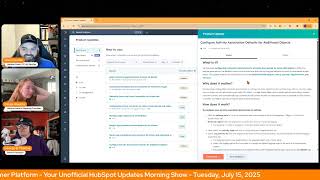
This is a YouTube video titled "New Hubspot Updates 7/15/2025 #hubspotcrm" containing a conversational morning show format where hosts Chris Carolyn, Casey Hawkins, and George B. Thomas discuss recent updates and features in the HubSpot platform. The discussion covers various product improvements such as email logging, unsubscribe feedback surveys, lead scoring, workflow action rate limits, video captions, Shopify app updates, and CRM object associations. The episode is designed to help users discover and utilize HubSpot's capabilities effectively, with a casual and informative tone recorded on July 15, 2025.
Foreign Wake Up Customer Platform it's time to start the day. Discover all the value you already own. Don't let solutions slip away way Wake Up Customer Platform the tools are at your hand. No need to sleep on capabilities that can help your business stand. The answer's right before your eyes. You just need to realize Wake Up Customer Platform and watch your business rise. Wake up. Wake up. The platform's waiting for you.
You.
Wake up. Wake up. See what your system can do.
Good morning HubSpot Nation. It is time to Wake Up Customer Platform with your unofficial HubSpot updates morning show where we help you discover the platform value you already own. Chris I'm Chris Carolyn, joined by my co hosts Casey Hawkins and George B. Thomas. We are here every weekday morning to make sure you're not sleeping on HubSpot's true capabilities. If you're joining live, drop a hello in the comments and let us know what you're building in HubSpot today. Happy Tuesday, July 15, 2025 how are we feeling this morning?
Great and good.
I'm fired up. I already told Chris this morning I'm fired up.
Uh oh. Why are you fired up? Casey?
I am very excited for the hug today.
Let's go.
Yes, very excited to see you drop knowledge related to lead scoring.
I was thinking about it this morning and I think it's helpful that it's a webinar and I won't be able to see people. I think I can't do what George does at impound. I would be visibly shaking.
You're gonna do great. Yeah, all the faith in the world.
Yep.
Since you show up every day and talk about updates. Number one today Apply activity logging defaults to external emails. What is it? Admin Configured email logging rules now apply consistently across all email channels. Previously, these rules only applied to emails sent from contact record pages, but now they extend to emails sent through the HubSpot Sales Chrome extension, Sales extension for Outlook, BCC and forwarding addresses, connected inboxes and sequences. This update applies the email logging rules to emails that are logged to a record from the Sales Chrome extension, the BCC forwarding emails, inbox and sequences.
Why does it matter? You now get predictable email logging behavior regardless of how you send emails. This consistency eliminates confusion when emails appear on unexpected records or seem to disappear from where you expected them. With unified logging rules, you'll spend less time manually organizing emails and more time focusing on your prospects and customers.
Nice. Nice. I like the little how does it work? It gives you a bullet points of emails sent. What Happens. You know, we should probably hit that beta button because this is a beta. I do like that they have links going to knowledge articles inside of this bad boy too. It kind of. Chris, I don't know if that's what threw you off when you were reading, but you got to that. Like HubSpot sales, Chrome extension. But the links. The links are a nice added touch.
Well, I think, like, we see the same things and for good reason. Like the same thing is repeated three times in this short amount of text.
Yeah.
Because these are all the ways that you can log emails to HubSpot. Okay, so no more excuses about not having emails because now you can manage the rules across all the different channels, right?
Yeah. I almost cut you off at the end, Chris, because I knew what you talked about right before I talked so that I was ready. And then you talked about it before. And then I was like, oh, wait, not me yet.
Yes. So this is. Man, this fills a massive adoption gap. You can't get your emails in HubSpot, which, if you can't manage rules across all those other channels, then it becomes very hard for your teams to use HubSpot successfully. Number two unsubscribe feedback survey available on preference pages. What is it? You can now trigger an unsubscribe survey on the preference page to collect feedback about why a contact is unsubscribing from all emails. And view this feedback for more insights about your marketing email strategy. Turn every unsubscribe into a learning opportunity without adding friction to the unsubscribe process.
Why does it matter? Automatically collect feedback when a contact unsubscribes from all emails. Giving marketers actionable insights to reduce churn and improve content relevance.
Yeah, I like this. It's funny. I was just doing an interview should be released later this week with Hub Women of HubSpot interview that she was talking about feedback, how important it is. And we talked even about how Brian Halligan from Inbound. I forget which year with Feedback is the breakfast of champions. And I love this idea of, you know, even. It's a sad moment they're unsubscribing. You know, at least you could learn something from it. So I. I love this update.
Okay. And I didn't notice this last time. Survey includes five preset options. No longer interested in your company. I didn't sign up your mailing list. I received too many emails. Your emails are not relevant to me. And other.
I think that might be the up the update to this update.
It could be. Could be I'm still of the mind of like, good, good to give them an opportunity. But I wouldn't go as far as saying without adding friction. Yeah, to the unsubscribe unsubscribe process.
Already by the time you get there.
Yeah. I mean, if you're selling to marketers, then they're definitely filling out like the survey. Probably. So yeah. Might as well lean in there.
By the way, if this is the first time you're hearing about it, go request that beta if you want to get access to those five options, one being a text field too, I do believe I saw indeed.
Number three Manually Score Deals and Companies with Sales Hub what is it? You can now manually score deals and companies using the Lead Scoring app with Sales Hub, Professional or Enterprise. Because heaven forbid we name things properly. If it's going to score deals, just call it the Scoring App. How close are we to that?
Like, honestly, that's true, because the health scoring app is hard to find. You're right. You're right, Chris. Once again, I say this every day. Effective scoring provides accurate, actionable insights that empower sales reps to identify which deals to prioritize and which companies to prospect first. With manual scoring, you and your sales team can customize the scoring rules that are most impactful for your business, ensuring efforts are always focused on accelerating deal closure. With the Lead Scoring app now, in both Marketing Hub and Sales Hub, your marketing and sales team can seamlessly collaborate and maintain consistent criteria for evaluating contacts, companies and deals in a unified and single scoring solution. Sales teams are also able to migrate their manual deal scores from the legacy scoring property that is sunsetting on August 3, 31st, 2025. There's a sleeper update in within this update, which is that and we talked about this the last time. Sales Hub, Professional and Enterprise also can now use the Lead Scoring app. It's like yep, the other piece of this.
Crazy to think that they couldn't before, but glad they can now. Without a doubt removing the barriers. Finally, number four Configurable action rate limits on custom code actions and webhook actions. What is it? Introducing configurable rate limits for the custom code and webhook actions in workflows. This feature is an elegant native solution that gives you more control over how quickly these actions should execute. Note that using any actions with configurable rate limits will consequently also impact all of the following actions in the workflow as well.
Why does it matter? By default, workflow actions execute as fast as possible. This behavior is not always beneficial, especially when the actions call APIs and encounter rate limit issues because because of long enrollments or third party services with strict quotas.
I'm not a developer, but I'm pretty sure this is a massive update.
I think it is because I think what I could be wrong, but I think what would happen is if you hit your API limit, the workflow action would just fail and then it's over. However, now it'll wait and as you.
Come in and check out this beta, just, just scroll the end and it sums it up. Well, voila, that's it. But yeah, I think some of the most elaborate workflows I've seen are to try and prevent hitting rate limits while custom code happens while the workflow happens. So I've got some people that I'm immediately going to share this with. I'm sure your boy Chad has some thoughts too. George.
I'm sure I was thinking the same thing, dude. Same thing.
The OPS man himself. Number five Video Captions in Social Editor what is it you now have access to manage to a Manage captions button when adding a video in the Social Editor. This new capability lets you easily view, edit and translate video captions. Translate video captions all directly within your social publishing workflow.
Why does it matter? Captions increase reach, accessibility and engagement on social video, but they've been tedious to manage. Now you can handle everything from preview to editing from the Social Editor instantly check caption status generated, missing or errored add upload add or upload transcript files, translate captions for multilingual audiences, preview how cap and preview how captions will appear in your social post, all without leaving the social editor. So I made some videos with captions a couple weeks ago and I took them to Canva. I downloaded the video. This is gonna stress Chris out maybe, but I took the video file from HubSpot and moved it to Canva because I was wanting to like adjust where the trans. Where the captions were and stuff. So happy to see this.
There's so many gotchas like that when it comes to content management. That's like if you can't do the whole piece in there, then you got to take the whole piece out. Right? Because the whole like downloading and uploading, you can't do it too many times or else the video quality goes down. Right?
Yeah.
And so this is, you know, says who gets it? Anyone who is a part of the AI powered video marketing platform Easy and Fast Video Marketing Beta. So sign up for that beta if you haven't yet. Yeah, this is Very cool. And I'm gonna We're going to read that every time it shows up. Like this is a super powerful like hidden gem here. If you if you're working on videos Shopify App Update Revenue Reporting for Orders what is it? With the Shopify Data Sync app, you can now track revenue from orders generated through marketing assets with a new revenue reporting capability for the orders object in Customer Journey Reports, an embedded order based report is available within the Marketing Email Performance tab showing how many contacts received your email and then placed an order.
Why does it matter? See precisely how your marketing activities influence purchasing decisions and generate order revenue. This clear connection empowers you to identify effective tactics and make informed adjustments.
Hard to believe is only two months ago since the Shopify Legacy apps on set number seven Never Log overrides existing contacts for inbox and help desk email.
I'm glad this came up.
Well, let's talk about what it is. Previously, if a team email address sent a message to a recipient on the Never Log list, an email engagement would not be created unless a contact already existed that matches the excluded email address. Going forward, an email engagement will not be created even if a contact matches the excluded email address.
I love this. Why does it matter? No one likes unintended automation making a mess of their data. Winky face. Yeah, that is why I'm glad this came up. I cheated on you guys yesterday and talked about updates with Max on the Monday morning briefing.
Okay.
And this update came up and I was like, I have not seen this update. I would remember that wink face for sure.
Yeah, because.
Because it's an old school wink face too. It's not an emoji.
Like yeah. Were you on live all day yesterday?
I was basically on live from 8:30 until we got off, which was at what, 12:30 my time.
Wow. So proud.
Max played like party music in the beginning and he was like, we gotta wake the people up, Casey. I don't know. And at some point I was like, max, this is my third Live today. And he was like how?
Oh man, that's how we're doing work over here to educate the masses. That's what we're doing.
I also used Auto Magical George and Max cringed.
Excluded email address Going forward, an email engagement will not be created even if a contact matches the excluded email address.
I love this. Why does it matter? No one likes unintended automation making a mess of their data. Winky face. Yeah, that is why I'm glad this came up. I cheated on you guys yesterday and talked about updates with Max on the Monday morning briefing.
Okay.
Can't believe it. And we. This update came up and I was like, I have not seen this update. I would remember that wink face for sure.
Yeah, because it's an old school wink face too. It's not an emoji.
Like yeah. Were you on live all day yesterday?
I was basically on live from 8:30 until we got off, which was at what, 12:30 my time. Wow.
So proud.
Max played like party music in the beginning and he was like, we gotta wake the people up, Casey. I don't know. And at some point I was like, max, this is my third live today. And he was like, how?
Oh man, that's how. We're doing work over here to educate the masses. That's what we're doing.
I also used Autumn. Magical George.
Hey.
And Max cringed.
Yes, yes. He's heard it many a time.
Last one on today's list. Configure activity association defaults for additional objects. What is it? We launched configurable automatic associations for activities and records for some CRM objects in 2024. This feature gave admins the flexibility and control to fine tune their activity logging defaults to match the business's unique needs. This update extends this functionality to include additional CRM objects like listings, courses, appointments and services.
Uh oh, why does it matter? By extending configurable automatic associations to listing, courses, appointments and services, admins can now apply one consistent set of rules across every core CRM object. A single predictable mental model speeds onboarding, reduces data entry errors, and automatically logs activities to the correct record. So reps always view a complete activity history in context. And teams can rely on cleaner data to drive decisions. Decisions.
Nice.
Speaking of little gotchas, right?
Man, this makes me go a little cross eyed, but I think.
Well, this is the parody that we've been waiting for. I mean, a lot of exciting things came to pass with the object library and these four objects, but constantly running issues into not understanding all of the things and how you can do some things with custom objects and some things with object library objects and some things with the core four. And that was like literally ran into it this week, which I think they're in the process of resolving. And that is like being able to personalize use personalized tokens based on things attached to a contact in a marketing email. Right. As of last week, we were not able to see the services object. Right. So you get excited using these objects and like customer success workspace and like, all right, you start to build out your whole plan and then it's like all right, we got to get to the automated emails. Let's get in there. Oh oh. And it was either if if we didn't know that they're probably going to release the the update for that we've got to recreate it as a custom object and that can shake the whole plan, right? So very awesome to see parity of functionality across the CRM suite of objects. Oh, exciting day of updates.
Yeah, we ripped through eight quick.
Yes, yes we did. Remember folks, you probably already own the solution you're looking for in HubSpot. And in case it's lead scoring here to check out the admins hug in a couple hours, Casey will be breaking it down on how to do things in a much better way and being.
Very chill about it. Very chill.
Being super chill. Being super chill. Super professional, super expert level knowledge and guidance. Seriously folks like you can go spend an hour with Casey and you can rebuild, you know, in the new tools and then be worry free in about 45 days when the legacy tools sunset. You won't have a care because you already have your stuff built out. So definitely check it out. Join us tomorrow morning live at 7:30am Central or catch us anytime on Spotify and Apple Music. Drop your biggest takeaway in the comments and let us know what capabilities you want to wake up to next. Until then, I'm Chris Carolyn.
I'm Casey Hawkins.
And I'm George B. Thomas.
And this has been Wake Up, Customer Platform. Now go build something amazing. Have a great day everybody.
Wake up, Customer Platform. It's time to start the day. Discover all the value you already own. Don't let solutions slip away. Wake Up, Customer Platform. The tools are at your hand. No need to sleep on capabilities that can help your business stand. The answer's right before your eyes. You just need to realize Wake up. Wake up, Customer Platform and watch your business rise. Wake up, wake up. The platform's waiting for you. Wake up, Wake up. See what your system can do.










