New hubSpot Updates you Should Care About 12/1/2025 #hubspot
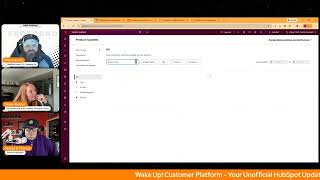
Chris Carolan, Casey Hawkins, and George B. Thomas break down HubSpot's latest updates: full sandbox support for Forms, a new Run Agent Workflow action for AI agents, and improvements to the Product Updates page including better search and cleaner design.
Questions this video answers
December 1, 2025.
Legacy forms editor is deprecated for new portals created after November 10, 2025.
Sandbox support for HubSpot Forms is available in the sandbox public beta (new editor users who join the public beta).
"Run Agent Workflow" action is in private beta.
Product Updates page improvements listed as of November 26, 2025.
Chapters
Foreign.
Wake Up, Customer Platform. It's time to start the day. Discover all the value you already own. Don't let solutions slip away. Wake up, Customer Platform. The tools are at your hand. No need to sleep on capabilities that can help your business stand. The answer's right before your eyes. You just need to realize Wake up, Customer Platform and watch your business rise. Wake up. Wake up. The platform's waiting for you.
You.
Wake up. Wake up. See what your system can do.
Good morning, HubSpot Nation. It is time to Wake Up Customer Platform with your unofficial HubSpot Updates morning show where we help you discover the platform value you already own.
Chris.
I'm Chris Carolyn, joined by my co hosts Casey Hawkins and George B. Thomas. We're here every weekday morning to make sure you're not sleeping on HubSpot's true capabilities. If you're joining live, drop a hello in the comments and let us know what you're building in HubSpot today. Happy December 1, 2025. How are you doing, folks?
I'm doing absolutely fantabulous because, Casey, it's good to have you back.
I was gonna say, I'm feeling like I forgot what I do.
It's been a hot minute.
Where are we?
What am I doing here?
Yeah, well, the fact that, the fact that we're in December. Can anybody else tell the universe to hit the brakes for a hot second? Is anybody else ready for the next. How many days till Christmas? Oh my goodness, 24.
Yeah, I'm happy though. All the kids are back at school so that is good.
Yeah, yeah. I miss those go back to school days because my kids are long past that and they're just always at the house, always hanging out. But I love them to death, of course, of course, of course, of course.
I was having a couple days there.
Yeah. Well, it is definitely good to be back together. Nothing like a. A daily morning show first thing in the morning to get you back in gear.
Right.
And we will dive in. We've got three updates on my side today, but apparently some updates in some other places. So we'll click on this all button at some point. But first, don't forget, got Kyle and then Max with the Monday morning briefing. Oh yeah. In just about an hour or two. Two hours from now. Then we have org chart hub acquisition on the HubSpot admins hug, which is tomorrow December 2nd at 10am Central. Really cool story. These guys of one of the OG HubSpot app builders to then get acquired by HubSpot is really cool. But also the use Case that they that they deliver is super valuable too. So highly recommend checking that out. Back to our updates. We've got sandbox support now available for forms. What is it? First of all, it's only available to users with the new editor who join this public beta. This public beta being the sandbox public beta. But what is this update? We've added full sandbox support for HubSpot Forms, now available for both the legacy and new editor. You can now create, edit and test forms safely in the sandbox. Sync forms, fields and configurations between production and sandbox, validate workflows, logic and integrations without touching live CRM data, migrate confidently from legacy to the new editor. Experiment faster with full data isolation and version control. Note the legacy forms editor remains available for existing portals, but is deprecated for new portals created after November 10, 2025. New portals now use the new editor by default. I did not know that either. Yeah, so I would do this.
Update in here. Why does it matter? Previously, forms couldn't be tested in sandboxes. Making marketers had to make changes directly in production, risking live data and workflows. This update brings forms in line with other HubSpot tools, enabling safe testing and QA compliance, friendly governance, easier migration from legacy to the new editor. Teams can now test, iterate and deploy with confidence while keeping production environment stable.
Very cool.
A lot, but very cool.
Yeah. Nice little. How does it work for starting from Create a sandbox? Knowing this is probably the first thing that might get those marketers into a.
Sandbox, I was thinking that I was like, I haven't been a big sandbox user in the past. HubSpot sandboxes have become more helpful fairly recently to begin with. But for me as a marketer by trade, I do think this might be something that would push me towards trying a sandbox.
Yeah. As. As one should.
Yeah. So many assets and so many things get generated in support of forms. So it's been a hard shift to go and do stuff over there without the ability to just push it over to production. But yeah, this is why we show up every day. And this is why I'm stubborn about reading word for word what's in the update. That little nugget was interesting. I did not know legacy forms were not included in new portals after November 10th. Yeah, but now we know.
Yeah, that's a. That's a biggie.
That's a.
That's a biggie for anybody who helps humans in HubSpot. And you're used to the legacy forms being there. That's a big yeah.
Number two Run Agent Workflows Action is in private beta. What is it? HubSpot Breeze Studio already makes it easy to hire, customize and deploy AI powered agents to help your business run more efficiently. But last week they're helping us take that power to the next level, introducing the new Run Agent Workflow action. A powerful way to orchestrate your AI agents directly within the Workflows app. Alongside your CRM data and automation logic. This new Workflow action lets you trigger an agent directly within a HubSpot workflow. You can configure which agent to run, what information it receives, and how its output feeds back into your HubSpot ecosystem. Whether that's updating a record, triggering a follow up, or informing another step in.
Your automation, why does it matter? Until now, automating an agent was only possible through triggers in Bree Studio. Powerful but somewhat limited in flexibility, the new Workflow Action takes agent automation to the next level by bringing it seamlessly into the workflows app. Now you can use any workflows trigger to deploy your agents, orchestrate multiple agents together, pass outputs from an agent to any subsequent agents or automation actions, easily update your CRM data with the help of agents. And so much more.
Yeah, so much more indeed.
Pieces are gonna just be maddening like all the smart humans in the HubSpot ecosystem.
Yeah.
And then this power.
It'S, it's definitely interesting because the time required to do this stuff right is not insignificant and I know that it's holding a lot of people back right now, including myself. So as I was reading it, I'm like, I look forward to helping Claude understand how this works so that he can tell me exactly where to fit it in and how. But there's a cool demo video that the team has created showing use cases and walking you through setup. So that's definitely the best place to start in my opinion. And one thing I think that I've been noticing is I think there's a lot of opportunity to reduce the complexity of integrations by managing, transforming, preparing data with agents so that we don't have to connect to all of the fields all of the time. I think there's a lot of opportunity there. So very cool to see that come out and always appreciate this next kind of update. Improvements to the product Updates page is live. So let's see what we got as of 1126, 2025. What is it? They've made several improvements to the Product Updates page to help you more easily find, understand and keep track of what's changing in HubSpot as of last week, you get an improved search experience with typo tolerance that helps you find updates even when your search terms aren't an exact match. Expandable images We've seen that one. Thank you team. Click to enlarge images directly in the Product Update Details panel for clear visuals of UI and design changes.
Love it.
Number three More Actionable Recommendations Recommended updates Now filter out updates you've already joined and are sorted by relevance. Number 4 Get Email Digest visibility if you're not subscribed to the weekly digest, you'll now see an opt in banner at the top of the page. And number five Cleaner, easier to scan updates. We've removed the breeze tag to reduce visual clutter as more updates AKA all of the updates include AI functionality. My words, not hubspots There. So very cool. See these updates. Thank you team.
Yeah yeah. Why does this matter? Do you want me to go through that or are we the more people that it matters for?
They wrote that specifically for us. We should go ahead. Go ahead. Maybe.
Maybe it's now faster and simpler to stay on top of the updates that matter most. You can find what you need even if your search isn't exact. View smarter recommendations quickly, save and revisit important updates, see clearer, larger images, browse a cleaner, less cluttered page and get notified about updates via email. I think the typo tolerance is my favorite part of this as someone that is not great at spelling and spends a lot of time searching for.
Also we know they let they get a little say creative.
Yes.
With the way that they name updates.
Yeah.
Tasks.
Yeah, exactly. Sometimes it's as small as that. It's like I'll be searching for forms but the update says form without an S and then it just like it's like I have no idea what you are even talking about and I'm like well it was close.
And of course usually doing that on or with clients at the time. But yeah, this seems like about the time where I was wondering if the expandable images was an update or not. So maybe they they heard me and decided to give us a little short list. So appreciate you either way team. Okay well you folks said there was a few other updates that I'm not seeing.
Just one. Create forms with AI is in my portal. Maybe you want to try to and that's literally the title. It's a private beta but I think we might have talked about it before because I'm I signed up for it but but it's made it back on.
The list Maybe that's because you've signed up for it.
Maybe.
I don't see it.
Looks like George is a special guy.
Interesting.
Bad about the project situation. Love there.
Thanks Chris.
Oh man. Any, any Christmas wish list updates?
Oh I was gonna say are we limiting this to HubSpot right now? I didn't know Christmas or just subspot.
Yeah, let's HubSpot.
I don't know Casey.
I know. I feel like there's, I feel like it's so common nowadays that there's an update from HubSpot that I'm like oh my God, I didn't even think of this. I know I have one client and maybe actually Chris or George you're going to be like that's possible you idiot. You don't know commerce hub at all.
We would never be like.
I have one client that has been asking for a while about step ups in their contracts. So their contracts like scale up over time. So you have a three year contract. The first year might be cheaper than subsequent years and so on. And I don't, I, I don't have a solution for that. So having a solution for that.
That'S an excellent item to go on a wish list. Anything contractor pricing related? Yeah, that's where it goes.
So I actually thought of one Chris. Especially after the last four days of my, my life and that is. I don't know how HubSpot would do this but if, if I could vibe code CMS pages. After this last four days going in and working with a theme and clicking a whole bunch of thousands of times to make a page look good. I don't mean anything mean by this but it feels now archaic compared to the like last four days that I've that I went through with vibe coding. A website that. Multiple websites actually anyway not why we're here. Vibe coding in the cms somehow figuring that out, that would be amazing.
Yeah. And I have to imagine it's something that is being worked on. I'm in a similar boat I think for me and I never thought I would be that guy getting this project stuff done would be awesome. I know for as I start to dive into project management use cases in HubSpot and I know a lot of people are waiting for this extra stuff to happen so that would be cool. In the meantime, if you'd like to learn more about HubSpot objects I am working on. As George alluded to, a few of us have been vibe coding like crazy and some might remember last year that I was working on trying to make it easier to understand all the different objects in HubSpot. And this was my attempt at that Gamma app made it very easy to create some docs and then throw it in and make a website. Fortunately, that website isn't super discoverable because of the way Gamma builds that website. So as George mentioned, we started building out our own version of that. And over at valuefirstteam.com, you'll be able to see and get help with all the different objects in HubSpot. Very excited about getting this out the door nicely with the office hours that, that we're gonna start this week too. Casey.
Nice.
Also, later today we got some value for scoring on the schedule.
Sure do. And yeah, I have. Yeah, we're gonna keep talking about it.
Chris, you'd like. That was a. If that was a relay race, the baton went. I'm just saying.
Folks. No, you two should know by now you gotta stay on your toes. Welcome back from holiday break. Okay, shoot.
1:30Am Central, 11:30am Eastern. We're gonna keep talking value for scoring. I have an idea. I just haven't gotten it. I haven't sent it for approval from the others on the show yet.
They're close, Chris. Today we'll also be making a little bit of additional content past this. We'll be doing Hub Heroes shortly. And then I have a Women of HubSpot interview today as well that we'll be putting out to the world. So it's a, it's content rich Monday right off the bat after a four, four day weekend.
Well, it's the only way to do it. Don't forget, folks, Kyle Jepsen is back with us on Fridays for the HubSpot helpline, which will be at 3pm Eastern, 2pm Central on Friday. So we're excited to have him back. Had a good session last time before Thanksgiving week. Remember, folks, you probably already own the solution you're looking for in HubSpot. Sometimes you just need to wake up to it. Join us tomorrow morning live at 7:30am Central or catch us anytime on Spotify and Apple Music. Drop your biggest takeaway in the comments and let us know what capabilities you want to wake up to next. Until then, I'm Chris Carolan.
I'm Casey Hawkins.
And I'm George B. Thomas.
And this has been Wake up, Customer Platform. Now go build something amazing. Have a great day, everybody.
Wake up, customer platform. It's time to start the day. Discover all the value you already own. Don't let solutions slip away. Wake up, customer platform. The tools are at your hand. No need to sleep on capabilities that can help your business stand. The answer's right before your eyes. You just need to realize. Wake up, customer platform. And watch your business rise. Wake up. Wake up. The platform's waiting for you. Wake up. Wake up. See what your system can do.










