OMG #HUBSPOT did what?
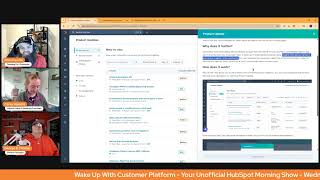
Chris Carolyn, Casey Hawkins, and George B. Thomas break down HubSpot's latest updates from April 2025, including object renaming, subscription APIs, workflow automation, and analytics improvements. They explain what each feature does and how to actually use it.
Good morning, HubSpot Nation. Welcome to Wake up with Customer platform, your unofficial HubSpot morning show where we help you discover the platform value you already own. I'm Chris Carolyn and I'm joined by my co hosts Casey Hawkins and George B. Thomas as we make sure you're not sleeping on HubSpot's true capabilities. If you're joining live, drop a hello in the comments and let us know what you're building in HubSpot today. Happy Wednesday, George and Casey. This is how. I'm already at a loss for words at how much we have to go over today. Sorry for anybody out there that's seeing 17 and that's after a couple dropped yesterday after my accidental switch. You guys are doing okay. Yeah.
Yeah.
All right.
I'm buckled in for 17. Yeah.
So because I got so excited and I came to this update page which is the one I come to when anybody talks about anything new because it is a fully unlocked portal, demo portal. There's not going to be any filtering. I'm definitely going to find the thing I'm looking for but when I do that, the new to you page decides that it's no longer new to me as. As you would think they would develop that properly. So it works. Yeah. So we're going to go over to a different over and profoundly product updates new to you, which clearly I need to catch up over here. 125 and we're going to talk about in my opinion, probably the biggest update of the year.
Wow.
Maybe century.
I'm just gonna throw that in the history of HubSpot. Maybe rename HubSpot defined objects.
Let's go.
What is it, George?
Yeah. Admins can now configure the term they'd like to use in lieu of the HubSpot default for particular objects. For example, I don't know if I like this example, but for example, you might label deals as opportunities. Once configured, opportunities will then be reflected across most HubSpot tools. I immediately think of some people who companies are schools. That would have been a better example here. Anyway, why does it matter?
I'm going to bring George energy. I'm going to stand. Why does it matter everybody? HubSpot currently forces users to learn all of our terminology at the same time that they're learning a new platform. This adds friction to onboarding new teams to HubSpot.
Oh, let me take you through the how first because I do want people to know that this exists. I know a ton of people have been asking for it and I could even Even find uses for it in profoundly. So navigate to settings. Object library. I've been saying for a while, eventually all of the object management stuff is going to go through the object library, but that is a hint into which objects you can actually do this with at the moment. So select details on the object that you'd like to rename and click on the pencil icon next to the object name. Enter the singular and plural terms that you'd like to swap in for that object. Once you hit save, the object name will propagate across HubSpot. All over HubSpot. You can rename any of the following objects. Contacts, companies, deals, tickets, appointments, courses, listings and services. Note we've prioritized nickname support in features that are highly trafficked by users. You may still notice the default name in certain features, including mobile. So what I would love more mobile. Another thing to note is if you're going to go, I know the team has been working on it, but you can't. Last I checked, you cannot associate appointments, courses, listings and services with each other. So if you get that gut feel like now you have access to four truly custom objects and you can just go renit. Keep that in mind that they last I talked to the team, they were working on this and it was a couple months away. So you cannot associate listings and services together, for example, happen to be called out. Wrong if anybody knows otherwise. But what I would love to say is that you're allowed for contacts. You're allowed to change it to two things, humans or people. And that's it.
Your rule.
That's. That's my suggestion because here's what's going to happen. All right. We only deal with students in our CRM. Oh, but now we've got some parents need to. Need to do some stuff on behalf of the students. Oh, we've got some, some guests. We've got some guest instructors that we need to manage communication with. Where are they going to? Okay, let's create another object like object. Object, Object. Like label your stuff properly. You have all the features available for you to manage a human being.
Yeah.
And lastly, I'll say if you're a partner helping somebody with this, like, don't do it unless you have a data model map or something. Like, please help people manage this stuff correctly. Because we thought there was friction before to onboarding new teams.
Two things. One. Okay, that's one. Two. I can't wait to go into my portal and name it human.
I'm just saying let's.
It's gonna be human of the Morning show.
If I had been in the beta already, I would. I would have said in honor of George. I've already named all of my accounts. Right. So with great power.
Yes.
Comes great responsibility. Please take care and understanding your data model in that all of the people are actually students before you change the name of the object to students to that point.
Chris, like this is a big update. You said maybe the biggest of the year. Are you. I don't feel like I'm rushing to change this in any of my portals. I'm not saying that it's not a huge update, but I'm not. There are certain updates that I like. I'm like, oh my God, I gotta start using this right now. This isn't one of them for me at least job you do more data modeling stuff.
I think there's. Just because you can doesn't mean you should. And there's people who are immediately going to be like, I don't even care. Like contacts, company steals. Like we're just going to keep rolling with it's been working. It's not broke. Don't fix it. There are other people who are either just super nerdy. Oh my God, I could turn it to humans me literally. It needs companies is schools. And they just haven't been able to change it to school. Like there's just going to be some use cases where it's fundamentally make sense. But Kasey, I agree with you. Like there's probably going to be hundreds if not thousands of people just like you going man.
Yeah. And that's where like this is another.
Kind of like leads was or lifecycle stages.
Right.
Customize that as to when you could and yeah right.
But leads specifically when we added that object that made the sales process infinitely easier. When you're dealing with with Salesforce and say like, oh, we don't have leads like and now we do right now. That's another hump that sales team doesn't have to get over. Like which a lot of other systems allow you to do this. But just because we can sell it like now we're going to see some downstream impact of how. How inconsistent some of this stuff might get. So all I'm saying is like find some great reasonings, document them so that nobody gets confused and then name it what you need to name it at the end of the day. But make sure you need to name it that way.
I just thought of another one. Another hospitals. There's another company that I work with. Companies are hospitals always.
Yeah. School.
Yeah. So.
So I guess we can Talk about these other, other updates too. But yeah, I, I'd say by far the biggest update of the year. Maybe the biggest update in HubSpot history.
It may be. Depends on it.
It shakes the core of, of how HubSpot will need to be communicated in some ways.
So meanwhile, we just had a hub. Quick.
There you go.
I need that anyway. Whatever.
Yeah, let's add that to the soundboard. There you go. Create Subscription API what is it? You can now use the Subscription API to create subscriptions in HubSpot. You can create subscriptions that store data as CRM records on the subscription object. Yes folks, there is a subscription object object. You can, you cannot rename that one though you can also create subscriptions that will automatically send invoices to your customers. Invoices. Also another object can be paid, can be digitally paid through HubSpot payments, Stripe payment Processing or marked as paid when you receive an offline payment.
Why does it matter? This enables you to connect subscriptions to external applications and update the data in HubSpot as changes happen. You can also initiate billing and payment collection in HubSpot. Great.
One of those things. Once it became available in HubSpot, first thing people asked for was the ability to create via the API. And now you have it. Great job, Commerce Hub team. But is it billing as a product? Actually, it's the billing app that we need to start talking about upcoming sunset developer platform in October 2025. So just as a heads up, v2025 1 is replacing 2023.2 to support the deprecation of outdated Node JS versions across developer tools. Important actions required. Update all developer projects, all of them to the Latest version before October 1, 2025. Lots of Runway here, folks. Without updates, you won't be able to make further changes to your projects. Yeah, do we need to go through the. Why does it matter here?
We got a lot of updates.
Yeah, I'll just say props to the team there. Right now, the developer mentor program, like they're doing some really amazing things to help people develop through all of these updates and all these changes that are happening. So. And if you're looking to stay up to date on that stuff, like check out the developers hug, they're creating more content now to you. So heads up there. Number three. Automatically format property data at the point of entry. What is it? You can now automatically format your data as it enters the CRM, ensuring that your data is clean, formatted and valid. This formatting will apply when users edit properties manually or import into Properties. This can help you, for example, automatically remove letters from postal code or automatically remove special characters from city.
Why does it matter? Maintaining data quality in the CRM will be faster and easier now that your CRM will not only prevent entering invalid data, but also clean it on your behalf as it enters. Instead of forcing users and admins to correct validation issues and errors, HubSpot will now automatically correct those issues. It looks. Yeah. So you have to set up the property. Set that up in the property. That was the part that I wasn't clear on. Yeah.
You working with us much at George property validation?
No, I have officially hit the chime button though on the beta so I can get into it. Interesting. I feel like we talked about this before. Do I dream about.
We have. I'm like and I don't remember this gift because I definitely would have called it out like image. We don't actually get to a good city entry for New York.
That's true.
Oh, team, can we just take a minute? So maybe not give dirty data examples in the thing that's supposed to be cleaning up dirty data. Okay, next, progress are important. Number four. Enroll records in workflows from a CRM card. What is it? You can now trigger workflows directly from the CRM card today. Sales and service professionals are performing a variety of repetitive tasks every day, which is preventing them from focusing on high impact work like talking to customers and driving sales.
Why does it matter? By utilizing this card, repetitive tasks like CRM researching, like updating the CRM, researching leads and logging activities can be effortlessly automated through AI skills and other workflow actions directly within the CRM page. This not only saves you valuable time every day, but also significantly reduces the potential for human error, allowing you to concentrate on high impact tasks that drive business growth. I know Kyle made a video, I think it must have been yesterday on this too.
Yep, putting that one in. It's interesting because it I, I like the screenshots because at first I was like whoa, what's different? But it's different.
Yeah. As I was coming to mind is like props of the team for somehow making product updates in Agile Activity as well. They just get the information out and we appreciate that. And it looks like a lot of these recurring updates are adding screenshots, adding more context as they can because it's really easy to come and look at this one time and then never see it again and then not use it again because we're not seeing it.
So when this first came out I wasn't sure. I loved that you're limited to the amount of workflows in the card that you can enroll them in. However, I do think this is a benefit because I know how many workflows are running in a HubSpot account and that can be one overwhelming to someone that doesn't know the system to find the workflow they actually want. Um, but also I don't want people to just enroll them in anywhere. Any workflow they, they find.
Yeah, yeah, yeah. I really start to align with like my bookshelf analogy though. Like when I talk about workflows that don't have an automatic trigger and sales teams, I'm like, you want to give them a bookshelf that they can pull a book off of and like they know that this thing's going to happen. Understanding you can have like whatever sitting there, done. Move on.
Yeah. Much more direct and visibly communicates what's actually happening so that it's not like, well, you got to check this and then this has to be at this stage and if you do that then the workflow will fire. But we don't want to clutter up your feed so that you check that the workflow has fired, but we need you to do it. So instead we're going to put a bunch of process rules in front of you to make sure that you've checked again. This comes with great training as well to put this power in the hands of users, which I am 100% for you doing that. Just know that that ability to just click and manage workflows from a record is not to be handled lightly. Looks like another new update is custom objects. Utilizing this card for your custom objects. So very cool. Edit labels for SMS test numbers. What is it? SMS users will now be able to add and edit labels for test phone numbers within the SMS editor.
Why does this matter? Before sending an sms, users are encouraged to send a test message to themselves or a colleague to check and make sure everything is set up correctly with customizable labels. You'll never second guess which test numbers belong to which team members, saving you time and preventing confusion when verifying your messages. Look perfect. This is nice. I was, I came in here ready to say this was kind of a niche update, but it's not. It's. It's pretty.
I feel like it's very use like user friendly. Yeah, those that are doing what they should be doing. Hashtag test, test, do as I say.
Not as I do.
And again, I'm very curious how many people are using SMS in HubSpot. So if you're out there. Drop us a line. Number six. Expanded automation Issue management Private beta with medium impact, what is it? You can now effectively manage and troubleshoot any issues that arise across all automation tools in workflows, forms, pipelines and more?
Why does it matter? A key piece of automation management is easy, effective troubleshooting. With expanded automation, issue detection and management, you now have a quick way to review all issues that may arise in any of HubSpot's automation tools, not just workflows. This means your automation, regardless of where it's built, is easier to monitor and troubleshooting is faster.
Oh my God. HubSpot, we love you. That's all I got to say about that one. I'm, I'm. That's. That's. You know how much I talk about like put it at the end of the form or put it in the pipeline and like when to like there's literally later. Today we're doing super admin training and one of the things that we're talking about around automation is where and when to do it in the place that you should do it. But now you can test it, see it, troubleshoot it everywhere. No matter where you put it.
HubSpot is our oyster.
Yeah.
Number seven. This is a sneaky big one, I think. Service Hub Journey Analytics. Oh, so we can do Journey analytics after they. After they give us money. That sounds like a great idea for focused on renewals and upsells. What Is it the HubSpot Journey analytics report Builder is launching for Service Hub Enterprise customers. Service Hub Enterprise customers can leverage the Journey Analytics Builder for a number of different use cases. For example, which knowledge base articles led to tickets opened by customers? How good are self service resources such as chatbots and the customer agent in handling tickets by themselves? And how often do they need to hand over to a human? How much revenue was created after a ticket was closed?
Why does it matter? Service Hub Journey analytics will enable leaders to understand the journey of customer interactions with self service resources and support teams. You will be able to measure and optimize effectiveness of customer response and engagement and streamline support processes by identifying bottlenecks and inefficiencies.
Huge.
Nice.
Yeah. Every leadership team I've ever met wants this visibility. It's been so hard to give it to them with the systems we've had access to. That's why I'm so excited about what they've been doing in Service Hub with customer success. You know, help desk and good to see they're bringing it together in the reporting area too with the tools that we already have in HubSpot, not creating new ones. So great job team there. Developer platform version 2025 good we have one to replace the one that's sun setting. Starting yesterday, the project's framework and developer tools will Support Platform version 2025.1, which necessitates Node JS v20 as the minimum version for serverless and endpoint functions. Developers get after it Number nine Sequences Reporting Advancements I just love when they put those ambiguous words like advancements. What could that mean? What is it? This release provides a number of updates to Sequences Reporting. Sequences Reporting to help sales teams quickly understand how their sequences are performing and optimize their outreach. An updated performance tab with reporting on sequence step Performance includes a new call Step metrics to track calls made and connected per step. New Task on time completion metric to track task steps completed on or before their due date. New Email Personalization rate reporting to understand how reps are personalizing emails by step. Wow, I'm super interested to see that one. Lots of updates here. Lots of advancements rather.
Yeah.
So if you're interested in using sequences, come check out this update and take a look.
Which you should be by the way. But yeah, I mean I'd say this helps scenes. Anyway, I'll stop Do you think this.
Is like the base of the conversation of when we're trying to automate emails? Like whether or not we're using, you know, marketing emails and workflows versus sequences like this. This kind of granularity I think you should really try to achieve when you're asking lots of people to do a bunch of one on one automated stuff.
Well listen, the, the reason this excites me and I know we haven't even got to the why does it matter yet? But the reason this excites me is because I don't teach sequences as a sales email automation tool. I I teach sequences as a sales or service or marketing process tool because of tasks and calls and email. Like literally I've helped people build a sequence that is nothing but seven to ten tasks that they can enroll and they just know that they flow out over a certain amount of time of things that need to be done like this. To me, the fact that that sequences can be a process tool, the fact that sequences can be part of campaigns, the fact that we're getting this granular reporting, the fact that if you sit here and think to yourself now what this means or could mean to marketing and non marketing contacts and the movements that you're making on people that you don't have to pay for. I'll just stop there.
That's a, that's a good point too. The people you don't have to pay for as marketing contacts. Use the tools that you have access to folks and we'll last one for today. Share feedback on betas I'm super excited about this one. What is it? Admin can now submit feedback for betas they're enrolled in from the product updates page.
Why does it matter? Our product team cares deeply about building a product that works better for our customers and feedback plays a big part in that. But until now, there hasn't been a clear way to share feedback during a beta. Insights often get lost across in app surveys, support or the community. This new centralized flow gives you a direct line to the product team so you can tell us what's working, what's confusing or what's missing right when it matters most. There's been quite a few times where I've been in a beta and I've been like, hey, so here's the thing. It's like missing this like major piece. Like I think when the lead scoring, the new lead scoring tool first came out, I went, was super excited to use it and like there was a lot of functionality that was immediately missing and I think I ended up opening a support ticket and I was like, where can I share this? I know it's a beta, I know they're working on it, but where? So I'm excited.
Yeah, it looks like this new category pops up here. That's very cool.
I love the vulnerability of this. Why it matters because if you think there's, there's a human or a set of humans inside of the HubSpot organization that are like, but we can't even find our ish. Our ish is like all over the place.
This sentence here, the fact that they.
Say insights often get lost across in app survey support or the community. Somebody's literally pulling out their hair as they're like trying to type this line, like, I have empathy for you. I love you. I think this is a smart idea. I'm super excited. But most of all, I love the vulnerability of like, hey, let's just focus, get it in one area. It shows me that HubSpot is like every other business out there. You just gotta get better along the way.
Yeah. And giving me the opportunity to, you know, re, I guess, give you the feedback after I wasn't ready to give it in the three second window after I open up the new thing and your feedback request pops up that everybody immediately closes. So good to see and thank you for this direct centralized flow. We appreciate all the work that the team is doing and sometimes that's going to be the feedback too. It's not all bad, not all things that aren't working. We want to give you the positive feedback too.
You know what? I think HubSpot deserves a little love. We love you, HubSpot.
Indeed. And I can't think of a better way to wrap this episode. Remember, folks, you probably already own the solution you're looking for in HubSpot. And it could be renaming the objects that you've been wanting to rename for a long time. Sometimes you just need to wake up to it. Join us tomorrow morning as we continue exploring what's new in HubSpot. Drop your biggest takeaway in the comments and let us know what capabilities you want to wake up to next. Until then, I'm Chris. Carolyn.
I'm Casey Hawkins.
And I'm George B. Thomas.
And this has been Wake up with Customer Platform. Now go build something amazing. Have a great day, everybody.










