Optimizing HubSpot | HubSpot Admins HUG | September 28, 2022
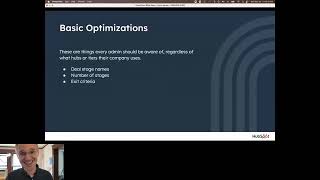
This is a YouTube video titled "Optimizing HubSpot | HubSpot Admins HUG | September 28, 2022". The content likely involves a presentation or discussion focused on optimizing the use of HubSpot, targeted at HubSpot administrators. The exact participants and detailed context are not provided in the excerpt.
Okay, we're now recording. We're still going to give it a couple minutes for folks coming in. If you are watching this as a recording, we're just about five seconds before the hour here, minute or two afterward. Love to hear from all of you where you are in the world. I am in Boston as usual. Rainy Tampa, Florida. Chicago. What's it like in Chicago, Audra? We are descending very rapidly into fall here in New England. I'm a little worried it's going to be a cold winter because it seems to start early. Wow. Seeing uk, Ireland, Italy, Belgium, Portugal. Thank you all for joining late in your day. I promise at some point I will do an EMEA friendly event. Start a little earlier. Working on when exactly. That'll be nice. We got some other New England folks, some Ohio, Montreal, Minneapolis, Pennsylvania. My goodness, you are all over the place. Thank you so much for joining me here. Yeah, someday, someday I want to do some in person meetups. It's. I don't know if that's, that's definitely not a 2022 thing and I don't even know if it's a 2023 thing, but I would love to visit you in all these places. Kyle's world tour, that has been a joke with me and a couple colleagues for several months now. But I look forward to the day it, it stops being a joke. It starts being reality. All right, we are a minute and a half past the hour here so I'm going to go ahead and start. There are 57 people in the room. Thank you so much for joining. Really excited to be doing this with you. And I will make the recording available. So if you or someone you know wants to access that later, we totally can. I am going to share my screen here, see how that goes. All right, so this is, this is part two of this three part series. Did implementing HubSpot last week doing optimizing HubSpot this week and next week I will do troubleshooting HubSpot. This is all. These are the exact slides I showed at Inbound this year. But I've divided into three one hour sections so that we have a little more space to talk. What I learned last week is that you all have a lot of questions, which is awesome. I think that's the way we can make this most valuable rather than just lecturing at you. I'm happy to be distracted and go down tangents and sidetracks as needed. So I will, I will try to be mindful of the time and finish on time. We nailed it last time we'll see if we can do that again. But I welcome your questions as you have them. I will. I can see the chat, which is a huge improvement over last week. I could not see the chat. I just turned on the Q and A function. So if you have a question that either can wait to the end or I don't notice when it's in the chat, be sure to drop it in the Q and A. I will. I'll make sure to get through all those before the hour is up. But loving the banter here in the chat. Feel free to talk to me there and I will do my best to stay on top of it. Today we're talking about optimizing HubSpot. This assumes you have data inside of HubSpot. You've set it up appropriately if you're struggling with that or if you need help. Last week's section is great and that recording is available on the community.HubSpot.com space. For this admin hug, I'm trying to figure out how to better integrate the events page and the community space. And now I've started a LinkedIn group. I recognize there are a lot of different things, a lot of different places. Still early days for this hug. I'm running fast and just trying a little bit of everything to figure out what works. So for this, can I not advance my slides? Hold on. That is not what I wanted. All right. I was. I thought I was so clever here. We'll try this one. All right, play from current slide. Now can I. Now I can advance. All right, so we are going to focus on deal pipelines. I mentioned last time. I am always biased towards sales Hub. I've spent my entire career at HubSpot Academy and before that on the support team supporting the CRM and the sales tools inside of HubSpot. And in my mind your deal pipelines, that's the, that's the heart of your business. This is where your revenue is coming from. And when we want to talk about optimizations, there are lots of things we can do there. There are certainly lots of other optimizations that can be done in HubSpot for website pages, for your service motions. For this session, I'm just going to focus on sales because that's what I know, that's what I love. If you would like content on other stuff, let me know. I am taking requests. It is looking like I am going to have the admin hug is going to have we weekly content sessions through the end of the year. I don't know if that's Too much. I don't know if that's crazy. None of these events have been announced yet, but they are all in the works and they're coming and it's going to be good. There's not too much? Yes please. So great. I will keep producing content until you beg for mercy. There's going to be a whole lot of admin content coming from me, so just make sure you are subscribed to the hug and I will be sharing updates. You all are great. I love you. You are my people. So anyway, to stop pursuing tangents here, this is the layout of what we're going to do today. I'm going to start with basic stuff that's available in all subscriptions of HubSpot. Then we'll move to some sales hub professional features and some sales hub enterprise features. Again, this is not in any way intended to be a sales pitch. I feel I owe it to those of you who are paying professional and enterprise subscriptions to tell you what you have so you can make use of it. For those of you who are not paying for those subscriptions, I just want you to know what's in them. So if you decide you need it, you can upgrade intelligently and you cannot. If you decide you don't need any of this, I'm fine with you not upgrading. I love you even if you're just using the free version of HubSpot. So here we go. Basic stuff. Deal stage names, number of criteria and exit criteria. So for deal stage names and number of stages, I didn't have time to dive into this much at all in, in inbound, but this is something I've, I've written a bit about. I've. I've made a an academy lesson about. I talk a lot about deal stages and names and numbers and so most basically you want the stages of your deal pipeline to, to represent actual real required steps in your sales process. It is really tempting to create a first stage that is like a holding area for leads you intend to contact or to create a stage for stalled deals or follow up that is just going to break your reporting and make things confusing for your reps. You want your deal pipelines to be deals that are moving forward and you want those stages to be discreet and required. The sorts of things reps are required to do every single sale, even if they have an opportunity to skip it. Right? So if you have a product that needs to be demonstrated, even if someone shows up, potential customers like I've seen your product, let's just skip the demo and get to the contract, you probably still want to do some sort of demo to make sure you understand exactly their level of understanding. And so that would be a stage you would want, right? Similarly, if you are installing a physical product, at some point, you probably need to visit the site and take some measurements. These are things you cannot skip. These should be things that are always in your deal stages. There is no set best practice for number of stages. You want the exact number you need. No more, no less. It might be a lot of steps, it might be a few steps, depending on how complex or transactional your sales cycle is. But you want to make sure you're getting that right. One thing I will say that I think is really helpful is if you take your deal stages and put them in past tense. That way your sales reps know a deal moves in when that stage is completed, right? So going back to the example of a demo, because demos is what I do all the time. For HubSpot, if you just have a stage called demo, you'll have some reps who are moving deals in there. When they have the demo scheduled, you'll have some moving it in. With the demo's in progress, you'll have some moving it in. After the demo is completed, you'll have some moving it in. Even if it had to be rescheduled, if you call it demo completed now, it's pretty clear and unambiguous that the deals only move in there when the demo is completed. I love that. I think that is something everyone should do. Another thing, I love that you're welcome to take or leave. This is a hot take. I think it's preferable to name your deal stages from the perspective of your customer. Right? So rather than a demo delivered or a demo given, maybe like a demo attended, right? The person actually showed up and maybe rather than a contract sent, it's a contract received. And with tracking emails and stuff, you can actually tell if they have received it. That way your sales reps are focused on the actions that they're trying to get their customers to take, rather than just the actions they can take themselves, which may or may not actually drive action on the customer side. So that's just some general best practices. Let's hop into HubSpot. If we go to so deals, I'm assuming most of you, all of you probably know what deals looks like, but this is what deals looks like. It's a drag and drop environment here. The settings button is how you're going to adjust your pipeline. And this is. Sorry, my phone. I should have turned it off. This is where you update your pipelines. If you, I believe have starter or above, you can have multiple pipelines and they are just set up here. We talked a little bit last time. You can now customize how what properties appear on the deal card in each pipeline. Definitely worthwhile. Make sure your reps are seeing the most relevant information there. But what I really want to draw your attention to are these stages. The names, probabilities and stage properties. So the names are here. You can add, remove, rearrange stages as needed. This is pretty close to the default. I wonder if I. This is the default pipeline. So if you just set up HubSpot, you will see this, which is a fine set of deal stages, except that they're not really your deal stages. Right. Even if this kind of looks like your sales process, I definitely recommend that you go in and add or remove stages as necessary. Rename them to make them clear decision maker. Bought in. Right. Like yeah, that has to happen in every sale. But do you call it that? How do you know when it's done? Like it's kind of a vague stage. I definitely recommend personalizing these to match the lingo that your sales team is using on the sales floor or to be more prescriptive in the lingo you want them using on the sales floor. Then deal probability we'll come back to. But this is used in some, our most sort of fundamental forecasting things. We take the value of a deal, the amount, and we multiply it by this probability and that's how we forecast how much you're going to close in a given period. We'll talk more about how to make those better. But then stage properties, you can assign properties, deal properties to each stage and they will then pop up. I'll show you what this looks like. We'll go back to deals. You can see I have competitors in this qualified to buy stage. So if I go back to my deals here and go to my default. Yeah. So if I drag Wells Fargo here to qualified to buy, this pop up comes in. I think even just free versions of sales hub, you can, you can have this pop up come and collect information. They're all deal properties in, I believe professional and above. You can add this little asterisk with mate to that. So I have to fill in this or I cannot if I just X out of it. Wells Fargo stays here in the first one. So as you think about your deal stages, there's this concept of exit criteria in a sales process. When is a deal allowed to move from One stage to the next. What information do you actually need to collect? This is the best way to replicate that inside of HubSpot, or at least the most basic way to replicate it inside of HubSpot. The one thing to keep in mind is it's actually entrance criteria. So if in the. When you're qualifying people to buy, in order for someone to be qualified to buy, you need to know their competitors that they're looking at or whatever, then that would be the right place to put it. Let me just pause a minute. There are lots of things happening in the chat. Seems like some technical difficulties. Sorry about that, Rick. Aha. Yes, Trish. Okay, so can we talk about the fact that when users create a deal in, for example, Decision Maker bought in the required fields for the previous stage, don't trigger. So this is. This is an important point right now. You saw, I cannot move Wells Fargo into Qualified to Buy without filling in this competitor thing. But if I just create a new deal and I put it in Qualified to Buy, Qualified to buy, competitor doesn't show up, I can bypass that. That is about to be fixed. I suspect in the next couple weeks, I will be putting a video on LinkedIn saying that this, this sidebar, this created deal sidebar will. It's about to become dynamic. So as soon as I choose Qualified to Buy, for instance, a competitor will get added here as a required property. That is coming very soon. I have seen a working demo of it. I don't know exactly when it will be released, but. Trish, yes, that is a loophole that we are eager to close. So great question, love it. Especially because I have a good answer for it. Let's see. So lots of workarounds for that. Sorry you all have had to do that, but I think, I think, yeah, the workarounds are going to go away soon. Let's see. That's the only question I'm seeing. So if you have a question you asked and I missed it, drop it in the Q and A. I'll be sure to circle back later. But these are the most basic parts of your sales process. So there's my live demo. It looks like, judging by the chat, you've already been pondering some of these things. Could your names be clarified? Do you have the right number of deal stages? Have you defined exit criteria? Is your CRM enforcing them? Yeah, it sounds like you had a good discussion last time. I was so excited to allow you time to ponder on these questions that I almost ran out of time presenting. So I'm going to muscle through kind of like I did at Inbound, pausing only to answer the questions you ask. This deck will be available. I'll share it out after, after the session is over if you really want to ponder some questions. So now let's look at the more intermediate stuff. This is the stuff you get in Sales Hub Professional. This is where you're going to start layering on more structure to your sales process. Not just in having deal stages, but in helping and coaching your reps as they work through those deal stages. So Playbooks is great for this. That recently moved down from enterprise to Pro. Really excited to talk about that. Required properties we already talked about a little bit, but again, you can have properties pop up for individual stages, I think in the free version or maybe Starter. But if you really want to require them or require certain ones, that's Pro and above. Then deal stage probability. I promised I'd show you how to refine that a little bit. We'll do that. Forecasting. I have some very different things to say about now than I did at Inbound a couple of weeks ago because things are changing so fast and products and quotes are always good. So Playbooks, if you are on a deal, we'll just open this one here. You don't have to be on a deal. You can access Playbooks from any record inside of HubSpot. But here, on a deal, you see this area right here and you can, I think kind of the most basic thing to use Playbooks for is like a call outline, right? Don't forget to talk about this stuff on your call. And as you go through, like, what date did this demo happen, right? Like, oh, today, right? We're doing this today. And as you ask people, man, I apparently already use this deal as an example once. Ask people, what are your top initiatives, right? And you can check the boxes for these various things. So the idea here is not just to dictate what your reps have to say on a call, right? This isn't a verbatim call script. What you're doing is, is you're helping your reps remember what questions they need to ask, what information they need to collect. And you're making it really easy for them to do that. So like as they're talking to someone on the phone, they don't have to be taking notes and trying to think how to capture this. They can just click some buttons and you know, like, oh, what, what other people need to be involved here, right? This is just simple and interactive and you know, and grandma, I don't know what's going on there. But this is the whole idea here is to simplify your sales process for your reps. Playbooks aren't just for text. In these interactive properties, you can actually put videos and images and really whatever you want in here. So you might also want to have playbooks that work as training materials. You could do competitive battle cards. If someone knows they're going into a call where a particular competitor is also in the mix, they can pull up that competitor's battle card. You can watch videos, you can have graphs and charts and things explaining where you win, where you lose, how to position whatever in the moment help your your sales reps might need. You can create that as a playbook. And that's all great. And this is now available in Pro, which is fantastic. Next thing required properties to talk about deal stage probability. Let me show you this cool thing that's available in Sales Hub Professional above. There's this sales analytics tool that I don't exactly understand why some of our reports are tucked away in this analytics tools section as opposed to just being in the reporting section. But the sales analytics tool is one of my favorite things. It's these just ready to go push button reports that require no configuration on your side and you can just, we have them in different categories. So if you want to coach your reps and teams or if you want to do some forecasting, or if you want to look at sales outcomes like deal velocity or loss reasons, you can do all of that here. They're pre built for you. Super easy. But the thing that I really. Let's see. So some of these are fun, right? Deal pipeline, waterfall. When you look at your deal pipeline, it's hard to know how it's changing going up and down, right? It might be basically the same at the end of the month as it was at the beginning, but a lot of deals have been closed and a lot of deals have been open. Here you can see, you know, new, new deals created, things going up, things going down. These are the sorts of reports you get in sales analytics. The one I actually want to show you though is deal Funnel. So here you can see the actual conversion rates between your stages. And if you think of those deal probabilities inside your deal stages, the deal stage probabilities, you're not actually interested in this conversion rate, right? The 47% going from appointment scheduled to qualified to buy. You want to know what percentage go from appointment scheduled all the way to close one, right? Well, over here on the right you have these filters and you can do this right now, we're looking at all stages, but if we want to go just from appointment Scheduled to close 1, we can see 53.53% based on real data in my demo portal here. Of course, all my data here is just stuff I made up. But if you did this in your account, you would see the actual percentage and then you could just go make that the percentage for your actual deal stage. And then your reporting is going to be much more accurate. Right? And if you have a really robust, repeatable, consistent sales process, this number is going to stay pretty consistent. Quarter to quarter or month to month, or however you measure it. And so, you know, you'd put that 53% in appointment scheduled and then you could look at qualified to buy and see that's 43%, which is weird and backwards, but you get the idea, right? You could do this stage by stage and you could. You could get the ability to update stuff. Let's see. Is there a plan to introduce mandatory fields in playbooks? Oh, Ricardo, easy question. Are we able to access the recording for this session? Yes, I will share it out afterward. Luke is asking if there's a plan to introduce mandatory fields in Playbooks. I don't know that for sure. The. The tricky thing about. So, Luke, I might need a little more context. Give me a use case. I'm imagining I open up the playbook and I can't actually save it and log it unless I have filled in all the properties, is what you're suggesting. I don't know if that's something we're working on. Honestly, my intuition is that that's a little rough because, I mean, hooray. If the rep actually opens their playbook and fills in some information. We did recently change the logic. It used to be that. So the way Playbooks work, you may have seen this in mine. Let's just go back to it. When I open it up, there was information already in there. That's because the Playbook remembers what's going on, even though I haven't saved it as an engagement. Last time I was demoing Playbooks, I apparently chose the same deal to work off of. And so this data is in here and it remembers the ones I clicked and unclicked, as I was showing you just a couple of minutes ago. But I haven't actually logged this as a call yet. There's three different stages where data might be saved in a Playbook. One is just here, where it's in the Playbook and it's remembered right when I log this as a call. This will then appear on the timeline and that's the extent of what you get in Pro. If you are an enterprise user, you can connect these interactive questions to actual properties. This is a deal property, date of demo that will be saved and updated when once I log the call, but not before. So that doesn't really get to your question of required properties. But I just, I think even if some of these are left null, we would want the data saved and fed into those properties if it's there. But I welcome your pushback on that. And, and will we get the opportunity to have Playbooks be a trigger in workflows? So that one you kind of have in the enterprise version you kind of have. Right. Like this is connected to a deal property called Top Initiatives, right. And if I say your top initiative is cutting costs, Right. Then you could have a workflow that you know, if the Top Initiatives property is cutting costs, we trigger whatever workflow. Right. So that is a way to get there. Trish, let me know if there's a different thing you would want in the world of Playbooks triggering workflows. Let's see. Daniel, what's the recommended approach to deal pipeline? Should it be just for prospecting or should also include customer. Ah haha. Asking for. Okay, love this question. So I mean the most basic canonical answer to this question is your deal pipeline is just for your sales team and it should just have the steps of the actual sales process for prospecting things. I would definitely recommend not using your deal pipeline just because that's going to give you a lot of additional stages and it's going to throw off your funnel reporting. Right. Because you might prospect to a lot of people that you never even get a hold of. Right. And for that to be the funnel shaped report for your sales pipeline is going to be somehow inaccurate, right? It's not. Once you have someone agreed to something, right, they have said they want to meet with you or they've asked for information or whatever. Now you can measure what percentage of those people go on to close. So I definitely recommend anything before that point of some initial commitment. They are agreeing to work with you, you're going to want to use something else. The lead status property on contacts and companies is the most common thing I think to use. That's a customizable standard property. You can make the stages whatever you want. The thing I really like about Lead status is that you can put whatever you want in there and use it to trigger automation. Right. This can make the handoff between marketing and Sales much smoother. If marketing qualifies a lead and sends it over, sales and sales looks at it and decides, you know, they aren't actually qualified yet, or reaches out and the person says yeah, circle back in six months or whatever. You could have a circle back in six months lead status and that would pull them back into marketing nurturing flows and then maybe assign a task in six months for the sales rep to actually follow up. As for what comes after with the deliverables and stuff, I think typically people use tickets for that and it's fairly straightforward process to have. Like once a deal moves into closed one automatically, you know, a workflow creates a ticket with the relevant information. The one thing I would recommend doing in terms of, of bridging that gap is maybe using whatever process you use to assign tickets to whoever delivers your product earlier before closed one. Right. Introduce them into the process somehow beforehand, both so they know what's coming, but also like if you can have them introduced into the conversation earlier. Right. Even just like in, in whatever your final sales call is before the contract is signed, have your sales rep say, and here's Kyle here who's going to take great care of you once, once you're closed. I think anything you can do to make that it not feel like once the contract is signed the sales rep just disappears. And now I'm working with a stranger I think is going to be good. But I think as far as data goes, you want to keep them separate. You want your deal pipeline to end with close one closed loss and tickets or some other pipeline object to be deliverables and things. I would love to hear other people's opinions if, if you have different ways of doing it or you know, just, you know, reality tramps theory trumps theory all the time. And I, I live mostly in the world of theory. So can playbooks update data on multiple objects or just the object you are on? That's kind of a weird tricky thing. The answer to that is not as straightforward as I would like it to be. Let's just make a playbook real quick. We'll create a playbook and we will start from scratch. Yep. And so if we edit this right, we can have it update a property and we can have it update any looks like standard object property. If this updates a contact property, this blocker concerns. Sure. And now if we add another one, is this question answered? Great. If we update a property, we could do a deal. The competitor, one competitor. The thing that gets tricky about this replaced it. The thing that gets a little Weird is you can open Playbooks from any. I guess a better way to demonstrate this is if I go over to a contact. You can open a Playbook from any record. Right. So we were looking at the. On the deal, we were looking at the demo outline, which updates deal properties, but now that I'm on a contact, we can't. We can't update this because it's. It's on the deal property. So this is, in my opinion, the worst part of Playbooks. I've definitely categorize this as a usability issue. I find it confusing. I'm sure others do too. I don't know exactly what is planned. I know Playbooks will be getting some love. I know the team that owns them has a bunch of usability updates they're working on, but I don't know specifics of what those are, when they were launched. So I'm just calling out the fact that, yeah, you can create a Playbook that updates property on contacts, companies, deals or tickets, but if you open it from a different object, it can't see across the association lines to update those things, which is a limitation for sure. Let me know if that helps, David. So, Luke, we're back to the mandatory questions. It's interesting. So we did just change it. So I think a lot of workflows were being triggered. It used to be like, if you updated this property, even if you didn't save it, it would update the property and that might trigger workflows and things. Now it only updates those properties once this is actually saved. So I think that will help. But it sounds like you want mandatory properties, and I think that's fair. I'd be curious whether that's a thing that's come up on the ideas forum. Our product teams really do monitor those, and I think that could be a very good place to. To raise it and see if other people want the same thing. Okay. Okay. What would be. I'm gonna. I'm gonna move on. Looks like Alan is answering Daniel's question. If it doesn't get resolved and you want my input, Daniel, feel free to toss it in the Q and A and I'll get there. But I want to make sure we get through this stuff. I love just answering questions. Forecasting. Let me talk to you about this forecasting tool. Let me tell you what I said in inbound. So here's why I said inbound. Here's the forecasting tool. From here you can see like a team view. You can see the reps on your teams. If you want to Submit a forecast. You can do that here. And this is a good view for like the team leader to look. And if you want to zoom out even more, like VP of Sales, you can see all the teams and you can submit team level forecasts, right? And then the thing that's really cool is that you can come into this screen and you can see individual deals listed out here and you can set next steps, which is a deal property. We can see how things have changed over time and we can update stuff. That's what I said at Inbound and that's still true. I still love this screen. I still think it's great. But it's now possible to edit records from index pages, right? So like if I want to see and update my deals, this was always cool because like you could change forecast category and deal stage and next steps from this view right here. But now with this update, right, that came a week or so after inbound, we can just look at, you know, my deals right here and we can edit anything we want right from here. The forecasting team is in a bit of an existential crisis now that this page, this very basic fundamental page inside of HubSpot covers the unique value. They are really reimagining what the forecasting tool should behave like. I will say the team that owns the forecast tool is called the Deals Management Product Team and they are just hungry for, for customer input on how can we make deal management in HubSpot better. If you want to talk to them, I can. I can with like 80 or 90% confidence, guarantee that I can set up a zoom meeting with the guy in charge of that team. I was able to do it for a couple of folks who attended my inbound session in person. So if you just reach out to me on LinkedIn or email me. K. Jepsen HubSpot.com I'll drop that in the chat for line item column 6. We can get rid of that and it'll just. It'll update and work the way you want it to. Oh, Eduardo. Up to six columns can be added. Thanks. I didn't know that. Is there a way the line items can be added to a snippet, maybe through custom code? So snippets are really just text. The line items table is a separate thing, so I don't know exactly how that would work. There are lots of requests all the time for automated things with line items. We are aware of those requests and we are working on them. But I don't have anything special to share today about timelines or betas or anything. Okay, Luke and Trish wanting to get rid of PandaDoc and come over to HubSpot. Luke, I am it just if you shoot me this question in email or on LinkedIn, I am happy to look up all the limits and lay that up for you. I am very bad at keeping these things in my brain and so I'm not going to guess on what those limits are, but I would love to talk through that with you. So hit me up. Any changes in product library. It is quite basic. You cannot organize products and also can do search only with product names. Yes, we are aware the product library is very basic. I don't know exactly what's planned for products in in 2023. I haven't talked to that team in a little bit, but I'm happy to look into that. Who asked this question? Michelangelo, if you want to again email me, hit me up on LinkedIn. Ask me that question. I will see what information I can get for you. I can't promise I can give you the inside scoop, but I have a good relationship with Ethan Kopit. He's the head of that team and I bet he would give me at least in, in broad terms, what we're thinking with products, that's been a long standing of how much we want to add to the products and in what order. Yeah. So Eduardo, the sort of stuff you're talking about with, with line items is something we're very much thinking about. It wouldn't, it probably wouldn't be in a snippet and it probably wouldn't use personalization tokens, but there is, there is a lot of demand for, you know, based on the type of deal this is or certain properties, a line item should be added automatically or discounting should be controlled in a certain way. These are things we're thinking about and exploring. Again, I don't know timelines on this, but yeah. Charlotte, I wish I could give a really solid answer to this. PandaDoc DocuSign HubSpot Quotes Tool. One thing I will say just in general, when you have a company that does just one thing like Pandoc and docusign do Docs calendly does calendar stuff. Those companies are almost always going to out feature us. We are trying to give the most foundational features possible in like our meetings tool and then if you really need calendly, we have a calendly integration. Similarly we have great PandaDoc integration, but we also have our own quotes tool. I'm not familiar enough with PandaDoc and DocuSign to say exactly where they beat us out and what things would push what requirements would push you over the line of HubSpot's no Longer Meeting your needs. You would then need them. Sounds like Christine has has thoughts on that. So Charlotte, maybe maybe connect with Christine again. I am. I. I get so lost in the questions. I love just talking with you all. Let me talk a little bit about this stuff. So we already talked about connected Playbooks. That's just the ability to connect playbooks to those question answers to specific properties. The thing that's really cool that opens up in enterprise is a connection of several different features. I was not smart enough to figure out this out myself. It was a couple of different users who have told me about this. But imagine that we created for example a deal property. I don't know if I have one in here. Qualified, right? We could create a single checkbox property called qualified. Just yes or no is this deal qualified? And we can then if you're in enterprise, we can assign this to users and teams and we can say private to super admins only. Which means that an individual sales rep is never going to be able to access this this property. You might want to allow them to view it, right? Allow everyone to view, but they're not going to be able to edit this checkbox. What this gets you is even when you have a property locked down like this, workflows can still access it. So if you want a more again the, the, the required properties that I showed you. When you drag a deal to a stage and a thing pops up, that's only deal properties. But a lot of times your qualification is going to be looking at attributes of the person or attributes of the company, right? We want them in a certain industry where they can't be in certain locations. They have to be a certain size or, or have an annual revenue or whatever it is, right? That qualifies someone to be your customer. You can have a workflow that's looking at all those things and once they're met, it checks this box, right? And then your sales reps, when they're dragging the deal, that has to be checked. But then they just update things about the deal, right? They have to say the amount at a certain point or they have to say the close date at a certain point. Just stuff that is about the deal itself. This can be very powerful. It can also be very confusing and frustrating to reps. So a question I really want you to ponder with this is is this level of sophistication beneficial? Right. At a certain Point, you want reps to have ownership of things. You want them to be the ones updating things because you want them actually collecting that information, thinking about it. On the other hand, if you give your reps an endless list of fields to fill in, they start to feel that administrative burden of busy work. And now they don't want to use the CRM anymore because it's just asking too many things and it's not providing value to them. Again, the thing I really love about Playbooks is it's not just a requirement for reps to fill in information. It makes it easier for them to remember what to ask and to capture those answers without having to type them up and without having to distract from the conversations they're having. So if this sort of automation for your deals and Playbooks would, would be good, great, right? You could create a playbook on the of contact properties, for instance, and as you're talking to the person, you're gaining information about them and filling in that playbook that could update the contact properties, that could check the qualified checkbox. And now the rep has to never touch properties, right? Everything's just working for them. But the downside is if that box is unchecked and they think it should be checked, it becomes very difficult for the rep to troubleshoot that. So this is just like the kind of thing you can do inside of HubSpot because everything's so interconnected, right? Playbooks talks with properties and properties talk with workflows, and workflows can update other properties that are accessible or inaccessible to certain people. It opens up a lot of possibilities and I really encourage you all as admins to be thinking through these sorts of things. But you got to be careful, right, that you don't get so excited about the things you can do that you're causing unintended downstream effects. So cool. Sounds like you guys like this. Yeah. Stacy, great. Yes. So one thing I really liked doing in Inbound that I did not allow myself enough time to do last week and I had to do a follow up video, but this week I managed to save myself enough time is even though I focus on Sales Hub a lot, there are lots of relevant features outside of Sales Hub that I definitely want to take a little bit of time to show you. I can't promise I can give you the inside scoop, but I have a good relationship with Ethan Kopit. He's the head of that team and I bet he would give me, at least in, in broad terms, what we're thinking with products that's been A long stand of how much we want to add to the products and in what order. Yeah. So Eduardo, the sort of stuff you're talking about with, with line items is something we're very much thinking about it. It wouldn't, it probably wouldn't be in a snippet and it probably wouldn't use personalization tokens. But there is, there is a lot of demand for, you know, based on the type of deal this is or certain properties, a line item should be added automatically or you know, discounting should be controlled in a certain way. These are things we're thinking about and exploring. Again, I don't, I don't know timelines on this, but yeah, Charlotte, I wish I could give a really solid answer to this PandaDoc DocuSign HubSpot Quotes tool. One thing I will say just in general, when you have a company that does just one thing like PandaDoc and DocuSign do docs calendly does calendar stuff those companies are almost always going to have out feature us. We are trying to give the most foundational features possible in like our meetings tool where and then if you really need Calendly we have a calendly integration. Similarly we have great PandaDoc integration, but we also have our own quotes tool. I'm not familiar enough with PandaDoc and DocuSign to say exactly where they beat us out and what things would push. What requirements would push you over the line of HubSpot's no Longer Meeting your needs. You would then need them. Sounds like Christine has has thoughts on that. So Charlotte, maybe maybe connect with Christine again. I am. I get so lost in the questions. I love just talking with you all. Let me talk a little bit about this stuff. So we already talked about connected Playbooks. That's just the ability to connect Playbooks to those question answers to specific properties. The thing that's really cool that opens up in enterprise is a connection of several different features. I was not smart enough to figure out this out myself. It was a couple of different users who have told me about this. But imagine that we created for example a deal property. I don't know if I have one in here. Qualified. Right. We could create a single checkbox property called qualified. Just yes or no is this deal qualified? And we can then if you're in enterprise, we can assign this to users and teams and we can say private to super admins only. Which means that an individual sales rep is never going to be able to access this this property. You might want to allow them to view it, right? Allow everyone to view, but they're not going to be able to edit this checkbox. What this gets you is even when you have a property locked down like this, workflows can still access it. So if you want a more again, the required properties that I showed you, when you drag a deal to a stage and a thing pops up, that's only deal properties. But a lot of times your qualification is going to be looking at attributes of the person or attributes of the company, right? We want them in a certain industry where they can't be in certain locations. They have to be a certain size or, or have an annual revenue or whatever it is, right? That qualifies someone to be your customer. You can have a workflow that's looking at all those things and once they're met, it checks this box, right? And then your sales reps, when they're dragging the deal, that has to be checked. But then they just update things about the deal, right? They have to say the amount at a certain point or they have to say the close date at a certain point. Just stuff that is about the deal itself. This can be very powerful. It can also be very confusing and frustrating to reps. So a question I really want you to ponder with this is, is this level of sophistication beneficial? Right? At a certain point, you want reps to have ownership of things. You want them to be the ones updating things because you want them actually collecting that information, thinking about it. On the other hand, if you give your reps an endless list of fields to fill in, they start to fill, feel that administrative burden of busy work. And now they don't want to use the CRM anymore because it's just asking too many things and it's not providing value to them. Again, the thing I really love about Playbooks is it's not just a requirement for reps to fill in information. It makes it easier for them to remember what to ask and to capture those answers without having to type them up and without having to distract from the conversations they're having. So if this sort of automation for your deals and Playbooks would be good, great. You could create a playbook of contact properties, for instance. And as you're talking to the person, you're gaining information about them and filling in that playbook. That could update the contact properties, that could check the qualified checkbox. And now the rep has to never touch properties, right? Everything's just working for them. But the downside is if that box is unchecked and they think it should be checked, it becomes very difficult for the rep to troubleshoot that. So this is just like the kind of thing you can do inside of HubSpot because everything's so interconnected. Playbooks talks with properties and properties talk with workflows and workflows can update other properties that are accessible or inaccessible to certain people. It opens up a lot of possibilities and I really encourage you all as admins to be thinking through these sorts of things. But you got to be careful that you don't get so excited about the things you can do that you're causing unintended downstream effects. So cool. Sounds like you guys like this. Yeah. Stacy, Great. Yes. So one thing I really liked doing in Inbound that I did not allow myself enough time to do last week and I had to do a follow up video but this week I managed to save myself enough time is even though I focus on Sales Hub a lot, there are lots of relevant features outside of Sales Hub that I definitely want to take a little bit of time to show you. So one is list segmentation, which is like such a fundamental feature of Marketing Hub. I imagine most or all of you are familiar with list segmentation. But let me show you what I really love about list segmentation that I think is really relevant to the idea of sales process optimization. So let's say we want to create a list of contacts, right? We will call this our ideal customer profile, right? And let's say, you know, we want, we want the contact property of like I don't know what a job title, right? We want. Or actually let's do this, we want their phone number to be known. How about that? That makes sense, right? We want, phone number is known, but we also want things about their, their company, right? So we want their company to be in a particular industry and you know, we'll just pick a few of these at random. That's perfect. Those are the industries I serve. I don't know about you. And we want it also to, you know, be in located in a certain country, right? We only serve a few of these, right? Like UK and Ireland and the US And I'm trying to think where you folks all are, Italy right now this list, the thing that's really powerful about lists is we can look across different objects, right? We can look at contact properties, we can look at company properties. We get a list of contacts who meet those qualifications. The downside of lists is because they are more robust, they take a little bit of time, right? They take some time to load and your reps, your sales Reps really aren't going to be in the list tool at all. They're going to be here on the contacts page, right? Where filtering is super fast and real time, right? Like if we just want to see everyone whose email address is known, boom, we can do it. And it comes right up. The thing that's really cool is that you can access list membership from here. This is like cheating. Your real time filtering here on the index page cannot. You can't put company properties here, you can't put deal properties here, but you can create a list that looks at whatever properties you want. A contact list that looks like company properties and deal properties and your custom properties and all your things. And then you can just say, I want this person to be in my ICP and apply that filter. And now I've got it right? And as a sales rep, I can come in and I can enroll these people in sequences or I can add them to, I can create tasks, right? I'm going to, I'm going to call all these people whatever you want, right? And so you're benefiting from the power of lists. You guys are calling me out on my ands and ors. I'm going fast here. I'm just making this up. This is not my actual recommended list that you create. Create. But yes, there are, there are lots of things you can do with hands and ors. Endless. Which for now, I'll just say the words for now this is and filtering only or filtering will come here eventually, you guys, and I'll be so excited when that day comes. I don't know exactly when, apparently it's hard, but it's, it's coming. So I really think combining list member list membership with your, your filtering here is, is like a cheat code for getting really robust filtering for your sales teams. So that's one thing I want to mention. Another thing that's really cool in Marketing Hub Professional is the attribution reporting. So this is how you can really start to tie the revenue from your deals and things to your marketing activities. And you can start to see what that entire journey looks like. And if you were at inbound, you heard HubSpot Spotlight, we have actual journey mapping reports coming soon. That's entering beta soon. But for now, even just these marketing attribution reports are so powerful that I really think they're worth knowing about. So if we're creating a report, we can click on attribution. And I love, I don't know how you all are at reporting. Reporting is my keely seal. I'LL be very transparent about that. If you have questions about how to build reports and Habswaram, I'm not the right person, but for those of you who are like me, who are like, I don't know how to define a report, I really love how this is laid out. Where we have made the attribution reports, we have named them. Questions, right? Things you might want to know, like what asset type created the most deals. Cool, I'll just click on that. And now I get a report, right? And yeah, there's no data here in my, my account, but then you can come in and you can change the chart type. You can choose the attribution model, right? If you know a little bit about stats and you prefer a U shape over a W shape or whatever, you can, you can choose that. And if you're like me and don't know much about stats, you can read the description and see what the difference between a U shape and a W shape model is and choose the right one, right? You can choose different dimensions, you can choose different time frames. And it's, it's actually, it's, it's pretty easy for someone, even like me, who doesn't know a lot about reporting to come in here and build a very nice attribution report that will then tell you where your marketing efforts are actually paying off and give you some sense of ROI and help you prioritize the things that work over the things that don't work and that can have a huge impact on your sales process. And then last thing is data sets, which is just so fun. It is so fun. This is an Operations Hub Pro feature or enterprise feature. So I don't know. I mean, anyone here have Operations Hub Enterprise. I recognize this is pretty niche, but it is also pretty cool. So if you let me just show you real quick, right? If I'm going to create a custom report. And again, reporting terrifies me. Maybe you're not like that. So maybe this won't resonate. But when I come into the custom report builder, right, And I say I'm going to do something with contacts and companies and I come in here, I see this enormous list of properties I could choose from and it's just hard to even know where to begin. HubSpot Internally, if you can keep a secret. The version of HubSpot HubSpot uses our own portal, our own account. There are lots of duplicate properties. There are lots of properties that have been created and given names that are not immediately obvious what they mean. And it can be very difficult to know what it is you're looking for. Data sets enables those of you who are good at reporting to make things a lot easier for the people on your team who need to generate reports, like your sales managers or your marketers who may not understand the underlying structure of your database. Right. So if we go to data sets, we start with a pretty similar experience here. We can still select contacts and companies, but right away we're getting a little more contacts here. We are going to see every single contact, and then we're just going to see companies that are associated with a contact. Right, because contacts is our primary. Companies are secondary. So if you have companies that don't have any contacts associated with them, they won't appear in this view. Meanwhile, down at the bottom, we're getting a preview of the table we're building that's going to be in the background, like the foundation of the reports we're building. This is cool. Let's throw deals into the mix too. Why not? That'll be fun. Now, we come in here and what we're going to do is we're going to limit that. We have the same endless list here, but what we're going to do is we're going to grab just a few, like maybe a deal property, maybe we want amount, right? And we want amount there. And now if we just save this data set here. If someone used the data set to generate a report, amount would be the only property they saw, which is probably not great. But the thing that's really cool is we can create fields here. Here, right? So, like, we will call this, I don't know, ARR, annual recurring revenue. And if this amount is representing MRR monthly recurring revenue, we can just say that ARR is amount times 12. And we can make this on the fly. Right? So now we will get a table down here that will have a column for amount and then a column for ARR, which will be amount times 12. And actually, if we want to rename this to make it even clearer, we are not changing the underlying property. The underlying property is still called amount. But for purposes of this report we're building, we want it called MRR, and we want to have ARR, which is that times 12. And if any of you are really good at math, you will see this is actually working really well. This is ops Enterprise. I apologize that I said pro accidentally once, but it is enterprise. And these fields you can create are actually like, there's. There's a lot of formulas and things you can do here. You can actually do. If Formulas, right? So like you could say if a, you know, if amount or ARR is above a certain point, then we're going to put a value in a particular field, right? We could tier these, right? We could say these are our, you know, our enterprise customers, these are our down market customers, these are small customers, whatever. And then, you know, you could create additional fields off of those, right? If you want to build like a compensation report, you could say like, oh, we, you know, we have a particular commission amount on, on these smaller deal values, but on big deal values, we incentivize our reps a little bit more and we give them a slightly higher commission rate. Right. And all that could just be calculated here. And then when you, when you save this, right, we'll just, I don't know, we'll call this a data set one. Then we could use this to give it a description as a best practice that I'm skipping right now because I only have five minutes left. We can build a report off of this. Come on. HubSpot load. And now look, just the two fields we created are right here. Again, this is a terrible data set. You should have a date property in here. You should have some other things in here. But now if I'm a sales manager and I come in to build a report, my properties are just right here, right? I don't have to scroll through the endless list and that would be fine. Yes, Gregory, I suspect it's just a matter of time before I get jory on the HubSpot Admin Hug Show. Jory is a very good friend and it would be fantastic if we had something to collaborate on. So this is, this is. So that's, that's datasets. Eduardo, can this be replicated in Pro using custom properties and custom code actions? Probably. It would be a bit of a mess. It's interesting. One thing I really like about this is you can spin up all these properties, properties, these fields that are relevant to this report without adding additional properties to your actual database. We've been getting feedback that actually people don't like that. In some cases they would like those to turn into real properties. So we're looking into building a flow to make that happen. So you would be doing basically the opposite. You could do calculations and things that would then feed into properties that could be built here. The one thing you wouldn't be able to replicate is this, this, this shortened view of properties, right? Like you would still have the endless list of properties and you would have to find the custom properties you've created. But you can, you can totally do that. So that is what I wanted to present to you today. Let me hop over to the Q and A. I am now not looking at the chat, I'm looking at the Q and A. So if you have a question in the chat and I haven't gotten to it, please put it in the Q and A. We've got like two minutes left and I'm going to try to go fast. Charlotte, is there a way to require that deal cards are moved only one stage at a time? I often run into this issue. No, not today. But this is a common piece of feedback and that deal management team is, is exploring this. I think maybe both the people I connected them with that I met at Inbound were interested in having more restrictions around this. And based on the emails I was cc'd on, it sounds like we either maybe have something in private beta or are close to getting something to private beta. So I suspect maybe as soon as by the end of the year you will see some greater level of control here. But I don't have further insights than that. If you want to be connected to that team, I'm happy to do it. Reach out to me and I'll. I'll broker an introduction. Are there any plans to be able to use Playbooks for custom objects? That's a great question. I don't know. I. That's my answer. I can research that for you Again, email me LinkedIn DM me and I will, I will see what information I can dig up. No, no guarantees I will be able to dig up information on that, but I'm happy to try. Are there plans to make Playbooks contextual? For example, if I have a deal in qualified to buy, that's the first Playbook that shows up. This is an interesting thing. This is something that team is thinking about. I don't know where they've currently landed on it. When Playbooks first launched within 2018 or whatever year that was, 2019, maybe you would create a deal Playbook and it was only available on deals. You would create a contact playbook and it was only available in contacts. People didn't like that. So we made all Playbooks available on all object types. But as you saw, they're limited if they're tied to properties. We are trying to figure out the best way to make them filterable and contextual. And we know you would love it if when a deal is in a particular stage, there's the Playbook for that stage, it pops right up. The rep does the work, it updates all the objects and all the different properties. I don't know how close we are to that but I suspect that is something we're working toward. Final question here in the 15 seconds I've got left do you see the deal object stages being used in E commerce? Yes a bit. I'm not closely connected to any E commerce use cases but we are thinking a lot about E commerce especially as we move into the payment stage or space and I bet you'll see more about that. So David you got very short treatment of that question but we are now out of time. Thank you all for being here. The recording will be made available. If you have any follow up questions send them to me again kjepson HubSpot.com or hit me up on LinkedIn and I am I am happy to answer them but thank you all for being here. That's the end. I'm gonna stop sharing my screen and I'm going to end.










