Put in the comments... How many updates will we cover today?
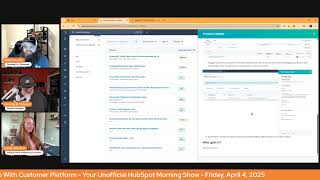
Chris Carolyn, Casey Hawkins, and George B. Thomas discuss new HubSpot features including AI-powered ticket topic identification, automated user deactivation, and sensitive data scanning. The hosts cover multiple platform updates in a casual morning show format.
I can't do another thing.
Good morning, HubSpot Nation. That's who I'm talking to right now, I think.
Yes.
Welcome to Wake up with Customer Platform, your unofficial HubSpot Updates morning show where we help you discover the platform value you already own. I'm Chris Carolyn and I'm joined by my co hosts Casey Hawkins and George B. Thomas, as we make sure you're not sleeping on HubSpot's true capabilities, at least not on our watch. If you're joining live, drop a hello in the comments and let us know what you're building in HubSpot today. Happy Friday, April 4th. Casey George, how you. How you doing today?
Doing great. The pollen is doing things to my.
Body that I. Yeah, how. How's AI going to solve that for us, huh?
I wish it could. My buddy put a a post out on Social. It was like a snow blower, but it was.
Stop it. Like. Yeah, you walk out to the car, it's just like got a little yellow sheen over it. Yeah.
Yeah. You know it's bad when your wife is like thanking Jesus that it's raining because it's washing.
I was gonna say we've gotten a lot of rain here, so that's it. Maybe. You know.
Speaking of rain, raining updates today.
Nailed it.
We've only got 10, but there's some some interesting ones to say the least. Already one from this morning too. They are at it up and early today. Automatic Ticket Topic Identification Powered by AI now we're talking folks. What is it with this new functionality? The ticket property category will be automatically populated with the help of AI.
Why does it matter? Analyzing ticket topic is a essential is an essential for support leaders I'm Analyzing ticket topics is essential for support leaders for a number of different reasons. Understanding topic and problem trends ad hoc in order to identify potential major or wide issues such as outages or bugs understand frequently mentioned topics, topics with a long time to close, or topics with less than average feedback scores in order to plan rep training or coaching on respective topics, understand topic gaps in knowledge based articles, and identify which additional knowledge base articles could reduce future ticket volume. Right now leaders need to rely on their reps manually filling out the category property on ticket objects. With the new automatic ticket topic identification powered by AI, managers will have access to more complete and more accurate picture of topic trends in support tickets.
Way to get through that one, Casey.
Yeah, this is nice. First of all, the Isn't it amazing how one letter can just now if this would have said understanding topics and problem trend like you know, or actually analyzing ticket topics is essential, eh? Then it couldn't for the Canadian, like listeners or watchers of the show. It was in the wrong place at the wrong time, man. But here's the thing. I'll tell you what isn't at the wrong place at the wrong time.
This up, this, this always great.
We are all over it today.
Here's what I love is that like it says it with sort of almost not saying it. You can't rely on your human to do the thing that they need to do. So here at HubSpot, we've created AI to do that for you. Like if I summarize why it matters, that's basically what they're saying here.
I'm just.
Yeah, that's, that's where my head went. And that's where we as humans need to know that we're not good at this and we should be welcoming AI into our lives because this is a, you know, we talk about this profoundly like since we started talking about it. Like how do you, how do you trust people when they say what their problem is like versus what it actually is when you start the conversation and you know, when you have people in the middle trying to help each other and then they're the ones categorizing, you know, the tickets. Yeah, let's, let's get some, some help from, from AI and just one small request to any product managers watching. If you could, in your AI prompts when you're asking AI to write these product updates for you, mention that there's some people that do a morning show that say this stuff out loud and that if you could write it, you know, to maybe help it, help, help us do that, that would be super cool. Wow.
If you can modify the prompt to.
Say and make this easier, easy to say out loud. Who gets it? Service Hub, Enterprise accounts. Yeah. Pro tip, Almost any of the, the super cool advanced technic technical stuff related to tickets and categorization and routing and all this stuff is, is available at the service enterprise level. Yes. Automated Inactive User Deactivation.
Whoa. I don't know.
Whoa.
Let's see. Once you click on this, what is it?
Automated Inactive User Deactivation is an automation that removes inactive users. That is users who have not logged into HubSpot in over 90 days on a monthly basis.
Why does it matter? Inactive users user accounts pose a significant security risk as they can be vulnerable to account takeover atos and data breaches. Manually managing inactive users can be time consuming and ineffective, inefficient. Often leaders Often leading to oversights and delays. This feature automates the deactivation of inactive users, reducing the risk of unauthorized access and strengthening your account security. That this means you can minimize security risks, save time and effort, improve user management. With automated inactive user deactivation, you can focus on growing your business while we take care of keeping your HubSpot account secure and efficient. Efficient? I don't know. I don't know.
All right, so here's the deal. And it's interesting that this happened this morning. I got an email this morning and it made me happy and it also made me sad at the same time. There was a day when I would actually go out and doordash because I wanted to get out of the house and I wanted to travel around and I just. Extra money. It's obviously been a very long time since I've done that. And I got an email today telling me that my account was deactivated. Wait, what? What? I'm never gonna do it again. I don't know why. I was sad for a moment. I was actually very happy. But here's the thing with this. I get nervous, but I also get happy because I know I've gone into so many portals and like during the audit process, which by the way, this is one less thing that you would have to audit thing you could tell them just to turn on. But there's so many people that have inactive users in their HubSpot portal. It's like, okay, I read below, I don't see anywhere. And I'm hoping that this is what happens. I'm hoping if I'm the person that's 60 days, 70 days, 80 days in, that I'm getting an email that says, hey, lock into your HubSpot, because God forbid I'm the CEO and I get busy and I'm just not going to HubSpot because I have teams of people that are doing the things in HubSpot. And then one day at about 2 in the morning when I can't sleep and I decide that I want to look at some metrics I've been deactivated.
Like that's when you just ask your accidental admin to. To get them for you. Right. I'm with you, George.
Also, the CEO is the exact example I was thinking. Yeah, right.
But also that's like what we're telling admins right now. Get good at people, at people management and use getting them to use HubSpot. Like if you were at that point where somebody is supposed to be logging into HubSpot and they have not in 90 days. Something else like is probably wrong with. With your situation. So don't rely on that trigger in that breakup email to solve the problem for you. Yeah, hard to imagine this being like a healthy, like, use case, like somebody. Yeah, let me move on here.
Well, before you move on, what happens in a world where everything that we used to audit becomes a switch in HubSpot? Okay, now you can move on.
All right.
I'm still thinking about if I ordered from Doordash and George B. Thomas showed up at my door, I'd be like, oh, my God.
Now. Yeah, that's the clone. That's the. The next clone is the. The robot version of George. Pizza delivery.
Actually. Hang on, hang on, hang on.
Yeah, come on.
There you go.
There we go. Speaking of more AI scanning, scan CRM activities for sensitive data. What is it? Sensitive data scanning helps you decide if you need the sensitive data feature for your account. Okay, not where I thought this was going. With your permission, HubSpot checks your CRM activities, notes, tasks, meetings, calls and emails coming soon to find potential sensitive information and alerts you about what it discovers.
Why does it matter? By enabling scanning, you can discover if you're unknowingly storing sensitive. This helps you identify where sensitive information might exist in your account, allowing you to activate sensitive data features if needed for additional protection.
My brain goes in two different directions. I sort of got them on here for comic relief. Sometimes you are two different directions. My. Well, first of all, I look forward to the next update that says and we automatically hide it for you and put it somewhere for you to then make a decision on. But what I feel like this is gonna be is that they're gonna find it and be like, you should upgrade to XYZ ABC because you have these 17 things that you. Jimmy, the new sales guy didn't even know. Like, I. First of all, I love this. I don't want any sensitive data in my portal personally because I don't have it turned up. So I like, I see where this is a good thing, but I'm just. I immediately saw two roads where this could go. And one is product and revenue driven, and one is helpful human driven. I'm interested to know which road we're going to travel down as we move forward.
Yeah, probably a little bit of both. And just take care if you're an admin and you see this as an opportunity to upgrade to enterprise, and as you do that, you surprise the hell out of people that do that think there should not be any sensitive data in the platform at all and watch them stop adding all their emails and all the stuff that has the sensitive data in it that may or may not deserve to be in HubSpot.
So I'm imagining two or three nerds in a back room scratching her head. How come tracking log went down 72.5% lately? I don't.
Exactly Moving on view this is super cool like hello Max Cohen if you probably care about this view marketing event history with the new registrant card in contact records what is it? Access marketing event participation information directly in your contacts records with the new registrant CRM card. View a complete centralized history of each contact's event participation right where you need it.
Why does it matter? The registration CRM card provides immediate visibility into your contact's event participation without disrupting your workflow. See registration status, attendance information and engagement history in one place. Eliminating the time consuming switching between contact record and event records to find critical information. Mandy Updates. He's really messing with me today.
I think our boy at simple events cares about this one too. Yeah George.
Oh without Justin. Justin Givens Max Cohen happily team all of them. Yes. Yes, without a doubt. Can I HubSpot? I don't know if you listen you probably you pro when I talk you probably hit the mute button. I get and I might do that to myself on some days. I know my wife cried the other night. She's like can I Does this work on you? It doesn't. I'm sorry right? When in the why does it matter? Can you start to give us like action items like based on the fact that this is card is here now and the data that we're collecting to show you the thing on the card it means you can do XYZ ABC 1, 2, 3 that you didn't used to be able to do and understand like like I.
That's. That's our job, George.
Yeah George.
Don't replace us. That would make our job significantly easier for sure because still people this one. I caught a glimpse of this yesterday. Views and checkouts on payment links Upcoming Sunset what is it? To view checkouts you can use payment to payment link to see the payment link associated with the payment in the payment index page. Alternatively, you can view page views and a number of transactions in Google Analytics and I've gone Cross Eyed Sally sells.
Seashells at the seashore. Wait, what? What kind of maddening payment. Oh my God. I'll shut up.
So this matters because you will no longer be able to see view checkouts and view to checkout rate on the payment links index page views from the payment link will also not be shown on the timeline of the contact record page. I find it interesting that it's like you can now view this in Google Analytics. Like HubSpot's like, we're not doing it anymore. You have Google.
I'm still trying to figure out if I've been doing this or not. Historically, I don't, I don't know if this matters to me.
Yeah. So clearly we probably don't mind it being sunset. But also like, if you haven't listened to the Hub Heroes podcast where George had Jack and Adam from Commerce App Team, please take a listen. They talk about. I loved Adam's take on like the checkout experience related to signing quotes and paying for stuff and no more of this, like back and forth emails, signs. Click this button to sign stuff and. But if you haven't listened to that. Next week at the Admins hug, they're introducing Cash Flow, maybe the biggest hug of the year.
Be square.
Yeah, that's likely why they're. They're gonna replace this, which clearly we're not aware of if we're using or not, with a better experience related to all the payment transactions and revenue and all that stuff. So, you know, it's interesting that admins hug. Like, there's a lot of people super engaged, but this one, I've been sharing it like coming up and nobody's like, oh, okay, yeah, maybe I'll check it out. Like, oh, I just signed up like right now. Like, so really excited to see that. Please pay attention to what Cash Flow is bringing to the portal. Commerce Hub team is doing an amazing job.
It's going to be awesome.
Contact email logging rules. Oh, speaking of not letting all our sensitive data in the portal, what is it? Contact email logging rules let admins configure their portal to automatically capture all communications between users and existing contacts in HubSpot.
Why does it matter? The current default logging behavior only captures contact emails that are replies to already logged user emails, which can lead to important communications being missed in your CRM When a contact responds to a sequence but their email isn't logged. When you send emails from your mobile device without using the BCC address. When you forget to click log your email client, previously you needed to use the forwarding address or the retroactive log button requiring extra manual steps to capture missing emails. Can we go into how it works? I'm confused.
Help us out, George.
Yeah, yeah. And I immediately have like multiple people that I'm like, they can get Rid of the BCC that they've been using because that's the hack. No longer is it a hack, it's this thing. But in settings you can navigate to objects, activities, email log and track to find the new sections for contact email logging rules. The default value is log replies to logged threads only, which will keep functionality as it has always been. To get the new behavior, select Log all emails to from known contacts. This will log all emails between the personal connected emails of users who have personal email access permissions and contacts who are not on the never log list. If you choose the new logging behavior, be aware of these key differences. All emails users. Okay, yeah, that does make sense. I'm just jacking it up. All emails send from outside of HubSpot, such as the email client mobile apps to existing contact records will log to the CRM. All emails from existing contacts to users will log to the CRM. And email sent outside of HubSpot to recipients who are not contacts will not log. You will need to continue using the sales extensions or add the BCC address for those scenarios. I added that last piece. Email attribution Emails are emails that are logged from contacts that are net. New email threads will be attributed to HubSpot users accordingly. If the email only has one recipient attribute to that user. If the email has multiple recipients but only one is associated with a user attribute to that user, an email address is associated. My goodness. Sorry, rubrics here. An email address is associated with a user if they have it. I need to get GPT out just to make sense. Like three lines. If they have it as a connected. This would be a great place for an infographic user. If they have it as a connected personal email address is their HubSpot user account email or an alias number 3. I see the finish line. Number 3. If the email has multiple recipients and more than one associated with a user attribute to the contact owner. That's how it works, ladies and gentlemen. That's what we usually don't. Read that part.
Yeah, and that's what rules. Whatever they say, we have rules now that you can set up like that's like how complex it is. And that's why we don't have all the rules engines that a lot of other tools have because it's really hard to simplify this stuff. Or we could just focus on providing value on social and other places in that email.
You nailed it, George. Sorry.
No, no, it's fine. I need a good workout every now and then.
Yeah, I get really get the vocal muscles. There you go. You know, ready for the day, warming up for inbound.
There you go.
Yeah. So take care. So actually speaking of, of getting all of the sensitive data that you don't want in the portal, just turn that on and then you'll have it. Yeah. With great power comes great responsibility.
Direct path to upgrade. All right, let's move on.
Auto Save properties on the about section and Record Preview. So the autosave journey continues. Today we have editing properties on the Record page, and Preview sidebar is now faster, easier, and more intuitive. Instead of clicking Save after each edit. Thank you so much. HubSpot will save your property edits as they are made on the about this Record section on the left sidebar of the Record page, as well as the Preview sidebar.
This is very nice. Why does it matter? Property autosave will reduce the number of clicks required to enter data in the CRM, making data entry fast and saving you time. Additionally, Property Auto Save will decrease the risk of data entry errors and data loss when you. When users forget to hit save before moving on to the next task in the CRM, users will users work will be saved as they go. If I had a penny for every time that I made a change. Forgot to click save.
Oh, man. Yeah. Is this the last spot now? Should have been. Should have been taking inventory of all the unsaved spots here. You should just ask the team directly. Any. Any left? Yeah. This is amazing. I was just doing this earlier this week. Creating some deals directly from the index page, one after the other and updating deals and having to go down and click that orange button every time. Do I risk it and do five properties at a time and then click the save button and risk accidentally going back to the last page? Or do I just click save after everyone?
Sometimes you got to live on the edge, Chris.
The Data Management Edge. Receive inbound calls with calling apps in HubSpot. I went over this a couple days ago. If you're using a third party calling app in HubSpot, you can now receive inbound calls anywhere within HubSpot and navigate around while on live calls. The new integrated inbound plus outbound calling experience is now available with Zoom Phone and RingCentral with other apps coming soon. I think the first time we mentioned this it was specific to Air Call. And now we already see two more apps.
So why does this matter? Using a third party app that fully supports inbound calling offers the following benefits. You can make outbound calls and answer inbound calls in your app of choice anywhere within HubSpot. You can navigate around HubSpot while on live calls and access call recordings directly in HubSpot outbound and inbound calls are automatically logged on the call index page where you can take real time notes and review a call after it ends.
Pretty straightforward and related to that phone number. Port us. What is it? Porting is the process of transferring an existing phone number from one service provider to another. This allows a switch in providers without the need to change the phone number.
Why does this matter? HubSpot porting feature allows you to enable key benefits of your calling workflow. Easy phone number setup maintains brand identity migrate custom mitigate customer confusion. That's my bad.
Yeah, I remember when this first popped up and they're doing it like you know, all over the world too. So that's why they're classifying like categorizing us here. Like these are the little things like that you know, stops businesses from like starting to use like super powerful tools when there's just like a ton of work involved to like especially when we're basically going from old way of like AT and T like managing your phone number to you know, new way of using software tools to manage these systems to get you access to the cool things, you know like AI managing your call trees and, and your intros and things like that. But sometimes it's hard to break free from those old ways and we appreciate them working.
Yeah, we're not going to read it here, but make sure you check out the how does it work? A screenshot of five things that I need to let somebody know I understand and agree to.
Oh wow.
I want to read that before I actually decide if I'm going to use the thing or not. And I'm not saying anything negative about this. I'm just saying if you're watching this go, we don't always say go and actually check out at a deeper level. I'm saying this time go and check out at a deeper level this update to fully wrap your head around if you're going to do this or not because I like it, I think it's a great idea but oh man.
Response especially this number four.
Don't make a knee jerk response. Exactly.
I understand that porting these phone numbers only includes voice capabilities. SMS usage is not functional on the same line once ported. Just almost there. We're getting close to like full parity across, across the board but. All right. Recaptcha Score based bot form submissions detection Our favorite product update title. I think of all time just like I love it when it's just all Buzzwords like all like technical buzzwords. What is it? With the introduction of ReCAPTCHA score based bot form submissions detection, form submissions are now validated against the score provided by Google's ReCAPCHA tool, which provides a risk score ranging from 0.0 to 1.0, with 1 meaning low risk, 0 meaning high risk. Any submission with a ReCAPCHA score between 0.0 and 0.1 will be automatically marked as spam with spam type filtered by recaptcha. This validation applies to all regular HubSpot forms that include a recaptcha. By implementing this feature, you can prevent bot submissions from corrupting your CRM data, ensuring only only genuine form submissions are prioritized for follow up and engagement.
Why does this matter? Bot form submissions can significantly pollute your CRM data, making it difficult to separate genuine leads from fraudulent interactions. This not only wastes your team's time, but also hampers the efficiency of your marketing and sales workflows. The new recaptcha score based bot form submission detection feature addresses the issue by leveraging Google's recaptcha score to assess the risk of each form submission by automatically identifying and flagging high risk submissions as form spam. The this this feature. And it ensures your CRM remains clean and reliable, saving you valuable time and effort. Sometimes I feel like when I read those names I'm like, trademark, trademark, trademark.
Yeah, so. So I don't think there were screenshots in here last time. Maybe that's why it's back in, because I don't remember them. But. But it, but these screenshots remind me of a thing that has always slightly irritated me. And by the way, I could be completely speaking out of ignorance right now. And if you're a developer and you're like, duh, George, then hit me up and let me know. Last time I checked, we live in 2025. Why is the recaptcha so dang ugly? Like, why can't we customize it to look a little bit more user friendly? I don't even know what the three arrows have anything to do with anything, especially not with my brand. The blue, Like, God, come on.
It's also like big and you can't change how big it is. Like I'm constantly like on mobile, Forbes specifically, I'm trying to, you know, I'm trying to get it to fit.
Can we. And maybe this is a Google thing and not even a HubSpot Google. Can we just. I think it is five man hours and make this thing look, white and gray and sleek and like, what?
Why, why do we even have to say it? Like, why does the user have to see it?
You know, again, could be speaking out of ignorance. If you're a developer and you're like, huh, you could do.
I've definitely never seen it. And not this, this design.
I know, that's what I'm saying. So like.
No, that's a fair request.
I expected you to say there, George, but I'm. I'm fully on board.
No, that's not what you. I mean, I mean, I could have just said. That's what I could have said.
Got me fired up about it today. I'm gonna complain about this all day.
Exactly.
I hope no one has a call with me today. You're gonna hear about it.
You'd be like, hey, how are you doing? Have you looked at the recapture lately?
Specifically the recaptcha score based bot form submissions detection. Oh, that feels like a great place to wrap today's show. Remember folks, you probably already own the solution you're looking for in HubSpot. And maybe it's marketing event registration, registrant cards on your CRM records. Sometimes you just need to wake up to it. Join us Monday morning as we continue exploring what's new in HubSpot. Drop your biggest takeaway in the comments and let us know what capabilities you want us to wake up to next. Until then, I'm Chris. Carolyn.
I'm Casey Hawkins.
And I'm George V. Thomas.
And this has been Wake up with customer platform. Now go build something amazing. Have a great weekend, everybody.










