This is a YouTube video titled "Q&A: Can I create tasks based on SmartSuite status changes?" containing a tutorial-style explanation from October 10, 2023, about how to use SmartSuite automations to create tasks when status fields change. The content features a single speaker providing step-by-step instructions on setting up automation rules within SmartSuite's interface.
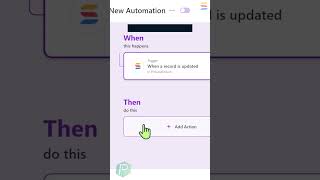
Classy is wondering if tasks can be created based on statuses changing in SmartSuite. All we need to do is utilize the automations that are housed in our Solution Overall Settings menu. So click on here and scroll until you see automations. From here we want to select When a record is updated, you should have something that looks something like this and scroll over to the right side where you'll be asked to specify exactly what condition you're looking for. In this case, we're looking for our status field and when it is equal to whatever our complete value is. When this happens, we then want a bunch of tasks to be created and to do that we're going to go down here and click Add Action. We're going to update a record. We're going to scroll over to the right and we'll see that it's automatically going to update the record that kicked everything off. In this case, we want to choose which fields we want to update and we want to choose our checklist. We want to then add new tasks with due dates and set the assignee at the same time. Once we save our work, this will automatically add this new checklist item into our SmartSuite account anytime the complete status has arrived.