Reduce Back & Forth in Client Service Workflow by Setting Appointments
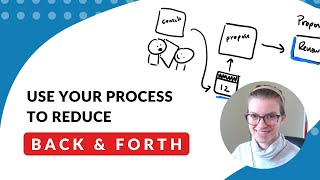
This is a YouTube video titled "Reduce Back & Forth in Client Service Workflow by Setting Appointments" created on May 27, 2020. The content features a single speaker named Layla who discusses workflow mapping with a focus on improving client service processes by reducing email back-and-forth through setting firm appointment deadlines. The video covers examples from coaching and sales industries and emphasizes intentional process design to enhance efficiency and client experience.
Hello everyone. Layla, back with another live for a workflow Wednesday here. I'm going to flip over and bring up the screen. If you are not familiar or if you are new here. Every single Wednesday morning I go live to talk a little bit about workflow mapping. And the reason I talk about workflow mapping in a group that talks a lot about technology is because I believe it's our workflows that should guide the technology we use and how we set it up, rather than the opposite scenario, which is the scenario that most software companies want to push at you, which is just use our tool, use it the way it's designed to. We set up the workflow, we set up the intended use, and if you just use it the way we want you to use it, everything will be great. I don't believe that's the best case for most small businesses who need to combine a hodgepodge of software and tools to accomplish what they want to accomplish. So rather than talking a lot strictly about technology and the new features and the new whatever else you can do with it, instead I focus on what do you want your experience, your process to feel like and then backing into what technology you need to make that happen. So that's why these Wednesdays are just about workflows versus all the tutorials you see throughout the rest of the week. Today I want to do, I'm going to try to mix it up just a little bit about what we talk about in this workflow mapping. So today I want to talk about the question of who is setting the pace and when we are mapping a process. Setting the pace, especially in client service, is usually a real struggle for service providers. And I mean, I'm not, I'm also in that boat. It's a difficult conundrum to keep a project moving forward, especially in a high touch environment where you don't want to rush a client, but you also don't want to say, hey, here's what I need from you. Get it back to me whenever. So rather than mapping out a full process today like we do a lot of other weeks, I'm actually going to just give short snippets of examples of before and afters of small little parts of a workflow that we can adjust to. Be a little bit more intentional about this pace setting. So what's inspired this is this week I was talking with a client who we'll just make up a similar industry. Let's just say they are a coach, an author, a writing coach. So one of the steps in their process is Taking documents that someone provides. So we'll call those drafts and revising them. And that's just one small piece of the service that this writing coach provides. So we take the drafts, and when they first map their flowchart in the process that we were going through in the service we were working on together, they had it mapped. Something like this. Receive drafts, drafts received. And then redlining or revising revisions. Sorry, it's a little bit small revisions. And then we submit the drafts. Submit. Final. Submit. Final draft. Final draft. Okay, so now we have. This is what I was given earlier today, earlier this week rather. And this is what we started to use to start improving the process now. Excuse me one second here. I want to make sure we've got audio and all that good stuff working. Quick check. Yep, we are good. Okay, so. Oh, we are very good. So it starts going very loudly there once it's going. So this was the original process, and there was nothing really wrong with this. When I had them map it as the prep assignment that all my clients go through, they map it on their own with just a little bit of guidance. And this is what they came up with. And there's nothing straight up wrong with this. This seems pretty straightforward. And it is an editing process. It does require some back and forth revisions. So when I really dug into this, I asked them this question of who is setting the pace here? Is this an area where things tend to drag on for a while? And kind of like I might have expected, they did say, yeah, yeah, things get kind of slow here because this revision process isn't really what we have mapped. This revision isn't just one block. That's a nice way of thinking about it, but really the revision process looks more like this. Email one email back email one back and forth of emails to actually get them into that final draft. That number of emails looks different for every single person, depending how many back and forths we need to do. And they were primarily using Word for these revisions. One of the things we can do for this process, and this applies to so many different industries, when you have a part of your workflow that requires back and forth communication, it can be very tempting to just handle it on email, because what that allows you to do is just do little by little, you go back and forth, things keep moving. However, when you're doing things by email, things keep moving slower. So in this instance, we actually started looking at about how much time it takes from all the emails back and forth. So assuming about 15 minutes an email, 15 minutes an email, or so we got up to at least an hour just of that back and forth stage of the revisions, let alone the actual revising, which added on another, you know, 15 to 20 minutes per revision to see what had been changed. So now we're up to two hours. What we ended up exploring instead, and what I want to share today is sometimes when you have a back and forth process like this one, where there needs to be collaboration, it pays to go old school. And old school isn't even that old school, but get on a call. So if you have a period in your process, and the most common places are through a revision cycle or elephant in the room here, a sales process. If you have a part in your process where there is back and forth, get a session on the calendar scheduled. This feels like it might be, you know, actually slowing things down to have a 60 minute meeting rather than the ping pong back and forth. But what it allows you to do is it gives a firm deadline for where, when you're going to go to the next level, when are the revisions going to be done, when it sets a firm date for everything moving forward. Whereas when you have this back and forth, it's very easy for emails to feel like a low priority. Especially with email as the main way to do it, you just become another to do. Versus if this process was, let's just say Monday we had draft received and the following Monday we wanted to submit those drafts, this email ping pong could go on for an endless amount of time because this deadline isn't really firm, it's just whenever the back and forth gets done. However, if we put a firm date, if we put a firm date on this, where we have a revisions meeting on Thursday, we now have a firm period of time from Monday to Thursday where you want to prepare the revisions, where you want to have all of the documents ready for review. And that just cuts back a lot of the redundancy and cuts back a lot of time, especially time that's not scheduled from your process. And a lot of times people won't map this actual back and forth, they'll just put a step. But I'm encouraging you here to actually have a step. So I'm going to give another example of this exact same practice, but talking about the sales cycle, which is maybe one that you're more familiar with. So, so a lot of times, just like in the example above, you'll see something like this for a sales process. We'll have a consult, we'll send. Actually, you know what, let's go back One step, we'll do a consult, we'll send a proposal proposal and then we will play follow up, which is kind of like revisions, right? Where we're trying to see do we need to change the proposal, does it need to be quite what, how you know, however it is. And then the final step is accept the proposal. Accept proposal. So I don't know if you're seeing the similarities just from the get go here, but when we have our proposal, our proposals like documents received up here, when we see follow up, which is kind of like our revisions, and it's a lot like up here and when we accept the proposal, it's a lot like submitting that final draft of the paper in the case of this writing example. So once again, a lot of times when I have someone who has a sales process that they have pretty well defined, they'll draw it like this and I'll say, wow, that's great. If that's actually the case and there's only that one step there, that's awesome. But most of the time, this follow up step, mixing up my colors here, this follow up step is not actually just one step. Instead it is just like we drew above, it is a back and forth process. And I don't know if you've ever been involved in one of these, if you've ever been in that cycle of a end list. It seems like proposal revisions, but the email back and forth applies to proposals as well. Even when they are just a reiteration of what you've already talked about. It is perfectly normal to end up going back and forth on little changes one by one. A sentence here, a sentence there, as they read one paragraph down. And once again, we extend this time period from all of these back and forth with really no firm end date or deadline in mind. And so instead, when we're looking at something like this, you'll see a common sales practice is actually during this first conversation up here, while you're talking to somebody, just say we're here at the table or on the screen between them because it's Covid while we're talking with them through the screen or whatever, we actually put a date on the calendar for the final proposal review people will call it. So rather than just sending the proposal and hoping for the best, let's just say it's the 12th. We will then send the proposal right after the call as soon as it's ready, but automatically have on the 12th we have a proposal review. So rather than just a random follow up here, we have a review that is dedicated to doing all this stuff on one big call. And so that is called a proposal review, which is scheduled during the additional session. So this is scheduled right here. And that tells us exactly when our deadline is to have this final proposal ready and worked through. So that's a common sales practice, but it also applies to service delivery as well. There's a few nuanced ways that you could do this. So you could book the call verbally on, on the initial conversation here, which is what we're describing. You could also have it attached to the proposal. So for example, maybe to open the proposal you have to pick a time on a calendar and when you pick the time, it shows you the proposal. That's another way to do it. So basically it goes something like this. The process would say consult, pick a time on the calendar, view proposal instantly and then you have the review coming up next. But either way, it's this idea of setting a firm deadline for when we're going to move things forward. So it's not being handled via email, it's not being, it's not just being pushed off. As soon as you start going into an email ping pong stage, things feel slower, things get slower. And like I've talked about a few times here, this process, this cycle has no fixed length. You have really little expectation from your side as the business owner to know what your capacity is, know when that's going to close, know when are you ready to onboard somebody else if this process is an unknown length. So by having this benchmark and you could even say maybe this proposal review right here is always seven days after, or maybe it's less. But say it's always seven days after you now know what your expected full cycle time is going to be. Probably about seven days, plus or minus, let's just say 10 days. And now you have some idea versus well, it's whenever they see the back here. Let's just use this example. Is this a two day delay between emails? A three day, I mean it's a seven day, someone just missed the email. Does it go to spam? You get delayed a whole week. Email is not a fun place to get lost in. And so this is a small modification that can happen at multiple stages. So in the description of this video today, the one I'm making, I did explain that this can be used at multiple stages. So just to review, for those of you who are just joining us, I'm going to scroll down a bit. I kind of look at the business process as this kind of machine. Just to give you the stages. Again, I'm using service business as an example here, but there's different businesses for different types or there's different stages for different types of business. But more or less, we're looking at onboarding service. Oh, it looks like my cursor is going on me. Let's sk onboarding. All right, well, that's not going to work for me. Basically, when someone is coming into your world, it is onboarding. When someone is going out of your world, it is offboarding. And when you are serving that client, it is considered service delivery. I think my. See if it'll let me draw now. Nope, getting a little Gucci on me. So when I'm talking about this, this, this use of having a set appointment to move to the next step of a process, this can be used at multiple stages. We've got sales right here, which is kind of a form of onboarding. We've got it used here as a part of service delivery. You can imagine, during offboarding, we could also use this. Rather than saying, hey, would you leave me a review? You could set an appointment for a feedback session where maybe, you know, you. You collect some information about them that's valuable that you could then share and give them some promotion. And at the same time, you're asking them, hey, while we're on this call, could you leave a review and you explain why it matters. All of this is to avoid this kind of conundrum of having all this back and forth via email, which loses momentum and it's not very human. It quickly becomes this cat and mouse, Tom and Jerry kind of situation, but not in a fun way. So I don't know why my looks like my marker is giving up on me today. That's okay. So I'm just going to flip over here and go back to something I used, I think it was last week maybe to talk about this. Just to repeat, for those of you who are new and joining here, I am talking today about process mapping. Oh, there we go. We got a marker back. So I'm talking about process mapping, and this is one of the stages of the process of building processes. Mapping is where you're thinking, it's the vision, it's the what if. How could we make this better conceptually? From the armchair, once you have this down, you start prepping. So in the example I just gave you, if you wanted to, if you wanted to start actually implementing this, especially this example down here where it uses a scheduler, you need to create a scheduler, you need to know what do you want that scheduler buffer time to be? Do you want it to be able to book immediately the next day? Do you want to give them time to think? Do you want to make sure they don't have too much time to think? So, in other words, make this scheduler only available for the next two days. And you want it to be a very quick reveal. Do you want it to be 15 minutes or an hour to talk it through? All of those things are a piece of prep that you need to set up in order to bring this kind of plan to life. Now, once you have your map and your prep out of the way, we go to the try phase, which is a very fun stop. That's where you actually use this process with one client or two clients or ten clients, whatever makes you feel comfortable. So you can see if this modification works for you. I know there was some conversations earlier in the group this week, I think maybe it was last week about ClickUp setups. And I made the point of trying it because just like many of these things, some of these are best practices, but some of these, many of these are going to be best practice based on what you are comfortable with and what your ideal client likes. What attracts one client. Oh my gosh, this is so convenient. Will upset another client who feels like it's too modernized or too transactional. So understanding that this is a trial and an exploration process, a lot of the time if you're watching this, people will gravitate towards one or one of these three more than the other, so they'll get stuck there. So whichever one looks to you as the more exciting one, recognize that you need to get out of that state. If you love mapping, you might be slower to actually start planning or, I'm sorry, to start using that plan. If you're someone who just loves setting up software, loves playing with settings, you might be resistant to actually bring those settings, even if they're imperfect, into the real world to start using them. But we need to do all three of these and move through the cycle as quickly as possible that iteration in order to actually get the results of any of this stuff we talk about in these workflow mapping processes, it's the same as setting up a piece of software, except it's a more intentional approach to doing it. So, yeah, that's pretty much it for this one. If you have questions about what I've talked about today, when it comes to. I know this is kind of a, this is a strange one, but when it comes to mapping processes, when it comes to condensing back and forth this specific little tool that you can use in workflow mapping across your organization. Leave a comment in the chat below here. You know, I'm in the group, I'm in here all the time. I'm happy to answer any questions or ideas if you have any. If you have any stories of how you've used this, I would also love to hear. I gave two examples here of an author, a writing coach who's revising papers and using a set appointment to do that rather than having to do back and forth via email. I also gave the example here of a salesperson which all of us, if we're owning a business, we're also salespeople of using proposal review sessions as opposed to just following up to change the sales process by setting an appointment rather than just, you know, messaging, following up, that kind of stuff. So these tools can be applied anywhere and I'm if this video was helpful to you, let me know. I'm gonna try to make a point to keep experimenting with these workflow videos to see what's gonna be the most helpful moving forward. So that way we can teach some new things and get get a little bit more awareness as to how these workflows can be applied and, you know, helpful to you as you're setting up your tools. I think that's all I've got here as usual. If you found this video helpful and you don't have anything to say, you just wanna show your support, a GIF would be greatly appreciated of maybe a takeaway of how you're feeling today. It doesn't really matter to me. It just always means a lot to be able to see that people are watching this, people are getting value out of it. Because if you're not, I might just stop doing these and shift to some other uses of my time or other pieces of content. So with that I'm just going to wrap up and say thank you all for watching. Thanks. We are going to be moving back next week, next Wednesday same time to do another one of these. I don't have the topic yet picked out, so if you have any suggestions, leave them in the comments. I would love to hear them and that'll help guide what example we use next week. I used a kind of a snippet here, but normally I've been using industry examples. So if you have an industry, leave it below. Maybe in a gif. And tomorrow I'm going to be going live again to talk about just the implementation challenges. I'm not sure if the Thursday series is going to continue. I haven't seen much feedback from you guys as to what's valuable and what's not, so check it out tomorrow. It might not be there in future weeks, but, yeah, that's pretty much it for this video. So, as always, thanks so much for watching. Have a good one, and I'll talk to you soon. Probably see you in the group, actually. All right, bye.










