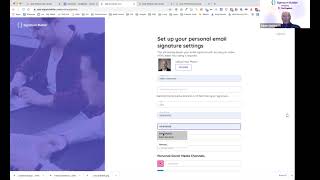
This is a YouTube video titled "Signature Builder App Demo | CRM/Sales Hub App Accelerator 2021" featuring Adam Steinhardt from the Kingdom in Adelaide, South Australia. The video is a product demonstration explaining how the Signature Builder software integrates with HubSpot to create and propagate email signatures across an organization efficiently. It covers account setup, signature customization, license allocation, and embedding HubSpot CTAs into signatures, highlighting the software's ease of use and productivity benefits.
Hi, everybody, welcome. My name's Adam Steinhardt. I'm from the Kingdom, a diamond partner in Adelaide, South Australia. And tonight we're presenting to you the program we've created called Signature Builder. So Signature Builder solves the problem of creating signatures for your HubSpot team members and propagating those signatures across your entire business rapidly. So we're going to get started by creating an account. I'll just go ahead and put my user details in here. Create account. And this is important because what we're doing here is actually setting up the administrator account and making sure that we enter data only once. This is the power of Signature Builder. It allows us to go ahead and consequently set up this information. We're going to connect to HubSpot, connect in HubSpot, we're going to pick our own portal and then from there we're going to go ahead and get the OAuth in. Now, the reason why we're showing this is because this is all part of the process of uploading the information we need to make our signature. And we're only going to make sure we do this really quickly, once and only, which is really powerful. So we're going to go through and add in my details here department C suite. Then from there we've got personal media channels, which I'll just skip for the moment. Now we can update the actual company details here. So uploading our company logo in it goes. Now this is the display name we want to have. You got full control here. So you're actually setting up the signatures for your entire organization just by logging on and getting the OAuth process set up, which is really powerful. So it means marking doesn't have to do this, which is really important. And so we're going to go ahead now and just throw in the numbers as we need to. Street address, we can set that up. And we've got that in there, Instagram. So these are the social media options we have. So we're going to place in our organization social media icons. Quick and easy to do. And then in the background we've got my Boston terrier snoring, which is cute. Then we've got YouTube here. Copy and paste that one in. That goes. And we can do LinkedIn as well. So once we've got them all set up, we now have our base plate of our signature done. Now we're going to buy this. So type in our details here for OAuth. Grab a visa card, verify identity. Yep, 532 and it goes. All done by Stripe and we're going to buy our own software today, get ourselves off to a happy start from there. That's going to use those details which were actually already recorded. Now this is where we pull in our five user license from HubSpot. I mean geld, myself and the other people in the organization, we're going to click on those guys and we allocate our signatures to these people automatically. It's borrowed the data straight from your HubSpot user list, which is exciting. Going to create a boilerplate. This is the first boilerplate. This is the base plate, base template one we're going to call it. And this is where we set up the company branding details. I'm going to use the Adelaide template. Now once we got this, we eliminated all the code we didn't want. People have to deal with HTML code which is annoying. So you can just use these cool sliders to go ahead and build out your signature. Change the line height, change the color. The closest you'll get to HTML code here is a hex code on the color scheme. So from there we can change the body as well. We can update the font size. Really easy to do with these sliders, change the font. All totally email friendly fonts. Got links there. We can actually go ahead and change the links if you want to. We've got show the icons for contact information here. We can change those sizes there photos once again. Change the logo of our thing. All social icons we can show those icons and they're available to us now. And you've got the divider here as well. So you can add a thickness divider, solid red. Show the divider in it goes. We're going to publish that. So that published boilerplate now allows us to apply this boilerplate to all of the people in our organization. We simply just check them off like so these are the people coming from our HubSpot use list. Pick our boilerplate, assign the signature down. Now I'll get a notification saying they've got a new signature to check out and they can go ahead and look at their signature and then from there they'll get a screen that allows them to edit their signature specifically just to them. So they can choose to have their own personal information which is really important. Now once you've got your information in there, you simply can go ahead and copy your signature to an HTML file down that gets downloaded as well or copy straight to HubSpot. Now this program is built specifically for HubSpot goes to email signature. We go in here, paste into the HubSpot and that's our signature done. Now, if we go back to signature Builder, what we also love about this lab boilerplates is the ability for us to really use the HubSpot feature set. So we want to go ahead and use a HubSpot embed code here. So I going to jump over to my HubSpot portal and from here we're going to go and grab our lead CTAs. This will mean that we can grab a CTA from HubSpot and embed it straight into the signature boilerplate. In this case, we're going to go with our recent award win for innovations and we're going to stick that embed code there. And of course that's brilliant because that's going to allow this to appear on everyone's signature. We've just published the boilerplate. Once again the users get a reminder saying that publish. That boilerplate's been published. And then from there we can go ahead and in my particular case, I can Copy that to HubSpot and update my signature quick and easy. Now this is super powerful software, removes a lot of friction on the onboarding process. And because it's linked to HubSpot, you're able to go ahead and consequently get signatures deployed quickly across all of your teams. You're able to go ahead and search through teams, you can search on emails for big organizations and you can import new HubSpot users anytime. You can just quickly add to your setup as you go. Obviously the more users you have, it costs a bit more. It's $9 for five users each time. But super productive, super powerful. That's our software. Hope you like.