This is a YouTube video titled "SmartSuite Record Options" containing a monologue or tutorial-style explanation about customizing data fields and records within the SmartSuite platform, including comparisons to Notion. The speaker discusses how to modify field settings, add new fields, and set criteria for data entry and display formats. The content is instructional and focused on software usage.
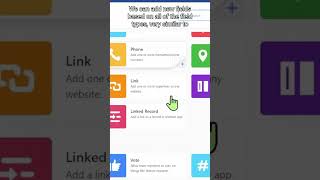
If we're over in SmartSuite land we can change what each of our data cells means. So perhaps instead of objective we want to have a task here and once we have this defined we can go inside each and every record that we have which is what they're called in SmartSuite land and we can customize what fields are available. We can add new fields based on all of the field types very similar to Notion and just like Notion we can define certain criteria about what we want that field to do. For example inside SmartSuite each one of these fields much like Notion allows us to customize things. So for example I could have this task field span two columns. I could go in here and modify this field settings so it was auto generated or I could require an entry. I could also go into my multiple choice fields and go ahead and change the field settings to have certain colors, certain display formats or even have default values almost like an automation.