Spring Spotlight @ the HubSpot Admin HUG 🐙
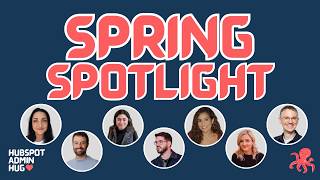
Kyle and Deanna walked through HubSpot's Spring 2026 updates for admins: Answer Engine Optimization for AI visibility, Smart Deal Progression that auto-generates tasks and follow-ups from calls, and Prospecting Agent now in public beta with signal-powered prioritization and multi-channel outreach sequences.
Chapters
Does my screen share work, Deanna?
It does, Kyle.
Thank you.
Hooray! Let's get started. Welcome everybody. This is the Spring Spotlight Admin Download. I'm delighted that the Spotlight HubSpot Spotlight has, has made this an official event. Um, thank you for joining us. Thank you for coming. If this is your first time joining an event of the HubSpot Admins HUG— HubSpot User Group is what HUG stands for— let us know in the chat. Uh, we are here every week. Uh, today is the official spring Spotlight version. Um, but every Tuesday at this time, we are here exploring various parts of the HubSpot platform. Typically, we have members of HubSpot's product team here, uh, demoing the features they've recently released, sometimes giving peeks into their roadmaps, and most important of all, answering all your questions. That is very much the format here today. Today is Spring Spotlight for HubSpot, tons of new things being announced and released, but we've chosen kind of the most impactful areas for admins to help you get your feet under you and help you make sense of all the things that are happening. So you are here. This is our homepage. If you haven't seen it, you should definitely bookmark it, 'cause as you can see, we have a lot coming up. Today is the Spring Spotlight admin download. Next week we're talking about data quality. After that, we're going deep on campaigns, which I know has got a lot of updates. Today is Spring Spotlight, so that's very timely. We have a whole bunch, and we will always be scheduling more. Again, every Tuesday at this time, come join us. We would love to have you here. We also have a YouTube channel. Today's event will be recorded and posted here, so if you miss it, I guess you're here, so you didn't miss it. If a friend missed it, you can let them know. If you wanna rewatch it because it was so good, you can do that too. And if you wanna see any of our previous events, they're all here. We have a large collection now 'cause we've been doing this for a few years. We are getting very close to scheduling another show and tell. That's a thing we like to do here as regularly as we can. This is where instead of having HubSpot presenters telling you things about the product, you tell each other things about the product. So anytime you as an admin or operations person or any type of user of HubSpot, build something you're proud of, solve a thorny problem, construct a really elegant workaround, fill out this form, let us know, and once we have 5 or 6 of you, we will schedule an event and we can learn from each other, which I think is really great. community.hubspot.com is HubSpot's community website. We do have a space in there that you can check out. We are also, me and Deanna, my co-host, we are very active on LinkedIn. We have a group there, as you can see here. We have a HubSpot Admin Hug handle. We both individually are on LinkedIn all the time, so if you ever wanna connect with us, ask questions, make requests, please do that. And again, because we're here every week, we are looking for your input on what would be the most valuable topics, any speakers you wanna hear from. Here's a form you can fill out if you want to, but again, if you just wanna connect with us on LinkedIn and DM us, that is probably the fastest way to get our attention. So that's general overview, things you need to know about the HubSpot Admin Hug. There is this page, adminhug.info, where you can see all these links and more. It's a great resource page Deanna has put together. Definitely recommend doing that. And now, let's go to the Spring Spotlight Admin Download. Check out this transition, kaboom! All right, that was smooth. So, I am going to speak for a very short time. I have about 6 slides. I just wanna give you a sense of the landscape of Spotlight, the things I think you as admins should be most aware of. And then I'm going to hand it over to the fine folks you see on the panel here with me because they're the ones who will actually go deep and show you exciting new things. But I wanted to highlight pricing changes because this is big news and it's mostly good news, I'm delighted to say. So Customer Agent, which has been around for a while, up till now, anytime you use Customer Agent, it consumed 100 credits, which is $1, for any conversation it touched, even if it had to escalate it to a human and couldn't help. We are changing it so it now only consumes 50 credits, and it only consumes them if it resolves the conversation. So a resolution is counted by it either shared knowledge from a knowledge source that you've given it, or it took some kind of action. You can program it to do things like password resets, and then the person it's chatting with does not come back and ask for more help within 72 hours. That is how we define a resolved conversation. And if that happens, then it consumes half as many credits as it used to. So all that just to say, Customer Agent is now much, much cheaper than it used to be. And remember, Pro and Enterprise subscriptions include credits in them, 3,000 at Pro, 5,000 at Enterprise. So that's 60 or 100 resolved conversations included in your subscription. So If you aren't using Customer Agent, go for it. Prospecting Agent is now consuming 100 credits per recommended outreach per lead. So that, I don't remember what it was before, but anyway, this is how it works now. And then AEO, which is something you'll be hearing about today. This is a cool new feature inside of HubSpot. It lives in Marketing Hub, and here's some details here about how it works that will make more sense to you after you've seen it in action. But there's also a standalone version of this. So if you are not currently a Marketing Hub user, there is the option to just buy our Answer Engine Optimization tool as a monthly standalone subscription, which is pretty neat. So go ahead and try it out. There's also a free trial you can do. I think that's super cool. So those are the big pricing things. Again, I think it's all mostly good news. Here are the headline features. If you go to hubspot.com/seo, Spotlight. You will see lots and lots of features. You will see them categorized into themes. These are kind of the ones HubSpot is talking about the most. Um, just to give you a quick rundown, my take on how you as admin should feel about this, uh, these top 3 are the big ones. These top 3 are the ones we're gonna have demoed today. That's why these product folks are here. It's going to be great. Um, and then, uh, Breeze Assistant with Loop Marketing is cool. Uh, we talked— we, we announced this idea of Loop Marketing at Inbound last year. And now Bree's assistant is all trained up on loop marketing. So if you wanna know things about loop marketing, ask Bree's assistant, it'll be great. Don't really feel a need to demo that here, but you should try it out, it is super fun. Customer agent improvements and buyer intent enhancements. Again, these have happened gradually. If you keep on top of product updates, if you follow me on LinkedIn, you probably know about this stuff. It's cool, but didn't really feel like we needed to demo it today. And then data enrichment included in paid subscriptions. That's old news, that came out in Inbound last year, so I'm not really sure why it's on this Spotlight page. Those are the headlines according to HubSpot. For me, here are 4 features that I think you should care about a lot. I'm gonna go through these really quickly. I'm not gonna demo them 'cause I wanna make sure our product folks have time, but as I look through the Spotlight page, these are the ones that stand out to me. Subtasks and custom properties for tasks. I had no idea this was coming for Spring Spotlight. It dropped yesterday, I made a video about it, published it this morning. Tasks in HubSpot can now have subtasks. This is super helpful, especially if you're using our new projects tool. And then tasks can have property, custom properties, which is great. Reddit in HubSpot is super cool. We went deep on this last week, so if you weren't here, check out our YouTube channel, learn all about it. Reddit is pretty important right now in the day of, of answer engine optimization, and you can now monitor and, and, and react to things in Reddit from HubSpot, which is cool. You can publish to TikTok in HubSpot now, which is fun. And then you can connect deal properties and forms. Feel like we've been asking for this one for a long time. I had another one I had no idea was launching today, but there it is on the spotlight page. So that's, that's all for me. I wanted to keep it short. I wanted to give you the quick version of what I thought was most impactful. And now I'm going to kick it over to the product folks. Let's start with AEO.
Awesome. Thank you, Kyle. It's great to meet everybody. My name is Barry Amiel. I lead the Build Awareness product line. So a lot of our social tools and, and, and blog tools and landing pages and, and things like that. One of them is AEO. I came to HubSpot in December through the acquisition of XFunnel. So we— XFunnel is one of the first two companies out there to do AEO, and HubSpot was one of our customers along with other great companies like Wix, like monday.com, like LastPass. And, uh, through that close partnership, we built a relationship with HubSpot and they loved our product and said, okay, well, we should, uh, bring this into HubSpot. So ever since the acquisition that was in December, we've been heads down to build, uh, everything that we learned, uh, at XFunnel, uh, on the HubSpot platform to give that value to HubSpot customers. So we're actually releasing HubSpot AEO in two flavors. The first is a standalone AEO product. You can now go ahead and use HubSpot's AEO tool, just AEO, nothing else. Meaning folks can actually go into $50 a month, uh, get HubSpot AEO without actually having to subscribe to, uh, Marketing Hub, Content Hub, any of our other tools. And there's also a trial there, and that is, uh, a net new offering. In addition, all of our Marketing Hub customers now get access to HubSpot AEO, with depending on the plan that you have, X set of prompts that is already included. So we'll jump into the tool now, but just wanna let you know this is available to all Marketing Hub customers as well as folks that aren't HubSpot customers at all today. So let me go ahead and share my screen. Okay, I'll do just a little bit of preface. For those that don't know, what is AEO? AO is answer engine optimization. And what that means is when you are looking stuff up on ChatGPT, on Perplexity, on Claude, what we're doing is we're helping marketers improve getting their brand to show up more in the answers and how their brand shows up. So folks have been doing SEO, search engine optimization. Now more and more folks are doing answer engine optimization. And the reason why that's important is because there are 900 million weekly active users just on ChatGPT. And from the data that we're seeing is customers that come to your page, to your website from an answer engine are typically at least 3x more likely to convert and they convert in half the time. And the reason for that is actually pretty straightforward because what we're seeing is that if you think about the buying journey before AI in the world of SEO, folks would run into a blog post or maybe a social post and start reading about a topic. And then they might go to Reddit to see what other people are talking about. Maybe they'll go research the product on YouTube to see how it actually solves a particular problem that they have. Only at the end of that process, they would come to the pricing page and maybe schedule a demo or purchase. In the world of AEO, in the world of answer engines, in the world of ChatGPT, people are doing the entire buying journey in one conversation, which is why we're seeing that 60% of traffic from Google today does not result in a click. And so we want to give marketers the tools to actually go and optimize and help get their brand represented on this new channel. And that is what I will show you now. So I will go ahead and share my screen, not my WhatsApp conversations. Here we go. All right, cool. So this will look slightly differently if you're already a HubSpot customer, but I'm going to do this net new. So you can actually go to hubspot.com/ao, or if you're a HubSpot customer, you can actually go to, uh, marketing. You'll see AIO here at the top. I'll go through the onboarding process and then show you kind of the core features, um, for everybody to get the, the idea. So we're going to start onboarding. Cool. The big difference here, what we're doing is we're onboarding your brand to Answer— to the AEO tool. And in that, the first thing that we do is we want to get some information about the brand so that we can actually go and analyze how it appears across the different answer engines. And so when we do that, let's give it a sec. What we're doing, the first is we're identifying who the brand is, right? We're trying to understand what the company is, what the website is, who the competitors are, who the ideal customer profile is for the brand. So this should only take a moment. So here I use Dell as the brand. What we're looking at is the different names of the brand, what type of company it is. and in a sec you'll see why we're gathering all this information. But the core technology, uh, behind this tool, we go and, uh, approve the competitors. We can add some, but these are kind of the core competitors that we want to track. And in a sec we'll look at the different products. So here, these are the products again that we are going out and we're researching your brand and we're trying to understand based on information that is out there on the website, on the web in general, what are your products? You can also edit all this information. What are the core products that a brand has and what are the core ideal customers and their locations? And again, the reason why we want all of that is because we are trying to understand what the buying journey is like, what people are asking for each one of these products. And different people ask different questions. And so when we're actually going and helping brands generate prompts, prompts are what you type into ChatGPT Prompts are what we're measuring to see if your brand is existing in the answer of. We are doing it as if we are a director of IT at a manufacturing company in the Midwest, right? Or we're doing it as a small business owner in, I don't know, in California that is looking for ovens for, for their pizza or whatever it might be, right? Here is an example of Dell, but we are asking questions for different people across different stages of the buying journey, right? So these are prompts at the awareness stage, consideration stage, and I'll add more, but you can actually add more prompts. But when we actually hit add and track, what is happening, and I'll shift over to an account that is ready, we are sending all of these prompts to the answer engines. We're sending them to ChatGPT, we're sending them to Perplexity, we're sending them to Claude. Let me show you another one here. Maybe I need to change the timeframe, sorry. Apologies. So here we're going to see the prompts, and I'll try to find one that does have the information loaded. But essentially, we will see graphs here that show our performance for an individual prompt, and you can actually click into these to see what is the responses that we got from the answer engines for each of the engines. The other thing that we can do is we can actually analyze how your brand competes. Sorry, we'll start with here, actually, the overall— let me, I think I'm on the wrong account. Give me one second here. Apologies for that. Sorry, when I logged in with a trial account, it, uh, pushed me off the account I was going to show you, so I just have to go back into it. And there will be pretty graphs in 3, 2, 1. Here we go. Sorry about that. So when we go into all these, we can actually go and see the response. We can see the response, the performance at a prompt level. We can actually see the answers, right? This is an actual response from ChatGPT. We can look at the response from Gemini. We can look at the response from Perplexity. We can toggle in time. We can see, was the brand mentioned? In this run, we can actually see the actual answers. We are running these against the answer engines every single day, every single day. And the result of all these prompts being sent to the answer engines is an overall brand visibility score. So we can actually tell you how often your brand shows up across all the answer engines or individual answer engines over time. And so what we're trying to do is help our brands improve their visibility. And so how can we actually do that? Well, the first thing is, is 55% actually good? Are we showing up more often than competitors? Well, here we can see what is your share of voice, right, against those competitors that you show, that, that you set up. So here we can see that Dell owns 33% of the share of voice, meaning of all the times that brands were mentioned in responses, 33% of those times was Dell. 20, Lenovo was 27%, HP was 10%, right? And we can actually go and see how the different brands compare. And here we give you a snapshot of what are the top sources, meaning when you think about an answer, there is an answer and there is a citation. A citation is the sources that influence the answer. What are the top types of sources and what are the top domains that influence that? And we can actually dive into this data here. We can see in terms of the citations, how often did my website show up versus competitors? So we, here we can see that Dell.com owned about 4.5% of all the citations. Lenovo was 3.2%, and all the other vendors had kind of a small share. All the other stuff we can actually see here. What is the distribution of sources over time? So we can see that again, owned— this is citations coming from our own website— are only 4.5%. Peers are about 55% of the citations for Dell. Affiliate sites, competitor sites, another 7.5%. Earned media, PR, 27%. So our next question is going to be, okay, cool, so we know we need to probably focus on PR, that's earned media. We probably need to maybe do some collaborations with peers. What types of content though, if we want to focus on our own content, do we need to focus on? Here we actually give you a distribution of content types that are influencing the answer engines over time. But let's make this even easier. We actually want to tell you what to do. So what we're doing is we're ingesting all the data from the prompts, we're analyzing all the citations, and we've made it really easy for you to take action. Because what we do here is we have a set of recommendations that we're generating on a daily basis every time we're running these prompts on what you should do. And we have prioritized it to make it really easy for you to decide. So here, create a listicle on AI PCs with NPUs for China and cloud ops teams. We can see what prompts, all these prompts had zero visibility, right? We're not just telling you what to do here. There's a recommendation. It's almost like a mini content brief. Where are the primary keywords, where are the secondary keywords, and a specific summary. So folks just give this to content teams to go and begin to push, and we're actually going to go and make that content generation even easier. That's going to come up. But we don't want to just give you a recommendation to think like we just pulled it out of a hat. This is all based on data, and we want to expose that data to you to actually say what is driving this recommendation. And so here are the prompts that we actually— there's zero visibility for. So we analyze these prompts. What are the top keywords in these prompts that we're inputting into the recommendation to put into the article. And then we can actually tell you, look, like that blog post, right? That was like a lot of the content types that caused us to make this recommendation to generate a listicle. And we can see that these are the other listicles that we have, and we've actually analyzed all of these listicles to come up with the keywords here and the recommendation. And so these recommendations span between blog, uh, posts, product pages that need to be generated. Social posts and Reddit conversations that you need to be involved in. So it's not just actually touching your, uh, blog, right? We're trying to get you recommendations across different channels. And because we're now also launching our, uh, integration with Reddit, you'll be able to actually post to Reddit directly from your HubSpot account. So we're trying to give you a complete solution that takes advantage of HubSpot's blogging tools, social tools, and this AI, uh, AO, answer engine optimization engine that can get you tracking through action, uh, all in one. And then you guys already know a lot of our marketing automation tools, right? But once we bring the leads in the door, we need to convert them, right? So we've got all of our kind of email and standard marketing automation tools that folks hopefully should be using that for. Um, so that's the AEO tool. Uh, there's a free trial. And again, folks that have Marketing Hub will already have this, uh, included. They can opt to buy more prompts, uh, across the 3 answer engines. And we've got a lot of additional features that we're adding to this. But the analytics here, as you can tell, they go pretty deep, right? Like you can actually dive in into each individual prompt. There's recommendations at a prompt level. There's a lot of filters and cuts that you can do. So there's a lot of really depth of analysis here that we put a lot of thought into. But hopefully y'all like it.
Amazing. Thanks so much for sharing all that. We have some questions in the Q&A. What is— presenters, what's your preference? Should we save the Q&A till the end, or should we do it after each section?
I could do it rapid fire now. I feel like just the context is fresh in people's minds.
Yeah, no, I agree. Let's— but let's, let's try to keep it fast to make sure everyone has time for theirs. So going most upvoted to, uh, yes, I see each section. Gotcha, gotcha. Yes. Okay, uh, going most upvoted to least upvoted. Can we use AEO for more than one domain?
Uh, yes, you can.
Cool. Uh, does this tool pull from our brand kit that we've already set up?
Yes. So we're using brand identity data and CRM data to help inform the prompts that we generate and some of the context about who your competitors are. So yes.
We are B2B2C. Any plans to support this in AEO and more broadly in other business model context configuration in HubSpot?
Essentially, you have two customers. You've got B2B and you have B2C. One, I will take that with a team. Two, I will say immediately, you can upload your own prompts. We will probably generate prompts. Actually, you know what? I think we'll be able to help you. You can upload ICPs that are B2C and it should work. If not, give us a shout in the feedback and we'll take care of it. But I think we're actually able to support it and you can upload your own prompts. I think you'll be okay.
Amazing. Any ideas on how to think about configuring competitors in AEO when we have thousands of tiny competitors but no big or typical competitors?
Not off the top of my head. That is a very good question.
Uh, can this tool help me come up with the prompts I need to show up for?
Yes, I'll even show this one because this is actually one of our best features, I think. Um, give me one second, apologize. So you can go to one, and the onboarding will generate prompts for you. But here you can actually manually add prompts individually or in bulk, and you can associate with them with a specific type of customer. But what you can also do is generate with AI. And so if you, for example, uploaded, added an ICP, ideal customer that is B2C or B2B, that's kind of what I was referring to, you can attach a product to it, and then you can choose a level of intent, tell us how many prompts you want us to generate, We'll actually go and use a lot of your brand identity data and some of your CRM data as well, and use, you know, a few other data feeds that we have to go and generate prompts for you live to help you with that. And you will see it just takes a few moments. We can generate like 50 prompts here, but it makes them very specific, right? We're making them for a specific customer, for a specific product, for the awareness stage or consideration stage or decision stage. So we're being very, very prescriptive about the prompts. And the goal with the prompts is to really capture what the answer engines are saying across all types of customers for all types of problems. You want to kind of get a view of what people would be talking about, about your brand. So sorry, the location was China, so we can't see the products. But if this was, right, America, this would be in English. So it's actually doing it in different languages as well.
You're on mute, Kyle.
Great. Thanks. I'm looking at the time here. We have a lot more questions and more are coming in. I think I'm going to move on to the next one. Oh, and Barry, you can't talk to people in the chat. Oh, okay. Anyway.
Oh, I think I can actually. I see the chat. I don't see uploaded questions though.
Oh, okay. So Q&A is a separate thing down in the bottom. I think you can maybe, maybe.
Okay.
I think I can.
All right. Let me try. You can move on. I'm going to take some of these.
Great. Amazing. Let's, let's go on to Smart Deal Progression. Hey, look at that. Perfect.
Awesome. Well, thank you so much. Hi everyone. Again, thank you for joining. My name is Chandni. I'm a product marketer on the Sales Hub team, and I'm joined by my colleague Bridget, who's the director of product for Sales Hub, and really excited to talk to you about Smart Deal Progression. There we go. Before we jump into things, I just kind of wanna set the stage on what the problem is that we're trying to solve here. So as we all know, a significant amount of deal progress happens inside customer conversations. You know, it's discovery calls, demos, renewal check-ins, and that's kind of where next steps are agreed to, your timelines are shifting, and you're getting very clear buying signals. But generally, once that conversation ends, the rep has to manually translate all that into next steps and CRM updates. And that work is incredibly time-consuming, as we all know, and easy to delay or avoid altogether. I mean, I think deals don't slip because teams lack data. I think we have a ton of data. They slip because your system doesn't help reps act on those high signal moments in a way that actually reflects how your company sells. And generally, this results in stalled deals, inconsistent execution, and CRM data that drifts away from reality, which inherently degrades your the pipeline trust for managers and leaders. So our goal to tackle this problem is really clear. We want to enable revenue teams to close more deals faster by making deal progress the default outcome of customer interactions. And, you know, reps shouldn't have to manually interpret what happened and update everything themselves. Every meaningful customer interaction should result in clear, structured deal progress while keeping the rep in the loop to reinforce that CRM trust. So here's Smart Deal Progression. So after every conversation with Smart Deal Progression, reps automatically get suggested CRM updates based on their conversation that they can approve and implement in just one click. I mean, I'm actually gonna steal something our product leader Duncan said because it resonated with me really strongly, and that is that Smart Deal Progression is really like giving every rep a second brain. You know, most tools just record a call, but this is different. Now, after every call, it's analyzing the transcript alongside your full deal history to suggest CRM updates. And it also suggests, you know, a draft follow-up email and gives you very clear action items. And again, I think the real value here is it's drawing on that rich context. So it's delivering really smart updates that rep can just accept and use very quickly. And you'll see in a minute when Bridget demos that. But again, it's not just looking at the last 30 minutes. It's seeing your past emails, your notes, your deal activity. So when it's suggesting those next steps or follow-ups, it's really reflecting the whole relationship that, that prospect or customer had, not just what happened on the last call. And I think the best part here is also that it's not just some generic sales framework. It actually knows how your teams sell, and it understands your pipeline definitions, your deal stages, and just generally the way that your team executes. So when it does flag a risk or suggest a CRM update, those recommendations reflect where your opportunities actually stand. And at the end of the, end of the day, the real value is turning a transcription tool into something that is actually progressing your deals forward for you. So with that, I'll hand it over to Bridget so you can see it all in action in the platform.
Amazing. Thanks, Chani. All right, let's pull it up here. Great. So I'm going to walk you through the full rep experience. So we'll kind of see what happens right after a conversation ends, a couple of ways that reps can revisit their follow-ups, and then I'll show you how exactly to set this up in your portals as admins. So this is the conversation recap page. Um, let's just say for this demo, I'm an AE at Playful Grounds, and I just wrapped up this meeting with Fairview Township to align on, you know, an updated proposal, get the main decision maker brought in, and update the budget. I don't have to worry about taking notes on the call, and afterwards, I don't even need to sit down and try to interpret what happened, manually update everything. Instead, HubSpot has already prepared this for me. So on the left here, I have extracted next steps from the meeting, and on the right, I have the recording and transcript available for reference. As you can see here, the action items are correctly attributed to the right person from the call, and we also include the source information here with a clickable timestamp. That you can click into to revisit that moment in the call. This is a really easy way for your reps to build trust in what they're seeing here because there's a direct reference and citation to that moment in the call, and they can jump to this particular point of the transcript and re-listen. With any of these action items, I can also easily just create these as a one-off task by just doing a simple one-click here. This is going to immediately create it for me. I can review it and save. Or if I prefer to kind of group a couple of these together, I can choose to save as one task, and then I can actually select a few of these. So this is a great way for if I want to kind of select all of mine or if there's somebody else going to be in the conversation that was a secondary participant, they can come in and create a group set of tasks for themselves. I can also edit any one of these if there's any major issues with it or challenges with exactly the wording here. And then the next thing that I can do is I can generate this follow-up email. So what this is going to do is going to take the context of the conversation and this kind of clear structure of the next steps and create a follow-up email. See live demo. See if it works. If not, I've got it back. There we go. So this is going to create a nice recap of the conversation, a really nice succinct summary here. And we also do some really nice formatting on the next steps here. So again, you're not just getting this mountain of next steps, but we're really trying to make this a really easy, nice, lightweight way to send. I can also adjust with Breeze here. So let's say the tone of this conversation was a little bit more playful. What I'm going to do in here is just refine this. Maybe I want to change the tone, make this a little bit more witty. Breeze is going to come in here, give me an update, and then I can just insert this back into the email. This is again another thing that we're kind of continuously iterating, improving, kind of bringing in a brand voice, bringing in your personal preferences here. I can just kind of replace this in line. Yep, thank you. There we go. And send. Great. So let me close this out and show you a couple more things. So the next thing that I see here is these CRM updates. So like Chandi said, these CRM updates are looking across things like my meeting outcome, but also deal properties. So deal stage, amount, next step, description. These are also all including source citations here. So again, you can kind of understand why this is being suggested. If I need to make a slight tweak here, if I need to edit this, I can quickly. And then these are all just a one-click approve. So this is a really really easy, fast way for the rep. Oh, and this is actually a great thing to show. I didn't even realize that this demo had this set up. We will not suggest updates unless we can confidently do so matching your stage requirement. So if you have a stage requirement that enforces something to progress to the next stage, we actually will surface that here. You can confirm and save so that we're not blocking reps, but we are making sure that all of your pipeline stages and all the configuration that you've, you've set up here is all respected. So this is kind of the core post-conversation recap flow. Again, you'll see it was so easy for me to create tasks, approve all these updates instead of having to manually translate this meeting. It's just all done for me, and I can really easily do this with just a couple clicks. So in addition to this kind of recap here, there's a couple other ways that reps can revisit this flow. So The first is that after any one of these conversations, the rep is going to get a next steps are ready email as soon as these next steps are ready. So this is really kind of critical to reps who want to make sure that they're sending follow-ups kind of immediately as soon as they can. They'll get an email and this will tell them what are your action items, what are these kind of suggested CRM updates, giving them the confidence that they need to kind of quickly click in, review these next steps. Again, this is going to just take them directly into that conversation recap page in HubSpot. The other thing that we do is, let's say I'm a busy rep, I've got back-to-back meetings, I don't necessarily have time to send these follow-ups right away. At the end of the day, I'm going to get a list of all of my remaining follow-ups, right, to make sure that nothing slips through the cracks across my deals. And then even better, we now have a new HubSpot-provided view. So if you go in to add a new view, you'll see this now here. There's a new view called Suggested Follow-ups. And this is utilizing a new property called Last Conversation with Follow-ups. And this isn't just a static property. If I hover over this, I actually see the suggestions here that are, that are waiting for me. So if I'm a rep, I'm working out of my deal views, highly, highly recommend getting folks to add this column to any existing deal views that you have. This can also be used as a filter on any existing deal views, but we did make a nice HubSpot-provided view just so that's an easy one to get started with. Right out the gate. And then another exciting advancement from this last set of releases is we've been talking a lot about meetings. This feature set is now also available for call recordings. So for dialed calls that are coming through with a call transcript, I can now go to our calls list. Here you see that I'm in the CRM view for calls. I can click on any one of these, and I'm taken to this same conversation recap page. So now you have a unified experience for viewing conversation recordings and transcripts Regardless of this was a scheduled meeting or a dialed call, I'm still getting those same action items, next steps, um, and, uh, great summary, CRM updates, all of that, um, as well as call outcomes. All right, let's jump through a couple more things. Um, it's really just important to note that we're trying to meet the rep anywhere that they're working. So on contact records, company records, deal records, anywhere these conversations are associated, you'll see these nice, you know, review, recording, and follow-up CTAs. This is also dynamic. Before the conversation, this will show prep for meeting. After the conversation, it'll show review, recording, and follow-up, just so there's always an easy way, no matter where the reps are working, to find and access these conversation pages. And that's the bulk of the rep experience, but let me jump in and show you a couple things about the admin setup. So one of the things we heard loud and clear from admins was it's really confusing to know if I have set up recording and transcripts properly in HubSpot. "Where do I even go to do that? There's so many different options. How do I know what they all are?" We now have a consolidated settings page called Recording and Transcription. It's in here in Tools. You'll see it here. And in here you can see all of the different ways that you can turn on recording and transcriptions from our native options with our Meeting Bot Note-Taker, as well as seeing the kind of common integrations for video conference recordings and a quick link to get into more integrations in the App Marketplace. And this is just a great way to make sure that you've got everything set up the way you wanted to. You can see here even a preview of how many users this has been enabled for, what the supported platforms are, really easily jump into any knowledge base articles here to get more information, and kind of just really understand and make sure that your recording and transcription is all set up. Once you've done this, there's no additional setup required to get those next steps, action items, and those emails. But there are a few steps to make sure that you're capturing the right properties with Smart Data Capture. So the next settings that I'll show is here in Data Capture, it's under Data Management, and this is for those CRM updates. So when you turn this on, this is on by default if you join the beta, but when you turn this on, you'll get CRM updates against a couple of different objects and property types. So the main ones that we're suggesting against are the deal, And a couple important things to note here is that default deal properties are included with the seat. So this whole feature set is available for Sales and Service seats, Sales Pro Plus and Service Pro Plus, and default deal properties as well as meeting outcome and call outcome are included in the seat. If you'd like to add additional custom deal properties, you can do so here. But those will charge credits. So there's a whole bunch of information in here about exactly how those charge credits to the Data Agent. You can click through to figure out exactly how that works. But I can do that here. And then the other thing that I'll note is that we have some really great options now here for including property documentation. So this is a great way to make sure that when we're suggesting updates against something like a custom property, you have the property instructions in place, things like the data entry instructions, option descriptions. A really neat feature you can do, I think this is such a great admin feature, is you can actually preview what this looks like using a recent transcript. So if I want to understand how deal probability might be impacted, I actually can choose a recent transcript here and it's going to preview what the recommendation would look like based off of the documentation that I have here. So I can go in here, adjust the documentation, see this preview in here, and just really give me the confidence that I'm going to see solid updates in here. And then the other thing that I'll call out, and this portal is a little bit fresh, so we don't have the data coming in here yet, but we also can show you the approval rate here, right? So this is a great way for auditing, making sure that these property suggestions are really getting approved by reps because you'll be able to see the approval rate across all of the reps using this. And speaking of that, a couple more configuration settings to call out. You can also choose to have this only happen on certain types of calls or meetings. As well as for certain users. So I can go in here and decide that I actually only want this to run on demo and discovery conversations, and also just make sure I kind of catch the ones that reps maybe aren't flagging with a meeting type. And I can configure this down even more. So there's a ton of configuration options for the CRM property updates, along with this kind of ability to see what's working, what's not working, add additional property documentation. Um, the last thing I'll call out super fast is that, um, uh, Smart Chip progression doesn't work just after the meeting. It also works before. So we've now embedded deal risks, buyer goals, and deal scores directly into the meeting prep. So I can walk into any conversation with that full deal context and feeling really prepared. And then the last thing that I'll call out, um, is I'd love for folks to play around with Breeze Assistant in this beta as well. So one of the main things that we did with this release is we brought conversation data together. So you can see here I've asked, what concerns did sales prospects raise most often in calls last week? And it's going to look across my conversations. It's going to tell me what were the themes and trends coming out of these conversations. It's going to give me examples, and I can jump straight into these examples to figure out exactly what is being brought up. So this is a huge benefit for leaders, for admins wanting to understand what's going on across a set of conversations. Breeze has gotten really powerful with its ability to kind of query across those calls. All right, that was a lot of features and a lot of things. I'm going to keep an eye on the chat. And maybe what we'll do is try to answer some questions in the chat so we can pass it over to prospecting agent.
So I've been looking through the Q&A really quick. So Sales Hub and Service Hub Pro Plus, so that's who it is available to, both your phone calls and your meetings. And then Bridget, there have been a lot of questions on, Do I have to use the HubSpot Notetaker? Can I use like Fathom, AirCall? Can I use my own? What does the integrations look like? If you could talk a little bit more about the Notetaker aspect and connecting that and getting transcripts in, I think that would be helpful.
Absolutely. So you do not have to use the HubSpot Meeting Bot Notetaker. You can bring call transcripts in using any of your call recording options that are available to you, including integrations like AirCall. You can also use our video conference integrations to bring in recordings directly from these systems. So if you're natively recording in Zoom, you can set up the Zoom integration here, bring recording in through that way. Just make sure to follow the steps in the knowledge base articles here. In a lot of these integrations, you have to make sure that you're turning on the recording settings in Zoom, in Google Meet, in Teams as well to make sure that things are coming through properly. But you, you can use any one of these integrations. You can use any of your dialer integrations for call transcripts, or you also have the meeting bot note ticker available to you as a part of this beta as well.
Yeah, the other thing is there was a question about Fathom. With recorders like that that are only giving you like, that are giving you a separate summary transcription, those unfortunately will not feed into HubSpot, and so you won't be able to access some of this. So you'll need to visit this page and then turn on the integration that's going to work best for you. There was also a question on, can we share meeting recordings with clients yet?
Great question. It's coming soon. It's a very, very highly asked feature. Our team is actively investigating and plans to ship it in the next quarter. But one great thing to call out is that with this new conversation recap page, the recording and the transcript are available to core seats. So if you do just need to share internally with somebody that's not in a sales or a service seat, they won't get that nice kind of extracted next steps and summary and CRM updates and all that, but they can just access the recording and transcript. So that is a a kind of change coming with this new conversation recap page. The recording and transcript is available internally. We are definitely working on external sharing. We're planning on to deliver that before we go GA next quarter. So if you have specific asks about how you want to share externally, what you'd want to be able to share beyond, you know, is it just the recording and transcript? Is it also the summary and the next steps? Would love to hear directly from you if you have specific asks there, but very much on our roadmap and in our short-term plans.
Kyle, do we have time for 2 more? I was just going to handle the 2 most upvoted ones.
Yeah.
So Bridget Cooper is asking, we've been trying Smart Deal Progression and having some trouble because we sometimes have more than 1 deal in flight for a given customer. And Smart Deal Progression seems to be restricted to considering and updating only 1 deal, or are we doing it wrong?
That is true. That's a current limitation is that we only show updates against 1 deal if there are multiple associated to the meeting or to the call. That's good feedback, though. We'll take that back to the team. We'd love to figure out a little bit more from you, Cooper, about kind of what you would expect to happen in those situations, how you'd want us to handle the multiple associations. Would you want there to be suggestions against multiple deals? In general, this Smart Data Capture feature set, as you can imagine, deals is the first use case. We will be expanding, you know, to multiple objects in the future, to different object types, as well as I think kind of handling this like multi-object associations will be a next up for us as well. Okay.
And then do admins need sales seats to set this up and test it? What guardrails can admins put in place to limit the scope of suggestions? What audit logging is available to monitor what data is being updated by whom based on what signals?
Yep. So yes, you can set restrictions in the smart data capture settings. In here, you can decide how you want this to show up for different calls, call types, meeting types, as well as which kind of properties you want them to be suggested against. I definitely suggest kind of going in here and setting this up in a way that, you know, you kind of want it to work for your teams. And then if you have any feedback about ways that you want to see more data here, ways you want to kind of see more audit trails here, definitely happy to share and get you connected with our properties PM.
There's a ton more questions, but feel free, we'll try to answer them while the next section goes. And then also feel free to reach out to either Bridget or I after this meeting as well.
Amazing. Thanks so much. And I love you all in the audience watching the chat and the reactions. The great thing about admins is they love the settings page. No other users love the settings page, but you go to the settings page and show the controls and they're like, yes. So well done calibrating that demo to this audience. And thank you all for being here and being you. You are definitely my people. Will, we going over to you now? Yeah.
Awesome. Let me pull up my screen. Hey folks, my name is Will. I'm a product manager working on the prospecting agent. I'm also joined by my colleague Anna today. Anna, you want to give a shout?
Hey, happy to be here with y'all.
So we're going to take you through— want to be respectful of everyone's time. We'll take you through the updates at a high level and then get into a product demo. And if at any time my enormously large screen starts to cause eye strain, please start shouting at me in the chat and I will zoom in aggressively. So as you may know, the original version of the prospecting agent that we shipped last year was really focused on two things, research and helping you draft email outreach. And what we've done with the latest version that we've launched a public beta today, it's our most— okay, I see the desire for Zooms, which is apparently not working within this presenter view. So I apologize, but I will be able to Zoom during the product demo. We've now expanded to doing a full end-to-end B2B cycle of identifying and prioritizing your accounts, helping suggest contacts for those accounts to reach out to, and giving you that research and outreach that you've known to know, gotten used to and love in the agent today. And really it breaks down into 3 big new sort of feature areas that we've really, really unlocked in the latest version of the agent that we're going to show you today. So one, signal-powered account prioritization. So we know we've heard a lot from customers about how they want to start using the prospecting agent for activation, for understanding, like, when is the right time to go after a particular account? So what we can do now is we've taught the agent how to monitor a set of accounts for the buying signals that you specifically pick. And then once we detect those, you know, signals, we're going to suggest the company as well as a reason to reach out, like contextualizing why we think now is the right time. And then in addition to that, we're going to show you the actual suggested contacts from inside your CRM. But then also, as we need to source new contacts, as you need to find new people to outbound, we now support integrating with third-party providers like ZoomInfo, Apollo, and Surf. So you can bring in net new contacts just as you need them. If you don't have the personas you're trying to target already in your CRM. So the whole idea is we're just going to give your reps suggestions on a silver platter with the right contacts to reach out to, the right messaging, and the reason why. And then finally, uh, we hear you. We've gotten a ton of great feedback about improvements to the outreach capability. So we have a ton of stuff here that Anna's going to take you through, uh, featuring better email, better control of email in terms of like cadence, the types of writing, promptable subject lines. Multi-channel, like calls and LinkedIn tasks, a ton of stuff here. Um, so really excited to get into you, uh, and let's get rid of the eye strain and try and get into a tab I can zoom into. So is this better for everyone?
Good, good level.
Much better.
Not too much eye strain. Excellent. You can still yell at me in the chat if there is, I'm still watching it. So this is the latest version of the prospecting agent. So you can see from my overview tab, I can keep a pulse on the agent, how it's performing, how my overall kind of agentic funnel looks. And then this is what your reps are going to see. So, you know, as a HubSpot rep, I can just log in to, to HubSpot and the agent serves me those companies on a silver platter. So you can see I can click into one of these. So let's check out Supabase. And again, like I mentioned, for each of these, I'm getting not only the company, but the company, the signals that have occurred recently that I have tracking, some details about the signals. A reason to reach out that summarizes why now is the right time, and these suggested contacts. So I click in, and you can see the agent is sourcing, it's prioritizing who's already in my CRM, who are those contacts that it wants to suggest for me to reach out to, but it's also able to pull people from a third-party provider that I've connected. So here I have Apollo hooked up, I have it hunting for these, uh, security, uh, IT leads, and it's going to source and bring those contacts to to my rep with the research ready-made. And my reps can edit these emails, they can change things, they can regenerate. They'll even get an explanation of like why we think they should be reaching out to this contact. And if they really want to personalize things, they can access our best-in-class research. So deeper and, you know, more detailed than ever before, but more information about why we want to reach out, the information in your CRM, all of that great context we're just bringing into one place for your reps. To act. And you may be wondering, like, what's orchestrating all of this above the rep? Like, how does it know? Well, that's our new, our new feature, which we've updated selling profiles to plays to help you orchestrate your outreach process with the agent. And Anna is going to show you that and more. Oh, and then one other thing before I forget, we heard a lot of your reps, they love working out of the CRM. They don't want to learn a new you know, a new surface to work out of necessarily. So we're bringing the party to you as well. We have a new recommended companies view. It's live in the companies index. So again, if your reps don't want to leave, again, pardon my lack of zoom, they can just see those suggested companies and contacts directly as a company index view. So again, I can access these contacts, see who they want to reach out. Um, and then perhaps if my zoom setting were not all over the place, uh, preview the content of the email, et cetera, and add them to my CRM. But The new agent is more powerful and more accessible to more places than ever before. Anna, do you want to take us into plays and all the new stuff with outreach?
Awesome. Thanks, Will. Let me just share my screen here. So I'm going to show off the new play builder. Yay, more settings. So like Will mentioned, we've transitioned selling profiles into plays in the prospecting agent, and they are way more powerful. So I'm going to show you what kind of orchestrates that behind the scenes. So the first major update here is this audience section. This lets you train the agent on who you care about targeting with your play. You can set up segments of companies here to monitor. This could be a list of target accounts or like closed lost deals that you wanna reengage, whatever segment you care about. You can also configure the signals that you wanna monitor. There are a ton of out-of-the-box signals that you can choose from here. You can also customize research intent and visitor intent signals too. And then lastly, you can configure the personas so you can tell the agent about the different job titles and people that you sell to. So all of this context means that when the prospecting agent gives your team a recommendation where Will was showing you, we know that the, the prospect is high fit and high intent. So that is the audience piece. The other major update is in outreach. So we've actually added sequences into the agent. So you now have the full control and configurability of a sequence plus the awesome AI-generated email capabilities. So what this means is you can get started with this out-of-the-box sequence, but you can fully customize it. So you'll notice you have multi-channel support now. You can add in call tasks, LinkedIn steps, general to-dos right into your prospecting agent outreach. You can customize the delays here, add, remove steps, move them around. You can send up to 10 emails now and then as many tasks as you want. So big updates there. And then within emails themselves, you can also customize the prompts now and get super specific into what you want your emails to say. So within each email editor, you'll now have smart blocks. And so you can think of these as kind of like like prompt Legos that you can use to build your emails. We've got a bunch of out-of-the-box options to get you started, and then you can click in, you know, view the prompt itself and totally customize it to your needs. Here are a few of the different options that we've got in here. We've got follow-up emails as well as like initial outreach blocks. You can also create custom prompts. So if you're not seeing one that meets your needs, you have a really specific idea of what the message should be, you can create a custom prompt. We've also got subject line prompting. So you can really customize what you want your subject lines to say. Can either do that using an AI prompt, or if you know that you have like a subject line that works well, you can just put it in as a static subject line, whatever you prefer here. Awesome. These emails will also support static text now and personalization tokens. So now instead of having to like put all of this into your custom instructions and hope that the agent interprets it correctly, you can just put that all directly into your email and we'll generate it by email. So it's exactly what you're hoping for. And then as you're tinkering with things, you can test out what it'll look like on the right-hand side here. And generate an example email. So all of this is gonna use the same, like, research and context about your business that the existing prospecting agent uses. You can now just really customize the outreach to make sure that that matches your process and the prompts that you wanna use. So awesome. This is, these are the new things within the Play Builder. You've still got the great guardrails and settings that you're used to from selling profiles. Files, but I won't dig too deep into those. So yeah, this is all going to kind of come together and populate the view that Will showed you. And I'll hand it back to Kyle for any questions.
Amazing. Look at this group, 4 minutes to spare. I am so impressed. And you kept 300 people in their seats for an hour. Great job. Thanks everyone for being here. Let's, let's take these last 3 minutes to fit in just a few questions about Prospecting Agent. And yeah, that's maybe going to be difficult because they're all mixed in together. Who's got a question about prospecting agent? Why don't you just throw it in the chat?
Sort it by most recent, Kyle.
Oh, most recent. You're so smart. Yeah, sorry, votes don't count today. I'm still seeing smart deal progression stuff at the top. I think you held them so mesmerized, no questions came in about prospecting agent. That is my guess. Anyway, thank you for being here. We are basically at time, so we will call it there. Normally at this point— Oh, oh, oh, Allison wants to know if you can use Prospecting Agent with the Leads object.
This is just— Oh, sorry, go ahead, Will.
Oh, or you can take it.
Okay, this is just going to work on contacts and companies right now, but would be curious to hear how you'd like this to integrate with leads.
And then question also about languages— what languages does Prospecting Agent support?
Prospecting Agent across the board is multi-language. Smart blocks for now and the sequences customization is just going to be English for now, but that's something we're going to add very soon.
Amazing. Okay, now we're gonna call it here. Normally at this point I would ask you all to share, I don't know, LinkedIn profiles or email addresses or ways for people to get in touch with you. But since the chat is being dumb, everybody, if you have questions about this stuff, reach out to me and I'll funnel it to the right person. Uh, DM me on LinkedIn. I'm happy to be the, the feedback, uh, triage person here. Um, the chat is dumb to me. Don't correct me. Uh, and that is enough for the admin hug today. Happy Spotlight everyone. Check out house.com/spotlight to see more update stuff. And, uh, keep an eye out, there are more events coming in the week— next week or two. Um, and yeah, product friends, thanks again so much for being here, and hope you all have a great Tuesday.
Thanks everybody.
Bye everyone.
Bye friends, see you Tuesday.
Welcome to the island, hook.
No flashbacks and a whole lot of love. We get it done. Or all in by choice. Admins rise and lift their voice, fixing deals and hacking time, making magic with no headline. Kat drops gold, Tiana brings fire, and a crew that's here to lift you higher. We swap the wins and share the pain, no solo in this game. It's the been planning all along. We've got the know-how, we've got the map. Even HubSpot brought a post up to chat. You're not just heard, you helped shape the tools. Admins rewriting all the rules. Thanks for building with the Hug. Thanks for powering the Hug. Behind every campaign push and nudge, there's a whole crew home inside it. Admins together, powered by insight.










