The Vision for Help Desk A Streamlined Workspace for Support Teams in HubSpot | Admin HUG | June 20,
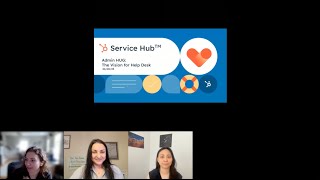
HubSpot product managers and designers walk through the new Help Desk workspace for Service Hub, showing how it consolidates ticket and conversation management to streamline support team workflows. The session includes a demo, prototype walkthrough, and roadmap details for admins managing customer support.
All right, so, hi all. Welcome to the HubSpot Admin Hug. For those that don't know me, I'm Deanna Giloff, your HubSpot admin and advocate. Just like yourself, I run and own my HubSpot partner agency, Stratsmark, where I offer fractional HubSpot and strategy services mostly to other agencies needing to fill a gap in their service offering. And today's hug is the vision for Help Desk, a streamlined workspace for support teams in HubSpot with Rose Petrozino, C Senior Product Manager, and Ruby Zenk, Senior product designer at HubSpot. They're going to walk us through some capabilities in the Service Hub and give us a peek into the future vision for a ticket centered workspace. So Rose and Ruby, go ahead and take it away.
Awesome. Thanks so much. All right, let me share these slides. I think that should be working. Please let me know if it's not. Great. So we are going to just start off with some brief introductions. My name is Rose. My pronouns are she, her. I am one of the product managers working on Service Hub tooling. And Ruby, I will go ahead and let you introduce yourself.
Thanks, Rose. Hi everyone. My name is Ruby and I'm a product designer on Service Hub. I work with Rose design tool that help companies to deliver efficient and empathetic support for their customers.
All right, great. Thanks, Ruby. So today we are going to talk about Help Desk. This is a new workspace that's purpose built for reactive support teams that we believe really addresses some major points of friction in today's experience. We will start by reviewing Service Hub's high level goals for 2023 and then we'll dive into the Help Desk project, including a demo of existing functionality and a sneak peek of what's coming next. We will leave some time at the end for Q and A, but as Deanna said, please feel free to ask questions and comments as we go throughout the presentation. We will try to address them as we go if they're kind of relevant to what we're speaking towards. And there are also another. There are a handful of teammates on the call, other product managers and designers who will do their best to field questions as they come in as well. Okay, cool. So let's talk about what we're focused on in 2023. Service Hub's goals in 2023 really are focused on delivering efficiency and connection across your customers, your agents and our platform. So one of the first things we're driving towards is a more efficient agent experience through Help Desk. And that's what we're going to spend our time talking about today. We believe that ultimately this is going to result in faster resolution times and overall improved customer satisfaction. So like I said, this is what we'll be chatting about a lot more today. Another piece that we're focused on this year is delivering more native channel offerings within Service Hub so you can meet your customers where they are. This includes channels like calling, WhatsApp and SMS. Super exciting stuff. We won't be talking about this today, but I know there are probably a lot of you who are really pumped about it. And then finally, we believe that support teams are most powerful when connected to the rest of the front Office through the HubSpot platform. So we are partnering with teams on our automation platform and in our CRM to meet the increasingly complex needs of larger SMBs like enhanced routing. So some of you, I'm sure, have joined the webinar a few months ago where my teammates Jen and Bianca showcase some new routing features. We have capacity limits. We're working on skills based routing. Lots of really exciting stuff coming there. If you missed it, definitely check out the recording. Okay, so let's double click in.
Sorry, Rose, everyone is saying that your screen's a little small. I'm not seeing it super small, but it might be because of how my presenter mode is. If. Okay, if you have it minimized, if you can make it a little larger, if that will help at all.
Let me stop sharing and reshare. I do have it on my full monitor.
Might be the resolution just making it tiny.
Is that better? Worse?
Same.
Same. Looks the same. Let me shrink it. Whatever you just did made it a lot bigger. Okay, so we're cool with not being in presentation mode. Is that better? That.
That's perfectly fine with me if it's. As long as it's bigger for everybody. And Alexia started the Q and A. Thank you for reminding me.
Looks better.
Looks better. It says.
Okay. All right. All right. So we're going to miss a couple of not super fancy animations in my bullet points, but I think we'll be okay with that. Cool. All right, so let's double click into that. We just went through these focus areas. Let's double click into that first focus area before we dive into what help desk looks like and where it's going. I think it's really helpful to ground ourselves in what exists today. In particular, how teams can use HubSpot today to manage customer support issues. I do want to quickly call out here that there are a lot of different ways that our customers are leveraging the tools that we're going to talk about today. For this conversation, we're specifically going to be focused on reactive support. Some of the other ways we see customers using HubSpot, we have service delivery, account management, proactive support, these things that we generally think of as falling under more of a customer success umbrella. Again, for this conversation, we'll specifically be focused on reactive support. So think about incoming requests flooding in over a variety of channels that your team is triaging, troubleshooting and responding to in real time customer success. And that kind of proactive bucket is a focus area for HubSpot in 2024. So you can look forward to more updates there soon. Okay, so today there are a few tools in HubSpot that teams are using to manage their reactive support processes. First, we have the Conversations Inbox. This is an Inbox style interface where the primary object is Conversations. Teams can connect a variety of channels to the Inbox and then they can manage and respond to conversations over those channels. The interface is real time. It also contains features like SLAs, agent presence, a couple of other things to really help boost efficiency. On the other side of things, we also have Tickets. Tickets lives in a different place within HubSpot. It consists of a few different pages. So there's a list style index page, there is a Kanban board view, and then there's also a record page. The primary object in Tickets is Tickets. Tickets are a little bit different from Conversations in that they are a first class object in the HubSpot CRM, meaning they can more easily be leveraged in things like reporting workflows, you can create custom properties on tickets, all of that good stuff. So the relationship between Conversations and Tickets can be a bit confusing. Some of you might be familiar with this. There is some syncing that kind of happens between these two things, but really neither on their own is a full solution. So for example, if you are using Tickets and primarily working out of Tickets, you might find it's difficult to manage chaps without kind of jumping over into the Conversations inbox. And then if you're using the Conversations inbox, you might find that you're missing out on things like advanced filtering and reporting capabilities. So for some of you on this call, you might be working out of the Conversations Inbox and it's working really well. Others of you, you might be working out of Tickets and it's working really well. But especially some of our scaling, operationally minded customers have really expressed to us that to drive more agent efficiency and effectiven they need a single place that combines the best of both of these tools. We're going to pause here. I'm really curious to hear how the folks on this call are using our tools. So we're going to take a quick poll to understand how the group is currently leveraging HubSpot. So in the chat, if you could type kind of the letter that best corresponds to how your team is using it, that would be great. Got a couple B's and a C's.
Oh, there's another couple D's. Oh, D and a B. Nice variety.
Cool. Yeah, no ease. That's great. Although that. That is probably one of my most used emojis on a daily basis. The sweat smile, lots of Cs. Okay, so I'm seeing there's definitely spread here. Some of you are using Inbox, some of you are using Tickets. A lot of you are using both, some are using none. I think the key takeaway here is there are a lot of different ways to leverage the system, and that is great. We want the system to be flexible. We want it to be able to work for you. But in this case, it can also be a little bit confusing. How to really get the most bang for your buck and really leverage it in a way that's going to be most valuable for your team. And that's really where Help Desk comes in. So if you aren't on this page yet, we're really trying to bring the best of Inbox and Tickets together so you don't have to choose between them or constantly navigate the complexities of having these sort of different but similar tools. Our vision for Help Desk is to build a true home base for support teams in HubSpot that centralizes key functionality and enables agents to provide efficient and empathetic support. Okay, this is. This is where my. My animation was going to be going to see one bullet at a time. But we'll just. We'll just run with it. I do want to break the problem down a little bit further. One of the ways I like to think about this is that we're really trying to address two major pain points. The first is ticket and conversation confusion. So we hear a lot of feedback from customers, probably some of you on this call, that tickets and conversations can be tough to navigate. So to touch on kind of a few specific examples of what we're aiming to solve with Help Desk. First off, ticket and Owner, syncing and keeping Ticket. Sorry, Ticket and Conversation syncing and keeping Owner and Status in sync. We hear about Owner and Status a lot Right now, we have two concepts of each. We have Ticket Owner and Conversation owner. We have ticket status and conversation status. These are often, but not always synced. And we really want to simplify that model. So you only have to think about updating these things once. For example, on that note, it's not just about streamlining those properties. What we really want to do is create a single source of truth and to enable you to more easily set up workflows and reports. We've heard from a lot of managers and admins in particular, that when setting up a workflow or report, it's not obvious whether you should be using the conversation object or the ticket object. And we really want this to feel a lot more intuitive. We also want to simplify the onboarding process. So for both new teams and also new agents, right now, between the different tools that we have available, it can be really difficult to figure out where to start. And just in general, there's a lot of overhead for both admins and agents trying to understand the system and keep things clean. And we really want to relieve this burden. We believe this energy is better spent elsewhere, like on actually servicing your customers. And then we have the second pain point. And that's really about addressing decentralized functionality. So in the inbox today, you get chat, you get SLAs channel switching agent presence, real time. It's really designed for efficiently responding to customers and replying to customers and resolving issues. On the other hand, Tickets contains more advanced views and sorting features. There's a better interface for kind of viewing everything at a glance. That's something we hear a lot from managers. In particular, they like that list view where you can kind of see a bunch of different tickets. It's also more customizable, the interface itself, the record page. So, long story short, there's a lot of really great functionality in both of these. These places. Lots of really powerful tools. All right, so with Help Desk, what we're really trying to do is trade in that existing ticket and conver conversation confusion for a more seamless and simplified framework. And. And then. All right, so let's get to the good stuff. So now that we understand Help Desk a bit and have a clear sense of what problems we're addressing, we are going to jump into a demo and there are a couple of ground rules before we dive in. So first off, I will be walking through what Help Desk looks like today. So we are currently in an alpha. We are aiming to move into a private beta in the next month or so, hopefully by the end of July. So I will be covering that part and then I'll pass it off to Ruby to show some mock ups of where we are going next. It's worth noting that the current state, so the part that I'm going to show might look a little bit familiar on the surface, especially for those of you who are already using Inbox. A lot of the work that we've done so far is really at the infrastructure level and the framework level to address that first pain point that I just talked about. So I will do my best during the demo to walk through a couple of examples illustrating how those changes under the covers can have value and impact to your team. And then I'll pass it off to Ruby who will go through the future facing mock ups. And that's where we're really focusing on that second point, consolidating functionality. And Ruby will walk through a few key pieces that we're really excited to incorporate into Help Desk. Just a reminder that a big part of what we're sharing today is directional. There will almost certainly be changes as we adapt to to customer feedback and your feedback. And as this feature is actively in development, we are still working through some of the packaging details, but most of what we'll show you today, you can assume it will be available at a pro and enterprise level. And oh yeah, last thing, we are going to cover a lot. So at the end we will provide a high level summary of what our roadmap looks like. Just want to give you all a heads up because I know it can be a lot to keep in your brain at once. Okay, I'm going to stop sharing now and hop into a different tab. Anything popping up in Q and A or chat that we should address?
No, your team is kind of on it for some of the more specific questions, so not at the moment.
All right.
Oh, I'm sorry, we got one that just popped up in the Q and A. Yeah. How does Stations Inbox recognize new separate conversations? I have a client who keeps forwarding current emails client emails into the combo box to create tickets to work in their portable. This usually works great, but occasionally if they forward an email from the same client email address with a different subject line. So it seems like a very specific question if you want to go through your demo and then come back to that. I think that's a great idea.
Okay, that sounds great. Awesome. And everyone can see my screen right now. Is it an appropriate. Is it? Yes, it's okay. Okay. Okay. Awesome. So we are in Help Desk in my portal. I'm ungated to Help Desk. And as I mentioned, this interface currently looks pretty similar to Inbox. There are a few reasons why we've used Inbox as a starting point, including its real time capabilities. So that's something that's really powerful and we believe it's really important for high volume, reactive support teams. One of the key differences in Help Desk is that everything that you're seeing is a ticket. So everything popping up here, whether it's an email rose.
Would you be able to maybe shrink your size of your screen so that you could blow it up a little bit? It's really wide, but really zoomed up.
I'm on a mon. Is that better?
I think that looks a lot better. Yeah. Sometimes zooming in, like if you do the manual zoom in, it'll shrink everything because of the chat. So I didn't want to just tell you to zoom in.
Okay, let me know. I am, I am on a monitor and I don't have my like smaller laptop screen open. So. So I can try and scale down to about that size though. Okay, much better. Great. Thank you. So we're in Help Desk and everything that you are seeing out here is a ticket. So that means every customer support issue from any channel connected to Help Desk will create a ticket. So I have some tickets from chat here, I have some email tickets, some tickets I've created manually. The conversation object still exists under the covers, but you can think about it more as a piece of the ticket. We still want to capture all of that richness in messaging and in the communication thread with the customer. But the ticket is really the source of truth representing the full details of the support issue itself. So with Help Desk, we're really moving towards a world where as an agent or as a manager, all you really have to think about is, is the ticket. And one of the key differences that means is that incoming inquiries from chat will automatically create tickets in Help Desk. So today you can't create tickets automatically from Live chat in the inbox. If you are using live chat and you want to create tickets, which you might want to do because it's easier to track things that way. It's easier to create workflows that way. So. So if you want to create live chats from or tickets from live chat today, you either have to do so manually, which kind of hurts efficiency, or you have to maybe set up a separate workflow which can be just more overhead to manage. So in my Help Desk settings for the Help Desk that we're viewing, I actually already have live Chat connected. I'm not going to walk through the connection flow. It looks very similar to what it already looks like today to connect a live chat. But I will pop over here and show you that the chat flow that I've connected actually gives me the option to preset ticket properties now that it's connected to Help Desk. So I can preset any tickets coming in over this live chat. I can predefine what what pipeline they should appear on, what ticket status they could be. And I can even preset values for other ticket properties like priority or. This is a custom property that I have. So right now, like any chats coming in over this live chat channel will come in as as high priority. So that is kind of what it looks like to have live chat connected. And if I go in and actually create a live chat. So please help me and I'll throw the date in there just so so we can try and make sure we're looking at the right one. Oh, still on the Help desk screen. Okay, let me. Sorry. For all the screen share issues.
It's not always you. The system is challenging. Exactly.
Okay, how is this? Can you see the settings? Yeah, you can? There you go. Okay. All right. So what I was trying to show you was essentially I have Live Chat connected within my chat settings. I'm also able to preset properties for the tickets that will be created from the live chat. And then I just went in here and I sent myself a message just a minute ago and it's already popped up in my help desk. So this shows up in essentially real time. Any questions on on that? I just want to make sure everyone's on the same page. All right, I think we're good. But Live Chat connected to my help desk creating tickets. As I said in the settings I have that, I have it set so that any live chat coming in over this channel connected to Help Desk is going to preset to high priority. And I can see that has worked here. I also have my ticket id, owner category and key ticket information. There's a couple other things I want to call out in this interface. So similar to Inbox, we do have custom views available in Help Desk. So right now I'm already in my Live chat custom view. There's nine items here. I believe I have this set to to show me anything that's coming in over chat and anything that is in one of these statuses, because these are my open ticket statuses. A fun enhancement that we're making to views, actually, is that within each custom view you'll have access to this quick toggle which lets you quickly move between issues in that view that are assigned to you or unassigned or all issues. And we've gotten some customer feedback on this. So excited to release that feature as well. Let's see. I think in my live chat everything is already assigned to me, but if I go to my test view, you'll see that the list narrows in and that just really helps agents quickly zone in on the tickets that need their attention, rather than getting really distracted by issues that might be worked on by other teams. So focusing back on the ticket itself that I just created, you might notice that a few pieces of the UI itself and the interface look a bit different. We're showing slightly different information and there's a lot more that we want to do here. But for starters, we are bringing additional ticket details front and center in the about this ticket card. So you don't have to scroll down your sidebar or open the ticket record in a new page in order to get the information you need. And this is actually customizable. So if I pop over to my record customization settings, right now it's showing me ticket description and create date. Let's say I want to add my custom property and maybe I want to show the SLA due date, time to first respond, time to close. I can save that and I should see that update pretty much instantly over here. So that's, that's customizable. And again, more, more updates to come. When it comes to this interface, last thing I want to call out is a small but I think very mighty change. Some of you have may have noticed this already, but we're only looking at one concept of owner and one concept of status. So you're just interacting with ticket owner and you're just interacting with ticket status. No more worrying about who's the conversation owner, who's the ticket owner. What does that mean for my reports? What does that mean for my, my agent's SLA time? You also aren't going to be seeing any more alerts if these two things are out of sync in terms of status. So that's all been simplified here as well. And as a result, that means we have a single source of truth and it's a lot easier to set up reports and workflows. So if I hop over to my reports tab, I can create a single object report on some of the tickets that we were just looking at here from live chat. So, so I'm going to pull in tickets, I am going to filter for Anything from chat. And I'm going to zoom in on this week. And I see six tickets there which should match exactly what I have here. Because these, there's nine in here and these three were from last week. And then I can turn that into a visual. So let's say I want to see the count of tickets and I want that broken down by category. So this is now showing me live chats, broken down live chats from the last week, broken down by category. So I could, for example, look at patterns and trends on what types of issues customers are reporting over live chat. And actually category itself is not a property that is available on the conversation object today. And so that alone is something that would also be available once you are creating tickets automatically from live chats. Just getting through my notes here, I want to make sure I touched on everything. I think.
We had a question. Does, does it work the same for WhatsApp like it does, like the live chat, yes.
So WhatsApp will be the same if you connect. So today, today it's not the same in inbox, but in a Help desk world, when you connect WhatsApp to Help Desk, you will be creating tickets automatically for anything that comes in over WhatsApp. We are not supporting WhatsApp right now, so that will be at a later stage, probably public beta or our Go Live live chat will be available in private beta. So this is more of a like about to exist kind of and be live in the next couple of weeks. WhatsApp will definitely be supported in Help Desk, but it's a little bit further out.
Awesome. And then we also had what object associations are automatically made when live chats create those tickets. So I know you were showing us the ones you could customize, but which ones are automatically done?
Yep. So there's some associations happening with customers, contacts and companies. So you can see in this case, for example, this person has already chatted in before. We've already associated a contact with the visitor ID of that chat and so it's automatically associating contacts. And if I had a company associated to this contact, it would be associating companies too.
Will you be able to choose additional associations like you can now with different objects?
Yep. So you can add directly within the sidebar, you're able to add or change contact association, company association, all of that fun stuff. And that's actually more flexible than the existing inbox. Today you're a bit limited on the ability to do some of this stuff from the sidebar, so that, that's nice to have at Your fingertips. Awesome. Cool. All right, so I know we ran through a lot pretty quickly, but I hope that that kind of starts to illustrate and showcase how we're addressing that existing confusion and complexity in our current system, really revolving everything around tickets. And personally I'm really excited about what we're working towards because I believe it is a lot more simple but also a lot more powerful, which is a really nice combination which you don't always run into. So we are going to switch gears now and I will stop sharing my screen and we're going to chat about what the team is focusing on in the upcoming months. So if you're on a team that's currently working out of the tickets interface and you're watching this demo with a bit of apprehension, this next part is where you might want to perk up a bit. Know that there are some things I think I may have even seen a chat come in about the list view and tickets and would it be possible to have something like that? So this is the part for you and yeah, pass it over to you, Ruby.
Thanks, Rose. As Rose mentioned, the next set of work focuses on bringing additional functionalities and tooling into Help Desk to boost efficiency. While we're excited about what we built so far, we know that there are additional tools that our customers know and love, which we haven't brought into Help Desk yet. There's a lot we're thinking about and today I'm going to focus on three key improvements. More advanced custom views for better intake, a high level list view with filtering and sorting capabilities for quick prioritization, and a cleaner, more customizable experience to troubleshoot tickets. We've heard a lot of feedback from customers, especially those of you who are primarily working out of tickets, that these features are critical to helping your team intake, triage and troubleshoot support requests. So we're excited to incorporate them into Help Desk. And now I'm going to share a prototype with you on these on how these improvements will look on Help Desk. Before we dive into the prototype, please keep in mind that the design you are seeing today are directional and our exact implementation will likely look a bit different. First up, we've been working on advanced views that allow your team to create team based or personal custom views to stay personal custom views. In addition, we are working on improvements to filtering and sorting capabilities that will make it easier for your team to stay organized and prioritize efficiently. Next, we're making it easier to find the right tickets through quick filters. For example, in this prototype, the support agent has filtered the tickets by high priority and now let's say from this list the support agent wants to first work through tickets that are closest to breaching their SLAs. They can sort the list by SLAs such as Time to respond and time to close here. Next we know that the current layout of Help Desk works well for focusing on a particular ticket and responding to customers, but isn't great for viewing a large set of tickets at a glance or quickly scanning to get a high level sense of where things stand. As you can see, one thing we're planning to add is this list view. Similar to the existing Ticket index page, the list view will let support agents to quickly scan a set of tickets and look at properties such as SLAs owner channel type to identify which issue needs their attention. When they're ready to start working through a particular set set of tickets, they can click into one to view additional details, communication history and craft their response. So I'm going to click into this ticket here. Shipping Refund now let's look at how we will make it easier for agents to efficiently resolve customer issues Rose briefly touched on what the sidebar and Help desk look like today, including a customizable about this ticket card in the future. We want all of this to be more customizable, similar to the sidebar on other object record pages today where you can add cards from custom objects. We order information and even view third party integrations and once they're in this ticket view, they can still preview other tickets via these preview cards and switch between them quickly or click on a different view to change to a different set of tickets entirely.
Okay.
So I'm going to switch back to the slide 1 second and that that was the end of the prototype, so I'm switching back to the slide.
We appreciate the the insight view. That's nice. Nice to see what's.
Okay.
So we just cover a lot. Here is a summary of our current roadmap for Help Desk. As you can see, we're aiming to have the list view and improve filtering and sorting capabilities Ready for a public beta of help desk in Q4 of this year. The last piece I highlighted about improvements to the sidebar and toolbar is currently planned for early 2024, along with a few other things. Again, this is all subject to change, but hopefully gives you an idea of what to expect next. Rose will wrap up this webinar for us.
Awesome. Cool. So we do just have a couple of CTAs. Thank you Ruby for showing the prototype before we Hop into Q and A. Just want to review a couple of CTAs. So first off, so much of what you've seen today is thanks to a tremendous amount of feedback from our customers. I know that there are some of you on this call right now. We have customers who have been so generous with their time and with their thoughts. So if you have feedback, we'd love to hear from you. Feel free to shoot us an email@helpdeskfeedbackubspot.com we will do our best to reply to it there. And I know there were a couple of questions about getting involved and we are looking for customers who are interested in getting early access and kind of coming on this journey with us as we continue to develop help desk into HubSpot's home base for support. So some of you might be super eager to just get on there right now. Some of you, based on the functionality that we shared, might be thinking your team is a better fit. Once we're in private beta or public beta, if you're at all interested, please use the form. There will be an option in there to indicate where you think you might you might fall in. Just as a quick note there because we get this question a lot from customers who are interested in becoming involved, you will not lose access to your existing inbox or ticket setup or any of your pre existing processes when you get access to Help Desk. That's something that won't change right now. So Help Desk is essentially kind of net new and it's up to you to to choose when and how to migrate your processes into Help Desk. We obviously can offer resources to support that and help you do that. But the kind of main point I'm trying to make here is it's not going to like suddenly you're going to lose all of the tickets that you previously had in your list view in tickets. So yeah, just a little bit about what you can expect there. I think that's it from our slides and demo so we can spend the next few minutes on Q A. Yeah.
There was a bunch but luckily we had some some team members coming in and jumping in. Ones that weren't necessarily exactly related so they did leave some open. I am going to go ahead and put the survey for today's event in there if everybody could fill that out for me. Just let me know what you thought. If you have any suggestions, any questions. If you don't know where to fill out and get the early access form, go ahead and put your contact information in there. I will make sure all of these resources are shared out, including the recording. So if you, if you'd love to give some feedback, that would be great. And if you could take a minute to go ahead and go and upvote any of the Q and A questions that you are just dying to answer, because that's several screens of questions and I'd love to make sure we address the ones that you are looking to answer. I'm going to go ahead and sort it by at least the ones that are highly upvoted and then hopefully not answer any of the ones that the team or bring to light any of the ones that the team already answered. So I'm going to start at Elsie. Let's see, right now you need a paid seat for Inbox but not for tickets. Will the combined Help desk require a paid seat?
Yeah, this is a great question. So kind of going back to what we mentioned earlier, pricing and packaging is still in the works, but I think to kind of summarize, we definitely still want to make sure for collaboration purposes that users even without a paid seat can kind of like hop in and collaborate as needed in solving customer support issues. However, I think a lot of the functionality in Help Desk will be seated. So it's going to be kind of a balance of making sure that you don't necessarily need a seat to do everything because we know that you want to be able to collaborate with the rest of the front office, but you do need a paid seat for some of those more support specific features like agent presence is one of the things that's seated in the inbox that will continue to definitely be seated in Help Desk. Some pieces of custom views are seated, some pieces of SLAs are seated. And so we will continue to kind of move forward with that strategy where if it's sort of support specific functionality that will probably require a service hub seat, but we do want to make sure there's enough flexibility so that everybody can collaborate together. Awesome.
Stacy asks, will there be any way of having a Kanban table view for Help Desk? I think you did say yes. List view can be quite difficult for some. Let's see.
Yeah, I can that but go ahead, I can speak to that one a bit. So we did talk a lot about where to start. So we obviously started with the Inbox interface and then we talked a lot about okay, people like this Kanban board view and they like the list view. Where should we start? So as Ruby kind of demoed, we are going to be focused on bringing a list view in first, but we have not closed the door to potentially incorporating some sort of board visualization in the future as well. So that is on our radar. We know that there are a few folks who really like that visual and find it really helpful so we will be prioritizing the list view first based on what we've been hearing from customers but that really appreciate that feedback and definitely keeping that top of mind moving forward too. Awesome.
Jessica says. How does the conversation inbox recognize new and separate conversations they have? A client keeps forwarding emails into their conversation inbox to create tickets and to work in their portal. This usually works great, but occasionally if they forward an email from the same client email address with different subject line, the email gets routed in the same HubSpot conversation.
So yeah, so this one's a bit technical. Might make sense to take this one offline Jessica, because I it's a little bit nuanced and I don't want to provide the wrong information. It also kind of involves some folks over on our communications team and I'm not sure how many of them or any of them are on the call. We do have some kind of nuanced logic in in terms of threading and whether a new message threads onto an existing conversation or creates a new conversation a new ticket. So that can get complicated with forwarding, which it looks like is going on here. So we can maybe take a note and follow up with you offline on this one. Perfect. But in general we have heard feedback that that threading isn't always working as expected. So continue to pass that along and we'll, we'll keep working on it.
Awesome. Let's see. Will the Help Desk include activity functionality currently available in tickets which you said? Yes. We need to be able to record meetings, calls, notes and tasks as part of tickets.
Yeah. So that is not something that Ruby showed in the mock ups. That is something that we've talked about. Again, it's not like one of the next things that we're working on, but we do know that that record page you can, you know folks really like notes, really like meetings, really like calling. We want to be able to incorporate that, all of that into Help Desk. That is the end goal. Calling is something that you can look forward to hopefully in later this year. We have a separate calling team that's been doing a lot of work on outbound calling and inbound calling. So that is definitely something that we plan to incorporate hopefully sooner rather than later. And then all of those other activity types, notes, meetings, etc. We also would like to wrap in there eventually as well. Too. Perfect.
Daniel asks, will this replace the old ticket system? Will be a current way of handling tickets still be available. So for out, when it's out of beta, when it's in, you know, live and in the wild, how is that going to look for someone who, you know is already using the ticket system and already handling tickets?
Yeah, I think this is something that we are still like developing an opinion on and we're really looking for customer feedback to help us understand which direction to go in. Our goal is that Help Desk, you all want to use Help Desk and Help Desk is more efficient for you and is more valuable for you than the current setup. And so if we're releasing this into the wild and folks start using it and it's working really well, I think that that is where you can expect us to continue kind of investing. At the same time, we don't have plans right now to sunset any of the existing functionality in tickets. We know that change is hard. We know that change management is hard and we want to be really sensitive to that. So at this point we are not planning to change that. And I think that will be something that we can like develop over time as we do release Help Desk and see how everybody's using it. Awesome.
Will incoming calls automatically create Ticket with the same capabilities as chat? And I think you did, you said yes.
Yes. So tickets. Incoming calls will create tickets. That's something that we are working on. A lot of folks are very excited about that.
Oh, this is a good question. Will the right sidebar support conditional and team based sections? I know you said it was customizable, but what about those higher functions?
Yep. So this is something that's currently available on the Ticket record page and it's kind of standard across record pages in HubSpot. I do think it's something that we'd like to support at some point in the Help Desk along along with sort of the rest of the platform. So I don't know if we have specifically slotted that functionality in Max, but that is definitely also on our radar. Kind of anything that you can already do on other object places is sort of ideally the package we're considering for pulling into Help Desk as well. Awesome.
And I'll let you guys have a second to go ahead and upvote the rest of the ones in there. I know Casey has been answering some of the questions in the Q and A. I'm going to go ahead and compile all of those and add them to the community board. So that way those Questions don't get lost, but since they're not 100% on topic, I'm going to go ahead and add those to that. So we respect Rose and Ruby's time and give those questions that are relevant to what we're talking about. Some, some weight here. So let's see. Back to the top.
I just want to say I, I really appreciate all of these questions. These are all great and there is so much that we want to do here and so many great ideas and I think, as you can all know and appreciate, like this is, this is a journey and the more that we hear from customers on sort of which pieces are more important, the more helpful it is to us and we can kind of figure out which ones to work on first and slot in first. So appreciate all of all of that.
Awesome. Yeah, feedback, super important, guys. Whatever you got, share it. Because can't improve it if no one knows that it's not serving your needs. John asks a interesting question out of curiosity. Do you manage Help Desk feedback through the Help Desk?
We do not. We do not. Right now we have a distribution email which we shared with you and then we also have a Slack channel that we are kind of like directly communicating with some of our alpha participants in there. That'd be really cool though. That's a, that's a, that's a good idea. I know that there are a lot of teams at HubSpot that really like to dog food HubSpot by setting up their own internal processes out of HubSpot. We haven't been using Help Desk to collect Help Desk feedback, but I really like that idea.
Nice.
Awesome, awesome, awesome.
Let's see. Reshuffle these questions. Will SMS conversations, threads, creating tickets be a thing at some point?
Yes. So same thing kind of with WhatsApp. So we're working on live channels right now, which is what I showed. So we're very close to being able to support live chat bots and Facebook messenger. And then after that we'll be looking at WhatsApp and calling and SMS and trying to get all of those channels up and running. SMS is like just in general not yet supported in Inbox today. So there's additional work kind of beyond the Help Desk project that we're doing to support Help Desk as a support SMS as a native channel in HubSpot and as a part of that, it would be supported in Help Desk as well. And anything would be a ticket.
Okay, let's see. Daniel asked, how about internal ticketing system? How would that work? Feel like I need A little more context. Daniel, if you want to put that in the general chat for us.
Steven.
Asks, can we assign a ticket to teams instead of an individual?
This is a great question. This is something that we've talked about, especially in the concept of unassigned. We want teams to be able to have tickets that aren't necessarily assigned to an agent because maybe all of your agents are. Are at capacity but are queued up for that specific team. So rather than just being like unassigned in general, they are unassigned to a specific individual but assigned to a specific team. So that is definitely something that we're thinking about. I do think that that would hopefully be a part of a public beta, although I'm not sure we are 100% sure sure about that timeline. But yes, that is something. There might be a few folks on the call right now who are more intimately familiar with that problem and can lend additional details in the chat, but I know that that's something that we're actively discussing. Awesome.
Let's resort. See what we got uploaded over here. Incoming calls. We have our sales team and our support team on HubSpot calling. When's that live? Will only need our support team incoming calls to create tickets. Will that be possible?
Yeah, I. I do not know the timeline for exactly for calling because again, it's calling and inbound calling in general is kind of a separate project. And then we'll be incorporating that into help desk as we go and sort of have those two paths meet. I don't know if there's anyone on the call, Cassie, maybe, you know, maybe someone else knows that can pop into the chat and share the calling team's timelines for inbound calling. But yeah, it looks like Cassie replied.
To something else that talks about calling not working in the private beta, but shooting to have it as part of the public group beta release or call. Quick, fast follow there. There we go. Faster than my reading. All right. Trying to get there as many of these lovely questions here as possible without redoing. I am not going to be wearing any orange hats anytime soon. John. That is not my hat. That is not my thing. You'll notice what my thing is on the back. Someone already pointed it out.
Let's see.
Are there any plans to incorporate chat spot into Service Hub?
That has not been. We've talked about AI in general at the service hub level and how to incorporate how to what are the smartest ways and what are the most valuable ways to incorporate AI in general and into Service Hub. So that is an Ongoing conversation. That's something Cassie has been driving. I know Cassie's on the call, so feel free to drop something into the chat as well. Cassie, I'm not sure if Chat Spot is like maybe, maybe it's Chat Spot, maybe it's something different. But we are talking about, and I actually believe the Comms team just released or is beta testing a feature called Content Assistant which helps you draft and kind of like re edit your drafts that you're responding to customers with. So I know that there's features like that in the works. We're trying to think about how we can provide more Content Assistant, more smart recommendations for you as you're working through your tickets. So that's all being thought about. I don't know if Chat Spot specifically is a part of that, but AI in general is definitely an open discussion. Yeah.
And I'm going to drop in the link for the chats, the AI Assistant, Content Assistant event that we're going to have a couple weeks. So if anyone's interested in that, maybe we can push that question on them from the other side and see if we can get any more information.
Right. Why not?
What else do we got over here?
So many questions.
You guys have so many questions. If we don't get to them, I really, I will put as many of them that have been answered just lower down in the, the Q and A over on Community, like I said. But if you don't get your question answered, go ahead and put it in on the feedback. And I, all of the feedback goes to the team for, you know, Kyle and myself as well as the internal HubSpot team so that they get this feedback as well. Because it's valuable because we're the ones using it. If we can let them know what makes our lives easier, they're going to do what they can do to help make the system work for us.
So yeah, and I see Daniel, you provided a bit more information on kind of, I think the internal, the internal use case and I think Chad's addressed it. Chad's one of our alpha customers. Thank you, Chad. If you don't have in Help Desk, you don't have to have a conversation to have a ticket in Help Desk. So if you are have ticket pipelines and you're creating tickets manually, for example, you can create tickets manually directly within Help Desk. Right now we don't have this like fully, fully working. But if you were creating tickets via APIs or other means, that basically triggered a ticket to be created but didn't have an actual customer conversation yet those are all going to be showing up in Help Desk at some point. Like I said, we're kind of working on that piece a bit, but you don't have to have an active communication thread in order for a ticket to exist within Help Desk. Awesome.
I think we might have time for one, maybe two more questions. Will Help Desk have report templates available?
I believe we already have some Service Hub reporting templates, so I imagine we will continue to kind of build out what is already there. I do think there's already some templates for ticket ticket based reporting which would sort of just automatically work by default because everything in Help Desk is a ticket. And I think that there's going to continue to be investment in reporting, building out better default templates there and yeah, making that more accessible and easier to use. Awesome.
Will you have reporting on modified by we use custom ownership field and customer service team is more triage. We have no way to review modified by in a reporting format might be something to push.
I'm not sure I know the answer to that.
I might need to go over to the reporting team. Trish, let's see. Is there a plan to allow integrators to add their own channels to the inbox for the future? In the future.
Yes. So I think right now you, there's, there's some conversations APIs and tickets APIs that allow you to connect, you know, basically create your own tickets via API. We are talking about a framework for channels in general. This isn't really necessarily Help Desk space, although it will impact Help Desk. There is a vision of creating a framework where you can basically connect kind of any channel to Help Desk and it doesn't have to be a like HubSpot native channel. So I don't have a ton of details on that, but that is definitely something. I think that's, that's teams are envisioning for the future. Awesome.
All right, let's try this one. Is skills based routing going to have anything to do with HubSpot user object based project properties? For example assign ticket to owner who has X value in a skill property?
I believe so Max. I think Max asked that one. I don't know for sure because our team, Ruby and I's team is not the team building routing specifically. If anyone on the call is doing that, feel free to drop it in. But I think they covered that in the webinar a couple months ago. They went over the vision for skills based routing and how they were thinking about it. So feel free to take a look at that. Too.
All right, I'm going to go ahead and cut it there just to make sure we respect everyone's time. If anyone wants to get in contact with you, is the support email the best email to do it or connect with you on LinkedIn? You tell us how is best to communicate.
Yeah, so that support email is a distro list, which again, I can't remember who mentioned it, but totally should be connected to Help Desk and we totally should be managing through Help Desk. So that's a distro list. So that's probably the fastest way you're going to get a response. Feel free to email me directly@rpetrazinhubspot.com but my individual SLA might be a little bit slower because it's just me. So definitely, definitely hit up that distribution list and feel free to connect on LinkedIn or any other means as well.
Ruby, any contact preference on your part other than the support desk? And I thank you for sticking that in there. My screen was freezing up on me.
Yeah, if everyone. I'm also on that distribution list for help desk feedback. HubSpot.com so feel free to reach out to us on that email.
Awesome. I'm going to put in one last.
Reminder for this survey. Again, I will share the feedback with.
The team so they know how they did.
I very much appreciate you coming. Anytime you can give me a demo, a timeline and all kinds of peeks into what the system is doing. I'm going to leave a happy camper. So I can't imagine anyone that's still here with us is not going to be happy from listening to this. And I will send out the recording, but I appreciate it. Rose and Ruby, thank you so much for coming and answering a ton of questions. I tried to keep up with it. Like I said, I'll share as much as I can later and if you guys can interact with us, that would be wonderful. I appreciate it.
Have a great day, buddy. Yeah, thanks Dana.
Take care.










