Time to Chat about HubSpot! #hubspot
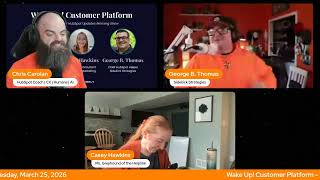
Chris Carroll, Casey Hawkins, and George B. Thomas cover new HubSpot features: Connections Insights aggregates app activity and API usage in one view, Send Time Optimization schedules emails based on recipient behavior, and @-mention notifications link directly to CRM records. WhatsApp Home now includes templates and reporting for Marketing Hub Professional and higher.
Chapters
away. Wake up, Customer Platform. The tools are at your hand. No need to sleep on capabilities that can help your business stand. The answer's right before your eyes. You just need to realize. Wake up, Customer Platform, and watch your business rise. Wake up, wake up. The platform's waiting for you.
Good morning, HubSpot Nation. It is time to wake up customer platform with your unofficial HubSpot Updates morning show, where we help you discover the platform value you already own. I'm Chris Carroll, joined by my co-hosts Casey Hawkins and George B. Thomas. We're here every weekday morning to make sure you're not sleeping on HubSpot's true capabilities. If you're joining live, drop a hello in the comments and let us know what you're building in HubSpot today. Uh, happy Wednesday, George B. Thomas.
You waited till now to say that, son of a gun. Well, let's move on to the first update.
I like that I was late, so Chris and George sat here for 5 minutes waiting for me, and Chris didn't—
I did not catch it. It is definitely my responsibility, but, uh, I thought you were just Like, no, I would never set George up like that. Uh, I really wouldn't. I was like mid, mid, uh, you know, intro script, I was like, uh-oh, he's more prepared than— but he's, he's agile, right? Um, ready, ready to go in a moment's notice. Uh, because he's excited. That was impressive about things like Connections Insights.
Tada!
That was a Rob Jones transition.
We were orange on Wednesday, folks. Uh, and if you want to wear orange with us, um, uh, all day, uh, which you probably will do if you are already wearing orange. Um, uh, join us for the HubSpot Helpline, uh, later today at 10:15 Central, uh, where 3 of us will be with Rob Jones and Kyle Jeppsen, uh, handling your HubSpot business live, uh, the best that we can. If you got problems, challenges, interests in new updates, Uh, come hang out, uh, with us and we'll have some good conversation.
Yeah, we will.
That's on LinkedIn Live at 10:15 Central. Uh, meanwhile, Connections Insights— what is it? Uh, it's a new tab in Connected Apps that provides a high-level centralized view of how your apps are behaving across HubSpot at a glance. It brings together global insights about app activity, automation involvement, disconnect history, and API usage with links that guide you to the relevant areas of the platform for deeper investigation or action.
Well, that's nice.
Why does it matter? As accounts grow and more integrations are added, it becomes harder to understand overall app behavior without navigating across multiple tools and pages. Connection Insights helps by giving you a single place to see what's happening across all apps, making integration behavior easier to understand at a high level, reducing time spent hunting for information across the platform, helping you know where to go next when something looks off by clearly surfacing signals and pointing you to the areas of HubSpot. Connection Insights helps you move from awareness to action faster without overwhelming you with details.
This is so good. Like, in such a huge need. Um, like the most common reason for, for bad data, in my opinion, uh, in HubSpot is some integrations and people don't know how they work. They don't know who set them up. They don't know which data is being moved around and when. Uh, and it's been hard. To like understand that, uh, up to, up to now and what the team has been doing, you know, with the developer platform and just all the things related to apps.
Yeah.
Uh, so much progress been made over the last—
and like these integrations have gotten more powerful.
Mm-hmm.
Which I think is a big part of why this is needed. Like as we, you have these more powerful integrations, I'm think like the screenshot has OpenAI and Anthropic right in there, which are can be really powerful integrations, but if you don't— if you can't see what they're doing, um, and how they're interacting with HubSpot, it can be difficult to manage, to trust those, to know how your team's using those. There's a lot to uncover there too.
Yeah, can I yes and you? Of course, always, because I agree with you. Yes and my favorite I don't know if you've noticed. If you haven't, just go look at the menu structure of your HubSpot on the left-hand side of your screen, or go into the settings cog. Uh, HubSpot has grown a little bit. Uh, so my favorite part of this is with links that guide you to the relevant area of the platform. Like, thank you. Like, come, we need more of that in areas. Like, can we get some internal HubSpot linking strategy happening, please?
You know what I've noticed that I don't feel like I've talked about enough is now when you click the settings, that's gear, it'll take— in the top right corner, it'll take you to the settings based on where you are.
Oh yeah.
Which is like, I know it's been like that for a while, but like, that was such an— like, that's such a nice little update that I haven't talked about enough.
I've been teaching that for 3 years.
I, I don't, I don't talk about it enough.
Yeah, we— yeah, if you didn't know, like, one of my favorite ways to get to social settings is to go marketing, social, then hit the settings cog and it takes me to social settings. Or like If I'm going to do, like, go to the thing in the menu, then hit settings, it's like, it's almost a little AI before AI. Like, it's contextual navigation. Yeah, I agree. I love that. Have loved that for a while.
Yeah. And even like, if you look at the nav of the screenshot, like, These are things that have not been connected into the rest of the system, right? API call usage in Academy, man, so many product manager calls. Like, you have all of this resource, all this resource, and somehow it's not right next to where we need it. Like, just go do that. Uh, and they're doing it. So, uh, kudos to the team for, for making all this stuff more visible for us. Contact send time optimizations is in public beta for Marketing Hub, marketing email. What's changed? Uh, new post send chart showing email distribution over time.
Nice.
Uh, what is it? Send time optimization analyzes recipient behavior and automatically sends emails at the ideal time. For each individual recipient, maximizing engagement and campaign performance.
Why does it matter? Sending marketing emails when customers are most likely to engage increases open rates, click-through rates, and overall campaign effectiveness. By aligning email delivery with distinct recipients' behavior, businesses can improve engagement, reduce unsubscribes, and maximize the impact of their marketing efforts.
I would love to know if this has another name. I've looked in all— I've looked in New to You, I've looked in Your Betas, In Beta, uh, I've looked everywhere and this is not in my portal. What is happening right now?
I don't know. I don't know.
You have Marketing Enterprise?
I have SendTime. Oh.
That's why I'm guessing not.
No, I don't have Marketing Enterprise. I've got Marketing Pro because I'm just over here slumming with Marketing Pro, you know, like, yeah.
Well, I've used this beta, um, I really like it. Um, one thing I like about it is it takes some of like the guesswork out of, you know, what time to send emails. I hate that part of sending an email, like, I don't know, does it matter if I send it at 9:35 or 9:30 9:36, I don't know.
9:36, you're a millionaire. 9:35, you're just living life, I guess.
Because that's the difference between engagement and performance. I have trouble finishing this sentence.
I noticed that. I did hear it.
It maximizes potential engagement and potential performance. It's not just because you're sending at the right time if your email's not good. Still not gonna get engagement or performance. Okay. So I do have a word of relevance.
Chris, you're dashing people's dreams.
I do have a word of caution with this specific update though. HubSpot in the update itself, like when you go to use it, it recommends you use a 24-hour window so that you can see like when it's not gonna let you do like an, well, it will let you, but it's gonna tell you the best thing to do is to 24-hour window, not a 12, whatever, whatever. Um, however, if HubSpot does not know the optimized time to send the email, it will use the earliest time in that window. So don't do midnight to midnight. Oh, I usually do 9:36 to 9:36.
There you go.
Whatever.
Good tip. Hot mess here.
To be clear.
Yeah, uh, that makes sense. Yeah, and that's like step number 2. Are you willing to give up control over that time window? Um, uh, when there's an AI that probably knows better than you do.
There's that word, uh, control. Y'all better get a grip on control in the next 6 months to 6 years. I'm just telling you. No, I'm just telling you. That's a different podcast.
I'll shut up.
I should have waited for my comment for here.
Uh, notifications that take you to the right record across all CRM objects is in development. Uh, mentioned it a couple times now. Yeah, uh, we've improved— they are improving @mention notifications to link directly to the exact CRM record where the mention happened. We're also expanding notification support to additional CRM objects, including appointments, carts, contracts, courses, listings, marketing events, orders, services, and subscriptions, which now support @mention, follow, and assign notifications. George, was this a development yesterday? I feel like this was in beta.
I, I thought it was in beta yesterday. I'm not sure. They're confusing me on this one, but we're excited every time we read it. We just don't know exactly where it is in the pipeline of using it.
It's in development now, I guess. Uh, so yeah, let's, let's just move on. I think I'm wondering, while you're moving on, I wonder Yeah, uh, so a lot of old classics coming back today. Exclude weekends from time between calculated properties. Uh, what is it? You can now exclude weekends when using time between calculated properties. This option allows you to calculate the time between two dates while skipping weekends. Those weekends are defined as 12 AM Saturday through 11:59 PM Sunday based on your account's time zone. This update is available when creating or editing a time between calculation property.
Why does it matter? For many teams, weekends aren't working time, but until now, time between properties counted them anyway. This made it harder to accurately measure things like response times, resolution times, or internal SLAs. By excluding weekends, you can better reflect actual working time in your calculations, get more accurate reporting for operational and service metrics, reduce the need for workarounds or manual adjustments. This is especially helpful for teams that want clearer insights into how long work actually takes during business days.
Makes sense.
Chris, just so you know, I've closed the loop. Uh, when you're done here, or when we're done with these updates, I'll share my screen and we'll have a conversation about notifications that take you to the right record across all CRM objects. We'll have a combo.
Oh, uh, on the way there, we'll talk about email property Uh, what's changed? We— they've clarified that email validation options are only available for custom email properties. HubSpot default email properties are not supported in this release. What is the email property to begin with? You can now create a dedicated email property type with built-in email validation, including checks for a valid email format such as required at and domain structure and additional validation options like restricting values to specific domains. This validation, these validation options are available for custom email properties, giving you more control over how email data is captured and stored. Once again, this does not include HubSpot default email properties for validation.
Why does it matter? Accurate email data is key to running effective sales, marketing, and service processes. Built-in validation helps prevent invalid or malformed email addresses, while domain restrictions let you enforce business rules, keeping your CRM data clean and reliable no matter how records are created.
Nice.
Sounds nice.
You know what? We've got a major update. Now we'll see how major it is or not, but WhatsApp Home.
A lot of work happening on the WhatsApp front.
Um, it's also a beta.
What is it? We're introducing a new WhatsApp experience designed to align more closely with HubSpot's core messaging tools. WhatsApp will now have its own dedicated home alongside our other primary HubSpot messaging channels. This update includes a new WhatsApp messaging management page, a template management experience, a comprehensive reporting suite, additional enhancements to support day-to-day needs.
Why does it matter? These changes are in response to customer feedback in order to make WhatsApp more discoverable, easier to and ultimately drive more success for customers as a core messaging product within HubSpot.
Welcome home, WhatsApp Home. We greet you with open arms.
Uh, we do. Uh, and, uh, yeah, one, one of not like it, if not one of them, one of the most popular messaging apps in the world.
Yeah.
So good to see we're able to leverage this. Things like this is like make it hard to get some teams into HubSpot when they're so used to talking, you know, in life and in business via their WhatsApp, you know, messaging platform. So check out these screenshots, like WhatsApp analytics. Yeah, this is going to be super powerful. So figure out, folks, how you're going to take advantage of this. Who gets it? Marketing Hub Professional.
All right.
Marketing Hub Enterprise and Service Hub Professional and Service Hub Enterprise. Yeah, that's— I'm excited for that. Got a number of clients that can use that right away.
Sales don't use WhatsApp, but okay, apparently not.
Uh, set default property values is our last one, uh, today. What is it? You can now set default values for properties in HubSpot when creating or editing a property. Admins can define a value that will automatically be applied whenever a new record is created. Default property values are applied consistently across HubSpot, whether records are created manually through workflows or via APIs. So commonly used values are automatically set, saving users a step and keeping data consistent.
Why does it matter? Many teams rely on the same values being set repeatedly when creating records. Without default values, this often leads to repetitive manual entry, inconsistent data, or complex workflow builds just to, just to fill in the blanks. With default property values, you can save time by pre-filling commonly used values, reduce data gaps and unknown states, eliminate workflow workarounds used solely to initialize data, improve overall data quality and consistency from the moment a record is created. This makes record creation faster for end users and data management simpler for admins.
Um, I like it.
Yeah, I got to use this just last week. I love when like a fairly— like a beta, especially a public beta, because that makes it easier— is the result for a client. When it's a private beta, sometimes I'm like, oh, it gets a little dicey. Yeah.
All right, uh, Chris, not 24 hours ago, or about 24 hours ago, we were on a show and we talked about this update much like we did today. Notifications that take you to the right record across all CRM objects. Today it's in development.
Yeah, look how excited I was.
You were excited about this.
Yeah, yeah. So, uh, I don't know, team moves— the team moves quick. Apparently not all is well with that beta and they, they need to pull it back. So, uh, just know that if you are excited about it as well, it is now in development. Uh, remember folks, you probably already own the solution you're looking for in HubSpot. Sometimes you just need to wake up to it. Join us tomorrow morning live at 7:30 AM Central, or catch us anytime on Spotify and Apple Music, or come hang out with us on the HubSpot Helpline later today at 10:15 Central on LinkedIn Live. Drop your biggest takeaway in the comments and let us know what capabilities you want to wake up to next. Until then, I'm Chris Carroll.
I'm Casey Hawkins.
Can I George B. Thomas?
This has been Wake Up Customer Platform. Now go build something amazing. Have a great day, everybody.
The answer's right before your eyes. You just need to realize. Wake up, wake up. Customer platform and watch your business rise. Wake up, wake up. The platform's waiting for you. Wake up, wake up. Wake up, see what your system can do.










