Time to chat about HubSpot Updates
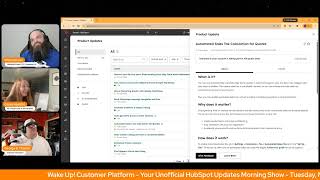
Chris Carroll, Casey Hawkins, and George B. Thomas run through 17 HubSpot product updates. Permission sets are now decoupled from seat types for granular access control, Data Studio can sync multiple objects, and Data Agent can ingest emails and call transcripts. Automated sales-tax calculation for quotes is in public beta.
Chapters
away.
Wake up, Customer Platform, the tools are at your hand. No need to sleep on capabilities that can help your business stand. The answer's right before your eyes, you just need to realize. Wake up, Customer Platform, and watch your business rise. Wake up, wake up, the platform's waiting for Good morning, HubSpot Nation.
It is time to wake up customer platform with your unofficial HubSpot Updates Morning Show, where we help you discover the platform value you already own. I'm Chris Carroll, joined by my co-hosts Casey Hawkins and George B. Thomas. We're here every weekday morning to make sure you're not sleeping on HubSpot's true capabilities. If you're joining live, drop a hello in the comments and let us know what you're building in HubSpot today. Happy Tuesday, March 10th, 2026.
Happy Tuesday, we made it back.
Yes, yes, we are, we are back to talk about all the things. My goodness, that HubSpot has been up to all of the things.
Indeed. Uh, so much so that we're gonna dive right in. Uh, we've got permission sets and seats are now decoupled. What is it? We've decoupled permission sets from seats. You can now assign any user to any permission set regardless of the seat type. HubSpot automatically grants the maximum access allowed based on a user's permission set and their seat. You'll see clear indicators showing whether a user has no, partial, or full access in a permission set.
Why does it matter? Previously, permission sets and seats were tightly linked. This often led to errors when assigning users to permission sets, users being blocked or removed unexpectedly after seat changes, confusing situations where users in the same permission sets had different access with no clear expectation— explanation. This update removes those pain points by giving admins more flexibility to grant access per their business needs, preventing disruptive removals of users from permission sets, making it clear why a user does or doesn't have certain permissions. The result is fewer surprises, less cleanup work, and more predictable permissions experience.
Go hit that beta if that sounds like something you need. For sure.
I'm guessing most portals you need a little bit of that, uh, and it's available to free and above, so take advantage. Multi-object syncs to the CRM from Data Studio. I like all those words. Mm-hmm. Uh, what is it? Data Studio users can now target multiple objects and create associations between them as they sync data from their datasets to the CRM within Data Studio.
Why does it matter? Multi-object syncs allow you to more accurately sync your external data with Data Studio to the CRM, including the ability to create associations between these objects. It also unlocks additional objects within Sync to CRM that are dependent on an association to another object, such as line items.
Interesting choice. Line items.
Yeah. Interesting choice.
Yeah. For example.
Oh man. For example, the one that everybody wants, uh, who gets it? Data Hub Professional and Data Hub Enterprise. We are smashing that beta button for sure. Recently did an unboxing with the product manager from the Data Studio team. There will be a part 2 because all we got there was just getting one spreadsheet into HubSpot and all of the different things you can do with just that sheet. It's pretty crazy. What's new in the NetSuite app for HubSpot? Speaking of line items, probably working with HubSpot. This one's in development, so, uh, forward-looking statement at the front. What is it? Introducing 4 new updates to the NetSuite app for HubSpot that make the integration more reliable, easier to manage, and faster to implement. A new NetSuite subsidiary property now appears on company contact deal invoice, order, product, and ticket records. This makes it easier to spot and fix subsidiary mismatches. Number 2, if a sales order sync fails, you'll now see specific error messages with actionable guidance to resolve the issue on your own. Number 3, you can now map unit cost for line items between HubSpot and NetSuite. Select unit costs during manual sales order creation or sync HubSpot unit cost values automatically through workflows. And number 4, a new guided onboarding experience walks you through every setup step from configuring data sync to enabling sales order workflows so your integration is ready to go from day 1. Again, um, in development but somehow scheduled for release today.
So hashtag AI. No, I'm just kidding, I'm just kidding.
Yeah, uh, maybe check it out, just see what's up.
Um, why does this one matter? Fewer sync failures, less manual work, and faster, more reliable integration. Maintain accurate and reliable records between HubSpot Spot and NetSuite. These updates strengthen data integrity and streamline operations across both platforms.
So if you are in a position that you're needing to integrate these two and somebody tells you that you should just go right to the custom, right to a custom build version, take a minute, let them know there's some changes on the way. And that might be able to change the direction.
Yeah.
So, very exciting. Number 4, include AI summaries in report and dashboard exports. What is it? You can now include AI summaries when you export your dashboard.
Oh, okay. Thanks.
Why does it matter? When you share dashboard insights with teammates or stakeholders through email or a connected app, recipients can quickly understand key takeaways without having to analyze the raw data themselves. Nice.
Makes so much sense. Like, uh, ask question button in that, uh, in that email so that they can come in and start chatting to Breeze about it. That would be cool.
Walk before you run.
Yeah, I'm excited to hear what this next one is.
Customize confirmation email in meeting scheduling pages. What is it? Customize the meeting book confirmation email that is sent to contacts when they book a meeting through your scheduling page.
Why does it matter? Instead of sending a generic confirmation email to each contact that books a meeting, you can now customize it to include the best information to send to a contact to help them understand what to expect for that upcoming meeting. That's very nice. I think I am excited about this because, yeah, previously it was just basically a generic—
yep, you know, I'm joining that beta. And just know that there's a knowledge base article in a discussion on the community around this as well. That you might be able to grab.
Um, customize the subject line, title, body, and image.
Yeah.
Uh, yeah, this is brilliant.
Yeah, I love this.
Uh, I think you're gonna love this one too. Uh, prompt sharing in Breeze Assistant. Oh, what is it? Users can now share prompts with their entire portal. Making it easy for teams to collaborate on and reuse effective prompts across Breeze Assistant.
Why does it matter? Teams can standardize workflows and share best practices instead of every user recreating the same prompt. One user can create and share a prompt that appears in everyone's prompt library.
This—
all right, so how does it work for creating and sharing prompts? When creating or editing a prompt, look for the shared toggle near the bottom of the prompt editor. Enable the toggle to make the prompt as shared with your team. Save your prompt. It will now be available to team members. Open the prompts list in the assistant via the bookmark icon. Click the shared prompts tab. Browse prompts shared by teammates with the same search and filtering capabilities available in my prompts. Select a shared prompt to use it in your conversation. Interesting. Each shared prompt shows who created it. All users can edit shared prompts to improve their— I don't know if I love that or not, but okay. Users cannot modify shared prompts created by others. Oh, okay. Well, then wait, what? All users can edit shared prompts to improve them over time. Maybe it's like their version of it because users cannot modify shared prompts created by others. They can only use them as is. Like, it's literally those two lines are battling each other. Anyway, admins can delete any shared prompt if needed. For quality control or to remove inappropriate content. What kind of place they work at anyway? All hubs, all tiers. Yeah, I've got to share this with some clients.
Yeah, it says here create personal copies if edits are needed.
There we go.
And then reshare. And then we've got like 10 versions of the same. So I think this is a great example of if you're trying to figure out how HubSpot fits into your AI plan for the organization, stuff like this does not work, or is, does not work very well, is not very easy, or is not possible in the, in the LLMs yet, right? Like I think the hardest thing for everybody trying to figure out right now is how do you get AI consistency across teams. Yeah, right. And, and you think about HubSpot as a platform, that is a place that we should be leaning on them where they can definitely add value in a place where most other AI offerings are not necessarily building for that.
Yep.
So very, very cool. And if it starts with prompts like Where else, you know, could we go? Like shared conversations. Can we get that? Can we just have a conversation with AI and our team at the same time?
Oh my.
Oh man. Data agent activities and transcripts data source. Okay.
Do tell.
Big picture here. What is it? Data Agent now analyzes emails, notes, and call transcripts to answer questions about your customer engagements.
George, why does it matter? Summarize feedback across multiple communication channels, including emails, notes, and calls. Prepare for calls using a wider range of customer touchpoints and compare email feedback with record notes to determine next steps. I'm very excited about this. I have said many a times that I think emails not being included in the data that Braze is analyzing in smart properties is a huge gap because a lot of the teams I work with do not have call transcripts in. And although I have and will continue to advocate for getting call transcripts in HubSpot, um, it's sometimes hard to show them why without having like, you know, we already sync our emails, why isn't that enough, you know? And now I can say, well, like, look at what it's doing with your email. Imagine, imagine.
Now you should know, to use activities and transcripts as a data source for Data Agent, you have to select your property details and type. So in the data source dropdown Select activities and transcripts. Select the specific engagements you want Data Agent to analyze, and then it will do this. Also, this feature is available for HubSpot credits, Commerce Hub Professional, Enterprise Content Hub Starter, Professional and Enterprise Marketing Hub Starter, Professional and Enterprise Data Hub Starter, Professional Enterprise Sales Hub Starter, Professional and, uh, Service and that around So you're in there now.
Yeah, it's got to commit all the way, man. It's in there, all of the hubs and levels except for free. Um, but even if it's credits, you might be able to, uh, I know you can use credits at free level, I think, sometimes. Yeah, it's, um, Get good at asking the right questions, folks, so you can create the space for the answers that you want and then let AI do the rest. Um, man, if you— and if you're not sure where to start, think about like any playbooks, templates that are designed for specific Q&A style responses, and you're trying to figure out how to transform. You got a bunch of workflows like, hey, if I put the playbook here and then they answer like this, it's automatically going to fill in this property, right? Those are the moments where, man, AI can, can do so much work for you.
Now, I will say this based on what I just said, um, in my portal it's actually called Data Capture. So under Data Management, there's Data Capture, and then there's a Use Smart Data Capture thing where Properties to Capture, and you can do call, meeting, different things.
So just instead of data, look for it, uh, huh, instead in your portal?
No, in my settings.
Oh, okay.
Yeah, in settings and then data management, and then it's like properties, objects, translations, and then data capture. So yep.
Oh, but it's— put it to use, folks. But like Casey said, it can only be used if you're getting your stuff into HubSpot. We've got PDF page break setting on quotes. Opposite end of the, of the spectrum here. What is it? Users can now control how sections within a quote are displayed on PDFs using the page break setting within the theme editor.
Why does it matter? Previously, if a section was long, the section was automatically moved to the next page on the PDF. For some users, this left a lot of white space. Now users can change this setting so that a section is split across a page break. This setting can be set at the theme level and overridden, adjusted at the template level. Um, I have a client that this is an exact pain point they had, but I went and checked their portal and this specific update isn't in their portal yet. But who gets it is Commerce Hub Pro and Enterprise, and I think I may not be on Commerce Hub yet.
Yep. Um, seen many of, of mostly white pages, uh, in my life related to this. This issue. Yeah, so those line item tables start to get long. Now we can, we can break them in half. Very cool. Oh, a watch demo button here now.
Oh nice, that's new.
I like that and appreciate it. I think the team's getting better at creating some video, video resources related to these new, new updates. So yeah, appreciate that theme. Rate your customer agent reply in tester. What is it? Rate reply lets admins give a thumbs up or thumbs down on individual agent responses directly within the tester. After rating, admins can optionally leave a comment explaining what they liked or didn't like about the response.
Why does it matter? Testing your agent is only half the loop. Knowing why a response is good or bad is what drives improvement. Rate Reply turns the tester from a passive observation tool into an active coaching surface, giving admins a direct way to signal which responses are working and which need attention. Over time, this feedback becomes the foundation for more structured coaching, surfacing patterns, flagging recurring issues, and helping teams make smarter decisions about what to fix next.
Yeah, I like it. Uh, just noticing this comment here from, from Dean Hummel. Uh, let's, uh, join us on, on Wednesday, tomorrow, Dean, for the HubSpot Helpline. And I think this is a good, good topic to get into. Uh, inbound VIP tickets. VIP, is it worth it? Tomorrow at 10 AM Central on LinkedIn Live.
I was trying to convince people to get me VIP coffees last year, so I don't know if I'm an expert on the topic, but oh my, might as well be.
A few and far between, I'm sure. Send preferences link email to contacts. What is it? From a contact record, you can send an email directly to the contact containing a link to their managed preferences page. This eliminates the need customers to dig through past marketing emails or use a form flow to access their preferences.
Why does it matter? Support, success, or marketing teams can proactively send a preference link when a contact wants to change subscriptions, opt out, or review what they're signed up for without asking them to search their inbox or reenter their email through a form. This keeps preference management simple, secure, and on demand.
Ah, this is, this is nice. This is a good quality of life update right here.
One of those, for sure, small but mighties.
The drum was for you, Casey.
Then I was like, I don't think that was a great joke.
Yeah, it was good enough.
The bar is low today. We haven't talked in a while, so you guys, it was good enough.
Uh, speaking of prevent non-service users from sending from help desk email addresses, uh, in private beta, what is it? Admins can now control who has access to help desk email addresses when sending one-to-one emails from a record page. Previously, any user could select team email connected to help desk as their from address. Now only users with the service address permission can do so.
Uh, why does it matter? This prevents sales reps from accidentally sending sales emails from a support address. It also brings help desk in line with how conversation inbox already works. Users only see from address options they have permission to access.
Chris, you kind of buffered a little bit in that last, uh, I was just like waiting for my cue. I'm like, something got him thinking, I don't know what.
Should I restate it with the correct words or not? That was the buffering. Whoopsie. Not to, uh, you got the gist. New actions and limits added to Forms Simple Workflows. A lot of stuff going on in Simple Workflows lately.
Yeah, there is.
What's changed? Updated to clarify that the ability to add up to 3 actions in Forms Simple Workflows applies specifically to customers who do not have Marketing Hub. What is it? We've expanded Forms Simple Workflows so you can now add up to 3 actions instead of just one if you don't have Marketing Hub, uh, because the Marketing Hub limit will remain at 10 actions. This means you can build more complete automations when someone submits a form without needing to upgrade or switch to a more complex workflow tool.
Why does it matter? Previously, form simple workflows were limited to a single action for non-marketing portals, which made it difficult to automate common follow-up steps. With this update, you can now handle more of the work automatically in one place. This helps you reduce manual follow-ups, save time on repetitive tasks, and turn form submissions into meaningful next steps more easily.
Nice. Very nice.
I like it. Speaking of simple workflows, we can clone marketing emails. With them now. What is it? When cloning a regular marketing email that has a simple workflow configured, you'll now see a new copy simple workflows checkbox in the clone panel. Enabling this duplicates the email's associated simple workflows automatically so you don't have to rebuild them from scratch.
Why does it matter? Cloning an email used to mean rebuilding any associated simple workflows from scratch on the new email. For marketers who rely on posts and automations like adding contacts to a list after a link click or setting a property after an open, this added repetitive setup whenever creating variations for different campaigns or audiences. Now workflows carry over automatically, saving time and reducing the risk of misconfigured automations.
Own it all. Makes sense. Hmm.
Ah, I get it. The screenshot helped me.
Send WhatsApp message templates anytime is in public beta. What is it? Agents can now send WhatsApp message templates at any time during an active conversation, not just after the 24-hour session window has expired.
Why does it matter? Even through WhatsApp template, even though WhatsApp templates are mainly for initiating outreach to customers, you should also be able to send them anytime in a conversation if it's useful. Easy enough. There you go.
Uh, makes sense.
You sure should.
Thanks.
Apparently some customers said that's not always the main reason. Or templates. Uh, yep, so now you can use them anytime. Uh, get granular citations and deep linking. Sheesh, I know those words. Uh, what is it? Knowledge Vault citations now communicate the specific page, section, or element within uploaded documents where referenced content appears. Nice.
Why does it matter? Users needed, uh, need to quickly validate AI-generated responses by accessing the precise source content, reducing time spent searching through lengthy documents and increasing trust in AI outputs. This eliminates wasted efforts and streamlines workflows when referencing large files like technical documentation or playbooks.
Man, so powerful. Just get your PDFs into HubSpot Books. They're gonna keep building stuff like that. It's going to be easier and easier to understand what you have. Yeah, uh, and help you guide AI. Uh, so good. Uh, automated sales tax calculation for quotes. Is in public beta. What is it? You can now automatically calculate sales tax on quotes in real time based on your line items, tax category, and your buyer's address. This means sales tax is calculated instantly so you can include accurate sales tax estimates on quotes for your buyers. Plus, you can enable automated sales tax without enrolling In HubSpot Payments or Stripe Payments.
Wow.
Why does it matter? Stop spending time on manual tax calculations and eliminate costly errors. Automated sales tax instantly applies the correct tax rate to every line item based on your buyer's location, so you can create quotes faster and more confidently, stay compliant with local tax regulations, and accelerate your quote-to-cash cycle by eliminating errors from manual tax entry. That feels very important.
Yeah, folks, if you're— if you've been on the marketing and sales CRM side of HubSpot, um, and you haven't touched Commerce Hub stuff, uh, and the business that you work with, as a quote to cash process, which, uh, spoiler alert, it's all of them. Please surface stuff like this. This is so powerful compared to what's been available. Yeah. For teams, like so powerful. This is the kind of stuff like you've had to implement sophisticated systems or e-commerce shops or all sorts of stuff to be able to do this. And to be able to do this right next to CRM data, it's there. You don't even need to be using HubSpot Payments, Stripe Payments. Like, so good. Oh, we got through them all. Yeah, remember folks, you probably already own the solution you're looking for in HubSpot, and it might be Automated Sales Tax. In quotes. Sometimes you just need to wake up to it. Join us tomorrow morning live at 7:30 AM Central, or catch us anytime on Spotify, Apple Music, or the Profoundly HubSpot Updates blog. Drop your biggest takeaway in the comments and let us know what capabilities you want to wake up to next. Until then, I'm Chris Carlin.
I'm Casey Hawkins.
And I'm George B. Thomas.
And this has been Wake Up Customer Platform. Now go build something amazing. A great day, everybody.
Wake up, Customer Platform. It's time to start the day. Discover all the value you already own. Don't let solutions slip away. Wake up, Customer Platform. The tools are at your hand. No need to sleep on capabilities that can help your business stand. The answer's right before your eyes. You just need to realize. Wake up, wake up, Customer Platform, and watch your business rise. Wake up, wake up, the platform's waiting for you. Wake up, wake up, see what your system can do.










