Time to Talk about HubSpot
Chris Carolyn, Casey Hawkins, and George B. Thomas cover four HubSpot updates: customizable Analyze tabs in private beta, Contact Send Time Optimization for email, direct hyperlink pasting in the email editor, and a new Claude connector in public beta that can create and update CRM records. The hosts walk through demos and admin setup notes.
Questions this video answers
Friday, November 21, 2025.
1-857-575-9526.
10 records.
Replaceable Analyze Tabs on landing pages, website pages, target accounts, social and blog.
Chapters
And.
Wake up, Customer Platform. It's time to start the day. Discover all the value you already own. Don't let solutions slip away. Wake up, customer platform. The tools are at your hand. No need to sleep on capabilities that can help your business stand. The answer's right before your eyes. You just need to realize Wake up, Customer platform. And watch your business rise. Wake up. Wake up. The platform's waiting for you. Wake up. Wake up. See what your system can do.
Good morning, HubSpot Nation. It is time to Wake up Customer Platform with your unofficial HubSpot updates morning show where we help you discover the platform value you already own. I'm Chris Carolyn, joined by my co hosts Casey Hawkins and George B. Thomas. We're here every weekday morning to make sure you're not sleeping on HubSpot street capabilities. If you're joining live, drop a hello in the comments and let us know what you're building in HubSpot today. Happy Friday, November 21, 2025. How are we doing?
Thriving.
We are. We are doing good.
Doing good. Super excited for the weekend. There is so much that I want to do this weekend and I'm just excited to get into it. Yeah, it's. There's HubSpot stuff I want to do. There's AI stuff I want to do. No family's gonna be home, so I can do whatever I want to do.
It's gonna be a day tomorrow I feel about to take over the world. Yeah. And I am Most the the HubSpot update I am most excited about this week is Kyle Jepsen back in action, including on the HubSpot HubLine later today, 3:00 clock Eastern, 2:00pm Central. Kyle's back to join us to help people solve problems live. Give us a call at 1-857-575-9526. Leave a voicemail in our HubSpot calling enabled portal and we'll be able to take care of you live. So excited to have Kyle back today so you can join us.
By the way, if I think I've said this publicly, but I just, I love that guy. Yeah, HubSpot hero, family man, creative dude. Like, I just, I love that guy.
No, no. Better brand evangelist, in my opinion.
Does this also mean the Imperial March is back?
Oh, trust me, George will be the.
Yeah, you can definitely get a little. Yeah, yeah, we can get a little of that going today for sure.
Well, and if you want to know why that's a thing, join us later today and you'll see.
Yeah, they can also figure out why that's a thing later today too.
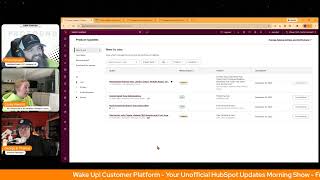
So yeah, we've recovered from our last episode two weeks ago. Oh, it's going to be a fun Friday for sure. Almost like there's a holiday next week. Yeah, let's dive in to these updates. Only four, but I'm gonna have some fun on this fourth one. Doing a little demo myself if you guys will allow me, but I'll do my best to give the first three the the due attention they require. I mean, I suppose I did get you involved in Claude a little bit, so maybe number one today Replaceable Analyze Tabs on Landing pages, Website pages, Target accounts, Social and Blog is in private beta. Wow. What is it? You can now replace the default Analyze tab with a custom dashboard in the Pages Analyze tabs and the Target Accounts Analyze tab Personalizing your reporting view.
Why does it matter? This change helps you tailor Analyze Tab Tailor Analyze Tab to your specific needs, making insights more actionable and accessible in your workflow. You can contextualize data more effectively for your role or team, access relevant metrics faster, improving decision making and increase analytics adoption by customizing the view to your preferences says so basically you can. You can edit the Analyze tab, right?
You can make it yours wherever it exists in HubSpot looks like see this.
To me just goes back into the whole vein of like wrapping HubSpot around your business. The levels of customization that you can reach dependent upon like the team or the organization. Like again this. This is a I love this update.
Yes, very cool. Moving on. Number two Contact Send Time Optimizations what is it? Send Time Optimization analyzes recipient behavior and automatically sends emails at the ideal time for each individual recipient, maximizing engagement and campaign performance.
Why does it matter? Sending marketing emails when customers are most likely to engage increases open rates, click through rates, and overall campaign effectiveness. By aligning email delivery with distinct recipients behavior, businesses can improve engagement, reduce unsubscribes, and maximize the impact of their marketing efforts. I will I've been using this and my like cautionary tale from this is it seems to send most of the emails when your optimize send window opens. So for example if you were going to optimize send by using a window of like midnight to midnight, what I've seen is most of the emails will go out at the midnight time because like basically anyone they don't know will just send at like the first available time. So I've still been using this. I just make sure like my start time is like a time I normally would just like schedule the email for makes Sense.
Good tip.
Yeah. And I, I would love if this is the intent which it could be the way up that all this is worded. Like when you set the window, it's still the human like setting the window. And then if HubSpot's paying attention to when it gets sent out, what is the time that it gets opened? Like inside the window and then making adjustments, you know, based on that.
Yes.
Be very cool.
It's very much like. And if you've been around for a while, you may have heard D7 cents, which was like an app that you could hook to HubSpot that would look at open rates over time to then get the best time to send. That's basically what they're doing but in HubSpot itself.
And I think it's worth like also just saying that most people are not opening your email. Like when you send an email, it is in most cases not all, but like less than 50% are actually opening it. So that's when like HubSpot doesn't actually know the best time to send an email to someone that's never opened an email of yours.
Who gets it. Marketing enterprise.
Not surprising.
Number three. Paste hyperlinks directly into email editor. What is it? You can now paste hyperlinks directly into the email editor without using the insert link button?
Why does it matter? Adding links to your email is faster and more intuitive. Instead of clicking through a dialog box to add add a URL. You can paste links the same way you do in other tools like Google Docs or Slack, saving you time and clicks when composing messages.
Oh my God.
Thank you.
Ah, just saying thank you.
I can't help but chuckle because both of these last two updates are super valuable. Yeah, I feel super valuable. And the gap between them in terms of like, functionality and power and like. Yeah. Is about as wide as it gets. So yeah.
Grand canyon of differences.
Yes, these quality of life updates also very, very helpful and we appreciate you HubSpot.
Yep.
For paying attention here. Number four.
Drumroll please.
Take action with Claude. Update CRM records and live access engagement history.
My God. Buckle up, ladies and gentlemen.
What is it? In public beta, the HubSpot connector for Claude can now create and update CRM records and log activities directly from Claude's chat window, including new contact and deal creation and logging notes or tasks live in ga. Which means it's. You don't have to sign up for this beta already available. Claude can also generate and take action on powerful insights based on your complete engagement history, emails, calls, meetings, tasks and notes. Please Note if your HubSpot account has sensitive data enabled, the HubSpot connector for Claude will not have access to any engagement data. For added security. Yep, when using Create and update actions in the HubSpot connector for Claude, attribution will be recorded in your HubSpot account's audit log to the user and the Claude connector. Oh wow. The HubSpot connector for Claude supports bulk create and update actions for a maximum of 10 records in a single request.
Why does this matter? With expanded write access and engagement visibility, the HubSpot connector for Claude allows you to update your HubSpot context directly without leaving Claude. Ask Claude to log a discovery call, create follow up tasks, update deal stages, or analyze months of customer emails using natural language. By accessing engagement history such as emails, tasks and notes, Claude can surface meaningful insights and let you take action on them instantly right from the chat window. This unlocks faster, more intelligent use cases like faster workflows. Create a task to follow up with a prospect who had a question on pricing smarter insights. Claude can now access your email threads and notes to provide context aware recommendations and less manual work. No more copying insights from Claude into HubSpot properties. Manually update directly from Claude's chat window in Better decisions Analyze real customer conversations, not just CRM snapshots Can I just.
Lose my mind for a second because because this is where my brain goes. I open up Claude and let's say I am a business that focuses on like target accounts and buyer intent and all that good stuff and I say to Claude, Claude, let's do deep research on this organization and let's do it in the direction of XYZ and abc. Claude does deep research, gives me the information and then I say copy paste. Claude, can you please set this as a note on this company? Record paste enter Boom. Now my deep research that I know I've created for contextual reasonings goes into HubSpot in the company record as a note. Which means I now understand that Breeze Intelligence will actually be able to see that information in the notes. So I've made Breeze more effective when we actually ask it to summarize or talk. And if I'm the person doing that because I'm enabling my sales team with information they otherwise would not have as a marketer, how much do people start to love me inside the organization? I'm just saying that's where my brain goes when I and many other places. But like.
So I had a call.
Yesterday and you have this enabled in the Value first portal. Chris so this is like my brain's immediately like I haven't done my follow up on my call yesterday.
Yeah it was.
I had back to back calls yesterday. I told them I would send if I end a week but I haven't done it yet. So I'm like I'm already thinking after we get off this, while I'm waiting for the video to download for this I can send the call transcript for my call yesterday to Claude, have them create contacts for anyone on the call who's not already in HubSpot. Have it log the call notes so that Chris doesn't bug me about not doing that and write the follow up email.
For the and Chris as a good admin of the portal which I'm not really. But this is going to help me be a better admin, right? Which is like half joking like that's if you can look at all these tools like that man. Because here's me being a better admin. I'm gonna enable Casey by going through the process here. I actually stopped myself from finishing the process once I got to a certain page and you'll understand why. So because like we're gonna like it's easy to see all these sales examples and just contacts and deals and and know that we're used to HubSpot working differently across objects, across use cases, across workspaces like so it's easy to say oh just and like assume that that's the example and the other difference I want to highlight here is the reason that this is an update and you have to resync your connector and also the reason that all the content and webinars and even the admin hugs that we've been seeing are how to understand your data with GPT and CLAUDE is because the connectors have only had read read access, right? They could not take action. This is a huge step in the right direction. And what's going to come to my mind is so I have. You know this is a HubSpot MCP, right configured in desktop Claude and I'm going to be interested in things like the accuracy of using the different things like I don't have a 1010 record limit if I'm using my local MCP versus the connector. It also burns up a lot of tokens. So I'm hopeful that the connector burns less tokens because it was built by HubSpot and they built it for this purpose. As I connect it here it's going to bring up I'm going to decide account and this is the page that I want to show right? So they just Gave examples like oh, you can make a note, you can make a record. Here's all the things by connecting this app, you understand this app provider will have access to your selections below unless you disable them and you understand the risk of sharing your data. So does check mean access or disable? I'm going to assume it means access feels right. View properties and other details about calls if you've ever built an API key and all the scopes we're lining up, we've got calls, carts, companies, contacts. View the contact lists that we make, maybe even the segments if we're lucky. Create make changes to deals. View emails Create this is a Create emails. I very interested what that looks like. View details about invoices View properties, line items. Create, delete or make changes to line items.
Oh my God.
View properties and other details about meetings. Create, delete or make changes to meetings. Notes, View and create orders. Just view right now I know that the future is coming soon. View details about products in the products library. Create or make changes to products in the products library. Quotes and quote templates we can view those but not create. Yes. View details about your about subscriptions and this would be the subscriptions object in the portal and commerce hub. View properties and other details about tasks. Create, delete or make changes to tasks. So if you're worried about tasks having clunky interface and that's why you think that HubSpot's like if humans don't have to be messing around with the tasks, all of a sudden that clunky interface doesn't matter anymore. Create, delete or make changes to tickets and then currently granted so this is what it's been doing is view view view view right and we're going to connect the app and it wants to open Claude and here we are, it refreshes connected to HubSpot and now I'm going to guess when I click this configure button it's gonna show me so what we've got always allow needs approval blocked or custom and do we want to manage CRM objects. Got some different options here. So yeah folks, if you're, if you're a cloud lover like I am, maybe even if you're not, you might want to, might want to check this out as it's being described here. A lot of these things you can do with Breeze Assistant, so just keep that in mind. But if you're like me and you've got some stuff built out in projects and you like the way that Claude vibes with you versus, you know, the Way that Breeze assistant vibes like, check it out. I'm very, very excited for this, say the least. What's going through your brain, George, as you made several exclamations as I was rolling through all of that.
Well, so first of all, big, big thing is because again, we're talking about all these models and like me like writing and creative and then now wanting to go into vibe coding and. And I watch what you did and my brain snapped and I go, man, I could literally just make Claude my HubSpot assistant because I know I'm doing some other stuff, other places, but then I. When you did, like the line items, I'm like, oh, so if I'm launching a new product, I could be doing research in Claude, having it help me craft the stuff. And because we did that, I could be like, okay, please create this as a product in HubSpot with description, title, blah, blah, blah. Oh, yep, I like that.
Yep.
Just make this. Just go make this now. So that's where my brain went is like, do. Do we get into a world where certain models are certain assistance for certain buckets of our life.
Instead of one.
Model to rule them all? Basically, yeah.
And. And as we mentioned on the AI show with Nico, if you're worried about security, Anthropic is building a reputation for dominating that dominating markets where security and governance is the most important thing. And that means enterprise. They've started from the get go as like, known as the company that's focused on security of data, you know, above all else, security of the humans involved, above all else. So if you're at all worried about that, I'm sure you can find some documentation. But, you know, maybe. Maybe live a little, check things out. Yeah. Are you ready to do that task now, Casey?
Yeah, but just for me, like this me.
So I'm clear about what's important for a second.
I love it.
This is not. Is with the mcp because I always get confused about the MCP and the connectors. So this stuff was possible with the mcp, but now it's possible with the connector.
Yes.
Okay.
Yep. And I think it's fair to think about it. Like, oftentimes in the marketplace there might be a HubSpot built app that is probably supported a little better, maybe a little bit more robust in what it can do because HubSpot built it and it's like the branded app. But in almost every case, you could build a custom version of one of those things yourselves because it doesn't have the scope that you need or you know, it needs to be developed. And that's how I kind of think about. Okay, the difference. And then there's a. Because there is that lane. The MCP that HubSpot built is kind of like the middle ground. Because there are people like Emerson McEwen that have just. They developed their own MCP infrastructure that can do all the things and interact with the entirety of the HubSpot API.
Right.
So neither of those things here. So it's. HubSpot's managing the scope, I think, is the key here. And I'm excited to see it unlocked. But definitely. So we didn't see any of the objects. Library objects like orders doesn't have create. So there's still. You know, it's not open season for everything. But pay attention to that page, which now I'm realizing. Did I not check any of the boxes to check all the boxes? I gotta. I'm so excited. I gotta.
I think you checked them, but go back in.
Okay. Yeah. And.
And ladies and gentlemen, I have to jump.
Have a great Friday, everybody. See you next time.
Bye.
Wake up, customer platform? It's time to start the day? Discover all the value you already own? Don't let solutions slip away? Wake up, customer platform? The tools are at your hand? No need to sleep or check for bill that can help your business stand? The answer's right before your eyes? You just need to realize? Wake up, customer platform? And watch your business rise? Wake up, wake up? The platform's waiting for you. Wake up, wake up. See what your system can do?










