Time to talk about HubSpot! #updates
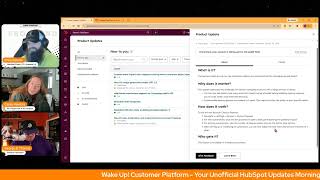
Chris Carolan, Casey Hawkins, and George B. Thomas cover HubSpot's latest updates: custom event import for more object types, a new AI image generator in beta, expanded Campaign API support, and backdating quote dates when billing is off. Enterprise customers get better account-cleanup tools.
Chapters
Foreign.
Wake up, Customer Platform. It's time to start the day. Discover all the value you already own. Don't let solutions slip. Step away. Wake up, Customer Platform. The tools are at your hand. No need to sleep on capabilities that can help your business stand. The answer's right before your eyes. You just need to realize Wake up, customer platform and watch your business rise. Wake up. Wake up. The platform's waiting for you. Wake up. Wake up. See what your system can do.
Good morning, HubSpot Nation. It is time to Wake up Customer Platform with your number one unofficial HubSpot updates morning show where we help you discover the platform value you already own.
Chris.
I'm Chris Carolyn, joined by my co hosts Casey Hawkins and George B. Thomas. We're here every weekday morning to make sure you're not sleeping on HubSpot's true capabilities. If you're joining live, drop a hello in the comments and let us know what you're building in HubSpot today. Happy Monday. George and Casey, how are we doing?
Happy Monday. We did not get 2ft of snow, but we did get half a foot of snow.
Yeah, we have a little bit of snow and a lot of ice, which makes it all sorts of not exciting. But I'm on the show which means we have power and he. And I'll take that. I'll take that.
Yeah, yeah. Saturday we were like charging everything, all like the backup chargers and everything.
Yep, yep. Same.
Indeed, indeed. A little cold down here, but again, lucky to not be dealing with much more than that. Let's hit.
Okay.
From Texas.
I mean, it's 25 in Houston. That's not normal.
That's cold.
Oh, that is. That's colder than I thought. I thought we were talking like 40.
Yeah. Not things like that are. Have been known to shut down about just the. Just the cold.
Yeah.
But luckily we are up and running as well as is HubSpot and their continued updates. Before we dive in, be sure to check out the admin hug tomorrow. Goodbye, data gaps.
It sounds like it should be a song, right?
It may be by the end of today. Maggie Mirsky talking about all the recent updates to make HubSpot's data model more consistent. If I could add on the end there, more consistent with what businesses actually need. Very cool. They've been doing some amazing things over there to make it easier to get your data into HubSpot. First on our updates list today, custom event import now supports existing events and more object types. What is it? You can now import event data into existing custom event types for Any supported object type, not just contacts.
Why does this matter? Until now, imported events lived as separate event types that made trend analysis unreliable. This update lets you maintain a single source of truth for each event you're tracking, whether the Data comes from HubSpot, another platform, or offline interactions migrating from another platform. Import past events into the event type you're currently using so your trend reports stay clean and continuous. Track offline interactions, for example conference interactions, phone calls, direct mail responses alongside digital touchpoints for one unified view and three, importing events against companies, deals or custom objects opens up analysis that wasn't available before, such as account level engagement or deal progression signals.
I feel like this is going to be really important to a lot of humans that do things outside of the digital realm many times.
Yeah.
My friend Addison who was on the call in show last week, their business model has. Is very event driven. Their sales, I guess their sales are very event driven and so this is something we've especially that deal progression signals is like. Yeah, that was like.
For me that was a, that was a. You had like a mix of like ding, ding, ding and.
Yes, it was both.
It was both a mix of both.
A new sound for you.
Yeah, yeah. I'm not, I'm not sure what was, what was happening there, but I'm here for it.
You need a pinball machine sound somebody.
Right, Right.
Yeah.
Because I was like, I was like, you know, then part of me was like, ding, ding, ding, ding. I'm like, did we win for all of it? Yeah.
Yeah. I think humans that, that do in person stuff which by the way, like what you'll find is outside of SaaS, I think most businesses have event driven marketing activities. But also, you know, George, anybody that's trying to get to this one unified view will benefit from this. This update.
Oh yeah.
Number two, new AI image generation model G5 is in public beta, but scheduled for release in just a few days.
Join that beta.
We've upgraded our AI image generation model in HubSpot from GPT Image 1 to GPT Image 1.5. This update brings noticeable improvements in image quality and opens the door to exciting new capabilities in the near future.
Ooh, okay.
Why does it matter? For content marketers, high quality visuals can make or break engagement. The shift to GPT 1.5 significantly enhances the sharpness, realism and overall consistency of generated images, helping you create more visual, visually appealing content directly within HubSpot. Whether you're crafting blog headers, social media graphics or custom thumbnails, this upgrade ensures your visuals Better match your brand and campaign goals. Beyond quality, GPT 1.5 also gives us a stronger foundation to build on. This model supports more advanced image capabilities like AI image editing, which we're planning to explore. That means greater creative flexibility and less reliance on external tools.
Oh, my goodness. If they do what I think that little line means, they might do. Do you guys remember back in the day when you could actually like edit images inside your HubSpot file manager? And there were like the dumb things like the hat and sunglasses stickers and like, it wasn't just crop and resize, like you actually do some basic editing, like, creative stuff. Do you guys remember that? It's been a long time.
I don't know if I've.
Oh yeah, yeah. Okay. So back, back in the day you could do. So now I look at this and I think about that and I think about how like now in GPT, you can literally like, I want to edit this with Photoshop or like the mini version or whatever you want to call it. Like, where I think they might be going with this is almost to me going to be as important as like being able to say there's a full video editing flow inside of HubSpot. There might be an entire like, oh, can you imagine? Can you imagine? Yeah. Can you imagine having a creative graphic flow that like. Well, I don't really need canva because I generate this thing and then I do these things and then I put it on social and I do that thing and I'm just saying like, yeah.
It'S a new world. That's for sure.
I need to get that song. It's a whole. No, we'll get canceled.
Number three copyrighted.
Yeah, for sure.
Additional association support for Campaign Public API what is it? Customers can now associate many new assets to HubSpot campaigns using the campaign's public API. There's a link to the dev docs here. With this release, we are adding support for the following 11 asset types. Ads, blog posts, files, landing pages, marketing, email, marketing, events, sms, social posts, video, website pages, and workflows.
Why does it matter? Previously, the Campaign Assets Public API only supported a subset of campaign asset associations available in app. For example, customers could not add or remove a marketing email to from a campaign through the API and would need to do this within the HubSpot app. However, it was possible to add or remove a form to the campaign through the same API along with a selection of other assets. This mismatch caused confusion and reduce the API's usefulness for customers. Now the association's Public API supports all the most important marketing assets customers want to tie to campaigns. Making it simple to manage a campaign programmatically and mirroring the in app functionality. Note. Up to now, the campaign association endpoint supported the following asset calls, case studies, CTAs, external website pages, feedback, surveys, forms, knowledge base, articles, lists, meetings, playbooks, podcasts, sales documents, sales emails, sequences. That's a random list.
25. 25 assets. Now, George, asset types can be associated with the campaign.
So.
And you're going to ask for 26 here?
No, no, no. Actually, my brain is going in a whole different direction because I want to test this. I'm curious how many of these you can associate via API and how many of these you can create via API, because wouldn't it be interesting if we were in a world where we could say, hey, chat assistant of choice, I want to create this campaign. Here are the 26 assets that we're going to want to work on. By the way, can you please help me create any of these that you can create in HubSpot, hopefully in the future, all of them, and associate them to this campaign so that we can then take it and run the next mile with it. Oh, man. Please tell me that's the world we're heading into.
Full instructions can be found in the HubSpot developer documentation. It looks like the world. Yeah, very cool.
Like, go check out those docs, people. So, hey, if you're not a nerd and you're watching this or listening to this, if you're not a nerd, quit saying you're not a nerd. Become a nerd and go look at developer docs and especially look at developer docs with your AI assistant so they can break it down for you in simple ways.
Yeah, that's. Or, yeah, just tell cloud code to go to go look at this.
Yeah, yeah, yeah. Baby steps, Chris. Baby steps.
Yeah. Branded email templates. Something you might want to associate to your campaign.
But okay, what is it?
The ability to apply your company's brand guidelines, such as logos and colors. Yep, those are still important people. The HubSpot's default marketing email templates, making it easier and faster to send on brand emails.
Why does it matter? Prior to this update, your options were to use generic templates that don't represent your brand or invest hours customizing every element to match your brand guidelines. With branded templates, you can now quickly create professional emails that match your brand identity. No manual customizations needed. Simply add your brand kit to any HubSpot template and start sending on brand emails. In minutes. This is. We've seen it before. It is very nice though. I use this a lot in Canva. I have a couple different, like brands set up and it's really nice to be able to just like select a template and then just like apply my brand. And then all the colors and the fonts are really nice. So I remember when I first did that in Canva, thinking, I wish I could do this in HubSpot. And here I am.
And here you are. You know, it'd be nice too, is if you had a portal that had multiple brands. Because I don't know, it doesn't really talk about brands per se. It says brand kit, but if you have different brand kits, will this go across the different brand kits? Also, by the way, would really be nice is if it did it with invoices and multiple grandkids. Oh, I'm sorry, that's not why we're here. I'll just be quiet. I'll be quiet.
It does look. It does look like. Click that second image. Yeah, that one. In theory, it looks like you. If you had multiple brand kits, they.
Would all be maybe show up in that.
It's how it looks. Yeah, I mean, it's a drop down. It's not like a.
Maybe the next time we see this. Actually, can I just make a six? Maybe the next time we see this or in other product updates, maybe it'd be nice to have a section that is how this works with brands and like, because that would be a valuable piece of information for anybody who has portals with multiple brands. I'm just saying. Again, hate mail goes to Chris at.
Meanwhile, I think the first step for most quote unquote brands is to set up your brand kit in the first place. So let's go from zero to one first.
Yeah. True, true, true.
Number five today. Do we really want to wake the brands versus business units beast? George. I mean, no backdate effective date on billing. Disabled quotes.
Wow, that's a lot of words right there.
What is it? Users can now set the effective date of a quote to a date in the past when billing is disabled. Previously, users were blocked from backdating because the expiration date was required to be later than the effective date. That's. Is everybody with me? Everybody following?
I'm like, what? But first of all, my first brain goes, what? And then my second part of my brain goes, why? Anyway, I'm sure there's a good reason. Casey. Why does this matter?
This update allows users to reflect the actual start date of services that have already been provided while still sending a quote and collecting agreement. So I think it just means, like, you know, I don't know, people like me.
Let's get some help here. How does it work on quotes where billing is disabled, Users can set the effective date to a past date. The expiration date no longer has to be later than the effective date. The buyer can still sign the quote at any time before the expiration date. To change the effective date, click on the summary section, change the effective dropdown to a custom date, and select a date in the past.
Is this. Is this like. So I don't. Okay, so. And I'm usually not. I usually don't have a hard time with my words. Is this because somebody historically, like, started doing work but didn't get a quote signed and now they need to get a quote signed? Or is it because there's like, people who want to see the original quote but you can't find the original quote, so then you're like recreating the quote and so therefore, like you're putting the effective date of when you actually started the work versus, like, how typically I make sure there's a quote sign before we actually start even doing. Is that what we're talking about here or am I completely off?
I thought it was the first one that you said, but it could also be the second example.
All I know is they are building this concept of effective date into the system and yeah, I guess we're learning how that works.
I wish we could roll over the I. I wish we could roll over the I in a screenshot. And it actually worked because that would have been fantastic Right now.
Last on the list today, new preview experience and customization in account cleanup. What is it? The account cleanup tool now has enhanced visibility and customization for managing unused assets.
Why does this matter? This update addresses key challenges for admins managing accounts with large amount. With a large amount of assets, you can now see exactly how many and which assets will be affected before enabling cleanup, allowing you to make faster, more informed decisions. Customizable cleanup periods now extend to three. Three years. This helps you tailor the policy to your specific needs.
Have you guys. This feature is available for enterprise customers. Curious if anybody's leveraging this yet.
I have used it. I have a couple portals that I work in that are in that classic scenario where like pass down to pass down and pass down and pass down. And so there is a lot of spare equipment in the garage. And so I have used this.
I'll be the other guy. I'll be the other guy. Of this conversation. I have multiple clients who ran as fast as they could to shut this off. Just saying. Both sides, Chris. Both sides. Yeah.
To be honest with you. Yeah.
Can I just get an example real quick, Casey, of some of that equipment in the garage?
Lawnmower, lawn weed whacker.
Like forms, shovel or forms.
But also landing pages from events that were six years ago or even campaigns that you know, you build a landing page for but for whatever reason it gets deprioritized and never takes off. Things like that.
Fair enough.
Landing pages are one that like come to mind for me for some reason when I'm thinking of the spare equipment.
Yeah.
Lists. List. List is a part of it. Is list a part of it? Because that would be. I would think there's some spare equipment in lists area.
I don't think it is, but I have a client that is approaching their list limit and it's kind of like a hot potato on who should like deal with it. They've asked me to, but I'm like, I don't know what these.
You're definitely the best person.
I don't know what these lists from six years ago mean. Like I don't send.
Send them, send them a link to the. Here's how you upgrade to more lists. It's fixed. Now you have 500 more. We're good to go for a while. Ta da. No, I'm just kidding. Don't do that. But yeah, you probably aren't the best person, at least by yourself to figure out which list need to go. But I'm sure you could figure out if there's any lists that aren't part of anything, if they're not part of a workflow, if they're not part of a. Then maybe. But if it's base segmentation, maybe not. No, you're not the best person to take care of that.
Thanks, George.
Indeed, the best person to maybe help them set up this tool. Sounds like. Remember folks, you probably already own the solution you're looking for in HubSpot. Sometimes you just need to wake up to it. Join us tomorrow morning live at 7:30am Central or catch us anytime on Spotify, Apple Music, and the Profoundly HubSpot Updates blog. Drop your biggest takeaway in the comments and let us know what capabilities you want to wake up to next. Until then, I'm Chris Carolan.
I'm Casey Hawkins.
And I'm George B. Thomas.
And this has been Wake Up Customer Platform. Now go build something amazing. Have a great day everybody.
Wake up, Customer platform. It's time to start the day. Discover all the value you already own. Don't let solutions slip away. Wake up, customer platform. The tools are at your hand. No need to sleep on capability that can help your business stand. The answer's right before your eyes. You just need to realize Wake up, customer platform. And watch your business rise. Wake up. Wake up. The platform's waiting for you. Wake up. Wake up. See what your system can do?










