Time to talk about HubSpot updates!
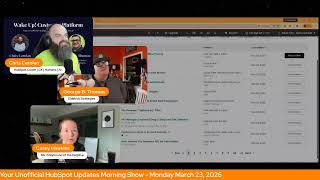
Chris Carroll, Casey Hawkins, and George B. Thomas break down 33 HubSpot updates in 10 days, including Passkeys for two-factor authentication, Marketing Studio beta, color-coded timeline pins, and new Breeze agents that trigger from CRM records. Many features already exist in your portal, the hosts say, you just need to notice them.
Chapters
Wake up, Customer Platform. The tools are at your hand. No need to sleep on capabilities that can help your business stand. The answer's right before your eyes. You just need to realize. Wake up, Customer Platform, and watch your business rise. Wake up, wake up. The platform's waiting for you. You wake up, wake up, see what your system can do.
Good morning, HubSpot Nation. It is time to wake up customer platform with your unofficial HubSpot Updates Morning Show, where we help you discover the platform value you already own. I'm Chris Carroll, joined by my co-hosts Casey Hawkins and George B. Thomas. We're here every weekday morning to make sure you're not sleeping on HubSpot's true capabilities. If you're joining live, drop a hello in the comments and let us know what you're building in HubSpot today. Welcome back, George B. Thomas!
Welcome back! Hey, it's good to be back. Um, maybe, kind of. Uh, I'm afraid to ask what did I miss? Um, because I opened up the product updates page this morning. Uh, new to me, by the way. Uh, let's say— let's call it 10 days because we're at the beginning of the 11th day. 10 days, new to me, 33 updates.
Not bad, not bad for 10 days.
HubSpot Anyway, I'm back, I'm back.
And Spring Spotlight is coming up soon.
Oh, thanks Casey, thanks for that.
I got an email. We've been like predicting when it would be, and I, I still don't know if I know the date of Spring Spotlight, but I got an email from the admin hug about like, like a post Spring Spot wrap up from there. Like, okay, maybe like sometime before that.
It must be, I would think.
Yeah, yeah, uh, it's, it's been fun to watch the admin hug start to coordinate with the big activities. Um, yeah, so that does mean it's probably the week before. Um, but yeah, it's good because now we'll be able to add on to these 4 updates that are on my screen, one of which I can't even talk about. Oh, so, so we'll figure it out. We'll dig into what George has missed after we get through these.
I'm curious, like, what you guys think the big things last week that I should have paid attention to.
Yes, we will get into that shortly. Uh, until then, passkeys as a 2FA method. Uh, what is it? For users with a passkey setup, if you log in with another login method and are prompted for two-factor authentication, we will now prompt you to verify with your passkey instead of your legacy 2FA methods. You're still able to use your legacy 2FA methods as a fallback.
Why does it matter? Passkeys are the safest alternative to password-based logins plus 2FA. If you already have a passkey set up, we recommend switching over and using it as a login instead of using a password.
Wow.
I—
uh-oh, here it comes. Here it comes.
I don't know if I— I've seen passkeys. I've been prompted to create them. I don't know. They seem, from my perspective as a user, they seem to just act as if like saved passwords in my browser. But based on what they're saying, it's—
Chris, can we go to how does it work? Is there any like, um, no, oh, not really, not really.
For me, it's just been like it relates to whatever system you're in. Um, so like if I'm on my PC It's going to be my PC PIN. If I'm on my phone, it's my thumbprint or whatever the unlock for the phone is.
Yeah.
So that's what I've been liking. Because I was worried about it at first. Because when this kind of stuff first started happening, like the screens download this PDF with 10 codes in it and all that. Man, we've come so far. From there. I'm glad I don't have to do that anymore.
So Casey, just so you know, Passkeys are a— uh, yes, ladies and gentlemen, I am reading this. I did not know this before this moment. Passkeys are a safer, more convenient, and phishing-resistant alternative to passwords, utilizing cryptographic key pairs, public/private, rather than shared secrets. They enable login via device biometrics or a PIN, eliminating the need for password memorization. Unlike passwords, passkeys cannot be stolen from a server, which is interesting.
There you go.
Okay.
And eliminating the need to, uh, create simple passwords so that you can memorize it across all your systems.
Yeah, and it definitely gets you away from password123, just saying.
Yeah. Yeah, in most cases. So yeah. All right. So you can see on the screen, public beta, Marketing Studio, major update. If I were to click on this, you would see a confidentiality statement. So I'm not going to click on it.
No major update. All right. Yep.
What are you doing here? It says public beta. Like what is public about it if it has a confidentiality statement?
Right.
Uh, like I get it when it says private beta, but most private betas don't even say that. Anyways, if you want to check out, uh, the Marketing Studio, uh, yeah, you'll have to click into this update.
Casey, you look like you're in pain right now. Like what is going on?
Like I'm just confused. This is just me being confused.
Mentally in pain.
Been a thing since inbound last year, but we're going to—
Part of my thing, I'm like, what do you mean? It was a big thing. Yeah.
One of the things in there, they have reopened, reactivated the beta. If you haven't been checking it out, check it out.
This is us not talking about it.
Talking about what? What are we talking about?
Individual user permissions for views. That's all.
That's what we're talking about. Yeah.
What is it?
That's in public beta too, which is interesting, but it says live.
Also live.
So, you know, I'm— oh my—
by that part, scheduled for release today. So that's why it's live. What is it? You can now grant specific individual users access to your custom views without needing to share with their with their entire team or company.
Uh, why does it matter? You need to collaborate across departments and projects without being constrained by team structures. This lets you share views directly with specific stakeholders in other departments or individual team members who need access without opening the view to people who don't need it. Oh, this is actually very nice.
Great. Yeah, this is cool to see.
Yeah, cuz prior, like the options were basically like private, public. I guess the, the team was there, but sometimes there's like a wiggle room.
Yeah.
Yeah.
This was one of the last spots where this managed sharing kind of worked differently than the rest of HubSpot. So good to see that is available. Number 4, view personalized emails. On contact records. Interesting words here.
Mm-hmm.
Uh, what is it? You can now view the exact personalized marketing email sent to each contact directly from their contact record. If you send an email using smart content, programmable email modules, or dynamic AI text tokens, You can access the fully rendered version of what each contact received by clicking View Sent Email on their activity timeline. Oh my, this view is available for 30 days after the email is sent. How about that?
That's pretty dope. That's pretty dope.
Very cool. Why does this matter? When your team views a contact record, they can see that a marketing email was sent but not what was actually in it. For highly personalized emails, this creates a visibility gap. Sales reps don't know what products were recommended, what content was highlighted, or what messaging the contact received. Now you can give your entire team visibility into the exact email each contact saw, enabling marketing and sales alignment. So sales gets the full context before they reach out. Verification on personalization efforts confirm that dynamic content, smart rules, and AI-generated AI-generated text rendered correctly for specific recipients. And faster troubleshooting: quickly identify and diagnose personalization issues by viewing the actual output on individual contact records.
Let's be honest, all of this is cool, but the real deal, Holyfield, is the fact that many marketers are gonna want to see the AI-generated content that they had zero control over, uh, to see what people actually got. Hey, join that beta right now, ladies and gentlemen. Do it. Do it.
Yeah, do it. That should have a major update. Oh, I would agree. Like, this is— and this has been one of those experiences where when you're not used to HubSpot and introducing others, and we can't see emails the same way that you can see other emails on the timeline, it's just, uh This visibility is awesome. And like LinkedIn user says here, smart content, easy to get excited about it, but when you can't see it on the other side, it's a great area. And lots of welcome backs here for Mr. George B. Thomas.
Thank you. Thank you.
Thank you. And good morning. Good morning, Paul.
Good morning, everybody. Good morning.
Uh, so you said you had 30 on your side.
Yeah, yeah, I'm thinking I have some thoughts.
Oh, okay, please share.
What are your thoughts on some that were like bigger? I feel like, to be clear, um, Breeze Assistant can now create multi-object reports.
I'm looking at that one going, okay, okay, you and me. Yep.
Um, the CRM record timeline updates, I think that's a good one. Um, that one is gonna make it easier to understand the timeline more easily.
Oh yeah, like color stuff, but like, oh yeah, that screenshot is like, okay, that's interesting.
Yeah, and that's automatic.
And what is that one?
Records.
What's that update called?
It is CRM Record Timeline.
Timeline Updates.
All right. So we've had a version of this, but they keep adding into it, basically making the CRM timeline more visually consumable. And this was an interesting one. I wasn't expecting, but makes sense so that people don't automatically skip over pinned Yeah. Like making it a different color.
Because I've definitely skipped over pinned because it just looks like everything else. Yep.
Yeah. Right. Well, pinned, it's like, unless it's like built into the process, like, is like, are you gonna expect a pinned record? Are you always looking for a pinned, you know, activity? Like maybe not. So then it just becomes the sea of, is it the latest thing or not? Uh, yeah, so that's a cool, cool update.
Talk to me about Audit Analyzer Assistant. What?
I, I actually opened that one up, but it didn't open in one of the portals I opened. The portal I opened it in, it didn't work, so I wasn't sure if you had that one, um, or not.
Gotcha.
Okay, but yeah, keep going, Chris, I think. Oh wait. Analyzer could also search before scroll, but—
oh yeah, shots fired.
I mean, that allowed me to get to agents and CRM cards.
Oh, you're right, you're right. That's the big one. You're right.
Maybe the biggest update of them all.
Wait, um, what is that? Agents and CRM?
What update? It's very cool.
It is what you think it is.
Uh-oh.
You can trigger and see the results of, uh, any Breeze agent by, uh, adding a custom card to the middle of the record.
There's just like no better way to get people.
And this is where, like, when I saw this, and I know you guys, this dramatically impacts the series that you're doing on Hub Heroes right now.
Yeah, you think, right?
Like, and also why I reached out the way I did, like what we're finding is if you already have a unified view planned, you're just ready to like leverage the agent like already, right? But if not, you're like, oh man, I have to rethink the whole way that I think about this CRM record now. Yeah, which you should, by the way, with whatever situation you're in. Like, please take note of agents and CRM cards because it's really, really powerful.
Wow. Yeah, I think, why are we even talking about anything?
Yeah. What was it? What did we get? Audit analyzer? Is that why I asked?
What? Audit analyzer assistant. Those words made me go, what in the world? Oh, Custom Assistant helps you quickly search, analyze, and understand user behavior patterns in your audit logs. Oh yeah, interesting.
Looking—
so it's internal. Internal.
Yeah, yeah, it's not quite— but it's not quite probably what you were thinking, which is auditing a full—
like, I, I was, I was thinking HubSpot Audit Assistant, like, we'll audit your entire portal and put 50% of HubSpot agencies out of business. Okay, um, that's, that's where my brain was going, but that's not what this is.
Not quite out of the box. Yeah, yeah, yeah.
Um, I also think customized workflow names for the enrollment. Yeah, low card. I mean, some of the— it's now you did the CRM card, and I'm like, all of these are so small, basically, but Yeah.
So what was this one?
So if you add, a workflow, like trigger card for users to trigger workflow.
Yeah.
You can change the name that they see without changing the name of the workflow. Right? So If admins have, have taken the George B. Thomas training ever and have developed a really specific naming convention for their workflows, and that naming convention might not make sense to a salesperson, we can now say buyer workflow.
Like, what's the name of this update?
It is Customize Workflow Names. Or the enroll in workflow CRM card.
I mean, customize workflow. Okay, there we go. There we go.
So literally at every stage of the game now, and you guys already talked about this a lot on the first episode of, of record views, um, like every user throughout your process now and have a unique experience in HubSpot without creating this crazy, you know, burdensome maintenance and management, you know, deal too, right?
Yeah. Wow.
So, um, yeah.
Wow.
The way when George first asked what updates there were and I was like, I feel like it was a little bit of a sleepy week and now we think 33 sleepy.
Okay. Yep.
Now, what we should have told George to do was to go check out your segment on last week's HubSpot Helpline, where you give the update of the week.
I do. And it was definitely agents.
It was definitely agents and cards. This was another big one, George. Association history can be seen now. Alongside property history.
Nice.
So all the complexity that we're asking you to embrace inside of HubSpot, uh, HubSpot is making it easier and easier to understand it visually, but also not create a maintenance, uh, burden at the same time.
Yeah, so, uh, good stuff.
Yeah, naming and associations are two big ones in terms of we simplify in the wrong spots so that we don't have to deal with, you know, certain things, and then people use our systems less. Yeah, so, uh, any others get your attention?
Uh, George, uh, I think that's plenty, to be honest with you. Like, I'll be reading through them over the next week or so just to make sure I don't miss anything. Like, you guys didn't even mention any of the, like, file manager updates, which I'm super keen on seeing what they're doing there because I believe I know where they're headed with the file manager, and I just want to see the puzzle pieces put together. For that. But yeah, yeah.
And then I think outside of this, the Hubcode beta opened up last week. Yeah, private beta. Some, some wild and crazy things happening, happening there.
Yeah. Good stuff, man.
So just a few things. Just a few. While you're out.
Yeah, shame on me.
I think we're getting back to some scoring discussion later today too.
We sure are. We're going to keep on— we're going to keep on building our own score, which we, as we do, keep getting distracted and sidequested by. But we took a nice dive into some of the buyer intent data. So I think kind of following up on that and seeing how we want to incorporate that in our scores. I think that was a good side quest. I learned a lot and used it on a couple calls last week after we talked on Monday.
Yeah.
So much of this is just understanding how these pieces come together in HubSpot so that people don't get overwhelmed. Mm-hmm. And, uh, something for you to chew on, George, um, as we think about, like, since you're talking about customizing record views.
Yeah.
Um, the concept of, of scoring a view instead of creating these separate scores to try and define certain things in the journey so that we can understand Like, hey, it should be a score plus a card plus an agent working plus, plus, plus. Like, without this context, like, we don't have the information we need as a user to do the next thing. Right? Mm-hmm. Because so much of scores are often missing the parts that are missing. Or we try to cram so much complexity into a score when if you just put scores right next to other context that's happening, which you can do very, very easily now on CRM records.
Yeah.
That's something to— something I've been, I've been playing with. Remember folks, you probably already own the solution that you're looking for in HubSpot. Sometimes you just need to wake up to it. Join us tomorrow morning live at 7:30 AM Central. Catch us anytime on Spotify and Apple Music. Drop your biggest takeaway in the comments and let us know what capabilities you want to wake up to next. Until then, I'm Chris Carroll.
I'm Casey Hawkins.
And I'm George B. Thomas.
And this has been Wake Up Customer Platform. Now go build something amazing. Have a great day, everybody.
Wake up, Customer Platform. The tools are at your hand. No need to sleep on capabilities that can help your business stand. The answer's right before your eyes. You just need to realize. Wake up, Customer Platform, and watch your business rise. Wake up, wake up. Wake up, the platform's waiting for you. Wake up, wake up, see what your system can do.










