Time to talk about HubSpot updates!
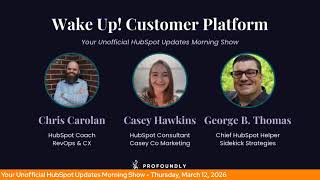
Chris Carroll, Casey Hawkins, and George B. Thomas break down HubSpot's March 2026 updates. New features include @mentions linking to any CRM object, a meeting note-taker that auto-generates follow-ups, TikTok integration, and a contracts object for subscription tracking. Most tools are in beta and designed to cut manual work.
Chapters
Wake up, Customer Platform. The tools are at your hand. No need to sleep on capabilities that can help your business stand. The answer's right before your eyes. You just need to realize. Wake up, Customer Platform, and watch your business rise. Wake up, wake up. The platform's waiting for you.
Good morning, HubSpot Nation. It is time to wake up customer platform with your unofficial HubSpot Updates Morning Show. We help you discover the platform value you already own I'm Chris Carroll, joined by my co-hosts Casey Hawkins and George B. Thomas. We're here every weekday morning to make sure you're not sleeping on HubSpot's true capabilities. If you're joining live, drop a hello in the comments and let us know what you're building in HubSpot today. It's Thursday, March 12th. How we doing?
Doing well.
Yeah, doing good. All right, ready to rock out the day, ready to check out some of these, uh, HubSpot updates, if you will.
I am ready too, uh, so let's dive in. Mentions now work across all CRM objects and link to records. This is in development.
I love how that title is very much, you can do this now once we build it.
Uh, what is it? What will it be? Uh, @mention notifications now link directly to the CRM record where the mention happened. We're also expanding support to additional CRM object types including appointments, carts, contracts. Contracts, hmm, courses, listings, marketing events, orders, services, and subscriptions to include @mention, follow, and assigned notifications.
Why does it matter? When someone @mentions you, you expect the notification to take you straight to that conversation. Previously, notifications routed you to a different associated record, creating extra clicks. Now notifications take you directly to the record where the mention occurred, whether it's a deal, ticket, appointment, course, service, or any other CRM object, helping you reply faster and collaborate more efficiently.
Very nice. Chris, have you, have you done a contract in HubSpot?
I'm trying to figure out desperately where to submit for that beta. Jack, Jack Coopersmith, uh, gave us a great video yesterday, so we'll hit on it at the end if I, if I don't find it in the all sections or any of these other sections. Um, but yeah, exciting times. And look, folks, it's not that hard to just give a quick list that is not just contacts, companies, and deals. Right. Look at the progress we're making. Yes. And that was in development. So not ready just yet. Update number 2, meeting note-taker with smart deal progression still in private beta. What is it? Enable success and customer success teams.
I think that was sales, but What's that? I think that was enable sales.
What did I say?
Not that.
I'm curious what I said.
I'll watch it back. Not that.
Enable sales and customer success teams to close more deals faster by ensuring every conversation leads to clear next steps and timely follow-up. Smart Deal Progression uses your meeting transcripts and deal history to handle the manual work that follows a customer call. After every meeting, HubSpot analyzes the conversation to suggest CRM updates, draft follow-up emails, and surface high-value next steps such as sending a proposal or booking a follow-up. Reps can quickly review and confirm these suggestions, ensuring every interaction moves the deal forward.
Why does it matter? Reps spend hours every day on manual tasks like writing follow-up emails, creating tasks, and updating CRM records. Smart deal progression automates the busywork so reps can stay focused on their customers. By using the actual context from your conversations, HubSpot provides accurate suggestions that ensure no detail is forgotten. This helps your team follow up faster, keeps your pipeline data clean, and prevents deals from stalling. When every conversation leads to a clear next step, you can close more deals with less manual effort. Nice.
Very good. And I'm running into more and more situations where, uh, the value prop behind which note-taker or which AI recorder a team is using in HubSpot, uh, they're using it and their favorite part is the way that it updates properties based on transcripts. Uh, that's what this is doing, uh, folks. So, um, be on the lookout for this to continue to get better. It's already pretty good.
I did think while I was reading the why does it matter that HubSpot was repeating basically the conversation I had with my husband last night about why, why I needed to work after work.
Oh wow.
That's always a fun conversation after work.
What's that? Uh, number 3, that's a different podcast. It is, uh, create your own ticket automation messages. Private beta. What is it? You can now create additional ticket automation messages for use in ticket-based workflows beyond the ticket received and ticket closed messages provided by HubSpot. These messages can be sent to any recipient, non-marketing contacts, contacts not subscribed to any marketing list.
Why does it matter? This allows alter— alternate versions of ticket received/closed messages, the ability to create specific messages for different branches of your ticket workflow, new messages for other ticket statuses like waiting on customer customer or messages in different languages, all included with Service Hub.
Nice.
Some of the language in— some of the technical language I got a little lost on, but the image is helping, I think.
There you go.
You don't need Marketing Hub to send You don't need marketing contacts, so you can include non-marketing contacts in automated messages related to tickets. You remember a couple of weeks ago, George, when you had that Hub Heroes episode about emails and HubSpot? Yep. And what we could and could not do. Yep. Oh, uh, it's ever-changing. The transactional email revolution is here, folks. Gotta communicate with our customers all throughout the journey. Yep. Number 4: hide suggested associations in the sales extension. In case you didn't know, there's suggested associations in the sales extension. What is it? A toggle in your Outlook and Gmail extensions that lets you hide suggested associations and show only the records you've actively selected when logging emails.
Why does it matter? If your account includes many custom objects, your log dropdown can quickly become crowded with suggested records. Even when you've selected selected in the view. When hundreds of possible associations appear alongside the ones you've chosen, it becomes harder to quickly confirm what your email will actually be logged to. With this toggle, you can reduce that clutter and focus only on the records you've intentionally selected. This makes it faster and easier to validate your associations before sending, giving you a cleaner, more streamlined logging experience.
Gotta get rid of that clutter. Yep, without a doubt.
Easier. Uh, number 5, TikTok in HubSpot. Uh, still in public beta, scheduled for release March 30th. See what's new over here. What is it? You can now connect TikTok accounts to HubSpot social tools to draft, schedule, and publish TikTok videos. Monitor and reply to comments and mentions, and analyze TikTok organic social performance.
Why does it matter? TikTok continues to grow as an influential social network, enabling your business to stay competitive, build brand awareness, and reach new audiences. Bringing TikTok publishing, replying, and reporting into HubSpot enables you to manage your social presence across networks in one unified platform.
Makes sense. Something I really didn't think about before is, uh, all of the video platform progress, and maybe they were trying to align with that, uh, when it came to, uh, connecting TikTok into HubSpot, because it's pretty easy to get your clips and make clips in HubSpot now. With the video marketing platform. So check that out if you're a TikToker.
Yeah.
Number 6, export marketing emails to PDF and HTML.
I'm very excited about this.
Oh, this is interesting.
I thought you might be. What is it? You can now export marketing emails as PDF or HTML files from the email editor or performance page. So you can easily share, review, and archive email designs.
Why does it matter? Sometimes your email workflow extends beyond HubSpot. Now you're covered. Stakeholder reviews and approvals. You can share email designs with executives, clients, or legal partners who don't have HubSpot access. Compliance and record keeping. You can archive an exact copy of what was sent to meet organizational or regulatory requirements. And design reuse and handoff. Give developers or external teams the HTML they need to reference or reuse email code outside of HubSpot. If you do go back to this recording, you will see earlier in this recording when I was taking the links for all of the updates and I read this one and my jaw actually dropped. Um, I have spent a lot of time screenshotting and saving to send to compliance or, you know, just people outside of HubSpot, my emails. Um, and then the other thing is the HTML side. I have a client who, um, sends a lot of their— since most of their customer emails out of Intercom where they do their customer success. And it's not uncommon that I'm tasked with first building it in HubSpot, then pulling the HTML, which is possible but annoying. Um, and now this is a very, very nice update for me personally and others, I believe. Yeah.
Yeah. And this again, they started saying the phrase HubSpot everywhere last year. Like this is their central value prop, or usually has been in the past of you use HubSpot for emailing. They're, yeah, helping you do it wherever you need to do it. So very cool. Individual user permissions for views, as in public beta. What is it? You can now grant specific individual users access to your custom views without needing to share with their entire team or company.
Why does it matter? You need to collaborate across departments and projects without being constrained by team structure. This lets you share views directly with specific stakeholders in other departments or individual team members who need access without opening the view to people who don't need it.
All right, so the view that we're talking about is the object index page view. Uh, so now we have this extra custom section, uh, to be able to share views.
This is nice. My only, like, warning here is I can def— I can hear clients telling me, like, why can't I view this? Someone else can. Um, so just something to be aware of if you're implementing this.
Yeah, all of this, uh, you know, should be figured out beforehand and like understand how your flows work. And again, it brings you back to unified customer view and figuring out what your team needs to see as you're asking them to do their work in HubSpot. Um, but this is a good example of that, the permission, the users team is working real hard to make it more possible to get that granular without making it overwhelmingly like complex in the system. So, uh, this is very cool to see. Um, so many of the all-or-nothing choices of old have gone by the wayside over the last year. Uh, create one-time invoices from quotes or deals with workflows. What is it? The convert to invoice workflow action automatically creates a draft one-time invoice from a quote or deal. When the source record includes recurring line items, the action creates a one-time invoice version of those line items instead of creating a recurring invoice.
Why does it matter? By using the workflow action to create draft invoice from a deal or quote, you can automate a repeatable invoicing step inside HubSpot. As a result, invoices get created faster in a consistent format and with less hands-on effort from your sales and finance team.
Any, uh, use cases on your side? For this, George?
I don't know, honestly. I have to, I have to think about that.
I haven't like come up— I don't think I've ever asked for this, asked the world this. Um, but that's the thing about some HubSpot updates, like sometimes, sometimes you know you need it and other times you don't know you needed it first. Was that a— We'll run with that. —a profound statement from me today.
We'll build on that momentum. I guarantee your boy Chad, George, has some use cases that come to mind, but there's always been this like friction related to recurring line items of if you're going to choose that, then you have less control over what happens next. So I'm thinking of all of those stories and like where would this solve for some of that? But ultimately the control of being able to manage it in workflows and not just, you know, okay, if I've got it, if I want this to happen later, then I've got to choose line item over here and the line item has to be specifically recurring to get the thing that I want to happen. Right. The team is making this a lot easier to manage at each, at each stage. And I imagine quotes and deals are just like, just the start of what we can do with invoices. So I'm going to check all here just to see if contract shows up. Optimistic. Because it is in private beta. But yeah, the contracts object, let me see if I can show just a screen from Jack's video here, or even just check out this, this post from Jack. I think the important— the way that this impacts everybody, even if you're not a contracts or have any idea what we're talking about, this is going to impact the way that revenue is managed and reported on in HubSpot. So he says it best here. I love our deal subscription and all CRM objects, but for many years now we've been overworking them. That changes today with contracts in a private beta. And see if I can find a moment here. Where there is— oops. So here we go. So like contract, total contract value, annual recurring, and I have to imagine that these are out-of-the-box cards, current and upcoming line items. There's a way to manage change quote orders. It's just, it's really, really awesome. And all of the recurring revenue concerns of the past, they're addressing here. And just a way that we will finally have Commerce Hub and everything that it supports, like, coming together and being much more easy to report on. Successfully.
So yeah, I love that payments collected bar that will fill up. I feel like that's going to be very gratifying for many humans.
Yeah, for sure. So maybe when you get back from vacation, George, we'll have a contracts object ready to play with. And I know, uh, this is where I was like, all right, do I get excited about contracts or should I pick the one that I know Casey's gonna get excited about, which is exporting marketing emails to PDFs.
Look, here's the thing, Chris. I do my top 5. I get to pick my top update. This is your moment to pick your top update. We can have different top updates.
Oh, that's fair.
And I control the blog title, so I also get to choose. Wow. I actually have a lot of power in what the top update is, so you can have your moment for contracts if you want.
That's true. It's good to have roles and responsibilities. It's a full platform, folks, cover from marketing emails to contracts. In HubSpot now. Um, yeah, that's what we mean when we say full platform, full life cycle. Uh, and, uh, forget later today, we got the Foundry kickoff, um, where we're talking about all the AI and HubSpot goodness wrapped into one. That's at 11 AM Eastern. So until then, remember folks, you probably already own the solution you're looking for in HubSpot, and it might be contracts. Now, uh, sometimes you just need to wake up to it. Join us tomorrow morning live at 7:30 AM Central, or catch us anytime on Spotify, Apple Music, or the Friendly HubSpot Updates blog. Drop your biggest takeaway in the comments and let us know what capabilities you want to wake up to next. Until then, I'm Chris Carroll.
I'm Casey Hawkins. And I'm George B. Thomas.
And this has been Wake Up Customer Platform. Now go build something amazing. Have a great day, everybody.
That can help your business stand. The answer's right before your eyes. You just need to realize. Wake up, wake up, Customer Platform, and watch your business rise. Wake up, wake up, the platform's waiting for you. Wake up, wake up, see what your system can do.










