Time to talk about HubSpot Updates.
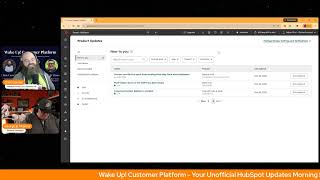
Chris Carroll and George B. Thomas break down thirteen HubSpot updates from April 2026, including auto-capture website clicks, a redesigned ticket email editor, WhatsApp template sending, and multi-object syncs from Data Studio. Each feature aims to reduce errors, speed up automation, and improve data quality across marketing, sales, and service teams.
Chapters
Wake up, Customer Platform. The tools are at your hand. No need to sleep on capabilities that can help your business stand. The answer's right before your eyes. You just need to realize. Wake up, Customer Platform, and watch your business rise. Wake up, wake up. The platform's waiting for you.
Good morning, HubSpot Nation. It is time to wake up the customer platform with your unofficial HubSpot Updates Morning Show, where we help you discover the platform value you already own. I'm Chris Carroll, and joined by my co-host George B. Thomas here every weekday morning to make sure you're not sleeping on HubSpot's true capabilities. If you're joining live, drop a hello in the comments and let us know what you're building in HubSpot today. Happy Tuesday, March 31st, George B.
Happy Tuesday. How hard was it to not say Casey, uh, in that intro?
It was hard. I had to, had to think about it for sure.
We miss her. We miss her. I can't wait till she gets back, but Doing good, brother. I'm excited to be here and talk about the plethora of things that we'll be able to do in HubSpot after these updates.
Yeah, plethora meaning 13 updates today. So we're going to dive right in.
A couple I'll have to steal your screen because I only have 11 on my side. So we'll figure out what those are along the way.
Indeed. Sometimes they They duplicate some on this page too, so we'll see what's what. Number 1: Auto Capture Website Clicks. What is it? Auto Capture automatically tracks clicks on buttons, links, menu items, and other interactive elements across your website without any setup or coding. Once your HubSpot tracking code is installed, it captures 100% of visitor interactions and lets you promote the most valuable ones into verified events for use across HubSpot's tools.
Oh, interesting. So why does this matter? Today's AI-informed buyers arrive at your website more qualified and ready to convert, but you often miss critical interaction data that could improve your marketing, sales, and customer success efforts. AutoCapture eliminates blind spots by capturing complete behavioral data from day one.
Mm-hmm.
So you'll never again wish you had been tracking a specific user interaction. This complete data enables better lead scoring, precise segmentation, and smarter automation decisions. Why does this feel to me like it is a major update, like in just the way— come on, what, what is, what is happening right now?
Uh, this is massive.
Like, like of all the things that HubSpot's supposed to be doing for you, that like there once was a day where you had to pay for events in Enterprise. Then it came down to Pro. And now if I'm reading this right or understanding, it's like, no, we've decided now we're just going to take care of all of the events for you right off the gate.
Well, this specifically says Enterprise.
Oh, come on.
Which makes sense given what they're doing here. But Give it time. I'm betting it'll come down. But the ability to capture and then decide to promote it to a verified event so that you can track it and not have everything just start overloading your system.
Wow.
This is a major update.
It is huge.
It's huge. Again, folks, running out of excuses to not know what the customer journey looks like and then without a doubt design for it. Number 2, Connections Insights. What is it? Connections Insights is a new tab in Connected Apps that provides a high-level centralized view of how your apps are behaving across HubSpot at a glance. It brings together global insights about app activity, automation involvement, disconnect history, and API usage with links that guide you to the relevant areas of the platform for deeper investigation or action.
Yeah, why does this matter? As accounts grow and more integrations are added, it becomes harder to understand overall app behavior without navigating across multiple tools and pages. So Connecting Insights helps by giving you a single place to see what's happening across all apps, making interactions or integration— sorry, behavior— easier to understand at a high level, reducing time spent hunting for information across the platform, and helping you know where to go next when something looks off by clearly surfacing signals and pointing you to the right areas of HubSpot. Connect Insights helps you move from awareness to action faster without overwhelming you with details. So good, HubSpot. So good.
So good. Connection Insights aggregates integration signals across your account. I don't know how, like every admin should just immediately jump into here. Like, you've been asking for this for a long time, visibility into integrations. Now we have it. Thank you, HubSpot. Number 3, updated customer portal powered by CMS. What's changed? Added that customer portals activated on or after February 2nd, 2026 will be automatically migrated to the new CMS app experience. What is that experience? HubSpot's upgrading the customer portal to run on the CMS app, giving you a faster and more seamless experience. This change was driven by a few factors, including strong customer demand for more flexibility and branding control of their portal experience. This update will eventually unlock access to HubSpot CMS capabilities, all within a unified environment. It also enables additional use cases in the customer portal beyond ticketing. Along with the total redesign, you'll notice new features in the new version, such as multiple conversations, viewing all conversation threads connected to a ticket in the portal, Sort and filter organized ticket data for viewing and reporting. Improve search lookup information and subject ticket ID and description. New design layouts including collapsible panels for ticket details and attachments as well as column resizing for clients in the portal. I love me some collapsible panels, George.
Yeah.
Portal's activating on February 2nd. 2026 or later for the first time will be auto-migrated.
Nice. And why does this matter? Moving to the CMS app platform gives us the speed, design flexibility, and extensibility needed to create a quick branded experience. It's an experience most customers are familiar with and can navigate much more easily. This new experience also lays the foundation for future Cross Hub customer journeys, enabling unified self-service experiences that go beyond ticket management to include other use cases. I feel like I repeated some things you said, but that's why it matters, ladies and gentlemen.
I love these short how does it works too. So, uh, navigate to the customer portal settings page to migrate. Migrating takes about 5 minutes to complete and carries over your theme editor design selections and ticket history. Please note that once migrated, we cannot revert your portal. To the previous experience. Uh, other thing to note, this update will eventually unlock access to HubSpot's CMS capabilities. So, uh, as you migrate, make sure you don't have expectations just yet that you'll have all of those, uh, functionalities out of the gate. But now we know that we'll We'll expect to be continuing to mention updates to this functionality throughout the next few months. Workflow CRM property data restore. What's changed? Updated to reference restore CRM properties and records as the underlying backup system instead of unified data backup and restore system, providing clear naming and alignment with the current platform terminology. No changes to functionality or access requirements. I've mentioned this one a couple times on the show already, so I'm gonna continue on. Yeah, lots of data restorability now in HubSpot. Edit ticket automation messages within the redesigned email editor. What is it? Now you can use the full power of HubSpot's redesigned marketing email editor to edit and modify the design of your ticket received and ticket closed messages, even if you do not have a paid subscription to Marketing Hub.
Mm-hmm.
Now you can easily add colors, images, and logos to your email to create branded, professional-looking communications.
Yeah, why does this matter? Because Service Hub Starter, Professional, Enterprise users now have access to responsive design, drag-and-drop modules, powerful branding controls. In other words, it means you can make stuff look better. That's why it matters.
Um, better user experience. Hashtag One Hub.
Boy, I haven't said that for a while.
Oh man, yeah, if you didn't know recently, and maybe it'll show up later, but yeah, they've made it possible to automate ticket messages without Marketing Hub. So make, makes sense that now we can use Marketing Hub to help design some of those emails. Powerful change. More personalization options for team email signatures. Phase 1 of 2 is live. Uh, what is it? This year we are revamping the creation experience for team email signatures, including responding to your feedback about the need for more personalization options. Until now, this has been limited to agent first name, last name, and full name. Now we have added your 3 most popular requests: individual email address, phone number, and job title. This release is just the beginning. In a subsequent release, we will add support for even more user properties, including custom properties. We will also revamp the signature creation and preview experience.
Nice. By the way, we found one of the 13, uh, or one of the 2 out of the 13 that I didn't have. This is one of them. Uh, Why does it matter? Customer support teams want to offer a personal human experience to their customer interactions. Why, yes we do.
Yes, I'm pretty sure all, all the teams, yeah, I want to do that. So pretty sure I'm pretty excited, uh, to— man, especially with custom properties, uh, marketing, get on that, get on these signatures.
Yeah.
Um. Improved contact sidebar in Gmail. What is it? An updated contact sidebar for the HubSpot Gmail Chrome extension that now opens in the Chrome side panel instead of within the Gmail interface.
You might be wondering, why does it matter? Sales teams need quick access to contact information Again, maybe more than sales, but sales needs it too. While managing email workflows, moving the sidebar to the Chrome side panel frees up valuable Gmail interface space while providing a more flexible, resizable view of contact details without disrupting your email workflow. Thanks, HubSpot.
We like our space.
We do. Especially in email.
Send WhatsApp message templates anytime. What could that possibly mean? Well, it means agents can now send WhatsApp message templates at any time during an active conversation, not just after the 24-hour session window has expired.
Nice. And why does this matter? By the way, this is number 2 out of the 13. Uh, ding ding ding ding! Why does this matter even though WhatsApp WhatsApp templates are mainly for initiating outreach to customers. You should be able to send them anytime in a conversation if it's useful. Useful, ladies and gentlemen.
Yep, uh, Marketing Hub Pro, Marketing Hub Enterprise, Service Hub Pro, Service Hub Enterprise. Again, uh, these, uh, for the customers on the other side, it's all WhatsApp. They're not thinking about, is this marketing person? Is this a service person? Like, it's another human being. We need to talk to them. Let's make it easy no matter when we have to do that. Create calculation properties using Breeze. Hmm. Private beta. What is it? You can now use Breeze to generate the formula for a calculated property using natural language. Instead of building it from scratch, with this release, Breeze can turn a plain language prompt into a calculated property formula, generate formulas for custom equation, time since, time until, and time between.
You might want to hit that, Bane. I'm just saying, why does it matter? Calculator properties are powerful. But building the formula can be intimidating. Hmm, very true, HubSpot. Or time-consuming. Yep, especially for users who don't work with them every single day. In other words, mere mortal humans. Letting Breeze handle the heavy lifting lowers the barrier to using calculated properties, reduces mistakes in complex formulas, and speeds up setup so admins can focus on what they want to measure. Not how to write the expression. Very nice.
Yeah, I remember the days where I was— do stuff like that and you have these other browser windows open to like, like help you decode all the expressions. And yeah, yeah, uh, I'd love some help, some breeze from Breeze doing that. So definitely signing up for that beta. Redesigned marketing event record page. What is it? The marketing events object now uses the standard CRM record page layout, including notes, timeline, and CRM cards.
Oh, it's almost like it's growing up to be a fully baked object. Why does it matter? You can now manage marketing events more efficiently and consistent with other CRM objects. This update addresses the frustration of missing standard record page functionalities, improving usability and adoption. You'll be able to log notes, tasks, and calls directly on event records, view a comprehensive event timeline, customize record page layout and display properties, and associate campaigns easily. Again, I feel like I should pull out the megaphone, but I'm not going to because this feels pretty dang close to major to me. Yeah, especially if you're using marketing events.
Yeah, it's always been interesting that this has been managing one of the primary motions of campaigns and marketing strategy has been a challenge to manage in HubSpot. They're making it easy now. Prevent non-service users from sending from help desk email addresses. Public beta. What is it? Admins can now control Who has access to help desk email addresses when sending one-to-one emails from a record page? Previously, any user could select a team email connected to help desk as their from address.
Oopsie.
Now only users with the Service S access permission can do so.
Why does this matter? Do I even need to go on? This prevents sales reps from accidentally sending sales emails from a support address. It also brings help desk— you know, somebody has done that, Chris, by the way. It also brings help desk in line with how conversation inbox already works. Users only see from address options they have permissions to actually access. Yeah, you might want to check out that, how that works, uh, ladies and gentlemen, after this show.
Yeah, uh, It's one of those moments where like admin gets excited that the, the user decided to start emailing from HubSpot and then I choose the wrong address.
Whoopsie.
Oh, multi-object syncs to the CRM from Data Studio. What is it? Data Studio users can now target multiple objects and create associations between them as they sync data from their datasets to the CRM within Data Studio.
Why does it matter? Well, multi-object syncs allow you to more accurately sync your external data within Data Studio to the CRM, including the ability to create associations between these objects. It also unlocks additional objects within Sync to CRM that are dependent on an association to another object, such as line items. Hey, Chris, they made that for you, I think. Just kidding, they made it for other people.
Yeah, Data Hub, so powerful. Get in there. If you got access to Data Hub, like, you got to check out Data Studio. Really powerful stuff. Last on the list today, improved contact sidebar in Outlook. So not just for Gmail, we've got Outlook in here too. What is it? An updated contact sidebar interface for the HubSpot Sales add-in in Outlook that provides the same contact insights and triggers in a modernized panel.
Mm, man. Holy— okay, why does it matter? This update makes contact details easier to review and manage without disrupting your existing Outlook experience, help you stay productive while accessing CRM data. They're just improving all sorts of email capabilities and stuff today.
Yeah, I'm interested to understand what a modernized panel looks like inside of an Outlook window.
Yeah, without— look, I'm not sure. Uh, no shade Outlook, no shade, just— yeah, not sure.
Just don't make me log in 5 times during the day.
Okay, any jobs are being fired?
Uh, Remember folks, you probably already own the solution you're looking for in HubSpot. Sometimes you just need to wake up to it. Join us tomorrow morning live at 7:30 AM Central or catch us anytime on Spotify or Apple Music. Drop your biggest takeaway in the comments and let us know what capabilities you want to wake up to next. Until then, I'm Chris Carroll.
And I'm George B. Thomas.
And this has been Wake Up Customer Platform. Now go build something amazing. Have a great day, everybody.
It's time to start the day. Discover all the value you already own. Don't let solutions slip away. Wake up, customer platform. The tools are at your hand. No need to sleep on capabilities that can help your business stand. The answer's right before your eyes. You just need to realize. Wake up. Customer Platform and watch your business rise. Wake up, wake up, the platform's waiting for you. Wake up, wake up, see what your system can do.










