Time to Talk about HubSpot Updates
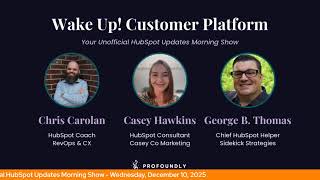
Chris Carolyn, Casey Hawkins, and George B. Thomas walk through five HubSpot updates: email testing for the Customer Agent, preference page URL generation via API, line item association with custom objects in private beta, show/hide controls for CPQ quotes, and Report viewer flexibility launching January 12, 2026.
Questions this video answers
Wednesday, December 10 (in-transcript).
Live and marked as medium impact.
Line item associations to custom objects (private beta).
Carts, invoices, opportunities (deals), orders, projects, quotes, and subscriptions are identified as native objects for line item associations.
Last updated June 18, 2025; expected for release January 12, 2026.
Chapters
Wake Up Customer Platform it's time to start the day. Discover all the value you already own. Don't let solutions slip slip away. Wake up Customer Platform the tools are at your hand. No need to sleep on capabilities that can help your business stand. The answer's right before your eyes. You just need to realize Wake up Customer Platform and watch your business rise. Wake up. Wake up. The platform's waiting for you. Wake up. Wake up. See what your system can do.
Good morning HubSpot Nation. It is time to Wake Up Customer Platform with your unofficial HubSpot Updates morning show where we help you discover the platform value you already own. I'm Chris Carolyn, joined by my co host Casey Hawkins and George B. Thomas. We're here every weekday morning to make sure you're not sleeping on HubSpot's true capabilities. If you're joining live, drop a hello in the comments and let us know what you're building in HubSpot today. Happy Wednesday December 10th. How we doing?
Good morning, doing good Casey. How you doing?
My microphone stopped working, I don't know why but built in, built in microphone it is.
We we got you now loud and.
Clear or orange today though. So that is we've got that going.
Yeah, doing well starting starting off the day with the win for sure. Speaking of wins, this Friday we're going to be talking about HubSpot wins from the community on the HubSpot helpline. Sometimes the best way to get the help you need is just to see somebody else who has done it successfully. So we're still looking for some more success stories to share. So if that's you, give us a call at 1-855-757-55-9526. Leave us a message in our HubSpot portal and we will share that message on the show or leave a comment. Reach out to us on Slack however you however you want to get to us, we'd love to hear from you so we could help some others with your success tomorrow. We've got Foundly Pro Spotlight going solo with Chris Vedder that is at 11am Central in on the Profoundly campus and then later today Casey and I started doing some office hours sessions for Value first if you want to come hang out with us. Learn more about anywhere from HubSpot Project Service Objects to Value First, Value Path, anywhere in between. Just trying to help people grow better using using HubSpot. So excited to get that going today we've got five updates on the list currently starting with test your customer agent on email. This one is live and medium Impact. What is it? Email testing lets you see exactly how your agent will respond to customer emails. You do not need an email channel connected to test. You can preview the full email conversation from the customer's initial question through your agent's response, just as it would appear in a real inbox.
Why does it matter? Email is different from chat. Customers expect thorough, well written responses and you don't get the chance to ask follow up questions in real time. Before email testing, you had two options. Turn on email and cross your fingers. Test in chat and guess how it would translate to email. Now you can make sure your agent gets it right. Professional tone, complete answers, proper formatting. This matters even more because email responses are permanent and visible. Cross your fingers.
Yeah, nobody wants to cross their fingers.
I'm just saying. Oh yeah, so many assumptions being made in these few lines. Yeah, just, just be aware that if you test it in this environment and then a customer shows up, maybe not the exact same thing will happen with, with AI being involved but this makes me want to just do an unboxing of customer agent at some point. They're making it so much easier to see, understand how it works, set it up and I'm sure it's a, it's a big win for, for many that probably already have access to it and just you know, like myself think it's a lot of things go into setting these things up. Don't want to mess with it. Don't want to, you know, waste credits. Don't want to put customers in bad situations. This looks like a fun, a fun testing environment to me. So excited to check that out. Next on the list we've got generate preference page URLs via API.
Data. Love an API update.
What is it? The preference link generation endpoints allow you to generate secure URLs to the manage preferences and unsubscribe pages for any contact in your HubSpot CRM.
Why does it matter? You can generate a contact specific HubSpot preference page to help contacts access and update their preferences. Allow your contacts to manage their email preferences directly from account settings or other authenticated areas of your website without requiring them to re enter their email or dig up a past marketing email. Interesting. I email. I've done a lot of email marketing in my life so I've worked a lot with email preference pages. But I see what they're saying because like if you have an app like I use Canva, there's a. Or I mean even in HubSpot there's a part in, there's a page in HubSpot where I can adjust like email settings, but having that tied to like marketing emails too. Interesting, I think, is what it's. This is saying, is it not what it's saying?
Yeah. What are we doing with this, George?
Yeah, I'm, I'm literally trying to read the how does it work? Piece right now to like, understand.
Like.
What, what this is about or who should care about it and why they would be using it. Because I hear where Casey went, but I don't necessarily know if that's where my brain's going because this is literally about like a subscription, public API.
Yeah.
I guess where I'm getting stuck is it says allow your contacts to manage their email preferences directly from account settings or other authenticated areas of your website without requiring them.
Yeah, I feel like, I feel like, I feel like what this is, is let's say you're chr, right, and you've got valuefirstteam.com and you've got a portal that they can log into. I feel like this is saying that you could use the preference page API or build a preference page inside of that portal where they could actually interact with their email preferences outside of the HubSpot preference page. That's what I feel like this is saying you could use this for.
Yeah. Thanks for helping that click. And so crazy to think about how just a month and a half ago this would have been so far away from my thoughts. And now it's like, let's get that API going. Thank you, HubSpot.
It's funny how things change, isn't it?
Yeah. But again, it comes back to this loop marketing world that they're trying to create for us. Hyper personalized experiences everywhere. Traditionally, you know that personalization can end immediately once you got to go to a preferences page. Heaven Forbid you have 20 different subscription types on there. So this looks like, you know, this new level of being able to personalize the experience from end to end. So very cool. Number 3, line item associations to custom objects. You remember that time when there was like two years, three years, four years where there was like zero updates to line items and everybody was wanting updates to line items? Well, they're, they're coming fast and furious. Now. This is private beta. What is it? Line items now support associations with custom objects. The associations can be configured in the data model tool. And here's a screenshot of custom object with associated line items.
Why does it matter? Line items can now be associated with custom objects. With this update, it's easier to configure the data relationships that matter most to your business from a centralized location. Once an association is defined, the line item sidebar card provides an editor to configure the line items connected to the custom object from the API. New or existing line items can be associated with custom objects. This expands what's possible to model with custom objects. Screenshot of custom object with line Item card.
So we've got. This is a shipping label record with a line item on it.
Oh, again, Christmassy.
Yeah, it's the North Pole, by the way. Let's just throw that out there real quick.
Overnighted toys times 100, man, only $2,000. Deal. Yeah. Again, how far I've come where? The first question I asked yesterday to the PM who told me about this was like, can I get it from the API? Can we do that? And he was like, yep. So a line items update that is immediately accessible via the API. Just please appreciate all of you folks out there that have had had some words for line items in the past. Also, a word of caution, all the line items, the way that line items and product library works is the same in terms of they don't stay connected. So just because it's a line item over on the deal and the order doesn't mean the line item on the shipping label is going to be connected or maintained in any kind of synced way. Before you go Oprah mode and start handing out line items to every custom object in your portal, just think about it real quick, take a step back and figure out how you want to do that.
But just so I'm clear, as a noob, it's not only accessible by the API, right? Like it's a.
I believe, I believe you can add it. Like you can add it normally or use the API to do it.
Yeah, it's actually you activate it in the data model builder.
Okay. Okay. That was just. They started talking about how you can do it from the API and that made me, someone who's not good with APIs, scared that you could. I couldn't do it. It was inaccessible to me.
Nah, I don't know. I don't know if HubSpot would ever do that. Would they make it where normal humans can't do it in the portal?
Well, yeah, they've been doing that with orders for a while. So this line from the API, newer existing line items can be associated, but then I see an edit in the screenshot. So in the past and maybe still currently in orders, you haven't had this edit button. So let's run through these last few updates, maybe we can open up a open up my portal and see what we can do with line items there. But we will request it in this portal for sure. Number 4 show hide controls for acceptance in CPQ Quotes what is it? Sales reps and sales admins can now hide the Acceptance section in CPQ Quotes. When Print and Sign is selected as a signature method, you can still mark the quote assigned manually from the Quotes Index page and Quote sidebar cards. This enables you to use Quotes for proposal use cases where you want to present your offering but do not require a signature from buyers.
Why does it matter? Sales teams want to use Quotes for both proposal and Agreement contract use cases. By allowing acceptance to be hidden, you can better use Quotes as a proposal document.
Nice. A lot of screenshots in here. Definitely check it out. Commerce Hub Professional and Commerce Hub Enterprise by the way, get this.
Yeah and special notes. If the acceptance section is hidden but the acceptance method is changed to E Signature or Accept without signature afterwards, the Acceptance section will automatically be shown. And of course it cannot be hidden if E Signature or Accept without Signature are currently selected. HubSpot's magical, but not that magical number five today report viewer Flexibility improvements this.
One magical though because. Open it. Oh oh it the name changes.
A personalized Report viewer in private beta? Or is it live? Who knows?
Wow. What is happening?
Last updated June 18, 2025 Expected for release January 12, 2026 I don't know. We love you HubSpot product team. Whoopsie. What is it? The Report viewer is now more flexible to allow you to show or hide data and controls based on what works best for you. That's scary.
Why does it matter? The Report viewer has gained a lot of functionality, but can be overwhelming for some tasks. Allowing you to personalize what controls you see and how they're presented makes it fast and easy to get to the answers you need for from your reports.
Okay, as long as it's the controls part. If we can get cherry picky with the with the data that's on the screen, that's the scary part for me. But when you said this is magical.
Just that it changed, it's really what I meant. I don't hate the update. To be clear, I think the reports are a pain point. I hear from a lot of people I speak to first like a while ago and I still hear the complaint that the reports aren't flexible enough and that tends at this point in time to be a training opportunity to learn about how flexible reports are now. Um, but Then I have a client who has a bunch of really, really flexible reports that we've built out. We've built a ton of infrastructure there around reports and then you know, the pendulum swings the other way where they're like this is overwhelming and too much. So happy to see, you know, we're trying to find what that middle ground is where, where reports are flexible enough to meet your needs but also easy enough to share and use. I don't know.
Yeah, I mean it wasn't that long ago that there was just like two buttons here. Right bottom left to the screen viewing. Sandbox is interesting as well.
So I don't know if I've seen that or noticed that.
Yeah, needs to be manageable if you want us to use it.
I don't have a lot of clients using sandboxes. We were just talking about that on the Sprocketeer power hour the other day, how sandboxes. More people should be using sandboxes now.
Yes, indeed. All right, we have like five minutes.
Can we.
Yep, yep. I'm going to get the line item demo ready. And working with anybody that wants to, that has wanted to do more with line items like we're about to do.
I don't, I mean I usually work, I lean heavier marketing. So line items are less come up less in my world they do come up sometimes and I have one client in particular that I don't even think has like wanted necessarily asked for this but I am like, I think it would be helpful for them but I don't even think they've like gotten to the point where there. It was a pain point.
So in your HubSpot portal under Data management go to Data Model brings you to this intro page. Click on Edit Data Model in the upper right here. Two tabs objects and associations here. And you can see a lot of the objects in this portal with some custom. I'm at the limit apparently 10 custom objects. But we can see line items here and as you like. This is why it's a, it's a good spot to come and check it out if you haven't been here in a while. Because custom properties we can do with line items now. And this can also often be a good place to understand what's new. But if we click on associations that takes us to a different kind of screen. And if I go down here to line items, notice we've got invoices and orders in here too. And these seven things, carts, invoices, opportunities, which is my name for deals, orders, projects, quotes and subscriptions. Are kind of native. Even though projects is brand new and you can't do anything with it yet, they're the ones that come, you know, out of the box, let's say. So if we click or if we just hover over this plus to create custom object association. So clear distinction being made between these seven native objects. Carts, invoices, opportunities, orders, projects, quotes and subscriptions and custom objects, which means not services, not listings, not courses, not appointments just yet. Also not contacts or companies or tickets. If we click on the plus here, I get a list and let's click.
On.
Deliverables, deliverables here and there we go. So we've got line items to deliverables. We can create an association, a deliverable line item. Next create. And now they've made this stuff so much more accessible recently too, right? Viewing API details, copying that to clipboard, giving it to maybe your friendly AI of choice to help you start to even map this out. Not saying you have to build stuff from outside of HubSpot, but just to help get your data model mapped. This is a huge boon for that. As I dip out for a second, I'm going to pull up a deliverable. And refresh. And so I'm on a deliverable object and customize to see line items. Add a card, see if it's here. It's here, I'll add it. So line items showing on the top. Now. Refresh. It's down here. That's okay. I've played with this at some point. Now we've got line items and we can.
Boom.
Select from product library, create custom line item. This is the, the part that in places like Orders that I mentioned, like you can get line items there from some other place, but once they're there, you haven't been able to edit. So this I think is unlocking that and the rest of the objects where line items was like kind of half halfway. So as you start to put this stuff together with custom properties and calculated properties and you know, bundles is happening. Just all kinds of possibility here. So thank you for joining me on today's demo of associating line items with custom objects.
Looks easy enough.
Get comfortable in that data model folks. It's such an easy way to understand what's going on in your portal and what you haven't seen yet. Remember folks, you probably already own the solution you're looking for in HubSpot. Sometimes you just need to wake up to it. Join us tomorrow Morning live at 7:30am Central, or catch us anytime on Spotify, Apple Music or the profoundly HubSpot updates blog. Drop your biggest takeaway in the comments and let us know what capabilities you want to wake up to next. Until then, I'm Chris. Carolyn.
I'm Casey Hawkins.
And I'm George B. Thomas.
And this has been Wake Up, Customer Platform. Now go build something amazing. Have a great day, everybody.
Wake up, customer platform? It's time to start the day? Discover all the value you already own? Don't let solutions slip away? Wake up, customer platform. The tools are at your hand? No need to sleep on capabilities that can help your business stand? The answer's right before your eyes? You just need to realize? Wake up, customer platform. And watch your business rise. Wake up. Wake up the platform Phones waiting for you. Wake up. Wake up. See what your system can do.










