Time to talk about HubSpot Updates. 12/5/2025
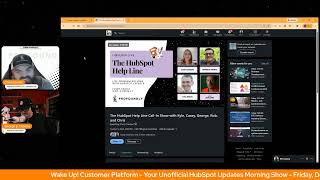
Chris Carolyn and George B. Thomas walk through HubSpot's latest Help Desk updates: bulk reject for duplicate suggestions, block/unblock senders, ticket reopening workflows with custom windows, snooze tickets, and custom views based on contact properties. New multi-brand data privacy request forms arrive in public beta January 13.
Questions this video answers
December 5, 2025
January 13, 2026
1-857-575-9526
3 days
Chapters
Foreign. Wake up, customer platform. It's time to start the day. Discover all the value you already own. Don't let solutions slip way. Wake up, customer platform. The tools are at your hand. No need to sleep on capabilities that can help your business stand. The answer's right before your eyes. You just need to realize Wake up, customer platform and watch your business rise. Wake up. Wake up. The platform's waiting for you. Wake up. Wake up. See what your system can do.
Good morning, HubSpot nation. It is time to Wake up customer platform with your unofficial HubSpot updates morning show where we help you discover the platform value you already own.
Chris.
I'm Chris. Carolyn, joined by my co host, George B. Thomas.
See you almost did it again, but it's all good, brother.
I miss Casey.
Where the hell is she?
I know, right? Well, she'll be back on Monday. We hope. We're here every weekday morning to make sure you're not sleeping on HubSpot's true capabilities. If you're joining live, drop a hello in the comments and let us know what you're building in HubSpot today. Happy Friday, George. December 5th.
Happy Friday. I'm super excited. What is it? Does that mean it's like 20 days till Christmas?
It does.
I don't mean to be that guy, but that was some pretty simple math, so I'll be that guy.
Yeah. Take advantage.
Hey, when it's easy, it's easy. Just do it. How are you doing today?
I'm doing all right. Doing all right. Looking forward to our show later today. HubSpot helpline. Always fun to get on.
Oh, yeah.
And Casey has confirmed she will. She will be there for this one. I mean, you can't. You can't miss, I guess Kyle's. Kyle Jackson, like, he's. He's worth it.
I mean, if you miss hanging out with Kyle Jepsen. What's the matter with you? I'm just saying.
Right. And I love what. What Rob's been doing to keep us all. Try to keep us all in line as we wax poetic when we need to.
Yeah, he's. Yeah, he's good at herding the squirrels. He's a good squirrel herder.
So be sure to check us out. 3:00pm Eastern, 2:00pm Central. And if you got a HubSpot challenge, we'd love to hear from you. It's. Call us at 1-857-5759-5268 and we will do our best to answer your question live. In the meantime, we will get back to some updates today. Number One bulk reject for Dedupe. Yeah, what is it? Customers can now reject multiple duplicate suggestions in bulk using rules configured on top of the existing duplicate identification model.
Make sure you hit that beta, ladies and gentlemen. Why does it matter? Portals with many identified duplicates have no way to reject duplicate suggestions in bulk, making it harder to manage and clean up large volumes of duplicates. Benefit. This reduces duplicate clutter, allows new duplicates to be identified, and can lower back in computational. Wow. Come on. Load by reducing the number of records to review. Let's. Let's throw that through chat GBT again and say simplify the complex on that bad boy. But you get it. You get what it is and why.
It'S important and maybe use words that the HubSpot customer user might care about. I'm just saying that are not like back end computational load. Yeah, it's like, oh yes, that. That back end computational. Yeah, getting better there.
Said George V. Thomas. Never until today.
Oh, man. I'm glad this is being highlighted though, because this sounds like a situation, especially the first time you came to this and I haven't ever done this myself. I can only imagine that it was like, oh, wow, okay, we got a lot of duplicates to fix to. To dedupe. Let's go through the list. Wait a second. One at a time. Are you kidding? No, I'm out. Like, I'm out. What? We'll fix it next time. We'll clean it up. Yeah, let me go find somebody else to do this. You know, all the reasons. So hopefully this helps with that. Well, the other.
The other thing to remember here is that like, you might have portals where it's Salesforce and HubSpot. And in some of those situations you can't dedupe companies because they're attached to accounts. And so in HubSpot you might just want to be like, yeah, I know what's going on here. Can we just get these away so I can pay attention to like, other ones in the future Anyway, just something about.
Yeah, definitely. I've seen several times this week alone. I think, like, figure out the source of the duplication first, please. Then start deduping.
Yep.
Number two today. And it's going to be a little help desk theme the rest of the way today. Block and unblock in help desk. Oh, man. I'm curious where this could go.
Yeah.
What are we blocking and unblocking? What is it? You can now block and unblock senders directly in help desk. Blocking a sender ensures that all future outreach from that contact will go to spam automatically and that restriction can be lifted later if needed.
There's a story around this one. All right. Why does it matter? Block and Unblock is an important tool that helps support teams stay safe, focused, organized and efficient. Spam and abuse prevention without blocking, spam tickets can overwhelm a team's triage process and affect response times for real customers. It's critical that reps have a way to block unwanted messages. Can I have that in my personal life? Okay. Anyway, sorry. Bots are malicious actors who target support channels with junk or harmful content. Blocking keeps the queue organized, protects the team from phishing and unsafe messages, and lets them focus on the important customer problems in front of them. Also focus and efficiency. Blocking also saves reps time. By preventing reoccurring non customer inquiries like sales pitches or bots, it reduces the amount of time they need to spend on individually flagging those inquiries and manually marking them as spam each time. Block also allows admins to make it clear what help desk channels are for and who the support team serves. And of course our favorite data integrity and reporting. Spam and unwanted tickets can often skew supports reporting inflating ticket volume and distorting time to first response metrics. For admins and managers, blocking helps make sure that metrics reflect the real support demand without additional spam or noise. Bam bam bam. Yep. All right. Join that beta my good and look.
At these options under actions Journey Block Sender mark as spam. Yeah, some pretty powerful orchestration happening over in the. Over in the help desk. Yeah, I could see, I could see a need. People find those forms on websites, they find those emails and oh man, let's. Let's move on to number three.
Oh yeah.
Ticket reopening management in help desk. What is it? Ticket reopening management is a new workflows powered solution that allows users to control if or when and how tickets reopen based on new replies to closed tickets.
Interesting. Somehow that's not in my updates. But once a support rep closes a ticket, their customer may reach back out for a number of reasons. To say thank you, to ask follow up questions, or to raise a completely new issue. Historically there has been no way to prevent that closed ticket from reopening or to autogenerate a new ticket. Whether the end user reached back out within five minutes, two days, six months. We get the point that original ticket gets reopened causing issues or reporting SLAs and overall rep efficiency and organization. Not anymore ladies and gentlemen. Ticket reopening management workflows give support teams an automated solution that allows them to proactively manage their process for new replies and or on closed tickets and makes it easier for reps to respond, prioritize, and stay organized. Often a support team's process this is a book. Often a support team's process is to allow customers to reopen support tickets within a certain window of time after the ticket was closed. Example 3 days. If the customer responds any later than that, a new ticket should be created. This update makes that process possible. Give me a workout today, Chris.
When you thought you didn't need a master class and ticket reopening, I mean, come on. George is here to give it to you.
Hello HubSpot. I'm. I'm helping HubSpot give it to you, I guess.
Oh, ticket management. Yeah, it's a thing so. Oh, it is thanks to HubSpot, making it easier. Number four control how form submissions from excluded IP and refers are handled yeah, what is it? We are introducing a setting that allows customers to control how HubSpot processes form submissions from excluded IPs and refers. Note excluded IP and referrers refer to the IP or a referrer that were added to the exclusion list under Settings, Account Management, Tracking and Analytics. Tracking Code, Advanced Tracking. We had released a feature earlier that would mark all form submissions from excluded IPs and referrers as spam. However, this introduced a limitation for customers to strike a balance between testing their forms while also excluding analytics from the test submissions.
Yes, indeed. Why does this matter? Well, the new setting offers customers the flexibility to either treat submissions from excluded IPs or refers or as spam, or only exclude them from analytics while processing them as regular submissions. Nice. Very nice. Thanks.
Some more Ticket Management and Help Desk we can snooze tickets in Help Desk?
Yes we can.
What is it? Support reps can now snooze tickets in Help Desk to temporarily hide them from views and come back to them later without losing focus. Whether dealing with a spike in ticket volume, wrapping up their day, or waiting on follow up from another team, Snooze gives teams the flexibility to stay focused and organized.
And you might be wondering, why does that matter? Well, prioritization is a core part of a support agent's role, with reps often juggling multiple tickets of varying urgency levels throughout their day. With snooze, users can temporarily clear low priority tickets from their who dictates if they're low priority or not? Anyway, they can clear low priority tickets from their Help Desk views with a single click, helping to keep their workspace clear and making it easier to identify what needs attention right now. Again. Can I get that button in my life right now? Just clear it. Oh, there's the three things that I need to do. Beautiful.
Oh, man. Gracious. That would be nice. Maybe next year when you get some. Some meta Ray Bans and you can just click the button. Like just block that. Block that view.
Yeah, there you go.
Or replace it. Almost there.
Almost.
Number six today, Help Desk. Custom views based on contact and company object properties. This one's live. What is it? You can now create custom views based on contact and company object properties in Help Desk.
I hate when they give you the same thing. Anyway, why does it matter? Support teams don't just organize tickets by ticket properties. They often need to segment work based on who the customer is. Previously, views could only be built with ticket properties, limiting flexibility for high touch or specialized teams. With this update, teams can now quickly access tickets from VIP contacts and companies, personalize the agent experience and empower teams with views that match how they work. Nice.
I think I'm understanding this.
You're like, I think I'm understanding this.
Yeah.
I mean, create a view.
Yeah. Click on create a view from the object menus, select contact and our company choose your filters and then click Save.
Yeah. So it's basically a view instead of like based off of properties because now you got filters. Which filters have activities and properties. Right. There we go. That's. See, I'm saying.
Yeah. Okay, thank you, that's helpful.
I'm here all week, which is almost over, so get your questions in quick later today on the Friday show. There you go. Call in, ladies and gentlemen, since I'm.
Just relegated to producer now again.
Anyways, I don't know why we do that, but.
Okay. Different.
Different conversation for a different time.
All righty. Last on the list today, Unified multi brand data privacy request forms. We know all those words. Yeah. Public beta scheduled for release expected January 13, 2026. Medium impact. What is it? You can now create and manage multiple branded data privacy request forms in one place?
Yeah. Why does this matter? If you have multi brands, you know why. But organizations managing multiple brands in a single portal need to provide consistent on brand experiences for data privacy requests. This update streamlines this process for admins and reduces manual work, allowing you to easily and easily and quickly customize the appearance of forms to match brand identities. You know what's crazy, Chris? We live in a world where we can customize the data privacy request for brands, but we don't seem to be in a world where we can actually Customize the invoice information for brands inside of HubSpot. That might be a nice update before the end of the year where brand A can have their logo and their address on an invoice and brand B might be able to have their logo and invoice address on an invoice because it doesn't seem to be able to do that quite yet. Anyway, we love this update. Thanks, HubSpot. Appreciate you.
Yes. And I'm with you. And I thought, can we not do that yet?
I don't think so. Not that I knew of. Not per brand.
Yeah, I guess we can do it for one brand easier than maybe we used to.
All right, well, this is company branding.
Right. They made it easier to apply.
Branding.
Yeah.
And brands. See, there wouldn't be that confused confusion if it was branding and business units, but it's brands and branding. And what I'm saying is if I've got this brand, we'll say Psychic Strategies and I've got this brand George B. Thomas or another brand and I need to send out invoices. It'd be great if they could have different addresses, if they could have different logos. And right now, that's to my knowledge. If I don't know something, please drive to my house, send up smoke signals, do something. Right now, it doesn't seem you can do that. And so I. That's my Christmas wish list for the Commerce Hub team invoices customizable by brand.
Okay. Okay, we will. We will note that down on the wish list officially. Let's see what else they're delivering on the way to Christmas. It might be light. So next week we've got drafts in help desk coming. We've got centralized reports and dashboards on Monday. And then just one other thing until.
Look at this calendar.
What is happening here?
We might not have a show.
Dude, I know. Well, I just don't believe this thing. That's all there is to it. Sunsetting Data privacy Analyze tab is scheduled for next Monday. Now, I know the team has been working on a lot of little things and since this is based on like, you know, the official structuring and schedule, probably not seeing a lot of stuff that's going to get, you know, pushed or go into public beta because that schedule for release is definitely just the stuff that's going live.
Right? Right.
So don't fear, fellow Hubspotters. I'm sure there'll be more coming as the team continues to work through December. Don't forget, join us later today on the HubSpot helpline and it would be awesome if you have in any challenge you're thinking about right now, even as I say that what HubSpot Challenge comes to mind, give us a call at 1-857-575-9526 and Rob or Kyle or George or Casey will will help you out with that challenge live. Probably a combination of everybody and we hope you check us out live on LinkedIn.
Hope to see you there.
Remember folks, you probably already own the solution you're looking for in HubSpot. Sometimes you just need to wake up to it. Join us tomorrow morning. Join us Monday morning live at 7:30am Central or catch us anytime on Spotify, Apple Music or the Profoundly HubSpot Updates blog. Drop your biggest takeaway in the comments and let us know what capabilities you want to wake up to next. Until then, I'm Chris Carolyn and I'm George B. Thomas and this has been Wake Up Customer Platform. Now go build something amazing. Have a great day everybody.
Bye. Wake Up Customer Platform. It's time to start the day. Discover all the value you already own. Don't let solutions slip away. Wake up, Customer Platform. The tools are at your hand. No need to sleep on capabilities that can help your business stand. The answer's right before you write. You just need to realize Wake up Customer Platform and watch your business rise. Wake up. Wake up. The platform's waiting for you. Wake up. Wake up. See where what your system can do.










