Time to talk about HubSpot UPDATES! 12/4/2025
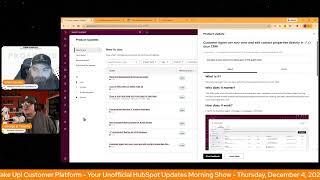
Chris Carolyn and George B. Thomas cover HubSpot's latest features: 30-day historical backfill for buyer intent, five new company-news signals like executive hiring and M&A, Help Desk can now close chats while keeping tickets open, and customer agents can view and edit up to 10 contact properties directly in the CRM.
Questions this video answers
December 4, 2025.
30 days.
Executive hiring; Product launches; Strategic partnerships; Mergers and acquisitions; Growth metrics (revenue growth/customer acquisition).
10 credits per company per month.
1-857-575-9526.
Chapters
Foreign.
Wake Up Customer Platform. It's time to start the day. Discover all the value you already own. Don't let solutions slip away. Wake up, Customer Platform. The tools are at your hand. No need to sleep on capabilities that can help your business stand. The answer's right before your eyes. You just need to realize Wake up Customer Platform and watch your business rise. Wake up. Wake up. The platform's waiting for you. Wake up. Wake up. See what your system can do.
Good morning, HubSpot Nation. It is time to Wake Up Customer Platform with your unofficial HubSpot Updates morning show where we help you discover the platform value you already own. I'm Chris Carolyn, joined by my co host George B. Thomas. We're here every weekday morning to make sure you're not sleeping on HubSpot's true capabilities. If you're joining live, drop a hello in the comments and let us know what you're building in HubSpot today. Happy Thursday, December 4, 2025. George, how we doing?
Ah, doing good. It's crazy. Christmas will be here before we know it. 2026, which sounds weird to say we'll be here before we know it. And some updates got here before we knew it today. So how are you doing, buddy?
I am doing well, doing well, trying to keep up as always. Yeah, but starting to create a little more value with all this good stuff showing up. You know, some, some client calls going well, building some stuff, doing all the things.
Nice.
It's, it's been a good time and.
Hopefully it continues to be a good time.
Yeah, well, that's the thing, like it's, it's hard to see a downside at this point. Right, right. Enjoy it while we can. We do have some updates today before we dive in though. Don't forget, join us tomorrow for the HubSpot helpline every Friday, 2pm Central, 3pm Eastern. Come check us out and give us a call again. I always say I need to get, get better at saying the number so that you can call us. It's 1-857-575-9526. Leave us a message and we will get you some help live. So check that out signals on the board a couple times today with our first update we've got historical signal back bill for buyer intent. What is it? No more waiting for intent signals starting today. When you track a company for intent, signals will automatically and immediately backfill 30 days of their historical signals free of charge. Get a complete picture of every tracked account's intent from day one.
Wow. Why does this matter? Well, Starting today, you can now do the following. Take action immediately. No more waiting for future insights to occur. As soon as you track a company, their 30 day signal history, funding, job changes, visitor research intent and more is added to their record. Timelines as events instantly power workflow segments and lead scores. That's right. You can backfill signals or these backfill signals are emitted as events. Meaning companies will immediately get added to your signal filtered segments enrolled in signal triggered workflows or have their signal based lead scores updated. You can also see the full story. Ever tracked a company because you saw a preview signal or knew there was already visitor research activity only to see zero signals? Well, for their record now the historical activity that sparked your decision to track is instantly reflected. No more incomplete picture. Nobody likes that, ladies and gentlemen. Or starting from zero. Wow. The days of starting from zero are gone. Holy mackerel. My goodness.
Ah. Okay, calm down. HubSpot this. How does it work? How does it work? It's automatic. You don't need to do anything to turn this on. That I don't know, like not correct. Because I know for a fact people have not turned this on. Right. Not selected the companies they want to track. There's a few things, right. But once you're there, this is probably a guaranteed piece of value that for a while there was getting hard to like give advice on how to use your credits even. Right. And then once I got in and just as an example, this is what we're talking about Byron Tent here. And again, this is from a guy who like at the beginning of the year was just hoping that everybody would just stop talking about buyer intent data that's not yours. Like can we get inside of our system and use our own data? This is brilliant. And this is high value stuff. Even if I, I don't even have to click in to this screen here, right. And I think when we're, when we talk about HubSpot, the way that we can configure it to give our teams maximum context within a small amount of, of, you know, window space here. Right. Signals received. What kind of signals? Funding their growth.
Right.
This, this company's expanding, this company's doing research, leadership, content, tech investment. Literally all the types of signals in, in one picture. Latest signal, right. And this no more incomplete picture, right?
Yeah, yeah.
Something I'm going to having a lot of success with and I'm gonna start driving hard is unified customer views. Right. It's a concept that a lot of people resonate with and it's like, yeah, we Want that. That seems like a good thing. It's also something that is in your control especially if you own HubSpot and it's a very clear way like so if you're struggling to get buy in for for using stuff like this, activating stuff, spending time on what it means for your business. If you can start from a place of do we have a complete picture? And if it's a yes or no, like right, like this says you know something happened but then when it comes back, when it shows back up, you can't see it. Right. So you don't have the full picture. Right. It's a yes or no answer usually and HubSpot is making it easier than ever to create that that whole picture. That's my signals rant.
Yeah, there you go. Love it. The fact that you even had a signals rant is amazing.
I know by like especially all that signals based stuff that George had to list off like catch the hint folks. Like signals are driving a lot of HubSpot functionality now as they as they should be. Number two today lists V3 API filter by object type ID what is it? An update to the list V3 API search endpoint to filter your requests by object type?
Yep. You might wonder why does this matter? George or Chris? Well, you can now easily find lists associated with specific object types such as contacts or companies. This helps you do a couple things. Quickly locate relevant lists for segmentation or reporting, organize and manage your list more effectively, or save time when working with multiple object types in your HubSpot account.
Thanks HubSpot indeed. If it's easier for us, it's probably easier for AI too. Number three Close a chat and keep the ticket open in Help Desk and in the public beta. What is it? Making an easy job today, I guess.
George, I'm telling you, they really let you just slide today. This is ridiculous.
What is it? Help Desk users can now close a live chat while leaving the ticket open in Help Desk?
And why does that matter? That short little sentence that Chris got to read. Well, let me give you the book. Not having the ability to close a chat but keep the ticket omen has been a frustrating gap that impacts support teams ability to deliver seamless, efficient support. Tickets aren't always resolved over the course of one single chat. No, no, no, they're not conversation. The support rep may need to do further investigation or the customer may need to leave before they find a resolution. If the chat stays open, it may appear to customers that the rep is still online and make it hard to open a Separate chat. With this update, support reps can clearly indicate to the customer that the chat conversation has ended, making it easier for the rep to follow up later and easier for the customer to start a new chat if necessary. Man, that's what's knocking out the box.
Yeah, I love, love, love, love these quality of life updates because it gets. Oh man, it goes way beyond quality of life really quickly because guess what? Because the tickets were closing, we were developing workarounds and make creating processes that don't make no damn sense. So that when next time the customer comes in, they're like, why do you need all that stuff again? Like. And then we're like, oh, it's just the way our system works. So if you can just answer, it's like all that stuff is coming down. Those barriers are going down everywhere right now and I love it. Thank you. HubSpot number four conversation starters in Custom Assistance. That sounds interesting.
Yes, yes, yes, yes.
Custom Breeze assistance is.
I've already done this for a client. When I, as soon as I saw it, I was like, yes, we're going to give them some starter questions.
What is it? Conversation starters are pre configured clickable prompts that appear within a custom assistant to help users know what to ask. When clicked, they automatically send the message to the assistant. No typing or editing needed. These starters are designed to make it easy for users to understand what the assistant can do and get started fast.
That's right. That's right. Prompting. God, this is hard for me to read, but I'll say it because I'll spot you wrote it. Prompting is hard. Okay. Users often don't know how to start interacting with a custom assistant or what it can do. Less prompting. That's actually conversating, but maybe. Anyway. Okay, okay, I, I digress. This results in drop off and under utilization. Conversation starters solve that problem by doing a few things. Giving users confidence to begin a chat immediately, allowing assistant builders to shape the conversation flow. That's a very important one. Please underline that and highlight it. Improving discoverability of the assistance capabilities. Absolutely. And increase message volume and engagement. Okay, sounds good. But definitely look at the screenshots that we have here. You literally give them three kind of starter questions like how do you want them to start their journey? Right. What's the, what's the top three questions that you know they're always going to have? And then how do you deliver the dopest answer? Because you know, if you've set those as the starter questions that you can program the knowledge vault and the actual instructions to follow a flow based on when they click that. Anyway, I, as soon as I saw this, I felt I was like, yes, thank you, thank you baby Jesus. I've been doing this with custom GPTs for over 2 years now and the fact that we can do it in Breeze Assistant is amazing.
Yeah, Just get in there, get in there folks. And just the ability to use this as like another layer of teaching about what this thing does. They might not even click on the thing, but it's another way to show this is how you use this thing. Right? Lots of, lots of opportunity there. Number five New company news signals for buyer intent. What is it? Are you ready for more reasons to engage your highest value accounts? George?
Yep.
Starting today, you now have access to five new company news signals that surface when your track companies grow or expand. And we just saw one of them on my other example we've got executive hiring when a company hires a new C level executive when a product launches, when a company launches a new product or service, Strategic partnerships, mergers and acquisitions, and growth metrics. When a company announces revenue growth or customer acquisition. Each signal will appear as events directly on company record timelines and can be used in workflows, list filters and scoring models just like your existing intent signals.
As you might be wondering, why does it matter? I should have taken a drink before this one. These new signals help your you identify key milestones for your top accounts so your team can engage faster, personalize better and focus where opportunity is growing. Spot opportunities as it happens or spot an opportunity as it happens. Know instantly when target accounts are launching products, hiring leaders or reporting growth so that you can reach out exactly the right time with tailored outreach, prioritize and route smarter. Use new event types like growth announcements or executive hires in lead scoring and workflows to automatically surface high potential accounts, target accounts in motion, build lists and campaigns and real company activity such as partnerships, expansions, mergers or reach prospects as they look for vendors to accelerate growth, give reps richer context. Every signal shows up on the company record activity timeline, giving your team instant insight into what changed and why it matters. No news scraping required. You know how hard it is for me to read these and not actually give my input? Oh my God.
Doing great. You're doing great.
Oh my God. Anyway, that's why it matters, ladies and gentlemen. Who gets it? Who gets it? HubSpot credits gets it. That's who gets it.
Yeah, and it's 10. It's 10 credits by the way, per month for having a company on the list. So if you're not doing anything else. With Credits, you get 300 of those per month. If you're doing the math and got 3,000 credits and got professional level. Yeah, 5,000 credits. If you're at enterprise level, anything. I'm interested in this interactive usage guide to see how intent signals work. And maybe we can check that out another day. But yeah, if you, if you need to learn about this, Just check it. Check it out, folks. It's. It's powerful stuff and you've got some credits. Just track a couple companies. Number six today, automated testing for UI extensions. My guys that are good at the UI extensions, Bill and Ryan, I'm sure will be interested to see this one. What is it? You can now use a new suite of comprehensive testing utilities built into the HubSpot UI Extensions SDK. These tools make it easier for you to write, run and maintain automated tests for your custom UI extensions. With these new testing utilities, you can build with confidence, catch bugs before they reach production. You can refactor safely make changes, knowing your test will detect regressions. You can document behavior. Use your tests as executable documentation that clearly describes how your extensions work, can move faster. Automate your testing process to save time and get consistent results every time and improve quality, delivering well tested extensions that are more reliable and easier to maintain.
Chris, I'm gonna talk about why it matters here in a minute. Is this the first one that's ever had an emoji in the title? I. I don't know if I've seen that before and it's wrecking my brain. Anyway. What?
We left that one. We let that one get through the filter.
There we go. Somehow. All right. Which by the way, we should literally go look at that buyer intent thing. I have it up in a tab if we have time at the end of the show. Because I was like, whoa. Anyway, why does this matter? With these testing tools, you can simulate HubSpot APIs and hooks, test user interactions in, verify component behavior directly within your development environment. This means you can confidently ship extensions that are stable, reliable, and easy to maintain over time.
And that. That last part. Easy to maintain over time.
Yeah.
Okay, so key. And in case you didn't know, UI extensions doing some super powerful stuff on CRM records now. Number seven today. Touch on it. I think this is the third day in a row it's been on the board.
Yeah.
Customer agent can now view and edit contact properties directly in your CRM.
Yeah.
Quit.
Quit adding and taking away a period. Whoever is the project manager of this bad boy, we, we get it. We get it.
Exactly.
Why does this matter? I'll go ahead and do it. If if maybe it's the first time you're tuning in. Your CRM holds a ton of context about your business and your customers. And now the customer agent can tap into that context to have smarter and more personalized conversations, making customer interactions smoother and more meaningful than ever. Nice.
Up to 10 contact properties, folks. Again, if you give your customers a chance, they would love to help you maintain their data. You just some of them possible, some.
Of them would.
Depends on the type of data. Sure. But yeah, if I'm expecting you to ship something to me, I want to know that the shipping address you have on file is correct. But let's. Yeah a little bit. I'm here. I'll just view the right account. Here we go.
Maybe the reason I do me share my screen. Oh you got it, you got it, you got it. So. So this excites me because this is kind of new functionality meaning the actual learning or the guide is in your portal. Like I had to go to Psychic Strategies portal and so I see this for this and wonder how long is it before you're able to navigate in HubSpot and click on something and it slides out and just teaches you the thing immediately where you're at. And then I even go a step further than this and go if they're doing this when does this become a feature where now all of a sudden I have documentation and governance right inside of a ability to fly it out on a deal's pipeline or a like imagine having like an onboarding course for your new sales rep and it's actually powered by HubSpot. Anyway, my brain went seven layers of past this but this I just found this very cool that there was a usage guide right in the portal as a fly out with video anyway.
Indeed. They're taking some notes I think from from others other tools available out there. Good to see. Remember folks, you probably already own the solution you're looking for in HubSpot and today it might be those signals. Sometimes you just need to wake up to it. Join us tomorrow morning live at 7:30am Central or catch us anytime on Spotify and Apple Music and the Profoundly HubSpot Updates blog. Drop your biggest takeaway in the comments and let us know what capabilities you want to wake up to next. Until then, I'm Chris Carolyn and I'm.
George V. Thomas and this has been.
Wake up Customer platform. Now go build something amazing. Have a great day everybody.
Wake Up Customer platform. It's time to start the day. Discover all the value you already own. Don't let solutions slip away. Wake up, customer platform. The tools are at your hand. No need to sleep on capabilities that can help your business stand. The answer's right, people for your eyes. You just need to realize. Wake up, customer platform. And watch your business rise. Wake up. Wake up. The platform's waiting for you. Wake up. Wake up. See what your system can do?










