Time to talk about what is new for you in HubSpot.
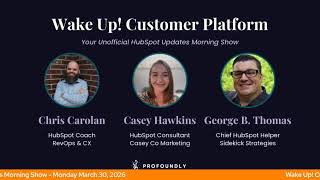
Chris Carlin and George B. Thomas cover HubSpot's latest updates: Customer Agent Tester now handles file attachments up to 10 MB, Job Change Signals distinguish internal promotions from external moves, Knowledge Vaults preserve embedded third-party links, and Power Dialer's Voicemail Drops feature lets reps auto-send pre-recorded messages.
Chapters
away. Wake up, Customer Platform. The tools are at your hand. No need to sleep on capabilities that can help your business stand. The answer's right before your eyes. You just need to realize. Wake up, Customer Platform, and watch your business rise. Wake up, wake up. The platform's waiting for you. For you. Wake up, wake up. See what your system can do.
Good morning, HubSpot Nation. It is time to wake up customer platform with your unofficial HubSpot Updates Morning Show, where we help you discover the platform value you already own. I'm Chris Carlin, joined by my co-host George B. Thomas. We're here every weekday morning to make sure you're not sleeping on HubSpot's true capabilities. If you're joining live, drop a hello in the comments and let us know what you're building in HubSpot today. Uh, happy Monday, March 30th. George, how are we doing?
Doing good, my friend. How the heck are you doing?
Doing good. Missing Casey this week for sure. She's spring break with the kiddos.
Yep.
Uh, so we'll do our best to soldier on managing all these updates. Kind of a light load today.
Nice.
With some old hits and some new ones too, including this major update.
Oh man, already first thing? I wasn't even ready for that. Like, already major update. There we go.
WhatsApp Home is in private beta. Uh, just kidding. Uh, what's changed? Added notice that the beta is temporary— temporarily closed. Uh, customers who have opted in cannot leave and must contact support for assistance. Uh, all right, uh, so moving on. I look forward to that Home when it is ready. To have people in it.
Yeah, yeah.
Uh, Customer Agent Tester: Smarter testing with file attachments and improved guidelines in improved response.
Wow, that's a, that's a title right there.
Lots of improvement here. Uh, what is it? Two new enhancements to the Customer Agent Tester that make it easier to validate your agent and act on what you find. As you are testing. No. Number 1, file attachment support in the tester. You can now attach files, images, PDFs, videos, Word, Excel, PowerPoint, zip, CSV, and more directly in the tester's text and email channel composers, up to 10 megabytes per file. This lets you test how your agent responds to the same types of content your real customers send. Number 2, Manage Guidelines shortcut from Improve Response. When you are testing questions and answers and do not like tone, response style, or behavior of the response, open the Improve Response panel. You'll now see a Manage Guidelines option. Clicking it takes you directly to the guidelines page so you can update your agent's tone, response style, or behavior, then come back and retest.
Very nice. Why does this matter? Testing your agent should surface real problems and let you fix them fast. Before these changes, you couldn't simulate file-based conversations in the tester, and getting from a bad response to the right fix required manually navigating away. These updates close both Gaps. Test with realistic inputs and act on what you learn in fewer clicks. Thank you, HubSpot. Chris, do you think the customer agent will ever be able to talk to people?
Uh, it can now.
Nah, I mean like on the website, right? So like instead of chatting— yeah, you see where I'm going. Like a Delphi version. Like instead of having to type everything, do you think you'll get to the point will customer agent get to the point where you can go to the website and you can just talk to it and like it would have a voice? I wonder, I wonder if we're gonna get there with this thing eventually or not.
Well, it works with calling already, so yeah, yeah, I imagine, um, just a feature away.
Maybe I might be teasing that to the HubSpot product, uh, folks, uh, to see if they'll, uh maybe go in that direction?
Well, it's been interesting and probably could dig in on another show, maybe the Helpline on Wednesday at 10 AM or 10:15 Central on LinkedIn Live. The— as I've added that function functionality to valuefirstteam.com, it's an interesting— to find the use case match, because I think when it comes to voice and video or avatars, right, like if it doesn't make sense for the use case, it becomes nice to have very quickly and like not a value add, right? So like with calling, it's much easier for them to set that up and focus on voice quality and things like that. But are people used to using chat on websites yet to be able to do that?
Maybe not. Maybe not.
Yeah, probably very customer audience dependent.
Yeah, potentially. I don't know. I'd look at the— again, this surge of humans talking instead of humans typing, Whisperflow and all of that. And are we in a place where Maybe that changes to where it needs to be. I don't know. Anyway, not why we're here.
Yeah, uh, but this, this customer agent tester, like, even if you're not— we talked about this last Wednesday on the HubSpot Helpline— like, customer agent, if you go set that up right now and go through all the steps and fill in all the data with help from HubSpot as you're guiding you through it Yeah, you will set up AI for most of your HubSpot portal.
Yep.
And with Agent Tester, like, you can give yourself a master class in how this stuff works.
Without a doubt.
Like, you don't get to do this in the other, like, LLMs. There's no way to, like, manage inputs and outputs and, like, see how it, how it changes, and, like, being able to change tone on the fly. This is a really powerful tool that even if you're not going to put it on a website or put it customer-facing, like, this can be an amazing training tool without a doubt for many people on the team. Differentiating between— a lot of long titles today.
Yeah, I know. I'm telling you.
Differentiating between internal, like promotion/lateral move, and external, like new employer, job changes.
What the titles of holy—
What is it? Job change signals. So we're talking the intent signals here, uh, and, and the—
Which was nowhere in the title, by the way, but okay. Yep.
Uh, so job change signals have been improved to better differentiate between internal job changes like promotions and lateral moves, etc. And external job changes like new employer. Man, the positioning of the parentheses here, so important. You can use this information to trigger different workflows or create separate list segments based on whether the job change is internal or external.
Yeah, maybe the title should have been Job Change Signals Have Been Improved! Exclamation mark. But why does it matter? Not every job change means the same thing. A promotion within an existing account is a different conversation from someone moving entirely to a new company. This update, uh, update lets you automagically— my words, not theirs— trigger the right workflow and reach the right list without manual sorting. I mean, it's a dope— don't get me wrong, it's a dope update. Bad title.
Anyway, yeah, uh, yeah, this is the kind of stuff, folks, automatically flowing into your HubSpot. Already. Yeah, that the ability to differentiate this kind of signal is so powerful. You just gotta create the space to act on it.
Yeah, and by the way, who gets it? Everyone. Like everyone. Holy lists of this.
Professional and Enterprise, uh, and Starter here. Yeah, yeah.
So everybody, just not free. Just not free. Yeah, so not everyone. Almost everyone.
10 credits. All right, this is, uh, yeah, moving on. It's— yeah, yeah, they get into buyer intent. I know you got credits.
Yeah, you probably have 300 or 500 you can use that you might not be using.
Third-party link support in knowledge vaults. Okay, uh, what is it? Knowledge vaults now preserve and display all embedded links from source documents, allowing users and AI assistants to directly access secondary resources like Google Sheets and Looker reports referenced within knowledge articles and docs.
Okay, so you can't quite yet with knowledge vaults just give it a folder in Google Drive 'cause that's actually not what one of the updates a couple weeks ago or a week ago meant. But you can give it a doc and it can follow the links. Okay, so why does this matter? Uh, reason for development: users previously lost access to important embedded links in knowledge articles, leading to manual workarounds and incomplete information. This change ensures users and support teams can seamlessly access all referenced resources without searching through Source documents, increasing workflow efficiency and trust. Now, my question is, is this links that show up that people, humans can click into? This isn't actually saying that the links that the agent can go and see the information. So still not quite what I'm looking for, but still awesome for what humans need. Anyway, yeah, knowledge vaults are coming along.
Yeah, these are very specific examples that they're using in Google Sheets and Looker reports. Um, but in the how does it work here, when Knowledge Vault processes HTML, uh, Docx, or supported files, all embedded links are preserved during normalization. During a search, AI assistants and users receive results that include these embedded hyperlinks either inline or in a separate section. For file types like PDF, PowerPoint, and Markdown, hyperlink annotation support is being expanded. Pipeline configuration may control feature enablement. If enabled, no user action is needed. Links are surfaced automatically in responses and UI displays. So if there's a link in the document, uh, or file that you have put in the Knowledge Vault.
Yep.
Or an assistant to use when you ask about a specific thing that would surface that link. It gives you the link and you'll be able to click on it. It's my understanding what's— what this update is. So very cool. Voicemail Drops for the Power Dialer. Oh hey, what is it? Voicemail Drops allow Power Dialer users to automatically leave pre-recorded voicemails during Power Dialer calls, reducing talk time and increasing outreach efficiency.
I've actually been asked if HubSpot had this. It is public beta, but why does it matter? Reps often spend significant time leaving nearly identical voicemails for prospects. This repetitive task reduces productivity and creates inconsistency in messaging across outreach efforts. Okay, so how does it work? Well, you'll want to come and read this, uh, because it literally talks you through how to use the Power Dialer and how to use these voice drops. Chris, do you do a voice— I can't even do it with a straight face. Chris, do you do voice drops?
How about do I listen to voicemails? Oh man, from my mom, and that's about it. Yeah, right. Definitely not from numbers I don't know, like, but available on Sales Hub Enterprise.
Nice.
Uh, yeah, if that's what you're looking for, HubSpot can support it.
HubSpot has it.
Uh, last on the list, credit memos. Uh, what's changed? Now includes creating credit memos directly from invoices, applying credits to contact balances, editing, removing applied credits, editing, adding custom properties to credit memos, automating with workflows, and analyzing credit memos in custom reports. In case you forgot, it is, uh, a credit memo is a document a business issues to reduce a customer's amount owed, typically to correct an overcharge, reflect a return, or apply a discount. It acts as an official record of the adjustment and is applied to an invoice or the customer's outstanding balance.
And if you forgot why it matters, credit memos are a must-have for finance and operations teams because they're a standard way to correct an invoice after it's issued without rewriting history. With credit memos in HubSpot, merchants can issue adjustments like discounts, returns, write-offs, or billing corrections, keep a clean audit trail, and tie every credit back to the original invoice if they'd like to— like for accurate reporting and reconciliation. Which I'm sure those financial people do. Uh, the results is fewer manual workarounds, fewer data inconsistencies, and a faster, more trustworthy account receivable workflow inside of HubSpot. Definitely words I didn't realize I was going to say today— trustworthy account receivable workflow— but for many humans, it's going to be a very important thing.
Oh, it's so good, man. And if you could just get them past the HubSpot perception barrier— accounting teams love HubSpot. So like, and if you— and guess what? If you get that group in it, the rest of that work coming right behind because they got the money. That's where the money flows.
Yeah.
Yeah. So there's so, yeah, a lot of value here and a lot of screenshots. So again, if you're not sure what we mean by credit memos, because they are fairly internally focused, you know, but we got to start doing our due diligence after we tell the customers, hey, we'll clear up the rest of the balance for you. And instead of just throwing that email over to the accounting team and say, hey, reconcile the books, and wherever you got to do that, they can do that easily in HubSpot now. Uh, so remember folks, you probably already own the solution you're looking for in HubSpot. Sometimes you just need to wake up to it. Join us tomorrow morning live at 7:30 AM Central, or catch us anytime on Spotify and Apple Music. Drop your biggest takeaway in the comments and let us know what capabilities you want to wake up to next. Until then, I'm Chris Carroll, and I'm George B.
Thomas, and this has been Wake Up Customer Platform.
Now go build something amazing. Have a great day, everybody.
Wake up, Customer Platform, it's time to start the day. Discover all the value you already own. Don't let solutions slip away. Wake up, Customer Platform, The tools are at your hand. No need to sleep on capabilities that can help your business stand. The answer's right before your eyes. You just need to realize. Wake up, wake up, Customer Platform, and watch your business rise. Wake up, wake up, the platform is awake. Phone's waiting for you. Wake up, wake up, see what your system can do.










