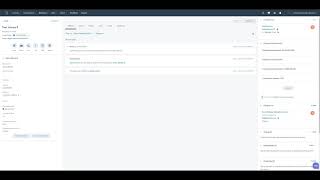
George B. Thomas walks through a currency converter add-on for HubSpot, showing how it works, what it costs, and how to install it. Built for the CRM/Sales Hub App Accelerator in 2021.
The ultimate currency converter for HubSpot is a feature add on that allows users to quickly and accurately convert deal amounts inside of HubSpot to another currency. This application is a feature upgrade for your entire portal. You do not pay per user, only per HubSpot account. The currency conversion rates are updated every 60 seconds to give you close to real time accuracy so that you can provide your customers with accurate quotes using the HubSpot quoting tool. It comes with a free seven day trial and users can perform unlimited calculations at no additional cost. The data that you get from the calculator can be inserted into HubSpot directly. This allows you to run reports, send sales emails, and generate quotes using personalization tokens based off of those fields. Using the calculator is simple. Upon installation, it will create four custom properties in your HubSpot conversion date, conversion Rate, Converted Currency and Converted Deal Amount. Converted Deal Amount is a regular unformatted number field because if you change it into a currency field, it will attempt to take on the default currency of the deal. In this case it would be USD. In order to change the currency you're converting to, click on the Actions button. Click Change Currency and you'll be directed to this screen. You can search with the country or you can search with the currency code. Click Save and continue. When you're ready to convert, close the window and you'll see the card will update with the converted deal amount. In order to save this conversion rate and converted amount to HubSpot, click click the Actions button and click Save to HubSpot. You'll see a window that says Save to HubSpot succeeded. It won't update immediately on your screen, but if you click Actions and Refresh page or simply refresh the page, you will see that it will overwritten the data that was there previously. If you want to see your previous saves, you can click the details and see the history. If you have any questions, please visit Data Warehouse IO as part of our launch celebration, app will be free forever for all new users that sign up before June 15th. After that it will cost $9.99 a month or $99 annually.