UPDATES!!!! Nore updates...
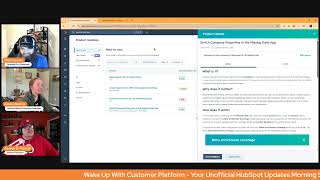
Chris Carolyn, Casey Hawkins, and George B. Thomas break down 14 HubSpot updates including native order creation, HeyGen video integration, AI Feedback Summaries, and mobile association creation. They explain what each feature does, why admins should care, and when to actually use it.
Chapters
Good morning, HubSpot Nation. Welcome to Wake up with Customer Platform, your unofficial HubSpot updates morning show where we help you discover the platform value you already own. I'm Chris Carolyn and I'm joined by my co hosts Casey Hawkins and George B. Thomas, as we make sure you're not sleeping on HubSpot's true capabilities orders. If you're joining live today, drop a hello in the comments and let us know what you're building in HubSpot today. Down to 14 from 17 yesterday. I hope we're feeling good about that, folks.
I, I am. George. George seemed a little uneasy, but yeah.
I mean, hey, it is what it is. This is the, this is the world we chose to live in, right?
Yeah, he's, he's still, still, still finding his, his flow on the show. Getting used to double digits. Yeah, yeah, we kind of spoiled him with some single digits like early on.
I mean, let's be back to back double digits.
All right. Well, what I forgot to say yesterday is what this often, especially yesterday where it was like almost all those actually had a date of April 1, which is unusual, but generally those kinds of things happen when there's a big announcement on the way from HubSpot. Oh, they have Spring Spotlight coming up next week, which is a new live version. Last year was the first time they did was around the time Content Hub was a thing like service, like customer success. Workspace was a big deal. So that's next week in New York and I've heard some rumblings of, of things that could be announced and a lot of the things that we're seeing, updates make sense for that.
But wait, wait, did you say New York?
Yes, in person event in New York. They're doing the, the Spring Spotlight this year.
Wow.
They're going big abandoned Boston. They're just like Boston Hill.
So many places my brain wants to go right now. But that's not why we're here, so I'll shut up.
Yeah. All I'll say is I appreciate them making an effort to make announcements more than once a year at about. For sure. For sure. So let's get after it. We're going to try and get through all 14 today. If I don't spend all the time on number two here. But we'll start with number one, Quick access report settings. Medium Impact is live. Just kidding. All right, That'll help us get through all 14. Yeah. Be careful, product team. We might just start making stuff up for these updates if you can keep doing that to us. But instead we'll Move right into number two. See? Meant to be. Just to be the first one. You know, talked about introducing native order creation in HubSpot. I need the horn, George. Can you, can you do the horn? No, not that one.
Wrong one. That's the wrong one. Hang on, hang on, hang on, hang on. Not. Not the show we're on. You need.
There we go. There. It is worth the wait.
Hang on. I need to drink some more coffee.
The soundbar is having some errors today.
Oh, what is it? We're excited to announce the launch of native order creation directly within HubSpot. By the way, this is what launches look like. They're just on the. On the product updates page for you to see. This new feature allows you to create and manage sales orders without leaving the HubSpot platform. You can now generate orders from deals, associate them with contacts and companies, and track order details all in one place.
Why does it matter? Why is Chris so excited? This feature streamlines your sales process and eliminates the need to switch between HubSpot and external systems for order management. Key benefits include increased efficiency, improved visibility, enhanced data consistency, simplified workflows. You said yesterday was the biggest update of the year. I don't think this tops that. But what a week for you, Chris. What a week.
I mean, Chris might think it.
No, no, no, no. I. I've just been waiting for this one for a while. Right. And all these things here like increased efficiency, improved visibility, hence data consistency, simplified workflow. It was no coincidence yesterday when I posted this that I didn't say anything about ERPs in the post. Right. I just said, hey, I've noticed if you want to use orders and you're not sure how like drop me a line. And all the lines that dropped were related to ERPs. Right. So we finally get to save. We've been able to save. Finally we can help more people do it. Our customer facing teams that are after the sale from having to work out of systems that are not built for customer facing teams. That is if you can simplify the goal. That's it here. Right. So if you decide the HubSpot is your customer facing like platform of choice, let's get them out of the ERPs and the accounting systems, not replacing those. We're just making it possible to work out of HubSpot here. So I could go on obviously.
But George, version of that. I feel like you gave us the short version.
Yeah, George, when you. Is anybody like paying attention to orders in your world aside from me right now? So.
So it's funny because I'M literally as I'm on the show, I'm crafting an email to one of our clients to where it has the link to the update, a screenshot and it says FYI HubSpot update today. So to answer your question, yes, I have other humans that are paying attention to this and that could, this could be very transformational to the way that they actually use HubSpot or do business.
Yes. And last thing that the key unlock here if you want to leverage orders and we're supporting customer facing teams. Right. All these other systems like ERPs and accounting systems have kind of held the keys to the car in terms of they got to be the one to create the order. They got to be one. If your customer facing team is the one managing and they're in HubSpot, there is a very clear cut case to be made that HubSpot is the one creating the order and then pushing the operational data to the other systems that they need. So just that's why I reached out. Happy to help anybody like learn how to have that conversation because it is habitable and people have hated these other systems for a long time. So let's get them, let's get them into that's better world. So excited for that number three man. Also very exciting as I read it for the first time send personalized AI videos through email with the hey Gen app for HubSpot. Another app marketplace sighting in the product updates page. The improved hey gen app for HubSpot now helps you automate the production and distribution of personalized AI generated videos through marketing emails. This lets marketers create personalized video experiences at scale using customer data from HubSpot.
Why does it matter? Before, creating videos for marketing campaigns was time consuming and resource intensive, making it difficult to scale personalized video content for different audiences. Now you can seamlessly create personalized videos for each contact using your CRM data and distribute them through HubSpot Marketing sorry marketing emails and workflows. With Heygen's realistic AI avatars, you can automatically generate videos that address recipients by name and include personalized content, saving valuable time and resources. You can now automate lead nurturing with personalized videos triggered by workflows. Deliver custom onboarding tutorials that showcase relevant features Personalize events promotions featuring AI hosts who greet attendees to drive higher attendance and better post event connections.
Oh, is that what those do? Is that what those AI hosts do? George, I'm curious.
I'm so torn right now. There's part of me that is like dude, quit being an idiot. Dive in See how good you could make it, see how you could leverage it, show them the way that it should be done. And then part of me is the 90 year old guy that's like, get off my lawn. Like I just. God, I don't know why. Because listen, if you know me, you know that I love AI and you know that I'm leveraging the, the crap out of AI for some reason in everything that is my core of core, my heart of hearts, my soul. As soon as it starts to go into the video side of it, I, I just have a disconnect for some reason. But, but again I'm having an internal battle. Like I feel like there's going to be a tipping point where I'm like, I just need to dive in and I need to see what we can do. But I don't know. Well, somebody, somebody reach out and, and tell hey Jen, if you're watching this, reach out, have a conversation with you, have give me the come to Jesus moment that I need for this because right now I'm just like.
Well as, as Nick mentions, I don't want to hide the smile when I have it. And one, a really good way to hide it is actually think I can use AI version of myself like instead. And that's where like it's. So there are strategic places to use this stuff right now. But the closer you get to human faces in terms of the experience you want your users to have and if you actually want to drive higher attendance and better post event connections, it's not necessarily by starting with an AI face. No. Right. And the whole like George has time to do this stuff with us and have fun and create content because he's using AI everywhere else. Yeah, right. And in reality like it's so much easier to just build the, you know, the process that's like hey, I can add a one minute video to my emails because I know how to use Loom or whichever service and it's like 100% like process and habit. Casey, any, any thoughts here? You're just gonna start spamming people with, with AI video emails.
I think it's really cool. A couple things like Russell Bradley Cook, he was on the panel on Profit the Pro Family kickoff event on updates and he comes from the app team at HubSpot and one thing he mentioned was like at that this is, that's what was what a month ago and he said they've only had at that time like one or two app updates in the product updates and we've had like five since then. least that I can think of off the top of my head. So one, I'm just going to say it's exciting to see these app updates in here because I, I wouldn't know this was even possible without this update. So whatever. Exciting to see that. I think the opportunities are really good. But with anything with AI, it's like use with caution. If you start spamming everyone with these videos, they're going to look illegitimate and everything else. I also keep thinking just from a marketing perspective how as a culture we've been shifting towards authenticity in marketing and AI is making, is making that like kind of. Well, it's easier to scale with AI, but I think people are going to trust it less and I guess I'm just curious. Curious how that will evolve moving forward from a marketing perspective.
I mean, you said the magic word, right? And I think this is why I have such an issue is like trust. One, two, video is the closest to in real person communication. And so like we're literally saying that.
We.
Due to efficiency or lack of belief in ourselves to get in front of a camera. We're going to hit an oh God, I gotta be careful here. I'm gonna get hate mail. We're gonna hit an easy button in the place that might matter most in a place where everybody is working like in different sectors of like the globe. I don't know. I don't know. Although I think to myself if I actually use something like hey Jen and didn't make it look like a real human but like used the cartoon version of George that welcomed people at an event. Now that actually engagement. But, but it's like this, this foolery plates we got.
Right.
Needs to go over.
I know.
Yeah. I'll just say where I love like, I love this use case. Like any of the informational stuff where you just need to get the information across how to's tutorials. We're already in a relationship. This is the update, right? So much of this is expectation setting. Like George just alluded to, like if you just say like this is the AI guy that's going to be talking to you, like then it's like, oh, okay. I love the fact that you're keeping me in the loop. I understand you got a lot of things going on, but this, the moment you try to replicate yourself and pretend that it's you, like that's. It's not even a slippery slope. It's like a cliff that you just walk off of and there goes the trust.
Right.
So, all right, we're through two updates Number four on the list today. Feedback AI Summaries this one has shown up a couple times. So curious. What's new? What is it? AI Feedback Summaries is an AI powered tool that analyzes and summarizes customer feedback submissions from surveys grouped by objects like companies, deals and tickets. And I'm sure the rest are on the way. It allows users to generate insights based on sentiment trends and key themes, reducing manual tagging and accelerating decision making.
Customer Success Managers and CS leaders often struggle to sift through and manually tag dozens of customer feedback submissions, leading to inefficiencies and missed insights. AI Feedback Summaries streamline this quickly surfacing sentiment trends in product or pricing feedback over time, filtering agent feedback by deal owner, identifying the reoccurring issues in feedback and specific deals, operational insights by ticket or agent, and summarize feedback for accounts owned by each csm. I don't think the screenshot was there the last time I saw this update.
I I agree with that George. Maybe this relates to Yesterday when the HubSpot team was telling us that they're getting their stuff together with organizing feedback. Maybe. I think it's a huge opportunity and you know we've been pushing it at profoundly like open text fields, open answers. Let people tell you what is on their mind and they will the whole reason we've tried to do dropdowns and options is because we need to manage the data like internally. Now you have access to AI tools that will summarize even the longest of novels shared in the how did you hear about us Field lists as a data source in Custom Report Builder?
I did a little ooh when I read this one a second ago.
Yeah, low impact though, so just calm down. Casey.
Why? It was a big deal when lists and workflows became an object anyway. I'll shut up.
Yes, you can now select lists as a primary or secondary data source in the Custom Report Builder.
Why does it matter? Understanding which segments perform best based on all your marketing, sales and service activities is essential for refining targeting, crafting relevant content, and ensuring an optimal customer experience. Having lists as a data source will now make it possible to answer such critical requests. We've heard such as Sorry, the quotes are sending me. I wish I could just click in and see which group cared more. This is a constant question for my team. I want to be able to input five lists into a report and show the list growth for each in addition to other relevant data. Given we experiment with different lists, I would like to easily be able to compare what's Working for me for one, and then make decisions based on that. Sorry. Probably didn't need to go through all of those. Sorry.
Quotes are amazing.
Yeah, yeah. I think I just found a of third role that George can fill. It's like whenever there's a quote like George like steps in and. And nails it. But this, this reminds me of the podcast that you did earlier this week, George, when actually I'm ahead of myself and I was going to say that for the next one.
Oh, okay. Well then, yeah, let's wait. Let's wait.
So I wonder if they use feedback AI summaries to get those quotes.
I almost can guarantee that they did. Which kudos to that team, by the way. Who gets it at the end here? Smart CRM professional and Smart CRM Enterprise. What? What could that mean?
That's not normal.
Oh, wow. Like a little behind the scenes here. That.
That's not normal.
I'm gonna go out on a limb and say Smart CRM is supposed to be here and here.
Yeah, but.
Yeah, interesting. Maybe. Maybe that means something. We'll see. Moving on. Forecast multiple outcomes using custom date and currency properties. What is it? Admins can now create custom forecasts for their team that measure revenue using any deal date property and any deal amount property that is marked as a currency field type.
Why does it matter? Before today, customers could only forecast based on the deal amount in close date properties. However, not every business realizes revenue on the deal close date and many businesses. Businesses track important revenue values in properties other than the amount property. Customers need more flexibility in the way they forecast so that they can track all the outcomes that matter to their business.
And let me set you up here, George. Whatever. What I was gonna say you mentioned your episode this week was about a B testing.
Yeah.
And you brought up the fact that, hey, like, it's a different day in HubSpot and it's not just AB testing to figure out clicks and views and all this stuff. You brought up revenue as a thing that you want to test against. Like, are you having success helping people, you know, think about HubSpot in that way, that. That kind of flexibility.
How does one measure success? Actually, really great question, Chris. And the way that I think I can answer this is by having the conversation that isn't normally being had. I think I'm getting people at this point to at least think about it. And something that we're talking about this morning is nice because there's actually a direction that you could point somebody to, to try to do the thing that you're preaching you should be paying attention to. That's where my mind goes with that.
Once one person, one person at a time, right? That's, that's success.
That's, that's my mindset, right.
One awareness. Setting some goals in HubSpot and making it consistent throughout HubSpot no matter which hub you're in is what I'm excited about here with this, with this update, without a doubt. Associate deals, tickets and custom objects when creating records. What is it? IOS users mobile specific will now be able to associate to another record when creating a new deal, ticket or custom object. If the portal admin has required an association, that requirement will be enforced as well.
Why does it matter? Admins can customize the record create form to include associated acquired association. If one was configured this resulted in incomplete data and lost context. I was kind of like I was excited about this and then I immediately was like wait, this is already a thing?
Yeah, and only on iOS. And again if anybody out there is using mobile app for HubSpot, would love, would love to hear from you but this is one of those situations where I could definitely see this causing not mobile adoption because if, if you're requiring stuff and I can't do that via the mobile app, it's either letting me create the record and now we have bad data or it won't let me create the record. Either way, headaches all around.
I see this first of all as a guy who barely ever leaves his office, I might go, but I'm in. I'm putting on the empathetic shoes of somebody who is in a van driving around all day and they've got like a custom object for like associated equipment that they're installing or you know, let's say it's like ATMs, cash recyclers, something like that and all of a sudden they need to do something on their mobile device which then can auto associate to this like product that they just installed. And like this, this revolutionizes somebody's day in a, in a major way that they once didn't have. This is I, I wow. I can't believe I'm gonna say I like this HubSpot. I, I like this.
Yeah, I, I feel the same way George. Whenever I see it like mobile improvement, I'm like, I sit at my desk all day so. But I do try to think about how other people are using it.
It's hard sometimes, like cause we get in our own little HubSpot box slash bubble. But like one of the things I love about what I do and what we do is just seeing different humans using HubSpot in different ways and like the different needs. Because it kind of pushes me out of just being like this guy in an orange room all day. And so this one though, like, I can think of probably a handful of companies that we've helped where I'm like, oh snap, I've got to email them and let them know because like this might be huge.
Yeah, that's why we keep preaching. Admins half the battle is just being aware. I can imagine data issues where it's like we're talking about it as if the sales team just creates the objects and everything's fine. And then you find out that one or two power users of the mobile apps are doing it from there. Yeah. And it's like, oh, okay, that process works differently. Good to see the team making it less different by the day.
My age. Because when you said what you said, Chris, I couldn't help but go. And now you know and know. It's half the battle. Go Joe. If anybody gets that reference, just hit me up in the chat lane if you know what the heck I was talking about.
But.
But super admins knowing it's half the battle.
Like, I love it. George Improved App Card Configuration Experience for Marketplace Apps in Development still, but maybe an update. We're excited to release an easy and fast experience that addresses today's challenges with discovering and configuring cards offered by apps in the Marketplace. We've heard your feedback and are enhancing the App Cards tab which acts as a one stop shop for all your needs. Now, CRMs can easily view all available app cards in one centralized location and manage and configure these cards for all available locations and multiple views. Marketplace Partners App partners can now also direct customers to this tab after installation. Ah, enabling a faster onboarding process and helping you get immediate value from your new apps and integrations. Say goodbye to tedious and confusing configurations and hello to a simpler, more efficient experience.
Bye bye.
Why does it matter? We see increasing Marketplace apps building immersive and interactive experiences through app call cars cards. However, our CRM admins are finding it hard to discover and configure these cards on the record page. The experience today is tedious and highly confusing and we heard this feedback. This update will offer a single place for customers to learn about the available app cards, complete all necessary configurations from a single page, and get an immediate value of the app or integration. Marketplace partners can use the link to this tab to redirect their customers after installation so that customers can immediately Start their onboarding journey.
Let's. Let's take a look.
Who gets this? Who gets this? I'm curious.
Starter. Starter level including Smart CRM Starter and Smart CRM Professional and Smart CRM enterprise, whatever that might mean.
I met with someone from the CRM team yesterday who was when we talked a little bit about cards and how they tend to be difficult to find.
Well, we've got 38 over here now. Discover app cards Power this is beautiful. There's unbelievable power in some of the app cards that are being created with people who have these apps built. This is the kind of thing like this is why we do what we do like and if you give yourself permission as an admin to just watch or listen for these updates, there's no way. It's so hard for you to keep up with everything that's going on. But this is one of those things that now you know that this place exists, people are going to come in here and be like boom, two, three cards in now my day is unbelievably better. I look awesome as an admin, my sales team loves me. This is really cool because we expect this to grow significantly. So app partners, if you're out there, develop for HubSpot and then HubSpot helps you back. Train the customer agent on private knowledge, base articles and control citations for public sources. What is it? Customers can now train the customer agent on private knowledge based articles and also toggle citations on or off for any public source.
Why does it matter? Customers have knowledge in private articles that is not meant for the public eye but is still very valuable to train the customer agent. Customers also do not want the customer agent to show citations for all sources and want the ability avail the ability to control which sources should be cited.
Here we are again. If you want to train AI and agents you have to have articles. So let's create the articles first and then take great care in how and when the customer agents is using you are using that content. HubSpot, the HubSpot tool set has just evolved dramatically as they've introduced these agents to be able to give you the granular control that you need to really trust what's happening and understand and test effectively. You got anybody using the customer agent yet, George?
I don't yet. I don't yet.
If you're out there, let us know how it's going.
Yes, I would like to know.
Breeze record summaries Moving to the right sidebar. We saw that recently.
I feel like we've seen this one.
Pretty straightforward. Used to having it in the central like this. This is the, the team like kind of playing around with views. Maybe it's just getting comfortable. Maybe it's just getting us comfortable with the world that's coming where AI is deciding where the view needs to be based on some eye tracking mechanism that we don't know we have installed. Anyways.
I said this was so much so to the CRM team yesterday. I was like, ooh.
Yeah, how about that for admin control? Imagine this eye tracking thing where like you cannot look away from the information that you actually should be seeing as a sales process. Oh God. Don't look away. No. You need to know that this customer is overdue and you cannot sell them anything else right now. All right, four more we'll run through, see if we've got any new ones. Reporting on time in ticket status. What is it? Service Hub Professional enterprise customers will now have access to new data points about the time in ticket status. Each ticket will now have new properties that can be used in report builders and segmentation alike. Date entered ticket status Date exited ticket status Latest time in ticket status Cumulative time in ticket status. Users will also be able to access out of the box reports with these new data points in the Help Desk Analyze tab as well as the Service Hub analytics suite.
Why does it matter? Leaders of support teams design efficient processes for their support organizations and implement those processes to HubSpot to drive fast results, resolution time and a good customer experience. With our new reporting on the timing ticket status functionality, leaders can now gain deeper insights into their support team processes by accessing more information about the time a ticket spent in each status. Leaders will be empowered to identify bottlenecks in their support processes and optimize to a better solution resolution time and thus achieve a greater customer satisfaction action. Good info to know.
I did not know that this stuff was not available. I guess it's been only in the deal.
I. Yeah well it's interesting because we've watched things start somewhere and flow. This is definitely one of those like it. It's flowing into here. What's man, this today is breaking my brain anyway. Move, move, move, move on like I. I'm. Yeah, just let's go, let's go.
All right. So creates reports from CRM index pages. Beta has been ending for a while. This is a new designation deprioritize. So maybe it's not gone for good. Too much medium impact I guess for people out there. Customization tools for new knowledge bases High impact, especially if you're a knowledge base practitioner in HubSpot basically giving it the whole CMS Hub tool treatment but still not a part of CMS tools. So but either way like a huge upgrade and if you're in Service hub and you're not like just get into like start using Knowledge base. It's, it's so powerful and it's so connected to all the AI tools and help desk and all the other things that you want to use on a value in here for most people. But we've seen this one a few times so I'm not gonna flavor the point here. Have you seen. You've seen this? Yeah. George.
No sir.
No.
There you go seeing this like again. Sometimes I feel like I live under a rock with specific things but this, this again today is breaking my brain. Because one, when you went over to the cards thing, I will, I will share and then I'll shut up. You went over to the cards thing and I saw something that I hadn't seen before and I was like wait. And then the next thing we were talking about the new tickets thing and then I was like, man, I'm really not using tickets in the way that I could use tickets, especially on this thing that I just saw. And now we're looking at this and I'm like, well shoot. Like I'm really not using the knowledge article in the way that I could probably use the knowledge article to actually help support the tickets that I'm not using. But if I did this thing and it all started with I saw this thing called Stopwatch in the cards area that you can actually do time tracking right inside of HubSpot and I'm like, like literally dominoes. And so I hope when people watch this episode and we talk about all this stuff, the the action item in your brain should be dominoes falling. Like and I'm literally having as one of the co creators of this like that moment based on the things that I'm seeing paired together as these releases. Anyway, I had to get that out. My gosh.
Thank you for sharing. See everybody, give yourself permission to not know everything about everything. Just don't give up on keeping up, right? Because this stuff is available to you and once you know it is, it's like a couple clicks away and then all of a sudden a long lasting problem just gets solved. Lastly, enrich company properties in the missing data app.
This is a breeze. Intelligence.
Yeah. What is it? Introducing data enrichment capabilities for companies in your missing data tool, enabling you to automatically fill gaps in your records using trusted external data sources. Trusted external data sources. This powerful addition Transforms the missing data tool from a visibility solution into an active data data completion engine.
Why does it matter? Incomplete data records limit your ability to make informed decisions and can cause downstream issues in reporting and analytics. By integrating enrichment capabilities directly into the missing data workflow, teams can now proactively address data gaps without switching between multiple tools or manually researching missing information. This not only saves time, but also ensures higher data quality across your organization.
Who gets it? Ops Pro and Ops Enterprise plus Breeze Intelligence. And of course we're not mentioning that anywhere here. Not to be confused with Bri Copilot, Breeze Copilot, which is free. Yeah. All the other tools included in in your hubs. But Breeze Intelligence is paying for credit. Super valuable like if it's a part of your strategy and you've been relying on a bunch of external data sources, you know, like the zoom infos of the world and other stuff like HubSpot has done a great job of just like they do as they build it into the system and into the process. Like just the experience is so much better than you're going to find, you know, in these other systems. Just understand like trusted external data sources and active data completion engine. If you've got customized data for your business. Like just don't forget about that part. Right. You got anybody using Freeze?
Do a voiceover. I want to do a voiceover for this update. I'm like, can you scroll back up or down or whatever? Like I.
Okay.
Watch as Billy creates an active data completion engine like.
Like.
Fasting furious 17 where I'm like, what is going on anyway?
Yes.
People that are using Breeze Intelligence and enrichment and all of that good stuff. And. And I also have people that ask me like on updates like this and other things in this category of like this or Account Scout. Like so it's just. Anyway. Yes. Though people are using this.
Yeah. And instead of a montage of like actual building, like a real engine, we just see George's eyes like moving. Like we know that he's clicking on stuff to build it, but we can't actually see it because it would.
That makes sense. But.
But there you go.
Close up my eyes. That that might be use case where I would use. Hey, hey Jin. Is that.
Yeah, there you go.
Then it's just the hay gen of my eyes.
Yeah.
No, I wouldn't do that.
And that's where we'll wrap for today. Remember folks, you probably already own the solution you're looking for in HubSpot. And let's be honest, it's definitely orders. Sometimes you just need to wake up to it. Join us tomorrow morning as we continue exploring what's new in HubSpot. Drop your biggest takeaway in the comments and let us know what capabilities you want to wake up to next. Until then, I'm Chris. Carolyn.
I'm Casey Hawkins.
And I'm George B. Thomas.
And this has been Wake up with Customer Platform. Now go build something amazing. Have a great day, everybody.










