Updates. Updates! UPDATES.... HubSpot Updates are here.
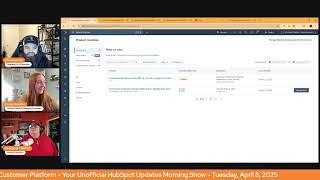
Chris Carolyn, Casey Hawkins, and George B. Thomas break down HubSpot's latest platform updates, including AI-powered ticket topic identification, site speed dashboards, automated user deactivation, and content remixing tools.
Good morning, HubSpot Nation. Welcome to Wake up with Customer Platform, your unofficial HubSpot Updates morning show where we help you discover the platform value you already own. I'm Chris Carolyn, joined by my co hosts Casey Hawkins and George B. Thomas. We're here every weekday morning to make sure you're not sleeping on hubspots true capabilities. Drop a hello in the chat if you're joining live and let us know what you're building in HubSpot today. Only 12. Only 12 updates after yesterday. How you guys feeling?
Got it.
I mean, only 12.
Okay, all right, we'll dive right in then.
Only one from today. Already I'm.
I'm feeling this one has shown up a couple times to help us get better at public speaking. Automatic Ticket Topic Identification Powered by AI what is it? With this new functionality, the ticket property category will be automatically populated with the help of AI.
Why does it matter? Analyzing ticket Topic is essential for support leaders for a number of different reasons. Understand topic and problem trends ad hoc in order to identify potential major org wide issues such as outages or bugs. Understand frequently mentioned topics, topics with a long time to close or topics with a less than average feedback scores in order to plan rep training or coaching on respective topics. Understand topic gaps in knowledge based articles and identify which additional knowledge based articles could reduce future support ticket volume. Right now leaders can rely on their reps manually filling out the category property on the ticket object. With the new automatic Ticket Topic identification powered by AI, managers can have access to more complete and more accurate picture of topic trends in support tickets.
Nice service of enterprise. I'm guessing this might have been the the addition after joining you have to turn it on. It doesn't just come on by itself.
I feel like it was an easier read this time too. So maybe. Yeah, slightly tweaked here with some commas.
There you go.
Different.
Or. Or I might be like confusing it with another ticket topic.
Maybe.
I don't know. Thank you AI for all the help you're providing through the hands of the brilliant engineers at HubSpot. Number two site speed dashboard Real Performance data from real visitors okay, taking a stance here, I guess.
What other kind of.
Anyway, what is it now? There's a new way to see exactly how fast your website loads for your actual visitors. With the Site Speed Dashboard, you can use real user data to evaluate how well your website performs for visitors against key web vitals metrics. You can then use this data to optimize load times and improve user experience. Key statement there. You can use this data to optimize load times and improve user experience. Why does this matter?
Casey, a slow website frustrates your users and hurts your business. But until now, it's been hard to know exactly how your site performs in the real world. This dashboard changes that by showing you which pages are actually slow for your visitors. If your site is getting faster or slower over time, how visitors, visitors on different devices, like phones versus computers, experience your site. Where to focus your optimization efforts for the biggest impact.
Yo, have I been sleeping? Like, has this been a thing or is this brand spanking new like, today?
I think this is brand new because I have.
I'm. I'm in my portal right now. I have. I have clicked on that thing that says click the link. It took me through like three step. Let me show you what this is. Which means I've never looked at it before because I always turn those dumb things off. They're not dumb. Pardon me. Sorry. We love those things. But I'm like looking at this and I'm like, I believe that my eyeballs have never seen this before. Which I'm actually really excited about because the screenshot does not do it justice. Like performance, overall core web, vital trends, session by country, session by device type, largest content, full paint, which you get an eye that hovers over it and.
It share yours real quick.
Oh, my God. Like, okay, hang on. Yeah, yeah, yeah. Let me. Let me share my screen. I mean, you usually don't do this. We usually don't do this. But I have to. I mean, I'm just like, okay. Entire entire screen.
Well, it's interesting. Share that we'll get into. Okay, well, yeah, okay. Okay, so 96 this guy.
Hey. Okay, so and I can pick like, which, like, hub heroes are beyond your default or jerseys, right? So I can pick it and analyze it. But now I've got overall performance, core web, vitals. You can hover over this. But then I get down here like, session by country, session by device type. But look at this largest contentful paint. Boom. Load it like, hey, let's make it simple for people to understand what it should be versus what you have. And so you can see like, I. I got some stuff to work on probably first look this time to first bite. And like, I love these little eyes because no nerd really knows until they read and then they are even nerdier. Cumulative layout shifts, page performances, render strategy. Like, oh, okay, yeah, I'll learn more. HubSpot, this is Joe. Oh, hang on, hang on, hang on. I'm just saying. Holy mackerel. Now let me not leave the studio. There we go.
Okay, George Best.
George is out of here.
That looks nice indeed.
We'll.
We'll save the real versus fake user conversation for another day. By the way, AI is going to be visiting your site too, so.
Oh yeah, where does that fit in search engines?
Is it worth noting that's available at free?
Oh, wait, what? Oh yeah, all content. Oh, oh, Content hub tiers.
Yep, it says free all hubs. Maybe it's just for.
Yeah, it's all content up tiers. So which is free all.
Well, but you might be marketer and want that dashboard and you ain't gonna have that dashboard because that's marketing hub, not content up anyway. Nevertheless.
Number three, Automated Inactive user deactivation. Private beta. Like we hit this one last week. What is it? Automated Inactive User Deactivation is an automation that removes inactive users. That is users who have not logged into HubSpot in over 90 days on a monthly basis.
Why does it matter? Inactive users accounts. User accounts pose a significant security risk as they can be vulnerable to account takeovers and data breaches. Manually managing inactive users can be time consuming and inefficient, often leading to oversights and delays. This feature automates the deactivation of inactive users, reducing the risk of unauthorized access and strengthening your account security. This means you can minimize security risk, save time and effort, improve user management. With automated inactive user deactivation, you can focus on growing your business while we take care of keeping your HubSpot account secure and efficient. More of the camel case for me today.
I think when we get together next week about what to do when you first get into a portal. This personally was. Was the place where I started cleaning up a port portal recently was cleaning up inactive, inactive users.
Yeah, I know when we. When this first came out like last week, I guess we had a. We had some feelings. We had some big feelings.
Yeah, like maybe you don't get to the 90 day period and if somebody's being surprised that they're booted. Yeah. Lots of other ways to go about handling user deactivation.
Good to have the option.
Yes. Yeah.
Number four, Free form prompting in Content Remix is now live. What is it you can enjoy? Freeform prompting a powerful new addition to Content Remix that puts complete creative control in your hands. This new node type allows you to write custom instructions to remix AI about how to transform your content, just like you would in Breeze, Copilot or other conversational AI tools.
Why does it matter? With Freeform prompting, you have total creative control over how your content is transformed within Content Remix rather than being locked into direct transformations from one type of content to another. You can now use Freeform prompts to give our AI custom instructions on what to generate, allowing you to create custom types of content or refine your content before repurposing it across your marketing channels. With free form prompting, you can transform content with specific instructions. For example, turn this blog post into a press release for financial professionals. Extract focused information from broader content like Summarize only the sustainability section from this white paper. Create entirely custom content types based on standard transformations. Refine content before sending it to other Remix nodes Nods no, no.
Interesting.
Is it George? Is it interesting for you?
It is interesting for me. It makes me want to pick up the tool and try it again.
No, I say that every time I read a Content Remix update. And then like we talked about on Friday, I know. Oh man, it's it it.
It's a healthy tease for me to go use 30 minutes to an hour of my time to just see because I have to see. So I know because if I don't know then I get mad at myself, right?
So we definitely appreciate the efforts they're putting in. I think the first time this came up it was on the right side of the screen. That's often the feeling like when you're using these applied AI tools. It's like moving away from just the complete whatever you want to do chat interface of the LLMs just feels super restrictive. So I'm glad that they're trying to tackle that.
Number five here seems right up our alley.
Yeah, Key Pair authentication for Snowflake Data ingestion All the words. What is it? Key pair authentication offers more secure alternative to single factor username password authentication for HubSpot's Snowflake integration. Snowflake will soon require this method as it plans to block single factor authentication.
Methods why does it matter? Keeping your customers data secured is essential, and while traditional username password authentication isn't inherently unsafe, key pair authentication provides a more secure but still easy and fast connection between HubSpot and Snowflake. Snowflake has informed us that they will block single factor authentication beginning in November 2025, and we're provid providing customers with the opportunity to switch over beginning today. So if you're using Snowflake for your data integration, check it out.
I hear big things like everybody loves it at that level. I personally don't run into a lot of operations Hub enterprise, but here basically opens up the whole world in terms of how and what to integrate HubSpot with and like whatever you can do with your stack and data. So have you guys run into anybody using Snowflake?
I think one or two people that I know use it, but we don't talk about it a lot. Interestingly enough, I was going to say.
I don't even know if I would. I don't know if people would tell me that's what they're using to integrate.
Yeah, it's like another layer and whenever I've watched demos it's like, okay, it's not my domain but good to know that all our dev and data integrator friends have that kind of tooling which is just a next level powerful tooling set up to be able to do whatever you want your data. So good to see that we gotta stay friends with, with Snowflake. So when they change stuff, I think that's often missed. Like when people you know are having challenges with HubSpot integrations. It's like not only how, how fast HubSpot moves but also when the other company does stuff. HubSpot has to react to what they're doing too. So it looks like they're well out ahead of this one. Number six, View guided actions and deal risks in the deals table. I don't think I've seen the phrase deal rest risks in product updates before. What is it? New visual indicators in the deals table that flag potential deal risks and recommend specific actions, enabling sales reps to quickly identify priorities across their pipeline at a glance.
Why does it matter? When managing multiple deals with competing priorities, it's challenging to identify which deals need immediate action. Determine the most impactful next actions, Spot potential risks before they jeopardize closings. These visual indicators bring critical insights directly into your workflow, allowing you to prioritize effectively and take strategic action without switching context.
Can you scroll all the way down please? Oh, sales hub, professional and enterprise customers. Interesting. I don't see this update in my portal. This is why I, you know when I'm asking you to scroll down I'm like why is it not my portal? I have those things or one of those things. Why is it not.
I don't have it in any of my portals either George. And sometimes I wonder if they slow rolled some of this out and for whatever reason and why.
It'S the demo. Like we got to be able to sell stuff folks. That's why we get it first. Yeah. In case like deal tags aren't enough. Like definitely in your face. Recent negative state. This is going to be interesting again like how Helpful the AI can be if you put your data in the portal. Right. So these two things coming from notes. Yeah. Get your sales team to start adding notes and all of a sudden the rest of the system can work for you. Maybe there's some positive notes in here somewhere too.
I hope there is, because otherwise.
You.
Need some positivity in your life, gentlemen.
Exactly. Speaking of positivity, Start campaigns with AI Private Beta.
All right, before you even start reading, I'll just let you know I skipped ahead while you're reading that last one. Oh, that's the wrong button. It's supposed to be the chimes. I did this beta. I think people are going to be very interested in spade. Okay, I'll shut up.
Why will they be interested? Get your campaign up and running quickly. With Start with AI, simply upload a brief document or describe your campaign and let Breeze automatically generate key details. Thank you, Lord. Including campaign name, goal, audience and budget, while recommending the best assets to help you launch faster with confidence. This innovation transforms your brief into a strategic plan, saving you time and helping you launch your campaign with ease.
Why does it matter today? Setting up a campaign is time consuming and manual. You have to copy and paste your entire campaign strategy into the campaign app. With no way to leverage your existing external documents or brief descriptions. Beyond that, creating a campaign lacks built in strategic guidance, especially when it comes to choosing the right channel mix and getting started efficiently. They do effectively and efficiently. It's very confusing.
Yeah.
Without clear recommendations and guidance, you might find it challenging to get the most out of your campaign. With this new campaign's entry point, you can automate campaign creation by simply uploading a document or providing a short description. And Breeze will structure your campaign instantly. Receive strategic AI asset recommendations that suggest an optimized channel mix. This ensures that your campaign is built on data driven insights, giving you the confidence and clarity to execute.
So there's only one thing that I hope that I hope we see this again. Because if you know, you know. If you don't know, you don't know. Brief in the use of this update, I'm assuming does not mean short brief. What they're talking about is a creative brief, meaning something that is already created, that creative and writers are already paying attention to because they're using this creative brief to actually build the things of the campaign that now marketing will want to put in the campaigns and track. So creative brief, not like brief as in short. Anyway, that's maybe. Maybe everybody just knew that. But.
And I wonder if this is connecting to the Brand settings, the AI settings that already has your. Your target audience and ICP and products and services and things like that.
I don't know if it is, but I hope it does.
Yeah, but always just take care. Like, this is the part that's like, transforms your brief into a strategic plan. We're not supposed to be relying on HubSpot to do this strategy for us.
Here's the thing. I hope your strategic plan actually was what got you the creative brief that now you can put into HubSpot as a campaign.
Nice.
That's the way that that sentence should roll. Just throwing that out there.
Yeah. But let's look at this image real quick. I mean, asset recommended. Any kind of recommendations from AI, I think are going to be like, you know, welcome. But again, this is one of those moments, like, where if you're not doing a bunch of emails, like, if email is not a channel that you've selected to build out for your company, right, and you've been focused on LinkedIn, it might be very hard to all of a sudden, like, start doing emails and just add it into your strategy. And that's the kind of thing that can, like, cause a lot of, like, action to be people running around. And let's get that done when it might not, you know, because again, like most of these. Most of the AI recommendations right now and the way I write descriptions and all these things are based on The Cubs, the HubSpot customer user base as a whole. Right. So just keep that. Keep that in mind, especially when you feel like your strategy is a little. Not with the status quo. I'll say that foreign. Let's see here. Layout settings in the Help Desk public beta. We got a new picture here. Sure.
Can you. What. What were you just clicked on? Like, scroll down? You had clicked on an image maybe. Yeah. Can you click on this image? Can somebody tell me why this was an image used in chat? Spot is at the top of the screen.
Oh.
How long has this been around? Oh, man, what am I seeing right now? Go ahead. I'm sorry. Yeah, my brain was breaking. I'm like, why? What. What am I seeing that I shouldn't?
Updates. We're on the updates page, George. This is new. New in HubSpot. All right, maybe we can get a new screenshot here, folks.
And then we get to talk about it again.
Yep. Speaking of new screenshots, I'm pretty sure that's what's new here. Layout settings in the Help Desk. What is it? New Help Desk layout setting options and usability improvements are Available to help support teams navigate smoothly around the workspace and be more efficient as they troubleshoot, respond, and resolve their tickets. This release includes three updates. Layout Settings Support reps can now choose a default layout between table split and board views to suit their working preferences. Please note a seat is required to use the board layout. New Preview panel The preview panel now includes the full thread and the reply editor, giving users a way to respond quickly without having to navigate into the ticket details and UI enhancements. We've reduced visual noise and information density by removing the view and preview cards for the table and board layouts and added next previous navigation to let users move between their tickets with a single click instead of having to go back out to another page.
Why does it matter? Support reps need to feel grounded and focused in their workspace, and being able to choose a default home base that suits their working style will allow them to navigate more easily, find the information they're looking for quickly, and deliver better customer experiences at scale.
Are you. Are you a board guy or a table guy? George?
Oh, bored guy.
Ah, board guy.
All day long.
Chris is nodding as if George gives board energy.
Yeah, like I'm just not. I mean tables are okay. Yeah, I'm more. I'm a board guy.
I like a checklist. So a table. Like in Asana, I have everything. Table view.
Yeah. I always want the board to work, but then inevitably like when I'm. Whenever I'm doing stuff, I'm. I need it to be in table mode to like. I guess it's just the way that I. I process data.
The granularity.
Yeah, yeah. Yep. So that's really why like I think as an admin it's like challenging to have that balance between like the things you got to do and trying to support things that users got to do. Like if I'm a user and I'm just like one at a time like going through stuff like boards and especially this thing that they describe where it's go from one ticket to the next. Like with, you know, a next previous arrow. I guess that's probably up here in the Right. Right. Kind of like tasks have always been like this is. I gotta think that this is an amazing like update for. For teams using this. For people using this on as their daily thing. Like instead of having to click this back button without every time. So very cool arrows. Yes. One click. Subscription cancellation. I saw on the update show yesterday with Kyle, I noticed he had to differentiate between email subscriptions and payment subscriptions. Oh yeah, that is a fun clarification. That's needed all the time right now. This is of the payment variety. What is it? Simplify your customer subscription cancellation process by allowing them to initiate subscription cancellation with a link in their receipt. You can enable a setting to include a link to open a pre formatted subscription cancellation email in each buyer subscription receipt.
Why it matters. Your customer can now easily initiate subscription cancellation with a click, providing an improved customer experience. I definitely thought this was email when I read it, but the one click unsubscribe has already been a thing to be clear. So that exists, right?
That's why you had to like recalibrate. I looked over and see it's relating to payments. Like, okay, but this is an interesting one like business strategy here. How many people are gonna want to make it this easy? Although I argue they definitely should. And I love every experience I've had where it is like, you don't have to hunt and it's not a required call into the call center to get a subscription. And then they kind of fake you out where it's like, oh, you could go, you could use this chatbot. And then you get through it and like, oh, you gotta, you gotta call somebody bro for that bro.
I'm not coming back, right? I'm not coming back. If you make it hard to me, I'm not coming back. And also when I'm trying to cancel and you find that to be the time to ask me 17 questions. I'm not coming back. I'm not coming back. Like every. This, this, this is. Look, we're at the age where it's like customer experience. Not, not what your business wants, what the customer, what, what the human wants. The human wants this the easy. But guess what? They might come back.
Indeed. So thank you HubSpot for giving us that option to improve the experience. Breeze Content Agent Create Case Studies say what? Where? Okay, what is it? Create compelling high Converting case studies in minutes with the new case study generator powered by Breeze. Simply select a company, record and upload your materials, notes, documents, videos, files or transcripts. Breez analyzes your data and generates a draft, eliminating the manual effort of consolidating materials, synthesizing information and writing from scratch.
Why does it matter? Case studies are powerful bottom of the funnel assets that help marketers and sellers showcase real world examples of success. But creating case studies is notoriously resource intensive. You have to collect and consolidate your customer notes and materials, review and analyze all the inputs and surface key takeaways. And that's before you even start to write your first draft. The case study generator eliminates these pain points, helping you compelling customer stories with just a few clicks. Are we coming back to content?
Huh? We need to be. I mean this looks like a bridge to the CRM to me. Like, finally, what are your thoughts, George?
I immediately so first of all, I love this. I love anything that enables us to create something that needs to be created that most people probably aren't taking the time to create or are confused on how they would create the thing. These are, these are typically heavy lifts. My brain broke immediately because in the what is it they say your materials, notes, documents, videos, files or transcripts. And my brain immediately went what kind of notes? What kind of documents? What kind of videos or files or transcripts? Like, how do I know AI is all about context? How do I know the right context to get the right case study that I'm actually trying to create? I Hope there's a HubSpot Academy course or lesson coming out about how to choose or pick or create the right notes, documents, videos, files or transcripts to get what people are actually going to try to beginning with this. That's where my brain goes.
Yeah, and if you're out there, your sales team like you would love for them to start it gets so much easier when you introduce this way earlier in the relationship. So since you can select company records now, maybe you can put it in front of their face and say like hey, like check this box if you think it's a good, good case study like on the way or you get case study permission or you know so much of this weights like it beget it becomes a heavier and heavier lift the longer you wait like to ask for it in a lot of industry space. That's what I ran into all the time and when at the end of the day, if you're doing it well and it gives them an opportunity to promote themselves as well and the good things that they're doing by working with you, they'll give you permission all day long. A couple more here. Automation workflows public API v4, v3 and v2 support for sensitive Data okay, this update allows for both private and public app developers to manage sensitive data through the Automation workflows. Public API v4 developers can use apps to create, read, update, and delete workflows that include sensitive data and triggers or actions. Note automation workflows do not support highly insensitive Highly sensitive data don't be insensitive to you. Only standard sensitive data can be read and or written using automation.
I'm sure that makes Sense to people that. But the sentence sounds silly. This one matters because by defining access scopes, it ensures workflows are automated securely, fostering trust and efficiency. Apps without sensitive data scopes, the API cannot create, delete, or access workflows that reference sensitive data. Workflows will be excluded from listings and actions like getting enrollments and performance stats or enrolling and unenrolling contexts will not be possible. Apps with sensitive data read scope can access existing workflows, including enrollments and performance stats. However, creating or deleting workflows or enrolling and unenrolling contacts from workflows with sensitive data is not allowed. Apps with sensitive data write scope, Creating, deleting, enrolling, and unenrolling contacts in workflows with sensitive data is permitted. Apps with both read and write scopes can perform all actions including creating, deleting, accessing, and modifying workflows that reference sensitive data.
Pop quiz, George. Oh God. What is the difference between highly sensitive data and standard sensitive data?
Standard data sensitive data is located somewhere around in Florida. Highly is located in Boulder, Colorado or Bozeman, Montana. It's just the elevation of which the central is. Bam. I'll be here all day.
Good. I thought he had it. You got me there, George. I was inside, I was like, wow, that admin hug, that super admin training is top tier.
Can we make it any sidekick strategies? I'm just saying, can we make it any harder for ourselves to explain what the hell HubSpot does for people? Okay, so just understand that there is a difference between highly sensitive data and regular sensitive data. I know. It's the difference between like bank account information and credit card. Credit cards and then Social Security numbers and all the personal data dynamics.
Yeah, right.
Yeah. It's just. Yeah. So good to be able to access this. A lot of the behind the scenes stuff, like so much of this and why it hasn't been available forever. Like, and now it's hitting like all the portals. Because it's like financial data is a big, big thing here too. Like the auditability after and the audit trails that you need to be able to delete. Why we couldn't delete invoices for a long time. Like if you could just go in there and delete invoices. Like there's a lot of financial regulations that aren't cool with that. Right.
So it didn't exist. The money didn't exist.
Yeah. Yep. So good to see that access closing.
Out with you, Chris though.
Yep. E Commerce Customer overview CRM card for Shopify Data Sync Excited to start a series next week with with Stefan Longar about building Shopify integrations. What is it for Shopify data sync integration users? A new CRM Middle Panel card is available offering a unified view of key metrics, total orders, average order value and product views, a sales graph with filters and an AI Insights summary.
Why does it matter? Until now, as a Shopify customer syncing data into HubSpot, you've lacked a unified view of key metrics. This is meant manually constructing reports and switching between order cart and contact records leading to inefficiencies and delayed insights. The new CRM card eliminates these pain points by providing a comprehensive, unified view of your data directly within the contact card. The visual sales graph and customizable filters allow you to quickly identify trends and patterns in customer purchasing behavior, providing instant customer insights. The AI Insight summary highlights key takeaways facilitating informed decision making and strategic strategic planning.
Oh wow. The ability to change your store from here.
Chris is about to get real excited.
Will be powerful for some people. You got anybody using orders yet? George and we'll we'll end on Hope everybody is planning on joining today. See where are we at here? HubSpot admins hug cash flow. Come check it out. It's a big deal. This is like earth, earth shaking to the, to the portal with deals and products and quotes and line items and all that stuff. You know going to be impacted by this thing in the, in the best of ways. So we hope you come by and learn a little bit about what's going on in HubSpot and we'll wrap there for today. Remember folks, you probably already own the solution you're looking for in HubSpot. Sometimes you just need to wake up to it. Join us tomorrow morning as we continue exploring what's new in HubSpot. Drop your biggest takeaway in the comments and let us know what capabilities you want to wake up to next. Until then, I'm Chris Carolyn I'm Casey Hawkins.
And I'm George B. Thomas.
And this has been Wake up the Customer platform. Now go build something amazing. Have a great day everybody.










