Wait what? Their are HubSpot Updates
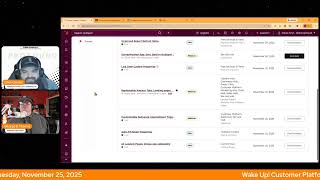
Chris Carolyn and George B. Thomas break down nine HubSpot updates: Knowledge Base theme customizations, faster report refresh, SurveyMonkey sync in public beta, line item custom properties, customizable analytics tabs, sequence enrollment trigger customizations, scheduled smart property updates, and AI landing page image generation.
Chapters
Foreign. Wake Up Customer Platform. It's time to start the day. Discover all the value you already own. Don't let solutions slip away way Wake up Customer Platform. The tools are at your hand. No need to sleep on capabilities that can help your business stand. The answer's right before your eyes. You just need to realize Wake up Customer Platform and watch your business rise. Wake up. Wake up. The platform's waiting for you. You wake up. Wake up. See what your system can do.
Good morning HubSpot Nation. It is time to Wake Up Customer Platform with your unofficial HubSpot Updates morning show where we help you discover the platform value you already own. Chris I'm Chris Carolyn, joined by my co host George B. Thomas. We're here every weekday morning to make sure you're not sleeping on HubSpot's true capabilities. If you're joining live, drop a hello in the comments and let us know what you're building in HubSpot today. Happy Tuesday November 25th. Two days until Thanksgiving. How are we doing, George?
Doing good. How you doing brother?
I am doing well.
Doing well. Nice.
Kind of a chill week but also super packed schedule today. So there you go. Maybe that was just yesterday.
What's, what's the schedule today look like? Lots of content.
Yep. Yep. And I actually didn't plan this. If I was better at my job I probably would have planned this. But yeah, the cap on the day is me and you having a spicy conversation. I think we're going to end up having about moving away from manipulative incentives.
Yeah.
To align with purpose as we I love try to work well with other human. With other humans.
Yeah.
And don't forget check out the profoundly HubSpot updates blog for all of the recaps that we put together on the daily for our shows. Pretty powerful week last week as we go through but we got. We've got nine updates today so let's get after it. Yeah, we've got updates to Knowledge Base theme.
Nice.
Is it? New customization options and UI enhancements are now available in the Knowledge Base tools. You have auto complete search results that include category and subcategory breadcrumbs. You get a categories sidebar background color that adopts accent type styling. You'll see new spacing options for header components if you go to Theme Editor header search bar or Theme editor header menu.
Yeah, I love all the screenshots and you might be wondering why does it matter? Well, people like when things look nice but the newest knowledge based tools aim to provide robust styling options for you. The HubSpot user and your help centers and articles. These updates support further customization. I will also say this, you might want to run and check and see if you've migrated your knowledge base. I'm not exactly sure when that deadline was, but I know I've seen some portals that still need to have it done. So you'll want to do that most likely to get this that we're talking about today.
Yeah, you're definitely missing out if you haven't migrated over yet. Number two today. Agent Run Sharing.
Wow.
All these new words I never imagined I'd be saying inside of a HubSpot portal. What is it you can now share? Breeze Agent runs Breeze Agent run outputs with teammates in your portal using shareable links, making run outputs and activity logs viewable in a shared with me filter.
Oh, interesting. Why does this matter? Teams need a simple way to collaborate on, troubleshoot and share Agent run results without complex permission management or manage manual exporting. Very interesting.
Yes, we do. So it sounds like it works very similar to when we're sharing views and the index page and if somebody else made the view and you want to.
Go see it, open it in a new tab, just click on.
Oh, that's right. That's right. We're in a new world now.
Yeah.
Yeah. So if you haven't been over to Bree Studio, this might be new for you. But definitely sharing. This is what I'm excited about in a lot of this AI collaborative team collaboration layer that I haven't really seen or heard of just outside of the deepest of software engineer encoders getting together on some of these ideas platforms. I haven't really heard it outside of that as far as effective team collaboration between data and agents and just AI doing all this stuff. So I'm excited to see that move forward here. What else do we got today? Can't forget about our reports. We've got improved report refresh rates. What is it? The refresh function on reports works faster than it did before.
Wow, that's a great line right there. Why does it matter? I mean, I'll read it, but you probably already know. The ability to refresh the data in your reports in real time is important, particularly when you want to verify recent updates to your data or troubleshoot discrepancies. Each refresh initiates a new query, ensuring you always see the most current data.
It's. Was it taking too long for some folks, George? I'm not sure.
It must have been, obviously.
I guess when we want it, we want it. We need it right now. So thanks HubSpot team for giving that to us.
Yeah, of course.
Number four survey monkey app sync data to HubSpot surveys this is in public beta. What is it? The Survey Monkey app now allows you to automatically sync data as native feedback, survey and survey response objects in HubSpot. This update allows you to survey data from survey to use survey data from SurveyMonkey in tools such as breeze workflows, reporting and segmentation.
Why does it matter? With this update, your SurveyMonkey survey responses become more integrated HubSpot assets, breaking down barriers between your survey tools and customer insights. Previously, survey data was trapped in activity timelines, limited what your team can do with it within HubSpot. Now you can analyze survey data sync from SurveyMonkey with Breeze, use SurveyMonkey survey responses as triggers in HubSpot workflows and build HubSpot reports using SurveyMonkey survey data. Oh, you can do a lot now.
All of the surveys. Yeah, this is. It's been good to see the progress with apps as far as not getting faked out. You know when it says oh yeah, we see your data over in HubSpot and then you can't use it in any of the HubSpot tools. This data sync evolution has been very powerful at bringing all of the context into HubSpot in the way that you need it. Very cool. Number five today, line item custom properties is already live in all portals. Disagree with the low impact tag here. Yeah, what is it? You can now manage line item properties directly in data management just like you do for contacts, companies and deals and now orders and invoices and carts and a lot of other objects.
Yeah, I'm seeing that in the thing.
That you're reading, but okay, yeah, friendly PSA once a week. There's other objects besides contacts, companies and deals. This includes creating custom properties on the line item object, which also includes defining calculated and conditional properties for line item. This gives you the flexibility to extend line item data to match your business workflows in a familiar centralized interface and get closer and closer to that CPQ level functionality that many people are looking forward to.
There we go. So why does it matter? Previously line items were rigid and custom properties were only available by defining a custom property on products. Now you can customize line items to your sales process without workarounds, add logic based fields like margin fees or discounts and unify how your managed data unify how you manage data across all your core CRM objects. This simplifies quoting, improves data consistency and enables richer automation and reporting. Very nice.
Indeed. And there's more to come. On line items. Just sit tight everybody. They're going to keep working on that stuff for us. Replaceable Analyze tabs on landing pages, Website pages, Target accounts, Social and Blog what is it? Custom Dashboards Replace the default Analyze tab in landing pages, website pages, social media, blog and Target accounts Tools why does this matter?
You can now tailor analytics to your specific needs, making insights more actionable and accessible. This allows you to do things like view data most relevant to your role or team, access key metrics faster, improving your decision making and increase your analytics adoption by customizing the view to your preferences. Happening indeed.
Make it yours folks. Customizable Sequence on Enrollment Triggers Seen this.
One before, but it's always a goodie.
Medium Impact what is it you can now customize when contacts are automatically unenrolled from sequences by turning off the default reply and meaning triggers?
Why does it matter? Previously, sequences automatically ended when contacts replied to any email or booked a meeting, even if you wanted the outreach to continue. This interrupted communication flows beyond initial prospecting, forcing reps to manually re enroll contacts to use workarounds. Now you have the flexibility to continue sequences even after a contact responds. Please, please by all of this holy be strategic in how you use this and how your sequences are built. If you're going to turn it off or turn it on or the process that you're doing it with.
And if you're not sure, why, join us later today for Value First Humans does this mean we have to recreate these triggers? I guess if we're custom, if we're moving to custom automations, then we we have to turn off the meeting and reply. If we still want that to be a trigger at some point we probably have to recreate them down here.
Yeah, well if you want it to be at some point then you probably would do it down there. But at the end of the day I think this is gonna how I feel like and I could be wrong. Most people are gonna use this. It's gonna be an all or nothing scenario. Like I personally am going to build a sequence and I know that it is a deep in the trenches prospecting. I'm trying three times to get them to book a meeting with me. If they book a meeting or reply I want it to stop because that's the only thing I'm doing. Sequence idea number two is it is a drip of value that ends with something of a meeting or whatnot. So I don't necessarily want them to reply and be like this was an awesome article, thanks and it to stop. Right. So there's like two mindsets in how you're going to use this, right?
Yeah, they've come so far on sequences in the last year. Very powerful auto fill Smart properties.
There's the ninth one I don't have.
Okay, Yeah, I had eight.
When you said nine at the beginning I was like which one?
Don't I have a nice big screenshot here. What is it? You can now schedule automatic updates for smart Properties to keep your data current, accurate and actionable.
Why does it matter? You can now automate the process of refreshing research data in your CRM, saving time and ensuring up to date information. This feature allows you to stay informed about prospect news with weekly updates, Capture call insights as soon as new transcripts are available and focus research efforts on companies entering or exiting specific segments. Very nice.
Getting more powerful by the day. Keep in mind Smart properties use HubSpot credits.
Yes, they do. And you're not using your credits. Don't let them go to waste.
Yeah, I think these are 10 to 10 per property fill there. I think so. Last on the list today we've got AI landing pages Image Gen optionality. Okay, what is it? When generating a landing page using AI, the default setting is to use placeholder images. Users can choose to opt into one of the following instead AI generated images or images from their file manager.
Oh, interesting.
If no option is selected, placeholder images will be used.
I'm very curious to how that will work. I'm also very curious how long it'll take before we have Nano Banano Pro in HubSpot. But anyway, why does it matter? Some users have strict brand and legal requirements for images and may prefer not to use AI generated visuals. Additionally, AI image generation increases the overall time it takes to create a landing page. By defaulting to placeholder images, we help reduce. That's HubSpot, not Chris or I. HubSpot helps reduce generation time and ensure users have full control. That's you by the way. The users over the image sources used on their pages. If a user chooses to use images from their file manager, this is what I was curious about. We can ideally save additional time by using pre approved on brand media. But how HubSpot, do you know what media to pick? That's the curiosity that I have.
Like well, let's dig in. We got a little bit of extra time. So how does it work? Note to use this feature, ensure that give users access to generative AI tools and features. The files and data setting is enabled within AI settings. When a user reaches the Generation step. During landing page creation, they can select which image source they prefer, AI generated images, images from their file manager or placeholder images, which is the default. If a user selects images from their file manager but no suitable match is found, the system will automatically fall back to placeholder image. AI generated images can be later added directly within the editor. Let's see if we can look at this picture and try to understand what that was telling us.
My question is still, what is suitable? How do you know what's suitable? How does the system know what's suitable? Is it based off of keywords? Like, I'm building a landing page about, I don't know, Batman. And so now it's looking for all of my images that have Batman in them or Batman the type. Like, I'm curious how smart HubSpot has gotten. Like, because I know Google can look at a video and be like, it has three trees and a tricycle in it. Like, has HubSpot gotten that smart? Where it's like, this is a group of happy people even though you named it file 17 xp QC web like. But.
Yeah, more of the how, right? I mean I would have to think it needs that context, especially with that AI setting call out. Because if you have that set up, it's been consuming and understanding all of the files in your. In your files area of HubSpot. It does say on the screenshot it says have us automatically select images from your portal. So I was thinking that maybe you could select some that would act as common placeholders or maybe common things that you reuse. That is not the case. It apparently knows well enough to select images from your portal and if you think it's going to find some and then it uses placeholder images, you might need to work on either better images or better organization of your system. But I think the brand settings alone, like it opens the door for this. This has been some friction for me as I like it was definitely a choice that you have to make. It's either I'm still, I still have to do all the work to manually put images everywhere, or I've just got to like be totally hands off and let AI create stuff. And I never, I could never get there, especially in Gamma, like understanding how to like break through the add a little bit of control to the images that were in use. I'm sure they found a way to make it easier by now, but I like the potential here for sure to be pulling from a controlled set of images.
Yeah, Speaking Nothing of HubSpot, but you brought the word Gamma up. Have you seen the fact that Nano Banano is in Google Slides now Pro and does that make you wonder if you need Gamma anymore?
I have already been like, I definitely think there's a path towards consolidating into the Google stack easier than ever before. I've been playing with some automated flows to bring some stuff I've been doing over to Claude over from Claude. But yeah, it's getting to be a powerful system over there in Google land, which you'd expect it to be. And to your point, like the integration that HubSpot has with Google, it's pretty tight in a lot of spaces so I wouldn't be surprised if they brought that kind of. If they brought that model over. Although I do know a lot most everything AI and HubSpot is supported by GPT so they also have built a lot of their own AI. Yeah like kind of local localized LLM.
Inside of HubSpot as they can and should.
Right. Because it's a, it's a different kind of use case than, than just going over to LLM and asking for images. So they've done a pretty good job and I've actually been surprised on the images front of how good it's been inside of HubSpot on the, on the generation of images.
So yeah, I've played around with it and pleasantly I, I've said, well that actually doesn't suck. Okay, maybe I'll use that one. Yeah.
Yep, nice to escape that, that blank paint syndrome. Oh yeah. Remember folks, you probably already own the solution you're looking for in HubSpot. Sometimes you just need to wake up to it. Join us tomorrow morning live at 7:30am Central or catch us anytime on Spotify and Apple Music. Drop your biggest takeaway in the comments and let us know what capabilities you want to wake up to next. Until then, I'm Chris Carolyn.
And I'm George B. Thomas.
And this has been Wake Up, Customer Platform. Now go build something amazing. Have a great day everybody.
Wake up, Customer Platform. It's time to start the day. Discover all the value you already own. Don't let solutions slip away. Wake up, Customer Platform. The tools are at your hand. No need to sleep on capabilities that can help your business stand. The answer's right before your eyes. You, you just need to realize Wake up, Customer Platform. And watch your business rise. Wake up, Wake up. The platform's waiting for you. Wake up. Wake up. See what your system can do.










