Wake Up With Customer Platform LIVE | HubSpot Updates | 12/16/2025
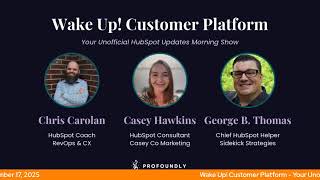
Chris Carolin, George B. Thomas, and Casey Hawkins break down 13 HubSpot updates including Claude AI integration for create and update actions, Customer Agent scheduling with workflow triggers, video editor intro/outro slides, and CPQ quote customization. The sandbox is sunsetting and account cleanup tools are getting better.
Chapters
Foreign.
Wake up, customer platform. It's time to start the day. Discover all the value you already own. Don't let solutions slip away. Wake up, customer platform. The tools are at your hand. No need to sleep on capabilities that can help your business stand. The answer's right before your eyes. You just need to realize Wake up, customer platform. And watch your business rise. Wake up. Wake up. The platform's wake waiting for you. Wake up. Wake up. See what your system can do.
Good morning, HubSpot Nation. It is time to Wake up customer platform with your unofficial HubSpot updates morning show where we help you wake up to the value you already own in HubSpot. I'm your host, Chris Carolyn, here with George B. Thomas and Casey Hawkins. Happy Wednesday, December 17, 2025. And I'll just say right out the gate, I've made an egregious error in not packing any orange somehow. That's all right.
It looks like both of you are failing today.
I did. I did. I need.
Yeah, it looks like both of you are failing today. I am the victorious winner. I have orange hat. I have orange hoodie. I have an orange ring on my microphone. I have an orange wall. I am the God with a little G of orange this morning.
I've got, I've got these on.
You guys are getting heavy.
Some HubSpot colors here.
There you go.
That is a little intentional. There you go.
Just nothing on screen.
I've been, I've been on it the past couple weeks, but I've lost it today.
Oh, well, we, we of course show grace, mercy and forgiveness to all those not wearing orange on the show today.
Indeed. But I guess I should share the screen here. We got 13 updates, hot and heavy before the holidays, I guess. Yeah. And maybe some of these, uh, some. The of some of these wish list items that we'll be sharing tomorrow. On Friday on the HubSpot helpline will be a part of these. This deluge of updates that we get. But join us on Friday, 3pm Eastern, 2pm Central. I'm still getting used to this time change as well. Okay, work in progress, folks. Yeah. Join us on the hotline, on the. On the helpline. Call us at 1-857-575-9526 and share your HubSpot wish list item. We'll be sharing ours on Friday, so hope to see you there later today. Doing a Fun building value first data in HubSpot workshop with this great group of people, Casey, Joshua, Oak, Clement, Danielle and Riley. And if you join and you've been interested in the concept of unified customer view as I can't stop talking about it. Join us and get access to this playbook that I just created for for the website. Pretty cool stuff. So back to the updates. Number one my favorite AI friend coming out with fire. Take action with Claude Update CRM records and Live Access Engagement History what is it? In public beta, the HubSpot connector for Claude can now create and update CRM records and log activities, AKA engagements directly from Claude's chat window, including new contact and deal creation and logging notes or tasks. That was in public beta. Live in general access I think is what GA stands for. Cloud can also generate on Claude can also generate powerful insights based on your complete engagement history, emails, calls, meetings, tasks and notes. Please Note if your HubSpot account has sensitive data enabled, the HubSpot connector for cloud will not have any access to any engagement data. For added security when using Create and update actions in the HubSpot connector for Claude attribution will be recorded in your HubSpot accounts audit log to the user and The Claude Connector. HubSpot Connector for Claude cannot delete records or engagement in your CRM and the HubSpot connector for Claude supports bulk create and update actions for a maximum of 10 records in a single request. Nice.
Why does it matter? With expanded write access and engagement visibility, the HubSpot connector for Claude allows you to update your HubSpot context directly without leaving Claude. Ask Claude to log a discovery call, create follow up tasks, update deal stages, or analyze months of customer emails using natural language. By accessing engagement history such as emails, tasks and notes, Claude can surface meaningful insights and let you take action on them instantly right from the chat window. This unlocks faster, more intelligent use cases like faster workflows. Create a task to follow up with a prospect who had a question on pricing smarter insights. Claude can now access your email threads and call notes to provide content context aware recommendations. Less manual work, no more copying insights from Claude into HubSpot properties. Manually update directly from Claude's chat window and better decisions. Analyze real customer conversations, not just CRM snapshots.
So good, so good. As I was going through, I'm curious if you do this Chris, but as you guys are going through this I started to wonder if people are or should create like HubSpot specific cloud projects like does that Is that a thing? Should it be a thing like where does your brain go with that? I know we got 13 today so it's probably going to be a short answer, but.
I am working on the best way to document what I need specific to HubSpot in various projects including so like for the value first team, I'm using Claude as like an operations lead, project management lead of sorts of so I've got a lot of documentation about all the IDs in the portal and that's because I'm using HubSpot MCP which is different from the connector and so I'm curious as I might test out the connector more since it's not just read only anymore. If some of the frustration that comes along with, you know, Claude not reading those documents necessarily before he goes and tries to get all properties and then promptly times out because there's so many. But yeah, actively trying to figure out the best way to document HubSpot operations for sure.
Nice. Okay.
And thanks to Seijal, the one the product managers handling the AI connectors. We did an unboxing with her when HubSpot MCP first came out for Claude. She she saw our show from a few weeks ago when we first mentioned this and yeah, keep up the great work team. We love what you're doing. Number two Customer Agent Working Hours is in Private beta. What is it? Working hours let you define specific times when customer agents should respond to customer communications. You can now set clear boundaries for when Customer Agent is active, whether that's during business hours, after hours, or any custom schedule that fits your business needs.
Why does it matter? Gradual rollout made easy. Progressively introduce Customer Agent on any communication channel, allowing you to evaluate performance and build confidence before rolling it out full time out of office only Configure Customer Agent to engage with customers only outside of business hours, extending your coverage without adding to your team's workload.
Nice. Hit that beta button. Ladies and gentlemen.
Member of the team.
Yep.
If you want to learn more about Customer Agent, Zach Hushen did a local like in person hug last week all around that agent. So he built up a bunch of use cases and we're going to be showing it off on Value First Revenue later today because remember, it's not just about ticket resolution anymore. He's got some cool sales qualification stuff set up, so we're going to be showing off that later today at 3pm Central. Deploy customer Agent through workflows and chat as in public beta. What is it? You can now deploy Customer Agent directly through workflows and chat flows, giving you greater control over when and how the agent engages with customers. This update allows you to trigger Customer agent responses as a part of your automated processes or existing bot logic. No additional setup or routing required.
Why does it matter Smarter Automation Integrate Customer agent seamlessly into your current automation flows. Target exactly which conversations the agent should respond to across any supported communication channel. Flexible Deployment Trigger customer agent only in scenarios where it adds value. Use workflow branches based on on any contact ticket or conversation property, for example Customer type issue category to control when the agent engages. Example Use cases Deploy the agent only to specific customer segments, e.g. free users route specific categories of tickets, e.g. billing inquiries to customer agent first note requires service, hub, enterprise and AI category categorization to be enabled and control credits. Then allocate customer agent usage strategically. Deploy the agent only in the conversations where it drives the most impact, not across every interaction. Nice. I love example use cases in any of these why does it matter?
Yeah, and definitely go read the how does it work? Because they show you in workflows and in chat flows what you should be thinking about. And plus then you can see the plethora of who gets it because that's a massive list. My goodness.
Yep. And if you're out there using this stuff like I gotta imagine you're documenting, I'm hoping you're documenting what this process looks like. I would love to see any examples out there of how you might be managing all this automation of when and when not to use customer agent Getting Getting complex for for the complex needs of our human beings. Number four what Intro Outro Slides in Video Editor now what?
Say what?
What is it? You can now add intro and outro slides to your videos in HubSpot's video editor using static image slides. These slides appear at the beginning or end of your video and can be easily added or removed as needed.
Wow. Why does it matter? Intro and Outro slides help content marketers establish branding, provide context, or include call to actions without needing separate editing tools. Whether you're creating videos for social media campaigns or product demos, this gives you a simple way to make your content feel more complete and professional. Very nice. I make. Oh sometimes I do clips of this show in the HubSpot editor. So I can see a world where I'm adding some intro and outro just so people know where we are, what we're doing.
Yeah, it's crazy. It looks like it's a little bit of a video day today, by the way.
Yeah.
Based on the next one as well.
Indeed. Yeah. This is an upgrade from basically relying on the thumbnail up to now. Yep. So thank you team and also thank you for Built in Video Editor for Social posts. What is it? You can now edit your videos directly in the social Composer. No extra tools needed. Add branding captions, trim to short form clips or crop for different social networks. Like Instagram. Right. Where you publish, making it faster and easier to create polished, platform ready content in one seamless workflow.
Wow. The most popular sound of the day.
I'm just saying it's crazy. Like right in this. I know you gotta do your part, Casey, but right in the social media editor. Like no excuse not to be creative anyway. I'll shut up.
Why does this matter? The inline video editor in Social eliminates the need to jump between multiple tools just to make a simple video or to make simple video adjustments, saving time and editing in and keeping you in your publishing flow. By editing directly in Social Composer, you can ensure every video is branded, captioned, trimmed and optimized for each social channel without slowing down your workflow. Your workflow being your work flow. Yeah. Not the tool.
The flow of things that you do, not the things that you automate in HubSpot.
Yes. Making it easier and easier to. Actually, I like how they say to make simple video adjustments that weren't really simple prior to last year. Prior to like this past year. Right. So take advantage of the ability to make simple video edits. Very cool. Improvements to the product Updates page.
Love to see it.
What is it? We've made several improvements to the product updates page to help you more easily find, understand and keep track of what's changing in HubSpot as of yesterday. December 16, 2025 Global Search in product updates. You can now search for an update from any tab. If there are no results in your current tab will automatically show matches from all updates. Hallelujah.
That's very nice. That's very nice.
This matters to keep up now.
Yeah, it's easier to keep up. I was like, I don't know. Not all of those are really quite related to that.
Thank you team. I mean this is how serious they've gotten about helping people keep up. A bunch of updates made last month. We started seeing this back in August, so appreciate the team, what you're doing.
The product update page updates. People are watching. We love you.
Yes, we do.
And we love the team working on line items right now. To customize display of standard line item properties in CPQ quotes, Public beta medium impact. What is it? You can customize how standard line item properties are displayed as columns or inline rows in the line items table for CPQ quotes and templates. Note. Custom line item properties are not currently supported but will be in the near future.
Why does it matter? Previously you could not change how line item properties were displayed on quotes, preventing you from customizing quotes to represent your offering properly. This new functionality enables deeper display configuration and customization and for example, allows you to show important information like tax amount on quotes. You can now show or hide any standard line item property from displaying to buyers on quotes as either columns or in line rows. Rename the display labels for any line item property, reorder how line item properties display within rows and columns, and reorder the line items slash products.
And of course there's a nice video there that you should definitely check out on this update.
Yep, with the screenshot of the video. Yeah, no, actually it takes you right to the video, so it brought me over to here.
Nice.
Very cool. Check it out folks. Oh man. Creating quotes, managing line items, things that people have been wanting for a long time, all coming at one time. Very cool. Let's. Let's be sure to click that beta button. Custom event occurrences can be deleted in Private Beta what is it? Individual occurrences of custom events can now be deleted in the event management tool.
Why does it matter? In order to accurately reflect your business and make well informed decisions, it's key key to be able to remove inaccurate data. Previously, if a custom event was sent by mistake or as a part of testing, there was no way to remove it from your CRM and relevant report segments or workflows. With the ability to delete these, you can have more trust in your data.
Request update if sure Having some fun setting that up with the new website. Number nine today. Customize associations to the cart object. It's live. What is it? You can now create associations between carts and custom objects and configure custom association labels and limits for the cart object.
Why does it matter? This update addresses inconsistencies in CRM object support across HubSpot. You can now create more meaningful connections between carts and your custom objects. Better organize and categorize cart associations with custom labels. Control the number of associations allowed improving data management. These improvements allow you to tailor the cart object to your specific business needs and workflows. That might be workflows in many senses of the word.
Yeah, it might be.
Yes, indeed. And that's another object I was not planning on messing around with too much, but now that I have access to AI and any website that's taking payments, I'm figuring figuring it out.
Yeah.
Thankfully they're making it easier to integrate with the rest of CRM.
Chris, did you ever think that you would be where you're at right now as far as being able to Say website, payments, Claude and HubSpot all in like the same conversation.
Not at all.
Not at all.
Enjoying life, that's for sure.
Yes.
Especially since they can't stop giving us goodies for quotes and line items. We've got Quote Custom Properties here in private beta. What is it? You can now manage quote properties directly in data management, just like you do for contacts, companies, deals, tickets, services, projects, a bunch of other objects. This includes creating custom properties on the quote object. These properties can be leveraged to personalize your quotes or to match your business workflows in a familiar centralized interface.
Why does it matter? Previously, quotes did not directly support their own custom properties. Now you can tailor your quotes by inserting custom quote properties as personalization tokens. Add custom properties to enrich quote workflows or reporting, and create roll up or sync properties on the quote from associated objects like deals, contacts or companies. This simplifies quoting, improves data consistency, and enables richer automation and reporting.
Who gets it all? Hubs and tiers. Interesting that that's what it says there.
Yeah. I don't know if that's. I mean, maybe, maybe, maybe.
Yeah, I'll see. Okay.
Yeah.
Won't look a gift horse in the mouth here. Yeah, cross that beta for sure. And now on to page two. Got an upcoming sunset. Mentioned it through another update a couple times this week, I think. Upcoming Sunset Legacy Standard Sandbox the standard sandbox now includes reliable copying of supported production assets and new native deploy to production feature for the most requested asset types. The legacy version of sandboxes will be sunset on March 16, 2026, four months away.
Why does it matter? You need confidence when testing CRM configurations and business process changes. Until now, legacy standard sandboxes had limitations that made tracking changes difficult and any changes needed to be manually recreated in production once testing was complete. With new standard sandboxes, you can test in an environment that accurately mirrors your production account. Supported assets deploy supported changes directly to production without manually rebuilding. See exactly which assets are eligible for deployment and any required connected assets. Identify conflicts and potential issues before deploying. Review deployment logs for transparency and troubleshooting. What's changing for Legacy standard sandbox on December 15, 2025? Earlier this week, Standard Sandbox with Deploy to Production launches. Oh, so now there's a standard sandbox with Deploy to production. I'm following. I'm following. Legacy Standard Sandboxes will sunset on March 7th, 16th, 2026. Between now and March 16th, you can create a new standard sandbox while still accessing your legacy sandbox. Your sandbox Limit has been temporarily increased to support this transition and then how to prepare Any Super Admin in your production account can create a standard sandbox in your HubSpot account. Click Settings Account Management Sandboxes Create Sandbox Once the sandbox creation is complete, you'll receive an email.
Yeah, you've officially used all your words today, Casey.
I'm like trying to figure out if there's anything like I'm like, do we need to know. I'd like cut out there.
If you if you need to care about this update, you should come and.
Read this update without a doubt and the faq.
Yeah. And get out of the sun setting sandbox if you're in one by March 16th.
I mean that's the more important piece.
Yeah, yeah. New Preview Experience and Customization in Account Cleanup what is it? The Account Cleanup tool now has enhanced visibility and customization for managing unused assets.
Why does it matter? This update addresses key challenges for admins managing accounts with a large amount of assets. You can now see exactly how many and which assets will be affected before enabling cleanup, allowing you to make faster, more informed decisions. Customizable cleanup periods now extend to three years.
Wow.
You tailor the policy to your specific needs.
Dang. Three years. Holy mackerel.
What does that mean exactly? Customizable cleanup periods. Like three years back.
Yeah, that's how I'm reading this. Or seeing this is like, so look at the last three years of the doo doo pile I've created in my HubSpot portal and help me clean up the doo doo.
Like yeah, look back period from three months to three years. Wow.
I almost did it in unison with Chris. That's amazing.
Yeah, well, that's on the list today. Not the first time we mentioned it this week, but worthy of another mention. Improved Team Hierarchy View. What is it? A brand new way to see your entire organizational structure if that structure is in HubSpot all at once and without the endless clicking. Instead of diving into individual teams one by one, you'll now see a clean visual hierarchy that shows parent teams, nested teams, and members at a glance. Previously, to understand where a team or user sat, you had to open a team, then another, then another. Viewing parallel hierarchies at the same time wasn't possible. Now you have a visual tree that lets you view the entire organizational structure at once. It's easier to understand relationships across teams, compare hierarchies, and quickly locate where people sit.
Why does it matter? Managing complex team structures can get confusing, especially when there are multiple levels of nested teams. Until now many admins found themselves repeated repeatedly clicking into teams just to understand who sits where. Customers told us this experience needed to be clearer in their own words. It's a little challenging. I don't always know where people sit just because there's so many layers to it. It's something. It's sometimes a bit confusing. Would love to have a tool or integration to make a hierarchy organizational chart for our own company and team members so it's more visually appealing and to see the company tree. This means faster navigation, see the full team structure without drilling into multiple pages, clear understanding, spot where teams sit, how they relate and where users belong instantly and easier team management admins gain deeper visibility into how teams are organized, supporting cleaner team management and permissions. I lost a thread somewhere.
And of course this is available at the enterprise customer platform level because let's be honest, if you have a team hierarchy worth showing in a view that is a visually appealing tree, it's more than three people probably using enterprise or need to use enterprise.
Yeah, it's not three to five people, most likely.
Just just saying most likely. Don't forget Friday. Join us on the HubSpot Helpline with Casey, George, Rob and Kyle and myself will be going over and I'll share this tab while I tell you about it too. We'll be going over our wish lists as it relates to HubSpot of Christmas in 2026. Love for you to share yours as well. Give us a call at 1-857-575-9526 and you can leave a message with what you're wishful for in HubSpot in 2026. Remember folks, you probably already own the value you've been looking for. You just need to wake up to it.
The suspense.
Join us tomorrow morning. We just hit a Gopher Eastern as I continue to get comfortable with no script here on Wake Up With Customer Platform.
Where are we? Which one is this?
If you can't join us live, check us out on Apple Podcasts, Spotify and the profoundly HubSpot updates blog. Until next time. I'm Chris Carolin.
I'm Casey Hawkins.
Oh Chris, we love you. And I'm George B. Thomas.
We nailed our lines, George.
And this has been Wake Up Customer Platform. Now go build something amazing. Have a great day everybody.
Wake Up, Customer Platform. It's time to start the day. Discover all the value you already own. Don't let solutions slip away. Wake Up, Customer Platform. The tools are at your hand. No need to sleep on capabilities that can help your business stand. The answer's right before your eyes. You just need to realize, wake up, customer platform. And watch your business rise. Wake up, wake up, wake up. The platform's waiting for you. Wake up. Wake up. See what your system can do?










